In 30 seconds
Matthew Berman demonstrates installing Text Generation WebUI and loading a quantized WizardCoder-Python 13B model on a local GPU. He shows dependencies, troubleshooting, model download, loader settings and a basic Python prompt. The walkthrough reflects software versions at the time; compatibility and installation steps may have changed.
- 1A local coding modelBerman chooses a WizardCoder fine-tune of Code Llama and Text Generation WebUI for the interface.
- 2Environment and dependenciesHe creates a Python 3.10.9 conda environment, clones the interface and installs its dependencies and PyTorch.
- 3Download and loadHe downloads a roughly 7 GB quantized 13B model and selects the ExLlama_HF loader.
- 4A small testThe local model produces two working examples to print the numbers 1 through 100; the test is not a broad evaluation.
Takeaways
- The demonstration uses a quantized WizardCoder-Python 13B model with Text Generation WebUI on a PC.
- Quantization reduces model storage and memory requirements but can affect quality, and speed depends on the hardware and loader.
- Berman uses a Python environment, installs dependencies and chooses the ExLlama_HF loader for this setup.
- The model's success on a simple prompt and a selected benchmark comparison do not establish that this 13B configuration generally beats GPT-4.
Read the edited text by chapter
Choosing the model and interface
Berman introduces a local WizardCoder setup using Text Generation WebUI. His broad GPT-4 comparison requires benchmark and model-version context.
I'm going to install a coding model locally from scratch on my PC. I'll use Text Generation WebUI and a WizardCoder fine-tune of Code Llama. I say the model beats GPT-4 based on a previous comparison, but that should not be read as a general conclusion about all coding tasks or the specific 13B model used here: benchmark results depend on the model version and test conditions.
First I install Anaconda to manage Python environments and open the Text Generation WebUI repository. I copy its URL, create a conda environment with Python 3.10.9, activate it, clone the repository and change into its directory. These are the steps shown in the 2023 video; current project instructions may differ.
Installing and troubleshooting
He creates an environment, clones the repository and installs dependencies. He addresses missing packages and a CUDA issue in his own setup.
I install the repository requirements and show the PyTorch installation command. I also mention a CUDA-unavailable error and the appropriate PyTorch/CUDA packages for that setup. When my own installation reports missing chardet and cchardet modules, I install them and start the server with Python.
Loading and testing the model
He downloads a quantized 13B model and configures the loader and generation parameters. A simple Python prompt produces working examples.
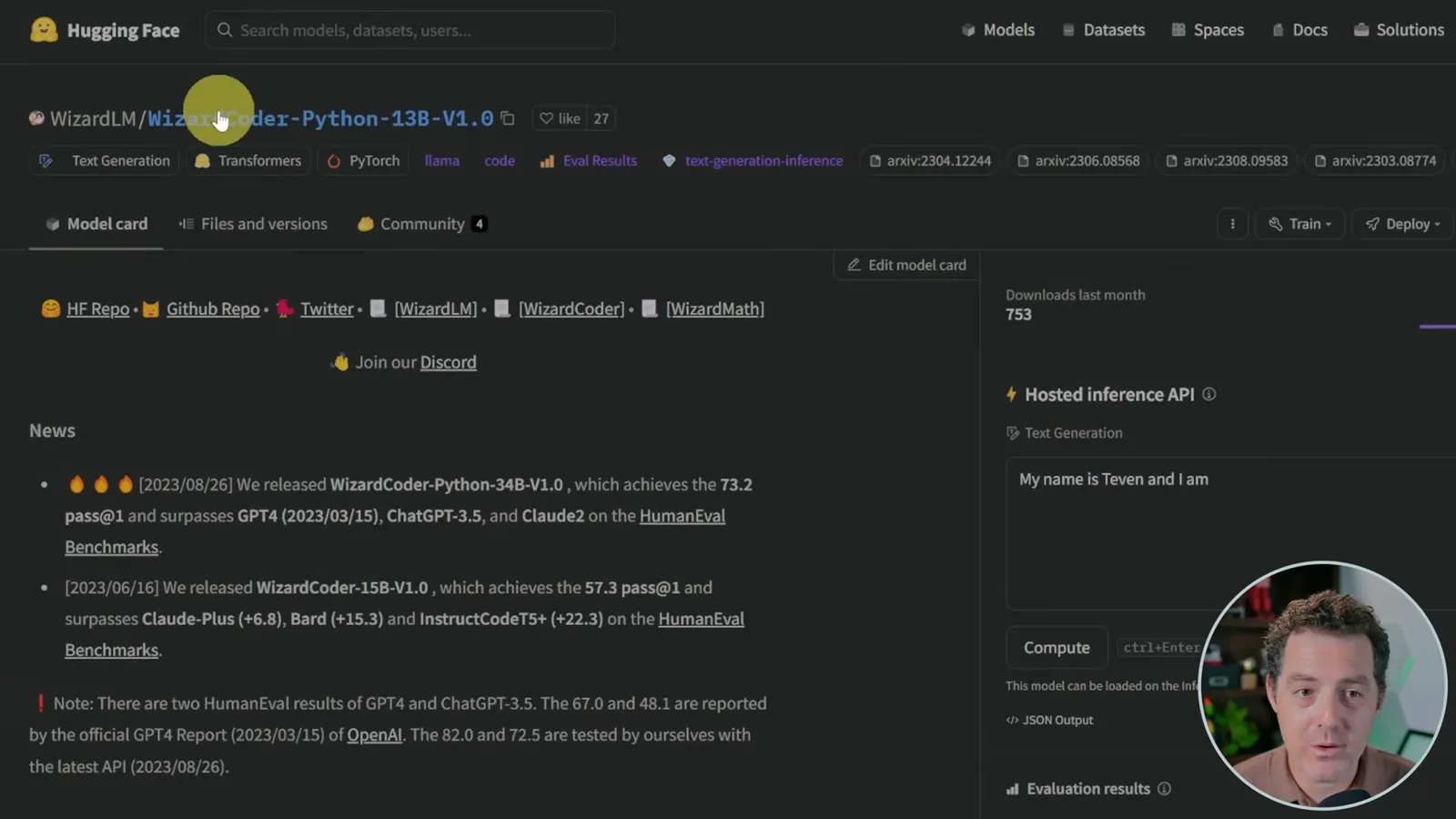
In the web interface's Model tab, I look up WizardCoder-Python 13B on Hugging Face. I choose the smaller model, although I have 24 GB of GPU memory and think I may be able to run the 34B model. Different model sizes and quantization formats have different hardware requirements.
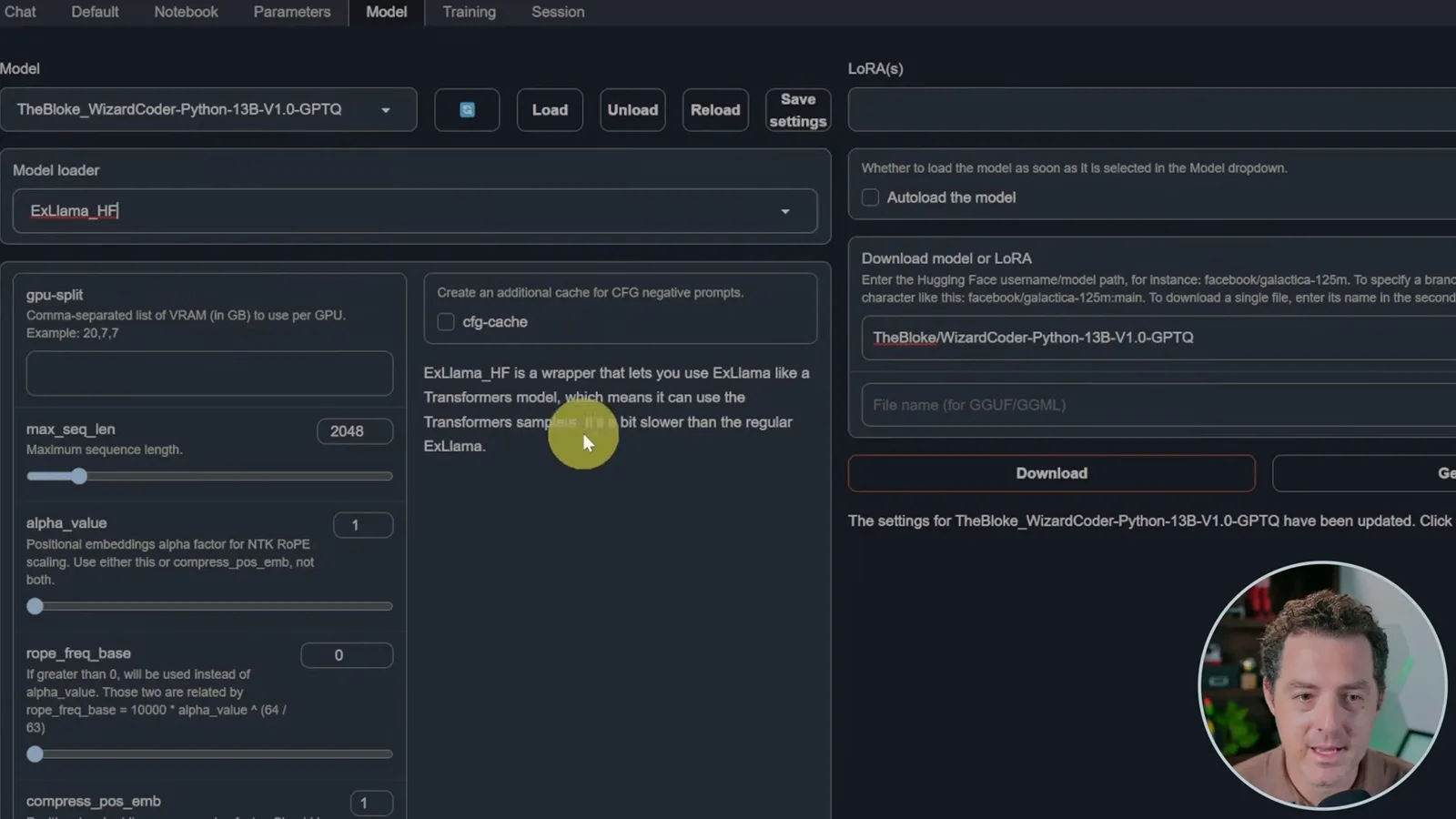
I use TheBloke's GPTQ quantized version, whose model file is roughly 7 GB. Quantization reduces the precision and size of model weights; it can change quality, and its speed depends on the hardware and software used. I copy the model identifier into the interface and download it.
After refreshing the model list, I select the downloaded model and choose ExLlama_HF rather than the default loader for this configuration. I set the maximum sequence length to 2,048, load the model and set the maximum new tokens and a low temperature for coding. The interface and loader options shown are specific to the versions used in the demonstration.
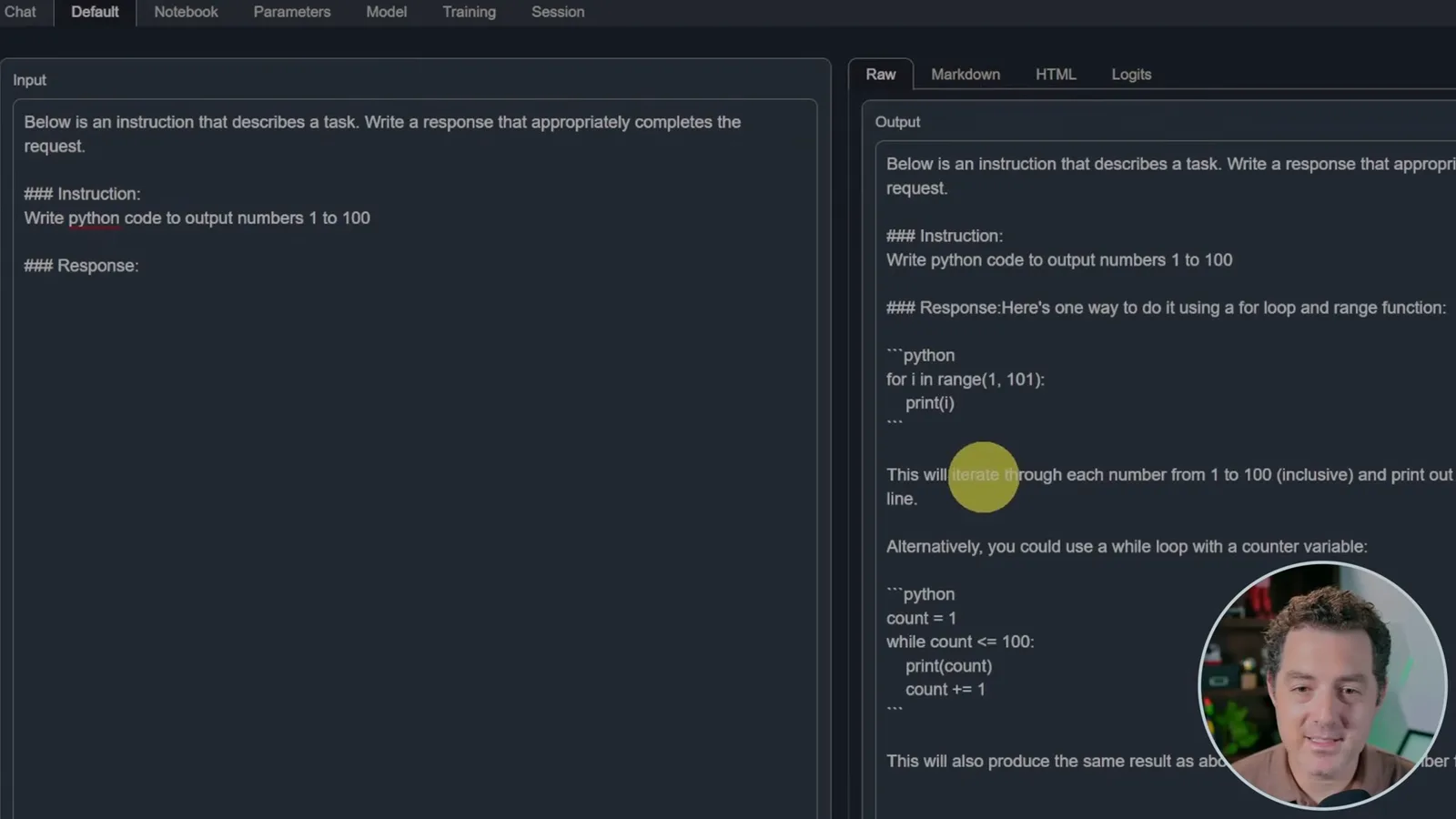
I use an instruction template and ask for Python code that outputs the numbers from 1 to 100. The model returns two working examples. It is a useful check that this local setup runs, although one simple prompt does not establish its overall coding reliability or make its hardware and electricity free.
More from this channel
 34:21EN
 Matthew Berman· Oct 27, 2026Matthew Berman Examines Anthropic’s IPO Filing, AI Growth and GovernanceMatthew Berman, Sam Altman · Forward FutureThe presenter reviews the S-1’s financial metrics, compute strategy and voting structure while questioning the tension between rapid AI development and safety.
 0:26ENMatthew Berman· Oct 25, 2026Sam Altman on Human Values and Problem-Solving in an AI WorldSam Altman · OpenAIIn a short interview excerpt, Altman considers the enjoyment of solving hard problems and the human role in interpreting results.
 0:36ENMatthew Berman· Oct 25, 2026Kimi K3.1 and a Rubik’s Cube Solver DemonstrationMatthew Berman · Forward FutureMatthew Berman shows a scrambled virtual cube being solved and gives the Kimi K3.1 test a favorable assessment.
 0:21ENMatthew Berman· Oct 24, 2026An AI-Generated Kimi Benchmark Chart Used Invented ScoresMatthew Berman · Forward FutureMatthew Berman asks for a graph of Kimi K3.1 Pro benchmarks, then discovers that the displayed figures are illustrative placeholders.
 25:50ENMatthew Berman· Oct 24, 2026Kimi K3.1 Pro Tested: Strong 3D Demos, Uneven Results and Competitive PricingMatthew Berman · Forward FutureMatthew Berman tests the open-weight model on coding, 3D rendering and visual explanations, then compares benchmark results and prices.
 32:20ENMatthew Berman· Oct 23, 2026Who Is Local AI For? The Costs, Trade-offs and a Hybrid FutureMatthew Berman · Forward FutureMatthew Berman weighs data control and independence against hardware cost, setup complexity and inference speed.