30초 요약
In April 2024, Matthew Berman demonstrates the early Devika AI coding assistant, its setup and model choices. A calculator and a GPT-4 Turbo Game of Life run in his tests, while Groq and local Ollama attempts encounter a Playwright error.
- 1Calculator exampleA simple prompt produced HTML, JavaScript and CSS; Berman tests a calculation despite layout defects.
- 2InstallationThe walkthrough installs Python and browser dependencies, starts frontend and backend servers, and configures provider and search credentials.
- 3Game of Life with GPT-4 TurboThe generated project runs in Berman’s demonstration after its requirements are installed.
- 4Local attempt stops at an errorThe Ollama model responds, but the app-building run encounters a Playwright error before completion.
핵심 정리
- The demonstrated Devika interface combines chat, a browser, a terminal and logs.
- The installation in the recording uses a Python environment, Playwright, frontend dependencies and separate servers.
- Hosted models and local Ollama models are among the options shown in the 2024 version.
- A local model responded, but the demonstrated app-building workflow failed at a Playwright step.
챕터별로 다듬은 전문 읽기
A calculator and model choices
Berman introduces Devika, tests a simple calculator and reviews the available model integrations.
In April 2024, Matthew Berman demonstrates Devika, an early open-source AI coding assistant inspired by Devin. Its interface combines a chat, browser, terminal and logs. He emphasizes that the project is still buggy, though he has seen it improve quickly.
His first example is a simple calculator created from a single prompt. The generated interface is horizontal and its numbers are not in order, but he tests 8 × 8 and gets 64. Devika produces HTML, JavaScript and CSS files after outlining a plan.
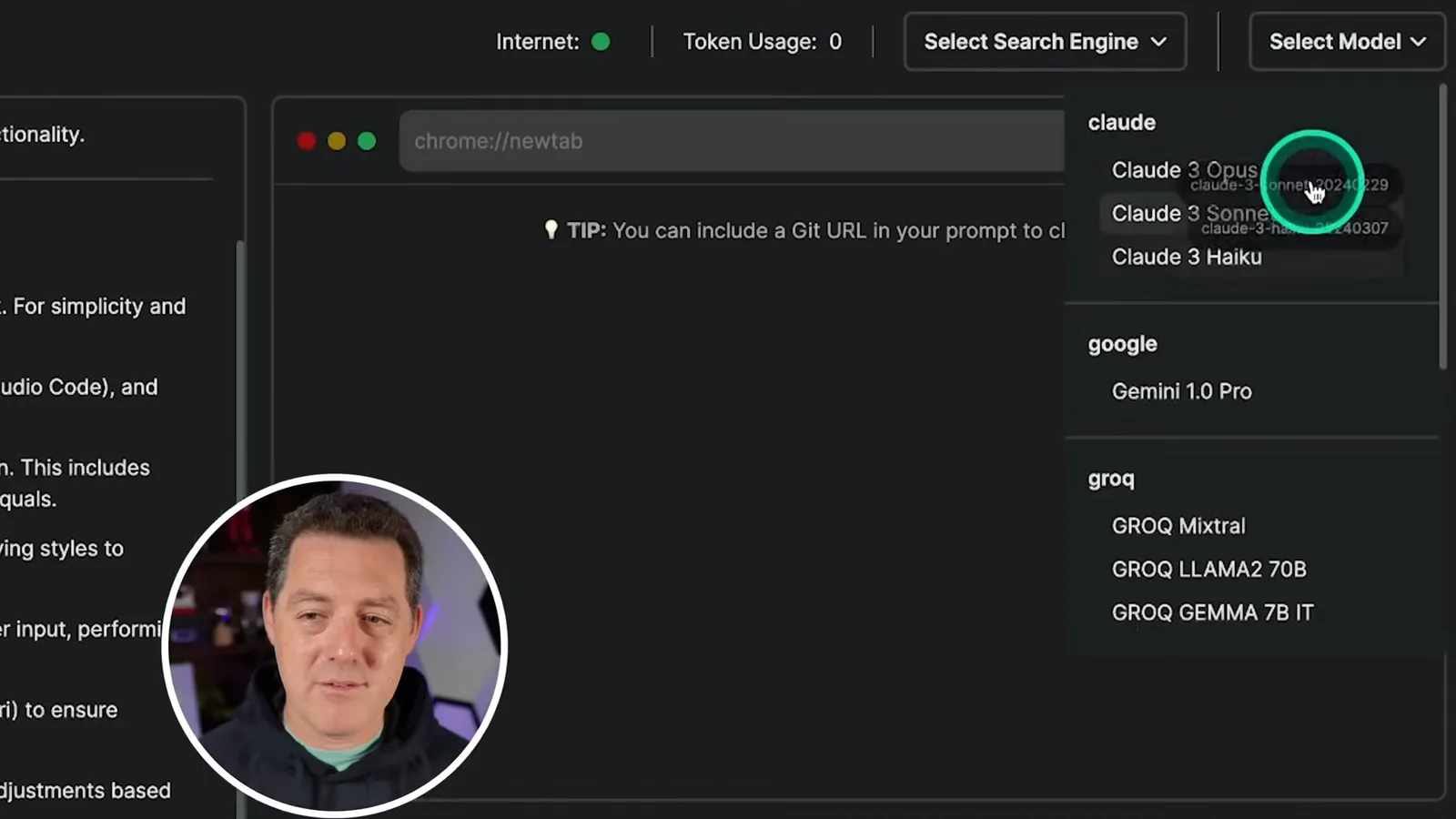
Berman shows the interface’s search-engine and model selectors. The version in the recording lists hosted models from several providers and local models through Ollama. He says some integrations did not work reliably in his tests.
Installation and configuration
He prepares a Python environment, Playwright and the frontend and backend, then configures model and search access.
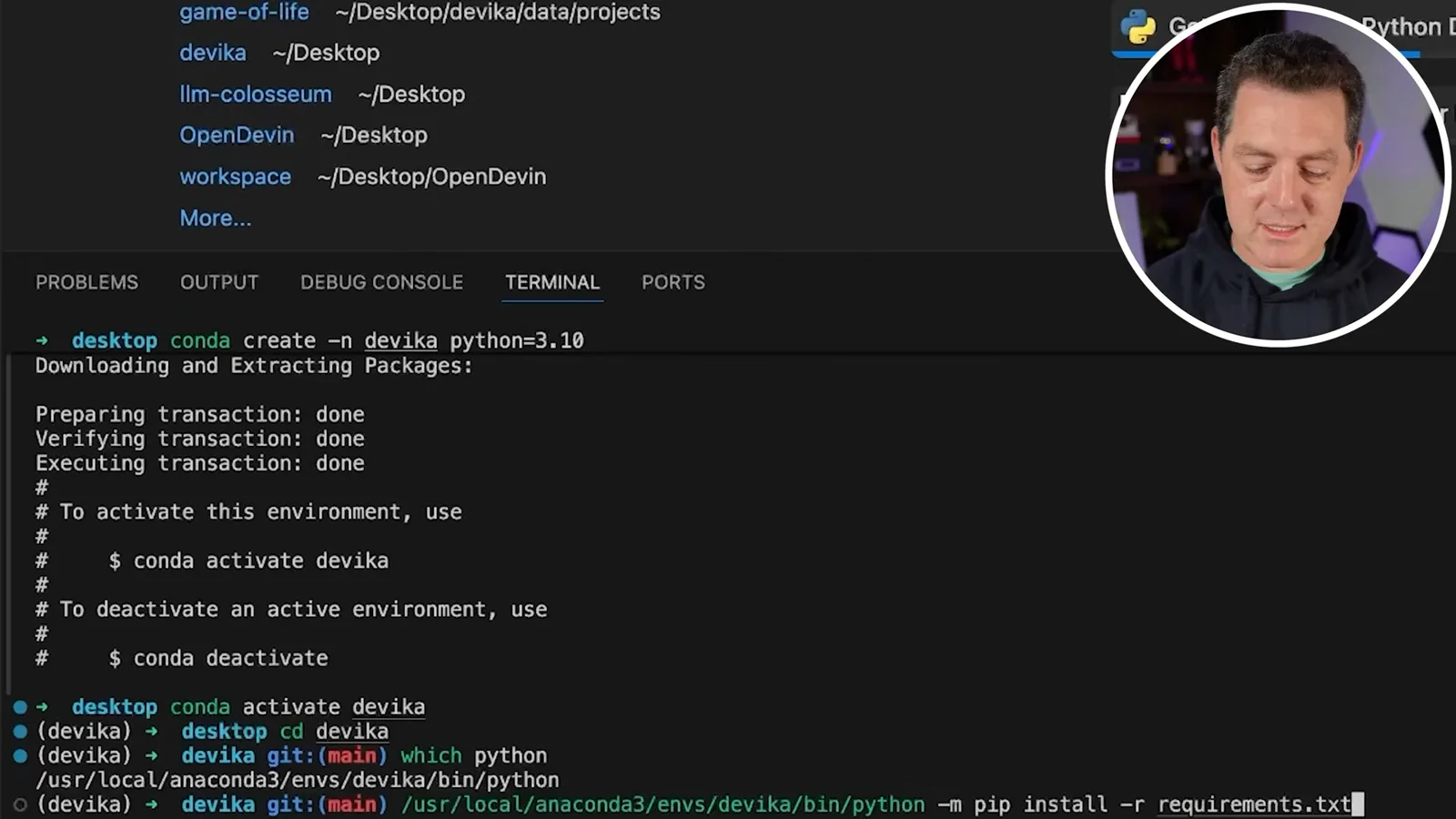
To install the version shown, he clones the Devika repository, creates and activates a Conda environment with Python 3.10, then installs the Python requirements in that environment. The video description links to his full instructions.
He sets up Playwright and its browser dependencies, installs the UI dependencies and starts the frontend with Bun. In another terminal, he activates the Python environment and starts the backend. He notes that the first backend startup may take time while a sentence-transformer model downloads.
The interface loads on localhost, but configuration remains. He opens the project configuration and supplies a model provider API key. For Google search, he creates a search API key and a programmable search engine, then adds the search engine ID to the configuration.
Game of Life with hosted models
A Groq attempt fails at a Playwright step; a GPT-4 Turbo attempt produces a program that runs in his test.
After restarting the frontend and backend, Berman creates a Game of Life project and selects Groq Mixtral with Google search. The attempt encounters a Playwright synchronous API error. He initially suspects a race condition, but does not establish the cause.
He retries the Game of Life prompt using GPT-4 Turbo. Devika outlines a plan, produces a project and reports completion, although the chat output appears twice. Berman opens the project directory, installs its requirements and runs the generated Python program; the game window appears.
Trying a local model
Berman connects Ollama and attempts the same project. A browser-related error prevents completion.
Berman then demonstrates local model inference through Ollama. He checks that a Mistral model is available, restarts the backend, refreshes the interface and selects that model for a second Game of Life attempt.
The local model responds and a Google search returns a result, but the task encounters a Playwright error again before completing the application. Berman wonders whether Google searching is involved; that is a hypothesis, not a diagnosed cause. He concludes the integration can run locally but the overall workflow remains buggy.
같은 채널의 다른 글
 14:45EN
 Matthew Berman· 2026년 10월 29일Matthew Berman Examines Google’s Gemini 4 Carbon AnnouncementMatthew Berman · Forward FutureMatthew Berman reviews Google’s reported benchmark results, staged rollout and pricing for Gemini 4 Carbon, while noting he has not yet used the model.
 21:11ENMatthew Berman· 2026년 10월 28일Matthew Berman tests DeepSeek V4.1 Flash: coding, vision and local appsMatthew Berman · Forward FutureA hands-on tour of visual coding, image reasoning, local applications and provider economics reveals both impressive results and visible flaws.
 34:21ENMatthew Berman· 2026년 10월 27일Matthew Berman Examines Anthropic’s IPO Filing, AI Growth and GovernanceMatthew Berman, Sam Altman · Forward FutureThe presenter reviews the S-1’s financial metrics, compute strategy and voting structure while questioning the tension between rapid AI development and safety.
 0:26ENMatthew Berman· 2026년 10월 25일Sam Altman on Human Values and Problem-Solving in an AI WorldSam Altman · OpenAIIn a short interview excerpt, Altman considers the enjoyment of solving hard problems and the human role in interpreting results.
 0:36ENMatthew Berman· 2026년 10월 25일Kimi K3.1 and a Rubik’s Cube Solver DemonstrationMatthew Berman · Forward FutureMatthew Berman shows a scrambled virtual cube being solved and gives the Kimi K3.1 test a favorable assessment.
 0:21ENMatthew Berman· 2026년 10월 24일An AI-Generated Kimi Benchmark Chart Used Invented ScoresMatthew Berman · Forward FutureMatthew Berman asks for a graph of Kimi K3.1 Pro benchmarks, then discovers that the displayed figures are illustrative placeholders.