30초 요약
In this November 2024 tutorial, Matthew Berman creates a starter CrewAI project, instruments it with the hosted Langtrace SDK and compares runs using different OpenAI models. Langtrace partnered on the video. Commands, defaults, interfaces and prices are historical; traces show execution and costs but do not by themselves verify output quality.
- 1Build the starter crewThe 2024 walkthrough installs CrewAI, creates a demo project and configures a researcher and reporting analyst. Current commands and defaults may differ.
- 2Instrument the applicationInstall and initialize the Langtrace SDK in the runtime environment; protect keys and review the data sent to the chosen tracing service.
- 3Check the model actually usedThe trace shows GPT-4o mini in the initial run despite the selection made during setup, illustrating why runtime traces matter.
- 4Inspect latency and token costThe span graph breaks down crew, task and provider calls. Metrics aggregate tokens, cost and trace counts.
- 5Compare two model configurationsA later run uses GPT-4o and o1-mini and takes longer and costs more in this example. One run does not prove a general performance ranking.
핵심 정리
- A starter CrewAI project can define a researcher and a reporting analyst with separate tasks and a shared topic.
- Initialize the tracing SDK in the environment that runs the application and before instrumented imports, while keeping API keys out of source code.
- Trace spans expose the sequence and duration of tasks and model calls; metrics aggregate tokens and estimated costs.
- Inspect actual model names in traces because framework defaults and selected settings may differ.
- A model comparison needs repeatable quality evaluation as well as latency and cost measurements.
챕터별로 다듬은 전문 읽기
Create a CrewAI project
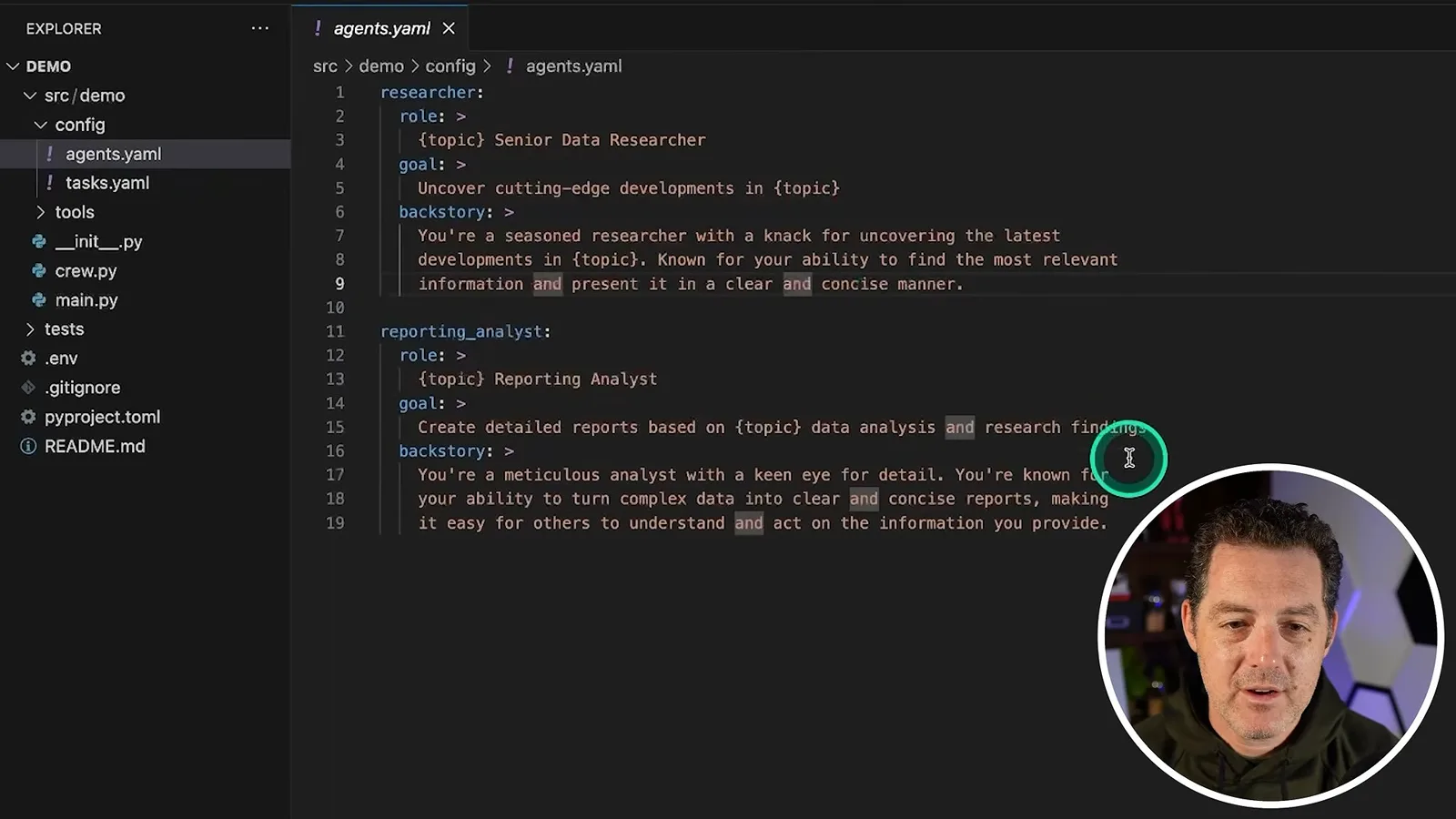
Berman discloses his partnership with Langtrace and installs the tools used in the 2024 demonstration. He sets up a researcher and reporting analyst.
In this November 2024 tutorial, I build a small CrewAI application and instrument it with Langtrace so I can inspect agent execution, token usage and cost. Langtrace partnered with me on the video. The commands, interface and model availability shown reflect the versions used in 2024, so check current documentation before reproducing them.
In VS Code, I install CrewAI with `pip install crewai` and its tools with `pip install "crewai[tools]"`. I then run `crewai create crew demo`, choose OpenAI and GPT-4o in the setup prompts, and provide a provider API key. Use your own key securely, avoid committing it to source control and revoke any credential accidentally exposed.
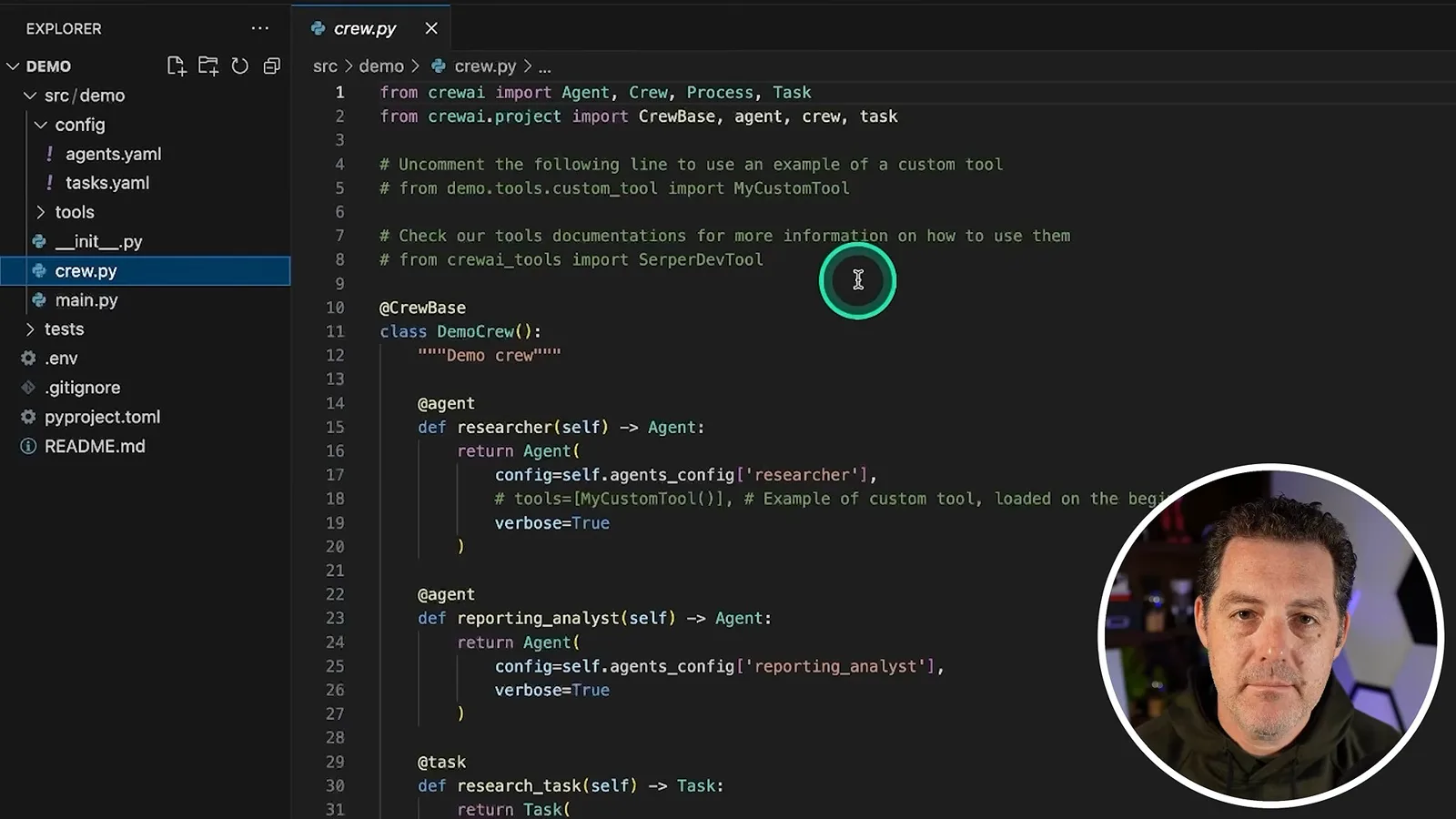
I open the generated project and inspect `config/agents.yaml`. The starter crew has a researcher with a topic-based role and goal, and a reporting analyst that turns the research into a report. The task configuration describes separate research and reporting tasks; `crew.py` connects the agents and tasks.
Run the crew and connect Langtrace
The starter crew writes a report. Berman then creates a hosted Langtrace project and initializes the SDK.
In `main.py` I set the topic to AI LLMs. The video then runs `crewai install` in the project and `crewai run` to test the scaffold. The researcher produces material for the reporting analyst and the final output appears in `report.md`; this verifies that the basic flow ran, not that its factual claims are correct.
I create a hosted Langtrace project, choose CrewAI and OpenAI as integrations, and install `langtrace-python-sdk`. The Langtrace application is available for self-hosting under AGPL-3.0, and the video uses the hosted service; check its applicable license and current pricing for your deployment.
I generate a Langtrace API key and initialize the Python SDK in the application. The SDK documentation says to initialize it before the imports it instruments. Store the key in an environment variable or secret manager instead of embedding a real key in source code, and account for the fact that traces may contain prompts and outputs sent to the chosen service.
The editor initially cannot resolve the SDK. I select the Python interpreter containing the package and run the crew again. For a real project, make sure the SDK is installed in the same environment used by `crewai run` and added to the project dependencies; an editor interpreter selection alone may not fix a separate runtime environment.
Explore traces and metrics
Berman inspects actual model calls, timing, token usage and costs. He also demonstrates a CrewAI-specific dashboard and a second run.
The new Langtrace project shows a trace for the run. It reveals that the calls used GPT-4o mini even though I had selected GPT-4o during setup. Looking at the actual model recorded in a trace is useful when a framework default or configuration does not match your expectations; defaults can change between versions.
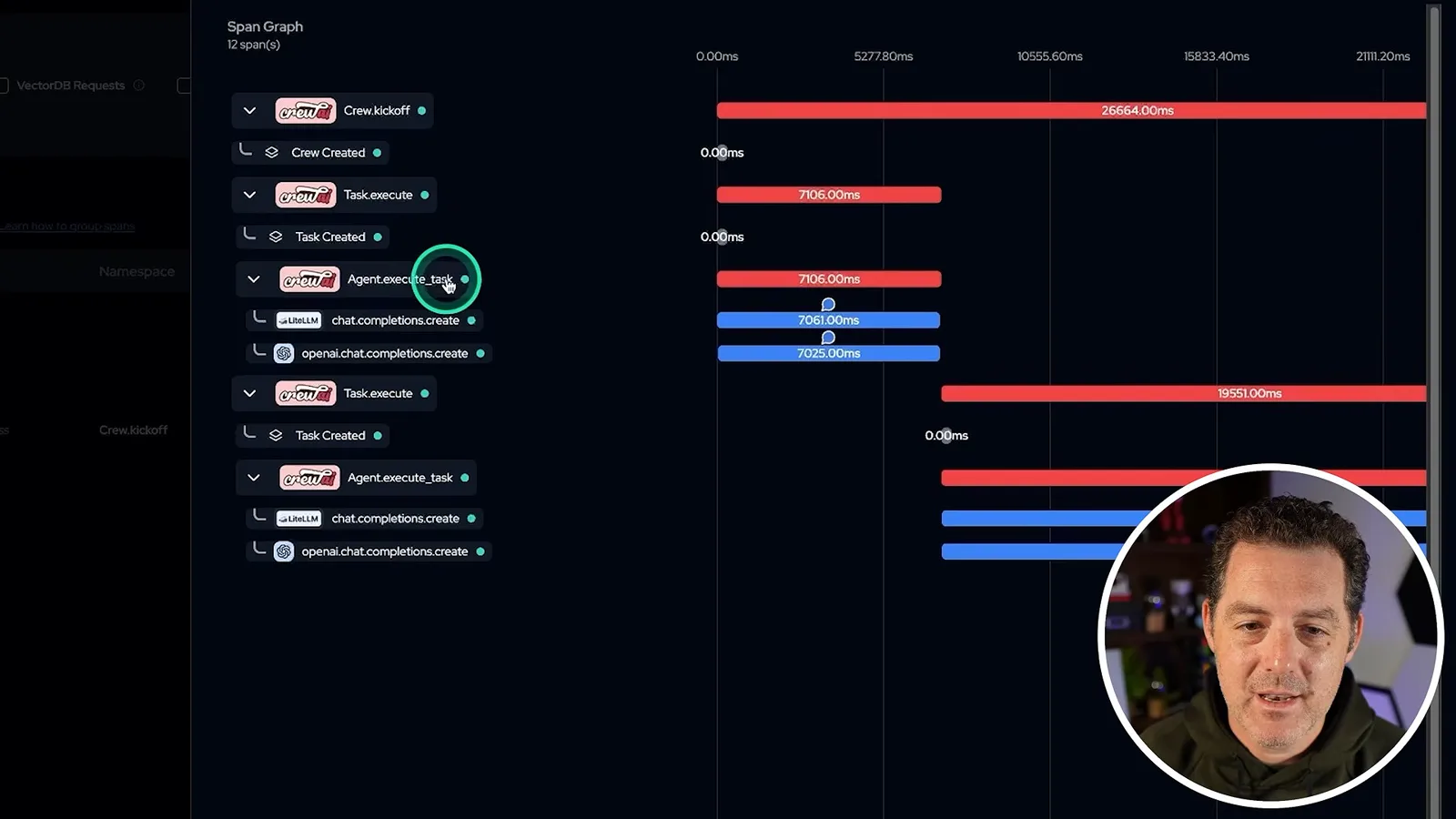
I open the trace details to inspect crew kickoff, task and agent execution, and the calls through LiteLLM and OpenAI. A span graph shows timing for each stage. I filter the stack to focus on CrewAI and OpenAI, and compare the approximately 26-second kickoff with an individual task of roughly seven seconds in this particular run.
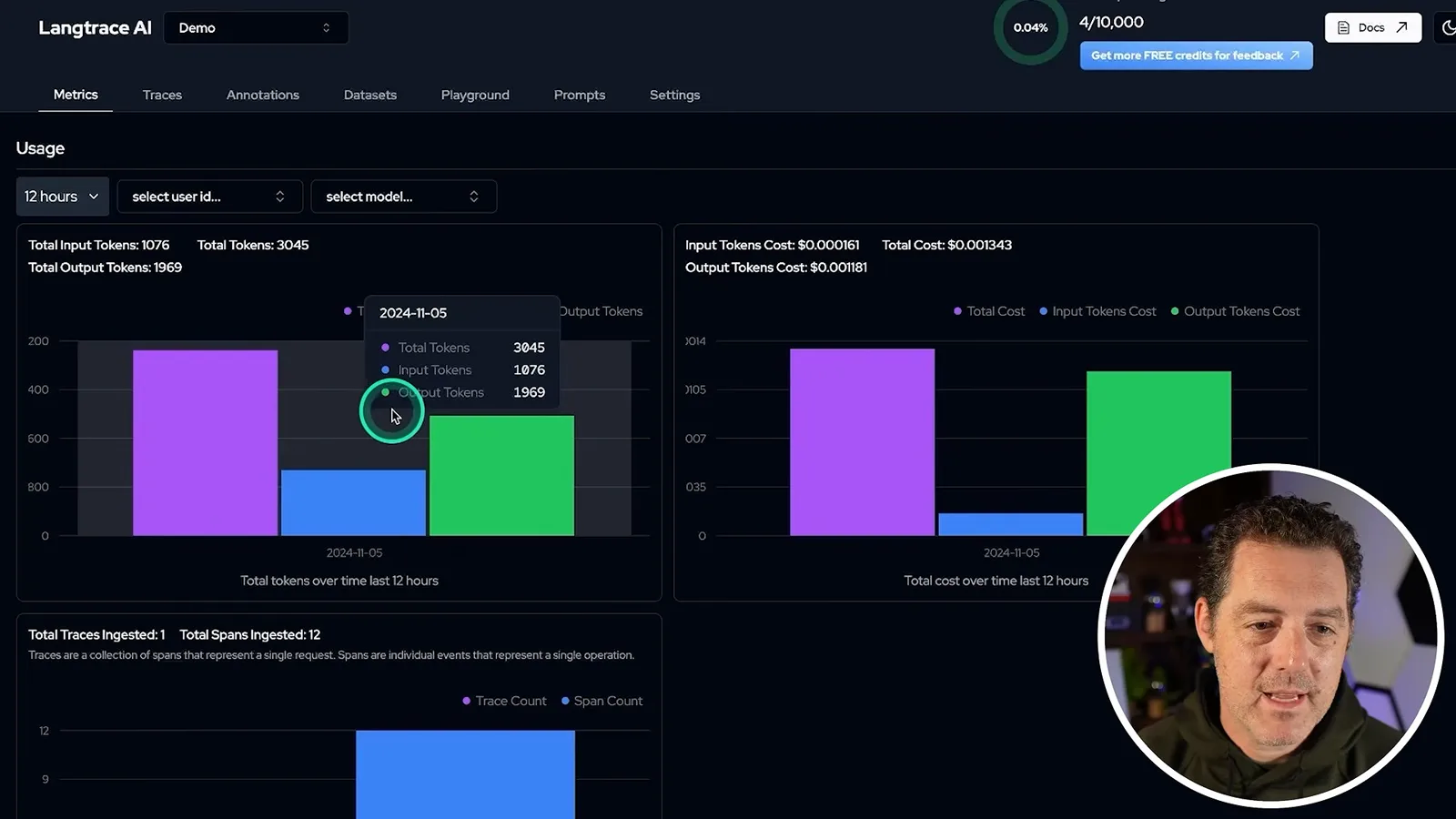
The metrics view shows input, output and total token usage over time, as well as the estimated cost and trace count. This small run costs a fraction of a cent in the 2024 example; the cost depends on the actual model, usage and pricing, not a fixed rate for every run.
I switch the project type to CrewAI to use a dedicated dashboard and navigate between sessions. The view summarizes run duration, agent and task details and the execution timeline. The example does not use memory or tools, though the dashboard has sections for them when present.
I run the crew again. A second trace appears and the metrics accumulate across the runs, making it possible to compare timing, token counts and cost. These observations help locate expensive or slow stages, but a trace alone does not establish whether the answer is accurate or useful.
Compare models and wrap up
He changes the agents to GPT-4o and o1-mini and compares the resulting trace. He discusses the balance between quality, speed and cost.
To compare models, I set the researcher to GPT-4o and the reporting analyst to o1-mini in `crew.py`. Langtrace then shows both model names in the new trace. The example run takes about 45 seconds and costs more than the earlier GPT-4o mini runs; one run is illustrative and does not establish a general speed or quality ranking.
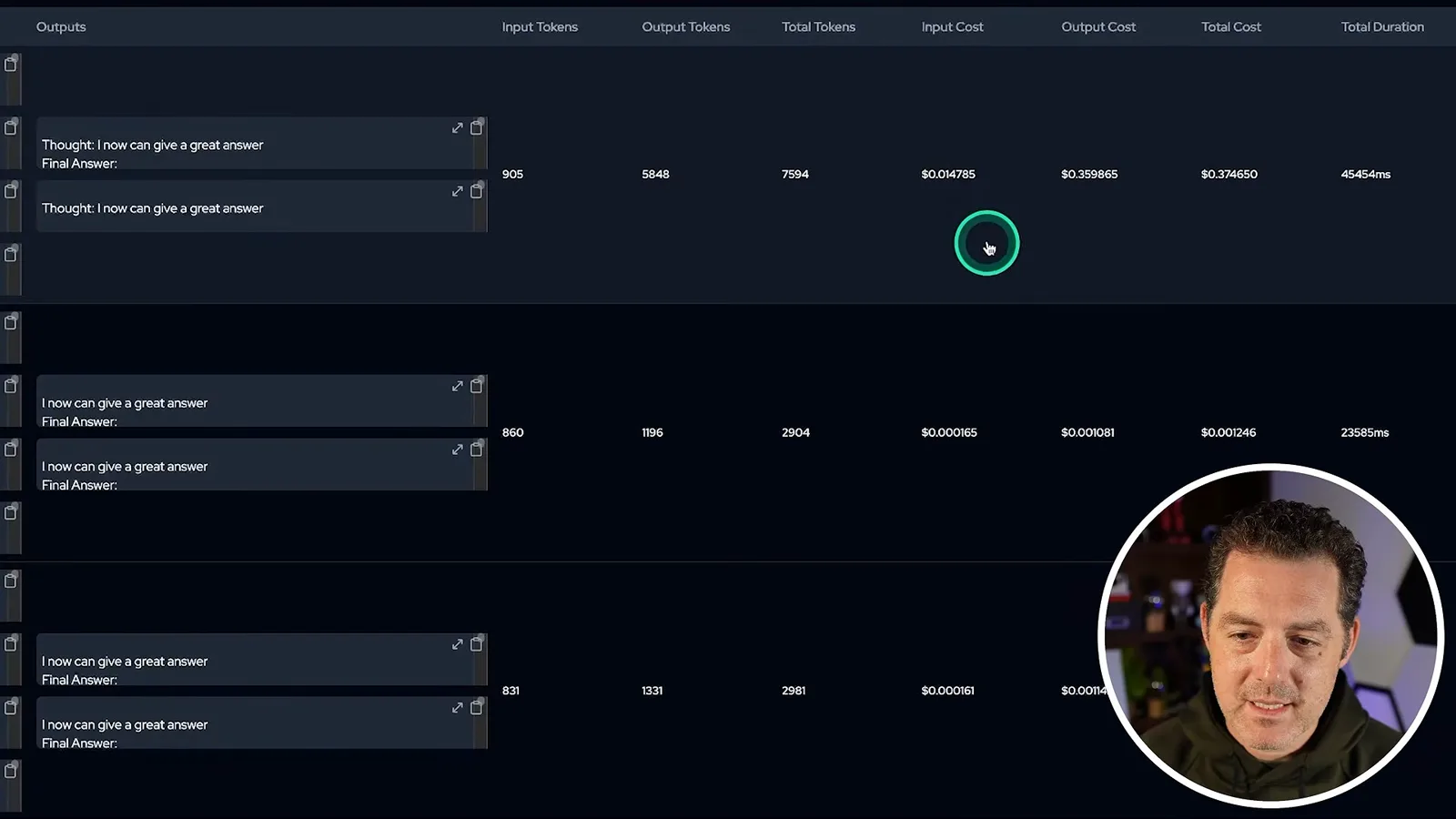
The point of the exercise is to balance quality, latency and cost using visibility into what each agent actually does. Evaluation of quality still requires appropriate tests or review. I thank Langtrace for partnering on the video and note that readers can choose between its self-hosted application and the hosted offering.
같은 채널의 다른 글
 34:21EN
 Matthew Berman· 2026년 10월 27일Matthew Berman Examines Anthropic’s IPO Filing, AI Growth and GovernanceMatthew Berman, Sam Altman · Forward FutureThe presenter reviews the S-1’s financial metrics, compute strategy and voting structure while questioning the tension between rapid AI development and safety.
 0:26ENMatthew Berman· 2026년 10월 25일Sam Altman on Human Values and Problem-Solving in an AI WorldSam Altman · OpenAIIn a short interview excerpt, Altman considers the enjoyment of solving hard problems and the human role in interpreting results.
 0:36ENMatthew Berman· 2026년 10월 25일Kimi K3.1 and a Rubik’s Cube Solver DemonstrationMatthew Berman · Forward FutureMatthew Berman shows a scrambled virtual cube being solved and gives the Kimi K3.1 test a favorable assessment.
 0:21ENMatthew Berman· 2026년 10월 24일An AI-Generated Kimi Benchmark Chart Used Invented ScoresMatthew Berman · Forward FutureMatthew Berman asks for a graph of Kimi K3.1 Pro benchmarks, then discovers that the displayed figures are illustrative placeholders.
 25:50ENMatthew Berman· 2026년 10월 24일Kimi K3.1 Pro Tested: Strong 3D Demos, Uneven Results and Competitive PricingMatthew Berman · Forward FutureMatthew Berman tests the open-weight model on coding, 3D rendering and visual explanations, then compares benchmark results and prices.
 32:20ENMatthew Berman· 2026년 10월 23일Who Is Local AI For? The Costs, Trade-offs and a Hybrid FutureMatthew Berman · Forward FutureMatthew Berman weighs data control and independence against hardware cost, setup complexity and inference speed.