30초 요약
In a video made in partnership with Microsoft, Matthew Berman describes how his content business uses Microsoft 365 Copilot Business. He says it helps with research and outlines, sorting sponsor inquiries, and flagging contract terms; he retains critical human review and legal counsel as a fallback. His efficiency and business-growth claims reflect his own experience, not a measured independent assessment.
- 1A Microsoft partnershipBerman discloses that he partnered with Microsoft and discusses its Microsoft 365 Copilot Business product.
- 2Research and outlinesHe uses Copilot to research material from newsletters, websites, and posts, then helps build a brief video outline.
- 3Sponsor managementHe describes sorting prospective sponsorship messages from spam.
- 4First-pass contract reviewHe gives the assistant preferred terms to flag and says he checks critical details and has legal counsel available.
핵심 정리
- Berman describes a paid partnership with Microsoft in this video.
- He uses Copilot to research potential topics and develop outlines for unscripted videos.
- He says the tool helps sort sponsorship inquiries and identify possible opportunities.
- His contract workflow asks for a first pass against preferred terms, while he checks critical information and retains legal counsel as a fallback.
- He credits automation with helping his team focus on judgment and taste, but the video does not quantify the effect.
챕터별로 다듬은 전문 읽기
A creator business and research
Berman introduces his content business and discloses the Microsoft partnership. He explains how he uses Copilot for research and outlines.
I make content for a living: I have more than 500,000 subscribers, publish over 400 videos a year, and work with a small but growing team. People still ask whether this is a real business. This video is made in partnership with Microsoft, and I want to show how I use Microsoft 365 Copilot Business in my workflow.
The first area is research and strategy. When I see something in a newsletter, on a website, or in a post, I ask Copilot to research it and present the information in a digestible form. I do not script my videos, but I use it to help put together a brief outline. This describes my workflow; the video does not independently verify every research result.
Sponsorship and contract review
He describes sorting sponsor emails and checking contracts against his preferred terms. He retains human review and legal counsel as a fallback.
The second area is sponsor management. My inbox includes messages from companies interested in working together as well as spam. I use Copilot to help sift through them and identify opportunities worth exploring. The decision about which offers are legitimate or suitable still belongs to the team.
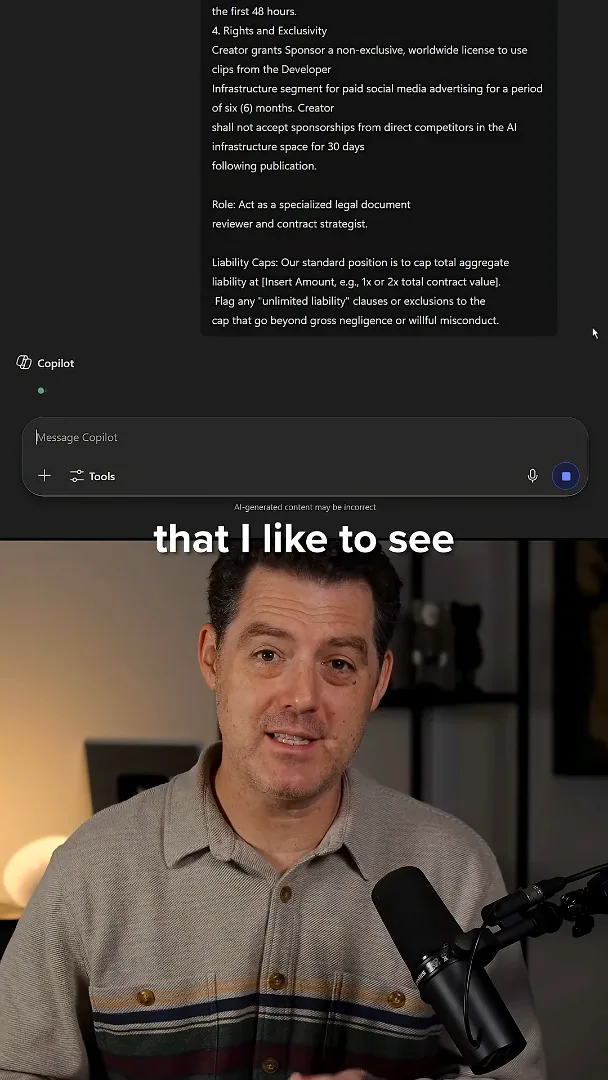
Contract review has been a particularly useful first-pass task for me. I provide a contract and my preferred terms, asking the assistant to flag potentially nonstandard provisions. For example, I specify preferences on liability caps, payment timelines, intellectual-property ownership, and termination clauses. I still check critical information and have legal counsel as a fallback; the video does not establish that automated review catches every issue.
A human team and automation
Berman says automation helps his team focus on judgment and creative taste. He promotes Microsoft’s resource on the return on AI.
Automation does not eliminate my need for a human team. I believe it helps us operate efficiently and leaves people more time for critical decisions and creative taste. I also credit this efficiency with helping us win larger deals, though I do not quantify that effect. In this sponsored video I recommend Microsoft 365 Copilot Business and its guide on the return on AI.
같은 채널의 다른 글
 34:21EN
 Matthew Berman· 2026년 10월 27일Matthew Berman Examines Anthropic’s IPO Filing, AI Growth and GovernanceMatthew Berman, Sam Altman · Forward FutureThe presenter reviews the S-1’s financial metrics, compute strategy and voting structure while questioning the tension between rapid AI development and safety.
 0:26ENMatthew Berman· 2026년 10월 25일Sam Altman on Human Values and Problem-Solving in an AI WorldSam Altman · OpenAIIn a short interview excerpt, Altman considers the enjoyment of solving hard problems and the human role in interpreting results.
 0:36ENMatthew Berman· 2026년 10월 25일Kimi K3.1 and a Rubik’s Cube Solver DemonstrationMatthew Berman · Forward FutureMatthew Berman shows a scrambled virtual cube being solved and gives the Kimi K3.1 test a favorable assessment.
 0:21ENMatthew Berman· 2026년 10월 24일An AI-Generated Kimi Benchmark Chart Used Invented ScoresMatthew Berman · Forward FutureMatthew Berman asks for a graph of Kimi K3.1 Pro benchmarks, then discovers that the displayed figures are illustrative placeholders.
 25:50ENMatthew Berman· 2026년 10월 24일Kimi K3.1 Pro Tested: Strong 3D Demos, Uneven Results and Competitive PricingMatthew Berman · Forward FutureMatthew Berman tests the open-weight model on coding, 3D rendering and visual explanations, then compares benchmark results and prices.
 32:20ENMatthew Berman· 2026년 10월 23일Who Is Local AI For? The Costs, Trade-offs and a Hybrid FutureMatthew Berman · Forward FutureMatthew Berman weighs data control and independence against hardware cost, setup complexity and inference speed.