30초 요약
Matthew Berman demonstrates Charlie Holtz's Narrator project, which combines GPT-4 Vision with ElevenLabs speech synthesis. He walks through setup, creates a voice resembling David Attenborough and troubleshoots the output. The demonstration produces audio files, although direct playback in his terminal fails; the interfaces and prices described are historical.
- 1Nature-style narrationThe opening example narrates a person and their surroundings in a nature-documentary style.
- 2Vision and speechThe project uses GPT-4 Vision to describe camera frames and ElevenLabs to generate a spoken voice.
- 3Local setupBerman clones the project, sets up a Python environment and configures API credentials.
- 4Voice setupHe creates a voice clone, selects a faster speech model and locates its voice ID.
- 5Troubleshooting outputAfter adjusting API-key handling, he finds an audio file and plays it outside the terminal.
핵심 정리
- The project captures webcam frames, describes them with a vision model and generates spoken narration.
- Berman configures Python dependencies and separate API credentials for OpenAI and ElevenLabs.
- His 2023 demonstration uses a voice clone and a voice ID, and he says Attenborough has rights to his own voice.
- He fixes a key-handling problem and plays the resulting audio file after terminal playback fails.
- The example's model availability, interface and pricing reflect the time of recording.
챕터별로 다듬은 전문 읽기
A camera narrator
Berman presents the narration example and credits Charlie Holtz's project. It combines image analysis and generated speech.
A generated David Attenborough-like voice narrates what my camera sees, describing my colorful clothing, microphone and movements in the style of a nature documentary. I'm going to show how this works. Charlie Holtz first shared the project, which uses GPT-4 Vision for camera images and ElevenLabs for speech.
Install and configure
He sets up the repository and credentials, then starts camera capture and narration processes.
I clone the Narrator repository, enter its directory and create a Python 3.11 Conda environment. After activating it, I install the requirements using that environment's Python. The demonstration requires access to the vision API and an ElevenLabs account; I configure their API keys as environment variables.
In the 2023 ElevenLabs interface I locate the API key under the account profile. I also create an OpenAI secret key and say I will revoke the one displayed in the video. The process uses two terminal sessions: one runs the camera capture script and asks for camera permission; the other analyzes frames and produces narration.
Voice setup and troubleshooting
Berman creates a voice clone and sets its ID. He adjusts key handling and plays a generated audio file after direct playback fails.
The first attempt reports that the configured voice ID cannot be found. I say Attenborough has rights to his own voice and describe my use as educational. I upload an audio sample to ElevenLabs' instant voice cloning feature; at the time, this requires a paid subscription, while a separate voice-design option is free. These are the settings and prices shown in 2023.
I test the cloned voice with text already generated by the project and find that it sounds convincing. I switch from the multilingual voice model to a faster Turbo option. Then I use the voices API to find the clone's ID and replace the hardcoded ID in the narrator script.
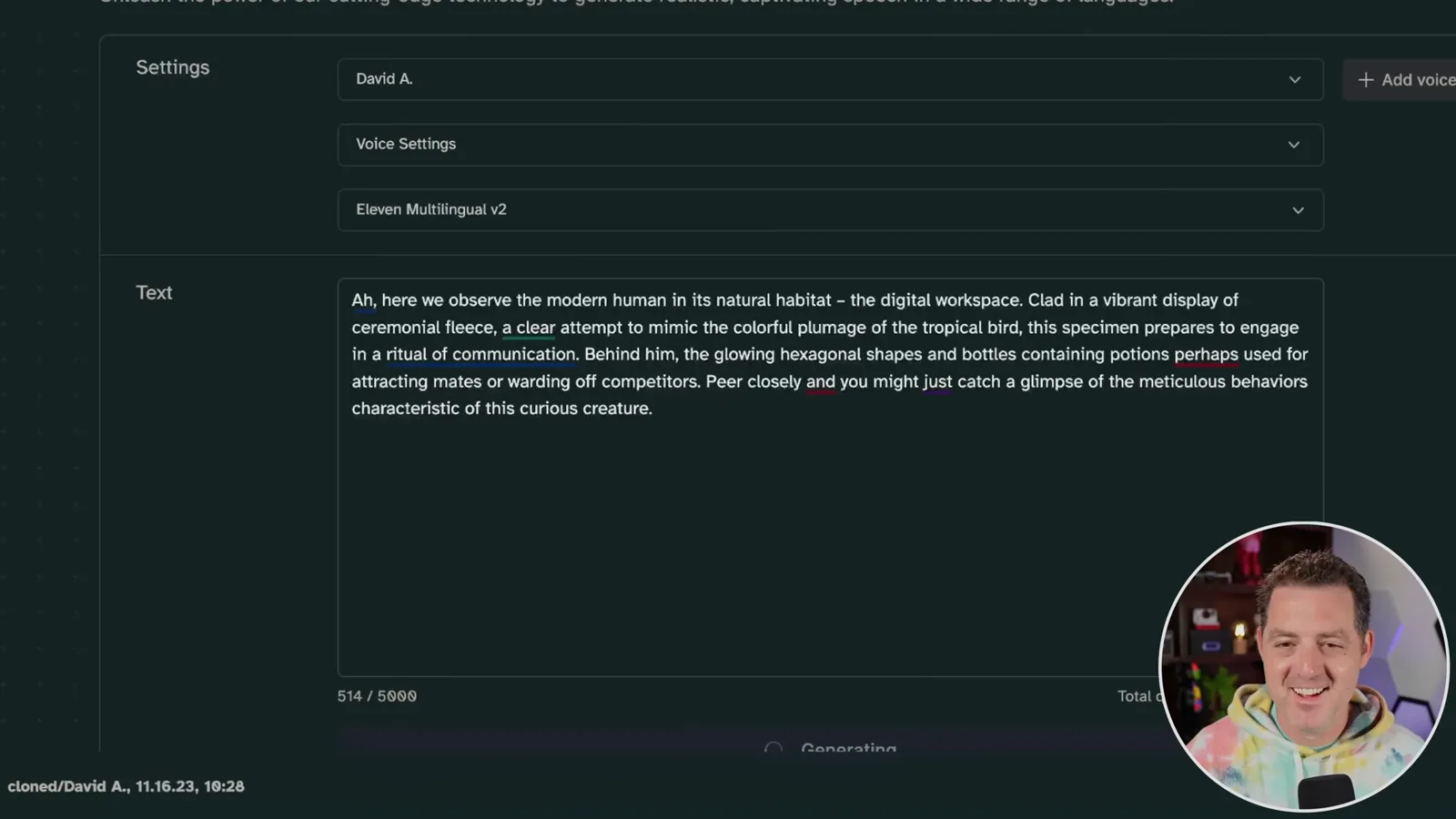
The next run appears not to use my API key, so I change the script to set the ElevenLabs key explicitly. Direct playback in the terminal still does not work, but I find the generated audio files and open one separately. It plays a narration describing me at my computer.
같은 채널의 다른 글
 34:21EN
 Matthew Berman· 2026년 10월 27일Matthew Berman Examines Anthropic’s IPO Filing, AI Growth and GovernanceMatthew Berman, Sam Altman · Forward FutureThe presenter reviews the S-1’s financial metrics, compute strategy and voting structure while questioning the tension between rapid AI development and safety.
 0:36ENMatthew Berman· 2026년 10월 25일Kimi K3.1 and a Rubik’s Cube Solver DemonstrationMatthew Berman · Forward FutureMatthew Berman shows a scrambled virtual cube being solved and gives the Kimi K3.1 test a favorable assessment.
 25:50ENMatthew Berman· 2026년 10월 24일Kimi K3.1 Pro Tested: Strong 3D Demos, Uneven Results and Competitive PricingMatthew Berman · Forward FutureMatthew Berman tests the open-weight model on coding, 3D rendering and visual explanations, then compares benchmark results and prices.
 32:20ENMatthew Berman· 2026년 10월 23일Who Is Local AI For? The Costs, Trade-offs and a Hybrid FutureMatthew Berman · Forward FutureMatthew Berman weighs data control and independence against hardware cost, setup complexity and inference speed.
 1:03:37ENMatthew Berman· 2026년 10월 23일Matthew Berman’s Team Tests Kimi K3.1 on Animation, Games, and ChartsMatthew Berman, Alex, Brian · Forward FutureA live team AMA turns into an informal test of Kimi K3.1, from personal-agent workflows to motion graphics, a browser game, and a benchmark chart.
 0:53ENMatthew Berman· 2026년 10월 22일Sam Altman on AI and the Discovery of New KnowledgeSam Altman · OpenAIAltman expects progress in mathematical discovery to extend to biology, materials and energy.