30 秒でわかる
Matthew Berman shows how he used Meta’s SAM 3D to turn a character image into a 3D-printable model, then demonstrates selecting and refining objects in a sample scene. He discloses that Meta partnered with him on the video.
- 1From character image to printBerman converts an image of Spike from Brawl Stars into a model and prints it.
- 2Select and generateHe clicks an object in a sample scene, checks the highlight and generates a 3D model.
- 3Refine the selectionHe adds the record player’s glass cover after the initial selection captures only the base.
ポイント
- SAM 3D can generate a 3D object from a selected object in a 2D image.
- Selections may need manual correction when an object is only partly highlighted.
- Generated models can be sent to 3D-printing software or given visual effects.
- The video demonstrates scene objects but does not walk through the separate body-creation feature.
チャプターごとに整えた全文を読む
A 3D-printed character
Berman shows his image-to-print workflow and discloses his partnership with Meta.
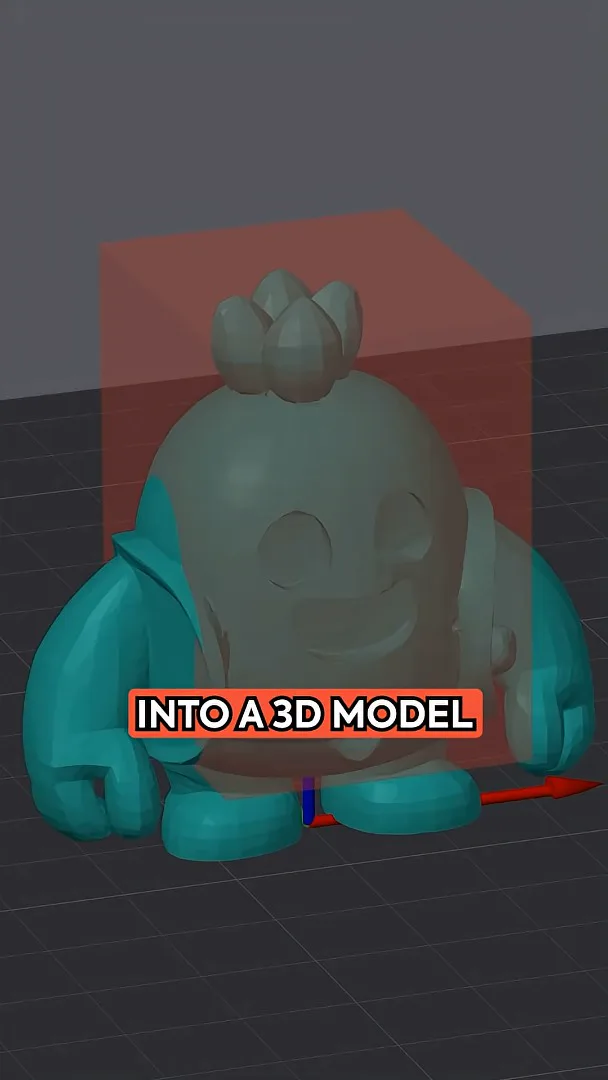
I took an image of Spike from Brawl Stars, loaded it into Meta’s SAM 3D, converted it to a 3D model and then printed it using my 3D-printing software. The example shows a route from a 2D reference to a physical object, though it is one demonstration rather than a measure of every model’s print readiness.
I describe SAM 3D as an open-source, open-weights model for extracting an object from a 2D image and generating a 3D representation. Meta partnered with me on this video. The interface offers options to create 3D scenes and 3D bodies; here I demonstrate the scene option.
Selecting objects and generating models
He turns a speaker and a record player from a sample image into 3D objects, correcting a partial selection.
Using a provided sample image, I click a speaker. The interface highlights the selected object, and I choose Generate 3D to produce a model from it. Clicking an object is the starting point, but the selection still needs to cover the part I actually want.
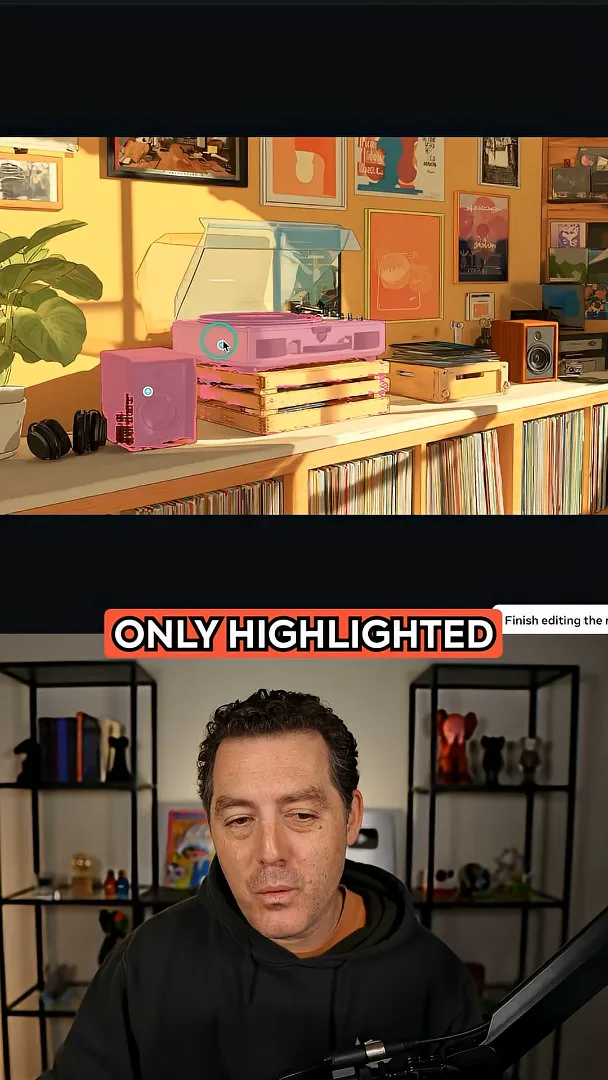
I then select a record player. The initial highlight includes only the bottom, so I remove the old selection and add the glass cover to include it in the object. After refining the selection, I generate the 3D model again.
Applying effects
He shows several effects that can be applied to a generated object.
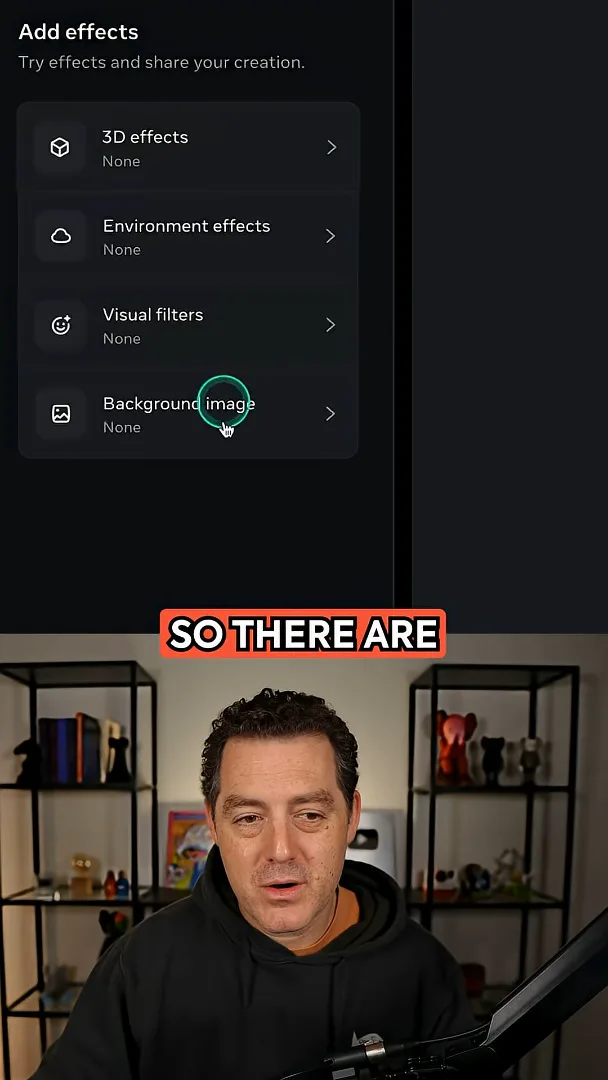
After generation, I open the effects menu. The available examples include a shimmer, a gold appearance and an explode effect. These are visual treatments applied to the generated object.
同じチャンネルの記事
 34:21EN
 Matthew Berman· 2026年10月27日Matthew Berman Examines Anthropic’s IPO Filing, AI Growth and GovernanceMatthew Berman, Sam Altman · Forward FutureThe presenter reviews the S-1’s financial metrics, compute strategy and voting structure while questioning the tension between rapid AI development and safety.
 0:36ENMatthew Berman· 2026年10月25日Kimi K3.1 and a Rubik’s Cube Solver DemonstrationMatthew Berman · Forward FutureMatthew Berman shows a scrambled virtual cube being solved and gives the Kimi K3.1 test a favorable assessment.
 25:50ENMatthew Berman· 2026年10月24日Kimi K3.1 Pro Tested: Strong 3D Demos, Uneven Results and Competitive PricingMatthew Berman · Forward FutureMatthew Berman tests the open-weight model on coding, 3D rendering and visual explanations, then compares benchmark results and prices.
 32:20ENMatthew Berman· 2026年10月23日Who Is Local AI For? The Costs, Trade-offs and a Hybrid FutureMatthew Berman · Forward FutureMatthew Berman weighs data control and independence against hardware cost, setup complexity and inference speed.
 1:03:37ENMatthew Berman· 2026年10月23日Matthew Berman’s Team Tests Kimi K3.1 on Animation, Games, and ChartsMatthew Berman, Alex, Brian · Forward FutureA live team AMA turns into an informal test of Kimi K3.1, from personal-agent workflows to motion graphics, a browser game, and a benchmark chart.
 0:53ENMatthew Berman· 2026年10月22日Sam Altman on AI and the Discovery of New KnowledgeSam Altman · OpenAIAltman expects progress in mathematical discovery to extend to biology, materials and energy.