30 秒でわかる
In this March 2024 tutorial, Matthew Berman shows the LM Studio interface available at the time, including model selection, parallel inference and an OpenAI-style local API. His JSON example does not always follow the requested structure. The video description discloses that Berman is an investor in LM Studio and CrewAI.
- 1Estimate model fitLM Studio displays file size and a compatibility estimate for quantized models.
- 2Hardware accelerationBerman’s example speeds up after enabling Apple Metal and GPU layers; it is a single-machine observation.
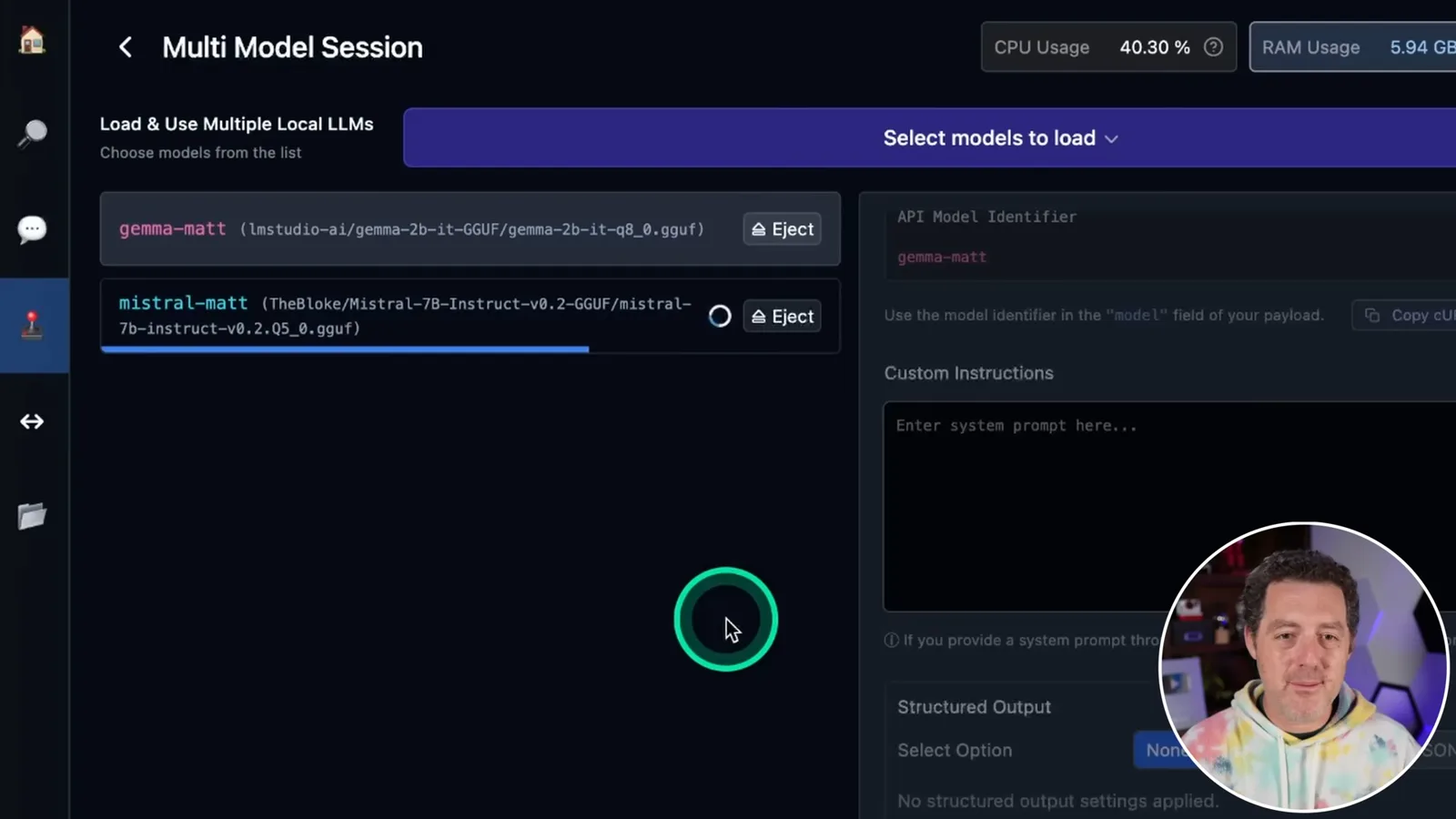
- 3Multiple loaded modelsGemma and Mistral are held in memory simultaneously, consuming about 7.3 GB in the demonstration.
- 4JSON needs verificationThe models do not consistently follow the desired structure even after JSON mode is enabled.
- 5Local APIA local server lets compatible clients list models and select a model for completion requests.
ポイント
- Model size, quantization and available memory affect whether a local model can run.
- Hardware acceleration improved speed in Berman’s particular test, but results vary by machine and workload.
- Loading multiple models permits comparison and parallel requests, with additional resource use.
- JSON mode and prompting do not eliminate the need to validate structured output.
- The local server exposes model and completion endpoints for compatible applications.
チャプターごとに整えた全文を読む
Finding and loading a local model
Berman introduces the 2024 interface, selects model files and discusses memory estimates. He loads Gemma into the chat.
In this March 2024 tutorial, I revisit LM Studio and its ability to run local language models without writing code. I focus on loading multiple models, structured output and a local API. The video description discloses that I am an investor in LM Studio and CrewAI.
The version shown offers downloads for macOS, Windows and Linux. After installation, I search the interface for Mixtral models hosted on Hugging Face; compatible file formats and model availability depend on the software and model, so not every model is guaranteed to run.
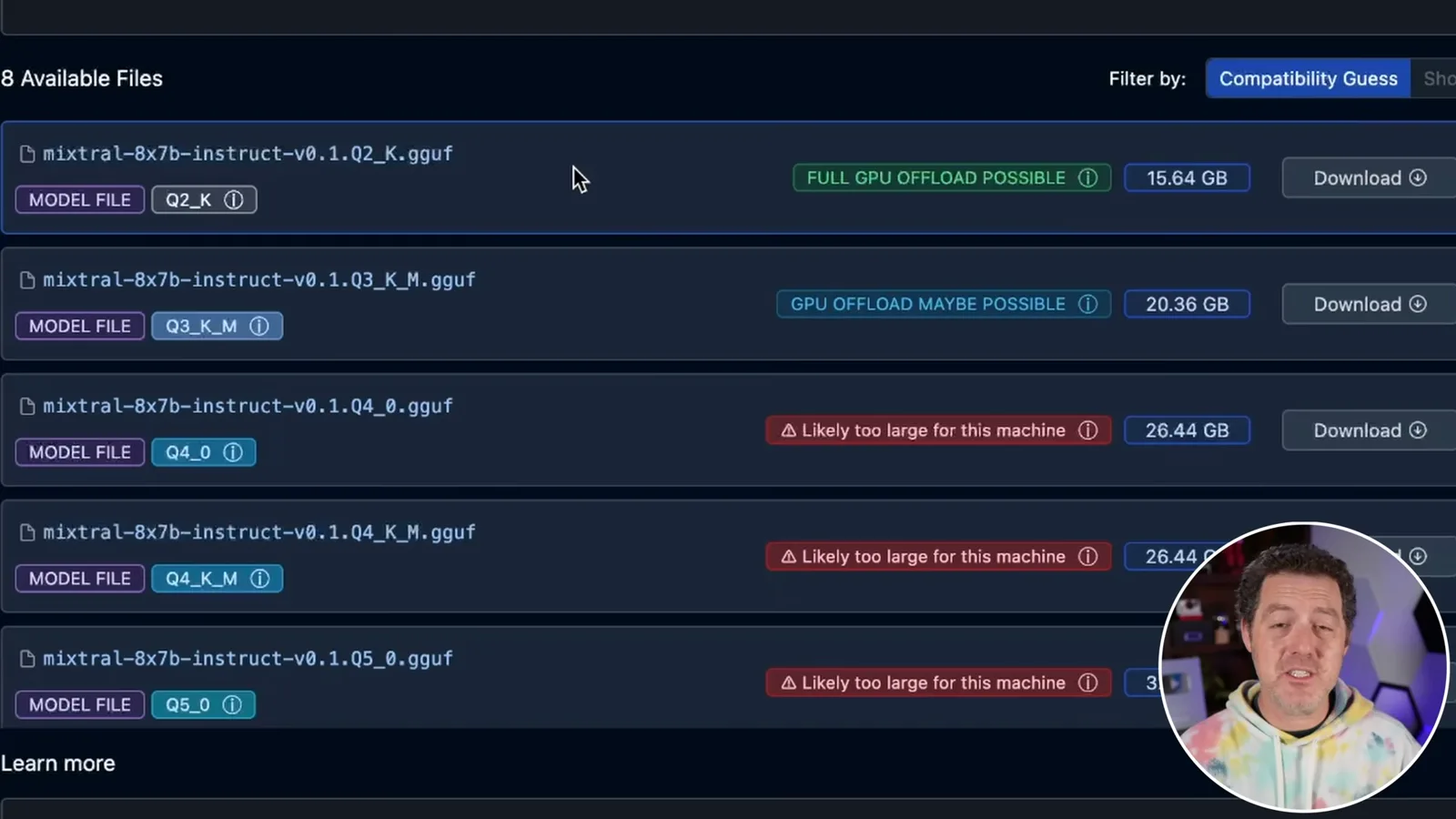
LM Studio estimates whether a quantized model is likely to fit the machine and whether GPU offload may be possible. It shows file sizes and explanations of quantization, useful when choosing between smaller files and potential quality tradeoffs; these are estimates, not guarantees.
I select a model file to illustrate the download process and cancel it after showing the progress display. A suitable choice depends on available memory as well as the model and quantization.
In the chat tab I load an already downloaded 2-billion-parameter Gemma model. The application selects a preset automatically, and I send a simple joke request to demonstrate local inference.
Chat tools and hardware settings
He explores chat controls and enables Apple Metal acceleration, reporting speeds from his own machine.
The chat interface can branch a conversation, copy or edit messages, regenerate responses and continue output. It also reports time to first token, generation speed, CPU threads and GPU layers.
On my Apple computer, I turn on Metal support, reload the model and increase GPU layers. In this small example the displayed speed changes from about 20 to 73 tokens per second; that is an individual observation, not a universal benchmark.
Multiple models and JSON
The Playground loads Gemma and Mistral together. Berman tests sequential and parallel generation and observes formatting mistakes.
The Playground lets me load multiple models into memory. I choose Gemma and Mistral and assign short model identifiers that can also be used in API requests.
Both models load at once, using about 7.3 GB on the 32 GB machine shown. How many models can coexist depends on their size, context and available resources; my estimate about loading more is illustrative.
The interface offers JSON mode for structured output, but model behavior still matters. I first send the same joke request to both models sequentially and inspect their outputs and reported speeds.
Simply enabling JSON mode does not produce the format I want in this example. Explicitly requesting JSON improves the results, but the two models choose different structures.
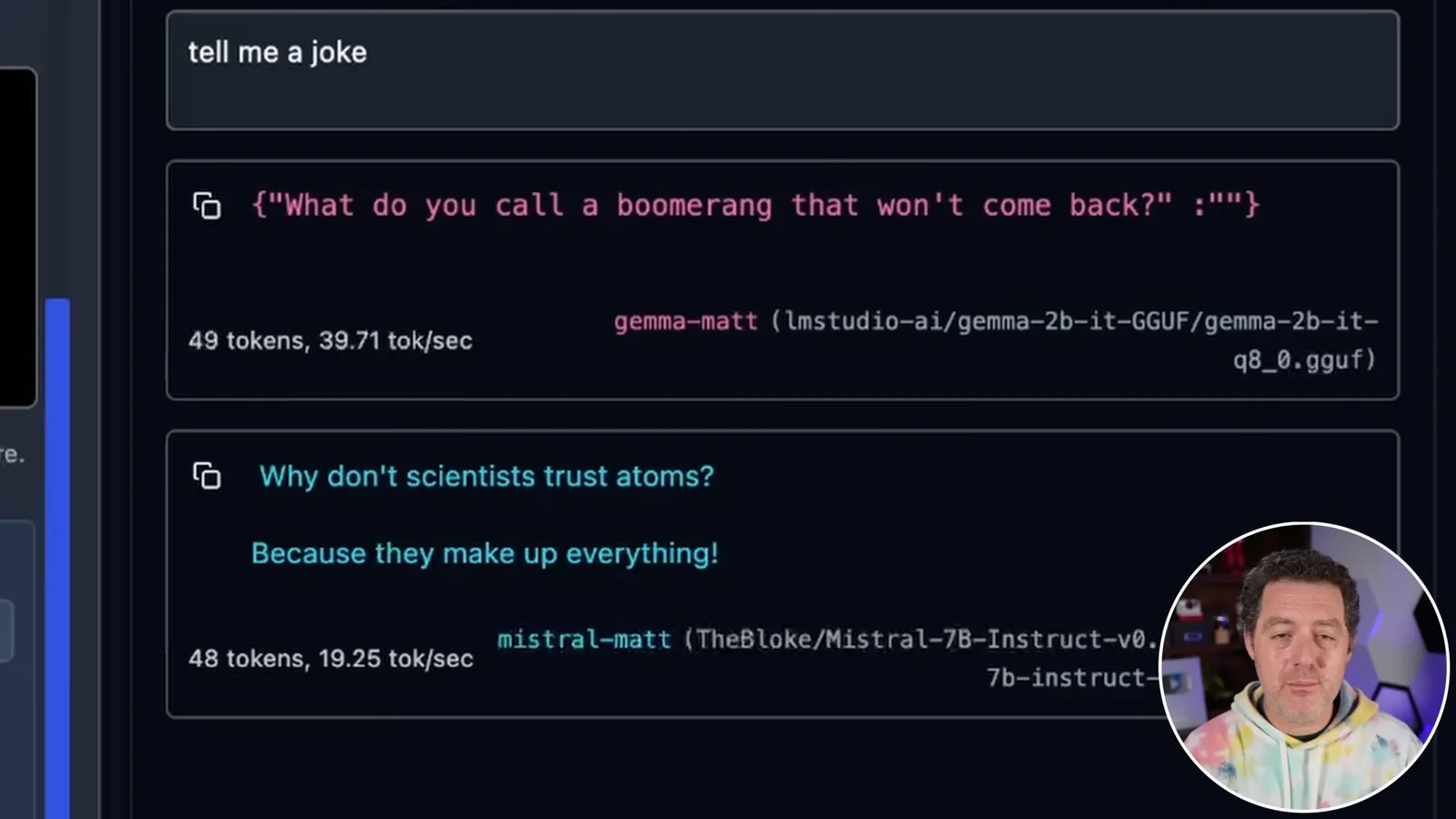
I specify a nested structure with joke, setup and punchline fields. Mistral follows the request in this attempt while Gemma does not; the demo shows why structured output should be validated, not assumed correct.
I switch off sequential sending so both loaded models generate at once. It works on the machine shown, but parallel inference can compete for memory and compute and may be unsuitable for a smaller computer.
Throttling and the local API
He shows a resource throttle and a local server. API requests select between the loaded models, with possible agent-framework integrations.
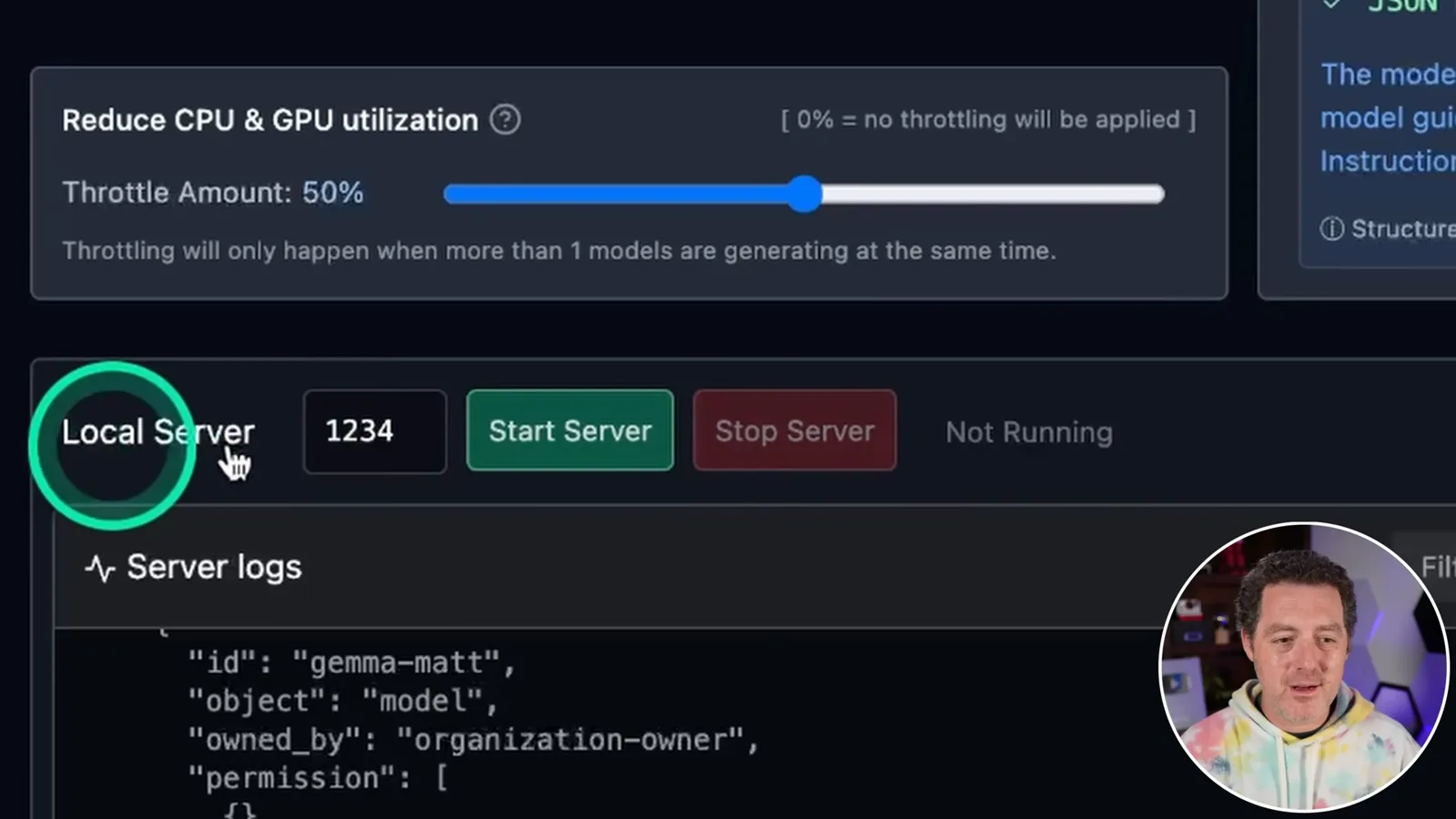
A throttling control reduces CPU and GPU pressure when multiple models generate simultaneously, at the cost of slower computation. I point out the default setting shown in this version.
I start the local server, which exposes API endpoints similar to those used by OpenAI clients. A request to the models endpoint lists the loaded models, and a completion request specifies the desired model identifier.
I demonstrate changing the model name in a terminal request to switch between Gemma and Mistral without reloading them. Both remain in memory, which makes the switch convenient in this test.
I discuss using the local endpoint with agent frameworks such as AutoGen and potentially CrewAI, with different models assigned to different agents. The precise setup and compatibility depend on the versions involved.
I encourage viewers to experiment with local models and multi-agent workflows. Loading several models can make comparisons or coordination possible, but improved output quality is a hypothesis to test rather than a guarantee of the demonstration.
同じチャンネルの記事
 25:50EN
 32:20EN
 0:22EN
 45:08EN
 0:32EN
 1:02EN