En 30 segundos
In this Lightning AI-sponsored tutorial, Matthew Berman structures a CrewAI project with YAML agent and task definitions, runs a Tesla analysis with Groq and begins switching to Mixtral served through Ollama in a Lightning Studio. He discloses an investment in CrewAI in the description. The code, tools and prices are historical. The video does not clearly attach its copied search tool or complete the second run, and its generated financial figures require independent verification.
- 1Modular structureYAML files define agents and tasks, while Python assembles the crew.
- 2Two agentsA researcher and analyst handle sequential tasks, with delegation disabled in the example.
- 3Data-source caveatThe video copies an SEC tool, but does not clearly show it attached to the agent.
- 4Hosted runThe output is a demonstration and its financial figures are not validated by the video.
- 5Remote model endpointOllama runs in a cloud Studio; authentication matters when the endpoint is exposed.
Conclusiones
- The example separates agent and task configuration from the crew orchestration and main entry point.
- A task instruction mentioning search is not evidence that an actual data tool was connected or used.
- The hosted run outputs financial figures that must be independently checked rather than assumed current or accurate.
- The Ollama model runs on a remote Lightning GPU, not on the viewer’s own device.
- The second run begins but is stopped before a complete end-to-end result is shown.
- Lightning AI sponsored the video; Berman discloses that he is a CrewAI investor.
Lee el texto editado por capítulos
Project structure and tasks
Berman introduces the sponsored tutorial, creates a cloud Studio and defines research and analysis tasks. The instructions reflect 2024 versions.
In this April 2024 tutorial I build a financial-analysis crew using CrewAI and Lightning AI, then swap its hosted Groq model for an Ollama model running on a Lightning cloud GPU. Lightning AI sponsored the video, and I disclose in the description that I am an investor in CrewAI. The workflow is historical; interfaces, packages and service terms may have changed.
I create a new Lightning Studio and a code environment. It provides a browser-based editor and managed cloud compute, though dependencies still need installation and the environment is not inherently a fresh local machine. Credits, pricing and GPU availability depend on the service’s current terms.
The project is modular: a `src/financial_analyst_crew` package contains configuration, tools and a crew definition, while a short `main.py` supplies inputs and starts the run. I describe this as a structure recommended to me by CrewAI’s founder; it is an approach from 2024 rather than a guarantee of compatibility with future versions.
Inside `config`, I create `agents.yaml` and `tasks.yaml`. I expect the structure might eventually support automatically exposed crew endpoints, but that is my future-facing expectation at the time, not proof that the video itself creates such an API.
The first task researches a company, with a description and expected output. I use a `{company_name}` placeholder so the same task can accept different inputs and ask for enough financial information to analyze stock performance.
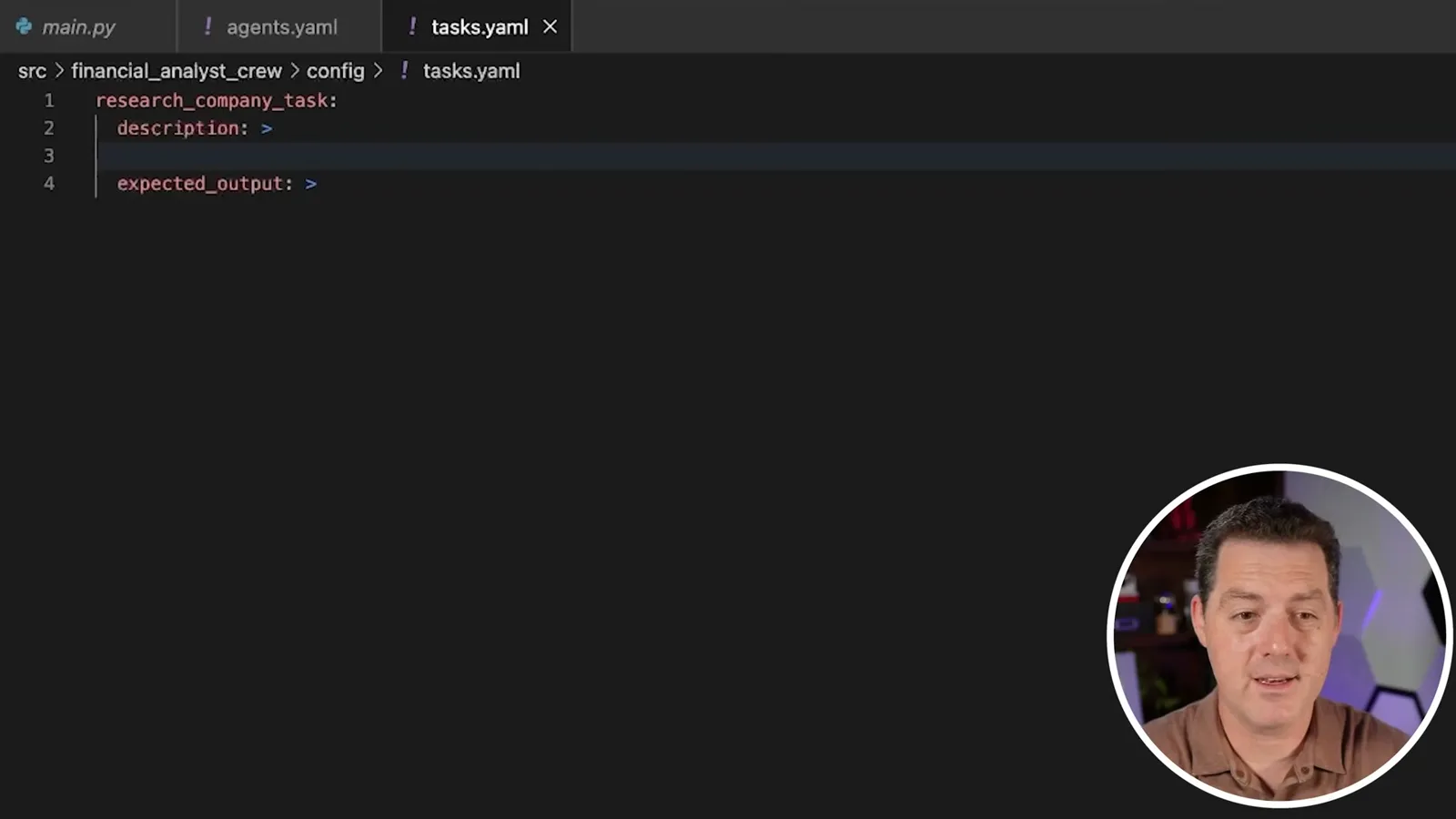
I add an analysis task and use Claude to brainstorm metrics, such as profitability, liquidity and solvency ratios. The expected output is a readable financial report. This is a simple demonstration, not a complete investment-research system.
Agents and crew orchestration
He defines two agents, assembles sequential tasks and configures a hosted Groq model. The main entry point supplies a company name.
In `agents.yaml`, I define a financial researcher with a role, goal and backstory. I mention search tools explicitly, disable delegation and enable verbose output. A prompt mentioning a tool does not itself give an agent access to it; the tool must actually be configured and attached.
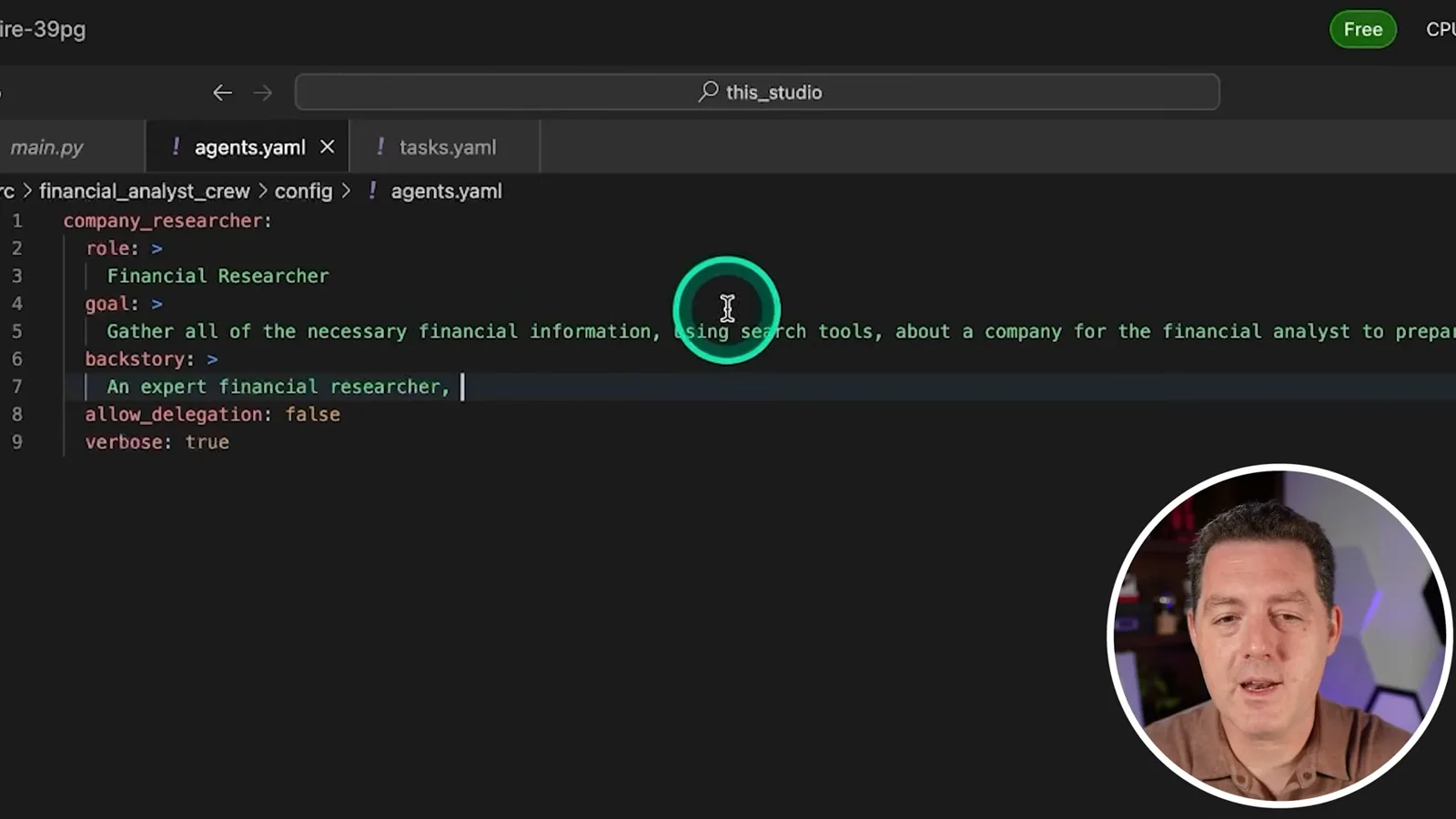
I create a second agent, the financial analyst, with the goal of turning company information into a clear report. I usually map one agent to each task in this example, though other architectures are possible. I note that the cloud editor saves files automatically in the demonstrated setup.
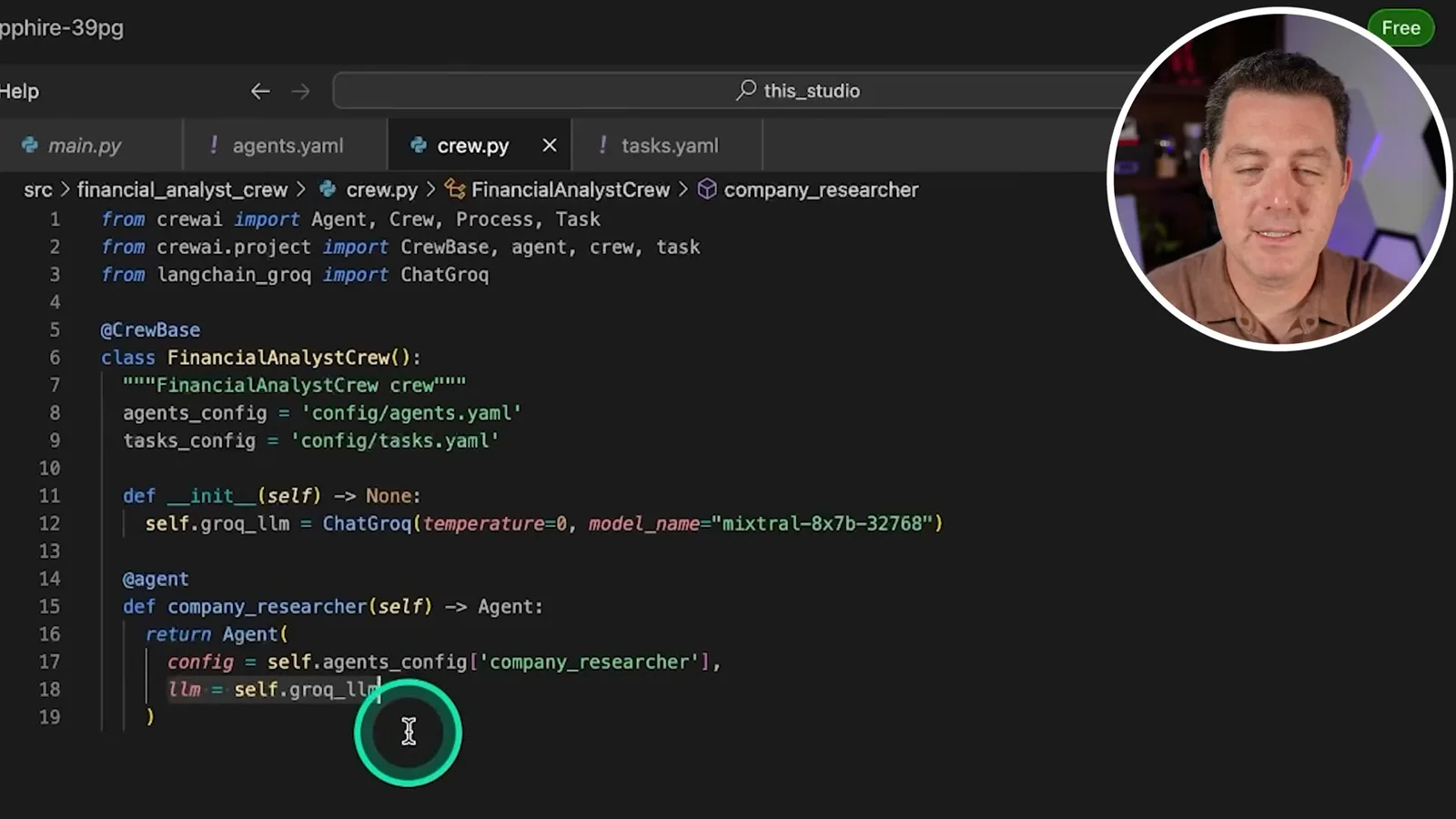
In `crew.py`, I import CrewAI’s `Agent`, `Crew`, `Process` and `Task`, project decorators, and `ChatGroq` from `langchain_groq`. I create a decorated crew class, point it at the YAML files and configure Mixtral on Groq. Exact imports and parameters reflect the versions in the recording.
The decorated researcher and analyst methods return agents configured from YAML and use the Groq language model. I note that separate agents can use different model providers when their integrations support it; the example initially uses one hosted model.
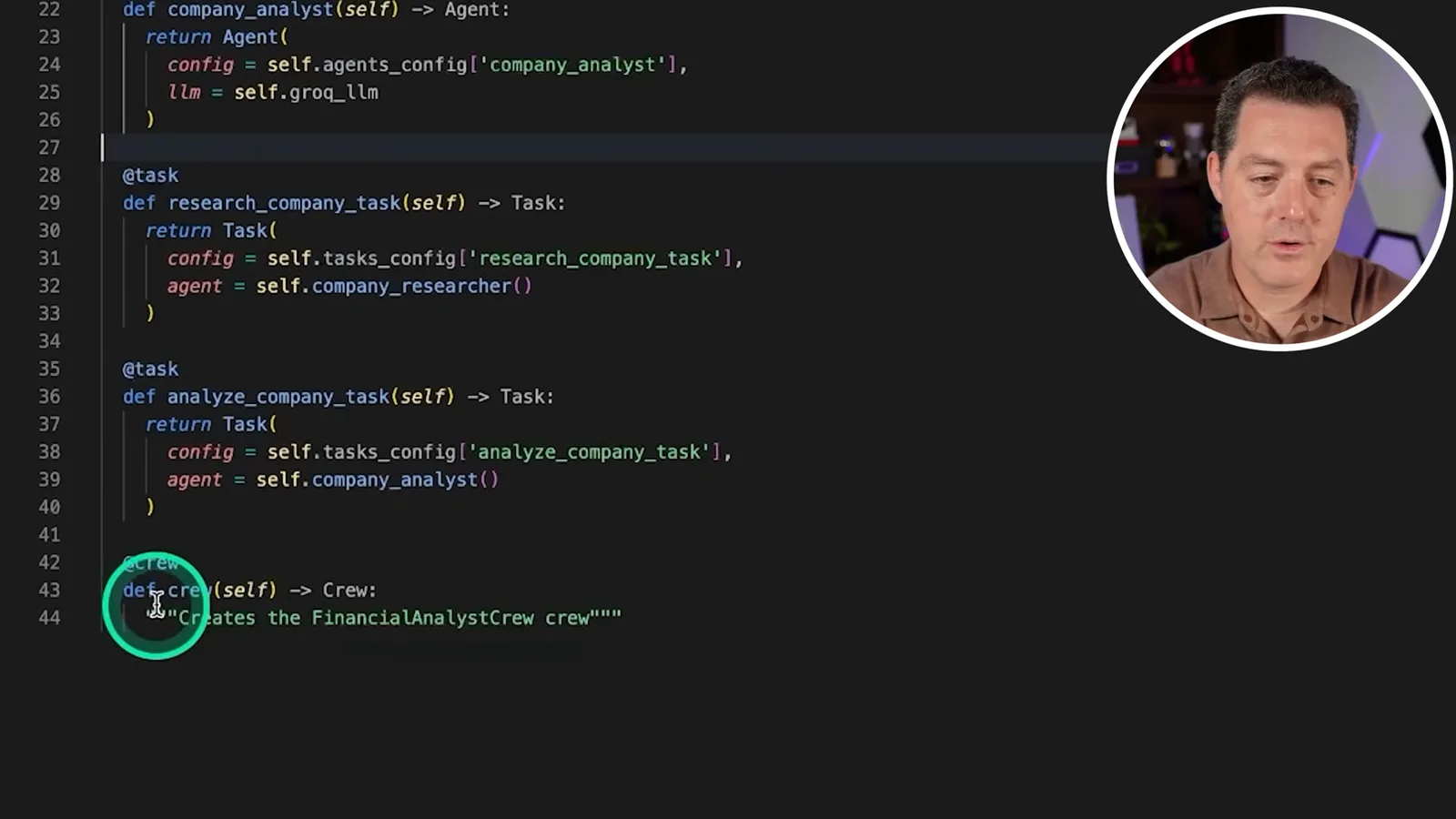
I define each task with its configuration and assigned agent, then define the crew with the collected agents and tasks. A sequential process runs the research task before analysis so the latter can use earlier output.
In `main.py`, I load environment variables, import the crew and call `kickoff` with Tesla as the `company_name` input. CrewAI interpolates that input into the task descriptions. I place a Groq API key in an environment file and say I will revoke the example key before publishing; readers should keep their own credentials out of shared files and screenshots.
Tools, dependencies and the first run
He copies an SEC tool and installs the project with Poetry. The resulting financial output is not independently verified.
I copy an SEC tools example into a `tools` folder. The walkthrough does not clearly show that the tool is imported and attached to the researcher: a copied file and a prompt alone do not prove live data was retrieved. Verify the actual tool wiring and its sources before relying on generated figures.
I install Poetry, create `pyproject.toml`, lock dependencies and install them. After correcting the project name and addressing a missing `langchain-groq` module, I run the crew. These commands and dependency behavior are version-specific; use a consistent project environment and consult current documentation.
The hosted run produces a Tesla research answer, ratios and a financial report. I praise its speed, but the displayed figures and dates are not independently verified and include stale or questionable values; a fluent answer does not establish that the agent retrieved current information or performed correct calculations. Verify figures against primary filings and market data.
Ollama on a cloud GPU
Berman exposes an Ollama endpoint and switches the model client. He stops the second run before a complete result is shown.
To change model serving, I open a Lightning Studio template for Mixtral through Ollama. The Studio runs on cloud hardware; “local” here refers to inference within that remote environment, not inference on the viewer’s own computer. Larger GPUs can incur charges, and a model’s resource needs depend on configuration.
I install Lightning’s API Builder, expose the Ollama service on port 11434 and copy the endpoint. The video disables authentication for its demonstration, but an internet-accessible endpoint should be protected even during testing: [Lightning’s documentation](https://code.lightning.ai/docs/platform/build/ai-studio/deploy-on-public-ports/) describes authentication options. Do not expose credentials or leave the endpoint open.
Back in the crew code, I create an Ollama language-model client using Mixtral and the remote base URL, then replace the hosted Groq client assigned to the agents. The exact LangChain import and API compatibility depend on package versions; the demonstration itself shows a deprecation warning.
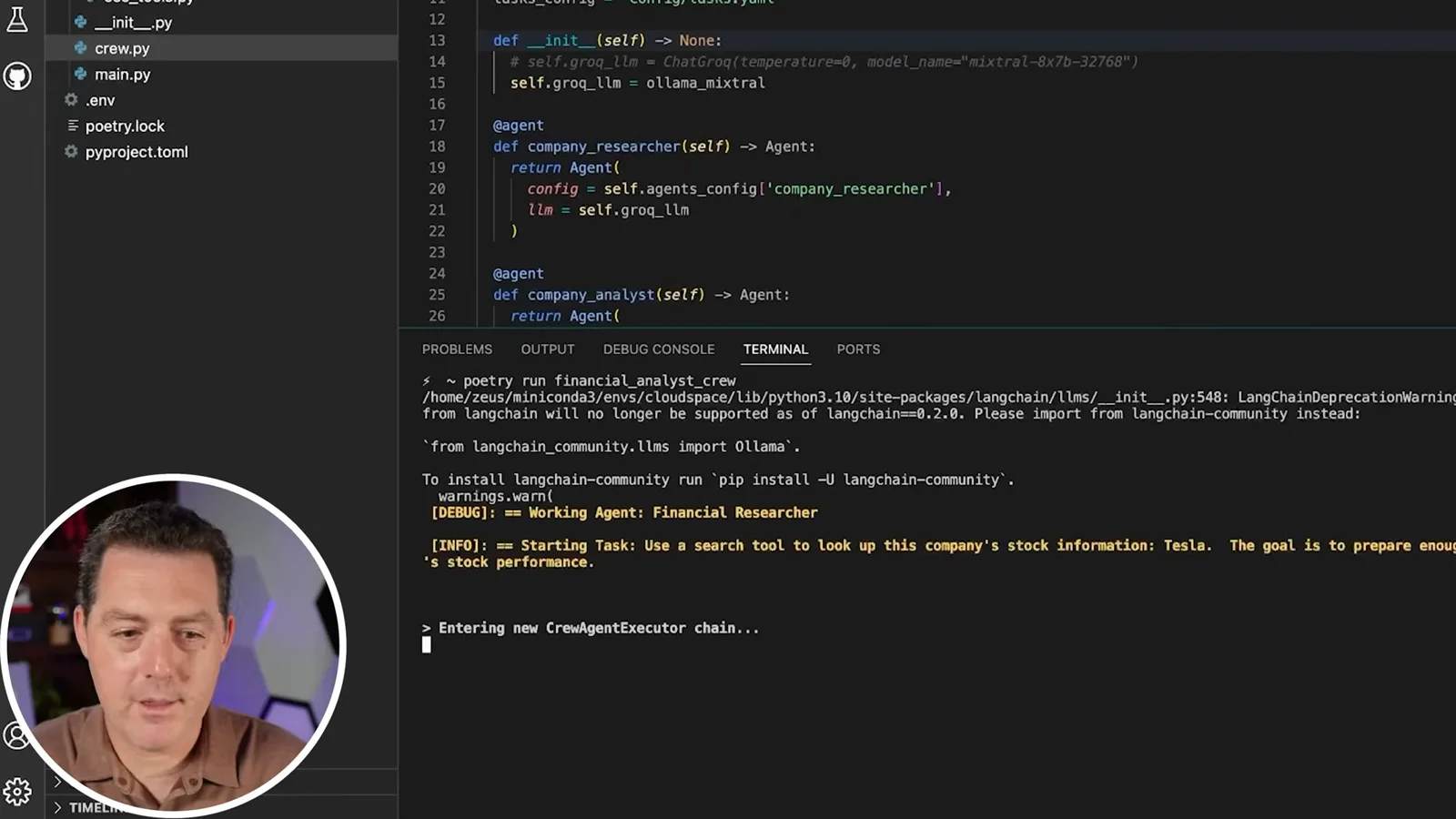
I start another run and observe GPU activity in the Ollama Studio. I stop before completing the full inference, so the footage supports that a request reached the model and began work, not that the entire financial-analysis workflow completed accurately with the replacement model.
The tutorial closes with the modular crew structure, a cloud-hosted open-weight model and an exposed model endpoint. Review generated financial information, tool access, endpoint security and current dependencies before adapting the example.
Más de este canal
 34:21EN
 Matthew Berman· 27 oct 2026Matthew Berman Examines Anthropic’s IPO Filing, AI Growth and GovernanceMatthew Berman, Sam Altman · Forward FutureThe presenter reviews the S-1’s financial metrics, compute strategy and voting structure while questioning the tension between rapid AI development and safety.
 0:26ENMatthew Berman· 25 oct 2026Sam Altman on Human Values and Problem-Solving in an AI WorldSam Altman · OpenAIIn a short interview excerpt, Altman considers the enjoyment of solving hard problems and the human role in interpreting results.
 0:36ENMatthew Berman· 25 oct 2026Kimi K3.1 and a Rubik’s Cube Solver DemonstrationMatthew Berman · Forward FutureMatthew Berman shows a scrambled virtual cube being solved and gives the Kimi K3.1 test a favorable assessment.
 0:21ENMatthew Berman· 24 oct 2026An AI-Generated Kimi Benchmark Chart Used Invented ScoresMatthew Berman · Forward FutureMatthew Berman asks for a graph of Kimi K3.1 Pro benchmarks, then discovers that the displayed figures are illustrative placeholders.
 25:50ENMatthew Berman· 24 oct 2026Kimi K3.1 Pro Tested: Strong 3D Demos, Uneven Results and Competitive PricingMatthew Berman · Forward FutureMatthew Berman tests the open-weight model on coding, 3D rendering and visual explanations, then compares benchmark results and prices.
 32:20ENMatthew Berman· 23 oct 2026Who Is Local AI For? The Costs, Trade-offs and a Hybrid FutureMatthew Berman · Forward FutureMatthew Berman weighs data control and independence against hardware cost, setup complexity and inference speed.