En 30 segundos
Matthew Berman shows an OpenClaw setup on a freshly wiped MacBook Air and lists uses ranging from a food journal to a personal CRM. He describes a daily analytics pipeline that stores snapshots locally and feeds charts and insights to an AI business-analysis workflow. These are his descriptions of his own setup, not independently verified performance results.
- 1A dedicated machineBerman says he wiped a MacBook Air and installed OpenClaw on it.
- 2Sessions for many jobsHis sessions include a knowledge base, food journal, scheduled updates, video research and business analysis.
- 3Daily analytics snapshotsHe says a workflow pulls YouTube statistics through an API, stores snapshots locally, and produces PNG charts.
- 4An AI business councilBerman describes combining business data and a council of AI experts to prepare a daily improvement report.
Conclusiones
- Berman separates personal and business tasks into sessions for notes, research, journaling and analysis.
- He says his YouTube workflow retrieves channel and video statistics daily and stores local snapshots.
- The analytics feed a broader workflow that produces recommendations about videos, titles and thumbnails.
- An AI council and daily business report are part of his described setup, not evidence that its recommendations are independently validated.
Lee el texto editado por capítulos
An OpenClaw setup for personal and business work
Berman introduces a wiped MacBook Air running OpenClaw and lists his sessions. They cover personal information, research and business analysis.
This is a fresh MacBook Air: I wiped it clean and installed OpenClaw. I consider myself one of its most advanced users, and I want to show what I have learned.
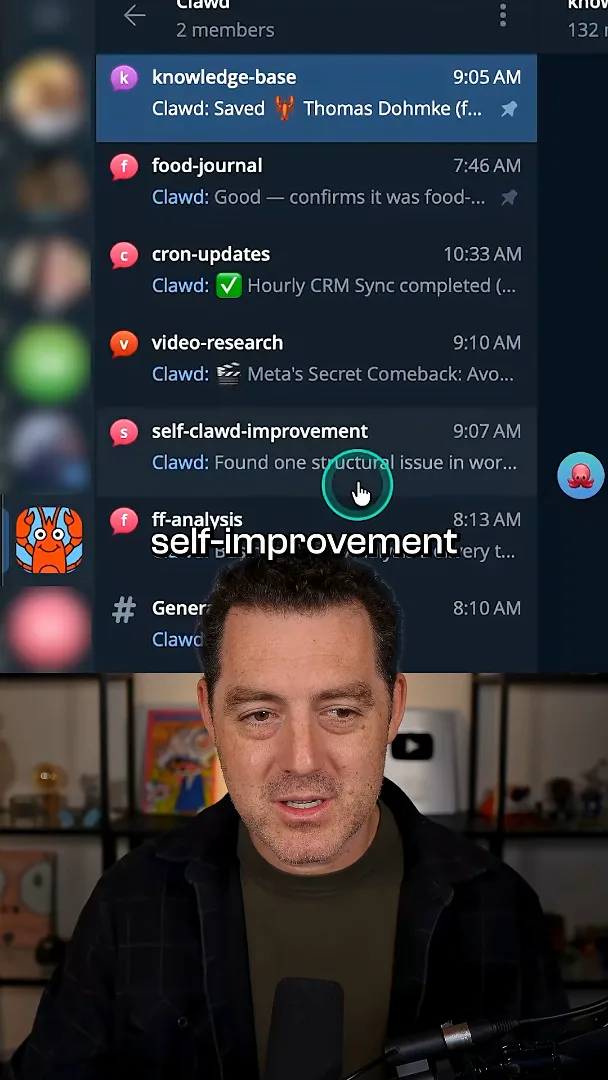
I have separate sessions for my knowledge base, food journal, cron updates, video research, self-improvement and business analysis. I use the system as a personal CRM and a knowledge base, as well as a pipeline for video ideas, X/Twitter research and business meta-analysis.
YouTube analytics and business recommendations
He describes daily collection and local snapshots of channel data. Those insights feed a broader AI-assisted business report.
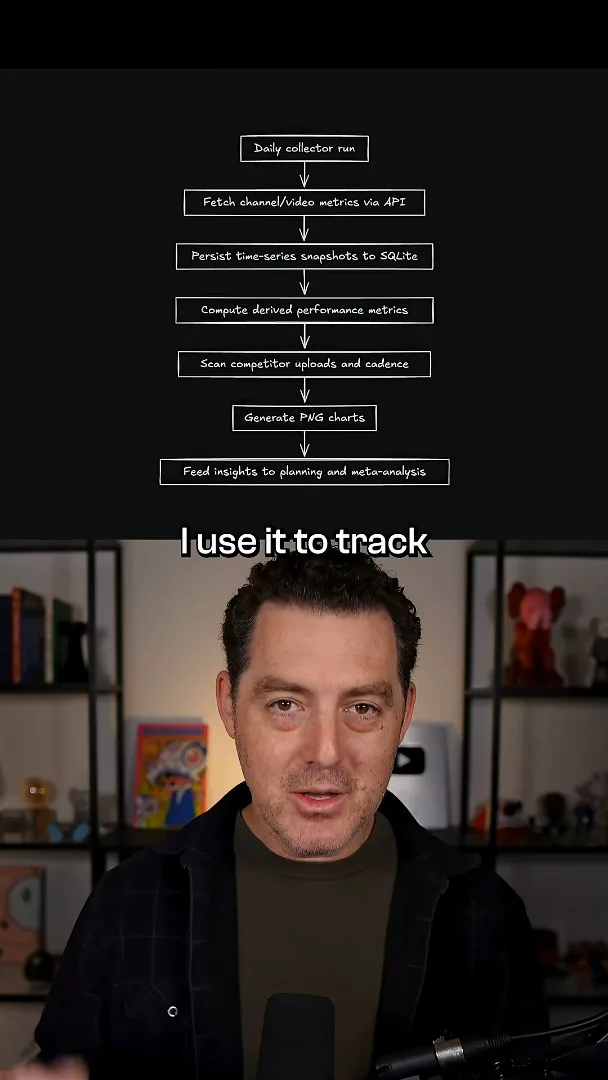
I also use it to track YouTube analytics. Each day, the workflow calls the API to pull statistics for my videos and channel growth, saves a snapshot in a local database, and produces PNG charts. The diagram shown in the video also depicts derived metrics and competitor upload tracking before the insights feed planning and meta-analysis.
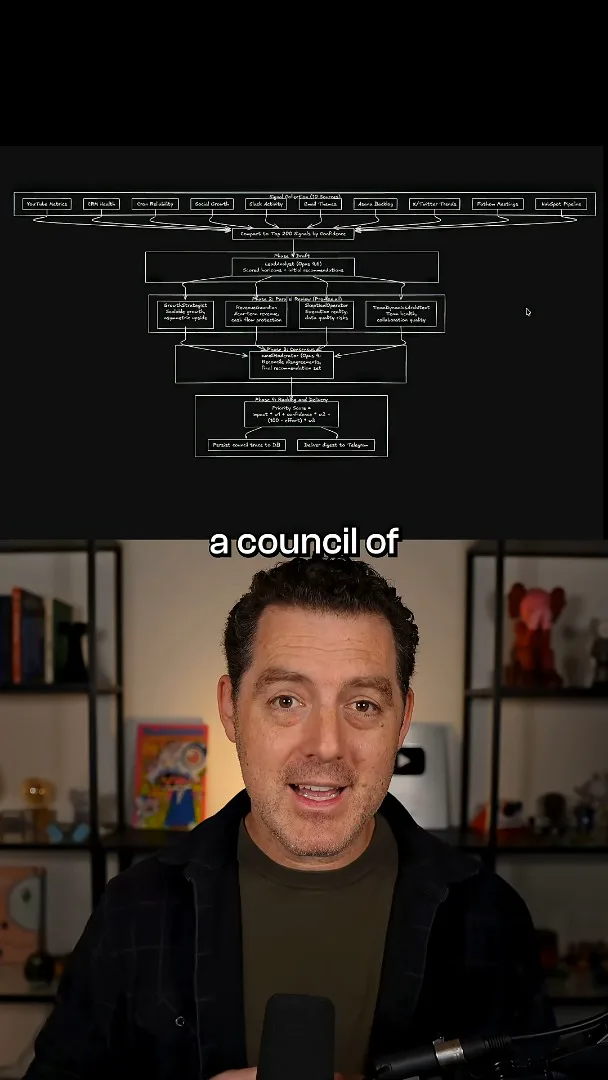
Those insights help me look at which types of videos viewers like and which titles and thumbnails work or do not work; the system gives me recommendations. I bring together business data and a council of AI experts to create a daily report with ways to improve the business. This is my description of my own workflow, not a controlled evaluation of its recommendations.
Más de este canal
 14:45EN
 Matthew Berman· 29 oct 2026Matthew Berman Examines Google’s Gemini 4 Carbon AnnouncementMatthew Berman · Forward FutureMatthew Berman reviews Google’s reported benchmark results, staged rollout and pricing for Gemini 4 Carbon, while noting he has not yet used the model.
 21:11ENMatthew Berman· 28 oct 2026Matthew Berman tests DeepSeek V4.1 Flash: coding, vision and local appsMatthew Berman · Forward FutureA hands-on tour of visual coding, image reasoning, local applications and provider economics reveals both impressive results and visible flaws.
 34:21ENMatthew Berman· 27 oct 2026Matthew Berman Examines Anthropic’s IPO Filing, AI Growth and GovernanceMatthew Berman, Sam Altman · Forward FutureThe presenter reviews the S-1’s financial metrics, compute strategy and voting structure while questioning the tension between rapid AI development and safety.
 0:26ENMatthew Berman· 25 oct 2026Sam Altman on Human Values and Problem-Solving in an AI WorldSam Altman · OpenAIIn a short interview excerpt, Altman considers the enjoyment of solving hard problems and the human role in interpreting results.
 0:36ENMatthew Berman· 25 oct 2026Kimi K3.1 and a Rubik’s Cube Solver DemonstrationMatthew Berman · Forward FutureMatthew Berman shows a scrambled virtual cube being solved and gives the Kimi K3.1 test a favorable assessment.
 0:21ENMatthew Berman· 24 oct 2026An AI-Generated Kimi Benchmark Chart Used Invented ScoresMatthew Berman · Forward FutureMatthew Berman asks for a graph of Kimi K3.1 Pro benchmarks, then discovers that the displayed figures are illustrative placeholders.