En 30 segundos
In February 2023, Matthew Berman demonstrates Leonardo.Ai as an alternative to Midjourney. He explores the web interface, image-generation controls, community models, an 11-image custom training example, prompt ideation and the then-beta AI Canvas. Berman prefers the control he finds in this demonstration, while acknowledging inconsistent results in the canvas. His description of the service as free and unlimited reflects his claim at the time; current pricing and usage limits should be checked separately.
- 1Explore styles in a web interfaceBerman browses featured models and community creations, looking at model details and remix options.
- 2Adjust the generation settingsThe 2023 controls include image dimensions, guidance scale, step count, tiling and an input image.
- 3Remix a community imageHe modifies a game icon prompt and generates a set of icons from a community example.
- 4Train on a small datasetHe demonstrates a previously trained model using 11 Pokémon images, some repeated or low resolution.
- 5Try the beta canvasBerman experiments with extending and editing the image but observes that its generated results can look blurry or odd.
Conclusiones
- The 2023 interface offered controls for image count, dimensions, guidance, steps, tiling and image-to-image generation.
- Community images could be inspected and remixed with their prompts and models in the demonstrated workflow.
- Berman trained a Pokémon-themed model using 11 images, including duplicates and low-resolution examples; his comments about quality are observations from one attempt.
- Prompt generation expanded a simple idea into several possible detailed prompts.
- The then-beta AI Canvas allowed users to extend and edit images, although Berman found its output uneven.
- The video’s free and unlimited claim is historical; Leonardo’s current free tier has a usage allowance.
Lee el texto editado por capítulos
Featured models and image generation
Berman introduces the 2023 Leonardo.Ai interface and explores featured models. He generates a paper-art village and reviews the available image settings.
In February 2023, I am exploring Leonardo.Ai as an image-generation alternative to Midjourney. I like that it has a web interface and, in my experience with these examples, gives me fine-grained controls over the results. My preference is subjective and reflects the versions I tested at the time.
The home page shows featured models and images created by the community. Opening an image reveals its prompt, the model used and other settings, with options to remix it or use it as a starting point. The gallery is useful for seeing how different styles are made.
The featured models include photorealistic and paper-art styles. I select the paper-art model and enter a simple prompt for a Japanese village. The resulting images have the layered paper look I wanted, though a few examples cannot establish a reliable speed or quality comparison with another service.
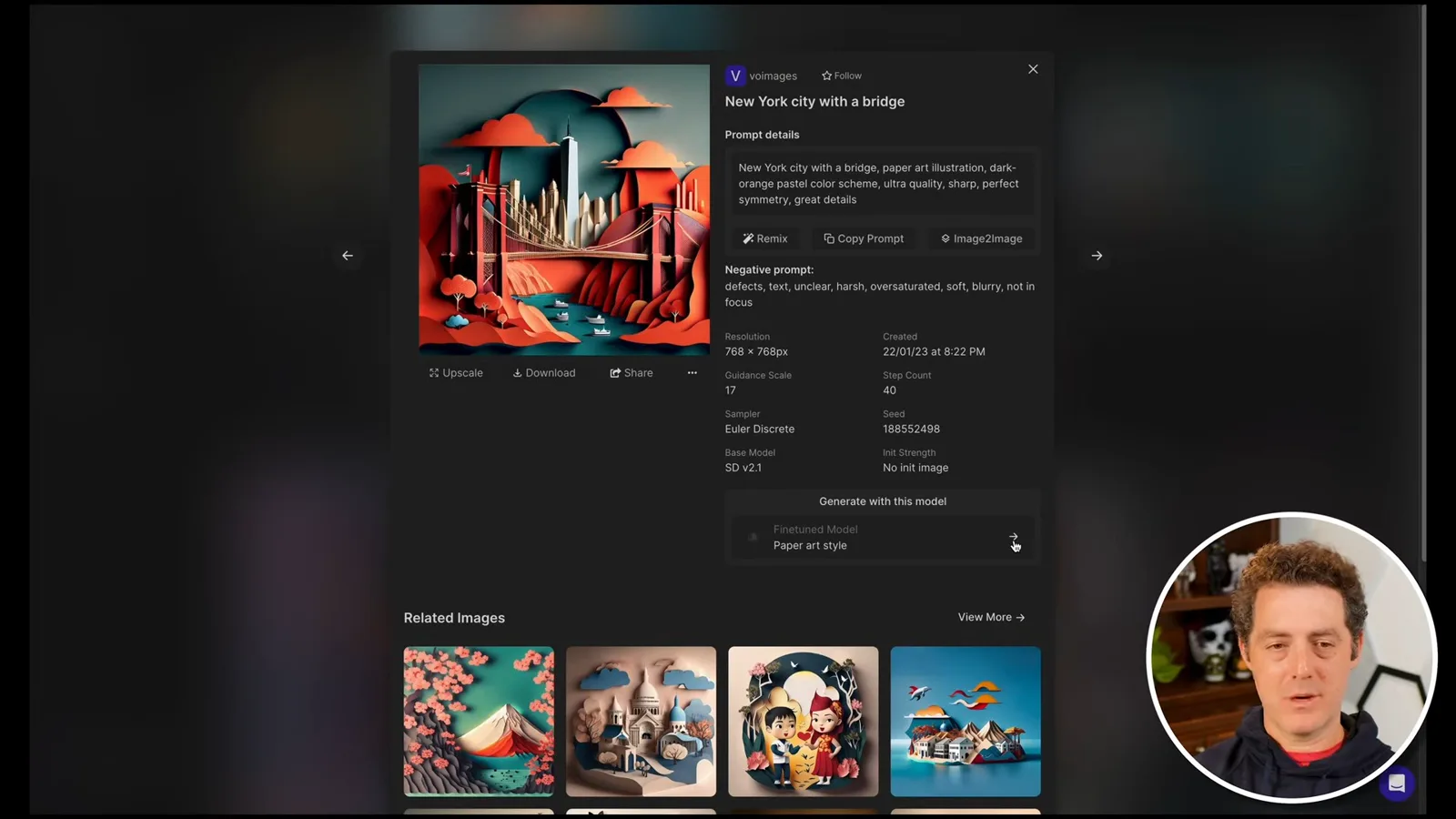
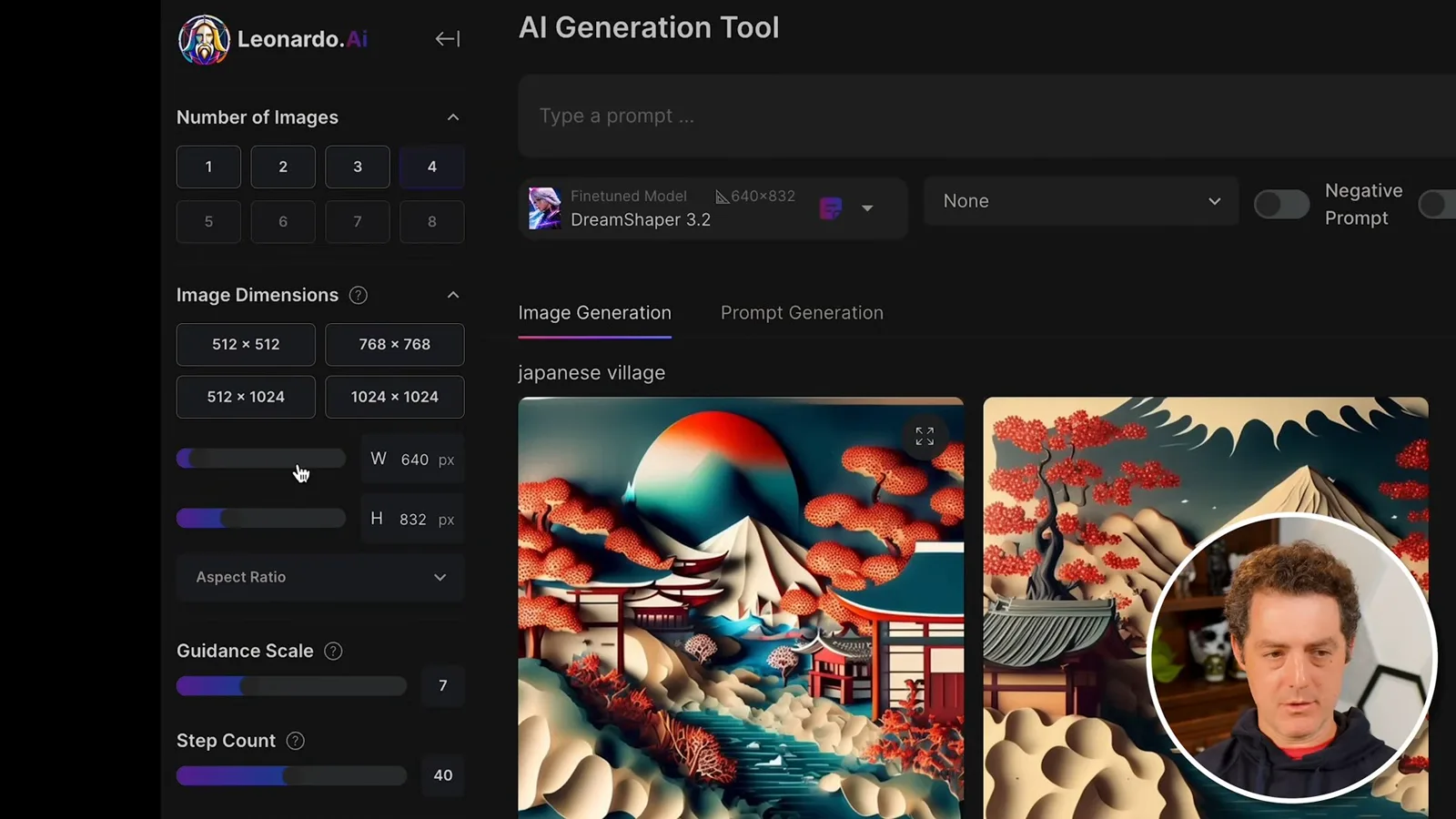
The generation screen lets me select the number of images, dimensions and aspect ratio. Guidance scale controls how strongly the prompt influences generation, while step count affects the generation process and time. The interface also offers tiling and an image-to-image input; these are the controls shown in the 2023 version.
I use Stable Diffusion 1.5 for another prompt and add a negative prompt to discourage faces. The first images are reasonable, but I have seen better results and decide to build on a community creation. A negative prompt guides generation rather than guaranteeing that an unwanted feature will never appear.
Community remixes and custom models
He remixes an icon-set prompt, tries a fine-tuned building model and explores community creations. He also shows a small custom training dataset and its output.
I find a game icon set made with Leonardo Creative, choose remix and modify the prompt from a role-playing game toward a first-person game with a 3D style. The resulting grids contain multiple icons in each image. I like being able to generate a coordinated set together rather than assembling separately generated images.
The fine-tuned model browser includes platform models for different looks, including an isometric science-fiction building style. I choose it and ask for a tall industrial skyscraper, adding the isometric description to the prompt. Four examples appear, and I could continue adjusting the prompt and settings.
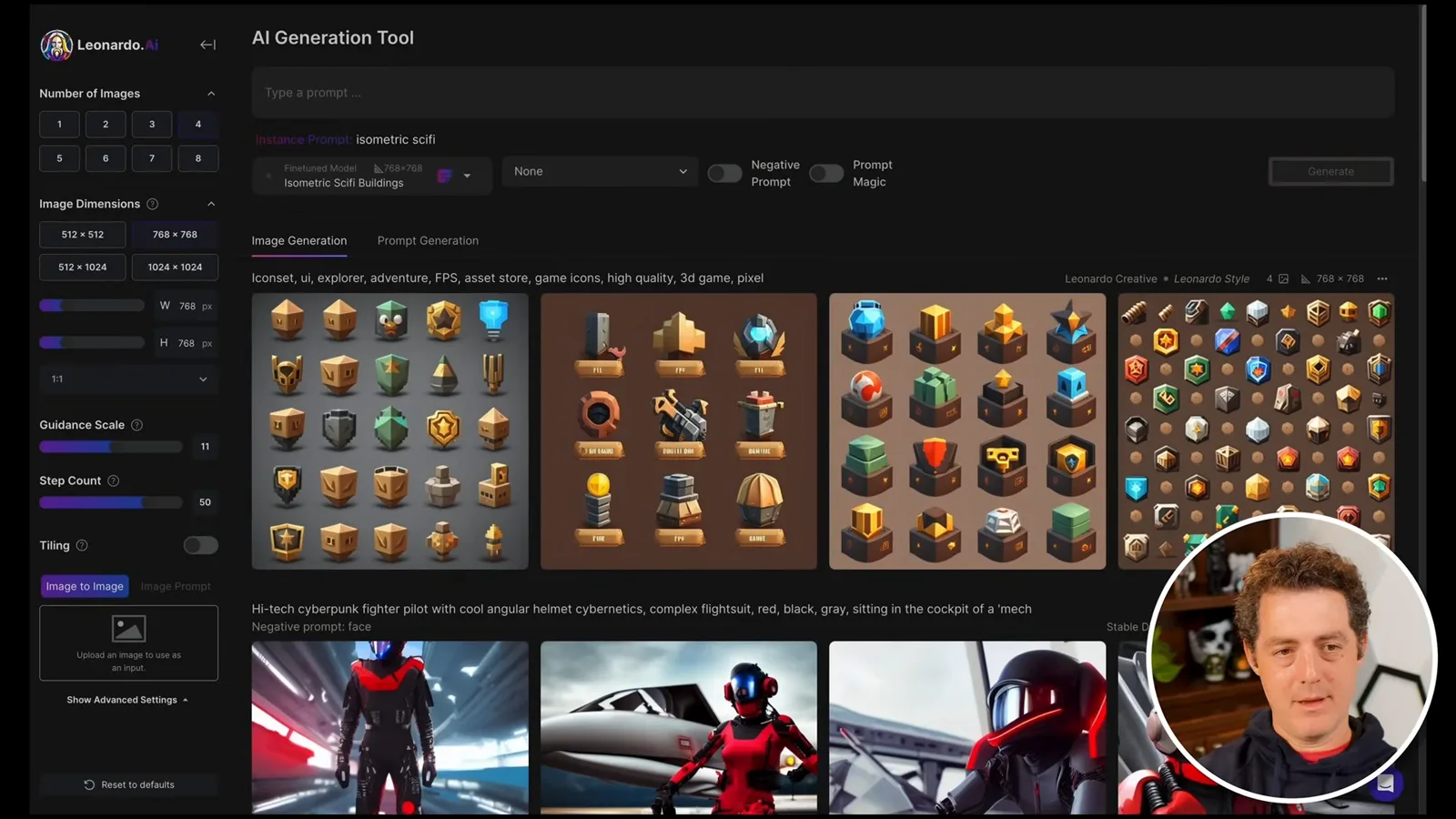
There are community-trained models as well, including sticker styles and cat portraits. The image pages let me follow creators, copy or remix prompts, use an image as an input or select the underlying model. The sticker examples already include a white border and shadow in the generated image.
I also show a model I trained earlier on 11 Pokémon images. The dataset contains a duplicate and some low-resolution pictures, and some of the generated Charizard examples look low resolution too. I suspect the source images contributed, although this single example does not establish the cause or guarantee that higher-resolution images will fix every output.
Prompt ideas and the beta canvas
Berman expands a simple prompt into alternatives and tests the AI Canvas. He notes that the canvas results can be uneven before reviewing settings and examples.
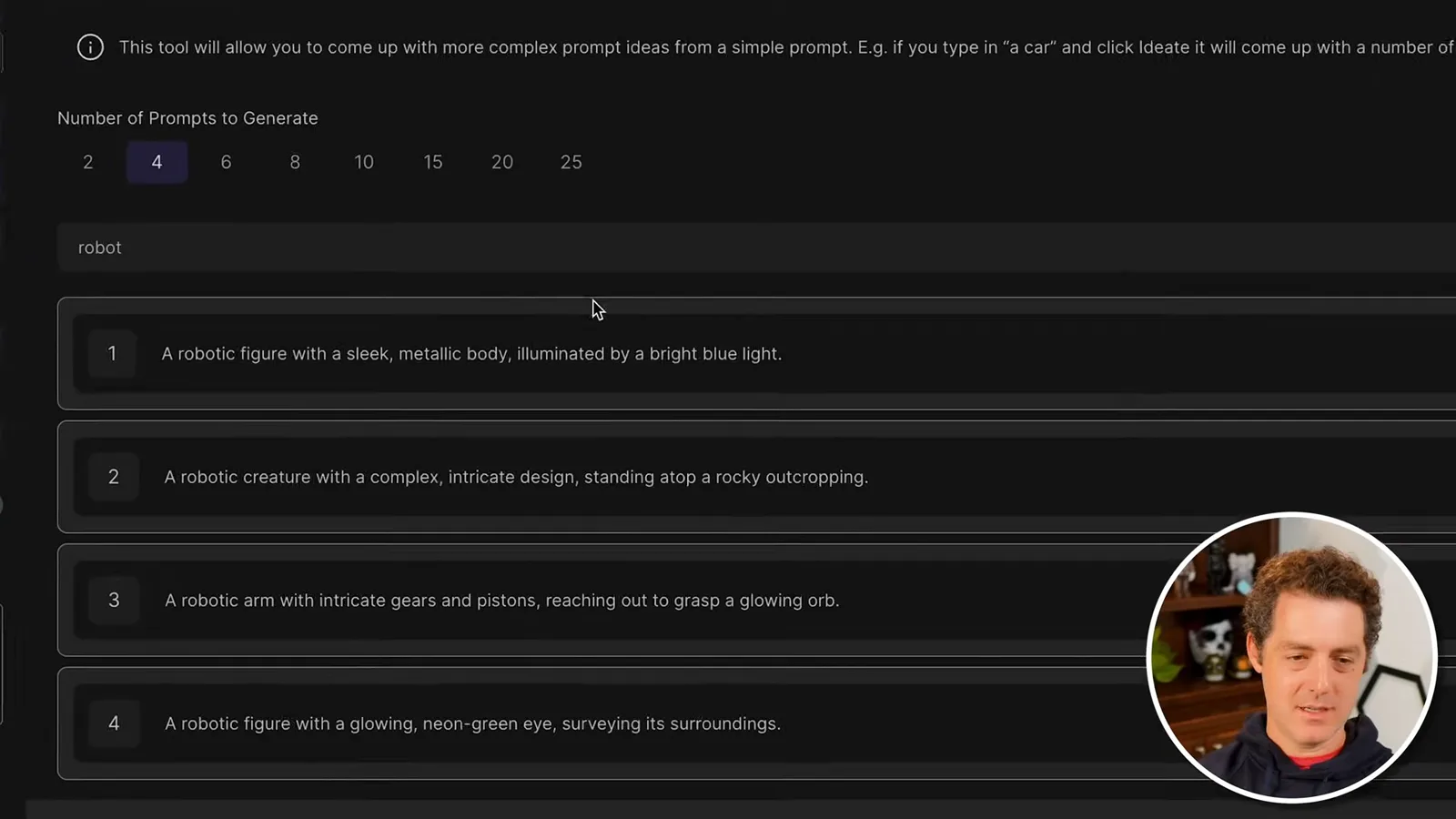
The prompt-generation feature can turn a basic idea into more detailed alternatives. I start with a robot and receive several descriptions, including a metallic figure illuminated by blue light. I choose one of the suggestions and use it to generate an image.
The AI Canvas was newly available in beta when I recorded this. It lets me select an area, generate content, expand the canvas and erase or add elements. In my attempts the canvas output sometimes looks stranger or blurrier than images produced through the regular generator, but the editing workflow is interesting.
Finally, I look at account settings, including interests and an NSFW content toggle, and show favorite creations. I called the service free and unlimited in the video, but plans and limits can change: Leonardo’s current pricing page lists a free tier with a daily token allowance. The interface and model availability shown here are a historical snapshot, not current instructions.
Más de este canal
 34:21EN
 Matthew Berman· 27 oct 2026Matthew Berman Examines Anthropic’s IPO Filing, AI Growth and GovernanceMatthew Berman, Sam Altman · Forward FutureThe presenter reviews the S-1’s financial metrics, compute strategy and voting structure while questioning the tension between rapid AI development and safety.
 0:26ENMatthew Berman· 25 oct 2026Sam Altman on Human Values and Problem-Solving in an AI WorldSam Altman · OpenAIIn a short interview excerpt, Altman considers the enjoyment of solving hard problems and the human role in interpreting results.
 0:36ENMatthew Berman· 25 oct 2026Kimi K3.1 and a Rubik’s Cube Solver DemonstrationMatthew Berman · Forward FutureMatthew Berman shows a scrambled virtual cube being solved and gives the Kimi K3.1 test a favorable assessment.
 0:21ENMatthew Berman· 24 oct 2026An AI-Generated Kimi Benchmark Chart Used Invented ScoresMatthew Berman · Forward FutureMatthew Berman asks for a graph of Kimi K3.1 Pro benchmarks, then discovers that the displayed figures are illustrative placeholders.
 25:50ENMatthew Berman· 24 oct 2026Kimi K3.1 Pro Tested: Strong 3D Demos, Uneven Results and Competitive PricingMatthew Berman · Forward FutureMatthew Berman tests the open-weight model on coding, 3D rendering and visual explanations, then compares benchmark results and prices.
 32:20ENMatthew Berman· 23 oct 2026Who Is Local AI For? The Costs, Trade-offs and a Hybrid FutureMatthew Berman · Forward FutureMatthew Berman weighs data control and independence against hardware cost, setup complexity and inference speed.