In 30 seconds
Matthew Berman installs the official DragGAN code on a Mac, works around dependency and GUI issues, and demonstrates edits to generated lion, cat and human images. His July 2023 instructions describe the software and hardware behavior he encountered at the time; current installation requirements may differ.
- 1Point-based editingChoose source and target points and let the model adjust an image feature. The shown examples use generated images.
- 2Environment fixesBerman modifies the then-current Conda environment file to resolve dependencies on his Mac.
- 3A GUI workaroundAfter the native GUI crashes, he launches the Gradio visualizer in a browser.
- 4Testing the editsLion, cat and face examples show successful changes alongside limits and a stuck-looking step counter.
Takeaways
- DragGAN moves selected image features toward target points using a generative model.
- The demonstrated setup required a Conda environment, pretrained model files and a Gradio interface.
- Berman’s Mac and Windows tests encountered GPU and interface limitations in the early release.
- Editing a real photo requires an appropriate inversion workflow; the demonstration uses generated images.
Read the edited text by chapter
What DragGAN does
Berman introduces point-based image editing and says the initial release is difficult to install. The video includes a Rosebud sponsorship.
DragGAN lets you select points on an image and move features toward target positions. The code had just been released when I made this July 2023 video, and I found the installation confusing and buggy. These steps describe that early version, not a guarantee that the current repository has the same commands or dependencies. The video is sponsored by Rosebud.
The demo shows how moving a point can reshape the subject. The examples I run here use images generated by pretrained GAN models. Although I initially describe working with any image, the project explains that editing a real photograph first requires a separate GAN inversion step; arbitrary photos are not simply interchangeable with these generated examples.
Set up the environment
He clones the repository, creates a Conda environment and adjusts dependencies for his Mac. His Windows experience and CUDA version suggestions are historical.
I use Conda to manage the Python environment. I demonstrate the process on a Mac and say I got a similar setup running on Windows. The documentation was changing during my testing, so I copy the repository URL, clone it, enter the DragGAN directory, and try `conda env create -f environment.yml`.
The initial environment creation cannot resolve two packages on my machine. In the then-current `environment.yml`, I remove the CUDA toolkit dependency for my Mac and move SciPy from the Conda dependencies into the pip section, changing its version separator from `=` to `==`. CUDA is an NVIDIA technology; requirements on a Windows machine with an NVIDIA GPU differ.
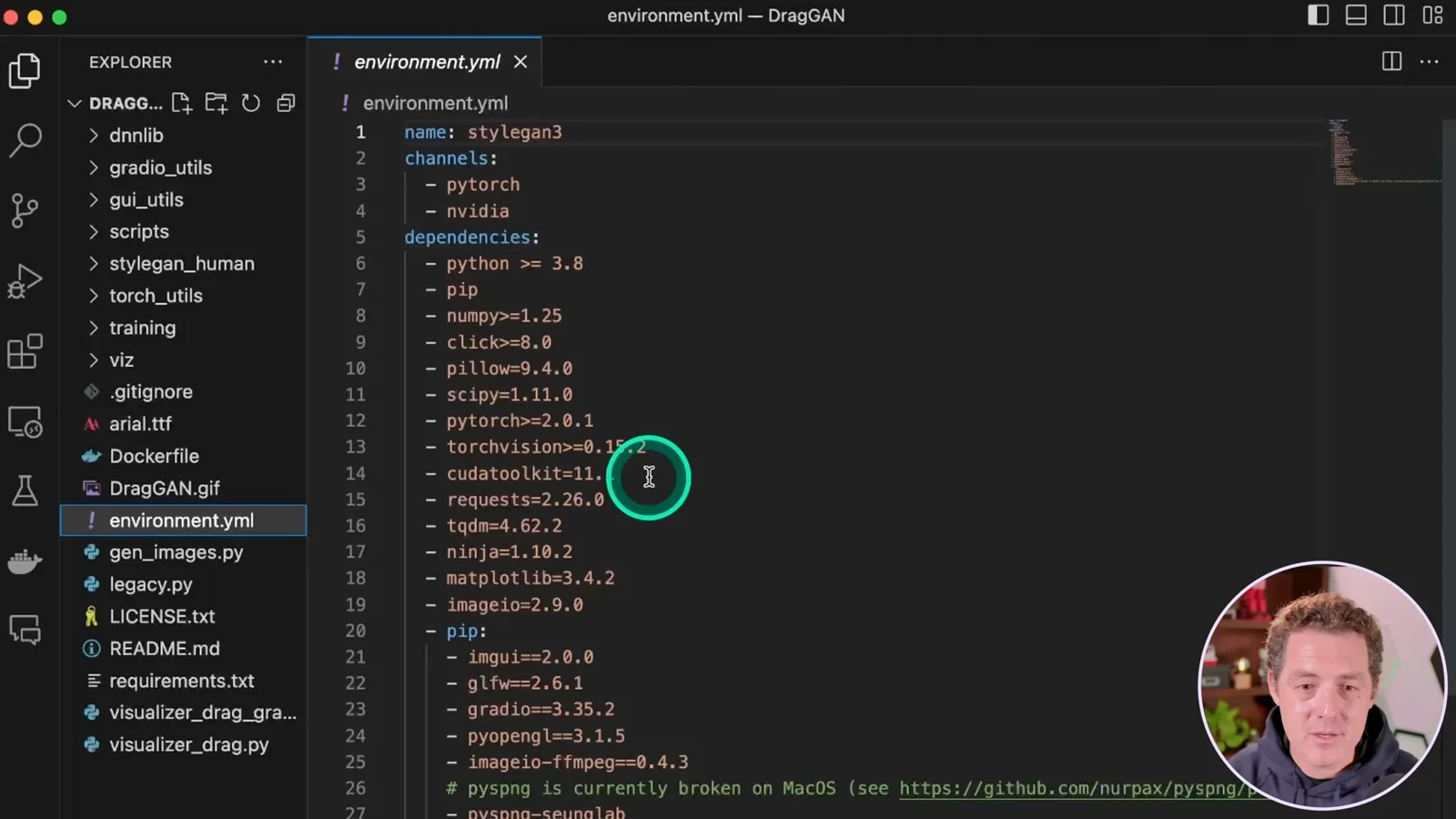
For Windows I mention that the documented CUDA version was hard to find and that I tried another version, but compatibility depends on the actual GPU, driver and package versions. After saving the file, I rerun environment creation and activate the environment with `conda activate stylegan3`. These workarounds are specific to the release and machine I tested.
I install the requirements using `pip install -r requirements.txt`, correcting the filename I saw in the documentation. I see an error and think I can continue, but do not establish that it is harmless in every environment. On my Mac I set `PYTORCH_ENABLE_MPS_FALLBACK=1` so unsupported MPS operations can fall back to CPU; that setting does not guarantee that the whole application runs on the GPU.
Models and the Gradio interface
Berman enables an MPS fallback, downloads pretrained models and works around a native GUI crash with Gradio. His test did not establish working GPU acceleration.
Next I run `python scripts/download_model.py` to download the pretrained models. The downloads can be large, and the available checkpoints correspond to different subjects, including lions, dogs, horses, elephants and faces. Choosing an appropriate model matters for the type of image being generated and edited.
The native GUI launch script, `sh scripts/gui.sh`, produces a segmentation fault on my machine. My workaround is `python visualizer_drag_gradio.py`, which starts a local web interface that I open in the browser. This is an observed workaround for my setup, not a universal fix for every crash.
The interface provides a pretrained-model selector, settings, point controls and start and stop buttons. I choose a lion, select where its head is and where I want it to go, and start the edit. The head visibly moves, showing the point-based effect.
Editing the generated images
He manipulates a lion, a cat and a human face, then reports a counter issue and a failed head-turn attempt. The examples show both the effect and limits of the early demo.
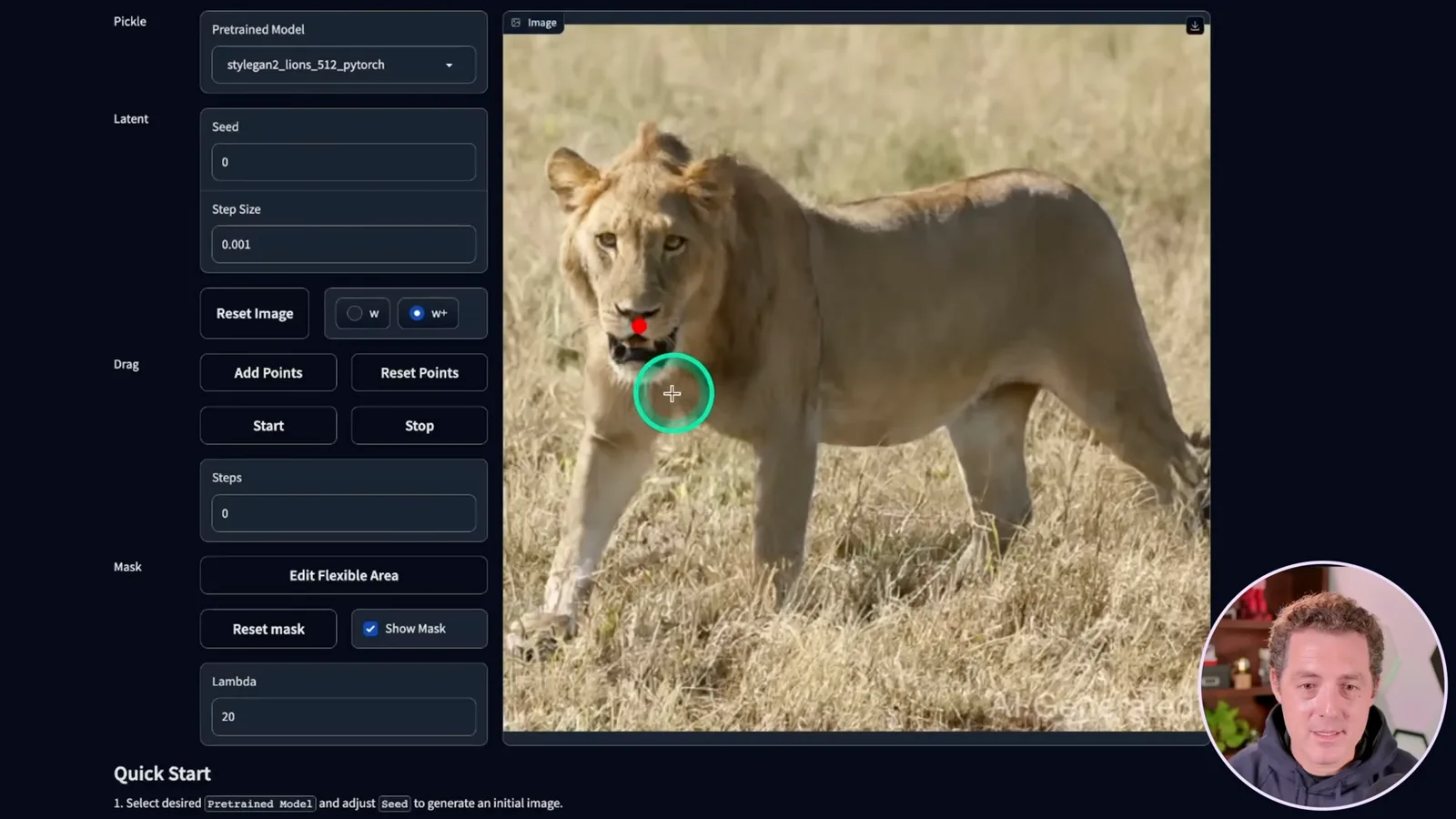
The display seems to stop updating its step count after 100 even though the terminal continues reporting steps. I cannot tell from that alone whether useful changes are still happening, so I stop the process and download the result. In my Windows test the CPU appeared to be doing the work; I had not got GPU acceleration working there or Metal working as intended on my Mac.
I reset the points and move the lion again, then switch to the cat model and open the cat’s eye. Finally I select the FFHQ human-face model and try to make the subject smile and turn her head. The smile changes, but the attempted head turn does not visibly work in the test.
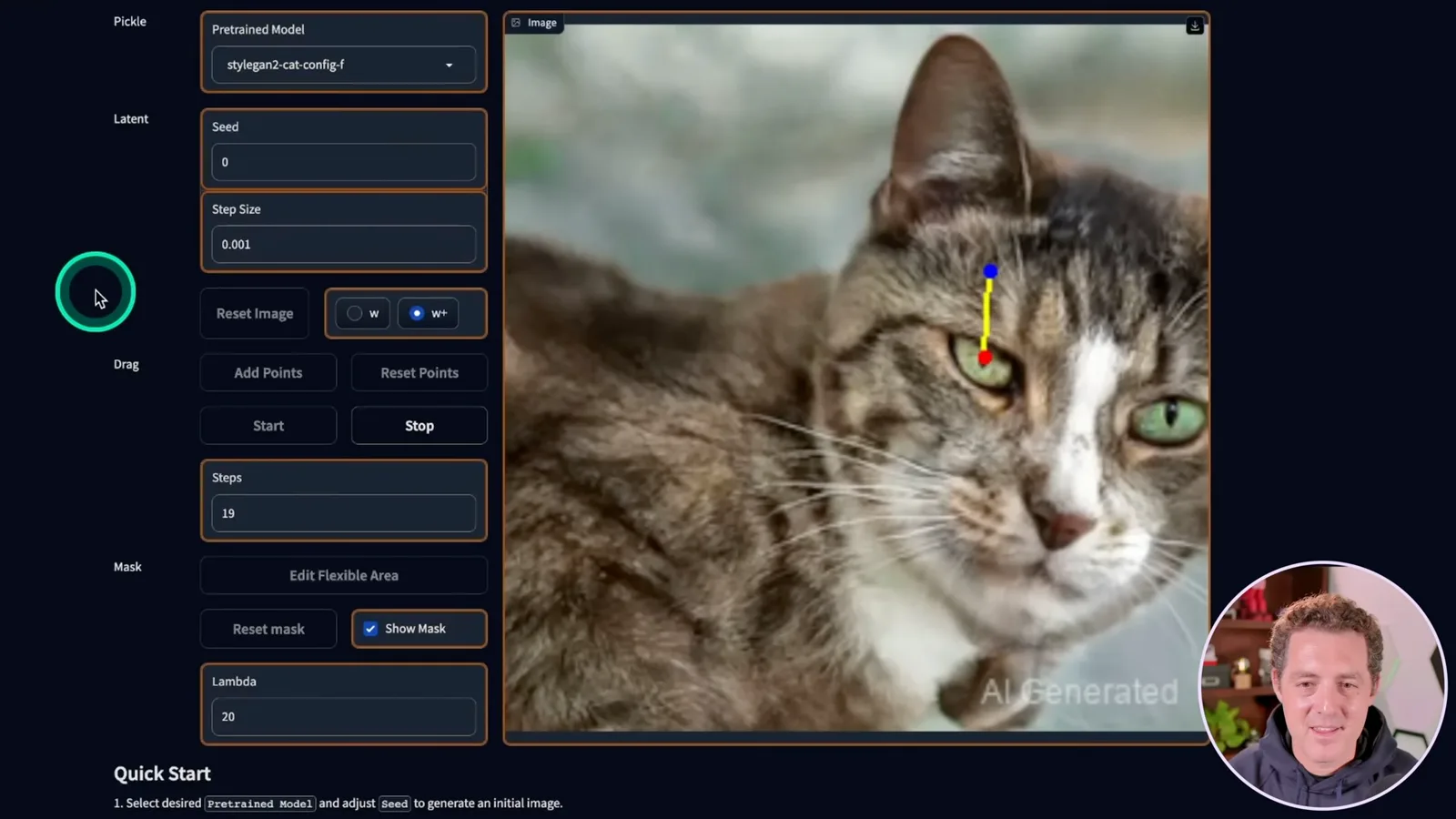
After resetting the points, I move the lower lip instead; the smile becomes much larger, if a little uncanny. The early release can produce striking changes, but my experiments also show that installation, acceleration and some edits were unreliable. I plan to revisit the tool once it is more stable.
More from this channel
 34:21EN
 Matthew Berman· Oct 27, 2026Matthew Berman Examines Anthropic’s IPO Filing, AI Growth and GovernanceMatthew Berman, Sam Altman · Forward FutureThe presenter reviews the S-1’s financial metrics, compute strategy and voting structure while questioning the tension between rapid AI development and safety.
 0:26ENMatthew Berman· Oct 25, 2026Sam Altman on Human Values and Problem-Solving in an AI WorldSam Altman · OpenAIIn a short interview excerpt, Altman considers the enjoyment of solving hard problems and the human role in interpreting results.
 0:36ENMatthew Berman· Oct 25, 2026Kimi K3.1 and a Rubik’s Cube Solver DemonstrationMatthew Berman · Forward FutureMatthew Berman shows a scrambled virtual cube being solved and gives the Kimi K3.1 test a favorable assessment.
 0:21ENMatthew Berman· Oct 24, 2026An AI-Generated Kimi Benchmark Chart Used Invented ScoresMatthew Berman · Forward FutureMatthew Berman asks for a graph of Kimi K3.1 Pro benchmarks, then discovers that the displayed figures are illustrative placeholders.
 25:50ENMatthew Berman· Oct 24, 2026Kimi K3.1 Pro Tested: Strong 3D Demos, Uneven Results and Competitive PricingMatthew Berman · Forward FutureMatthew Berman tests the open-weight model on coding, 3D rendering and visual explanations, then compares benchmark results and prices.
 32:20ENMatthew Berman· Oct 23, 2026Who Is Local AI For? The Costs, Trade-offs and a Hybrid FutureMatthew Berman · Forward FutureMatthew Berman weighs data control and independence against hardware cost, setup complexity and inference speed.