In 30 seconds
Matthew Berman creates a custom GPT for simple family tech questions, adjusts its tone and uses a then-available Botpress extension and Telegram integration to demonstrate a chatbot outside ChatGPT. Botpress sponsored the video. This December 2023 walkthrough is a historical demonstration: current product interfaces, access, pricing and supported deployment paths can differ, and messages sent through third-party services are subject to their data practices.
- 1A family support assistantBerman configures a bot to answer basic device questions in a friendly style and to ask follow-up questions.
- 2Testing the toneHe repeatedly revises instructions after test responses sound too formal, then tries a phone-charging scenario.
- 3Botpress deploymentThe sponsor's historical extension copies a GPT-based configuration into an external bot workflow; this is not native embedding of a ChatGPT GPT.
- 4Connecting TelegramBerman creates a Telegram bot via BotFather and configures the Botpress integration, then tests a short support conversation.
Takeaways
- Berman designs an informal support assistant that asks clarifying questions and directs difficult cases back to a human.
- The video is sponsored by Botpress and demonstrates its historical Deploy GPT extension and Telegram integration.
- A ChatGPT custom GPT and an API-backed external bot are distinct products; copying a configuration does not guarantee identical behavior.
- API credentials and messaging tokens are sensitive, and connected providers may process conversation data.
- A single charging-question test demonstrates a basic exchange, not reliable diagnosis or safe behavior in every case.
Read the edited text by chapter
A sponsored family-support project
Berman introduces his goal and discloses Botpress sponsorship. He describes the accounts and extension used in the 2023 demonstration.
Matthew Berman opens with a phone-charging exchange and sets out to build a chatbot for the basic technology questions his parents often ask. He says Botpress sponsored the video. The demonstration was published in December 2023, so its interface, prices and account requirements should be read in that context.
Berman describes using a ChatGPT Plus account to create a custom GPT, a Botpress account and its then-available browser extension to set up an external chatbot. The video description later added an OpenAI developer usage-tier requirement. Plans, eligibility and pricing can change, and API usage is separate from a ChatGPT subscription.
Configuring and testing the GPT
He defines the assistant's scope, tone and fallback instructions, then iterates on sample conversations. The bot's answers are illustrative and need verification.
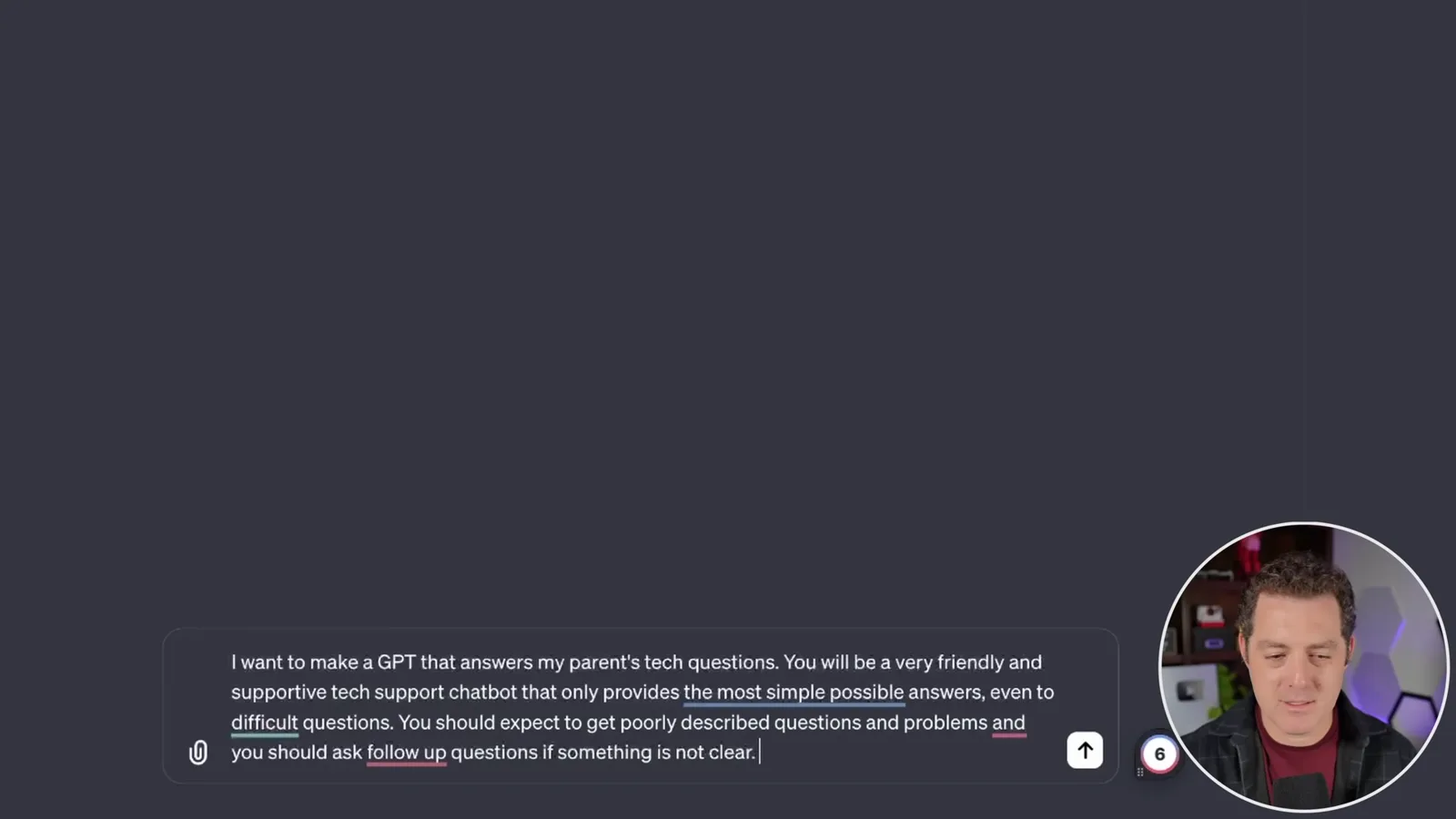
In the GPT builder, he asks for a friendly, supportive assistant that gives simple technical answers and asks questions when the problem is unclear. He names it after himself and asks it to imitate his conversational style. He limits the topic to technical support and tells it to admit it is AI and direct users to the real Matt if it cannot help or they become frustrated.
Berman tests questions about streaming and a phone that will not charge. The first replies sound too formal for his intended text-message style, so he adds instructions for a casual tone, less formatting and occasional emoji. He repeats the test when later responses revert to a more formal style, illustrating that instructions do not always produce perfectly consistent behavior.
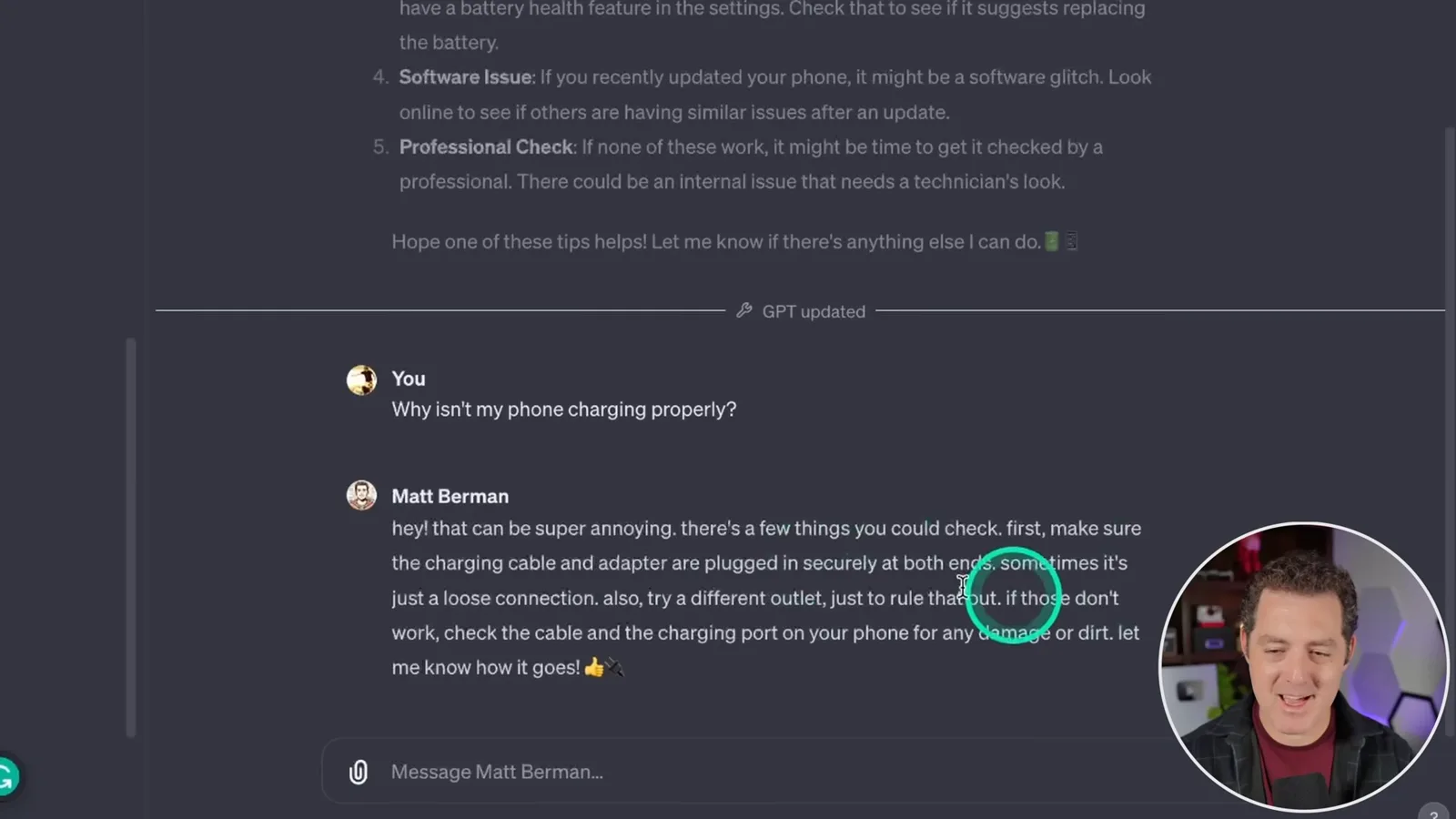
Once satisfied with the sample exchange, he turns off image generation, keeps browsing available and saves the GPT with public access. He wants his family to be able to reach a bot through messaging services rather than only in ChatGPT. Clearly identifying the assistant as AI from the outset would also help users understand whom they are talking to.
A historical external deployment
Berman demonstrates a Botpress extension and account credentials to create an external bot. Current access, billing and integration details may differ.
Berman switches to Botpress and describes installing its historical Deploy GPT extension. He creates an OpenAI API key and a Botpress personal access token for that process, saying he will revoke the demonstrated key. Those credentials grant access and should be kept secret; the video does not establish that the same extension or setup is available today.
After opening his own GPT page, Berman selects a Botpress workspace and runs the extension to create a bot, then checks a web conversation. He describes this as putting the GPT outside ChatGPT; practically, an external API-backed bot and a GPT inside ChatGPT are separate integrations, and matching configuration or behavior is not guaranteed. OpenAI's current guidance describes GPTs as designed for ChatGPT and API integrations as the route for external applications.
Telegram integration and test
He links a bot created with BotFather and tests a charging question. A short successful exchange does not establish reliability for all family support issues.
He chooses Botpress's Telegram integration, creates a Telegram bot through BotFather and supplies its access token to the integration configuration. He then sends a test question about a phone that will not charge, and the bot suggests trying another cable or power adapter. One exchange shows the connection working in the demo, not that all troubleshooting advice will be correct.
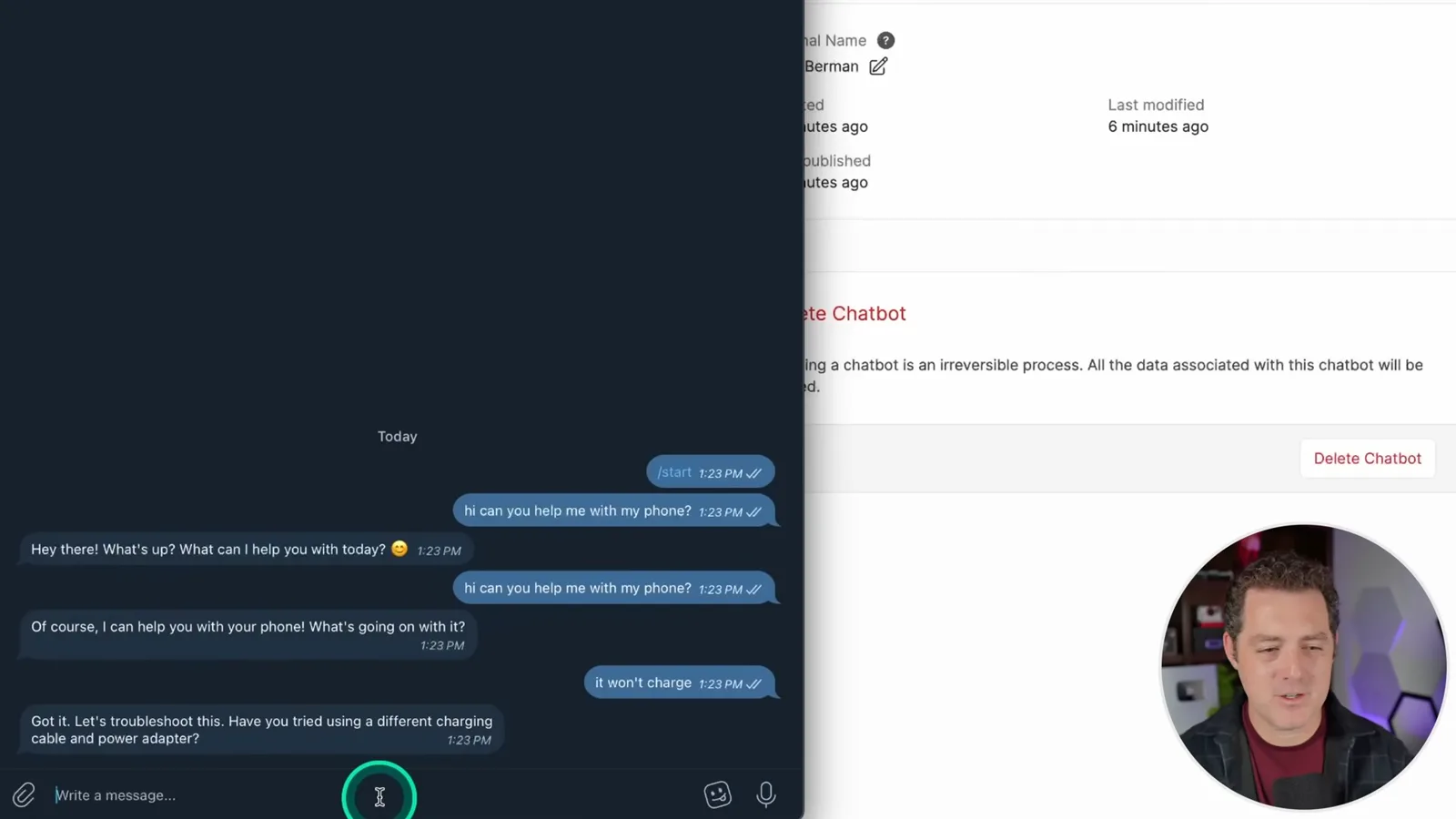
Berman plans to add the bot to his family channel and notes that Botpress supports further integrations. Users should know that the assistant is not the real person, and should consider which providers receive and retain their messages. A messaging platform, bot operator and model provider can each have distinct data-handling policies; the video does not establish private or end-to-end processing for the whole workflow.
More from this channel
 34:21EN
 Matthew Berman· Oct 27, 2026Matthew Berman Examines Anthropic’s IPO Filing, AI Growth and GovernanceMatthew Berman, Sam Altman · Forward FutureThe presenter reviews the S-1’s financial metrics, compute strategy and voting structure while questioning the tension between rapid AI development and safety.
 0:26ENMatthew Berman· Oct 25, 2026Sam Altman on Human Values and Problem-Solving in an AI WorldSam Altman · OpenAIIn a short interview excerpt, Altman considers the enjoyment of solving hard problems and the human role in interpreting results.
 0:36ENMatthew Berman· Oct 25, 2026Kimi K3.1 and a Rubik’s Cube Solver DemonstrationMatthew Berman · Forward FutureMatthew Berman shows a scrambled virtual cube being solved and gives the Kimi K3.1 test a favorable assessment.
 0:21ENMatthew Berman· Oct 24, 2026An AI-Generated Kimi Benchmark Chart Used Invented ScoresMatthew Berman · Forward FutureMatthew Berman asks for a graph of Kimi K3.1 Pro benchmarks, then discovers that the displayed figures are illustrative placeholders.
 25:50ENMatthew Berman· Oct 24, 2026Kimi K3.1 Pro Tested: Strong 3D Demos, Uneven Results and Competitive PricingMatthew Berman · Forward FutureMatthew Berman tests the open-weight model on coding, 3D rendering and visual explanations, then compares benchmark results and prices.
 32:20ENMatthew Berman· Oct 23, 2026Who Is Local AI For? The Costs, Trade-offs and a Hybrid FutureMatthew Berman · Forward FutureMatthew Berman weighs data control and independence against hardware cost, setup complexity and inference speed.