In 30 seconds
Matthew Berman demonstrates an early computer-use project that uses GPT-4 Vision to interpret screenshots and operate a graphical interface. After installing the project and granting macOS permissions, he asks it to open Sublime Text and find his YouTube channel. The limited demonstrations leave him both impressed and concerned about giving an agent access to his computer.
- 1A visual computer operatorBerman describes OthersideAI's project as using GPT-4 Vision to read the screen and act through mouse clicks and keystrokes.
- 2Setting up the projectHe clones the repository, creates a Python 3.11 environment, installs dependencies and sets an API key.
- 3Permissions and riskThe terminal receives screen recording and accessibility permissions; Berman recognizes the risk of giving software such access.
- 4A hands-off demonstrationThe agent opens Sublime Text, then uses Chrome to search for and open Berman's YouTube channel.
Takeaways
- Self-Operating Computer uses screenshots and simulated mouse and keyboard input to interact with a desktop.
- The 2023 setup involved a Python environment, an OpenAI API key, screen recording permission and accessibility access.
- Berman demonstrates opening an editor and navigating to his YouTube channel, while noting the agent's slow and unsettling behavior.
- A successful navigation demo does not establish that an agent can reliably perform all of a person's work.
Read the edited text by chapter
Giving an agent control
Berman previews an agent moving the cursor and finding his channel. He explains how the computer-use project reads and acts on the screen.
I'm going to give artificial intelligence control of my computer and see what happens. In the preview it opens Chrome, moves the mouse and navigates toward my YouTube channel while my hands are off the keyboard. It's a little slow, and I worry it could reveal something I don't want shown.
The project is called Self-Operating Computer, from OthersideAI. It uses GPT-4 Vision to read what's on the screen, then operates the computer through the same kinds of inputs a person uses: mouse clicks and keystrokes. You give it a simple prompt and it works through the interface.
Installation and permissions
He sets up the repository, Python environment and API key. He then grants macOS screen recording and accessibility access.
To try the project as it existed in 2023, I clone its repository, enter the folder and create a conda environment with Python 3.11. I activate that environment, identify its Python executable and use it to install the requirements and the project itself.
Next I rename the example environment file and set an OpenAI API key. I say I'll revoke the key shown in the video before publishing. Since the expected permission prompts did not appear, I manually add my terminal to macOS screen recording and accessibility permissions, then restart the terminal.
This is a little dangerous, but I find it fun and want to test it so you can decide what you think. Back in the project directory, I reactivate the environment and run the operate command. When the program asks what I want done, I tell it to open Sublime Text.
Opening an app and browsing
Berman asks the agent to open Sublime Text and locate his YouTube channel. He is impressed but uneasy about the control it has.
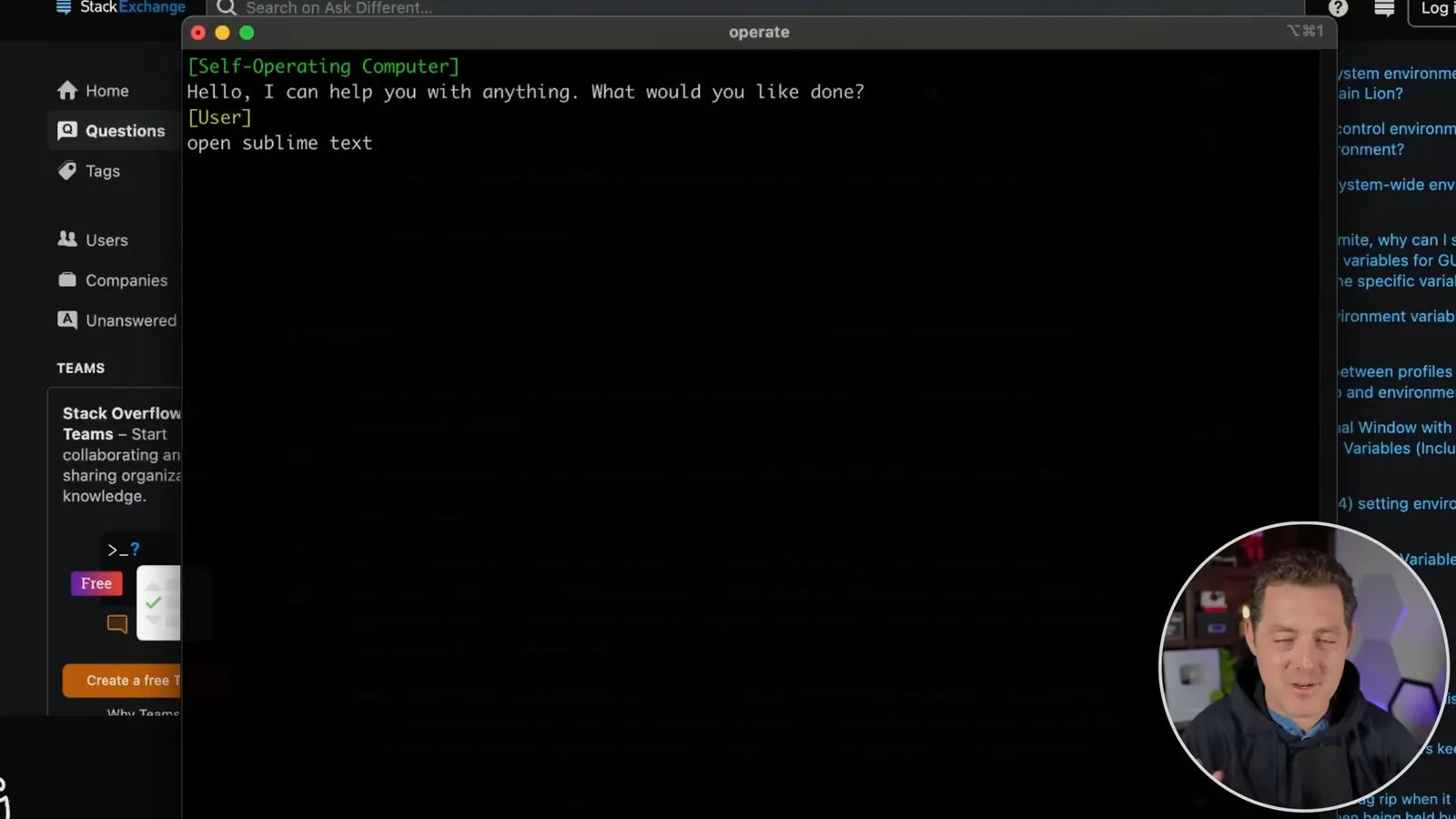
I hear it take a screenshot and initially can't tell whether anything is happening. Then I see macOS search open and the application start; the mouse moves on its own. Even knowing I initiated it, watching the cursor move is a strange feeling.
For the next test, I ask it to search YouTube for Matthew Berman's channel. It takes another screenshot, opens Chrome and moves to the address bar. After a slow start it enters the search and clicks on my channel. I worry that it might display something private.
I pause the autoplay video, but the agent is still trying to act and I can feel the mouse pulling away from me, so I end the run. I wonder whether one day a morning prompt could do all my work for me. That is a speculation: this demonstration shows only a small number of navigation tasks, not reliable autonomous completion of an entire day's work.
More from this channel
 34:21EN
 Matthew Berman· Oct 27, 2026Matthew Berman Examines Anthropic’s IPO Filing, AI Growth and GovernanceMatthew Berman, Sam Altman · Forward FutureThe presenter reviews the S-1’s financial metrics, compute strategy and voting structure while questioning the tension between rapid AI development and safety.
 0:26ENMatthew Berman· Oct 25, 2026Sam Altman on Human Values and Problem-Solving in an AI WorldSam Altman · OpenAIIn a short interview excerpt, Altman considers the enjoyment of solving hard problems and the human role in interpreting results.
 0:36ENMatthew Berman· Oct 25, 2026Kimi K3.1 and a Rubik’s Cube Solver DemonstrationMatthew Berman · Forward FutureMatthew Berman shows a scrambled virtual cube being solved and gives the Kimi K3.1 test a favorable assessment.
 0:21ENMatthew Berman· Oct 24, 2026An AI-Generated Kimi Benchmark Chart Used Invented ScoresMatthew Berman · Forward FutureMatthew Berman asks for a graph of Kimi K3.1 Pro benchmarks, then discovers that the displayed figures are illustrative placeholders.
 25:50ENMatthew Berman· Oct 24, 2026Kimi K3.1 Pro Tested: Strong 3D Demos, Uneven Results and Competitive PricingMatthew Berman · Forward FutureMatthew Berman tests the open-weight model on coding, 3D rendering and visual explanations, then compares benchmark results and prices.
 32:20ENMatthew Berman· Oct 23, 2026Who Is Local AI For? The Costs, Trade-offs and a Hybrid FutureMatthew Berman · Forward FutureMatthew Berman weighs data control and independence against hardware cost, setup complexity and inference speed.