In 30 seconds
Matthew Berman demonstrates a personal knowledge base built with OpenClaw on a freshly wiped MacBook Air. He drops links into Telegram, has the agent collect related material and share selected items with his team, and later searches the repository in natural language. He notes that setting up X ingestion took considerable work.
- 1Save and searchBerman wants to drop in links to content he encounters and search the resulting knowledge base in natural language.
- 2Follow the contextFor X posts, the agent collects the thread, replies and linked external pages for the central repository.
- 3Share with attributionA Slack message tells the team that Matt wants them to see an item, making clear it was selected by him.
- 4A RAG promptThe prompt asks for Telegram URL ingestion, entity extraction, SQLite and vector embeddings.
- 5Retrieve laterA natural-language request for articles about OpenAI returns saved articles and links.
Takeaways
- A Telegram topic provides a simple place to submit links for ingestion.
- The agent follows X threads and external links to collect context in a central repository.
- SQLite and vector embeddings support a retrieval-augmented knowledge base that can be queried in natural language.
- Messages shared to team Slack are attributed to Berman so colleagues know he selected them.
- X API and scraping complications made the setup time-consuming.
Read the edited text by chapter
Building a personal knowledge base
Berman introduces OpenClaw on a clean MacBook Air and explains his goal of saving content for natural-language search.
This is a fresh MacBook Air. I wiped it clean and installed OpenClaw on it. I wanted a personal knowledge base where I could drop a link to any piece of content I came across, ingest everything about it, and later search the whole collection in natural language.
Collecting and sharing a post
A post about Peter Steinberger joining OpenAI illustrates ingestion of X threads and linked pages. The system also shares selected items in team Slack with attribution.
Here is an example: Sam Altman’s post about hiring OpenClaw creator Peter Steinberger to join OpenAI and lead work on personal agents. The agent reacts to the news, then goes to X to grab the post. It looks for replies and, if the post is part of a thread, collects the whole thread. It also follows external links and puts that material in my central repository.
The item also appears in our team Slack with the message, “Matt wants you to see this.” I wanted my team to know that I had actually read and selected the material, rather than thinking OpenClaw was simply spamming them with links.
The prompt and a search
Berman shows the RAG prompt and searches for saved articles about OpenAI. He says X API and scraping issues made setup difficult.
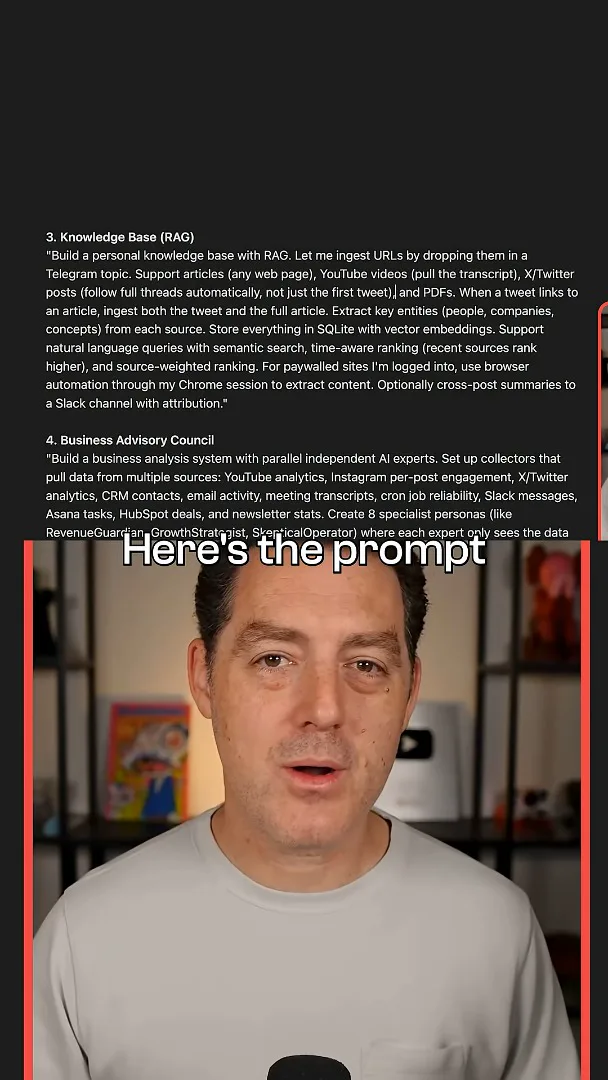
The prompt asks OpenClaw to build a personal knowledge base with retrieval-augmented generation: ingest URLs dropped into a Telegram topic, extract key entities from each source, and store the material in SQLite with vector embeddings.
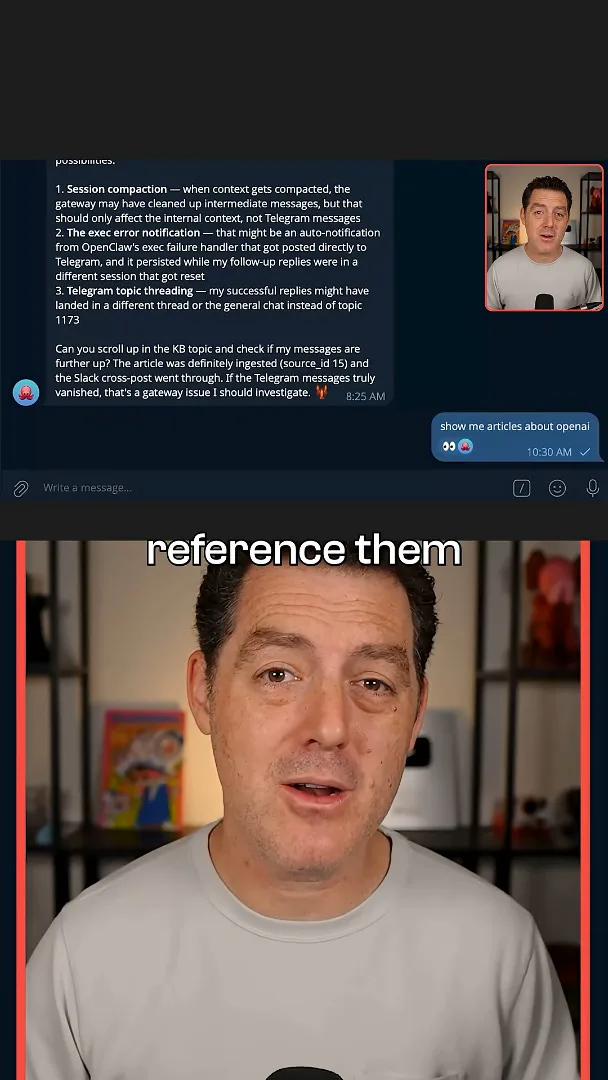
Once the knowledge base is in place, I can ask, “Show me articles about OpenAI.” It finds the articles I have saved on that subject and returns links, so I can revisit them or reference them in a video. The setup took a long time because X is finicky about its API and scraping, but this is how the workflow operates.
More from this channel
 34:21EN
 Matthew Berman· Oct 27, 2026Matthew Berman Examines Anthropic’s IPO Filing, AI Growth and GovernanceMatthew Berman, Sam Altman · Forward FutureThe presenter reviews the S-1’s financial metrics, compute strategy and voting structure while questioning the tension between rapid AI development and safety.
 0:36ENMatthew Berman· Oct 25, 2026Kimi K3.1 and a Rubik’s Cube Solver DemonstrationMatthew Berman · Forward FutureMatthew Berman shows a scrambled virtual cube being solved and gives the Kimi K3.1 test a favorable assessment.
 25:50ENMatthew Berman· Oct 24, 2026Kimi K3.1 Pro Tested: Strong 3D Demos, Uneven Results and Competitive PricingMatthew Berman · Forward FutureMatthew Berman tests the open-weight model on coding, 3D rendering and visual explanations, then compares benchmark results and prices.
 32:20ENMatthew Berman· Oct 23, 2026Who Is Local AI For? The Costs, Trade-offs and a Hybrid FutureMatthew Berman · Forward FutureMatthew Berman weighs data control and independence against hardware cost, setup complexity and inference speed.
 1:03:37ENMatthew Berman· Oct 23, 2026Matthew Berman’s Team Tests Kimi K3.1 on Animation, Games, and ChartsMatthew Berman, Alex, Brian · Forward FutureA live team AMA turns into an informal test of Kimi K3.1, from personal-agent workflows to motion graphics, a browser game, and a benchmark chart.
 0:53ENMatthew Berman· Oct 22, 2026Sam Altman on AI and the Discovery of New KnowledgeSam Altman · OpenAIAltman expects progress in mathematical discovery to extend to biology, materials and energy.