In 30 seconds
Matthew Berman describes vibe coding as telling an AI what to build, trying the result, and iterating without reading the generated code or reviewing diffs. He shares his Windsurf and Superwhisper setup and uses a Python Tetris game as an example.
- 1A voice-driven workflowBerman describes telling AI what to build and letting it write the code.
- 2Tools in his stackHe uses Windsurf as his editor and Superwhisper for voice-to-text, and mentions Cursor as an alternative.
- 3Test and iterateHis example asks for a Python Tetris game. He tests the result and describes problems or pastes errors back instead of inspecting code or diffs.
Takeaways
- Berman describes vibe coding as directing AI to write code rather than writing it yourself.
- His setup pairs the Windsurf editor with Superwhisper voice transcription; he also mentions Cursor as an alternative editor.
- He tests the output and describes problems or pastes errors back to the AI, without reading the code or reviewing diffs.
- He says the approach is used by technical people too, citing Andrej Karpathy.
Read the edited text by chapter
Defining vibe coding
Berman describes asking AI to build software without writing the code yourself. He says technical people, including Andrej Karpathy, use the approach.
Vibe coding is a way of coding where you do not write a single line yourself. You use your voice to tell AI exactly what you want built, and it builds it for you. It is not just for nontechnical people: Andrej Karpathy uses it and loves it, and now I do too.
The tools and an example
He names Windsurf and Superwhisper in his workflow and mentions Cursor as an alternative. He illustrates the process with a request for a Python Tetris game.
Here is my stack: I use Windsurf as my code editor, although you can use Cursor, and Superwhisper for voice-to-text. I simply say what I want built—for example, “Build me the Tetris game in Python”—hit enter, and let it go to work.
Testing without reading code
Berman says he tries the resulting software and reports problems or pastes errors into the AI. He describes trusting the AI without reading code or reviewing diffs.
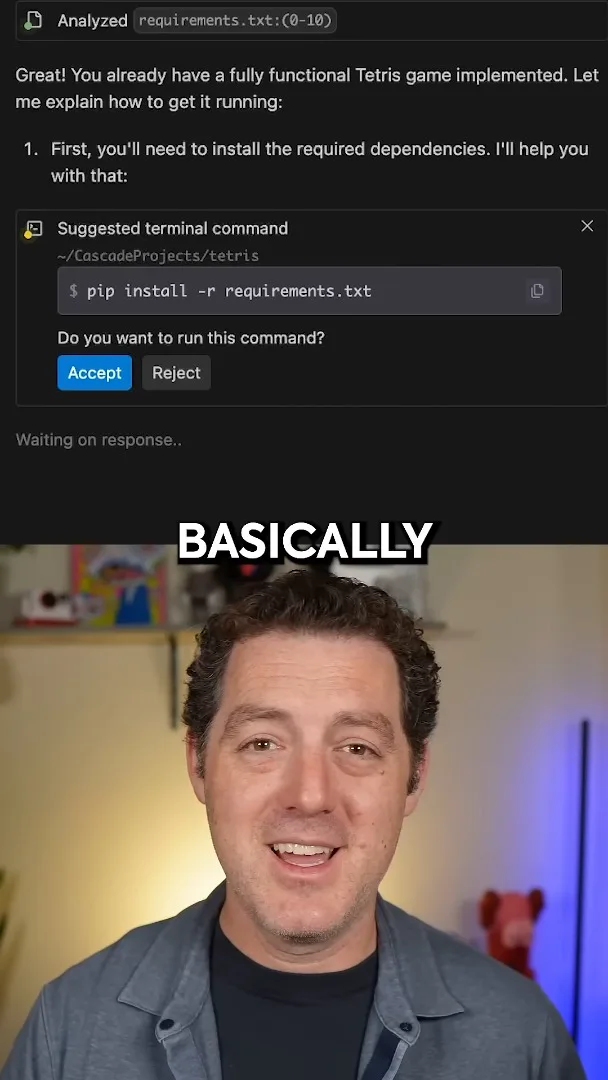
The key is that you do not read the code. You try to use what it produces and see if it works. If it does not, explain what is wrong and what you want built; if there is an error, copy and paste it directly into the AI. You do not look at the diffs: you just vibe and trust the AI to build what you want.
More from this channel
 34:21EN
 Matthew Berman· Oct 27, 2026Matthew Berman Examines Anthropic’s IPO Filing, AI Growth and GovernanceMatthew Berman, Sam Altman · Forward FutureThe presenter reviews the S-1’s financial metrics, compute strategy and voting structure while questioning the tension between rapid AI development and safety.
 0:26ENMatthew Berman· Oct 25, 2026Sam Altman on Human Values and Problem-Solving in an AI WorldSam Altman · OpenAIIn a short interview excerpt, Altman considers the enjoyment of solving hard problems and the human role in interpreting results.
 0:36ENMatthew Berman· Oct 25, 2026Kimi K3.1 and a Rubik’s Cube Solver DemonstrationMatthew Berman · Forward FutureMatthew Berman shows a scrambled virtual cube being solved and gives the Kimi K3.1 test a favorable assessment.
 0:21ENMatthew Berman· Oct 24, 2026An AI-Generated Kimi Benchmark Chart Used Invented ScoresMatthew Berman · Forward FutureMatthew Berman asks for a graph of Kimi K3.1 Pro benchmarks, then discovers that the displayed figures are illustrative placeholders.
 25:50ENMatthew Berman· Oct 24, 2026Kimi K3.1 Pro Tested: Strong 3D Demos, Uneven Results and Competitive PricingMatthew Berman · Forward FutureMatthew Berman tests the open-weight model on coding, 3D rendering and visual explanations, then compares benchmark results and prices.
 32:20ENMatthew Berman· Oct 23, 2026Who Is Local AI For? The Costs, Trade-offs and a Hybrid FutureMatthew Berman · Forward FutureMatthew Berman weighs data control and independence against hardware cost, setup complexity and inference speed.