In 30 seconds
Berman walks through an early GPT-3.5 Turbo fine-tuning workflow using a notebook credited to Matt Shumer. He creates synthetic examples, uploads them, starts a job and tests its style; the specific models and API workflow are historical.
- 1Three stepsPrepare examples, upload them and create a training job.
- 2Synthetic dataA notebook generates examples with a larger model.
- 3A style testThe trained model responds to a new question in the requested tone.
Takeaways
- Fine-tuning uses examples of desired model behavior.
- Synthetic examples can accelerate data preparation but require review.
- The example tests a sarcastic style with a single new prompt.
- API interfaces, model availability, timing and costs may have changed.
Read the edited text by chapter
Fine-tuning workflow
Berman explains the goal and the three basic steps.
I demonstrate an early GPT-3.5 Turbo fine-tuning workflow for changing a model’s style and output format. This is a historical tutorial: models, APIs, notebooks, costs and availability can change. Fine-tuning does not automatically reduce cost or guarantee accuracy.
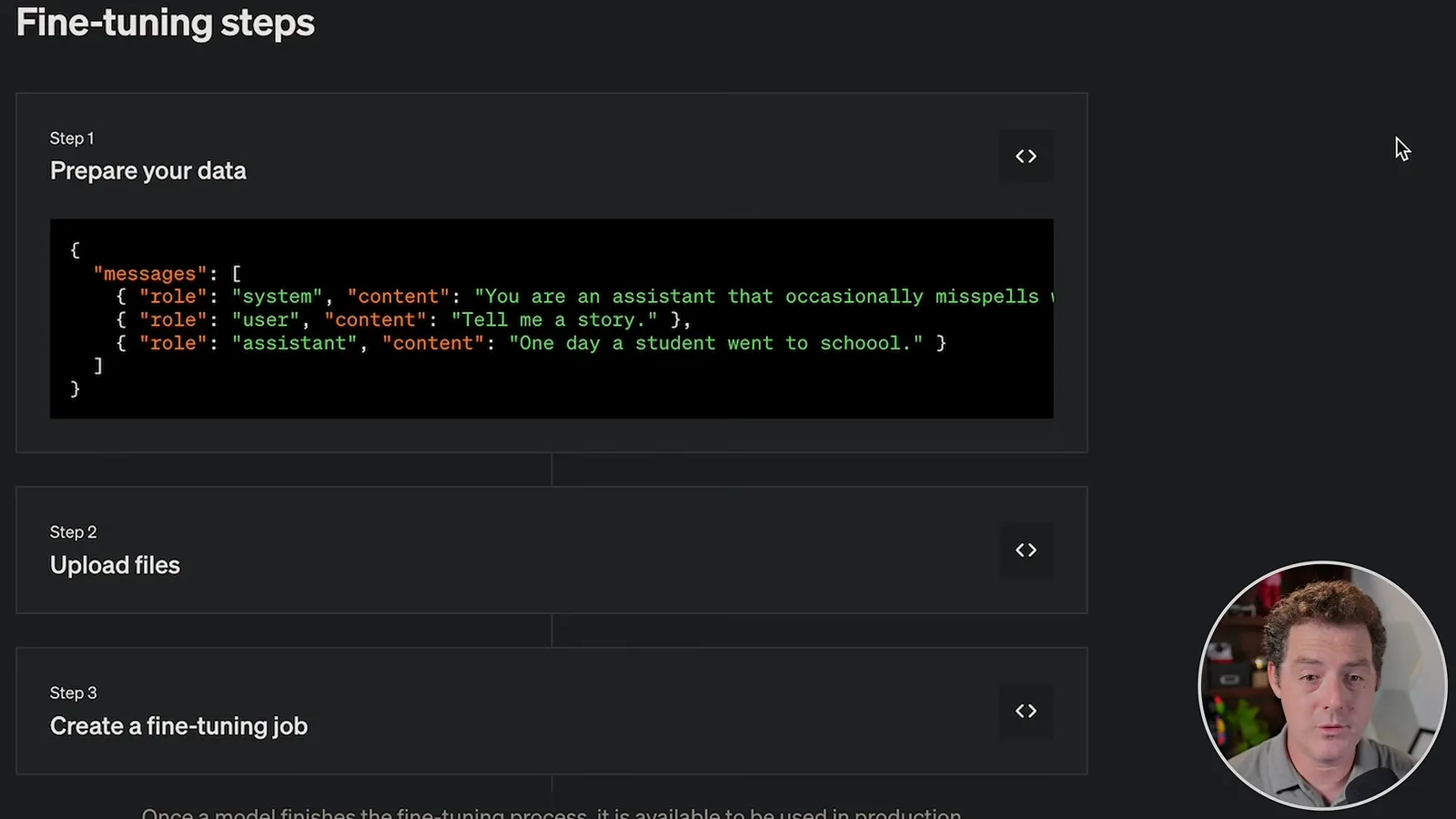
The process in the video has three broad steps: prepare examples containing system, user and assistant messages, upload the data, then create a fine-tuning job. On completion, the service returns a custom model identifier for API requests.
Generating and uploading examples
He uses a notebook to generate and format training data.
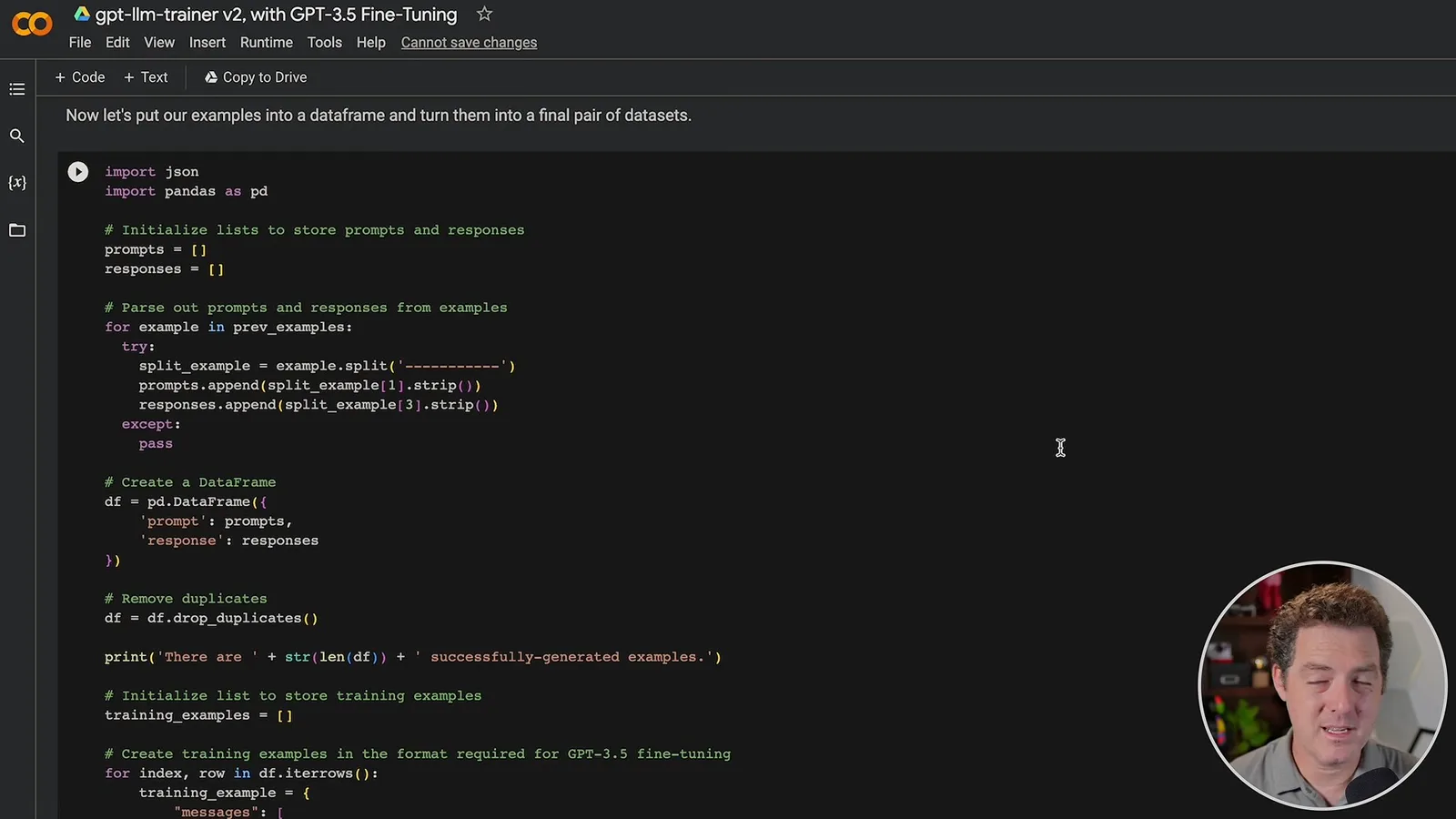
I use a Google Colab notebook credited to Matt Shumer to generate synthetic examples with GPT-4 and train the smaller model. The desired behavior is an exaggerated sarcastic comment style. Synthetic data is convenient, but the examples should be reviewed and evaluated for the intended use.
In the demonstration I choose a temperature of 0.8 and request 50 examples, then install the notebook’s dependencies and run the generation cell. Those settings are examples, not universally optimal values or a guarantee that 50 examples are enough.
The notebook uses an API credential to generate the examples. I say the key shown in the recording will be revoked; credentials should be kept private and managed securely rather than copied into a shared notebook.
The notebook creates a system message, converts generated examples to the expected message format and uploads the file. I start a training job and check its progress; I report that jobs in my experience took around 20 minutes at the time.
Testing the result
He retrieves the model identifier and tests its tone.
After the job succeeds, I retrieve the fine-tuned model name and test it with a new question about sushi. The response adopts the requested sarcastic tone, which is a useful illustration of style transfer but only one example.
I suggest adapting the approach to a personal or business chatbot. A real deployment would need representative training data, independent evaluation and attention to current API documentation and pricing.
More from this channel
 34:21EN
 Matthew Berman· Oct 27, 2026Matthew Berman Examines Anthropic’s IPO Filing, AI Growth and GovernanceMatthew Berman, Sam Altman · Forward FutureThe presenter reviews the S-1’s financial metrics, compute strategy and voting structure while questioning the tension between rapid AI development and safety.
 0:36ENMatthew Berman· Oct 25, 2026Kimi K3.1 and a Rubik’s Cube Solver DemonstrationMatthew Berman · Forward FutureMatthew Berman shows a scrambled virtual cube being solved and gives the Kimi K3.1 test a favorable assessment.
 25:50ENMatthew Berman· Oct 24, 2026Kimi K3.1 Pro Tested: Strong 3D Demos, Uneven Results and Competitive PricingMatthew Berman · Forward FutureMatthew Berman tests the open-weight model on coding, 3D rendering and visual explanations, then compares benchmark results and prices.
 32:20ENMatthew Berman· Oct 23, 2026Who Is Local AI For? The Costs, Trade-offs and a Hybrid FutureMatthew Berman · Forward FutureMatthew Berman weighs data control and independence against hardware cost, setup complexity and inference speed.
 1:03:37ENMatthew Berman· Oct 23, 2026Matthew Berman’s Team Tests Kimi K3.1 on Animation, Games, and ChartsMatthew Berman, Alex, Brian · Forward FutureA live team AMA turns into an informal test of Kimi K3.1, from personal-agent workflows to motion graphics, a browser game, and a benchmark chart.
 0:53ENMatthew Berman· Oct 22, 2026Sam Altman on AI and the Discovery of New KnowledgeSam Altman · OpenAIAltman expects progress in mathematical discovery to extend to biology, materials and energy.