30초 요약
Theo Browne discusses reports of rapid GPT-5.6 Sol usage and shares changes that helped in his own workflow. He compares historical benchmark costs, describes explicit stopping points and warns against unexamined configuration advice. Pricing, limits and product details are a July 2026 snapshot.
- 1Limits were changingThe video describes a temporary July 2026 plan change and warns that weekly usage still mattered.
- 2Fast mode has a costTheo reports a speed-versus-allowance trade-off in the version he used.
- 3Reasoning and benchmarksDeepSWE illustrates task-specific score and estimated cost differences across effort levels.
- 4Watch delegationTheo suggests observing sub-agent usage and adjusting preferences only when needed.
- 5Define a stopping pointA prompt can specify where to pause for feedback or hand work back.
- 6Follow product changesA later update reported accounting and efficiency changes while the video was being recorded.
핵심 정리
- A longer autonomous request can consume more allowance while replacing multiple shorter interactions.
- Fast mode, reasoning effort and sub-agent concurrency can change total usage.
- Benchmark cost and score curves are task-specific and do not determine every project’s best setting.
- Clear stop points make human feedback and handoffs easier to control.
- Check current provider guidance before changing context or subscription settings.
챕터별로 다듬은 전문 읽기
A sudden increase in usage
Theo describes user reports, his own experience and the limits of his comparison.
GPT-5.6 Sol is capable, but shortly after release many users reported reaching their usage limits much faster than with GPT-5.5. I ran into the same problem. My suggestions come from my own experiments, and both the product and limits were changing rapidly when this video was recorded in July 2026.
After changing my settings and prompts, I saw better results on some work while using substantially fewer tokens. That is not a controlled comparison or a guarantee of the same savings for everyone. The relevant measure is the whole task, including review and correction.
Plans and changing limits
He reviews a temporary provider update and explains why heavy runs still require monitoring.
I was on a higher subscription tier and hit limits quickly after early-access usage began counting. During my testing, Ultra was a major contributor. I chose to avoid it for the time being and discuss its multi-agent behavior separately; that is a judgment about the version I tested.
An OpenAI update displayed in the video said five-hour restrictions were temporarily removed for certain plans while efficiency changes were being rolled out. The weekly limit still mattered. These were temporary July 2026 conditions, not a statement about current plans or availability.
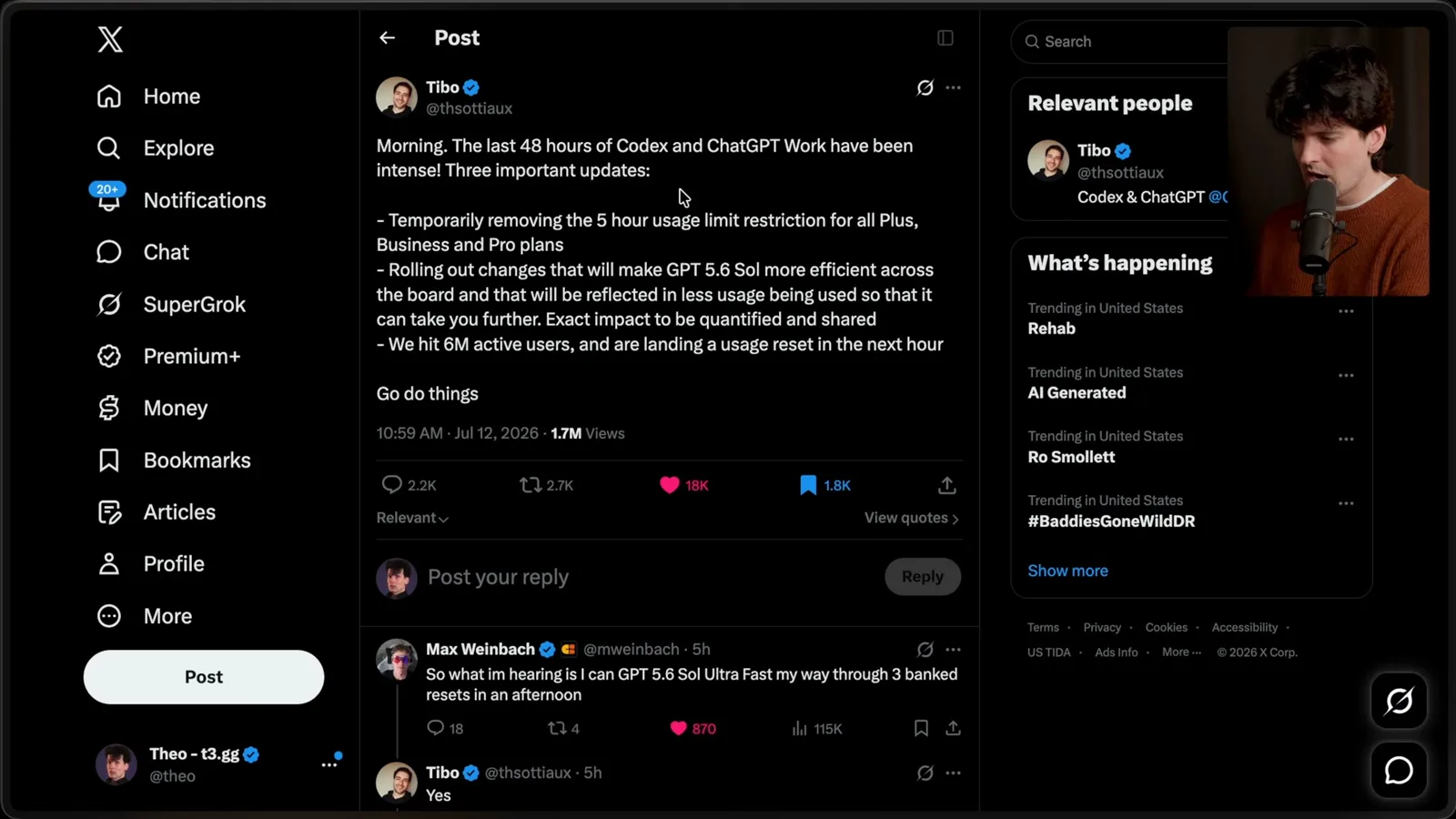
Removing a short-window limit can provide flexibility, but it also removes a natural interruption before a heavy run consumes more of a weekly allowance. Monitor actual usage and review the current rules for your account; a single user's figures do not establish everyone else's quota.
Longer runs, fast mode and effort
Theo compares his model experiences and uses benchmarks to illustrate cost-quality trade-offs.
In my experience GPT-5.5 often stopped to ask for feedback and could lose track of a long task. Sol tended to keep going much longer per request. That can be useful, but it also means comparing usage per message is misleading: one longer message may replace several shorter interactions.
I observed that individual Sol requests at higher effort could use substantially more of my allowance than earlier requests. The model's persistence, the chosen task and tools all affect the result. Those percentages are observations about my account, not a published conversion table.
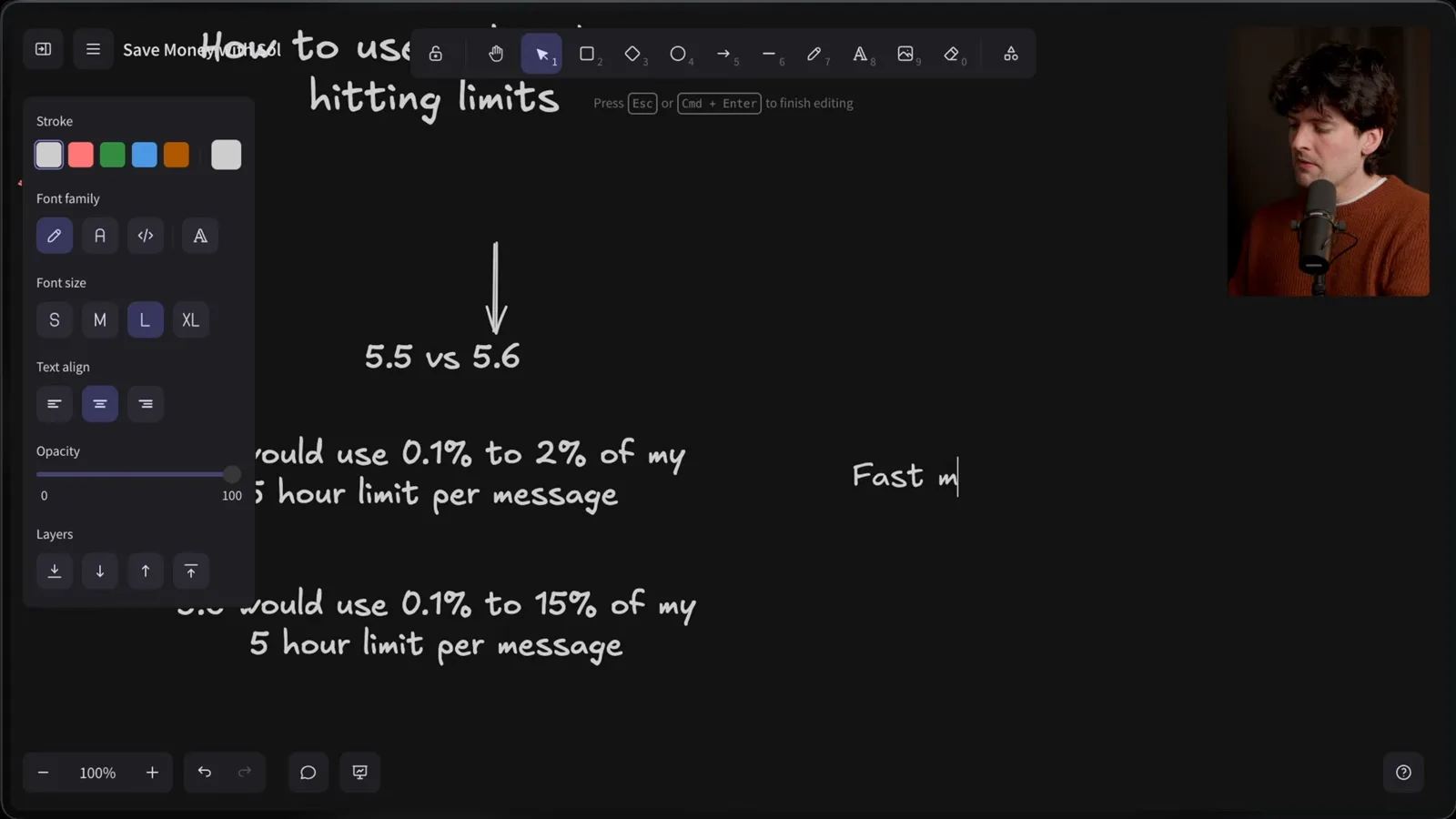
Fast mode also changes the trade-off between latency and usage. In the version I describe, I estimated roughly 1.5 times faster output with 2.5 times faster allowance consumption. For a long run where tests and tools dominate elapsed time, that speed increase may be less valuable to me.
With 5.5, I often watched the agent because it stopped and needed another prompt; speed felt important. With Sol I could start work and do something else. After turning fast mode off, I personally noticed less usage pressure without much perceived slowdown.
Long-running agents also need an appropriate stopping point. I found I did not always need a persistent goal mechanism to keep Sol moving. Whether a long autonomous run is desirable depends on the job and the review or approval points you need.
I mostly used high reasoning effort at the time, with low and medium as useful options and extra-high or max reserved for cases where their extra cost is justified. This is my preference, not a universal default; experiment on representative tasks.
On the DeepSWE chart I show, Sol scores approximately 45% at low, 61% at medium and 69% at high. The displayed estimated costs rise from about $1 to $1.86 and $3.47 per task. These are benchmark-specific API-cost estimates, not subscription charges for every user.
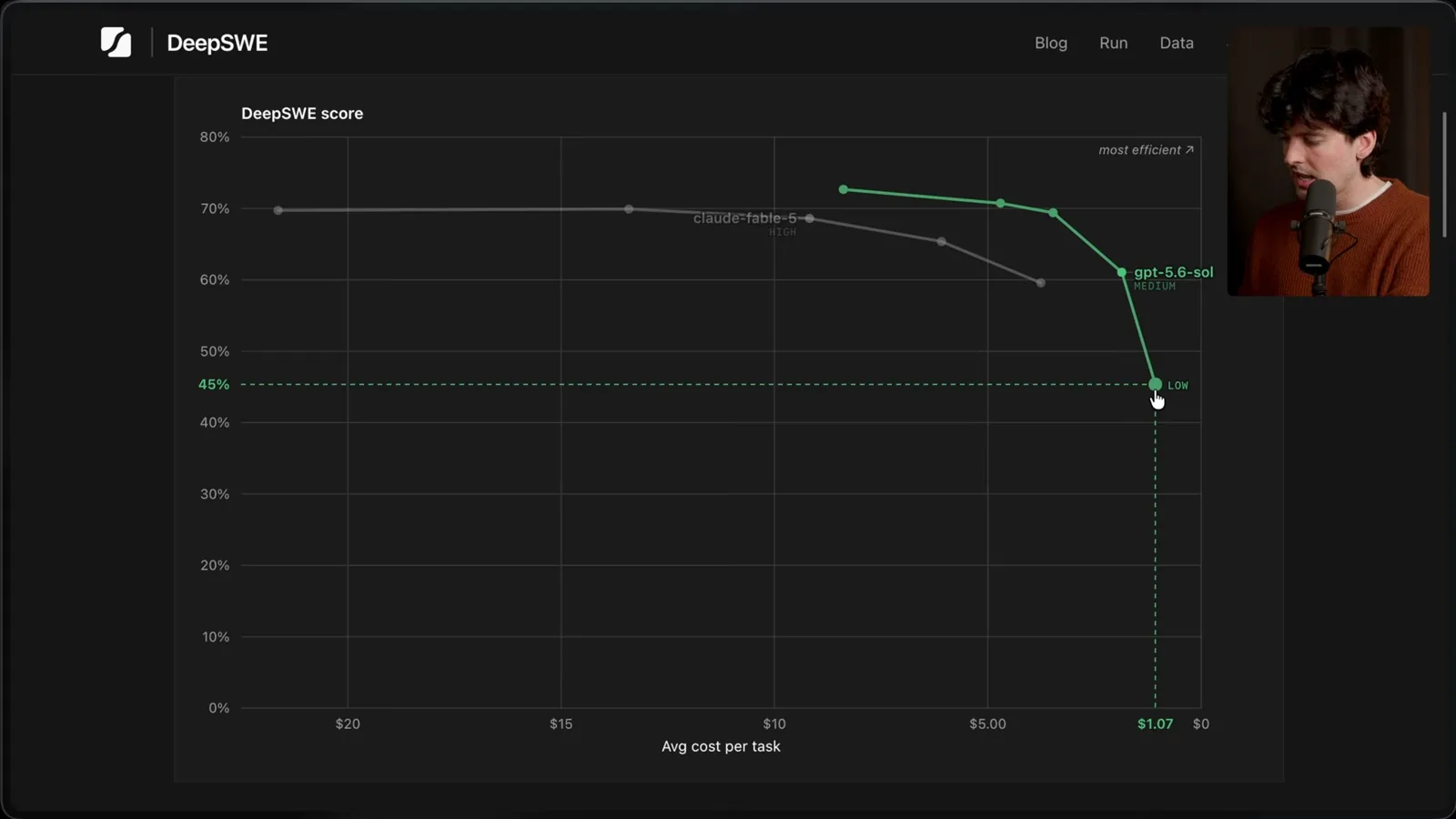
The same chart shows extra-high at about 71% and $4.70, and max at 73% and $8.39. I prefer high for my work because the later gains cost more. But a different benchmark or an expensive-to-fail task may change the calculation.
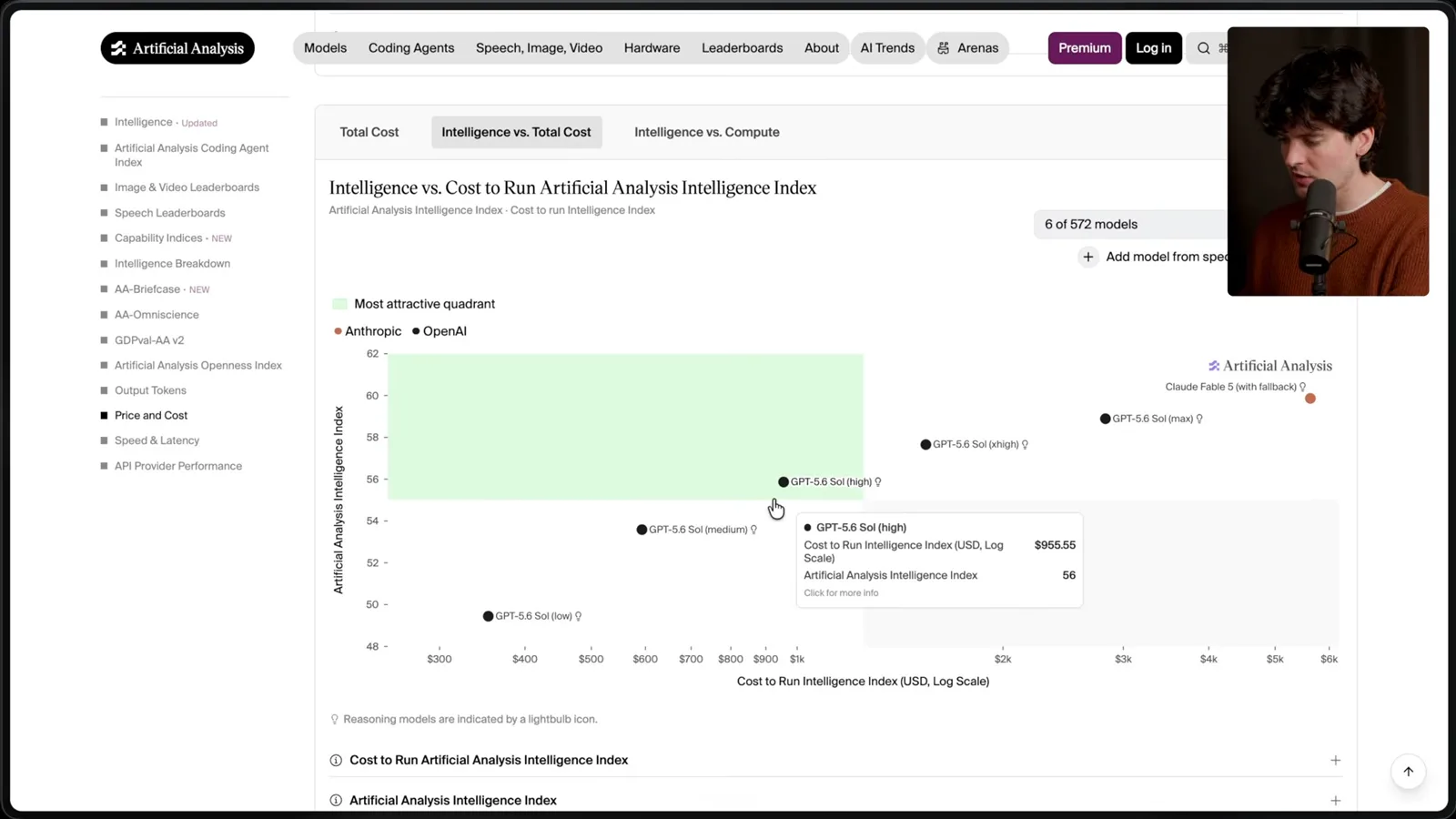
CursorBench showed a different score and cost gap, and Artificial Analysis offered another comparison. These measurements do not determine what any particular codebase needs. Look at quality, total attempts and review effort alongside cost.
Sub-agents and model choice
He discusses delegation, configuration and choosing among models.
I am cautious about sub-agent use in the Codex implementation I tested. Sol sometimes delegated when I would not have chosen to, adding work and usage. Sub-agents can be useful, so I suggest observing the actual behavior before changing a configuration.
If unnecessary delegation remains a problem, I describe adding a personal instruction to use sub-agents only when explicitly requested. That is one way to express a preference, not a requirement for every project. Configuration and provider capabilities can change.
I also discuss model choice and say that I personally prefer Sol on lower or medium effort to Terra for many tasks. Another analysis later in the video compares Terra, Luna and Sol on a cost-performance chart. Neither my preference nor a chart proves which model is best for your workload.
Stopping points and experimentation
Prompt boundaries, context settings and a late product update round out the advice.
My most useful prompt change is to specify when the agent should stop. For example, ask it to prepare a plan and pause for feedback, or give it a longer implementation and review task with a clear handoff point. The stop can be early or late; it should match the desired oversight.
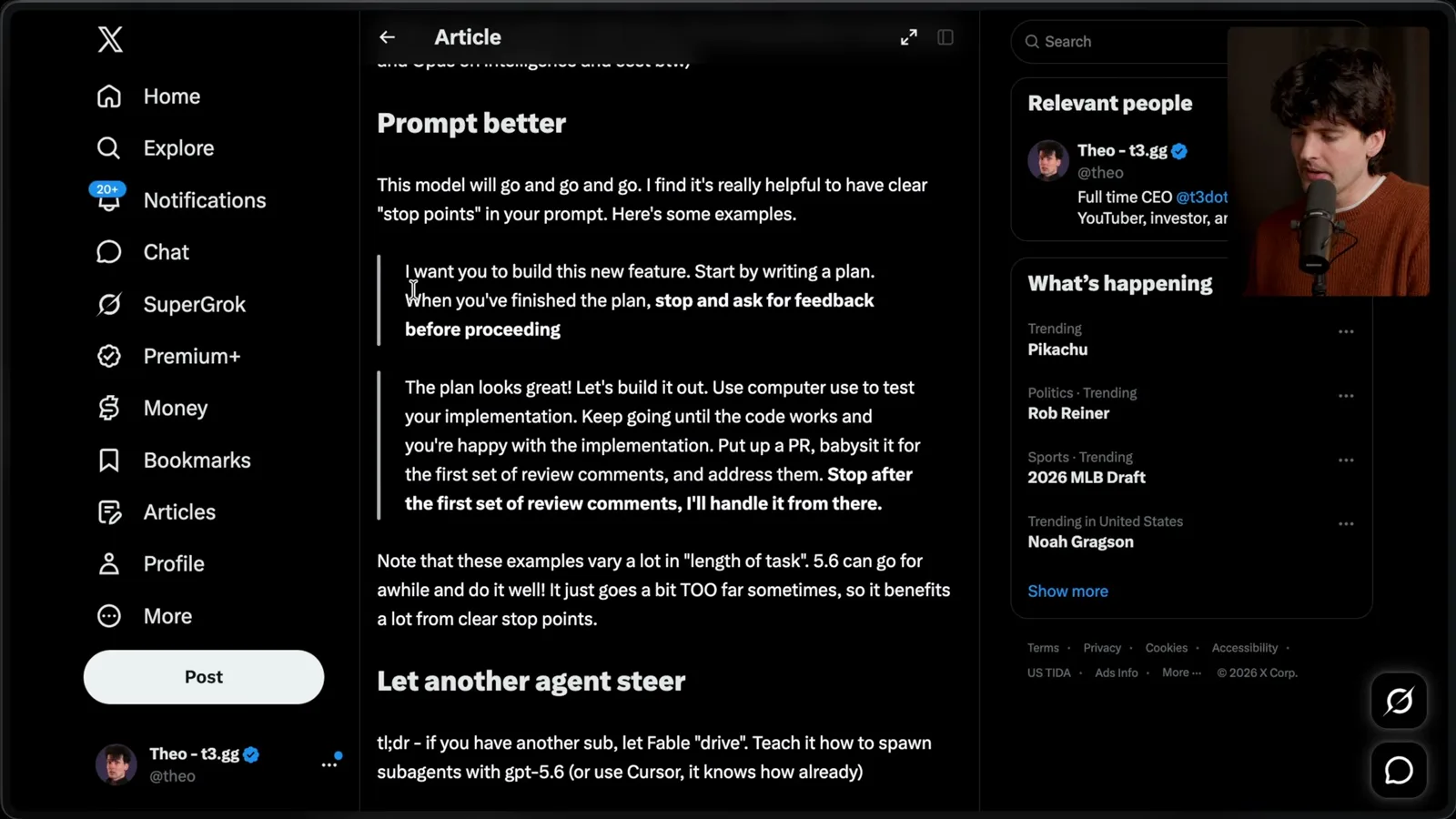
A clear boundary gives the model room to work without leaving it to infer how long it should continue. I suggest experimenting with the distance between checkpoints and checking whether output quality remains acceptable as the task becomes longer.
Another option is to use one agent to direct another, provided the tools and access are authorized. I have experimented with different harnesses, but the point is not to copy my exact setup or assume that a subscription supports every integration. Check the provider's current terms.
Customize prompts and project instructions for the way you work. Try different effort levels, inspect traces when behavior surprises you and make small changes. My files and preferences are examples to learn from, not a package that will suit everyone unchanged.
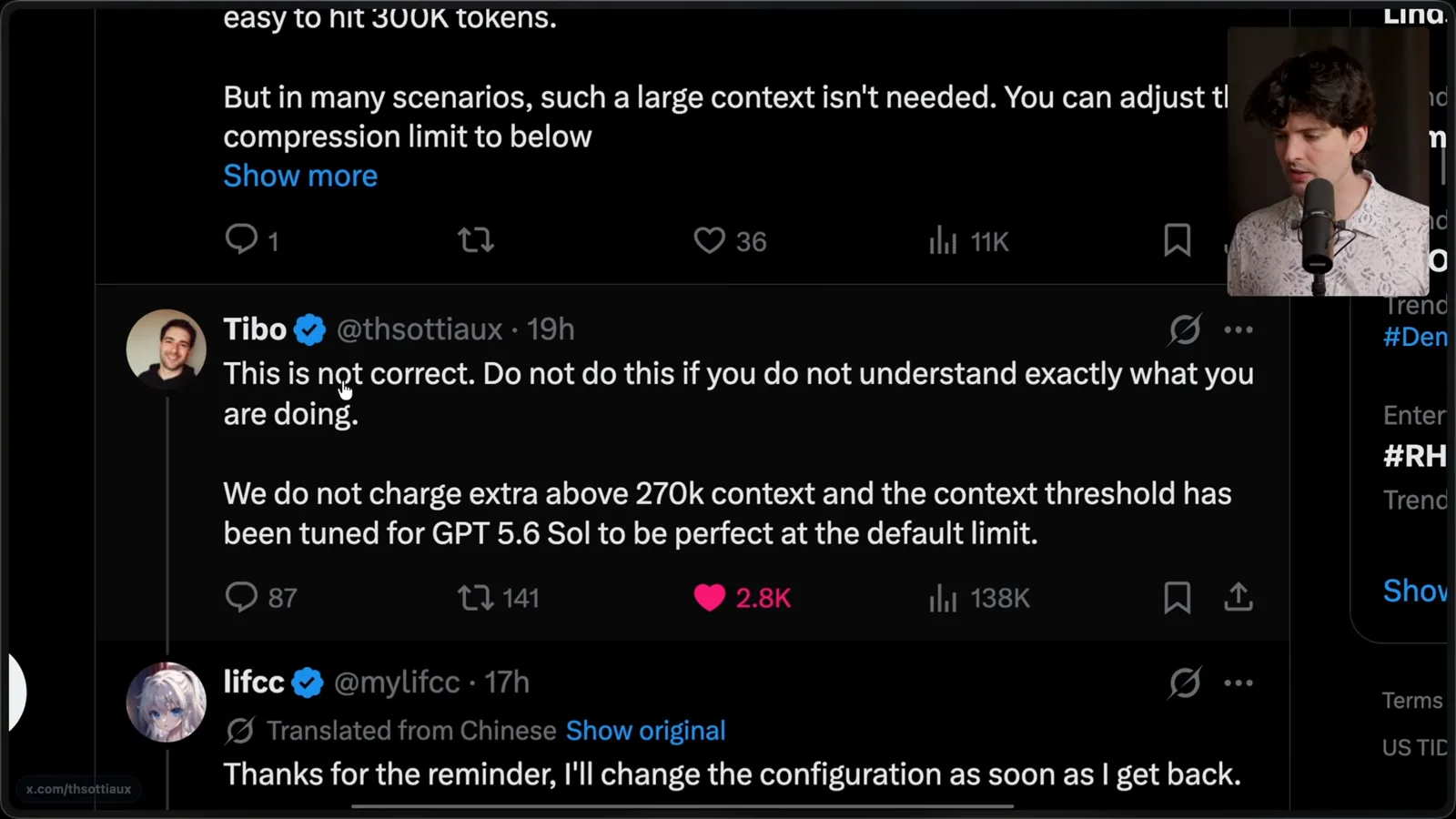
I warn against blindly changing context-window or automatic-compaction settings based on online advice. In the version discussed, an OpenAI representative said the defaults were tuned and challenged a claim about extra charges above a context threshold. This is historical guidance; check current documentation for the tool you use.
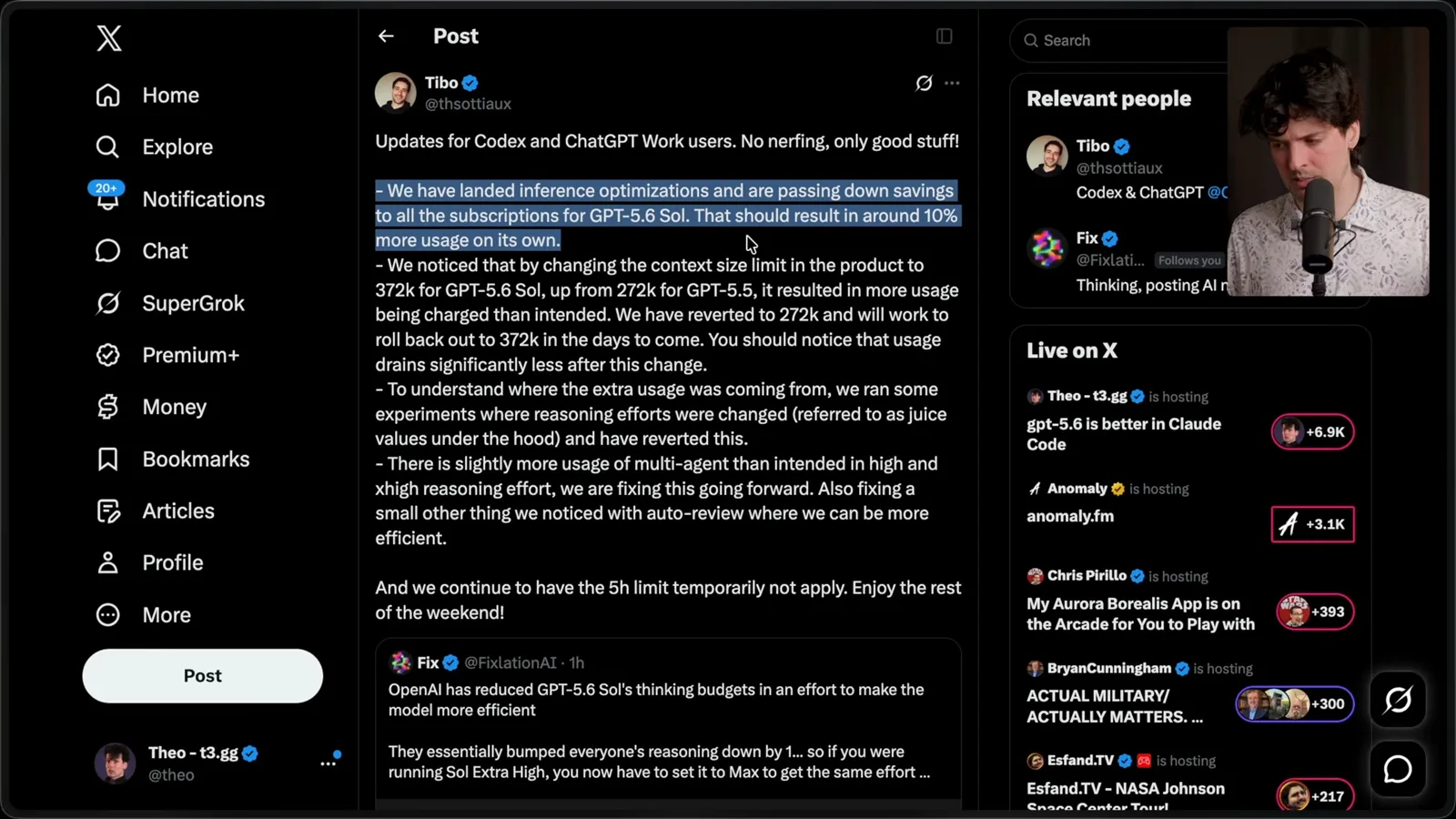
While I was recording, another update reported inference optimizations and a usage-accounting issue after a context-size change. The provider said it had temporarily reverted the limit and was addressing higher-than-intended multi-agent usage. The moving situation is a reason to revisit assumptions, not treat the video as a permanent configuration guide.
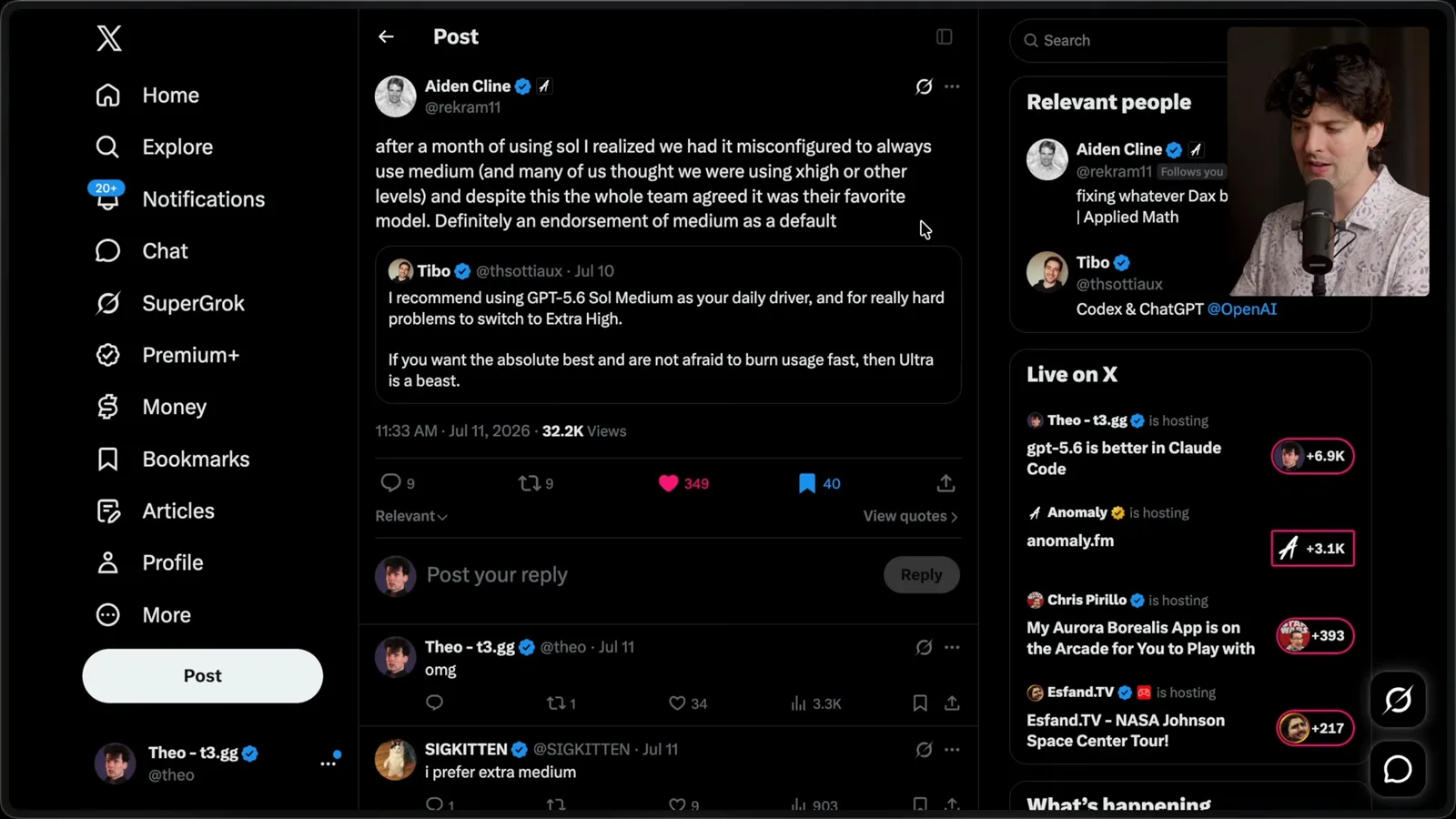
Finally, the OpenCode team reported that a configuration error had left them using medium effort when they thought they were using higher settings, yet they still liked the model. I take that as an anecdotal reason to test medium and high for yourself, not proof of a universal optimum.
같은 채널의 다른 글
 38:47EN
 Theo - t3․gg· 2026년 10월 28일Theo’s Long-Running Agent Experiments: Verification, Compute and CostTheo Browne · Ping LabsA skateboard game and two compiler projects show how repeated checks and flexible compute can sustain agent work—and how expensive those loops can become.
 36:07ENTheo - t3․gg· 2026년 10월 27일Theo on Token Costs, Coding Agents, and the Price of AI CapabilityTheo Browne · Ping LabsA viral estimate of Lauren's AI spending prompts a closer look at cache pricing, benchmarks, and the changing work of coding agents.
 30:37ENTheo - t3․gg· 2026년 10월 26일Theo’s Three Skills for Reviewing and Shipping with Coding AgentsTheo Browne · Ping LabsHow sol-loop, full-send and full-stop encode review, verification and different levels of merge authority.
 0:43ENTheo - t3․gg· 2026년 10월 23일Theo Distinguishes Security Vulnerabilities from Active AttacksTheo Browne · Ping LabsA short explanation of why disclosed software flaws and reported attacks are different kinds of security news.
 29:22ENTheo - t3․gg· 2026년 10월 22일Theo on Security Vulnerabilities, Stolen API Keys and AITheo Browne · Ping LabsA look at the gap between vulnerability disclosure and patching, and a speculative account of why stolen inference keys may be valuable.
 31:13ENTheo - t3․gg· 2026년 10월 20일Theo on Why Smarter Models Help More Than DevelopersTheo Browne · Ping LabsFrom game modifications to compiler experiments, Theo revisits his assumptions about who benefits from more capable AI.