30초 요약
In this May 2023 tutorial, Matthew Berman installs an early version of PrivateGPT, loads a sample State of the Union text, and queries it using a local GPT4All model. He shows the returned answer and source excerpts. The commands and filenames describe the historical version in the video; consult the [project repository](https://github.com/imartinez/privateGPT) for current instructions. Local processing and offline operation depend on the selected configuration and having already downloaded all required dependencies and models; privacy is not guaranteed merely by the product name. No sponsor segment is identified.
- 1Local document questionsBerman introduces PrivateGPT for asking questions about text, PDF and CSV documents using a locally configured model.
- 2Install and configureThe historical setup clones the repository, installs requirements and renames example.env to .env.
- 3Download two modelsThe demo uses a GPT4All language model and a separate embedding model, placed in the models directory.
- 4Ingest and queryThe ingestion script processes documents into a database; the application then answers a question and displays source excerpts.
핵심 정리
- The demonstrated 2023 workflow installs dependencies, configures model paths, ingests source documents and launches a local question-answering script.
- Initial cloning, dependency installation and model downloads require network access; offline use depends on the complete local setup and configuration.
- The example uses separate language and embedding model files and stores document chunks in a local database.
- Returned source excerpts help review an answer, but do not guarantee that its claims are accurate.
- Project versions and dependencies change, so historical filenames and commands should not be assumed to match the current release.
챕터별로 다듬은 전문 읽기
PrivateGPT and setup
Berman introduces the local document-questioning project and clones the repository in VS Code. He installs its Python dependencies and prepares the configuration.
PrivateGPT is a project for loading documents and asking questions about them with a language model. In this May 2023 walkthrough I demonstrate a local GPT4All-based configuration for text, PDF and CSV files. Local operation can keep document processing on the machine when all components and settings are local; the name alone does not guarantee privacy or security.
I open Visual Studio Code, create a new window and open its terminal. From the repository's Code menu I copy its URL, change to the desktop, run `git clone` with that URL, and enter the resulting `privateGPT` directory. Cloning requires a network connection, and this is the historical project layout shown in the video.
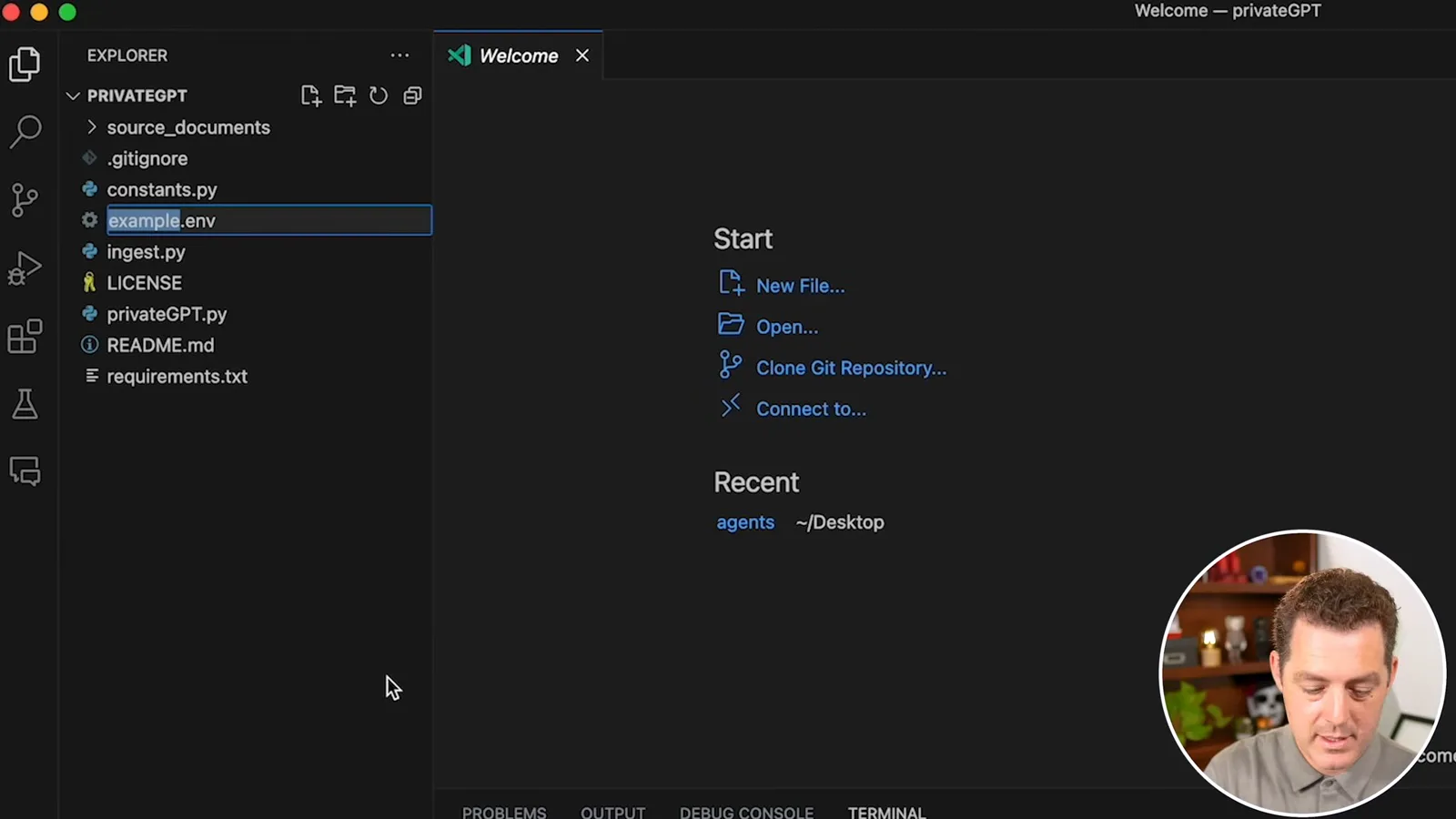
In the project folder I install the Python requirements using `pip install -r requirements.txt`, which may take time. I rename `example.env` to `.env` and leave the displayed default environment settings in place. Python versions and dependencies can cause installation problems, and the current repository may have different setup instructions.
Models and document ingestion
He downloads the historical language and embedding models and puts source files into the documents folder. The ingestion step creates a local database and can be CPU-intensive.
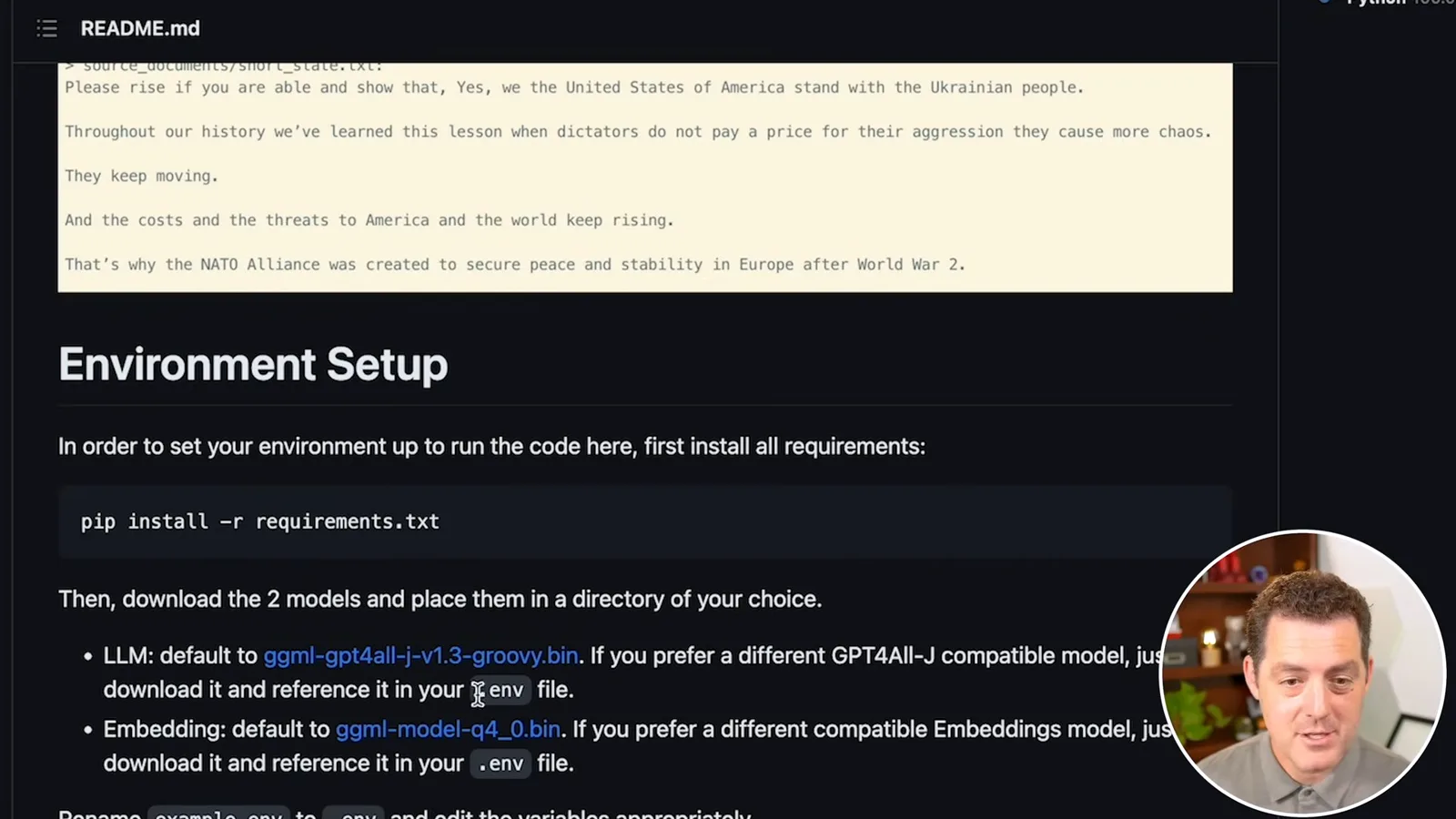
The 2023 README shows two downloads: the GPT4All-J language model `ggml-gpt4all-j-v1.3-groovy.bin` and the embedding model `ggml-model-q4_0.bin`. I create a `models` folder and move both files into it, matching the paths in `.env`. Model and dependency downloads require internet access; later offline operation requires every necessary asset to be present locally.
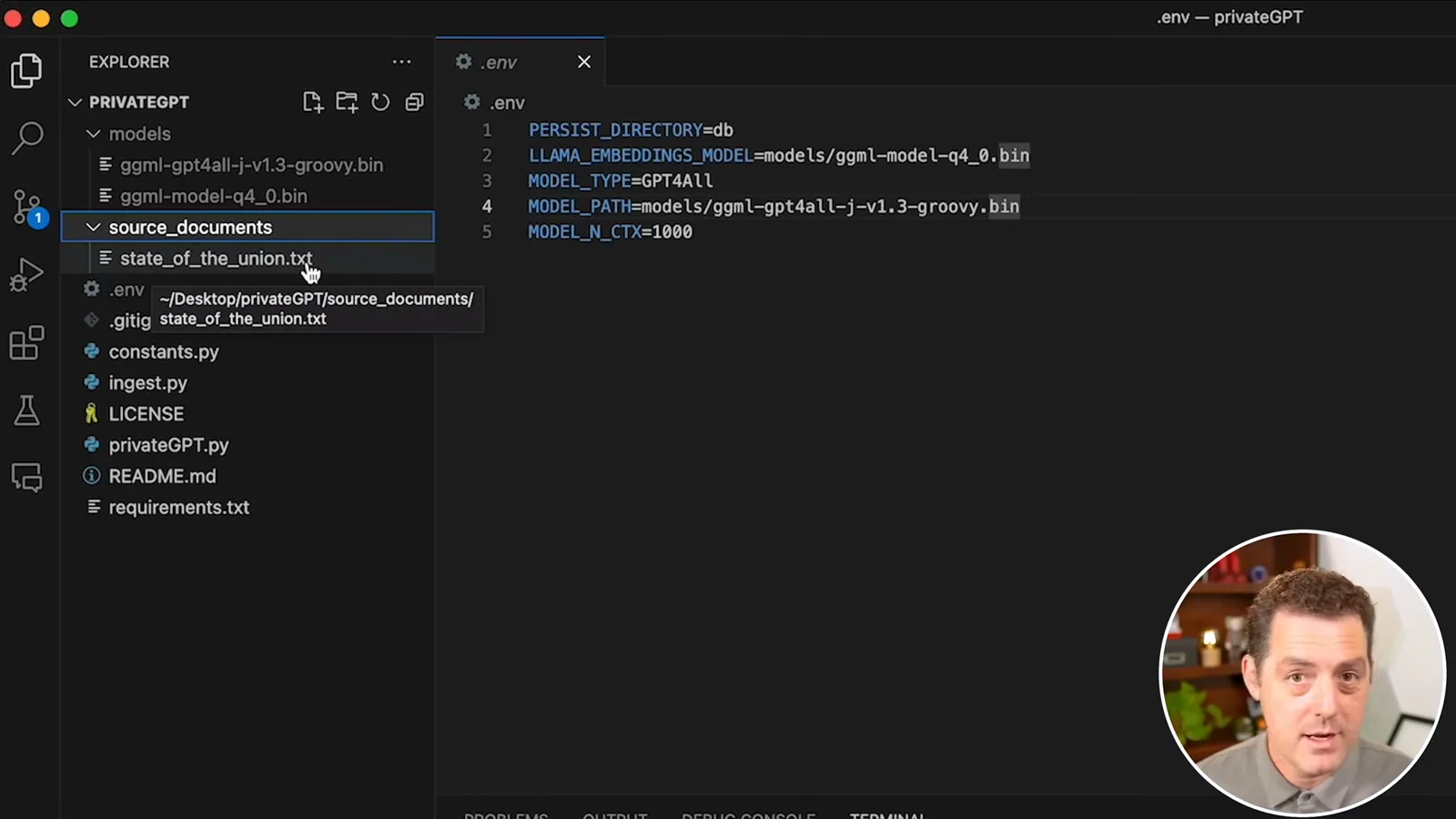
I place the files to query in `source_documents`, which already contains a sample State of the Union text. The version demonstrated accepts text, PDF and CSV. Running `ingest.py` splits and processes documents into a database used for retrieval, rather than training the language model on the documents.
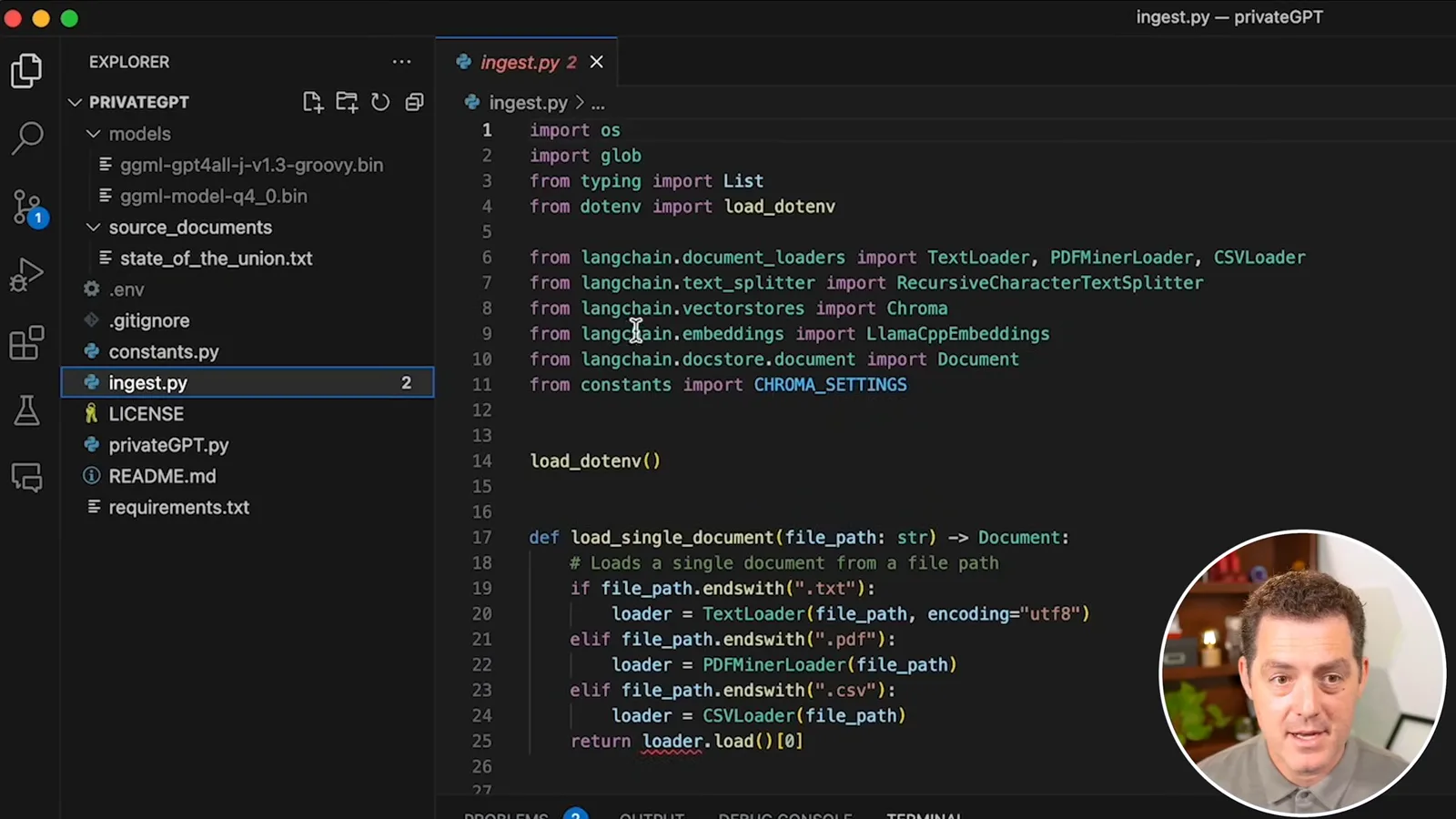
I launch `ingest.py` from VS Code. It puts substantial load on the CPU and takes about five minutes on my machine; the time depends on the hardware and documents. Once it finishes, I run `privateGPT.py` and enter a query asking what the president said about Russia.
Run a query
He launches the application and asks about the sample speech. The response includes retrieved source excerpts, which should be checked against the original.
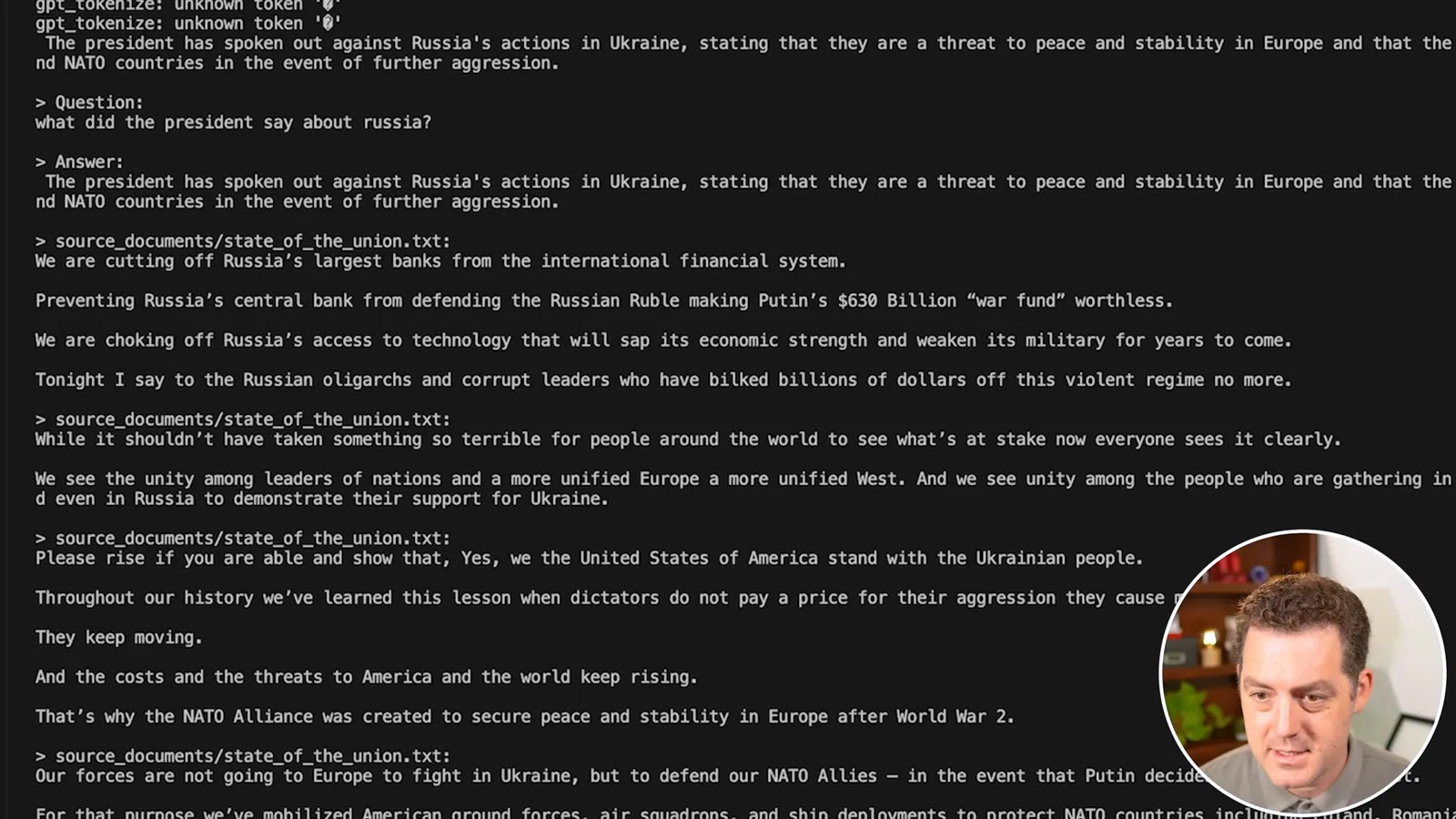
The local model generates an answer about Russia's actions in Ukraine and displays passages from the sample speech as sources. The excerpts give the reader material to check, but citing a passage is not a guarantee that every detail of a generated answer is supported. The demonstration does not independently verify all of its claims.
I encountered Python module and version issues during installation. Others can encounter compatibility problems too, especially with an old tutorial. Once the required files are downloaded, the particular local setup shown is intended to run without internet; actual privacy depends on the chosen backends, network settings, local machine security and any integrations.
같은 채널의 다른 글
 34:21EN
 Matthew Berman· 2026년 10월 27일Matthew Berman Examines Anthropic’s IPO Filing, AI Growth and GovernanceMatthew Berman, Sam Altman · Forward FutureThe presenter reviews the S-1’s financial metrics, compute strategy and voting structure while questioning the tension between rapid AI development and safety.
 0:26ENMatthew Berman· 2026년 10월 25일Sam Altman on Human Values and Problem-Solving in an AI WorldSam Altman · OpenAIIn a short interview excerpt, Altman considers the enjoyment of solving hard problems and the human role in interpreting results.
 0:36ENMatthew Berman· 2026년 10월 25일Kimi K3.1 and a Rubik’s Cube Solver DemonstrationMatthew Berman · Forward FutureMatthew Berman shows a scrambled virtual cube being solved and gives the Kimi K3.1 test a favorable assessment.
 0:21ENMatthew Berman· 2026년 10월 24일An AI-Generated Kimi Benchmark Chart Used Invented ScoresMatthew Berman · Forward FutureMatthew Berman asks for a graph of Kimi K3.1 Pro benchmarks, then discovers that the displayed figures are illustrative placeholders.
 25:50ENMatthew Berman· 2026년 10월 24일Kimi K3.1 Pro Tested: Strong 3D Demos, Uneven Results and Competitive PricingMatthew Berman · Forward FutureMatthew Berman tests the open-weight model on coding, 3D rendering and visual explanations, then compares benchmark results and prices.
 32:20ENMatthew Berman· 2026년 10월 23일Who Is Local AI For? The Costs, Trade-offs and a Hybrid FutureMatthew Berman · Forward FutureMatthew Berman weighs data control and independence against hardware cost, setup complexity and inference speed.