30초 요약
In this February 2025 video, Matthew Berman presents selected creator-made flight, survival, defense, jumping, word and VR games alongside interactive art. He tries a detailed maze prompt himself and finds that the result runs despite visible editor errors. The video includes a Browserbase sponsorship for Stagehand. Creator reports and selected demonstrations are not controlled model evaluations; the flight simulator’s cited post credits Cursor and does not establish that Grok 3 alone made the entire game.
- 1A flight simulator with limitsThe browser demo shows flying and shooting, but an aircraft collision does not work in the video.
- 2Credit the workflowPieter Levels reported an initial build using Cursor; the cited post does not establish exclusive use of Grok 3.
- 3Build a basic game firstThe vertical-jump example shows a simple starting point followed by assets and iterative refinement.
- 4A reproducible maze attemptBerman reuses a detailed prompt and opens the generated result, while noting editor errors.
- 5A partially tested VR demoBerman views a 3D shooter in the browser but cannot verify its VR shooting controls.
핵심 정리
- Creators used AI-assisted workflows to prototype varied browser games and interactive visual art.
- The flight simulator’s creator credited Cursor for the original build, so its entire development should not be attributed to Grok 3 alone.
- Starting with a basic game and iteratively adding assets and features can make a project easier to refine.
- A detailed 3D maze prompt produced a runnable example in Berman’s test, despite visible errors in the editor.
- The VR example was only partially tested because Berman did not have a headset.
챕터별로 다듬은 전문 읽기
Flight and browser games
Berman explores a flight simulator, a survival game and a defense game. The flight simulator’s original creator credited Cursor for the initial build.
I showcase browser games and interactive art that their creators associated with AI-assisted coding around the February 2025 release of xAI's Grok 3. These are selected creator demonstrations, not a controlled comparison of models. Browserbase sponsored a separate segment of this video promoting Stagehand.
The first example is Pieter Levels' browser flight simulator. It shows a plane, weather and day-night changes, speed and altitude indicators, shooting and a shareable multiplayer link. I find it impressive, though the demonstration also shows the plane passing through another plane, so the physics and collision handling are not complete.
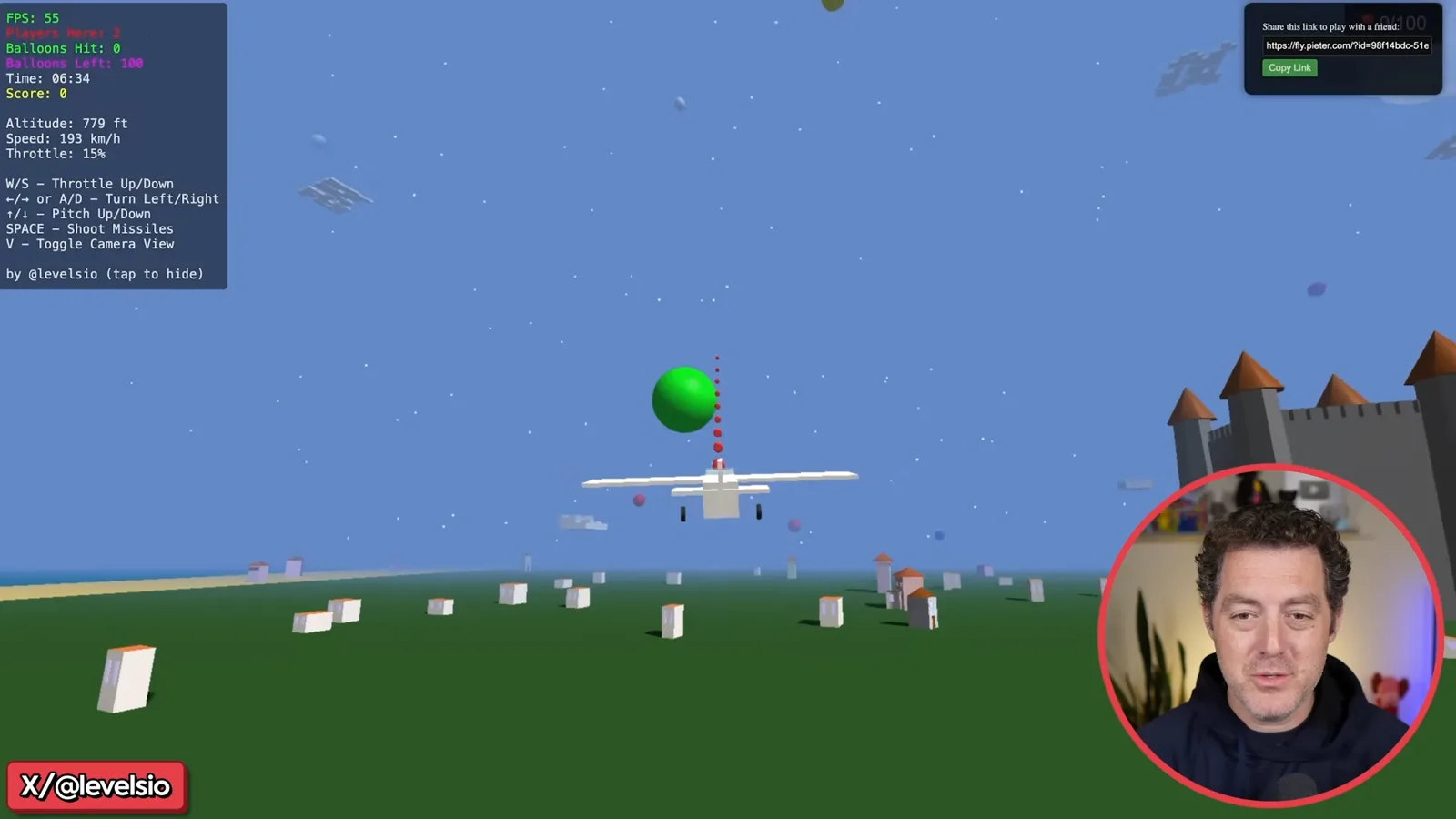
Levels said he built an initial simulator in about three hours with Cursor, iterating from instructions and an HTML file. I introduce it as made with Grok 3, but his cited post attributes the original build to Cursor and does not establish that Grok 3 alone produced the entire game. The tools and stages involved should not be collapsed into a single-model claim.
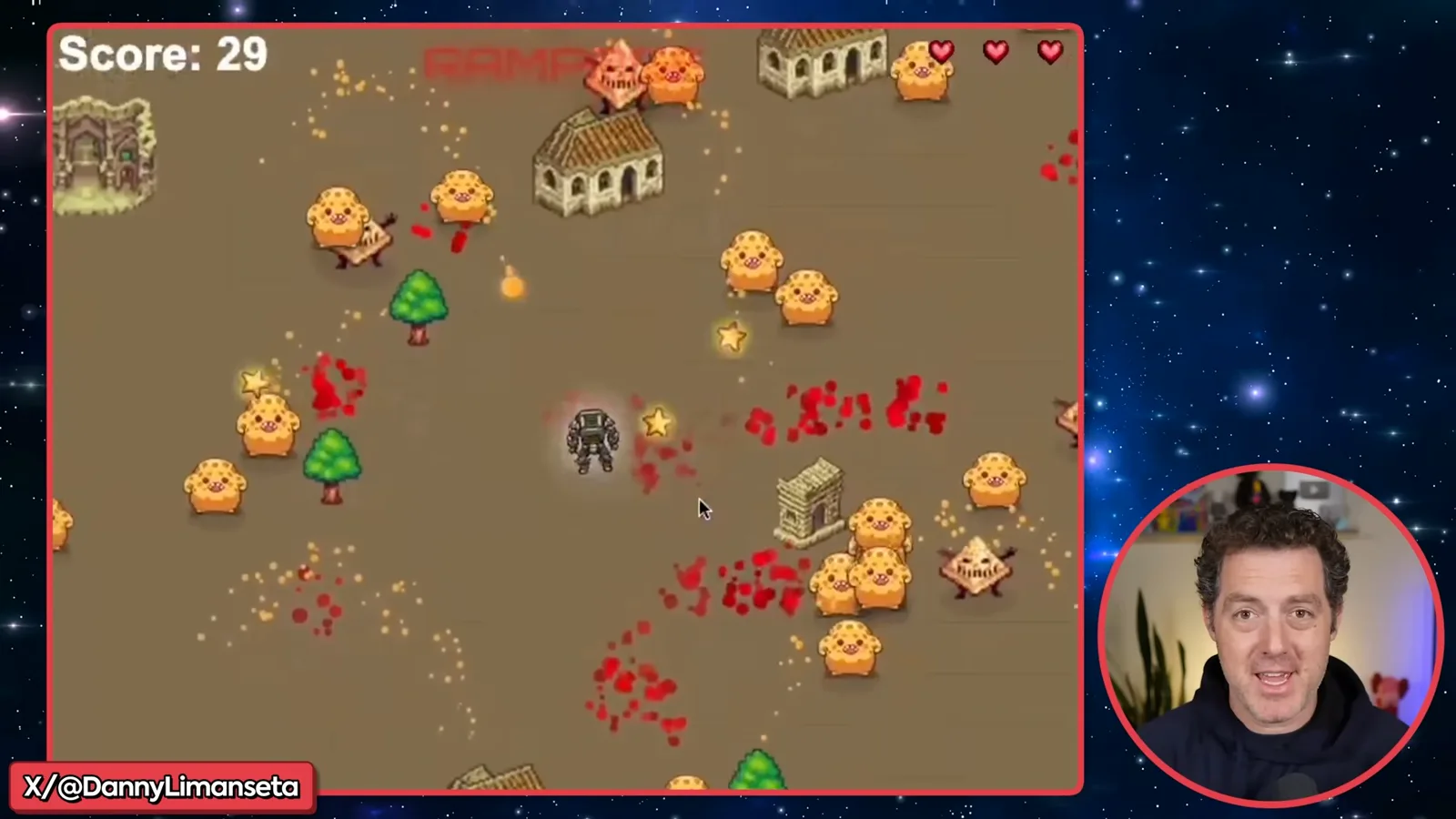
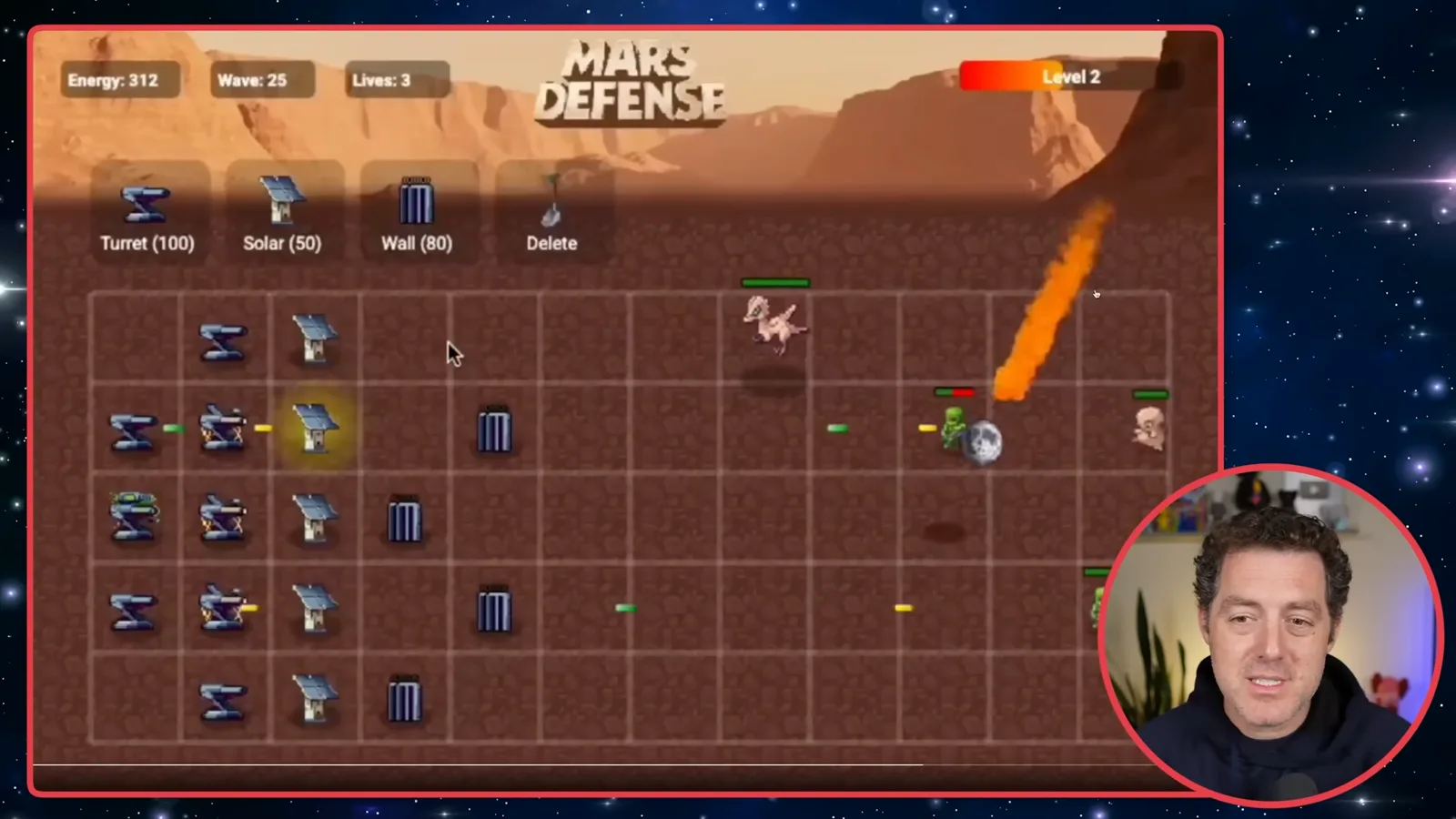
Next, a creator identified as Danny Limanseta shows Mech and Cheese, a survival-style game in which a robot shoots cheese-like enemies and gains levels. I also show a Plants vs. Zombies-style defense game, with turrets, walls, upgrades, solar power and incoming enemies. These examples illustrate the developers' reported workflows, not a guarantee that any prompt will yield a polished game.
Iterative games and generative art
A jumping game illustrates starting simple and adding assets. Interactive strands and a 3D city extend the examples beyond conventional games.
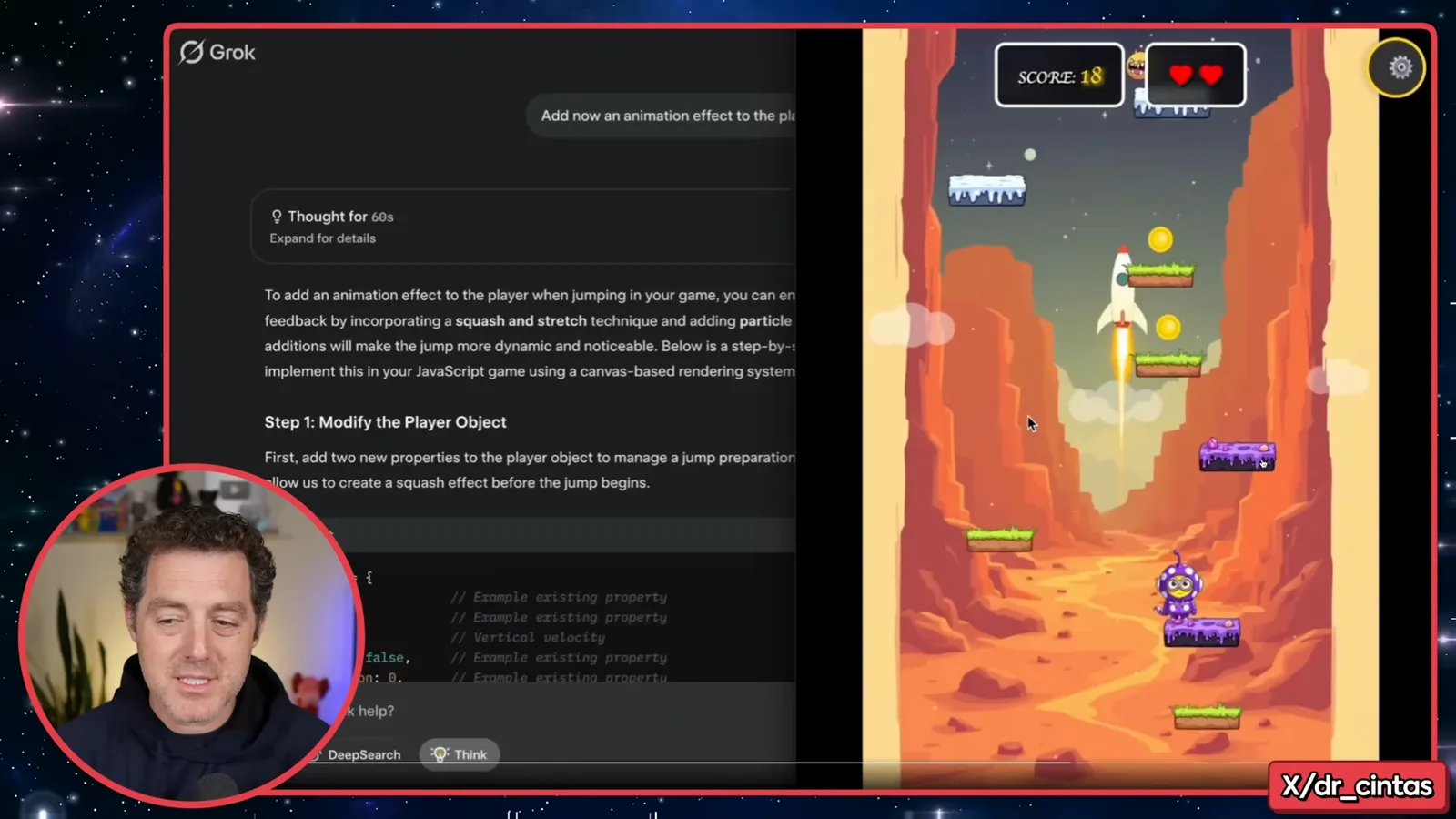
Álvaro Cintas demonstrates a vertical jumping game with selectable sprites and difficulty levels. He describes creating a basic version first, then adding assets and refining the result. That incremental process is useful: ask for a small working game, inspect it, and add features rather than requiring every detail in one initial prompt.
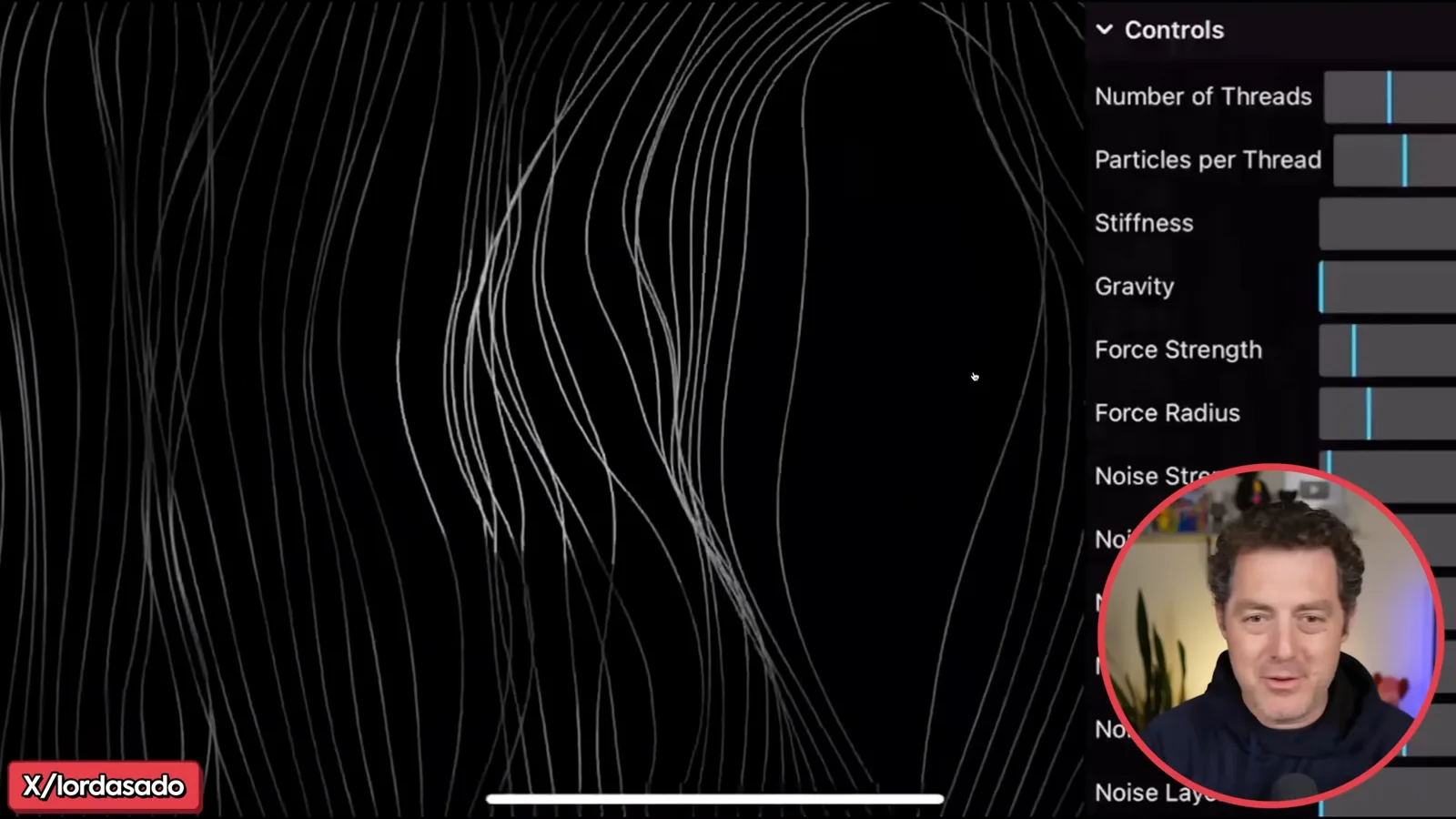
A creator using the name Lord Asado presents interactive generative art: strands on a phone respond to touch, with controls for thread count, stiffness, gravity and force. The creator describes using Grok 3 both to help formulate the prompt and suggest controls. I see it as a creative use of the same iterative approach beyond conventional games.
Another example is Cyber Manhattan, a rotating cube containing a stylized three-dimensional city. I like the moving stars and visual effect, while noting that the scene is relatively simple and could be extended. The video presents it as a one-prompt example; its source and process are creator-reported.
A 3D maze test
Berman reviews a detailed prompt and runs his own generated maze. Visible editor errors limit what the brief test establishes.
A 3D maze example shows a character moving around a generated map. Its author supplied a detailed prompt covering libraries, scene setup, maze generation, walls and collision behavior. I suggest it could become a shooter or puzzle game, but those additions are ideas rather than features shown in the example.
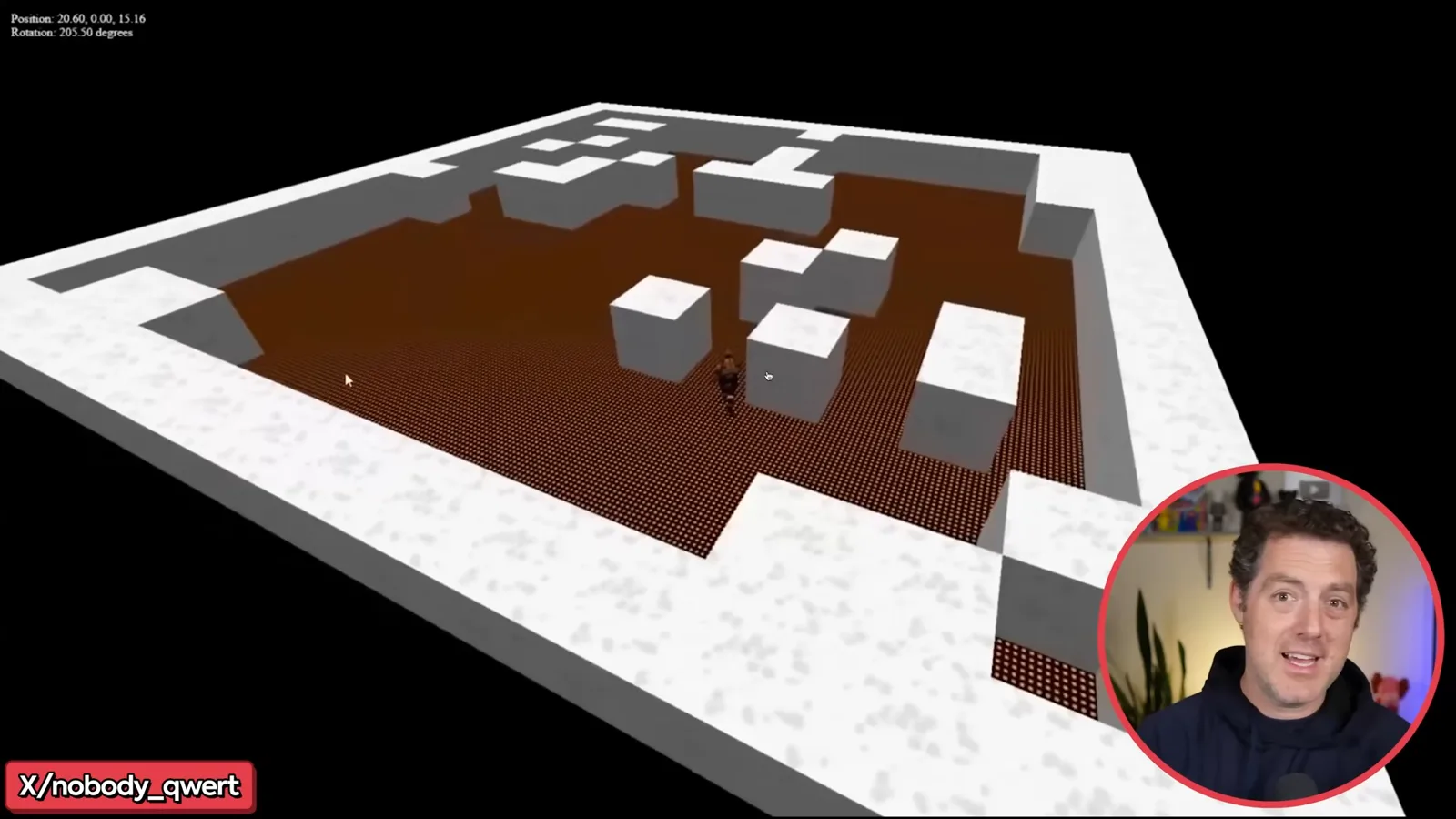
I copy the supplied maze prompt into Grok with its thinking mode enabled. After roughly 137 seconds it produces code; I see errors in the editor but save and open the result anyway. The character moves and collisions work in my limited demonstration. I have not resolved or characterized every reported error, and a single successful run does not show reliable performance on every prompt.
Word and VR examples
A Wordle-style game illustrates a compact prompt. Berman can preview the VR shooter but cannot test its headset controls.
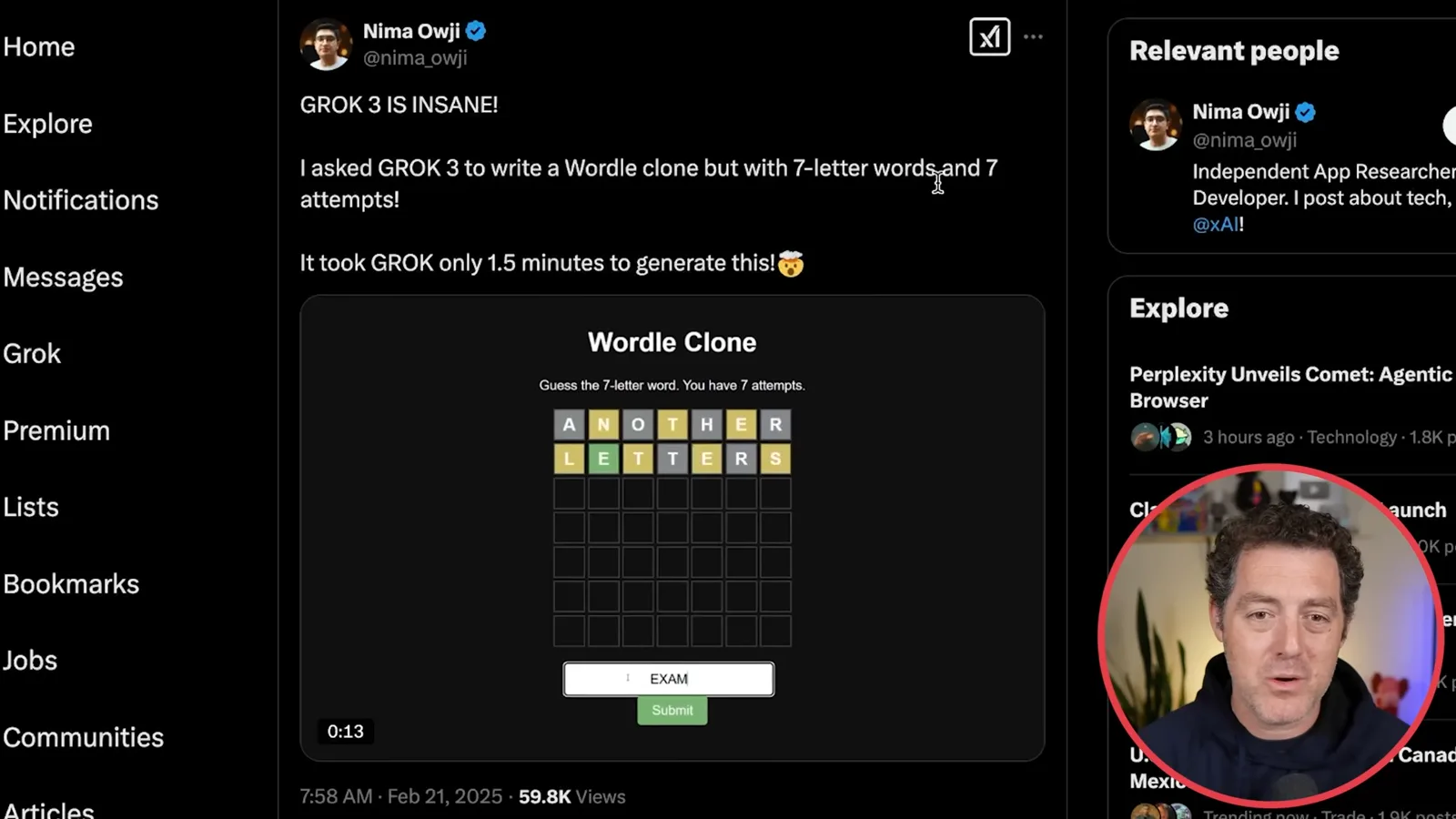
Another creator presents a Wordle-style game with seven-letter words and seven attempts. The familiar color feedback distinguishes correct positions, letters in the wrong position and letters absent from the word. The creator reports generating it in about 90 seconds and shares the prompt and conversation; this is a reported example, not a timed independent benchmark.
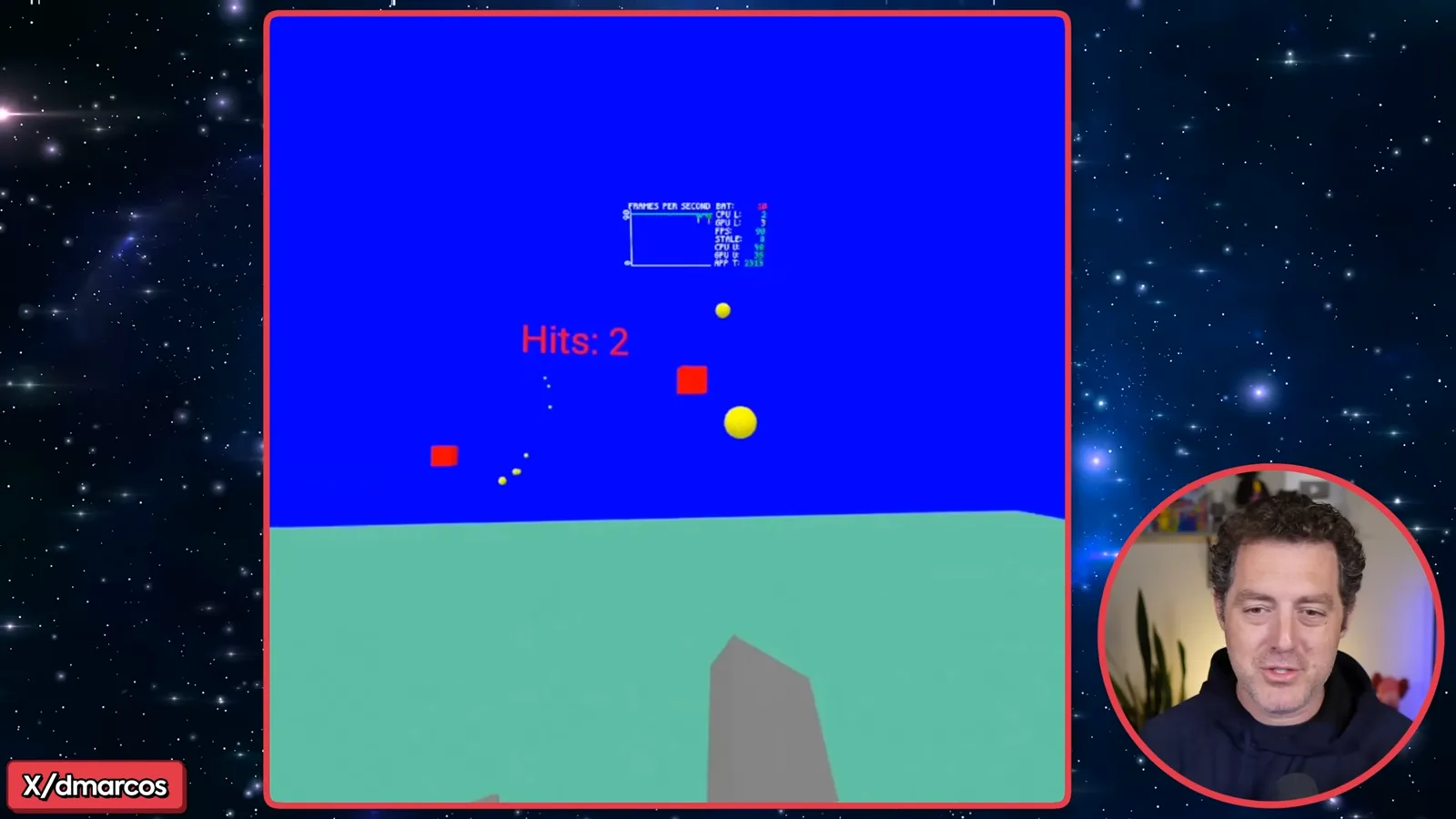
Finally, I show a VR shooter with approaching red blocks and projectiles. The creator describes it as generated in one go, but I do not have a VR headset and cannot verify the shooting controls in my browser preview. I can move around the 3D scene; turning it into a complete, polished game would require further work.
The examples make me optimistic about AI-assisted game prototyping, and I would like to build another game in a future video. They also show that prompting, iteration, generated assets, coding tools and human review all contribute to a result; the demonstrations do not establish that every game can be built reliably without development work.
같은 채널의 다른 글
 34:21EN
 Matthew Berman· 2026년 10월 27일Matthew Berman Examines Anthropic’s IPO Filing, AI Growth and GovernanceMatthew Berman, Sam Altman · Forward FutureThe presenter reviews the S-1’s financial metrics, compute strategy and voting structure while questioning the tension between rapid AI development and safety.
 0:26ENMatthew Berman· 2026년 10월 25일Sam Altman on Human Values and Problem-Solving in an AI WorldSam Altman · OpenAIIn a short interview excerpt, Altman considers the enjoyment of solving hard problems and the human role in interpreting results.
 0:36ENMatthew Berman· 2026년 10월 25일Kimi K3.1 and a Rubik’s Cube Solver DemonstrationMatthew Berman · Forward FutureMatthew Berman shows a scrambled virtual cube being solved and gives the Kimi K3.1 test a favorable assessment.
 0:21ENMatthew Berman· 2026년 10월 24일An AI-Generated Kimi Benchmark Chart Used Invented ScoresMatthew Berman · Forward FutureMatthew Berman asks for a graph of Kimi K3.1 Pro benchmarks, then discovers that the displayed figures are illustrative placeholders.
 25:50ENMatthew Berman· 2026년 10월 24일Kimi K3.1 Pro Tested: Strong 3D Demos, Uneven Results and Competitive PricingMatthew Berman · Forward FutureMatthew Berman tests the open-weight model on coding, 3D rendering and visual explanations, then compares benchmark results and prices.
 32:20ENMatthew Berman· 2026년 10월 23일Who Is Local AI For? The Costs, Trade-offs and a Hybrid FutureMatthew Berman · Forward FutureMatthew Berman weighs data control and independence against hardware cost, setup complexity and inference speed.