30초 요약
In May 2023, Matthew Berman demonstrates 10Web’s AI Website Builder by generating an electronics business site and inspecting its pages. He shows the questionnaire, generated case study, placeholders and visual editor. The result needs factual review, and the video’s claims about WordPress.com hosting and AI image copyright should not be assumed correct. No sponsorship is disclosed in the video or description.
- 1An AI-generated draftBerman shows an education site generated from a short questionnaire and notes that team information needs editing.
- 2Create a siteThe flow asks for a business category, design, company description, services and case studies.
- 3Tone and generationHe selects a formal tone and watches the builder generate pages, copy and images.
- 4Review generated claimsThe sample site contains a case study and placeholder logos that need verification or replacement before publication.
- 5Edit and manageThe visual editor and dashboard allow page editing, draft or published status and other site management.
핵심 정리
- The demonstrated 2023 flow asks for business details, services, examples, contact information and a tone before generating pages.
- A generated site is a draft: team members, testimonials, logos, case studies and contact links must be checked and replaced as needed.
- 10Web uses WordPress software and provides hosting; WordPress is not the same service as WordPress.com.
- AI-generated imagery does not automatically eliminate copyright or usage-rights concerns.
- The video gives no specific price; current trial terms, pricing and product features can differ from 2023.
챕터별로 다듬은 전문 읽기
A generated education site
Berman shows a sample site and its pages, including team placeholders. He introduces page creation in the dashboard.
I walk through 10Web’s AI Website Builder as it appeared in May 2023. The product asks questions about a business and generates a website draft with pages, copy and imagery. I show how the process works and then create an example electronics site.
My first example is an AI education site. I say its content and images were generated after I described the business and its features, and estimate that it took about three minutes. That is one demonstration, not a guarantee that a finished site takes only that long.
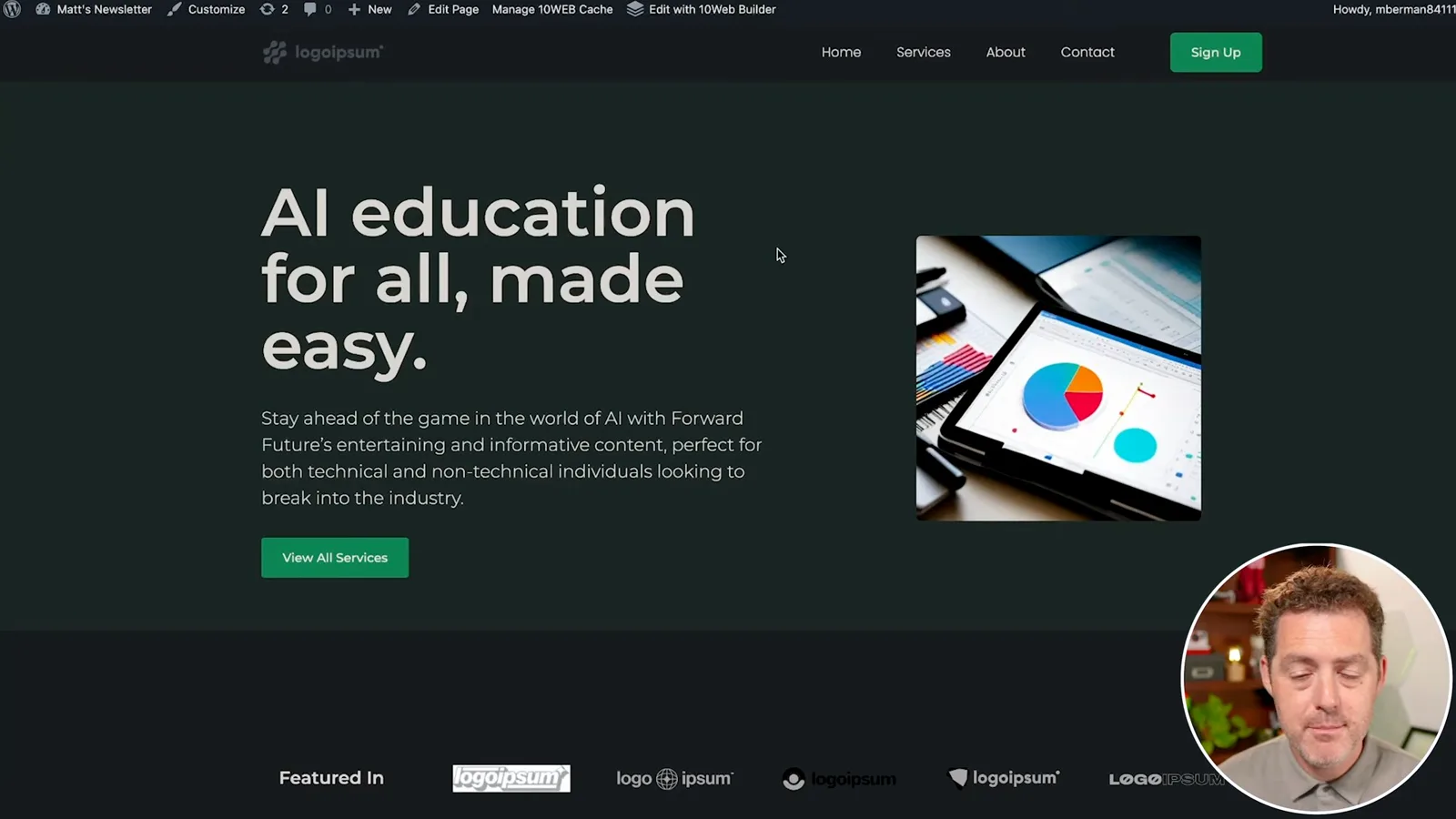
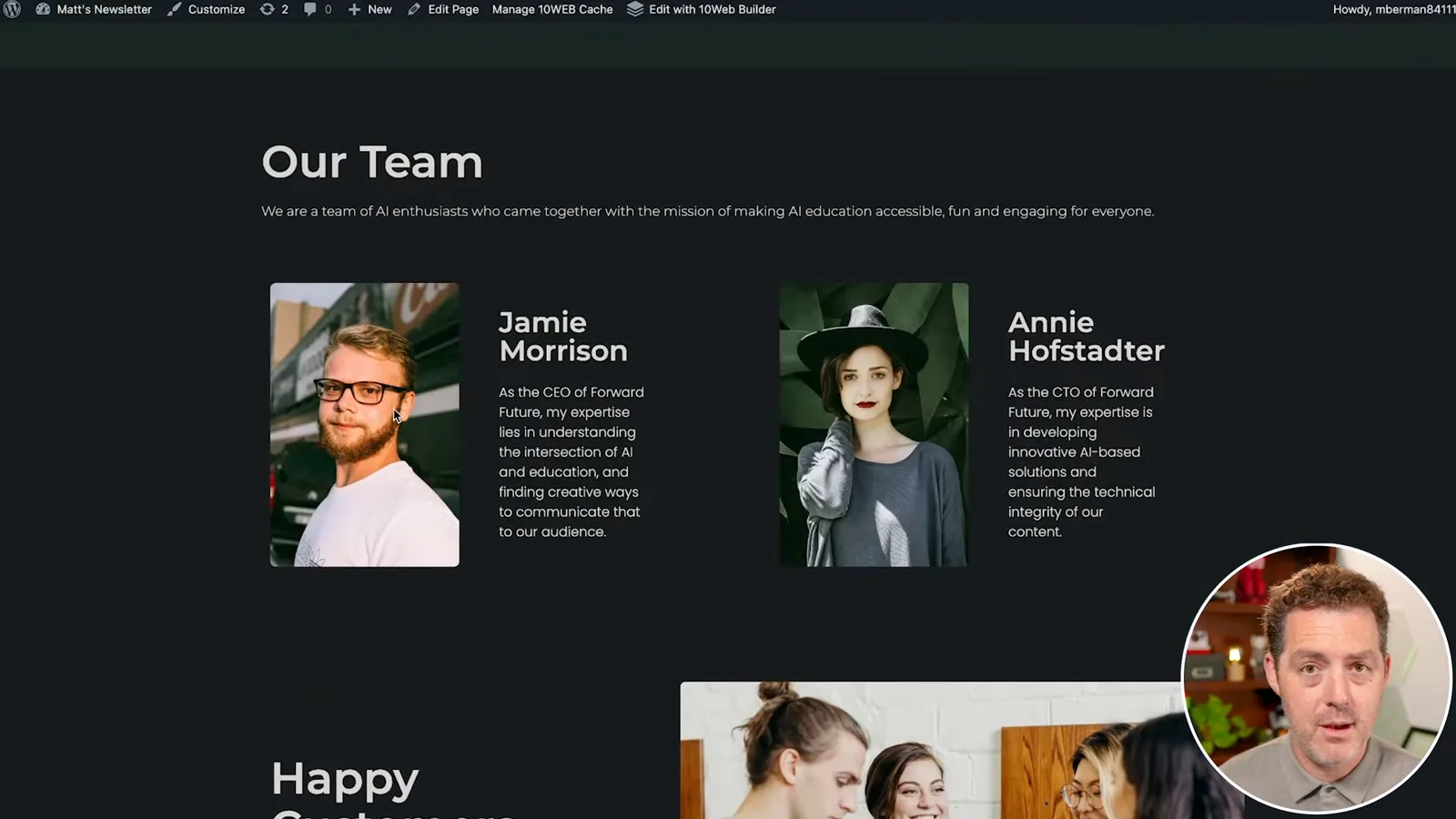
The draft includes services, an about page, a team section, testimonials and a newsletter area. I point out that the team names, pictures and biographies would need to be replaced. Generated testimonials and other claims also need verification or removal before a real site presents them as fact.
In the dashboard I show pages such as Home, About, Services and Contact. A user can add a blank page, use a premade page or use AI to recreate a page based on an existing design. Interface details in this walkthrough reflect the product in 2023 and may have changed.
Generate an electronics site
He chooses a design and supplies business details, services, an example and a tone. The builder generates a draft site.
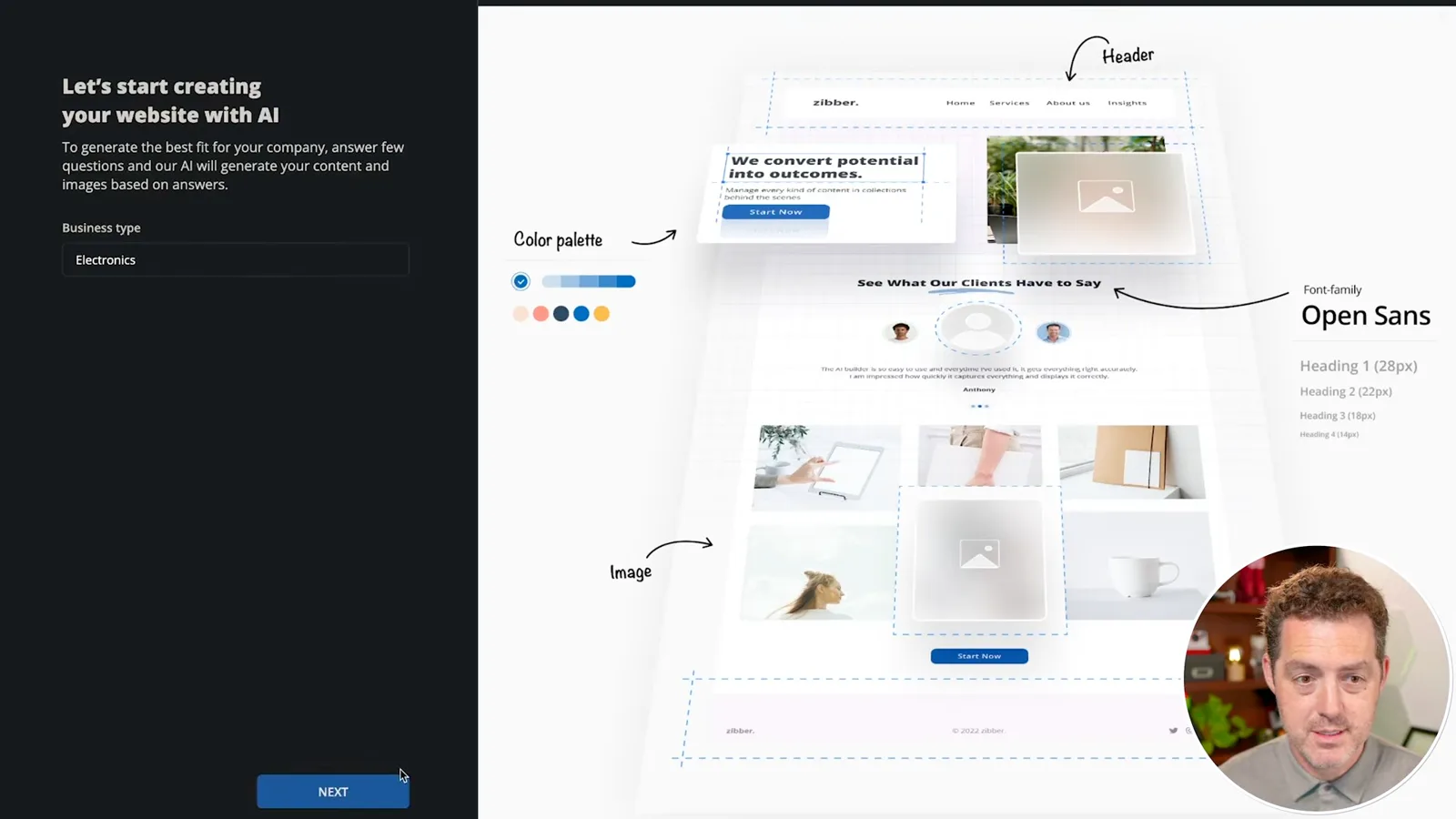
To create a new site, I choose an electronics business category and one of three designs. I enter a company name and description, with the form recommending details about the audience, industry and distinguishing features. I list services and a case study, leaving another example blank for later.
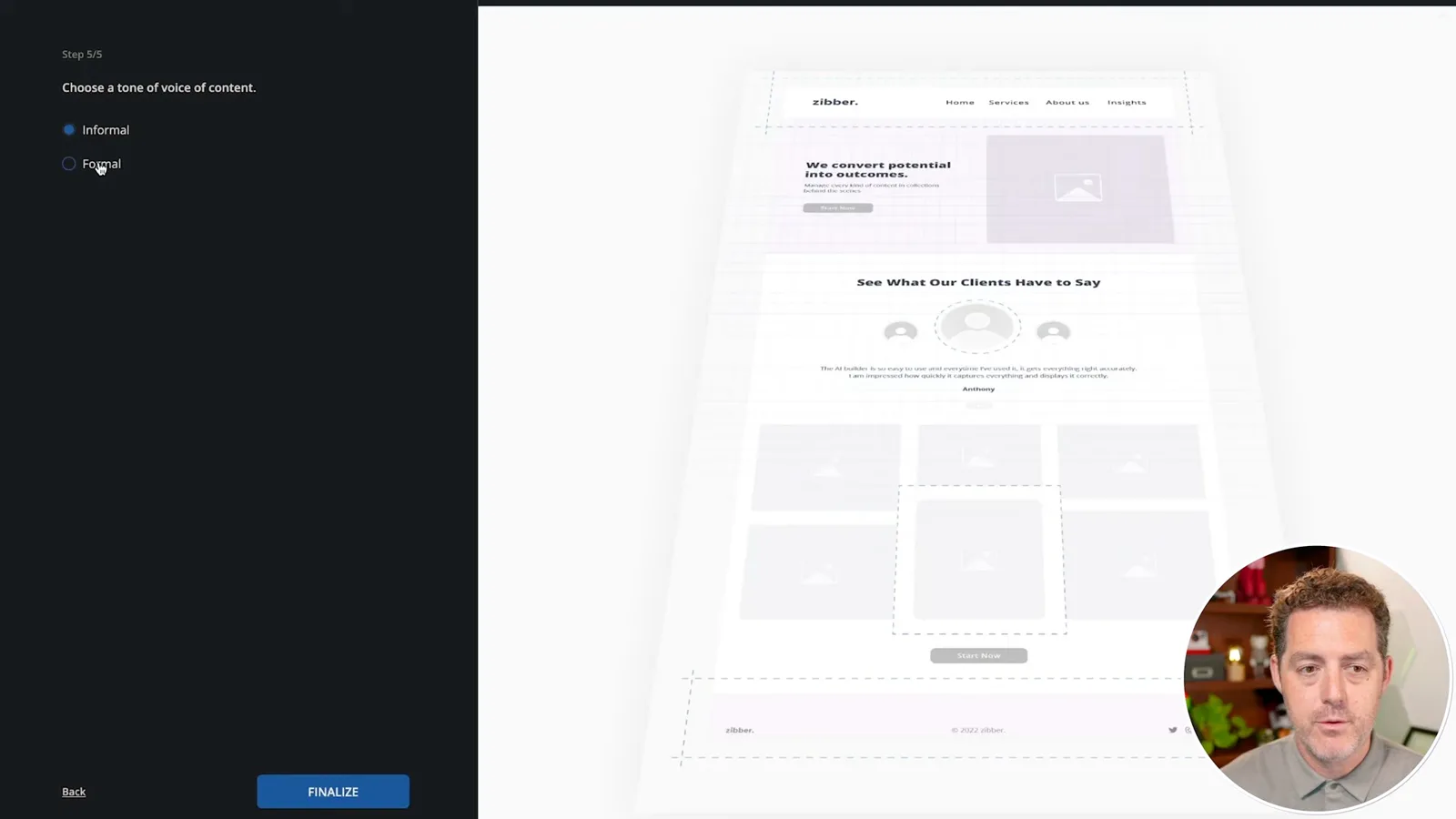
The flow asks for an email address and company address, which I leave blank, then lets me choose an informal or formal tone. I select formal and start generation. The progress display describes creating pages, layouts, text and imagery and preparing a mobile-friendly site.
I describe the resulting site as living on WordPress.com, then later mention 10Web hosting. These are different concepts: WordPress is the site software, while 10Web says generated sites are hosted on its own platform; that does not imply they are hosted by WordPress.com ([10Web](https://help.10web.io/hc/en-us/articles/360021420139-Get-Started-for-Free-on-10Web)).
I suggest generated images remove copyright concerns, but that is not guaranteed. Image origin, service terms and applicable law matter, and AI generation alone does not establish rights or eliminate infringement concerns. The [US Copyright Office](https://www.copyright.gov/ai/ai_policy_guidance.pdf) discusses separate questions of human authorship and AI-generated material.
Review and edit the result
Berman inspects services, a case study, logos and links. He shows the editor and page management options.
The resulting example contains camera equipment, lenses and consulting services based on my inputs. It also creates a case-study page about improving a YouTube channel’s video and lighting. I like the quick draft, but a generated case study should be treated as an example unless its claims and permissions have been verified.
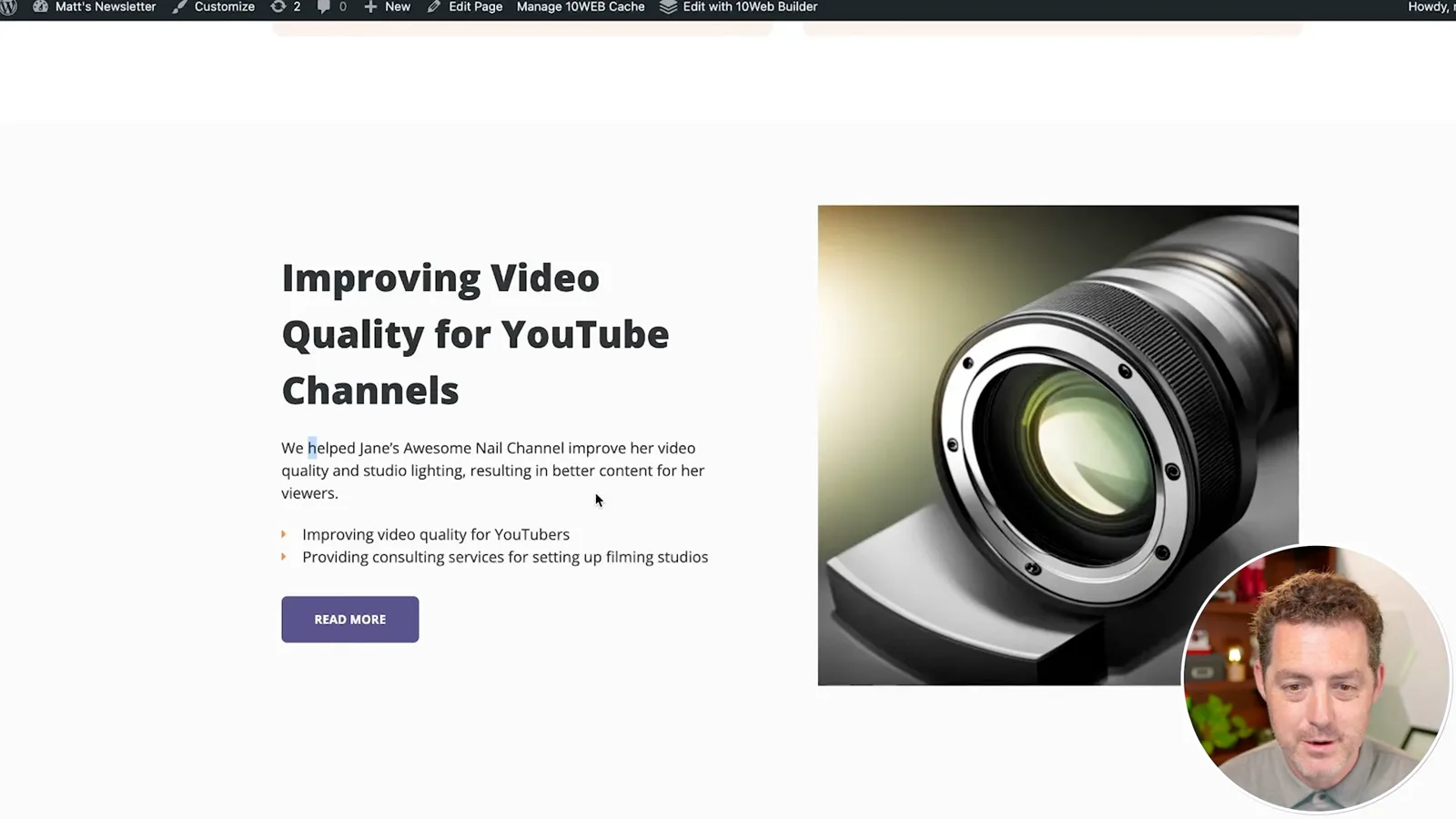
I point out client logos and social links that need updating, then open the drag-and-drop editor. The dashboard lists pages and allows editing, changing draft or published status and removal. The generated content is a starting point; actual contact details, links and business information still need review.
I mention hosting and a content-delivery network as part of site management and recommend trying the tool. The video gives no specific plan price or sponsorship disclosure. Product features, trial conditions and costs may have changed since 2023, so users should check current terms.
같은 채널의 다른 글
 34:21EN
 Matthew Berman· 2026년 10월 27일Matthew Berman Examines Anthropic’s IPO Filing, AI Growth and GovernanceMatthew Berman, Sam Altman · Forward FutureThe presenter reviews the S-1’s financial metrics, compute strategy and voting structure while questioning the tension between rapid AI development and safety.
 0:26ENMatthew Berman· 2026년 10월 25일Sam Altman on Human Values and Problem-Solving in an AI WorldSam Altman · OpenAIIn a short interview excerpt, Altman considers the enjoyment of solving hard problems and the human role in interpreting results.
 0:36ENMatthew Berman· 2026년 10월 25일Kimi K3.1 and a Rubik’s Cube Solver DemonstrationMatthew Berman · Forward FutureMatthew Berman shows a scrambled virtual cube being solved and gives the Kimi K3.1 test a favorable assessment.
 0:21ENMatthew Berman· 2026년 10월 24일An AI-Generated Kimi Benchmark Chart Used Invented ScoresMatthew Berman · Forward FutureMatthew Berman asks for a graph of Kimi K3.1 Pro benchmarks, then discovers that the displayed figures are illustrative placeholders.
 25:50ENMatthew Berman· 2026년 10월 24일Kimi K3.1 Pro Tested: Strong 3D Demos, Uneven Results and Competitive PricingMatthew Berman · Forward FutureMatthew Berman tests the open-weight model on coding, 3D rendering and visual explanations, then compares benchmark results and prices.
 32:20ENMatthew Berman· 2026년 10월 23일Who Is Local AI For? The Costs, Trade-offs and a Hybrid FutureMatthew Berman · Forward FutureMatthew Berman weighs data control and independence against hardware cost, setup complexity and inference speed.