30초 요약
In this April 2023 walkthrough, Matthew Berman installs Alpaca Turbo v0.5 with Miniconda, places a compatible model in its models directory and launches a local web interface. He demonstrates model selection, resource monitoring and a few prompts, with mixed results. The commands and file format are historical, and the displayed Flask development server listens on all network interfaces in debug mode. No sponsorship is disclosed in the video or description.
- 1An early local chat interfaceAlpaca Turbo provided a browser UI for compatible local models, with Miniconda installation shown on a Mac.
- 2Prepare a modelBerman copies a compatible model file into the project’s models directory before launching.
- 3Create the environmentThe historical instructions create and activate a Python 3.8 Conda environment, install requirements and start api.py.
- 4Port 5000 conflictOn his Mac, Berman turns off AirPlay Receiver to free the port used by the application.
- 5Mixed prompt resultsThe model correctly answers a weekday question, fails to produce the requested poem and gives an incomplete description of the First Amendment.
핵심 정리
- The video demonstrates Alpaca Turbo v0.5 and an early GGML model, not a general procedure for every modern model.
- The historical setup uses Miniconda, Python 3.8, a compatible model file and a browser interface.
- On the host’s Mac, disabling AirPlay Receiver freed port 5000; the choice affects AirPlay receiving.
- The displayed development server binds all interfaces in debug mode, so a local browser address does not itself mean the server is restricted to the local machine.
- The prompts demonstrate a correct simple answer and incomplete or unhelpful responses, not a systematic model evaluation.
챕터별로 다듬은 전문 읽기
Introducing Alpaca Turbo
Berman explains the local-model interface and the installation approach. He notes early bugs and a potential Mac port conflict.
I demonstrate Alpaca Turbo, an early ChatGPT-style web interface for running compatible local language models. In April 2023 it was still young and I encountered setup bugs, although I found the developers responsive. It should not be assumed to support every local model or modern model format.
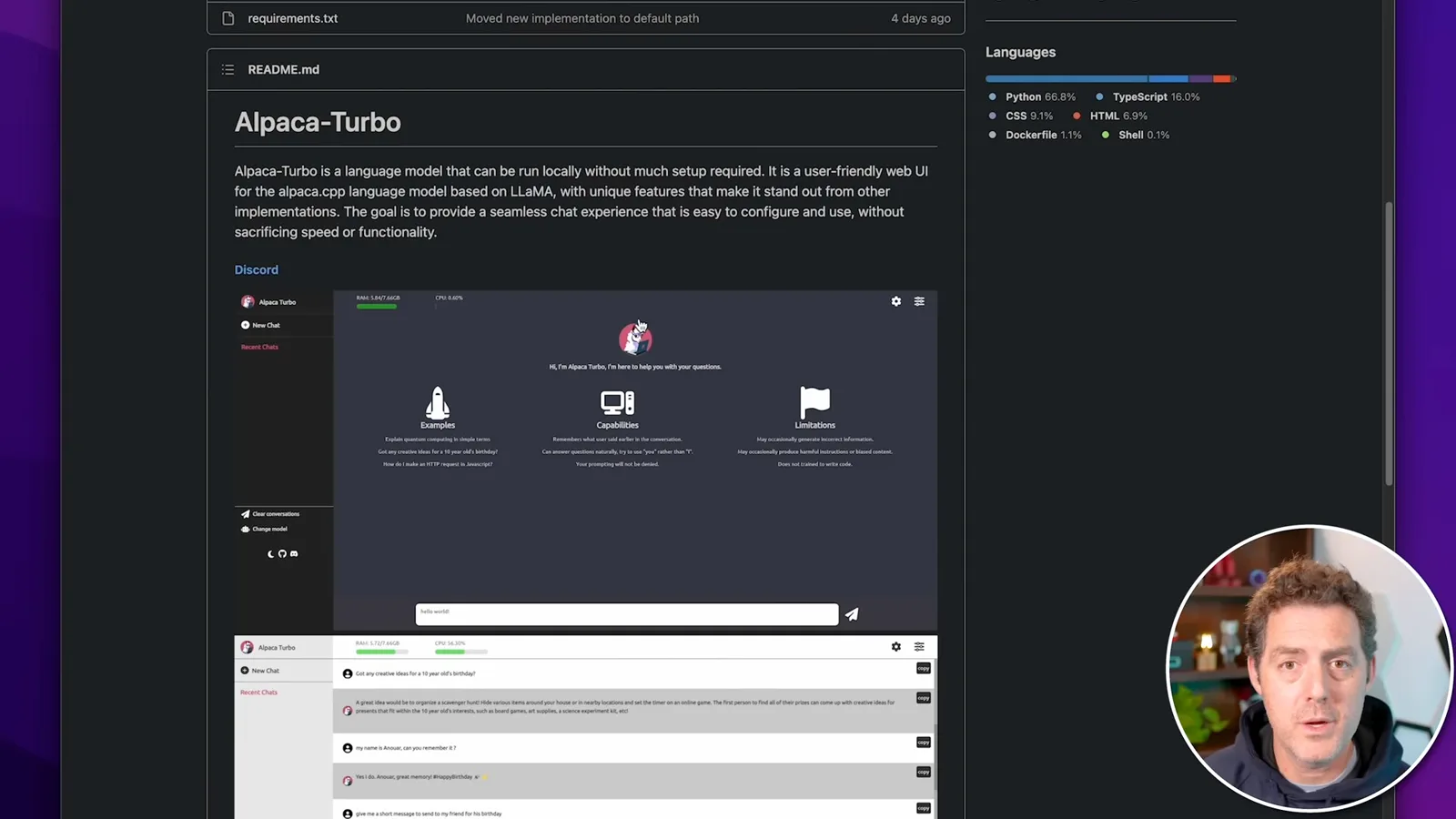
The [project](https://github.com/ViperX7/Alpaca-Turbo) offered Docker and Miniconda approaches; I use the Miniconda instructions on an Apple Silicon Mac, while the page also lists Windows. Versions, dependencies and model compatibility may have changed since the recording.
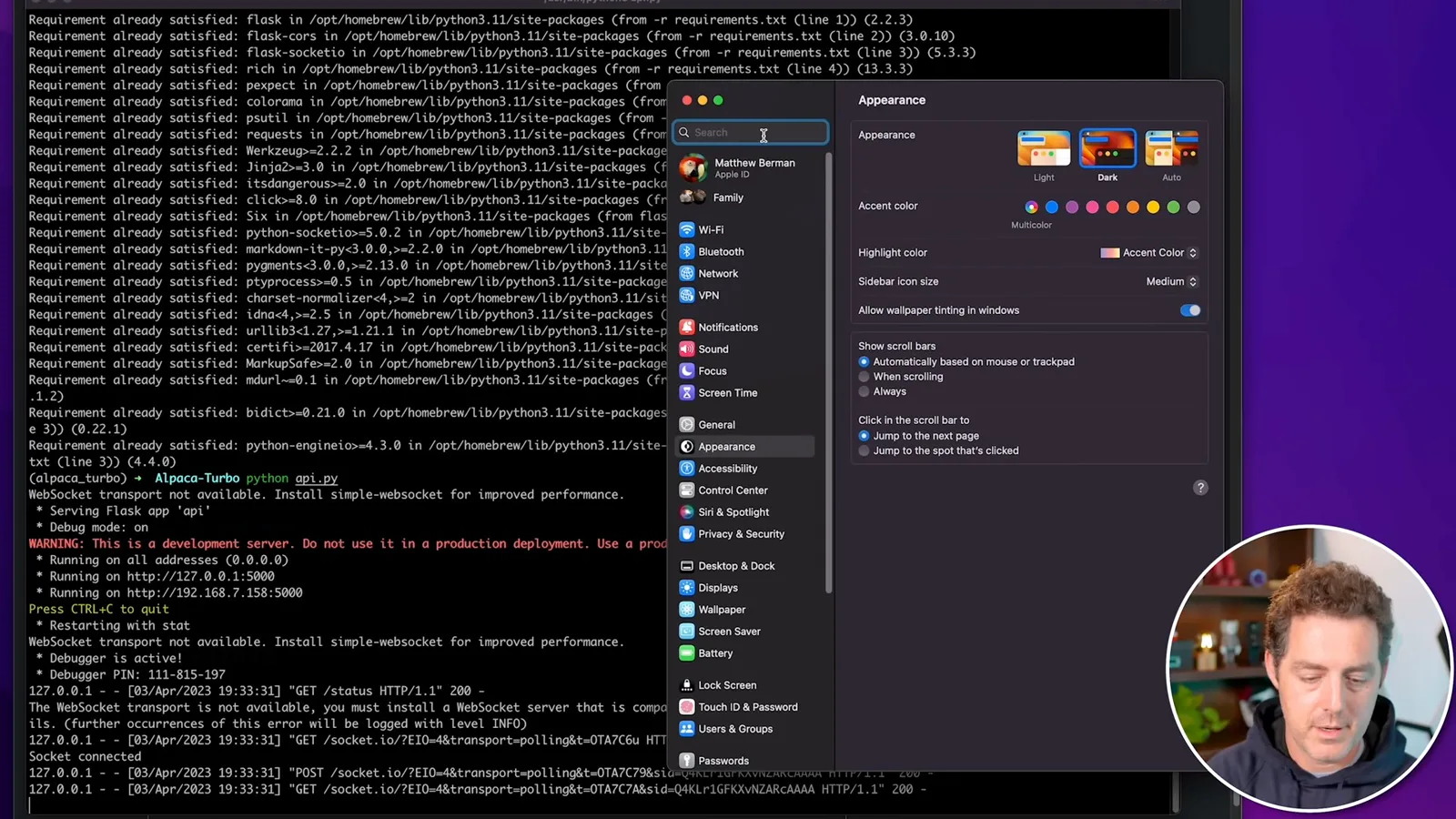
The application uses port 5000, which can conflict with macOS AirPlay Receiver. On my machine I disable AirPlay Receiver before starting the server. That also disables receiving AirPlay on the Mac, so users who need it should consider their own setup and available alternatives.
Install and configure
He downloads the v0.5 release, copies a compatible model and creates a Conda environment. He starts the development server after addressing the AirPlay conflict.
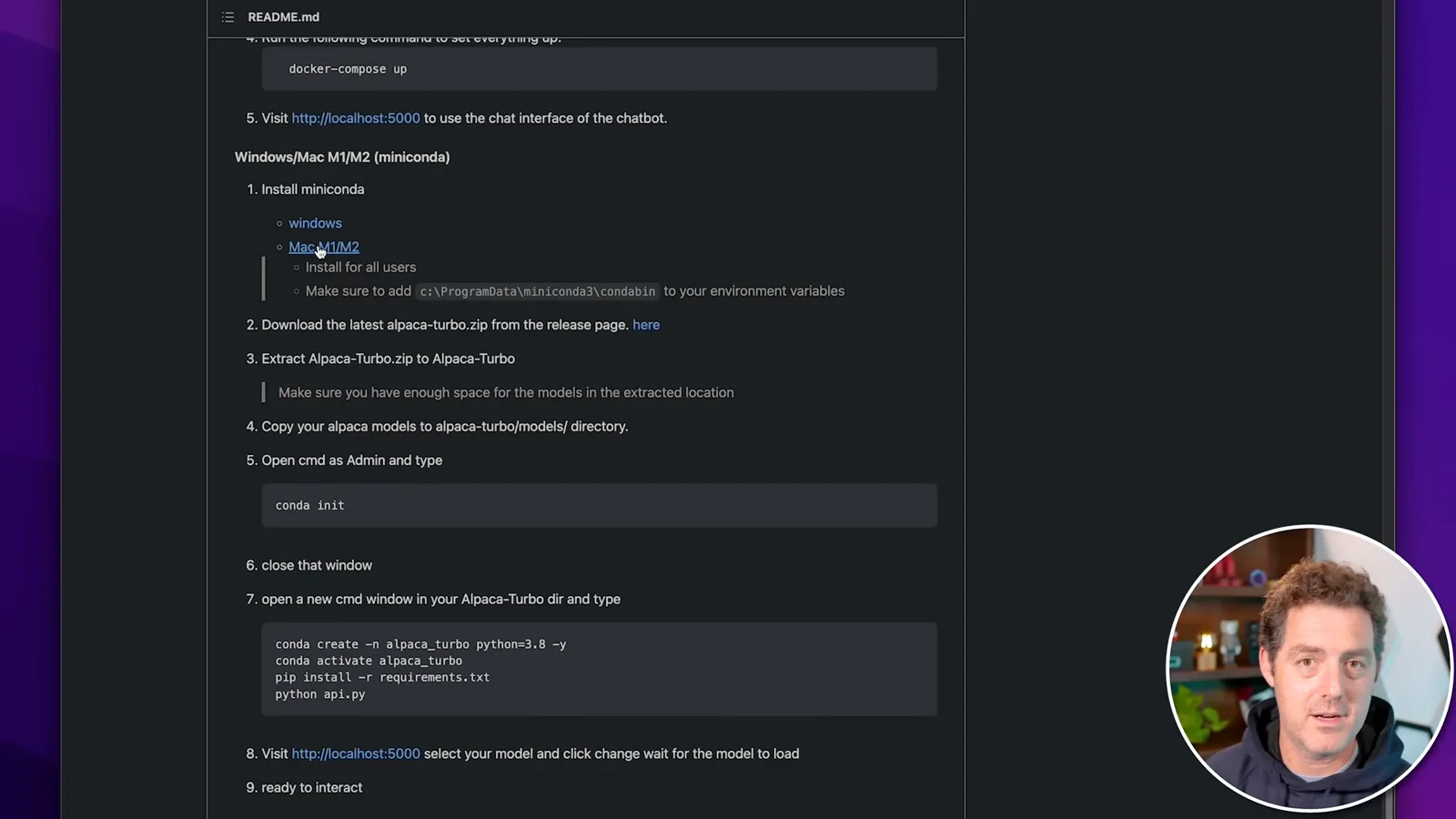
First I download the Miniconda installer appropriate for the computer. I already have it installed, so I describe the installer rather than repeating it. Then I download the Alpaca Turbo v0.5 release ZIP and extract the project directory to my desktop.
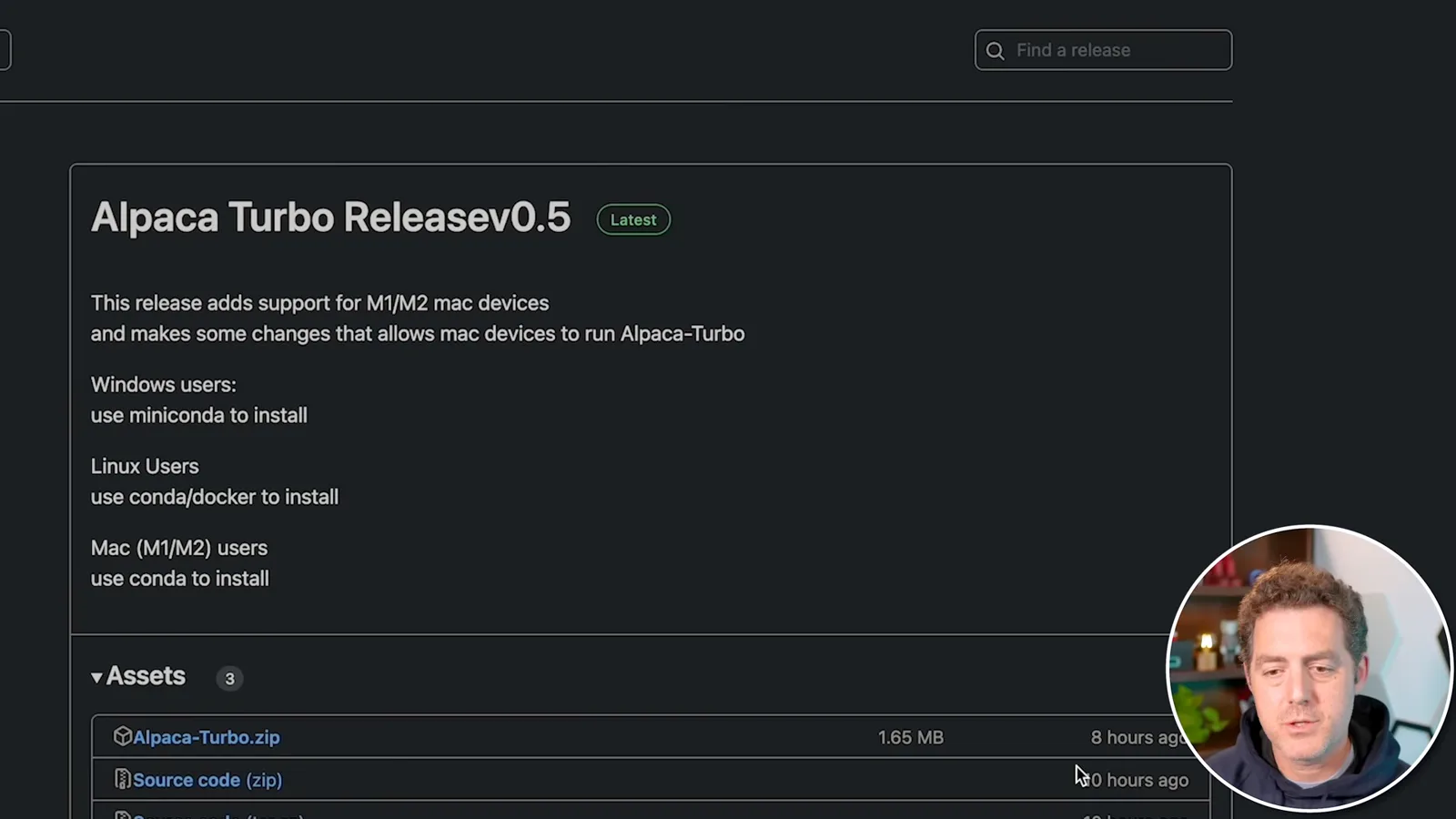
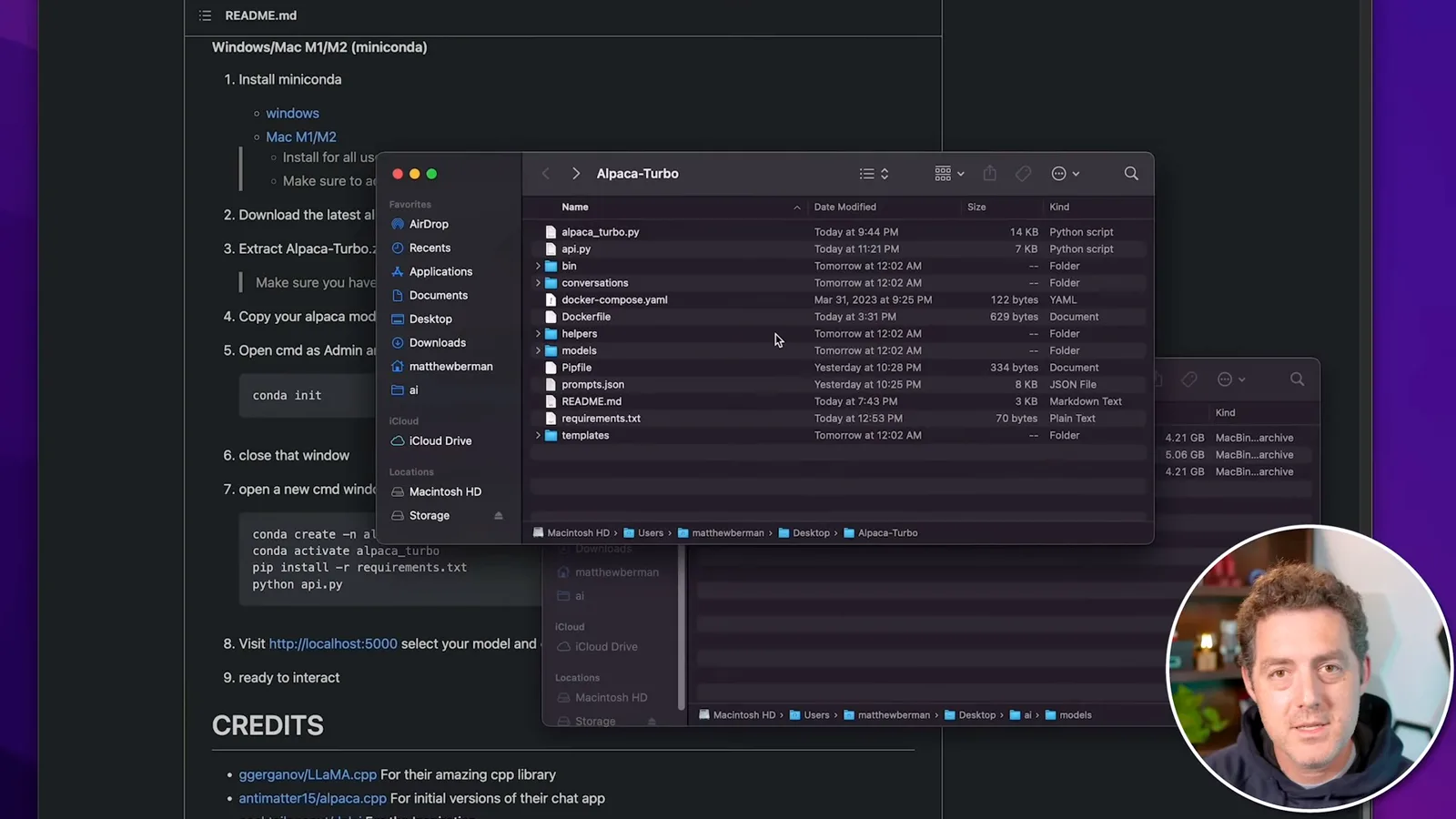
I copy a compatible Alpaca model file into the extracted project’s models directory. The example model is several gigabytes, so disk space and memory matter. The linked historical files use the older GGML format; users should check model licensing and compatibility for the exact version they run.
In a terminal I navigate into the project directory. The instructions show `conda init`, which initializes Conda for the shell, not merely the current directory; restarting the shell may be needed. The historical README then shows `conda create -n alpaca_turbo python=3.8 -y` and `conda activate alpaca_turbo`.
With the environment active, I run `pip install -r requirements.txt` and then `python api.py`. My machine reports dependencies already satisfied. The application displays a Flask development-server warning; the screenshot also shows debug mode enabled and binding to `0.0.0.0`, so opening it through 127.0.0.1 does not prove it is inaccessible to other network devices.
I show the macOS setting for AirPlay Receiver and explain that a port conflict could prevent the server from starting. Mine was already off when I ran the command. The settings and port behavior shown are specific to this historical setup.
Load a model and try prompts
The browser interface loads the selected model and shows resource usage. The short tests produce mixed results.
I open the local URL in a browser, select the model found in the models directory, click Change and wait for it to load. The interface shows RAM and CPU usage; my machine has 24 GB of RAM and the displayed total usage is around 17 GB. That figure is a snapshot of system usage, not a universal model requirement.
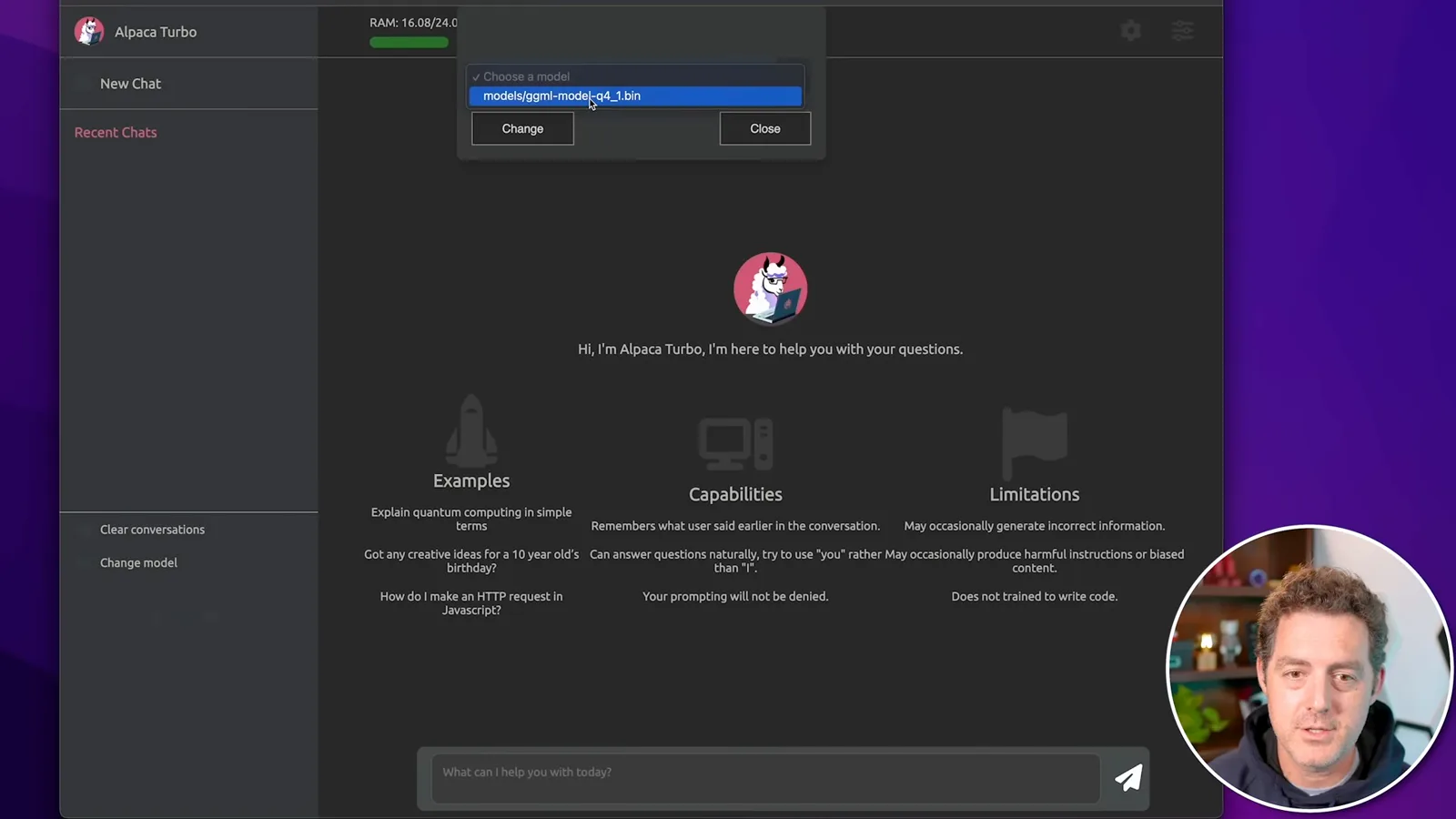
I ask what day follows Friday and the model correctly replies Saturday. A request for a 50-word poem does not produce the poem I wanted. These are a few illustrative prompts, not a benchmark of the interface or model.
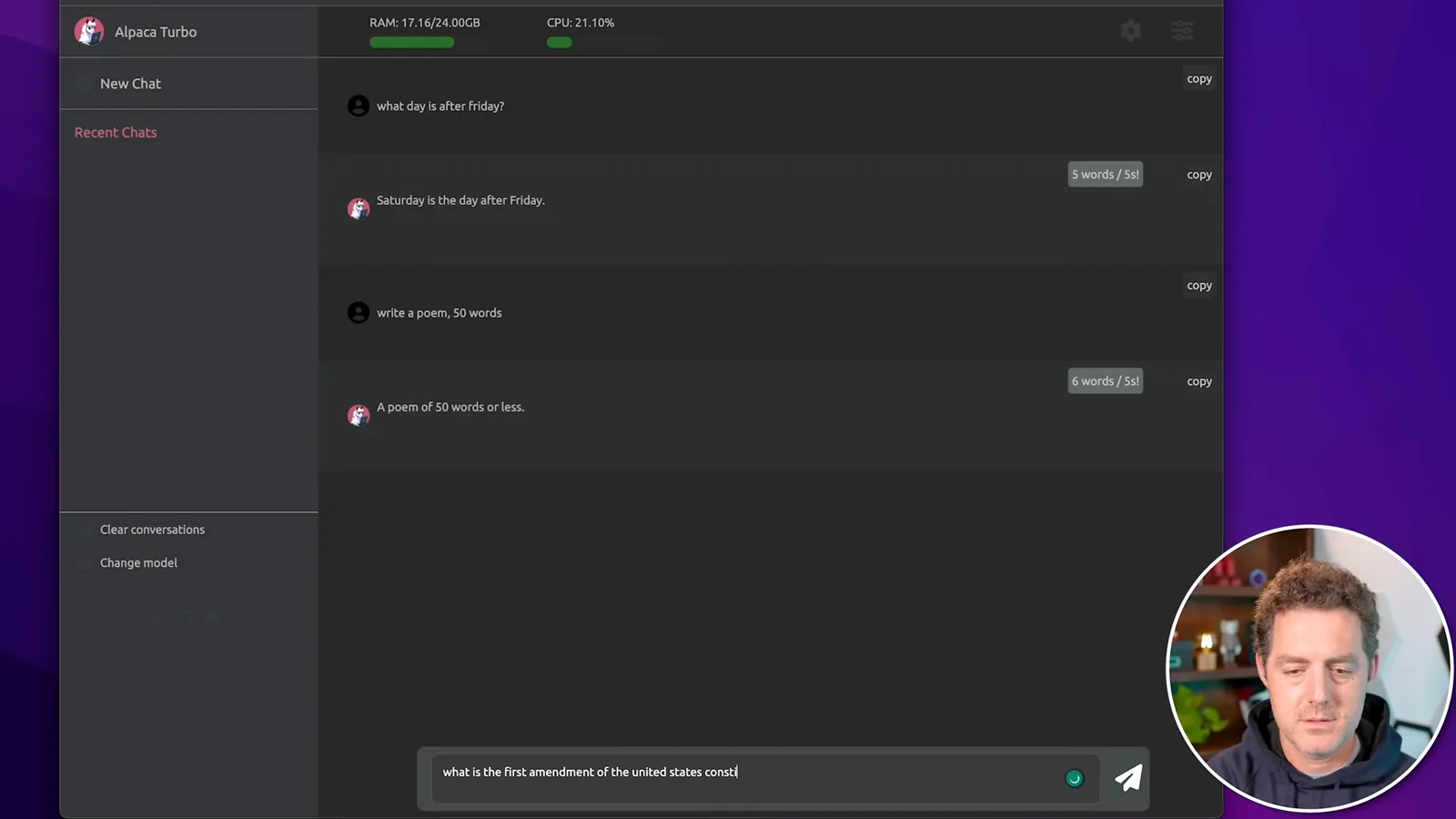
Asked about the First Amendment to the US Constitution, the model answers “freedom of speech.” That is an incomplete answer: the amendment also addresses religion, the press, assembly and petition. The example illustrates why model output should be checked against an authoritative source.
I consider the Alpaca models promising but imperfect and expect local models and interfaces to improve. I mention other projects I plan to explore; my prediction that they will catch up to ChatGPT is an outlook from 2023, not a result established by these short tests.
같은 채널의 다른 글
 34:21EN
 Matthew Berman· 2026년 10월 27일Matthew Berman Examines Anthropic’s IPO Filing, AI Growth and GovernanceMatthew Berman, Sam Altman · Forward FutureThe presenter reviews the S-1’s financial metrics, compute strategy and voting structure while questioning the tension between rapid AI development and safety.
 0:26ENMatthew Berman· 2026년 10월 25일Sam Altman on Human Values and Problem-Solving in an AI WorldSam Altman · OpenAIIn a short interview excerpt, Altman considers the enjoyment of solving hard problems and the human role in interpreting results.
 0:36ENMatthew Berman· 2026년 10월 25일Kimi K3.1 and a Rubik’s Cube Solver DemonstrationMatthew Berman · Forward FutureMatthew Berman shows a scrambled virtual cube being solved and gives the Kimi K3.1 test a favorable assessment.
 0:21ENMatthew Berman· 2026년 10월 24일An AI-Generated Kimi Benchmark Chart Used Invented ScoresMatthew Berman · Forward FutureMatthew Berman asks for a graph of Kimi K3.1 Pro benchmarks, then discovers that the displayed figures are illustrative placeholders.
 25:50ENMatthew Berman· 2026년 10월 24일Kimi K3.1 Pro Tested: Strong 3D Demos, Uneven Results and Competitive PricingMatthew Berman · Forward FutureMatthew Berman tests the open-weight model on coding, 3D rendering and visual explanations, then compares benchmark results and prices.
 32:20ENMatthew Berman· 2026년 10월 23일Who Is Local AI For? The Costs, Trade-offs and a Hybrid FutureMatthew Berman · Forward FutureMatthew Berman weighs data control and independence against hardware cost, setup complexity and inference speed.