30초 요약
Matthew Berman walks through a Vultr cloud GPU, a Docker-based ComfyUI setup, Hugging Face model downloads, and two image prompts. He describes the setup in a video sponsored by Vultr. Stable Diffusion 3.5 is distributed under Stability AI’s Community License, and the video’s direct public-port approach should be replaced by restricted authenticated access.
- 1A sponsored cloud setupBerman uses Vultr and discloses the partnership; he says similar steps can be adapted to a local machine.
- 2Provision a GPUThe tutorial selects an Ubuntu cloud instance and an NVIDIA L40S GPU for this example.
- 3Run the image interfaceHe pulls a ComfyUI container and prepares persistent storage on the instance.
- 4Download model filesHe uses Hugging Face authentication to download the model and text encoders.
- 5Generate imagesThe ComfyUI prompt nodes are used to generate examples, including a cat with dragon wings.
핵심 정리
- Berman discloses that Vultr sponsored the tutorial and uses a cloud GPU rather than a local GPU.
- Stable Diffusion 3.5 model weights have a Community License with conditions, including a commercial revenue threshold; consult the applicable terms.
- ComfyUI uses model and text-encoder files in the appropriate directories to run its image workflow.
- The demonstration’s direct public access to port 8188 should be replaced with a private tunnel or authenticated access and restricted network rules.
- The promotional credit and hourly price mentioned in the 2024 video are historical and may not be available now.
챕터별로 다듬은 전문 읽기
Model, licensing, and cloud setup
Berman introduces Stable Diffusion 3.5 and the Vultr sponsorship. He chooses an Ubuntu GPU instance; the model and cloud service have separate terms and costs.
Stable Diffusion 3.5 is a downloadable text-to-image model family, and I will show how I run it through ComfyUI on a cloud GPU. Vultr is sponsoring this video. While I describe the model as completely open source and free, Stability AI distributes the weights under its [Community License](https://stability.ai/news-updates/introducing-stable-diffusion-3-5), which has conditions; eligible non-commercial use is free, while commercial use can require an enterprise license depending on revenue and terms.
A cloud GPU can be an alternative if your local machine lacks sufficient capacity. I show an account promotion available at the time and deploy an Ubuntu Cloud GPU instance on Vultr, choosing one NVIDIA L40S and disabling automatic backups for the demonstration. Cloud compute is billed separately from the model license; current availability, rates, promotions, and backup requirements should be checked before provisioning.
Connect and run ComfyUI
He connects to the server, pulls a Docker image, and starts a container with storage. The public-port access shown requires a safer access design.
Once the instance is running, I use SSH to connect, pull a Docker image for ComfyUI, create a storage directory, and start the container. I inspect the container logs to check that it has started. The specific image, commands, and file paths in this December 2024 walkthrough are version-dependent, so consult the current project and provider documentation.
The video opens port 8188 and accesses ComfyUI by a public IP address. That direct approach can expose an unauthenticated interface to the internet. A safer setup binds the service to the server’s loopback interface, uses an SSH tunnel or a private authenticated gateway, and restricts network access rather than opening the port broadly.
Download and arrange model files
He authenticates to Hugging Face and downloads the model and text encoders. He moves files into the storage paths used by ComfyUI.
I install the Hugging Face command-line tools, sign in with a read token, and download the model files. Access can require accepting model terms. I move the downloaded model and text encoders into the directories mounted by the container, then refresh the interface. Keep tokens and server credentials private, and revoke or rotate any that have been exposed.
Generate images and discuss pricing
He tries text prompts and discusses other workflows. The closing promotion is specific to the 2024 recording.
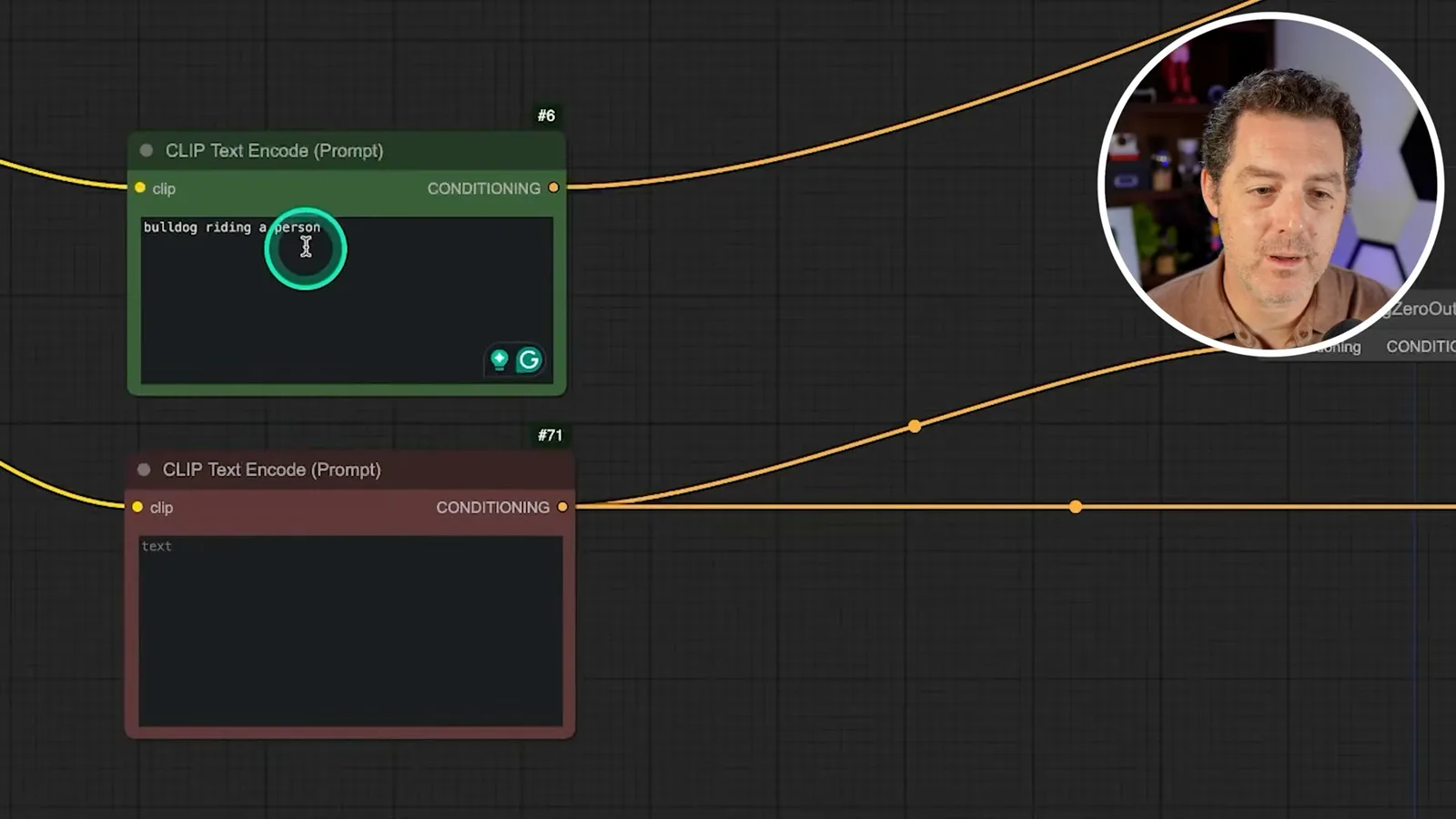
In ComfyUI, I enter a prompt in the text-encoding node and queue the workflow. The first image does not fully match my request, although I like how it looks. I try a second prompt, a cat with dragon wings, and show the output. The workflow and image are examples rather than proof that all prompts will be followed reliably.
I mention that users can try different workflows and models once the interface is configured. In the sponsored closing, I cite a time-limited GH200 promotion at $2.99 per hour and say it was 25% below the then-normal price. That was a historical offer, not a current price or a rate for the L40S used in the demo; check present pricing and shut down or remove unused resources to avoid ongoing charges.
같은 채널의 다른 글
 34:21EN
 Matthew Berman· 2026년 10월 27일Matthew Berman Examines Anthropic’s IPO Filing, AI Growth and GovernanceMatthew Berman, Sam Altman · Forward FutureThe presenter reviews the S-1’s financial metrics, compute strategy and voting structure while questioning the tension between rapid AI development and safety.
 0:26ENMatthew Berman· 2026년 10월 25일Sam Altman on Human Values and Problem-Solving in an AI WorldSam Altman · OpenAIIn a short interview excerpt, Altman considers the enjoyment of solving hard problems and the human role in interpreting results.
 0:36ENMatthew Berman· 2026년 10월 25일Kimi K3.1 and a Rubik’s Cube Solver DemonstrationMatthew Berman · Forward FutureMatthew Berman shows a scrambled virtual cube being solved and gives the Kimi K3.1 test a favorable assessment.
 0:21ENMatthew Berman· 2026년 10월 24일An AI-Generated Kimi Benchmark Chart Used Invented ScoresMatthew Berman · Forward FutureMatthew Berman asks for a graph of Kimi K3.1 Pro benchmarks, then discovers that the displayed figures are illustrative placeholders.
 25:50ENMatthew Berman· 2026년 10월 24일Kimi K3.1 Pro Tested: Strong 3D Demos, Uneven Results and Competitive PricingMatthew Berman · Forward FutureMatthew Berman tests the open-weight model on coding, 3D rendering and visual explanations, then compares benchmark results and prices.
 32:20ENMatthew Berman· 2026년 10월 23일Who Is Local AI For? The Costs, Trade-offs and a Hybrid FutureMatthew Berman · Forward FutureMatthew Berman weighs data control and independence against hardware cost, setup complexity and inference speed.