30초 요약
In a Google-sponsored demonstration, Peter Yang explores how Gemini Spark can work across Google apps and schedule recurring tasks. He tests inbox triage, meeting preparation, a travel itinerary, summer-camp research, and reusable skills. The examples show the value of connected context and scheduled follow-up, while leaving decisions and verification to the user. Product availability and integrations reflect the demonstration at the time of recording.
- 1A sponsored test of connected agentsGoogle sponsored the video. Peter demonstrates Spark using his own workflows and describes the product available at the time.
- 2Turn email into a recurring briefingThe agent reviews recent messages, highlights potentially urgent items, suggests subscriptions to reconsider, and links to sources. Peter schedules a daily summary.
- 3Prepare for meetings using calendar contextSpark researches an upcoming podcast guest, saves material to a document, and revises proposed questions after feedback. A weekday schedule can repeat the preparation.
- 4Bring travel information into one planThe demonstration combines flight research, maps, calendar context, and a document for a Japan trip. The agent can update the plan and monitor prices; travelers should confirm current details.
- 5Research camps and track registrationA spreadsheet organizes camp options, prices, age eligibility, and registration links, with follow-up monitoring for openings.
- 6Reuse instructions through skillsPeter shows skills that capture a preferred writing style and request multiple perspectives for a decision. These make recurring instructions easier to apply.
핵심 정리
- Spark can summarize inbox activity, link back to source messages, and schedule a recurring briefing.
- Connected calendar and document workflows can prepare research and interview questions ahead of meetings.
- Travel and camp research can consolidate options and monitor changes, but users should verify prices, availability, and deadlines.
- Reusable skills can capture preferences or ask the agent to examine a decision from several perspectives.
- The video was sponsored by Google; the capabilities and integration limits described are those shown at the time.
챕터별로 다듬은 전문 읽기
What Spark does
A sponsored introduction to an agent connected to Google apps.
Google’s Gemini Spark is presented as an agent that can work across the apps and information a person already uses. Peter Yang tests it with practical personal workflows. Google sponsored this video, and the demonstration reflects the product and integrations available when it was recorded.
Inbox and daily briefings
Find urgent messages and schedule a summary with source links.
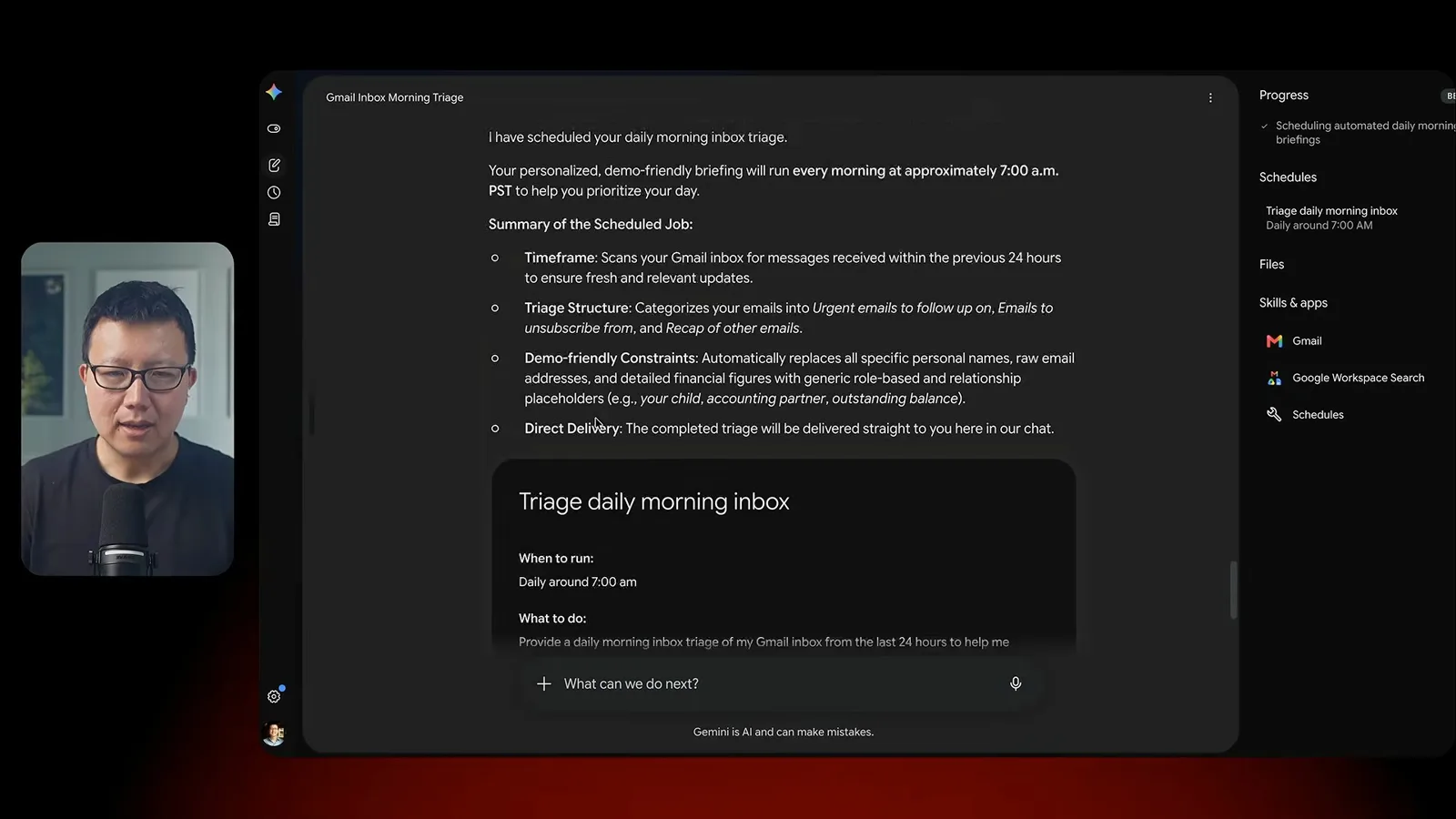
The first use case is email triage. Peter asks Spark to review recent messages, identify potentially urgent items and subscriptions he might reconsider, and provide links back to the source emails. He then schedules a daily morning briefing so the same sort of review can happen regularly.
Prepare for calendar events
Research a guest and write interview preparation into a document.
Next, Peter connects preparation to his calendar. For an upcoming podcast conversation, Spark researches the guest and puts background and potential questions into a document. Peter asks it to make the questions shorter, demonstrating that the first result can be revised instead of accepted as final.
The preparation workflow can also run on a schedule. That saves the user from rebuilding the context for each meeting, although the host still needs to check the research, choose the questions, and decide what is useful.
Plan travel
Collect travel options and update an itinerary.
For travel, Peter asks the agent to help plan a Japan trip. The demonstration brings together flight options, maps, calendar context, and a document containing the itinerary. He asks for adjustments and monitoring rather than treating a single draft as a complete booking.
A plan is only as dependable as its underlying information. Flight and lodging prices, opening times, weather, and road conditions can change, so travelers should confirm the current details with the relevant providers before acting.
Research summer camps
Compile a spreadsheet and monitor registration.
The family-research example gathers summer-camp options into a spreadsheet, including details such as age eligibility, price, and registration links. Peter also demonstrates monitoring for registration changes. Public information can be incomplete or stale, so parents still need to confirm eligibility and deadlines.
Create reusable skills
Apply writing preferences and decision-making prompts repeatedly.
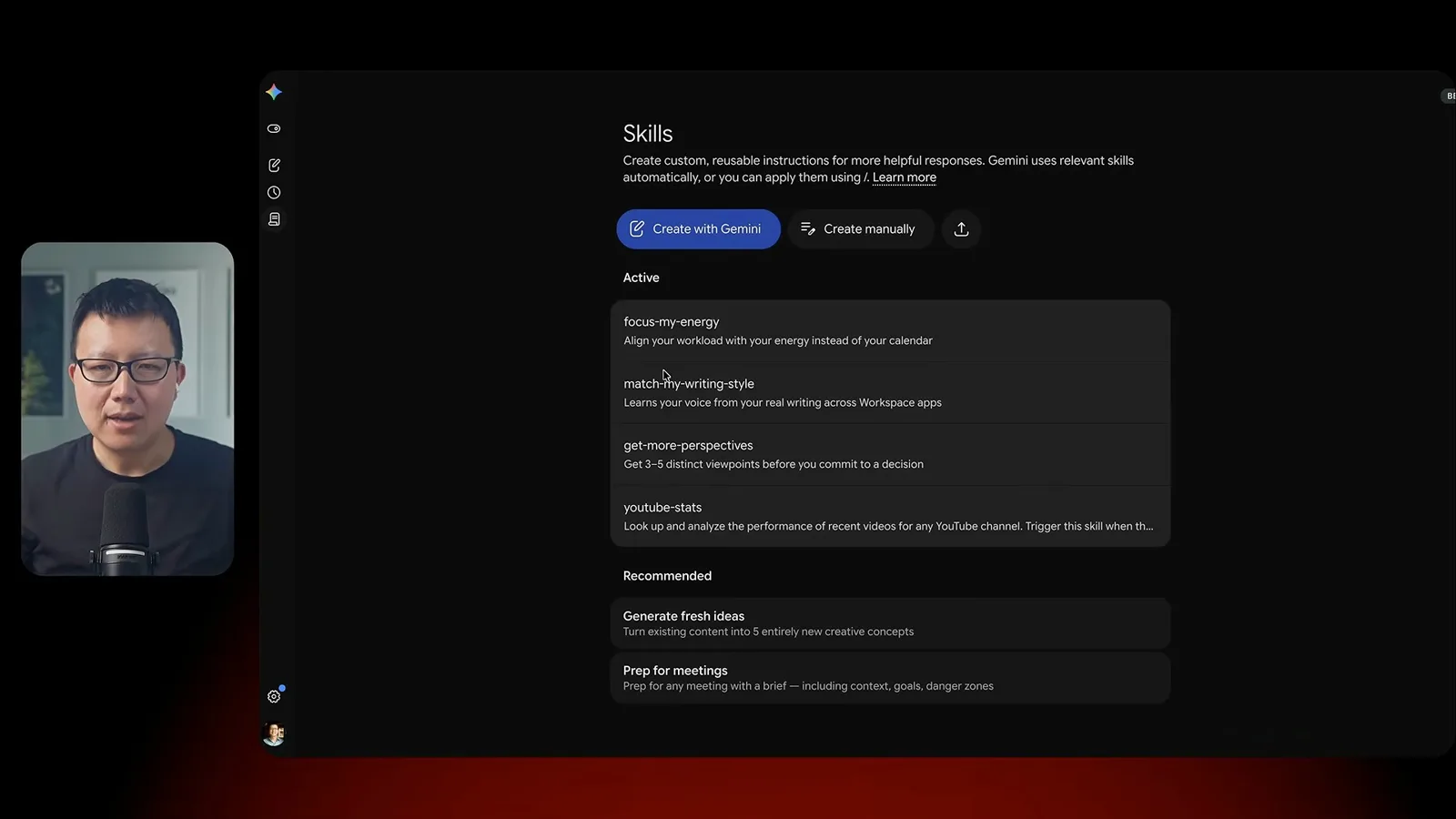
Spark also supports reusable skills. Peter demonstrates one based on writing examples and another that asks the agent to consider a decision from different perspectives. The point is to package preferences and instructions so they can be reused instead of typed from scratch each time.
Start with five workflows
Peter recaps practical tasks and the integration limits shown.
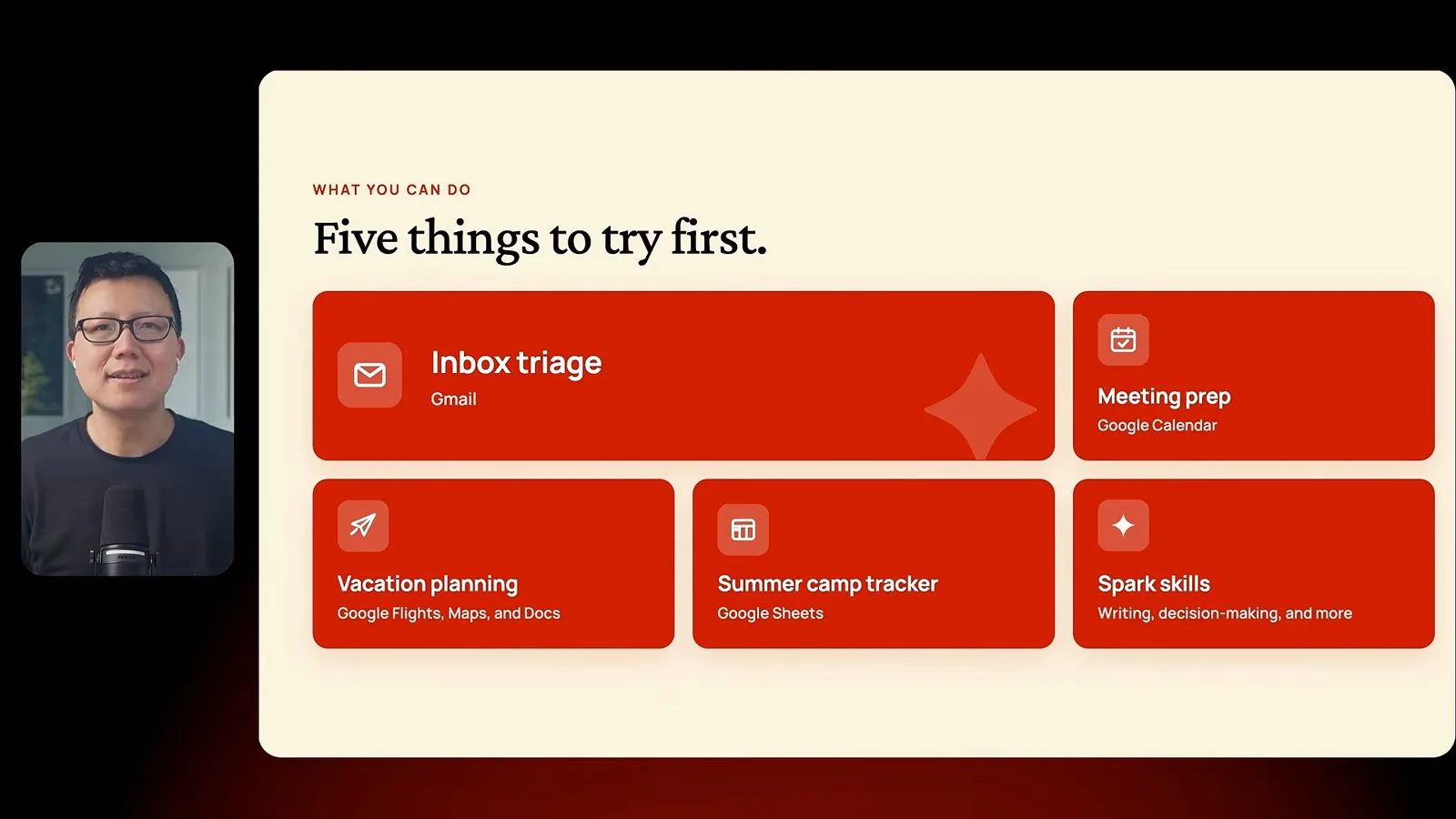
Peter’s five starting points are inbox review, meeting preparation, travel planning, camp research, and skills. He emphasizes the convenience of Google-app connections while noting the third-party integration limits in the version he tested. Availability and capabilities may have changed since the demonstration.
같은 채널의 다른 글
 46:40EN
 Peter Yang· 2026년 11월 8일팟캐스트 · 2명Ashley Alexander: How AI Helps Me Care for My Parents With Cancer게스트 Ashley Alexander · 진행자 Peter YangA caregiver uses AI to prepare for appointments, organize records and ask better questions—while keeping doctors at the center of treatment.
 17:50ENPeter Yang· 2026년 11월 4일팟캐스트Peter Yang’s Five Steps for Using AI to Help Care for His MotherYang uses a shared care brief and organized records to navigate appointments, while making time for family.
 15:03ENPeter Yang· 2026년 11월 3일팟캐스트How Peter Yang Used an AI Phone Agent to Negotiate His Internet BillAn AI call negotiated a lower price and faster service, but Yang still had to approve the change himself.
 33:09ENPeter Yang· 2026년 11월 1일팟캐스트 · 2명Jaclyn Konzelmann: When AI Can Build More, Choose What Deserves to Exist게스트 Jaclyn Konzelmann · 진행자 Peter YangGoogle Labs pairs short strategy documents with prototypes, user co-creation and lessons from experiments that end.
 13:05ENPeter Yang· 2026년 10월 28일팟캐스트Peter Yang Tests Genie 4: Convincing Worlds, Unfinished GameplayFive live demonstrations show scenes that respond to prompts and sound, alongside inconsistent actions and limited game mechanics.
 1:06ENPeter Yang· 2026년 10월 26일팟캐스트Peter Yang on Setting Up Payroll for a One-Person BusinessIn a paid partnership, Yang describes the paperwork he encountered and a payroll product integrated with a business account.