30초 요약
In a sponsored October 2023 video, Matthew Berman generates a to-do application with MageGPT and Wasp, runs it locally and deploys it to Fly.io. The demonstration includes a Node version fix and a change from SQLite to PostgreSQL; product features and pricing described in the video are historical.
- 1Prompt a to-do appBerman chooses a template with user-owned tasks, a database and username-and-password authentication.
- 2A shared project definitionHe attributes easier front-end and backend integration to Wasp’s central configuration, based on his experience.
- 3Run and test locallyHe fixes a Node version mismatch, migrates the database, signs up and creates tasks.
- 4Deploy after a database changeThe initial Fly deployment fails with SQLite; switching the project to PostgreSQL allows his retry to complete.
핵심 정리
- The generator uses a structured Wasp project to connect the application’s pages, routes and backend.
- The demo produced a basic to-do app, but did not comprehensively test authorization or production readiness.
- Running the generated project required local installation, a compatible Node version and a database migration.
- The Fly deployment succeeded after the demonstrated project switched from SQLite to PostgreSQL.
- The video was sponsored by Wasp, and its 2023 availability and free-use claims may no longer apply.
챕터별로 다듬은 전문 읽기
Generate a Wasp project
Berman introduces the sponsored tool and chooses a to-do application. The generator creates a structured project from the prompt.
In this October 2023 demonstration, I try MageGPT, a tool from the team behind Wasp, the sponsor of the video. Wasp is a full-stack JavaScript framework that I compare to Ruby on Rails. MageGPT uses a prompt to generate a project using that framework; the demonstration is a small example, not proof that every generated app will work or be production-ready.
I choose a to-do app from the generator's examples. The prompt asks for a page listing tasks, the ability to create, edit and complete them, and a database where each user can see and edit only their own tasks. I choose a blue brand color, balanced creativity and username-and-password authentication.
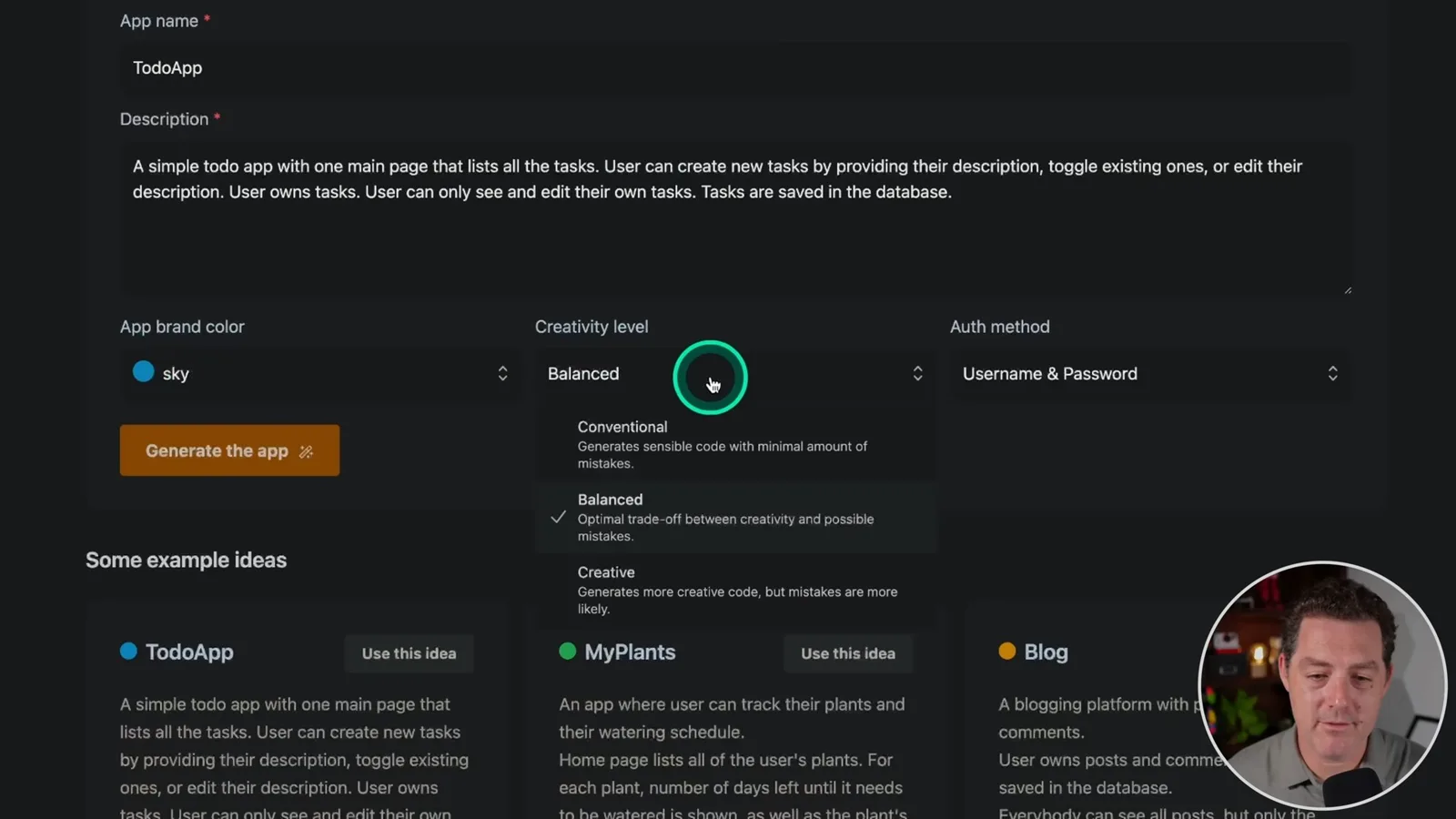
The creativity setting is presented as a proxy for model temperature: the interface offers a range from conventional to creative. At the time of this demonstration, I say the generator supports username and password, with other sign-in methods planned. Those are historical product details, not a statement about current support.
I explain that Wasp's central configuration defines pieces such as routes and pages, giving the generator a shared structure for connecting front end and back end. I have seen other generated projects struggle with integration; that is my experience, not a guarantee that Wasp eliminates all such errors.
As files are generated, I say the system uses GPT-4 for upfront planning and GPT-3.5 for code generation. The team also told me it built fixes for common generation errors into the process. In this run, the generator displays the project files and reports about 25,000 tokens used.
Run the app locally
He installs Wasp, selects a compatible Node version and migrates the development database. He signs up and tests basic tasks.
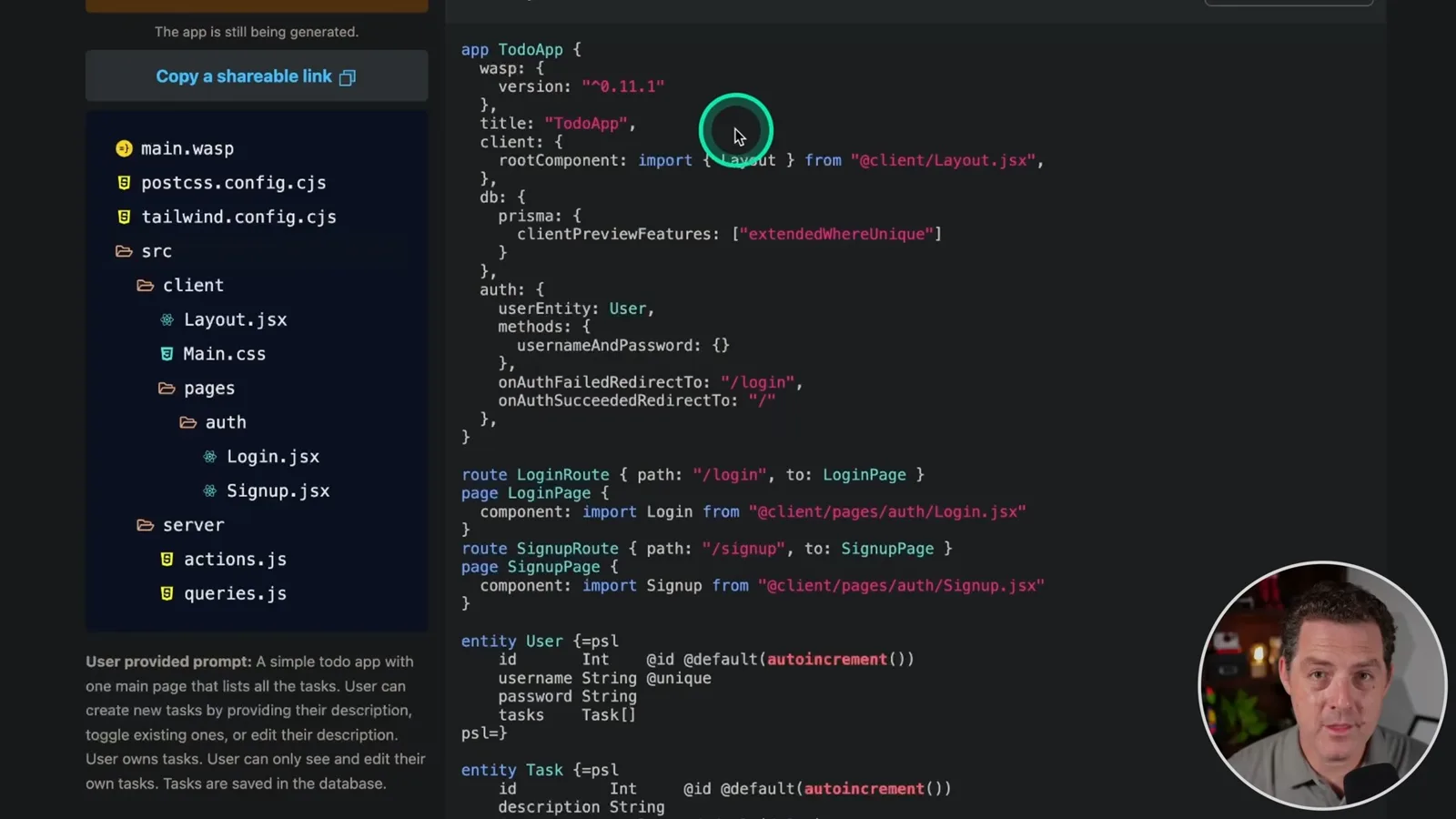
To run the output, I install Wasp locally, download and extract the generated ZIP and change into the project directory. The video describes Mac and Windows through WSL as supported environments at the time. Check the current documentation for requirements rather than assuming this 2023 setup still applies.
I run a development database migration and encounter a Node version issue. Using nvm, I select Node 18 for this particular project, rerun the migration, name it and start the app with `wasp start`. The steps and version are from the historical demonstration and may differ for newer releases.
In the local app, I sign up with a username and password, add two tasks and mark them complete. I say separate users have separate tasks. The on-screen exercise shows basic sign-up and task interactions; it does not independently test every authorization or security case.
Deploy to Fly.io
He configures Fly and retries deployment after changing the database. The app then opens on the web.
I then demonstrate deployment to Fly.io. I create or use an account, install and authenticate the Fly CLI, and launch the app through Wasp's Fly deployment command. The video says a credit card was needed and describes testing as free at the time; hosting plans, trial terms and costs can change.
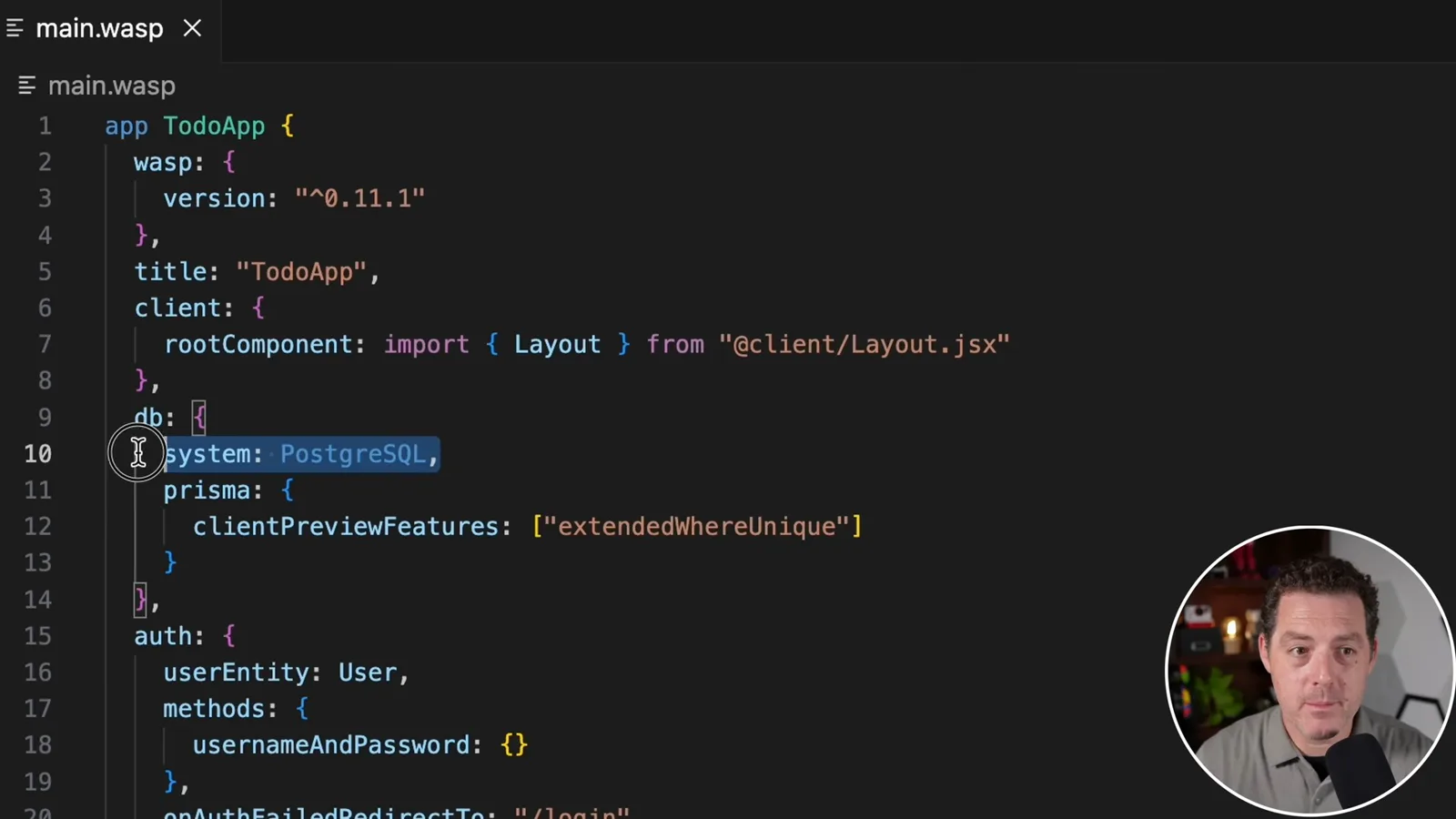
The first deployment fails because the generated project uses SQLite. I change the Wasp configuration to use PostgreSQL for the Fly deployment and retry with an available app name. The second attempt finishes, and I open the deployed to-do app in a browser.
The example shows a prompt-generated application running locally and then on the web, after installing dependencies, resolving a Node version issue and changing the production database. I encourage viewers to try other prompts, while the video establishes only the behavior observed in this small to-do app.
같은 채널의 다른 글
 34:21EN
 Matthew Berman· 2026년 10월 27일Matthew Berman Examines Anthropic’s IPO Filing, AI Growth and GovernanceMatthew Berman, Sam Altman · Forward FutureThe presenter reviews the S-1’s financial metrics, compute strategy and voting structure while questioning the tension between rapid AI development and safety.
 0:26ENMatthew Berman· 2026년 10월 25일Sam Altman on Human Values and Problem-Solving in an AI WorldSam Altman · OpenAIIn a short interview excerpt, Altman considers the enjoyment of solving hard problems and the human role in interpreting results.
 0:36ENMatthew Berman· 2026년 10월 25일Kimi K3.1 and a Rubik’s Cube Solver DemonstrationMatthew Berman · Forward FutureMatthew Berman shows a scrambled virtual cube being solved and gives the Kimi K3.1 test a favorable assessment.
 0:21ENMatthew Berman· 2026년 10월 24일An AI-Generated Kimi Benchmark Chart Used Invented ScoresMatthew Berman · Forward FutureMatthew Berman asks for a graph of Kimi K3.1 Pro benchmarks, then discovers that the displayed figures are illustrative placeholders.
 25:50ENMatthew Berman· 2026년 10월 24일Kimi K3.1 Pro Tested: Strong 3D Demos, Uneven Results and Competitive PricingMatthew Berman · Forward FutureMatthew Berman tests the open-weight model on coding, 3D rendering and visual explanations, then compares benchmark results and prices.
 32:20ENMatthew Berman· 2026년 10월 23일Who Is Local AI For? The Costs, Trade-offs and a Hybrid FutureMatthew Berman · Forward FutureMatthew Berman weighs data control and independence against hardware cost, setup complexity and inference speed.