30초 요약
A coding agent needs more than a detailed prompt: it needs the repository’s rules and the context scattered across documents and tools. OpenAI’s Dominik Kundel and Charlie Guo demonstrate plugins, screen context and shared pages, then show how a fast feedback loop can help shape a UI before the desired design is clear. They walk through managed cloud environments and an internal video-editing app that sends footage to a remote agent. Their practical advice is to choose reasoning effort for the task and coordinate agents where work is parallel but dependent.
- 1Plugins bring external context into the agent’s workKundel says repository rules belong in the repository, while plugins can connect documents, conversations and other resources across supported surfaces.
- 2An Appshot can carry accessibility context beyond a screenshotThe demonstration adds a text view of the app’s accessibility information, including material outside the visible viewport.
- 3Shared pages can carry their own maintenance instructionsKundel shows turning a plan into an editable page and describes instructions or scheduled updates for keeping a runbook current.
- 4Faster inference helps most when the person can iterate immediatelyKundel uses a hot-reloading server and targeted annotations for small UI changes, while noting that builds and tests can dominate the total wait.
- 5A cloud environment can inspect more than one repositoryThe setup identifies dependencies and commands, while a Linux environment can keep an iOS repository for reference even when it cannot run the simulator.
- 6An internal site hands video editing to a remote agentGuo describes Cut Room collecting footage and comments before a Codex agent edits in DaVinci Resolve and returns a cut for review.
- 7Parallel agents can coordinate shared assumptionsKundel suggests pairing agents on related web and mobile work so that changes to a shared backend can be communicated.
핵심 정리
- Put repository standards where both new engineers and agents can find them; use connections for relevant context outside the code.
- Use fast, short feedback loops when the next design decision depends on seeing the previous change.
- Keep cloud environment setup and access explicit, including the limits of the operating system and private-resource connections.
- Start with a reasoning level suited to the work; more effort or a delegated model is not automatically better or cheaper.
챕터별로 다듬은 전문 읽기
The same agent framework across more surfaces
Guo describes how Codex grew from a remote coding agent into a framework available in more interfaces.
Charlie Guo says Codex has evolved across surfaces and gained features since the previous AI Engineer workshop. The session focuses on bringing context to agents, iterating with them and getting work into production.
Guo argues that Codex is available in more places, not disappearing. He says its integration with ChatGPT Work brought the agent framework to many more people and enabled longer-running work.
The first version of Codex ran in a remote environment with a repository checkout, Guo says. The team is returning to cloud work while improving ways to control Codex on a user's own machines.
He describes the Codex harness as the common agent framework behind several interfaces, including the CLI, ChatGPT, Slack and the Agents API. The presenters group their examples around context, iteration, shipping and delegation.
Give the agent context from code and connected tools
Kundel shows how repository instructions and plugins help an agent locate the information behind a short request.
Dominik Kundel says an agent needs the goal and relevant context, not just an isolated instruction. His aim is a more natural conversation in which the agent can gather supporting information instead of being told every small step.
OpenAI's large monorepo helped make repository navigation a central problem for Codex. Kundel recommends placing coding standards in the repository itself, through files such as AGENTS.md and checks such as linters.
Context also lives outside code. Kundel describes plugins as packages containing connections, skills and related resources, and says a shared connection can let the Codex harness use those resources across supported interfaces.
In one example, a short request referred to a Slack mention without specifying the channel or person. Kundel says the connected agent could locate the conversation and a spreadsheet shared there, giving it the missing context.
Kundel describes preparing a documentation release for midnight. He asked Codex to follow the approval, watch for last-minute Slack changes, deploy ahead of the deadline and verify the site; he later found it had also answered a colleague about the preview.
Plugin extensions can expose context in the desktop app and other ChatGPT interfaces, Kundel says. They can add navigation, panels or composer integrations so a company's own workflows are accessible to people and agents.
He demonstrates a design-system plugin that displays available components inside the app. An add-to-composer action inserts a selected component's context, avoiding a fresh search or manual description in the prompt.
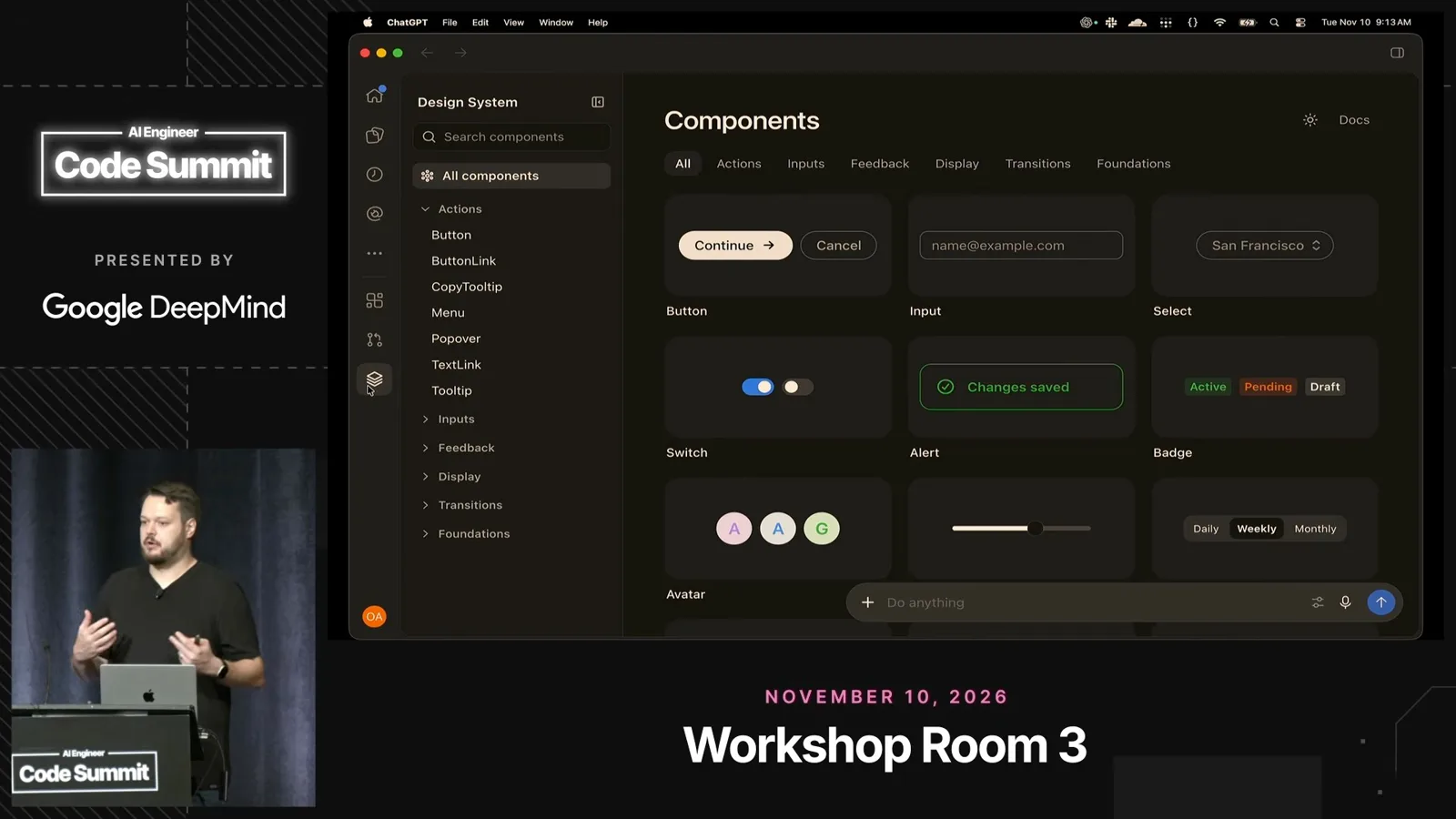
The plugin can also extend the composer with searchable components. Kundel says the same pattern can surface design files or internal resources that a user wants to attach to a request.
Capture screen and activity context
Appshots and computer use provide information beyond a prompt, while history offers controls for retaining or excluding activity.
Appshots combine a screenshot with accessibility information from the active app, including content beyond the visible area. Kundel demonstrates a text view containing values and other information that an ordinary image may not convey.
When no plugin exists, computer use can gather information or test an application. Kundel shows an iOS simulator and says the macOS implementation can run in the background with its own cursor.
He also describes a Chrome extension for giving Codex browser context while the user continues working in other tabs. The extension can use the browser's signed-in context, according to Kundel.
Computer history, described as macOS-only during the talk, can learn habits across apps over time. Kundel gives the example of learning where he drafts documents, then adapting when his workflow changes.
Kundel says the history feature uses Mac event streams as well as stored history. He demonstrates controls for pausing it, clearing recent activity and excluding particular apps or sites; private browsing is excluded, he says.
Keep plans and knowledge editable together
ChatGPT Space gives people and agents a shared page for review and maintenance.
Product requirements, diagrams and customer feedback often live in different places. Kundel says assembling them repeatedly is difficult for both people and agents, especially when a larger plan needs comments and revision.
His example turns a Codex plan into an editable ChatGPT Space page. Teammates and their agents can be tagged in the document, and the page can contain richer elements such as HTML visualizations.
Kundel suggests giving pages update instructions so an agent can maintain material such as an on-call runbook. He compares page-specific instructions and optional scheduled updates to a local AGENTS.md for a document.
Iterate on a UI in short loops
Ultra Fast and annotations help when the developer can see and react to changes quickly.
For fast iteration, the speakers demonstrate Ultra Fast. Kundel says it is useful when the human is repeatedly trying ideas, but less likely to improve the overall wait when compilation or validation dominates the task.
The in-app browser's annotations let a user point at a specific part of a page and provide targeted feedback. A settings control also allows live visual tweaks to help evaluate a direction.
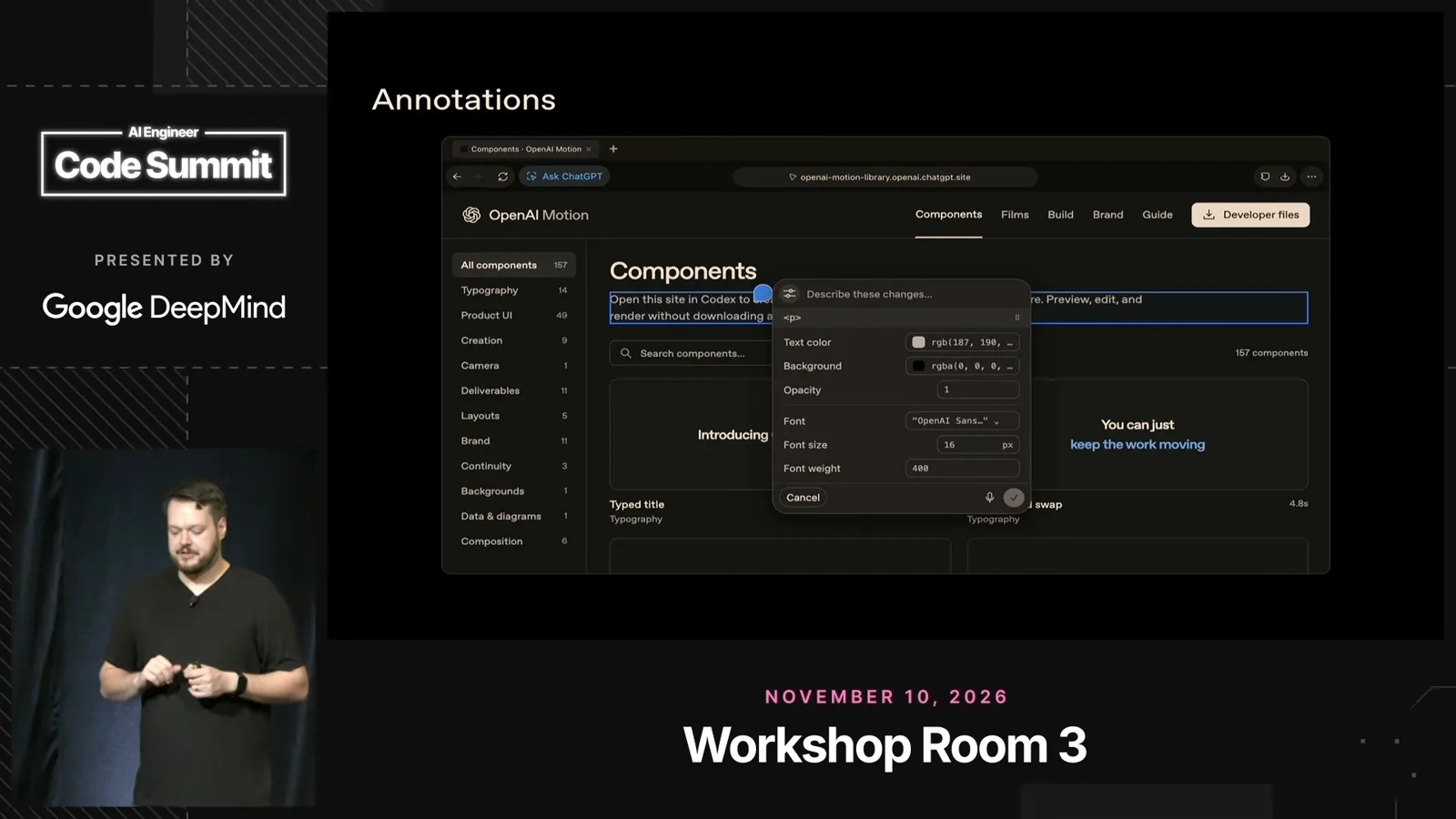
Kundel uses a hot-reloading development server and makes a series of small requests: remove a heading, adjust another, add animation and make a record respond to the cursor. Seeing each change helps him decide what to ask for next.
He describes using the same short feedback loop to improve a documentation page when he was unsure of the final design. Each iteration made the next desired change clearer.
The annotations API lets an application define which elements can be selected. Kundel gives the example of selecting design-system components, or objects inside an emulated game, without selecting the surrounding frame.
Run long work in cloud environments
Managed environments can inspect repositories, set up dependencies and connect to private resources.
Long-running tasks have led people to use extra computers or rented servers. Kundel notes the operational work of maintaining those machines, updating them and scaling compute or disk space for business use.
The team rebuilt Codex Cloud around managed environments. Kundel says users can also connect their own machines through a ChatGPT subscription or SSH when the devices are on the same network or use API-key authentication.
A cloud environment starts by choosing one or more GitHub repositories. Codex inspects what the project needs, including dependencies and commands to run a development server or tests, while allowing the user to modify the setup.
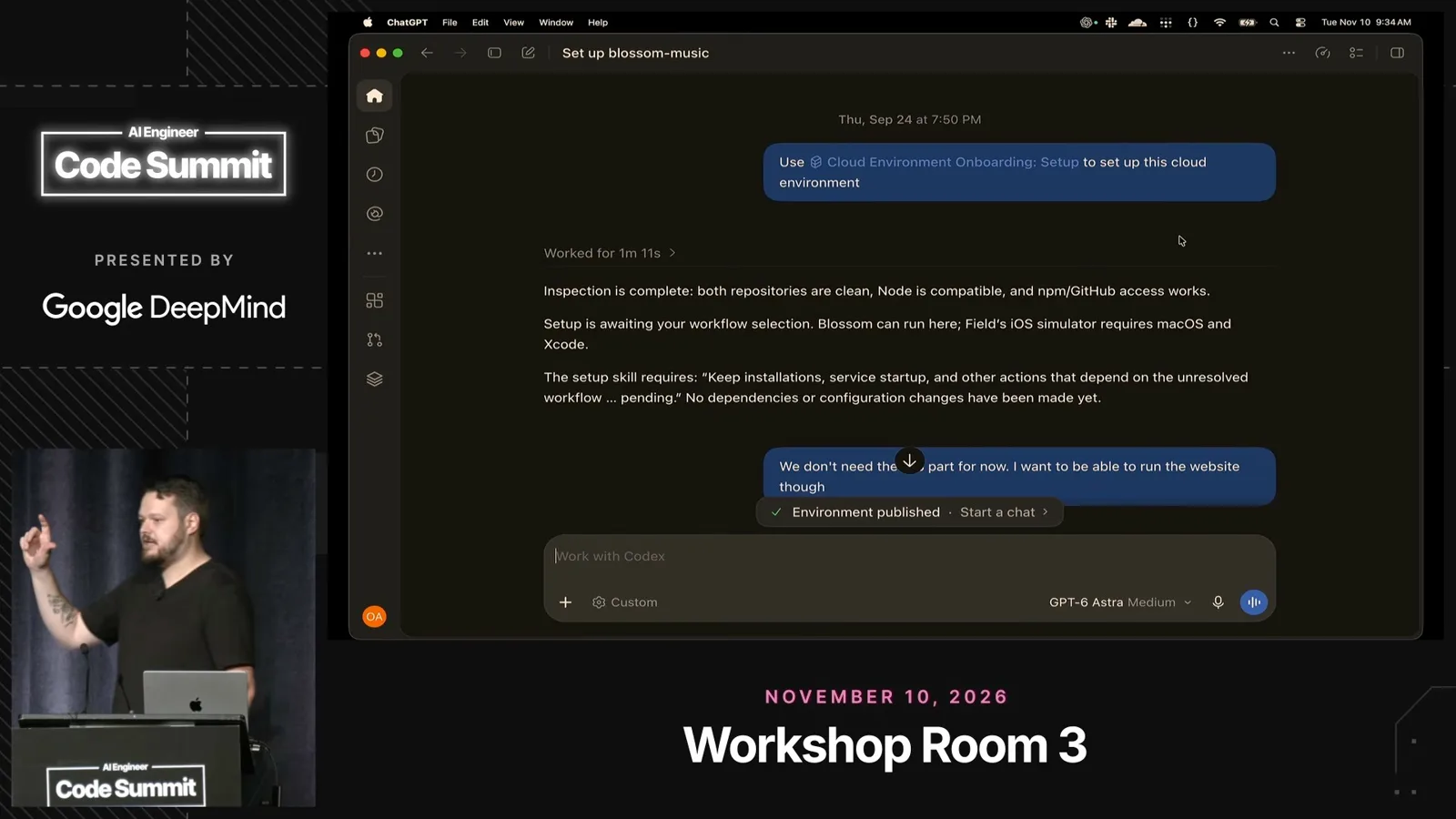
In his example, one repository contains an iOS app. The Linux environment cannot run its simulator, but retaining the repository lets Codex refer to the mobile implementation while working on the web application.
The environment setup can create install scripts and maintain snapshots. Kundel says updating dependencies and pulling changes in the background helps a dormant environment start a later task quickly.
Environment settings control web access and secrets; an organization can share settings while requiring individuals to provide their own keys. Kundel says OIDC or Tailscale can connect the environment to supported private resources without exposing them to the public internet.
For an existing remote machine, Kundel demonstrates that the CLI can start remote control and its app server without installing the desktop app. A phone can then connect to the machine.
Ship applications and review changes
Guo describes a video-editing application built around a remote agent, then shows a pull-request review workflow.
Guo turns to shipping with ChatGPT Sites. As an example, the developer-experience team uses an internal application called Cut Room to collect video footage, screen recordings and review notes.
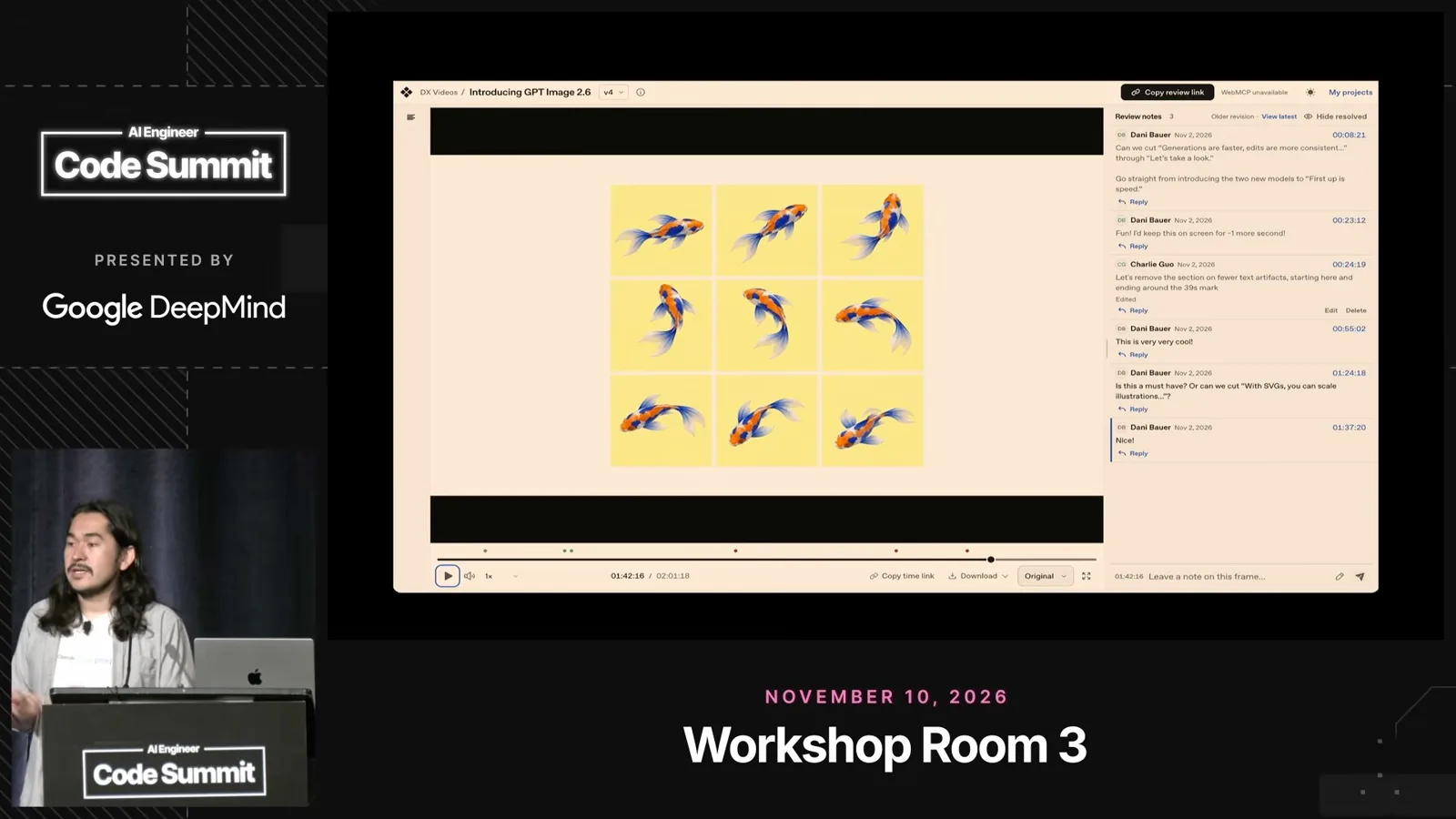
Once a cut is ready for review, the application hands the materials to a remote Codex agent with access to DaVinci Resolve and editing skills. Guo says it produces another cut, uploads it and notifies the team for review.
Guo says Sites supports more than static pages, with database and object storage, sign-in, analytics, secrets and access to plugins. He presents these as building blocks for applications with controlled access and connected data.
A team could connect a shared calendar to book filming space or connect a task tracker to create and assign work. Guo also describes remixing a site so another person can adapt a copy.
He cites internal uses ranging from an interactive launch recap to a view of social posts and their analytics. Another experiment made an AI race him through links from one Wikipedia page to another; he says it won the demonstrated race.
The Codex code-review tab brings connected GitHub pull requests into the app. A reviewer can inspect the diff and screenshots, then start a separate Codex review with a customizable prompt.
Delegate across voice, Dots and agents
Voice can coordinate work across threads; Dots and the Agents API offer other forms of delegation.
Guo treats voice as more than dictation into one chat. He uses it as a way to manage threads, check ongoing work, retrieve information and start new tasks across the app.
In the demonstration he asks voice mode to check a review, find a colleague's latest Slack update, start a slide critique in a new thread and pin it. The agent asks which of several colleagues with the same name he means.
Guo describes Dots as a different delegation tool: a safety net that can flag a bug, merge conflict or scheduling problem; a place to forward small investigations; and an assistant available across more communication channels.
He says the beta Agents API exposes parts of the same agent framework for applications that need many temporary sessions with sandbox and plugin access.
Choose effort and coordinate parallel work
Kundel recommends matching reasoning effort to a task and gives examples of cooperating agents and independent chats.
Kundel advises choosing reasoning effort for the task instead of automatically selecting the maximum. When a new model arrives, he suggests testing a lower setting because extra reasoning can have diminishing returns or overthink a problem.
One approach is to use a general model for routine work and ask it to delegate harder or more repetitive subtasks to other models. Kundel cautions that the agent's routing choices do not always make a task better or cheaper.
He describes paired subagents for work that is parallel but connected, such as web and mobile applications with shared backend assumptions. The agents can communicate changes rather than working from a plan that assumes every dependency was known in advance.
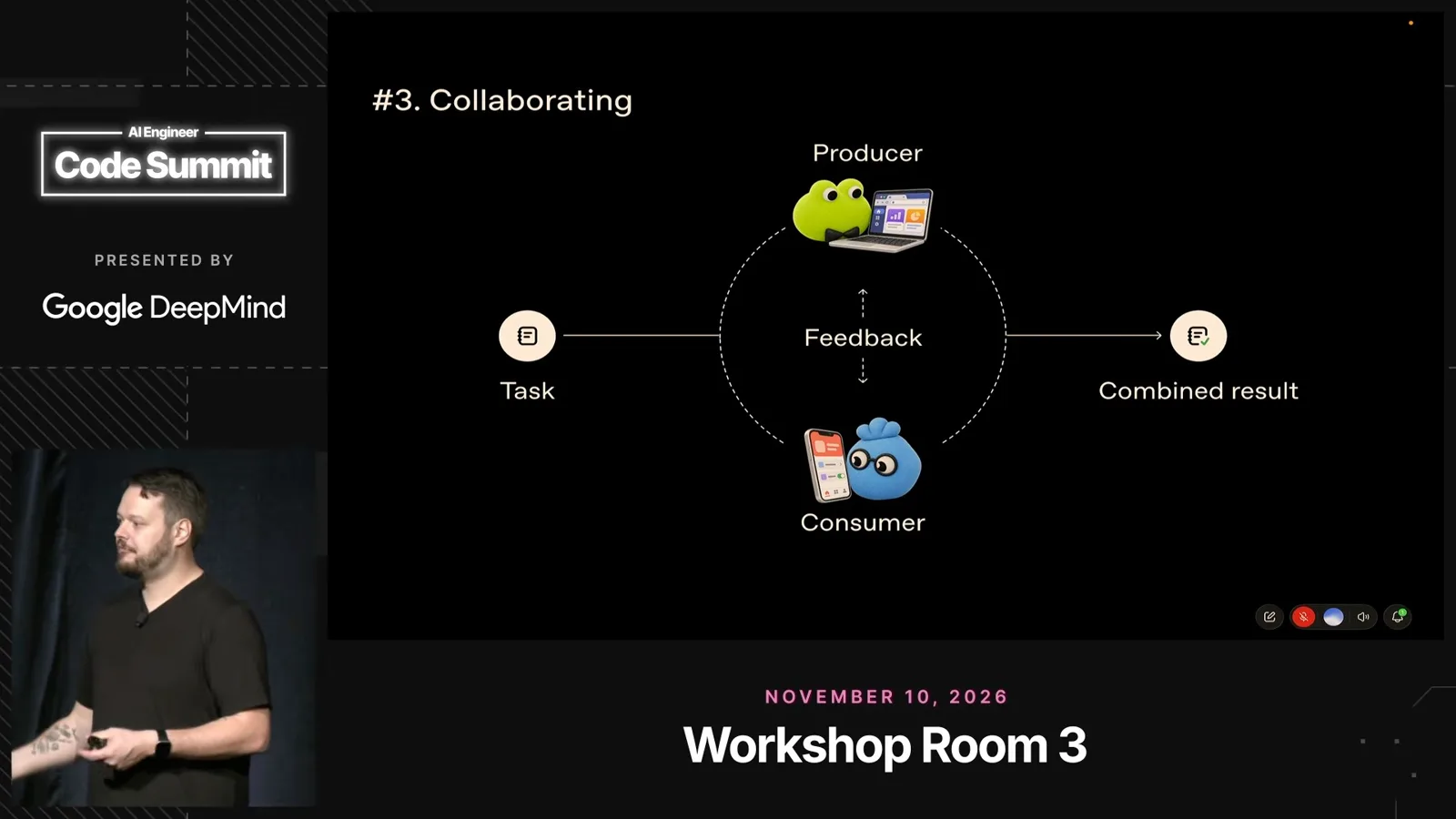
Separate chats can also run independently of a parent session. Kundel points to a CLI agents view for switching between sessions, CLI voice mode and configurable app or global shortcuts.
Finally, Kundel recommends revisiting established workflows when models change: try removing an old workaround and add it back only if the issue remains. The speakers direct attendees to workshop resources for the examples.
같은 채널의 다른 글
 19:38EN
 AI Engineer· 2026년 11월 17일Simon Willison: AI Agents Can Solve More, but Engineering Still Feels HardSimon Willison · DatasetteA beeping detector, a strategy game and a pelican benchmark show how coding agents changed his work in 2026.
 19:55ENAI Engineer· 2026년 11월 16일Brandon Thomas: AI Agents Can Help Rebuild Creative Apps in the OpenBrandon Thomas · ArtCraftArtCraft’s team built an initial Photoshop-like editor in about a day, then enlisted a community to expand open creative tools.
 23:19ENAI Engineer· 2026년 11월 15일Diogo Almeida: Reliable AI Needs a Different Training GoalDiogo Almeida · TypeSafe AIAlmeida argues that models trained to assist people are poorly suited to unattended automation, and calls for software built around reliable intelligence.
 17:31ENAI Engineer· 2026년 11월 14일Lauren Tan: Make AI-generated code trustworthy with enforceable checksLauren Tan · SpaceXSIThe Grok Bot engineer describes the architecture, verification and review changes behind her team’s high-volume agent workflow.
 17:31ENAI Engineer· 2026년 11월 12일Claude Code needs less steering, but unattended work needs stronger checksLydia Hallie · AnthropicLydia Hallie describes how permissions, isolated environments and verification can take over tasks people once handled during every session.
 14:00ENAI Engineer· 2026년 11월 11일Test what a skill teaches before cutting its instructionsNikolay Petrov · IntelNikolay Petrov compares model answers with and without a skill to find known, useful and harmful instructions—then checks changes on real tasks.