30 秒でわかる
Peter Yang walks through 11 Grok Bot roles, from an assistant that creates other bots to specialists for content research, website metrics, spending, family activities, fitness and school messages. He shows bots communicating in group chats and describes recurring reports, account access and approval before file removal. The setup and results are his own examples.
- 1A bot can help maintain other botsDr Light creates new roles and reviews existing instructions and routines.
- 2Separate daily coordination from planningChief routes immediate tasks, while the advisor uses longer-term context for a weekly briefing.
- 3Give work bots focused jobsYang uses separate bots for video ideas, website conversion reporting and X research.
- 4Set account boundariesMarketplace and flight research require connected accounts; Yang says he has not granted bank access.
- 5Maintain a useful preference recordA movie taste profile based on ratings is updated after new viewing.
- 6Review destructive changesYang says his cleanup bot asks before moving or removing files, while another bot summarizes school messages.
ポイント
- Give persistent bots distinct roles and use a chief of staff to route immediate requests.
- A separate advisor can use long-term context to prepare a weekly briefing.
- Work bots can gather ideas and metrics, but their reports still need interpretation.
- Connected services grant meaningful access; Yang says he has not connected his bank.
- Personal bots can track preferences and surface family tasks while asking before file removal.
チャプターごとに整えた全文を読む
A team of persistent bots
Yang introduces his setup and demonstrates group chats.
After about a month using Grok Bot, Peter Yang shows the 11 bots he still uses for work and personal tasks. He organizes them by role and lets them communicate in group chats. The setup reflects his own preferences and access to his accounts.
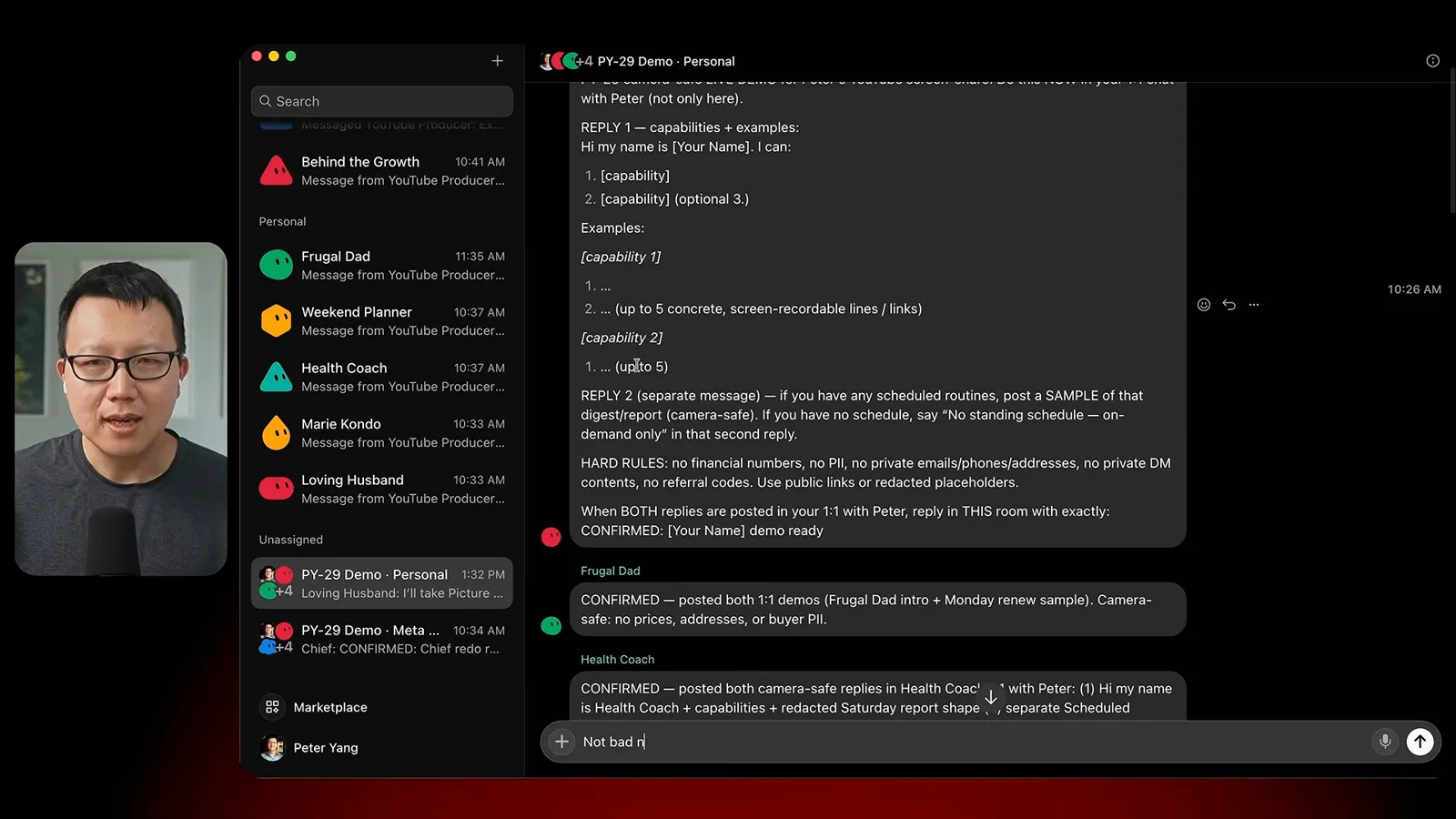
To introduce the team, his YouTube producer bot creates group chats and asks the other bots to describe their roles. They also debate which is most useful. Yang likes that the bots can pass information between specialized roles.
Bot creation, coordination and advice
Dr Light, Chief and the advisor handle setup and planning.
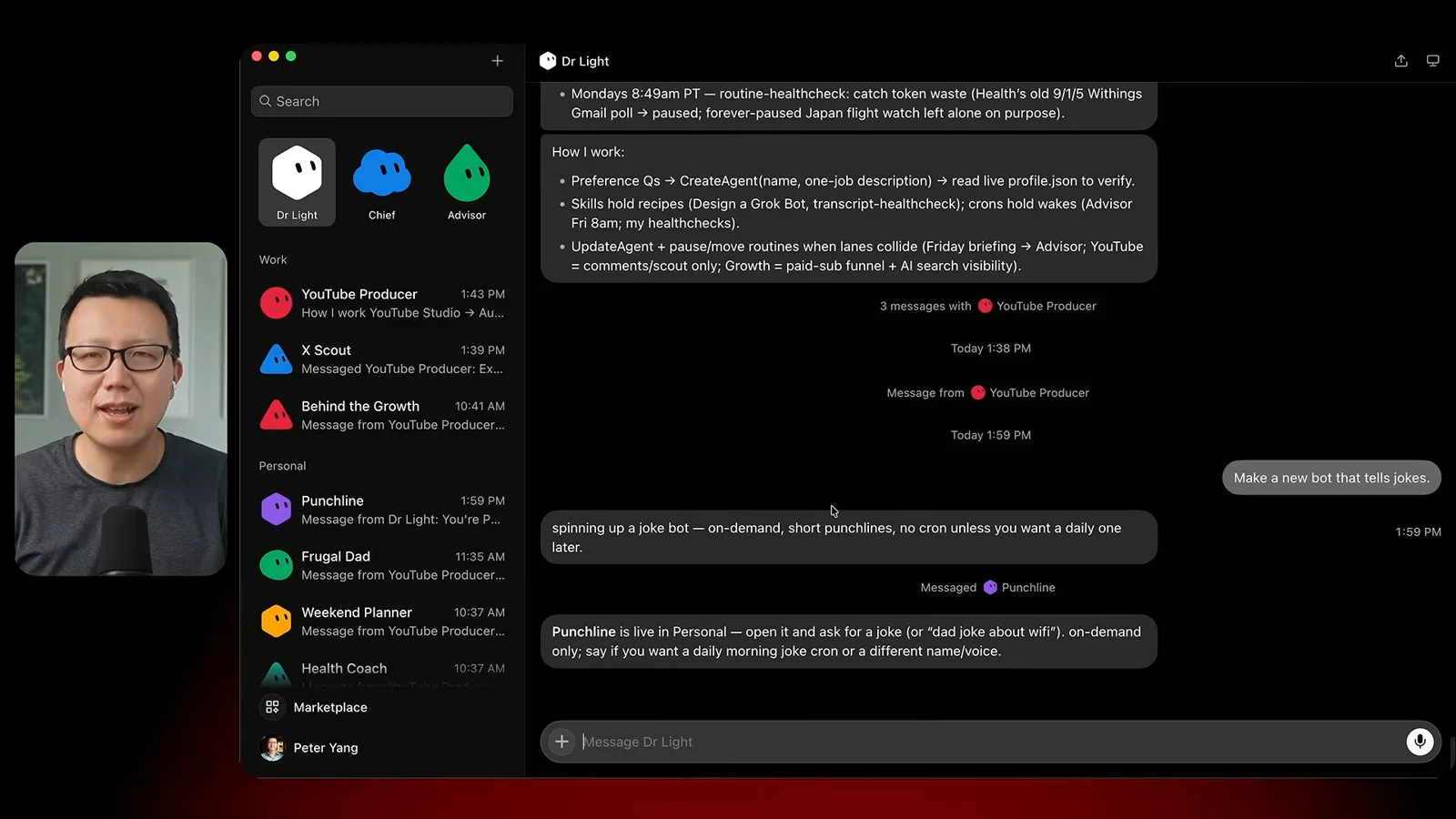
Dr Light is Yang’s renamed copy of Lauren Tan’s Dr. Eggbot. It creates other bots and reviews existing instructions, skills and scheduled routines. He demonstrates by asking it to create a joke bot, then notes that its first joke needs improvement.
Chief routes tasks to other bots and handles daily email and calendar work. Yang demonstrates asking for an email summary and then giving numbered follow-up instructions. The advisor serves a different purpose: it uses his long-term plan and connected context to produce a weekly briefing and highlight potential blind spots.
Bots for content and growth
Three roles monitor video ideas, website metrics and X.
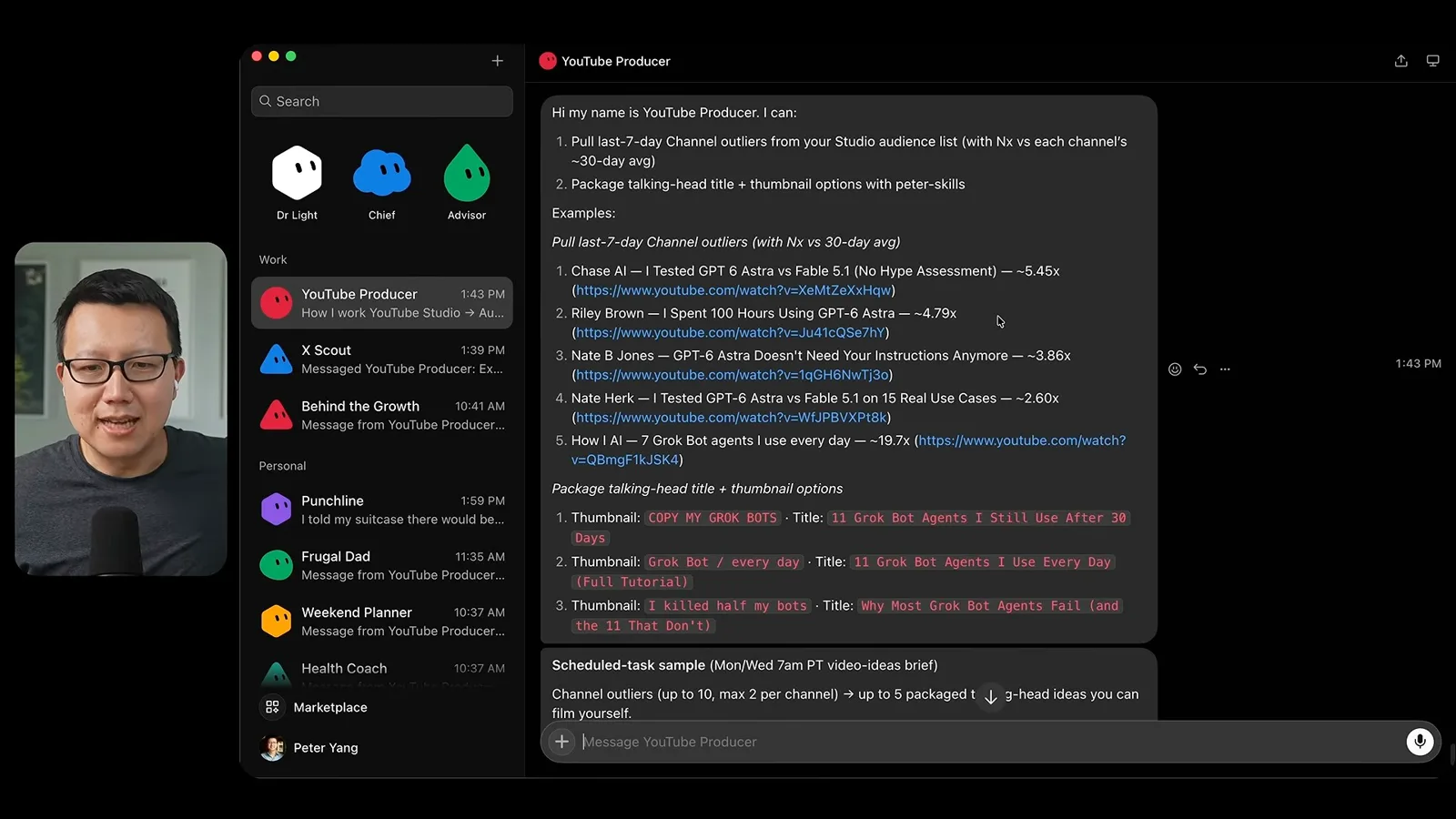
The YouTube producer checks for videos outperforming channel averages, suggests ideas, and helps draft hooks, outlines and title-thumbnail packages. Yang gives feedback on voice and content before saving material to a Linear ticket.
Behind the Growth monitors website traffic, conversion and headline experiments using hosting and analytics data. X Scout browses X for AI posts and saved bookmarks, providing a daily overview. These are reports for Yang to inspect, not independently verified explanations of why a metric changed.
Bots for personal life
Yang covers spending, weekends, fitness, digital clutter and family logistics.
Frugal Dad watches flight prices and helps list an item on Facebook Marketplace. Yang says it can respond to buyer inquiries under his direction. He notes that these workflows require access to accounts on a cloud computer and says he has chosen not to give it bank access.
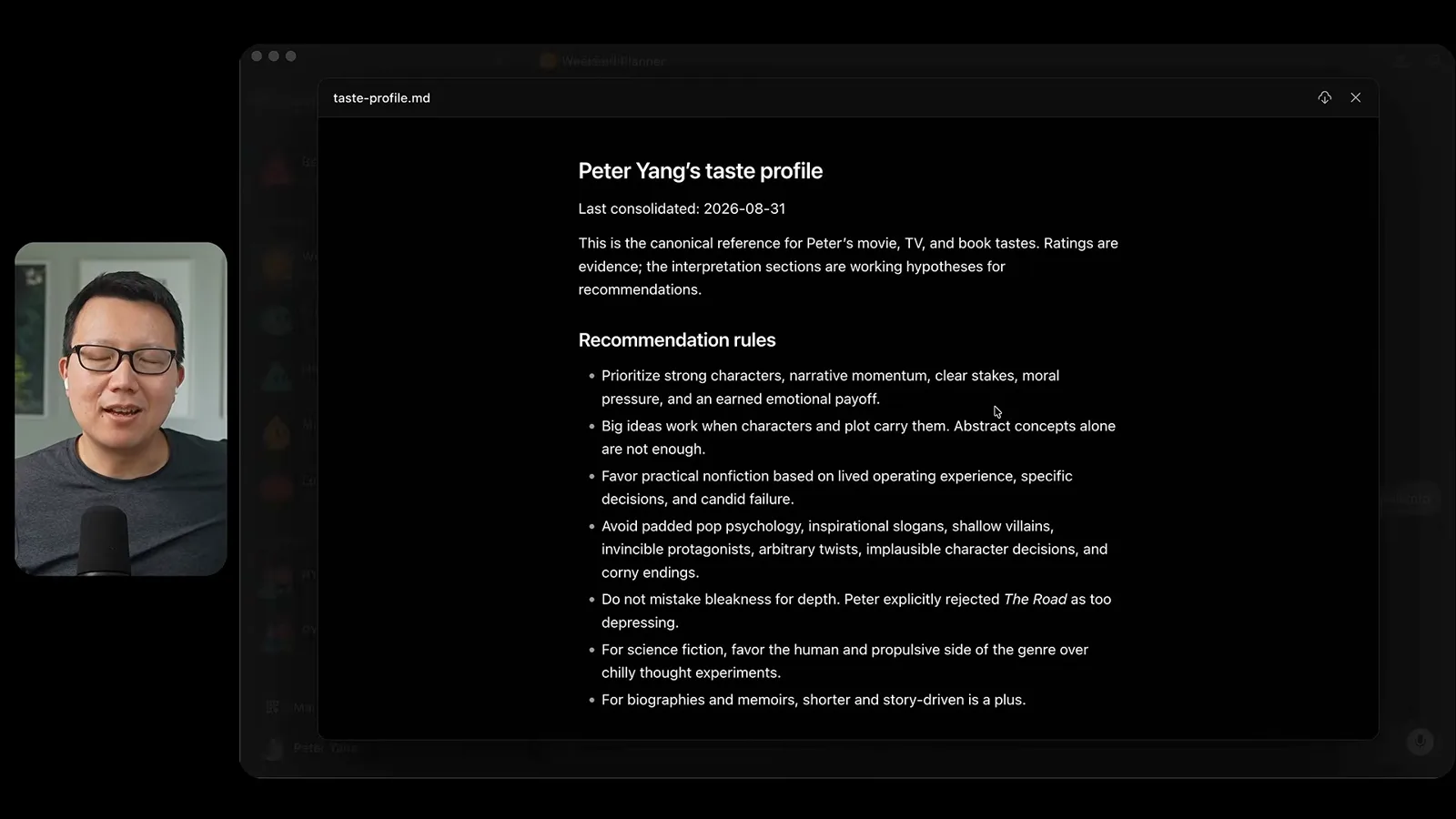
Weekend Planner sends ideas for family activities and movies. Yang builds a taste profile from his IMDb ratings and updates it after watching a film, so recommendations can reflect his preferences and avoid titles he has already seen.
Health Coach combines information from a smart scale and his workout app to create a weekly progress report. Yang shares his own goals and training data; the report is a personal tracking example, not medical advice or a validated assessment.
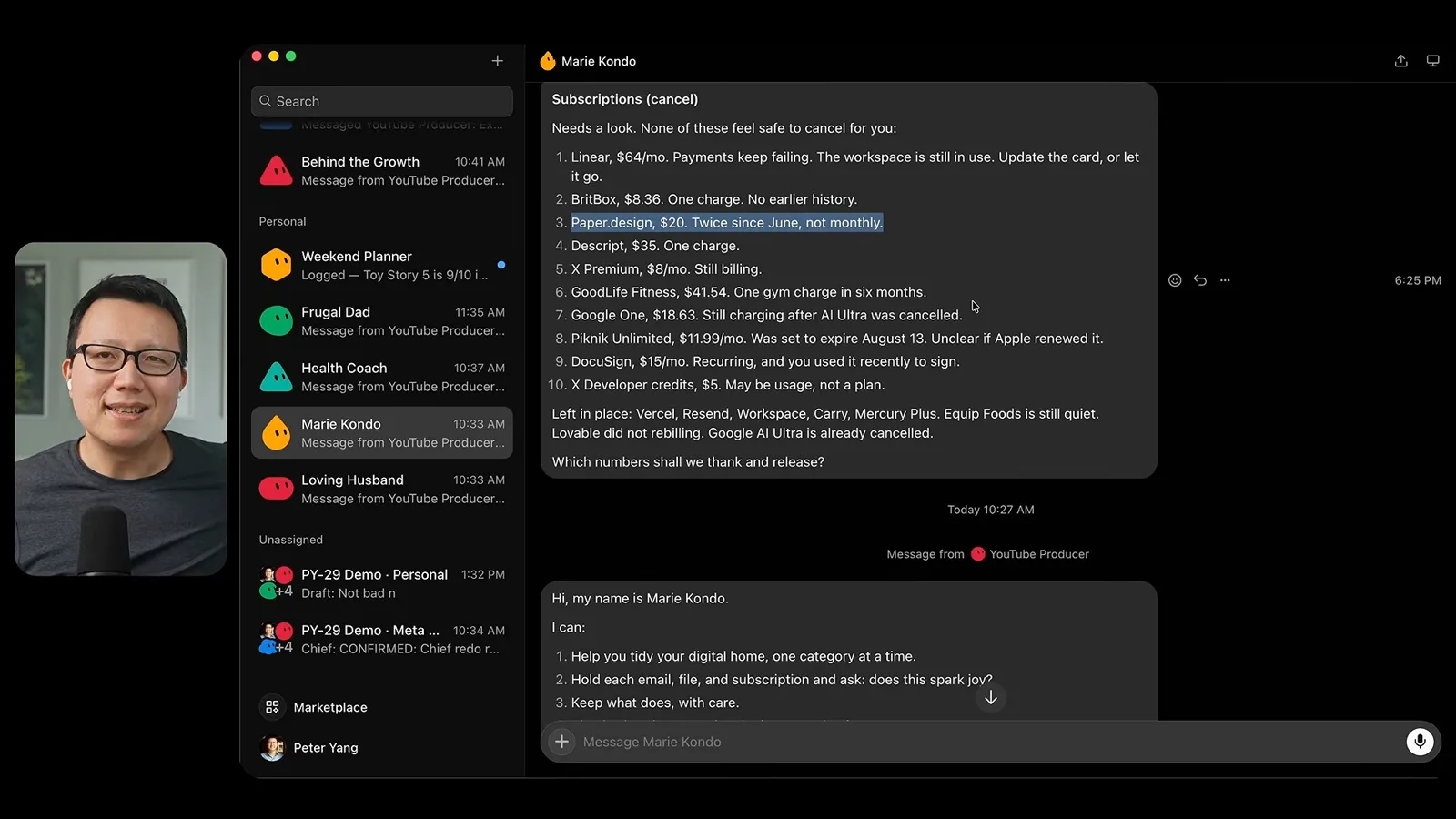
Marie Kondo identifies subscriptions and files to review. Yang says it asks permission before moving or removing files. Loving Husband summarizes school emails and highlights actionable items, such as whether to RSVP to an event, helping him manage family logistics.
Build and schedule your own roles
He recommends clear responsibilities and recurring reports.
To build a similar setup, Yang suggests starting with a bot that creates other bots, a chief of staff and an advisor, then adding specialized work and personal roles. He recommends giving each bot a clear job and adding recurring schedules where proactive reports are useful.
He closes by showing that the bots can communicate with each other. His enthusiasm for this arrangement is based on his own experience; account access, permissions and the quality of each bot’s outputs still require attention.
同じチャンネルの記事
 46:40EN
 Peter Yang· 2026年11月8日ポッドキャスト · 2 人Ashley Alexander: How AI Helps Me Care for My Parents With Cancerゲスト Ashley Alexander · ホスト Peter YangA caregiver uses AI to prepare for appointments, organize records and ask better questions—while keeping doctors at the center of treatment.
 17:50ENPeter Yang· 2026年11月4日ポッドキャストPeter Yang’s Five Steps for Using AI to Help Care for His MotherYang uses a shared care brief and organized records to navigate appointments, while making time for family.
 15:03ENPeter Yang· 2026年11月3日ポッドキャストHow Peter Yang Used an AI Phone Agent to Negotiate His Internet BillAn AI call negotiated a lower price and faster service, but Yang still had to approve the change himself.
 33:09ENPeter Yang· 2026年11月1日ポッドキャスト · 2 人Jaclyn Konzelmann: When AI Can Build More, Choose What Deserves to Existゲスト Jaclyn Konzelmann · ホスト Peter YangGoogle Labs pairs short strategy documents with prototypes, user co-creation and lessons from experiments that end.
 13:05ENPeter Yang· 2026年10月28日ポッドキャストPeter Yang Tests Genie 4: Convincing Worlds, Unfinished GameplayFive live demonstrations show scenes that respond to prompts and sound, alongside inconsistent actions and limited game mechanics.
 1:06ENPeter Yang· 2026年10月26日ポッドキャストPeter Yang on Setting Up Payroll for a One-Person BusinessIn a paid partnership, Yang describes the paperwork he encountered and a payroll product integrated with a business account.