30 秒でわかる
In this October 2023 video, Matthew Berman demonstrates a LLaVA visual-language model on a rented Linux GPU. He describes the controller, model worker and Gradio interface, then tries image questions and notes a repetition problem. The setup details and quoted cloud price are from the recording.
- 1Why use a cloud GPU?Berman encountered Linux and CUDA dependencies on his own computers and used a rented Linux machine for the demonstration.
- 2Configure the instanceHe selected an RTX A6000, increased temporary storage to 100 GB and exposed port 3000; the quoted hourly price was from 2023.
- 3Three processesThe controller, model worker and Gradio interface run separately; the worker downloads model files on first startup.
- 4Cell diagram testThe model begins explaining labels in a cell illustration but repeats its list, a limitation Berman observes.
ポイント
- The demonstrated LLaVA setup combines a controller, a model worker and a Gradio web interface.
- The model download needs substantial storage, and the GPU instance shown carries an hourly charge.
- A visual model can answer questions about image content but may repeat or make mistakes.
- The commands, hardware and price described are specific to the 2023 demonstration.
チャプターごとに整えた全文を読む
What LLaVA does
Berman introduces the visual-language project and its research background. He outlines the machine requirements he encountered.
Matthew Berman introduces LLaVA, a visual language model that can answer questions about images. In this October 2023 demonstration, he presents it as an alternative to ChatGPT Vision and walks through the setup he used on a rented GPU.
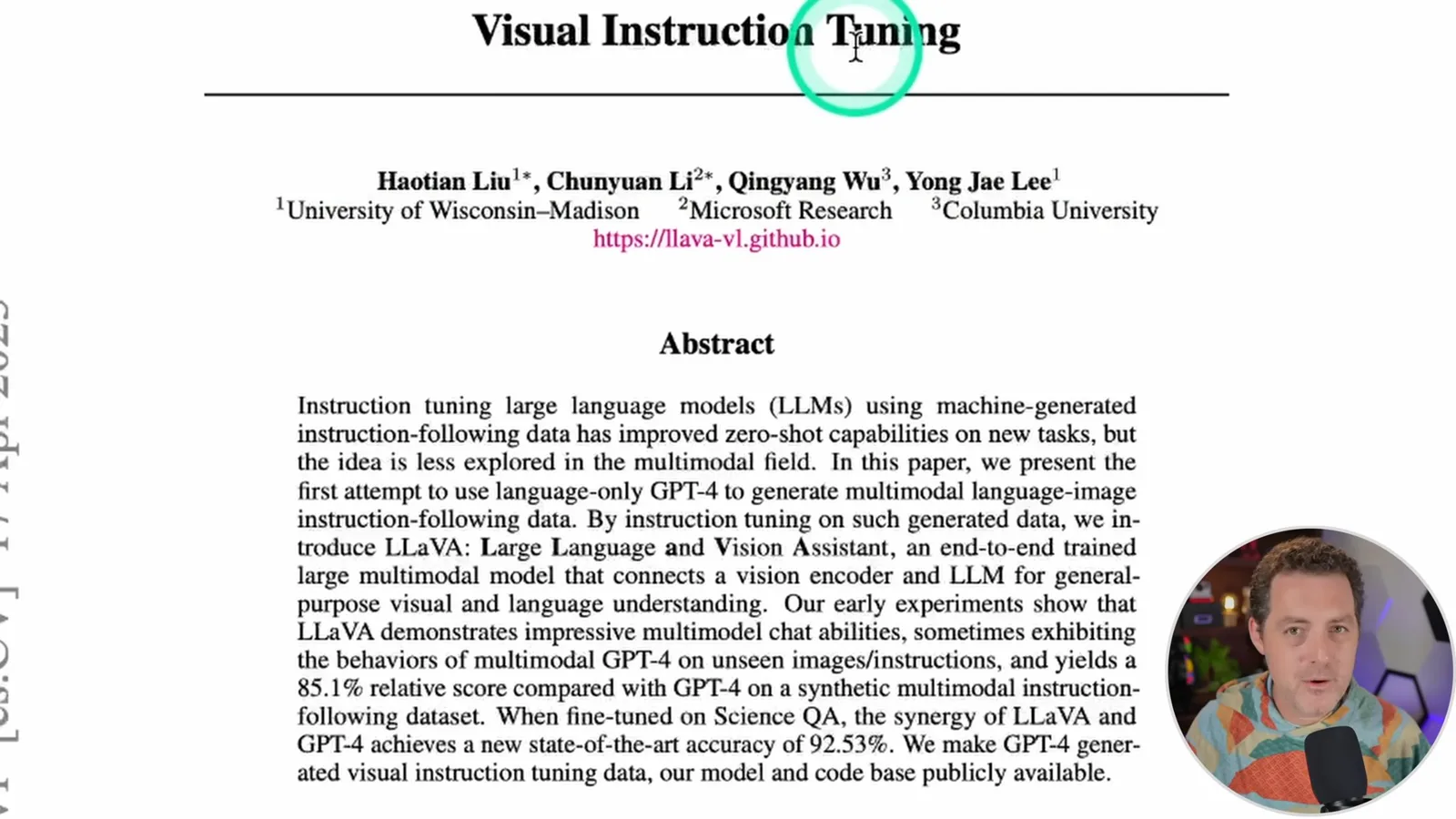
The project builds on the Visual Instruction Tuning paper and an open-source repository. Berman says the version he is demonstrating uses a fine-tuned Llama 2 13B model. He shows a cell diagram and says it can identify and explain the labeled parts.
Berman says he encountered Linux-specific dependencies on Windows and CUDA requirements on his Mac, so he chose a Linux GPU instance on RunPod. He suggests that a suitable Linux computer could run the software locally and that Windows Subsystem for Linux might work, though he does not demonstrate it.
Configure and install
The demonstration sets up a RunPod GPU instance, clones the repository and installs dependencies.
In the 2023 recording, he chooses an RTX A6000 instance advertised at $0.79 per hour, noting that a smaller GPU might suffice. He changes temporary container storage from 20 GB to 100 GB for model downloads and exposes port 3000. The cloud instance is paid even though the project code is free.
After deployment, he opens a web terminal, clones the LLaVA repository and enters its directory. He upgrades pip, installs PyTorch and installs the project requirements. He refers viewers to the instructions linked in the video description for the complete commands.
Start the services
Berman launches a controller, model worker and Gradio web server, then opens the interface.
He starts the controller on port 10000, then opens a second terminal and starts the model worker. The worker downloads the model on its first run; he estimates that the model needs more than 20 GB of storage. Both processes need to remain running.
During his download, the terminal shows repeated error-level lines alongside progress. Berman says he was able to ignore those particular messages, though he does not establish that every error can be ignored. The worker then loads checkpoint shards and starts serving the model.
In a third terminal, he configures the Gradio server to use port 3000 and starts the web server with the controller address. Opening the exposed port in RunPod brings up the LLaVA interface, including a model selector and image upload.
Test images and limitations
Two image examples show the interface answering questions. A cell-diagram response repeats itself, and Berman points to a web demo and template.
The first example asks what is unusual about a picture. The model describes a person ironing while standing on the back of a moving car. Berman treats this as a demonstration of image understanding, not a systematic evaluation.
He reiterates that the RunPod machine costs money, while a suitable local Linux setup could avoid that rental. He says he could not get a Mac fork or the Apple silicon instructions working in his own attempt.
For another test, Berman uploads a labeled cell illustration and asks the model to explain its terms. It begins describing the cell and defining components, even though the image only contains labels. He notices a failure: the response enters a loop and repeats the list.
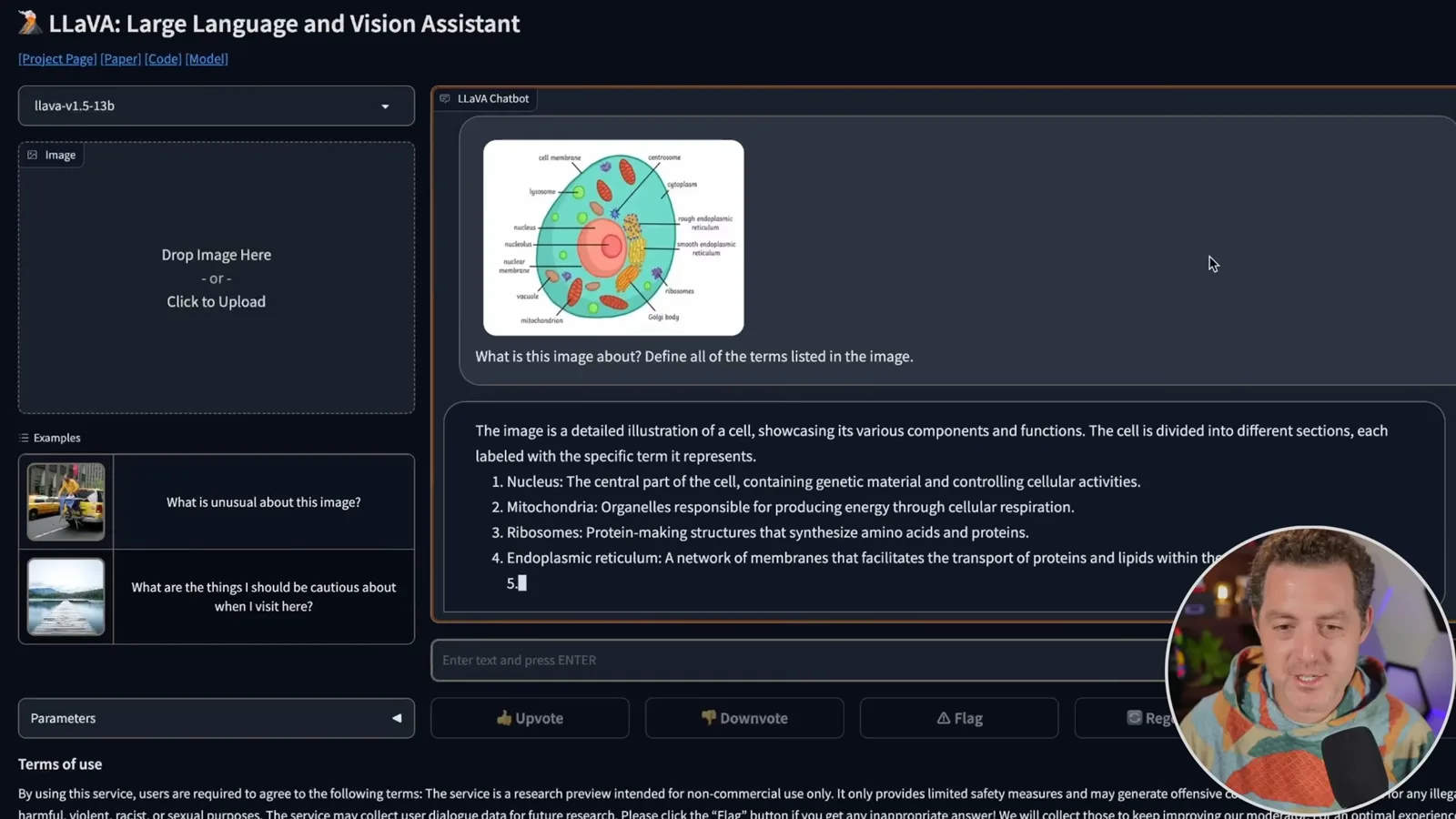
The video does not explore the full limits of the model. Berman points viewers who do not want to install it toward a linked web demo. After recording, a contributor also created a one-click RunPod template, linked in the description.
同じチャンネルの記事
 14:45EN
 Matthew Berman· 2026年10月29日Matthew Berman Examines Google’s Gemini 4 Carbon AnnouncementMatthew Berman · Forward FutureMatthew Berman reviews Google’s reported benchmark results, staged rollout and pricing for Gemini 4 Carbon, while noting he has not yet used the model.
 21:11ENMatthew Berman· 2026年10月28日Matthew Berman tests DeepSeek V4.1 Flash: coding, vision and local appsMatthew Berman · Forward FutureA hands-on tour of visual coding, image reasoning, local applications and provider economics reveals both impressive results and visible flaws.
 34:21ENMatthew Berman· 2026年10月27日Matthew Berman Examines Anthropic’s IPO Filing, AI Growth and GovernanceMatthew Berman, Sam Altman · Forward FutureThe presenter reviews the S-1’s financial metrics, compute strategy and voting structure while questioning the tension between rapid AI development and safety.
 0:26ENMatthew Berman· 2026年10月25日Sam Altman on Human Values and Problem-Solving in an AI WorldSam Altman · OpenAIIn a short interview excerpt, Altman considers the enjoyment of solving hard problems and the human role in interpreting results.
 0:36ENMatthew Berman· 2026年10月25日Kimi K3.1 and a Rubik’s Cube Solver DemonstrationMatthew Berman · Forward FutureMatthew Berman shows a scrambled virtual cube being solved and gives the Kimi K3.1 test a favorable assessment.
 0:21ENMatthew Berman· 2026年10月24日An AI-Generated Kimi Benchmark Chart Used Invented ScoresMatthew Berman · Forward FutureMatthew Berman asks for a graph of Kimi K3.1 Pro benchmarks, then discovers that the displayed figures are illustrative placeholders.