30 秒でわかる
In this June 2025 Pythagora-sponsored tutorial, Matthew Berman uses the hosted Pythagora 2.0 environment to build a sleep tracker with upload, transcription, charts and a chatbot. He reviews the specification and code, runs human tests and provides feedback as the agent works through failures. The initial interface uses mock data, the voice and chart flows require multiple repairs, and the proposed coach’s access to personal data remains a future task. The video demonstrates selected prototype flows, not a security audit or validation of health advice.
- 1Start with a specificationThe prompt defines the app’s pages, login, data entry, settings and planned AI coach.
- 2A mock-data previewThe first dashboard demonstrates the interface before the backend and AI processing are complete.
- 3Human tests drive the workflowPythagora asks Berman to test registration, settings and other steps, then act on the results.
- 4Voice processing needs repairA failed voice memo leads to repeated debugging, a separate-user test and another transcription check.
- 5A missing chart reveals a date problemLogs show an unexpected year; a previous-night assumption fixes the sample but can misdate other uploads.
- 6Personalized coaching remains to be testedBerman explicitly leaves access to all personal data for a future iteration.
ポイント
- A detailed, editable specification defines pages, data flows and intended behavior before the agent writes the application.
- Pythagora shows task plans and code while requesting human tests between implementation steps.
- The initial frontend uses mock data and is not yet connected to the full backend.
- Voice processing and chart display initially fail and require feedback, logs and retesting.
- Assuming every uploaded screenshot describes the previous night fixes one example but can misdate older data.
- A general chatbot response does not establish that the coach can access all personal data or provide validated health advice.
チャプターごとに整えた全文を読む
The sleep tracker specification
Berman introduces his sponsored build and defines the intended pages, data and AI coach. The product specification is reviewed before coding begins.
I am building a sleep-tracking application with Pythagora 2.0, an AI-assisted development environment. The video is sponsored by Pythagora. I report that the demonstration produced thousands of lines of code in under an hour and a half of my work, but this is one edited build, not an independent benchmark or proof that the resulting app is production-ready.
The idea is to collect sleep and habit data, look for patterns and ask an AI sleep coach questions. I start with a detailed specification: a home page, sleep coach, login and registration, account settings for an OpenAI API key and model selection, and a structured data format. I recommend spending time on the prompt because it defines what the agent is supposed to build.
For data entry, I want a user to record a natural-language voice memo or upload screenshots from devices such as Whoop and Eight Sleep. The planned application would extract sleep details into a database and generate recommendations. These are design goals; whether the generated system correctly handles sensitive data or produces reliable health advice requires separate verification.
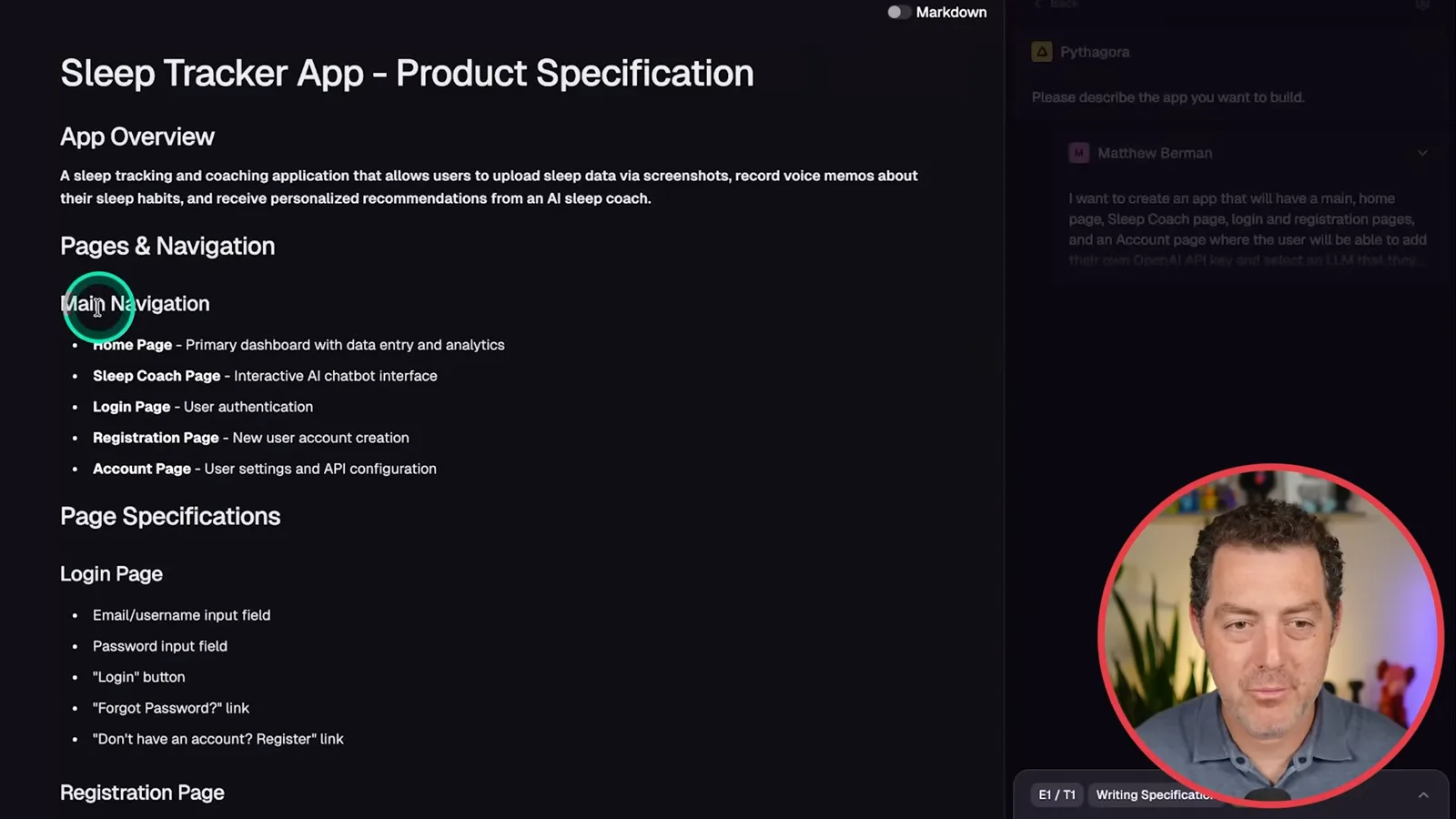
In this June 2025 demonstration, I use Pythagora's hosted interface, after previously using its VS Code extension. I paste the prompt and the tool reformats and expands it into an editable Markdown specification. I review the navigation and page requirements, make changes if necessary, and approve the document before building begins.
Generating the interface
Pythagora plans tasks, writes files and produces an initial dashboard. Its early interface uses mock data.
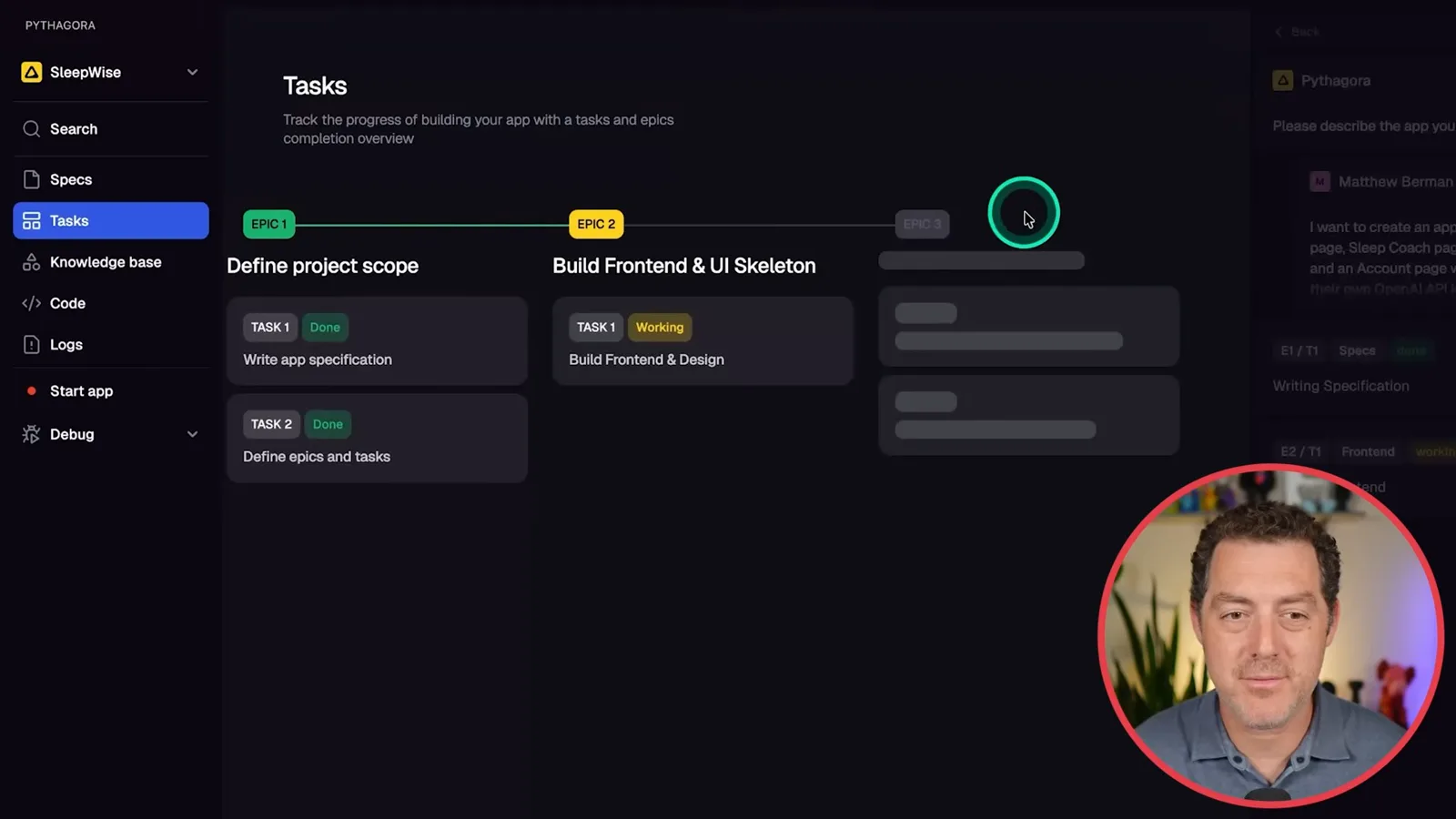
The tasks view breaks the project into epics and individual steps. First the system prepares the specification and then starts a frontend and UI skeleton, with additional tasks appearing as it works. The specification remains editable, so I can revisit it when a requirement changes instead of relying only on the initial prompt.
The agent installs packages and writes application files, including frontend components and sleep, chat and settings APIs. I can inspect the files in the hosted editor. I describe the tool as opinionated about the frameworks it handles well, and emphasize that I still need to oversee both the interface and backend as they take shape.
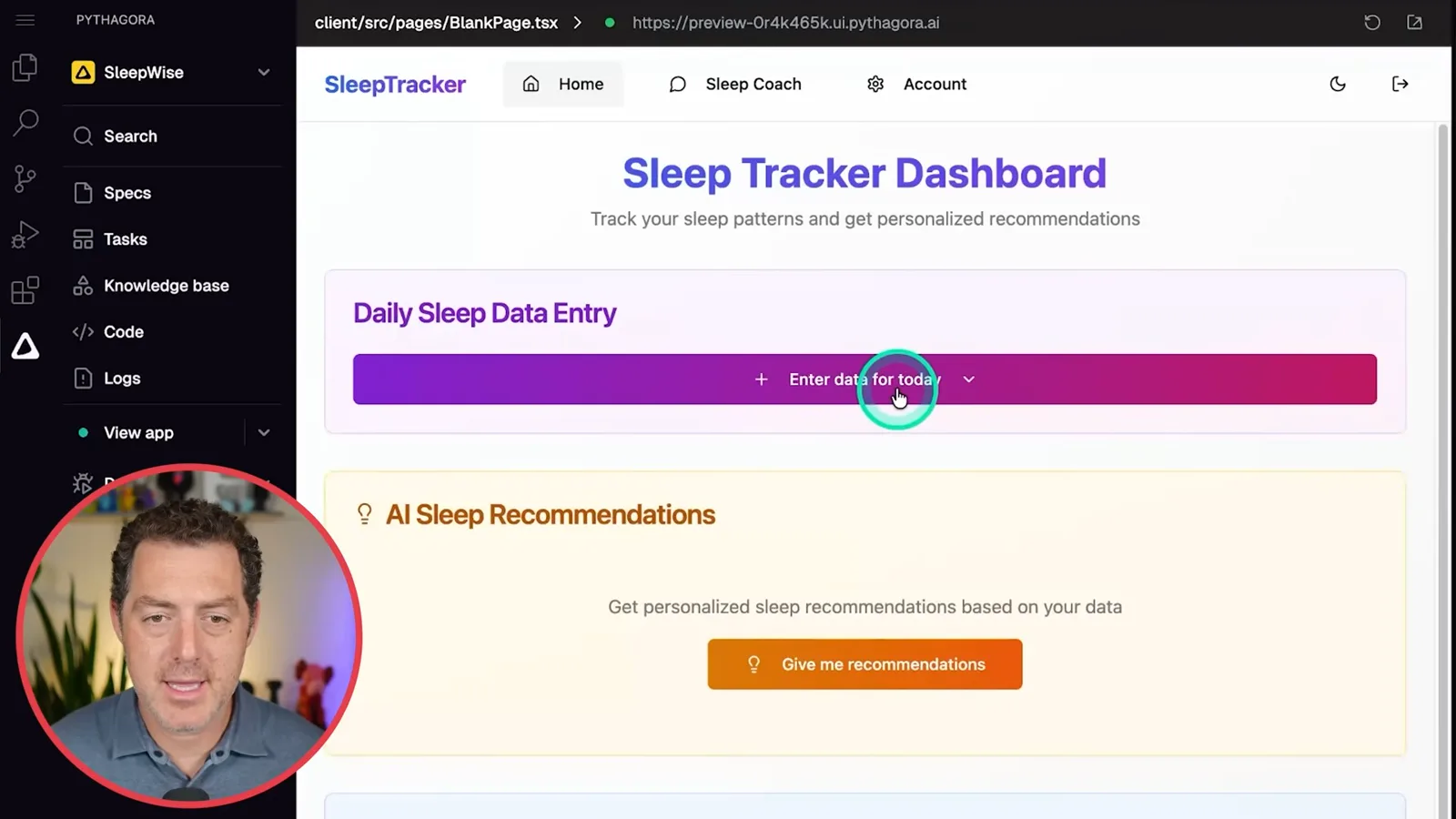
A private preview opens the initial sleep dashboard. It has screenshot upload, voice recording, a recommendations area, sleep patterns and a coach interface. At this point the backend is not complete: the displayed chart and recommendations use mock data, so the screen alone is not evidence that the AI and database already work.
The account page presents an OpenAI key field and model selection; I choose GPT-4o for the example. After reviewing the UI, I approve moving on to backend work. I like the staged sequence of specification, frontend and backend because it makes the intended interface visible before the remaining functionality is built.
Backend and human testing
The workflow tests registration, settings and uploads. Berman inspects stored files and records as the backend develops.
The system reports errors and starts fixing them, then requests human testing. It provides steps and expected results for registration and login. I create an account, see the success message and verify that login works in this demonstration; a successful basic flow is not a full security or authentication audit.
The next task adds user settings and a way to save the selected model and API key. I inspect the implementation plan and changed files, then follow another test checklist in the account page. The demonstration confirms that the interface reports success; it does not establish how securely credentials are stored or handled.
I note that the application can also be opened in a separate browser tab for testing outside its embedded frame. Once the settings test is complete, I approve the task for recording and uploading data. The workflow alternates between agent implementation and my feedback about whether the observed result matches the checklist.
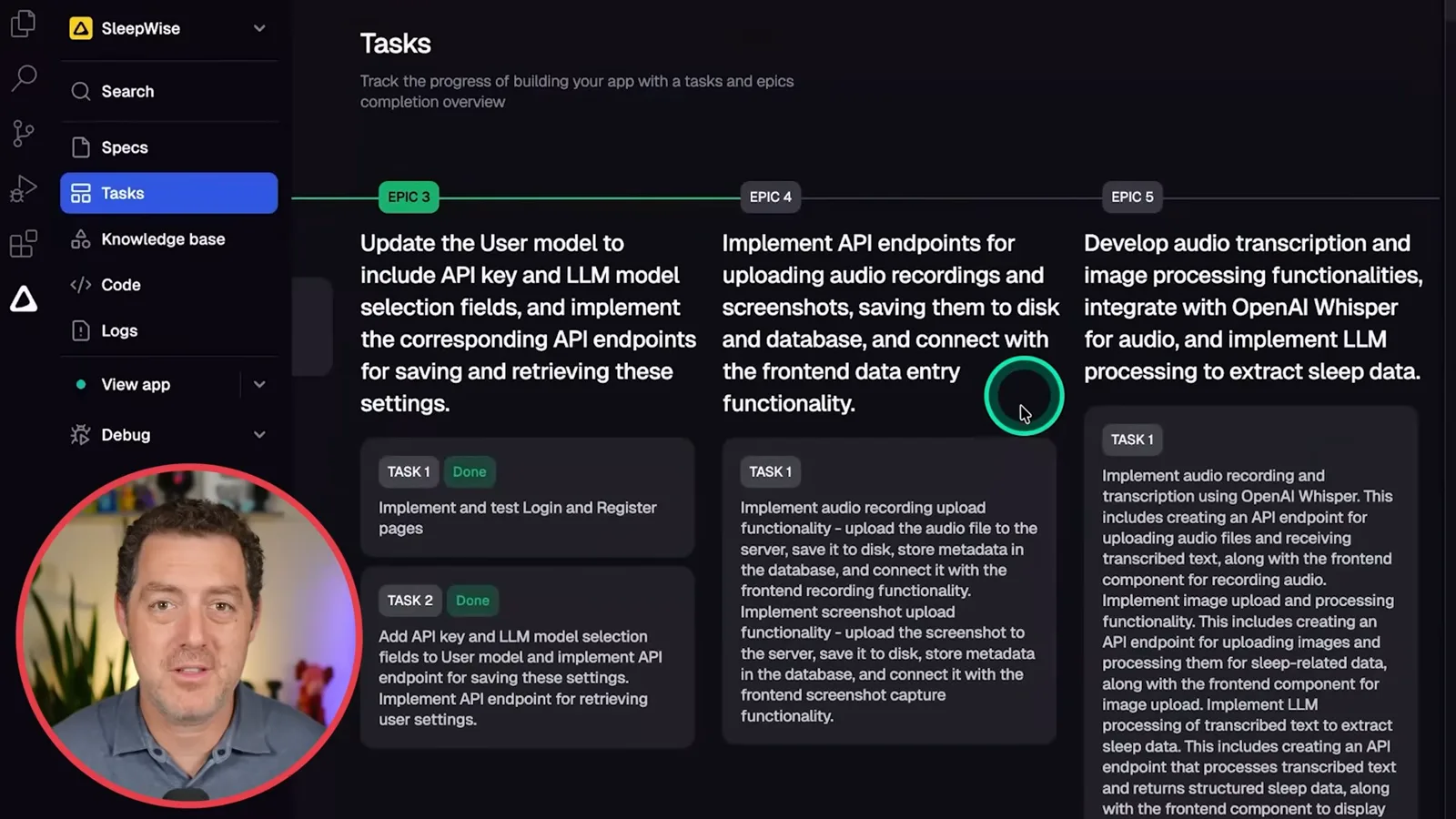
The implementation plan includes upload endpoints, file metadata, storage and replacing mocked responses. I place Pythagora between code-focused editors and prompt-only application builders: in my experience here, it generates much of the code but still exposes the files, task plan and tests for a person to review.
For the upload test, I select a screenshot from my Whoop app and see a success message. I then inspect the server's uploads directory and database to find the file and its metadata. This establishes that the sample reached storage; it does not yet prove that the image was interpreted accurately or that the data is protected.
Transcription and image processing
A series of errors requires logs, repair attempts and retesting. Berman checks a short transcription and one image extraction.
I record a short voice memo and check its database metadata in the same way. The next planned step adds transcription with OpenAI Whisper and processing of the extracted information. Pythagora lays out the required backend, database and frontend changes before writing more code.
The interface reports multiple errors, including failed requests, and I invoke the repair workflow. It examines logs, analyzes the problem and proposes changes such as error handling before asking me to test again. I treat the reported fix as a hypothesis to verify, not proof that every underlying defect has been removed.
A voice-memo test then fails with a processing error. I report the failure in the tool, create a second user without an API key as requested and reproduce an expected error. Additional logs show a parsing problem, so I run the repair process again and repeat the test rather than treating the first attempt as final.
After further fixes, the interface reports a successful recording. I open the app in a separate tab, record a short test phrase and inspect the browser console to confirm the transcription. This is a narrow test of the sample recording, not a measurement of transcription accuracy across speakers or conditions.
I test a screenshot again and inspect the returned object for extracted fields such as bedtime, deep sleep and REM sleep. The submission reports success, and I inspect its output. The test demonstrates a response for this particular image; it does not establish that every wearable screenshot or value will be parsed correctly.
Charts, recommendations and the coach
An incorrect date prevents the sample chart from appearing until a new assumption is added. Recommendations and chat are tested, while personal-data access remains a future task.
The agent moves on to saving and retrieving processed sleep data. When I upload another screenshot, the app reports success but the sleep-pattern chart does not show the entry; hovering also produces a gray block. I describe both problems in the feedback instead of marking the task complete.
A proposed fix adds an empty state, but the graph still does not appear after a second upload and refresh. I ask for additional logs, then find that the extracted response contains a 2023 date that does not match my intended entry. The logs help identify a plausible reason the data is not appearing in the expected period.
I instruct the agent to assume an uploaded screenshot refers to the previous night's sleep. On the next test the chart appears with total, REM and deep sleep. That assumption works for my current sample, but it could assign an incorrect date to older screenshots, so a real application would need a way to confirm or correct dates.
I request AI-generated recommendations and receive a response, while noting that the database contains little data. I can later refine the prompt to change length and specificity. A response proves the demonstrated request returned something; it does not validate the advice medically or establish that the system has enough information for personalized conclusions.
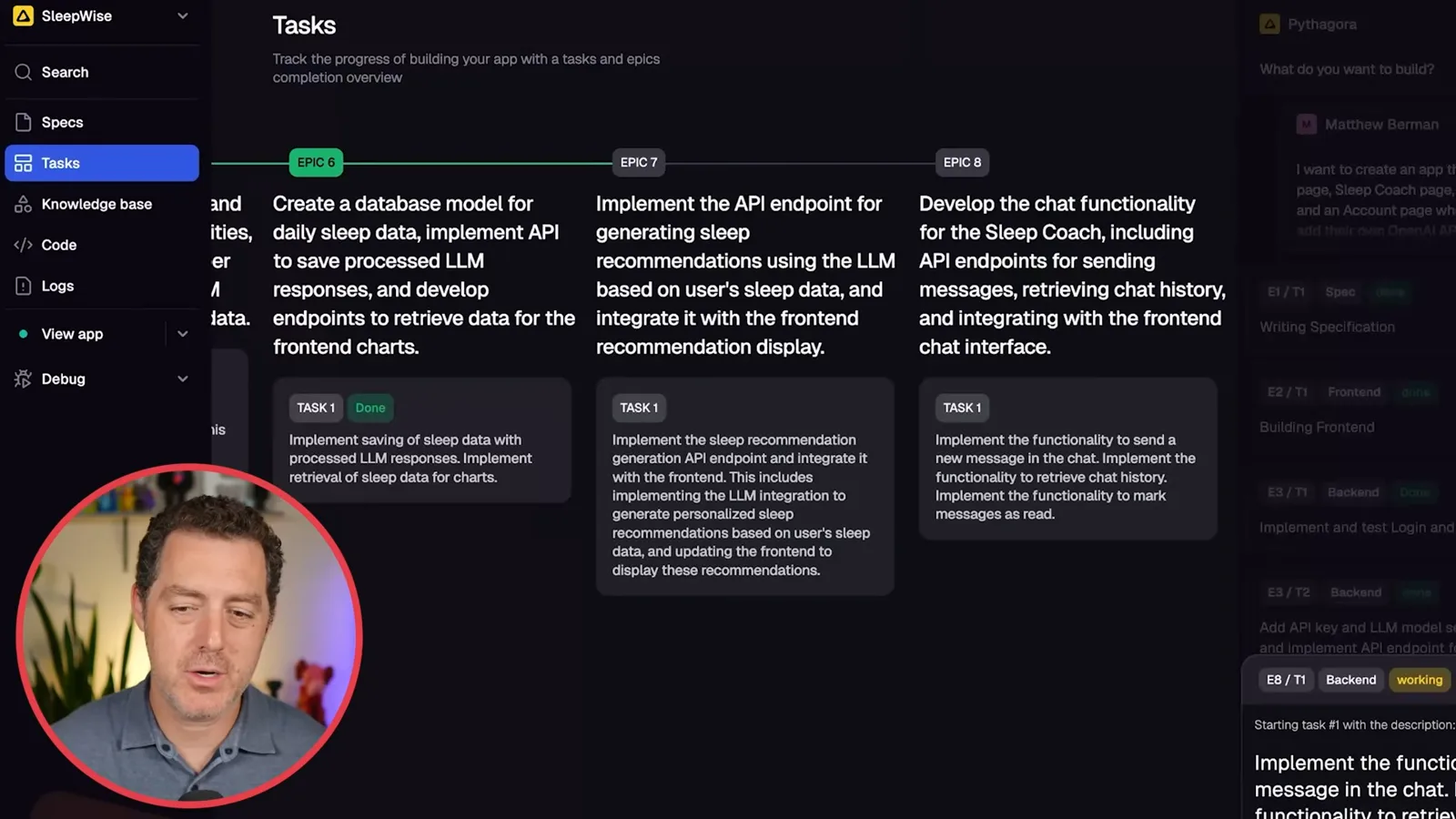
The task list proposes implementing a recommendation endpoint I believe is already present, so I skip it and move to the sleep coach. After another round of reported interface errors and fixes, I send a greeting and see a response. I check that the message is stored and still appears after reloading the page.
The coach answers a general question about a bedtime wind-down routine. I explicitly leave a further goal for a future iteration: giving the coach access to all of my data and confirming that it can answer questions specific to me. The video does not demonstrate that this personalized-data feature is complete.
I accept the demonstrated build and report the elapsed work time. The practical lesson is the iterative loop: write a specification, inspect the generated work, run human tests, report failures and retest. The sponsored demonstration shows a working prototype for selected flows, with unresolved questions about privacy, security, accuracy and real-world deployment.
同じチャンネルの記事
 34:21EN
 Matthew Berman· 2026年10月27日Matthew Berman Examines Anthropic’s IPO Filing, AI Growth and GovernanceMatthew Berman, Sam Altman · Forward FutureThe presenter reviews the S-1’s financial metrics, compute strategy and voting structure while questioning the tension between rapid AI development and safety.
 0:26ENMatthew Berman· 2026年10月25日Sam Altman on Human Values and Problem-Solving in an AI WorldSam Altman · OpenAIIn a short interview excerpt, Altman considers the enjoyment of solving hard problems and the human role in interpreting results.
 0:36ENMatthew Berman· 2026年10月25日Kimi K3.1 and a Rubik’s Cube Solver DemonstrationMatthew Berman · Forward FutureMatthew Berman shows a scrambled virtual cube being solved and gives the Kimi K3.1 test a favorable assessment.
 0:21ENMatthew Berman· 2026年10月24日An AI-Generated Kimi Benchmark Chart Used Invented ScoresMatthew Berman · Forward FutureMatthew Berman asks for a graph of Kimi K3.1 Pro benchmarks, then discovers that the displayed figures are illustrative placeholders.
 25:50ENMatthew Berman· 2026年10月24日Kimi K3.1 Pro Tested: Strong 3D Demos, Uneven Results and Competitive PricingMatthew Berman · Forward FutureMatthew Berman tests the open-weight model on coding, 3D rendering and visual explanations, then compares benchmark results and prices.
 32:20ENMatthew Berman· 2026年10月23日Who Is Local AI For? The Costs, Trade-offs and a Hybrid FutureMatthew Berman · Forward FutureMatthew Berman weighs data control and independence against hardware cost, setup complexity and inference speed.