30 秒でわかる
Matthew Berman installs Cody in VS Code, downloads Code Llama through Ollama and selects a local autocomplete provider. He demonstrates completion, code editing and hosted chat, documentation and other commands. Cody sponsored the video. The instructions, pricing and interface reflect January 2024; local autocomplete does not mean all features or setup are offline, and the model has separate license terms.
- 1Install CodyBerman installs the VS Code prerelease extension and signs in.
- 2Download Code LlamaThe historical tutorial uses `ollama pull codellama:7b-code` after installing Ollama.
- 3Select local completionHe selects the experimental Ollama provider and checks the output log.
- 4Hosted featuresChat and additional commands are demonstrated separately using hosted models.
ポイント
- The demonstrated Ollama provider runs Code Llama 7B locally for autocomplete after setup and model download.
- The video’s installation, prerelease settings and pricing are historical and may differ from current versions.
- Berman’s other Cody chat and command examples use hosted models, so not every demonstrated feature is local.
- The selected provider log confirms that completion configuration, not all possible network activity.
- Cody sponsored the video; generated code and tests require review.
チャプターごとに整えた全文を読む
Local autocomplete and setup
Berman introduces the sponsored tutorial and installs Cody and Ollama. He downloads Code Llama 7B and selects the experimental completion provider.
Coding assistants can be useful, but hosted models require network access. In this January 2024 tutorial I show Cody in Visual Studio Code with Ollama and Code Llama 7B for local autocomplete. Cody sponsored the video. The local claim applies to the configured completion provider; it does not establish that every Cody feature, account operation or telemetry event is offline.
I use a MacBook Pro with M2 Max and find the 7B model responsive on that machine. Performance and memory needs depend on hardware and configuration. The simple examples shown here are demonstrations, not a comprehensive comparison with other coding assistants.
Install Visual Studio Code for your operating system, open Extensions and search for Cody AI. I install the prerelease extension, open Cody and sign in using Google; GitHub sign-in is also offered in the demonstrated flow. Installation, account setup and model download require network access in this walkthrough.
At the time I describe a free tier, rate limits and a temporarily free Pro offering. Those prices and model defaults are historical and may have changed. My focus is to switch autocomplete to a local model rather than assume every feature uses that model.
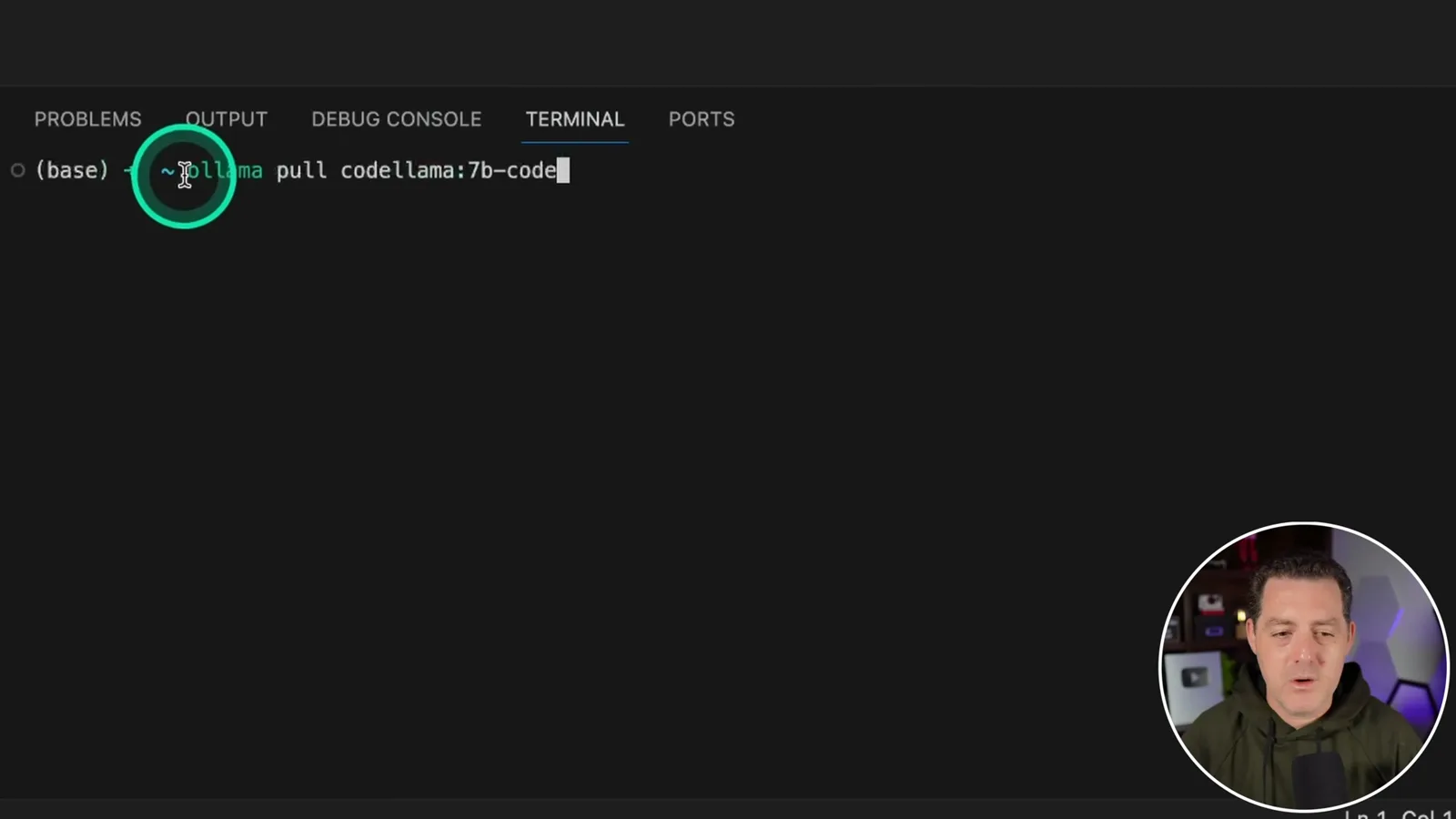
Install and start Ollama, then open a terminal and download the demonstrated model with `ollama pull codellama:7b-code`. I already have it cached, and the displayed download is approximately 3.8 GB. See [Ollama’s Code Llama instructions](https://ollama.com/blog/run-code-llama-locally); model tags and sizes can change.
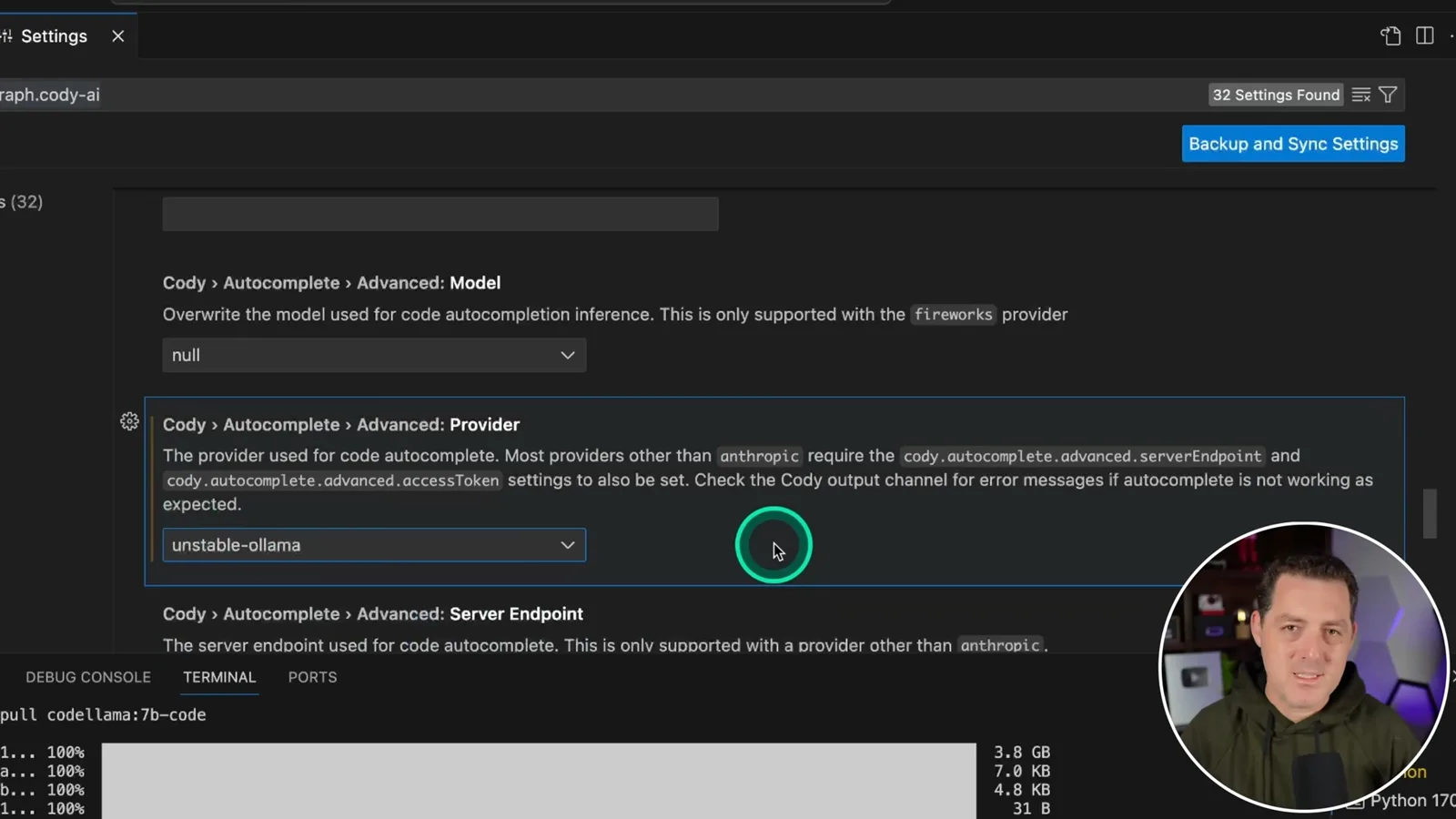
In the then-current Cody extension settings, find Autocomplete > Advanced: Provider and select `unstable-ollama`. I leave the separate model override at null, noting that the displayed control refers to the Fireworks provider. This was an experimental 2024 configuration: newer versions may use different settings, and [Sourcegraph’s documentation](https://sourcegraph.com/docs/cody/capabilities/ollama) should be checked for current support.
Testing completion and edits
He checks the output log, generates a Fibonacci example and edits a face-detection script. The provider log is not a complete network audit.
To inspect the selected completion provider, open the VS Code Output panel and choose Cody by Sourcegraph. The log shows the Ollama provider and Code Llama model. This is evidence of the provider used for that completion, not an audit proving every network operation or feature is local.
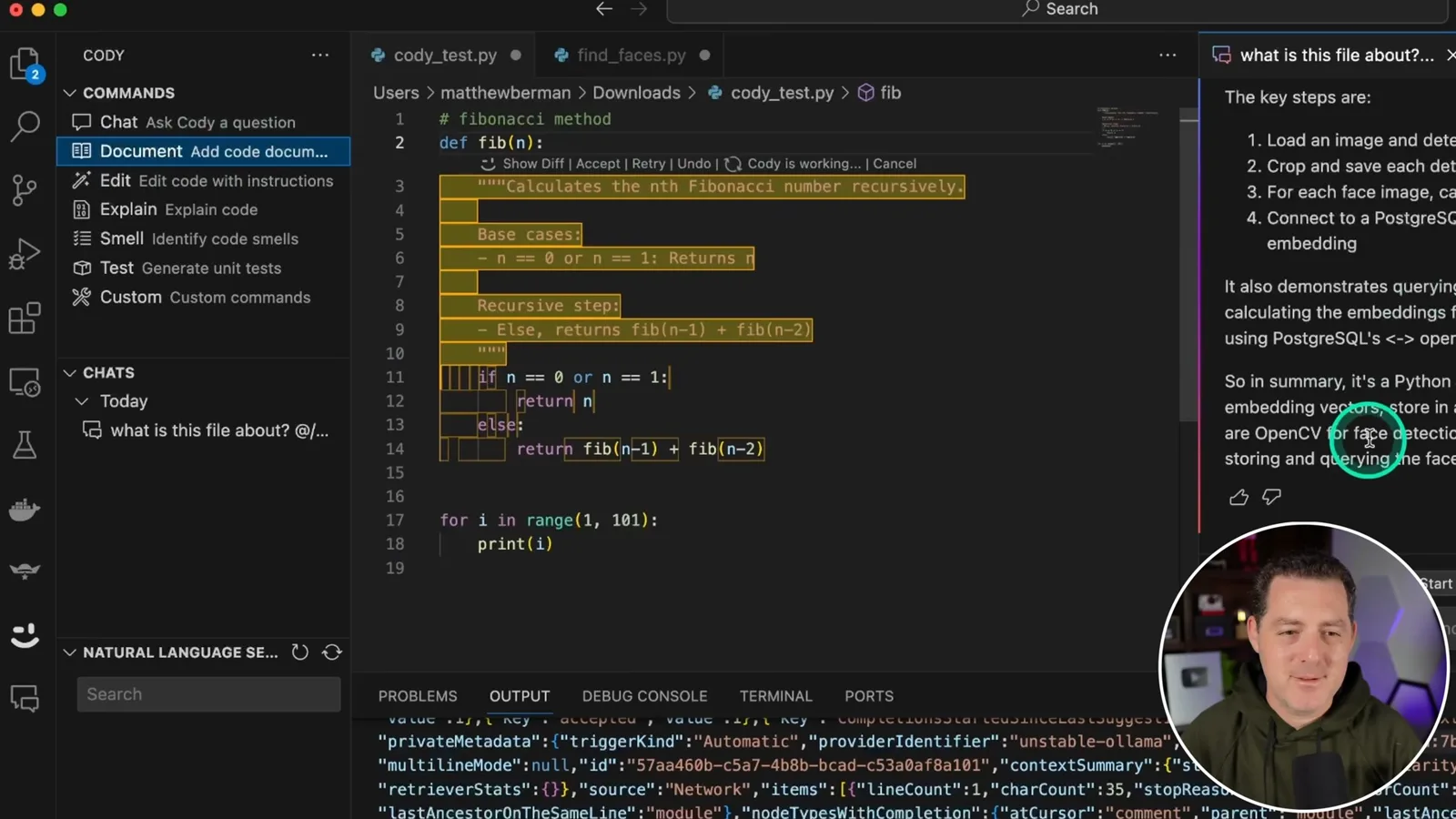
I type a comment requesting a Fibonacci method, and Cody suggests code that I accept with Tab. The response looks fast on my computer. Generated code still needs review and testing; this example alone does not establish correctness on all inputs.
The lightbulb menu offers an “Ask Cody to generate” action. I request code to print numbers from 1 to 100 and show the options to accept, retry, undo or inspect the diff. The tutorial does not independently establish that this command uses the same local inference path as autocomplete.
Using an existing face-detection script, I add a line and show Cody suggesting a comment based on surrounding code. I then select code and request an edit to change the output image name. I accept the result and show model/provider information in the output panel.
Hosted chat and other commands
Berman demonstrates chat, documentation and editing with hosted features, then mentions code smells and tests. He gives his own comparison with Copilot.
Cody also offers chat and other features that, in this demonstration, are not powered by the local model. I select a hosted Claude model and ask what the referenced face-detection file does. Available models, plans and data handling are tied to the service and configuration, so local autocomplete does not make this chat local.
I demonstrate adding documentation and removing comments, then mention code explanation, detecting code smells and generating unit tests. I would find tests particularly useful, but generated changes and tests still need human review. I prefer Cody’s feature set to GitHub Copilot in this demonstration; that is my opinion rather than a controlled comparison.
Cody sponsored the video. The walkthrough shows one historical configuration for local completion and separate hosted capabilities; the available features, pricing and licensing can change over time. Code Llama’s weights have their own license and conditions, separate from Cody’s software and service terms.
同じチャンネルの記事
 34:21EN
 Matthew Berman· 2026年10月27日Matthew Berman Examines Anthropic’s IPO Filing, AI Growth and GovernanceMatthew Berman, Sam Altman · Forward FutureThe presenter reviews the S-1’s financial metrics, compute strategy and voting structure while questioning the tension between rapid AI development and safety.
 0:26ENMatthew Berman· 2026年10月25日Sam Altman on Human Values and Problem-Solving in an AI WorldSam Altman · OpenAIIn a short interview excerpt, Altman considers the enjoyment of solving hard problems and the human role in interpreting results.
 0:36ENMatthew Berman· 2026年10月25日Kimi K3.1 and a Rubik’s Cube Solver DemonstrationMatthew Berman · Forward FutureMatthew Berman shows a scrambled virtual cube being solved and gives the Kimi K3.1 test a favorable assessment.
 0:21ENMatthew Berman· 2026年10月24日An AI-Generated Kimi Benchmark Chart Used Invented ScoresMatthew Berman · Forward FutureMatthew Berman asks for a graph of Kimi K3.1 Pro benchmarks, then discovers that the displayed figures are illustrative placeholders.
 25:50ENMatthew Berman· 2026年10月24日Kimi K3.1 Pro Tested: Strong 3D Demos, Uneven Results and Competitive PricingMatthew Berman · Forward FutureMatthew Berman tests the open-weight model on coding, 3D rendering and visual explanations, then compares benchmark results and prices.
 32:20ENMatthew Berman· 2026年10月23日Who Is Local AI For? The Costs, Trade-offs and a Hybrid FutureMatthew Berman · Forward FutureMatthew Berman weighs data control and independence against hardware cost, setup complexity and inference speed.