30 秒でわかる
In this May 2023 tutorial, Matthew Berman shows how BabyAGI UI wraps a task-planning loop in a browser interface. He runs a local installation, configures an API key and watches the agent generate and prioritize tasks. The demonstration produces suggestions rather than solving the stated objective. The UI repository was archived in October 2024, so the instructions and model choices are historical.
- 1Task loopThe agent repeatedly creates, prioritizes and executes tasks for a user-specified objective.
- 2Historical installationBerman clones the UI, installs Node packages, copies an environment template and starts a local server.
- 3Example objectiveThe interface produces and prioritizes a task list about world hunger; it does not demonstrate a solution.
- 4Stop and monitor usageBerman stops the loop and notes that repeated API requests can consume resources.
ポイント
- BabyAGI’s original task loop creates, prioritizes and executes tasks toward an objective; its name does not establish AGI.
- BabyAGI UI was a separate web interface built around the original project and its repository is now archived.
- The 2023 walkthrough uses Node.js, npm, an environment file and an OpenAI API key.
- The world-hunger example shows generated text and task lists, not verified research or real-world implementation.
- An unlimited iteration setting can consume API resources and incur costs.
チャプターごとに整えた全文を読む
BabyAGI and its new interface
Berman describes the task-planning loop and introduces a separate browser interface. He notes its limited ability to execute real-world work.
BabyAGI now has a web interface that makes its task loop easier to try. In this May 2023 walkthrough, I install BabyAGI UI locally and demonstrate it with an example objective. This is a historical tutorial: the [UI repository](https://github.com/miurla/babyagi-ui) was archived in October 2024, and current model availability, dependencies and setup may differ.
The original BabyAGI is an experimental task-management agent: give it an objective, and it creates, prioritizes and executes tasks in a loop. It is still basic and limited in what it can actually accomplish. Despite the name, this demonstration is not evidence of artificial general intelligence.
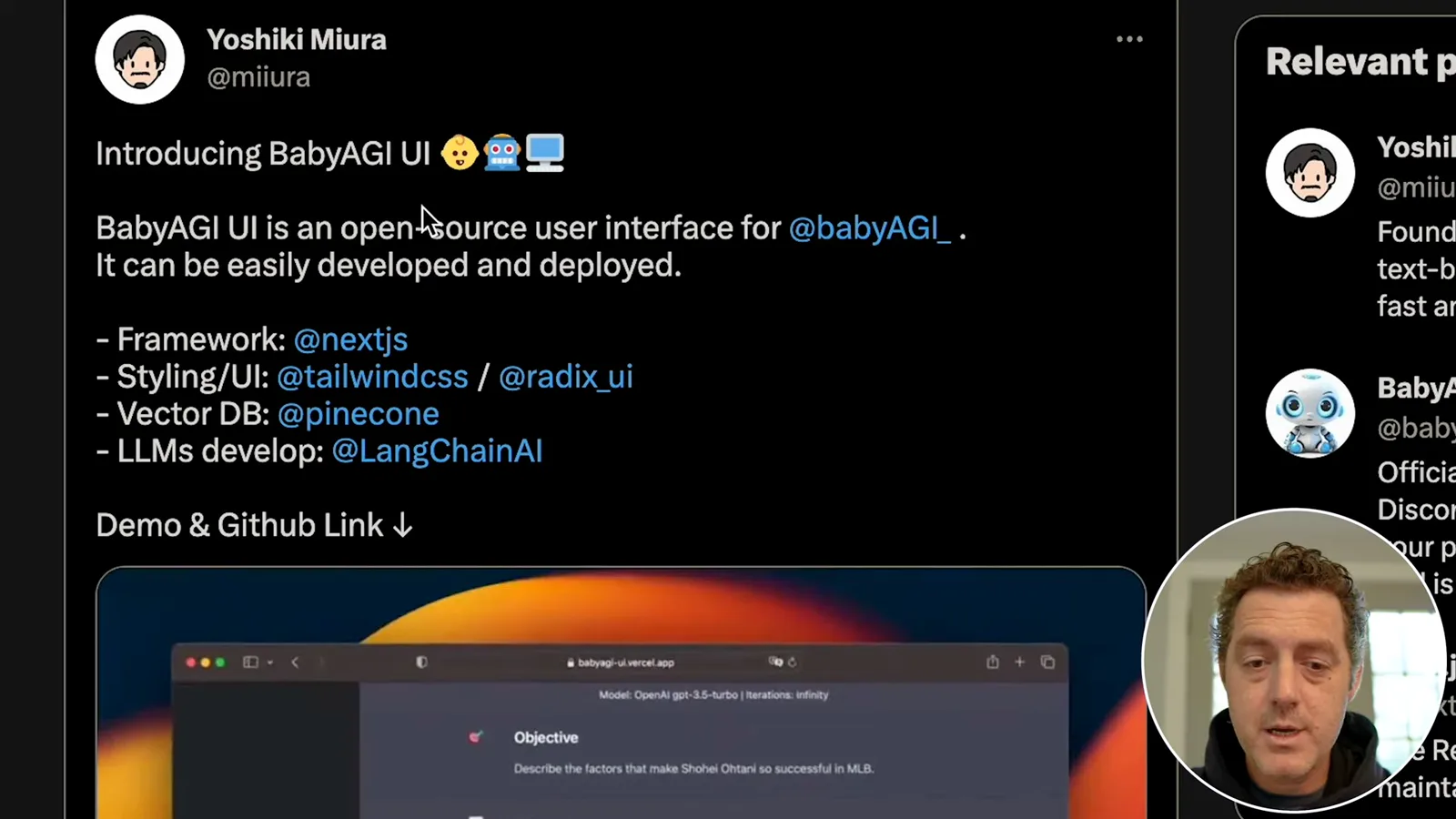
Yoshiki Miura’s BabyAGI UI offers a ChatGPT-like interface using Next.js, Tailwind CSS, Pinecone and LangChain. It can be deployed through Vercel or run locally. The UI is a separate project from Yohei Nakajima’s original BabyAGI; the latter has since evolved and its original version was moved to an archive.
Local installation and configuration
He clones the project, installs dependencies and starts the server. He selects a model and enters an API key in the interface.
For the local setup shown, I clone the repository with `git clone https://github.com/miurla/babyagi-ui`, enter it with `cd babyagi-ui`, and run `npm install` after installing Node.js. I copy the example environment file and start the development server with `npm run dev`. The repository now documents `cp .env.example .env`; consult the archived project’s instructions for its configuration rather than assuming the old demo remains current.

The README mentions environment variables and Pinecone. In this particular demonstration, I leave the environment settings unfilled and enter the OpenAI API key through the interface instead. That observation does not establish that Pinecone or other configuration is unnecessary for every version or feature; the repository’s later README specifies an index for its setup.
Once the server starts, I open the local address displayed in the terminal, here `http://localhost:3001`. The interface lets me choose from the models offered at the time and set a finite number of iterations or an unlimited loop. The model names, access and prices shown in 2023 should not be treated as current.
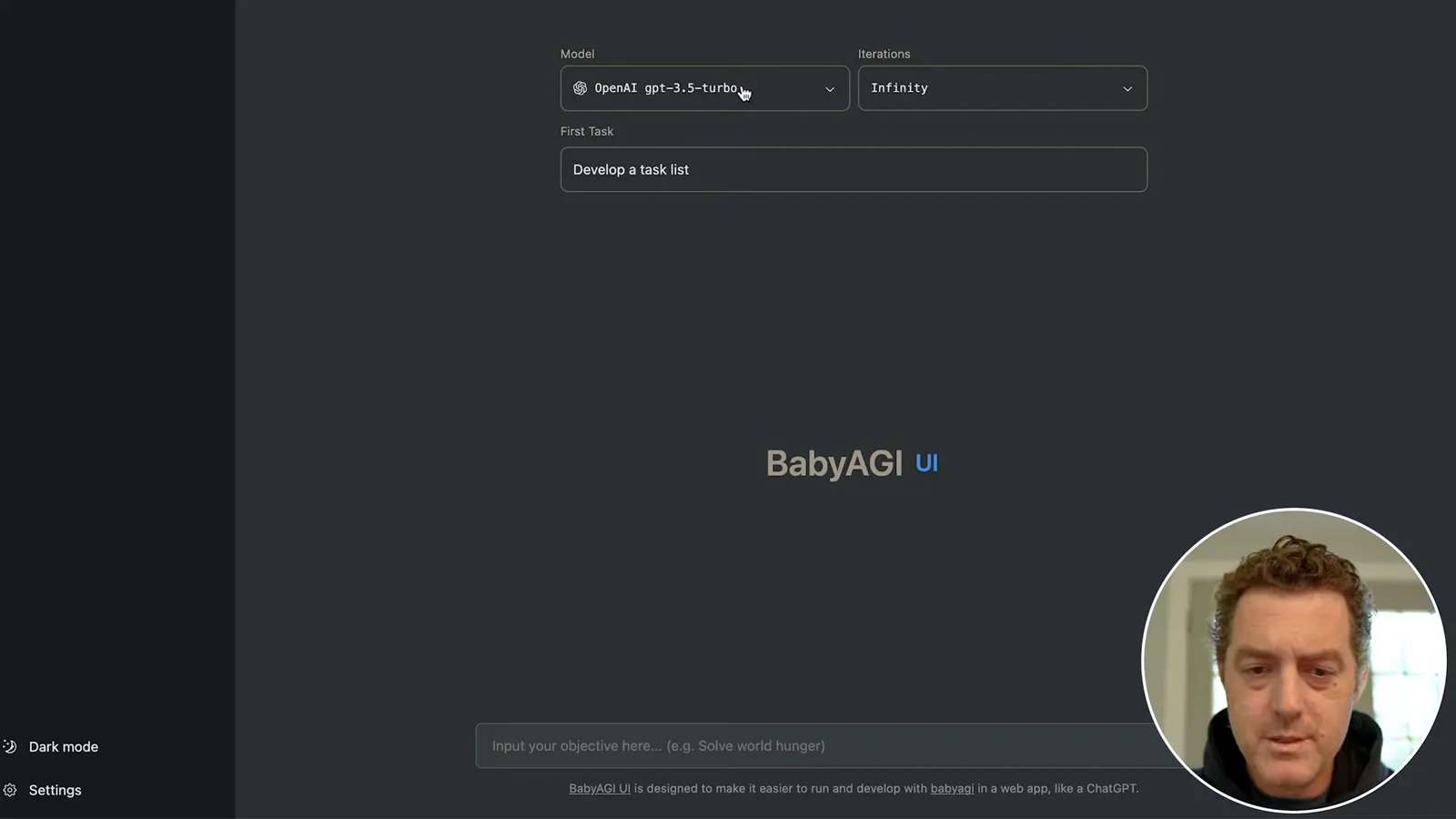
I choose GPT-3.5 Turbo, create an API key and save it in the interface settings. I say I will rotate the key shown during recording. API calls can incur charges, especially if the loop runs indefinitely, so monitor usage and stop the process when appropriate.
Running an example
A world-hunger objective generates and reprioritizes tasks. Berman stops the loop and reminds viewers to monitor API usage.
For the example objective, I enter “solve world hunger” with the initial task “develop a task list.” The model generates suggested tasks, such as researching economic, political and social causes, then prioritizes them. This demonstrates task generation, not a solution to world hunger.
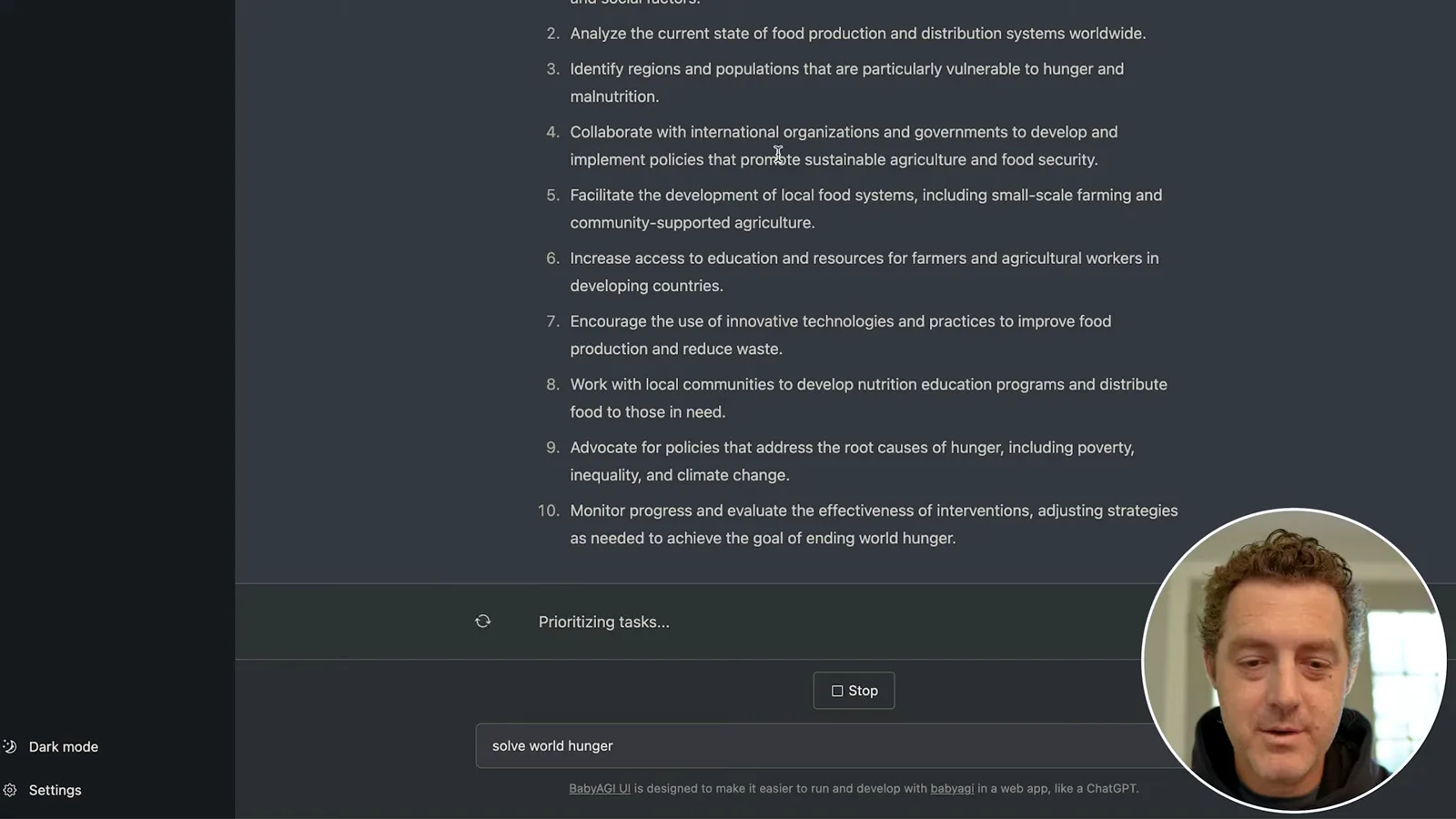
The top task asks for an analysis of climate change’s effect on food production and distribution. The interface displays generated text, then creates and reprioritizes another list. A later task proposes a database of sustainable agriculture and food-security programs; the video does not establish that the system independently researched verified sources or built such a database.
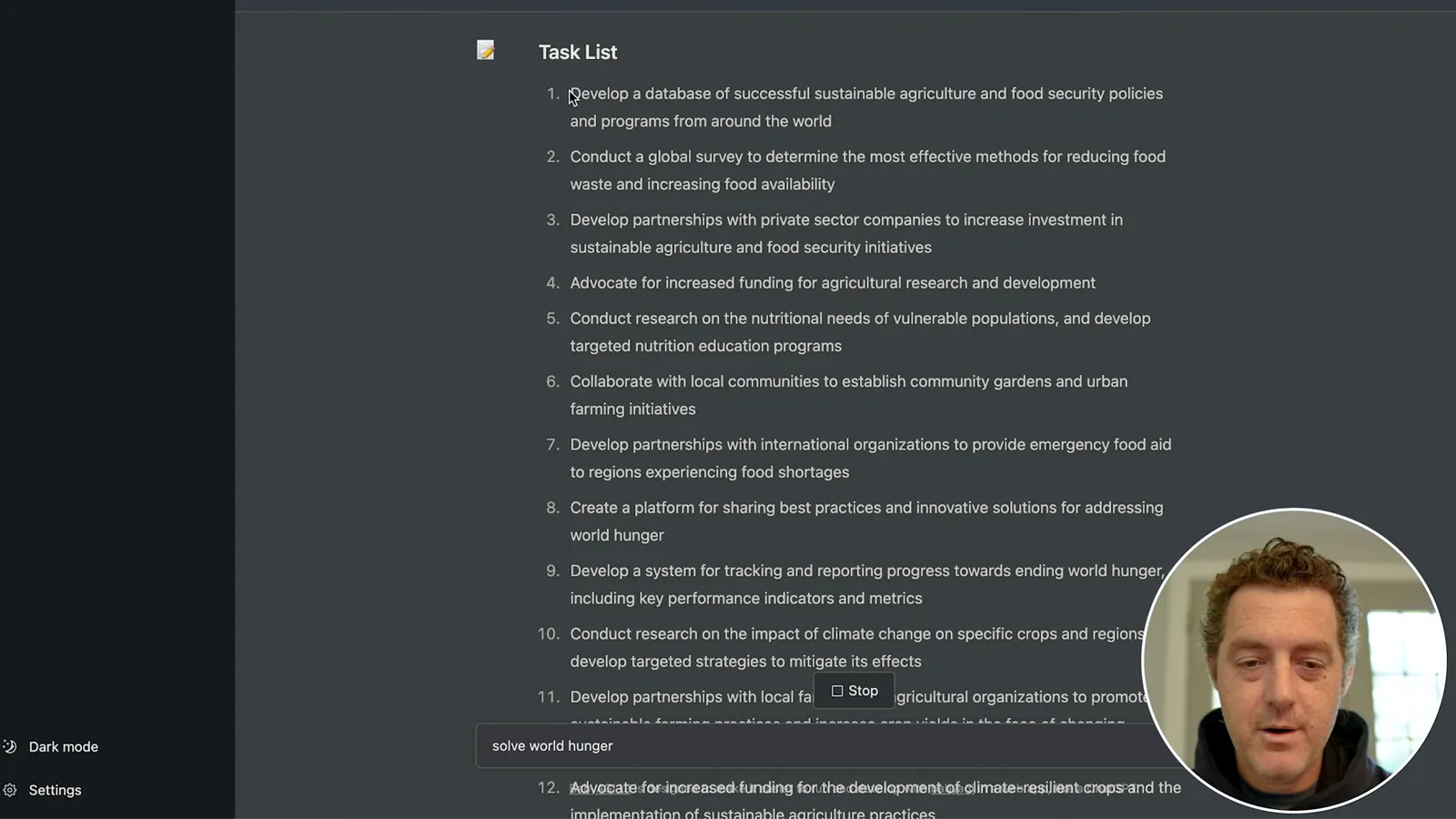
I stop the run after seeing the cycle repeat. The task list and generated responses show the promise of a simple agent interface, but outputs need verification and real-world execution is limited. Continuous runs can create substantial API usage, so I recommend keeping an eye on the loop.
同じチャンネルの記事
 34:21EN
 Matthew Berman· 2026年10月27日Matthew Berman Examines Anthropic’s IPO Filing, AI Growth and GovernanceMatthew Berman, Sam Altman · Forward FutureThe presenter reviews the S-1’s financial metrics, compute strategy and voting structure while questioning the tension between rapid AI development and safety.
 0:26ENMatthew Berman· 2026年10月25日Sam Altman on Human Values and Problem-Solving in an AI WorldSam Altman · OpenAIIn a short interview excerpt, Altman considers the enjoyment of solving hard problems and the human role in interpreting results.
 0:36ENMatthew Berman· 2026年10月25日Kimi K3.1 and a Rubik’s Cube Solver DemonstrationMatthew Berman · Forward FutureMatthew Berman shows a scrambled virtual cube being solved and gives the Kimi K3.1 test a favorable assessment.
 0:21ENMatthew Berman· 2026年10月24日An AI-Generated Kimi Benchmark Chart Used Invented ScoresMatthew Berman · Forward FutureMatthew Berman asks for a graph of Kimi K3.1 Pro benchmarks, then discovers that the displayed figures are illustrative placeholders.
 25:50ENMatthew Berman· 2026年10月24日Kimi K3.1 Pro Tested: Strong 3D Demos, Uneven Results and Competitive PricingMatthew Berman · Forward FutureMatthew Berman tests the open-weight model on coding, 3D rendering and visual explanations, then compares benchmark results and prices.
 32:20ENMatthew Berman· 2026年10月23日Who Is Local AI For? The Costs, Trade-offs and a Hybrid FutureMatthew Berman · Forward FutureMatthew Berman weighs data control and independence against hardware cost, setup complexity and inference speed.