30 秒でわかる
Peter Yang demonstrates how he organizes conversations, connects apps and uses Codex for email, calendar and recurring preparation. He tests a personalized writing skill and shows several small sites, while noting that his remote setup depends on an awake computer.
- 1Connect tools and organize workYang installs relevant plugins and keeps projects and conversations organized by workflow.
- 2Review email actionsHe requests linked action items, inspects candidates and reviews a draft before asking for it to be sent.
- 3Test a writing skillThe agent uses sent-message examples to draft in his style, which he tests and adjusts.
- 4Schedule a proven routineA weekly brief combines email follow-ups and upcoming-meeting preparation.
ポイント
- Use custom instructions to communicate your preferred level of detail and writing style.
- Connect relevant tools, then review linked source material and proposed actions.
- Test a reusable writing skill and refine it from actual drafts.
- Practice a workflow manually before scheduling a recurring summary.
- Product interfaces and remote-work requirements reflect the video and may change.
チャプターごとに整えた全文を読む
Interfaces and personalization
Yang introduces his product comparison, model preference and custom instructions.
Peter Yang presents a beginner tutorial on the ChatGPT desktop app, Work and Codex, using his own email, calendar and website workflows. His interface descriptions and model preferences reflect the products available when the video was recorded.
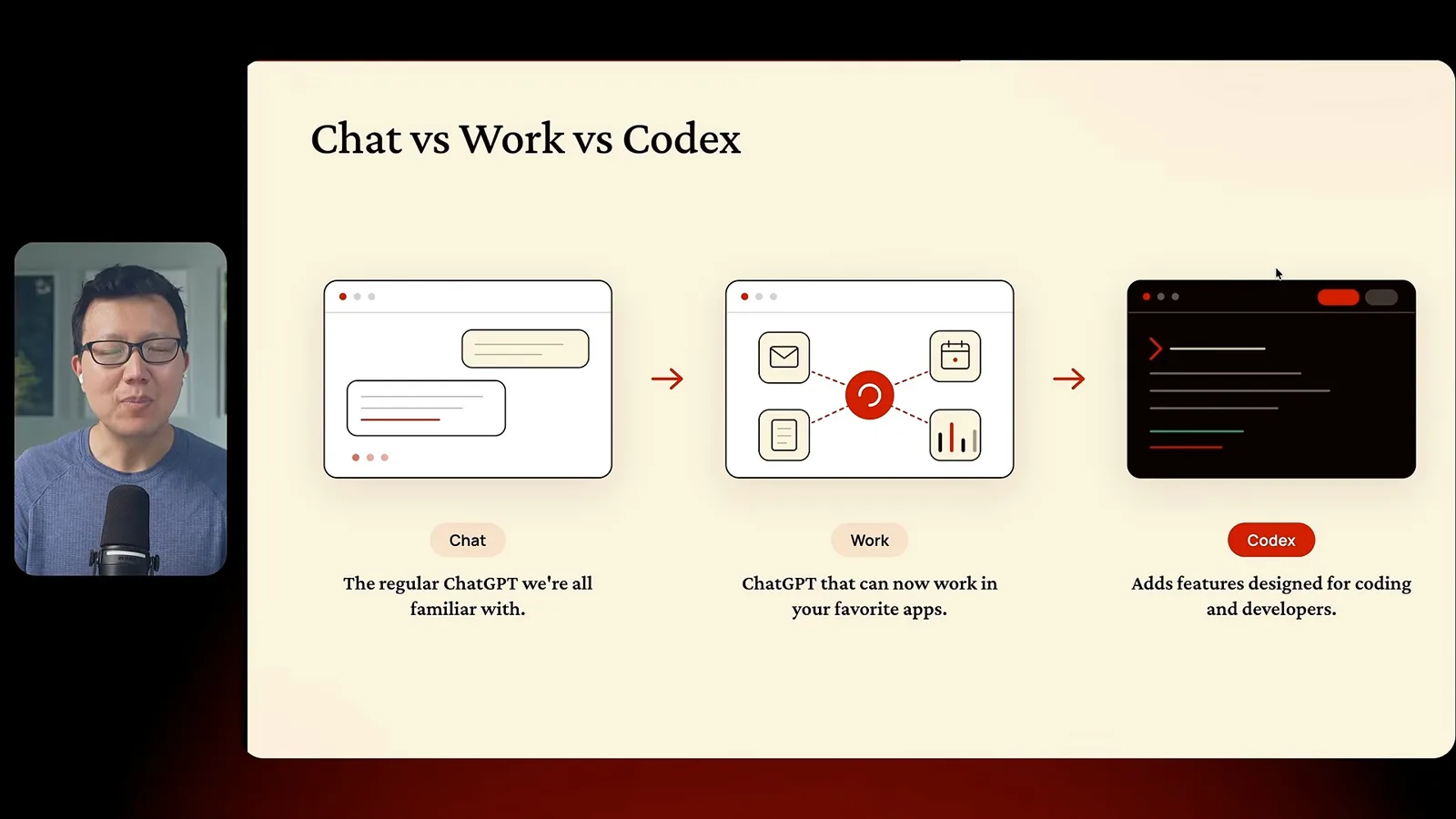
Yang describes Chat as general conversation, Work as an interface for connected tasks and Codex as adding developer-oriented features. He sees considerable overlap between Work and Codex. For his own work he prefers a medium-effort model setting, but availability, capabilities and appropriate settings can change.
He begins by customizing instructions: explain technical ideas plainly, write concisely and challenge him when appropriate. His personal preferences also include avoiding certain writing patterns. These instructions are a starting point that can be refined when results miss the mark.
Tools, projects and email
He connects applications, organizes conversations and demonstrates email workflows.
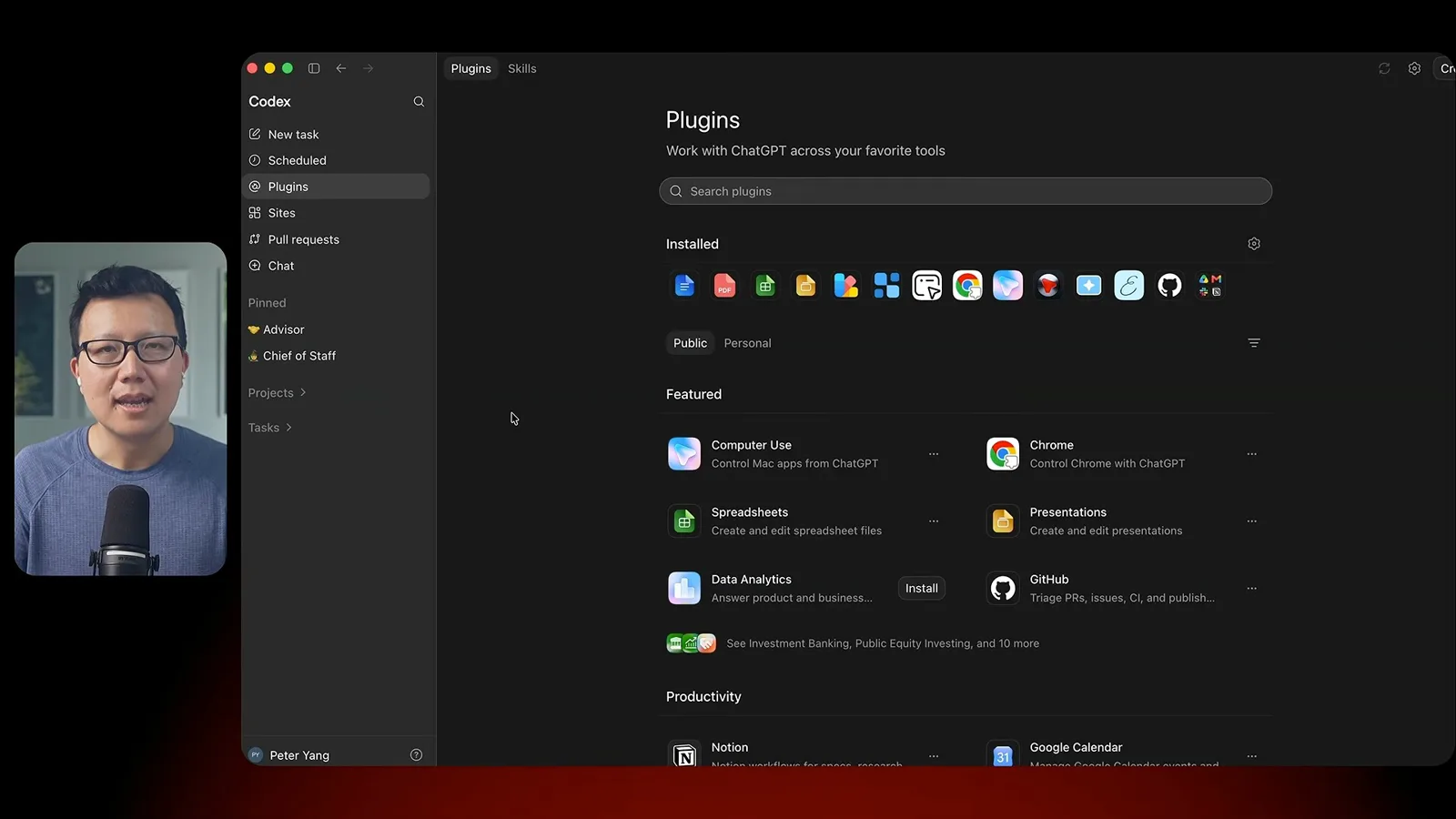
Yang shows plugins for services such as email, calendar and documents. Connected tools make new workflows possible, subject to the permissions and capabilities of the specific integration. He then organizes projects by activity and keeps longer-running conversations for recurring workflows.
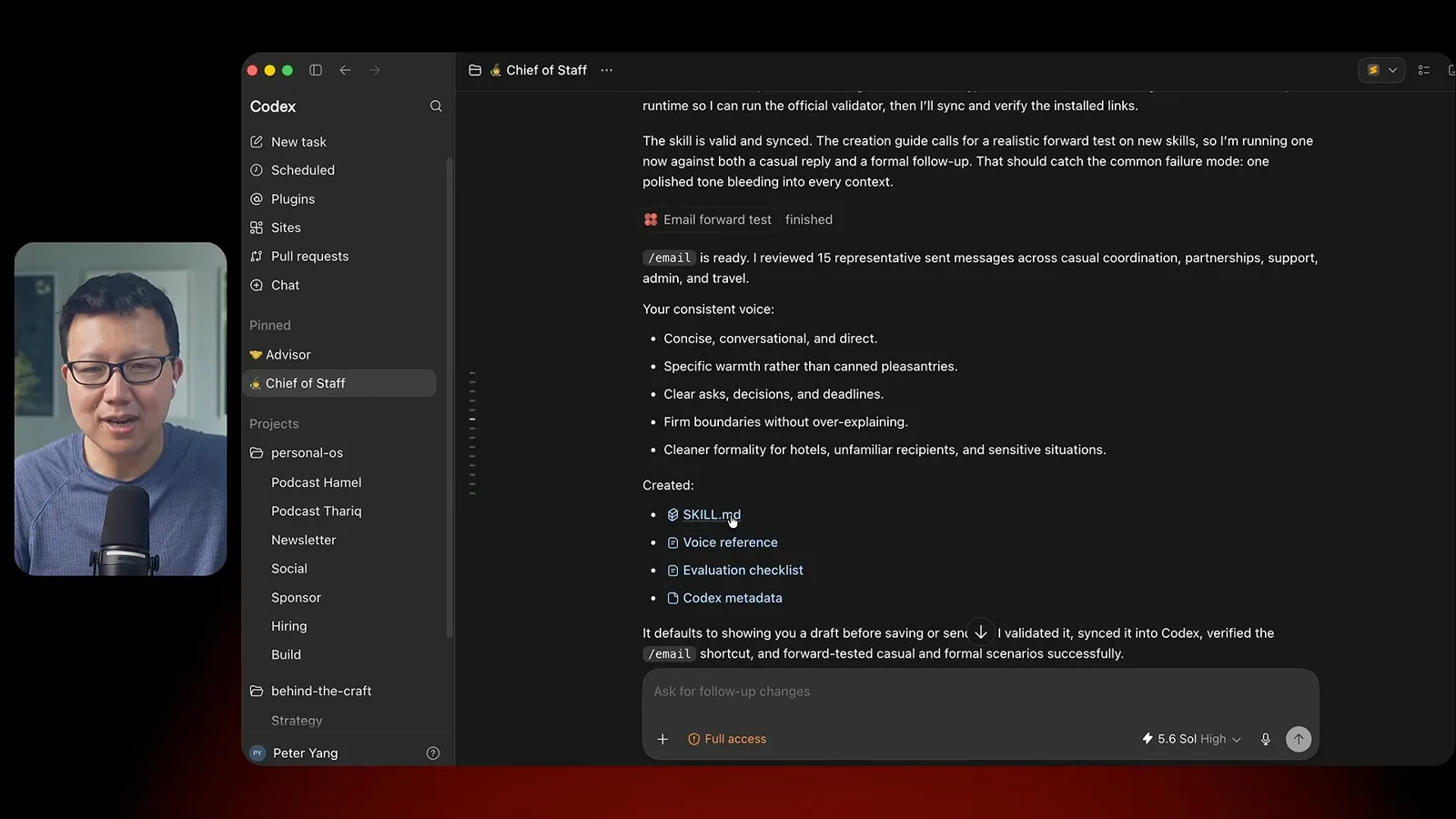
For a chief-of-staff workflow, he asks the agent to find recent email action items, identify unsubscribe candidates and link back to the source messages. He reviews specific candidates before requesting changes. For a hotel follow-up, he reviews a draft and explicitly asks the agent to send it.
To improve email drafts, Yang has the agent review examples of his sent mail and create a reusable writing skill. He tests the result on a real draft, observes that it is shorter and more casual, and recommends iterating rather than assuming the first version is correct.
Calendar and scheduled preparation
Meeting preparation becomes a recurring chief-of-staff brief.
Calendar examples include asking for a meeting with the relevant time and participants and having the agent flag a conflict. He also uses a podcast-preparation skill to research a guest and create a draft interview guide. Those results still benefit from checking and editing.
After practicing the workflow manually, Yang schedules a weekly brief that combines email follow-ups, upcoming meetings and interview preparation. The method is to first establish a useful process, give feedback and then make the recurring request specific about timing and outputs.
Mobile access and sites
Yang discusses his remote setup and shows examples of interactive sites.
Yang shows how he uses his phone to access threads connected to his computer. In the setup he demonstrates, the computer needs to stay awake; he uses a utility for that. He also notes that continuously checking agents can compete with time away from screens. Remote and cloud options may differ from his setup.
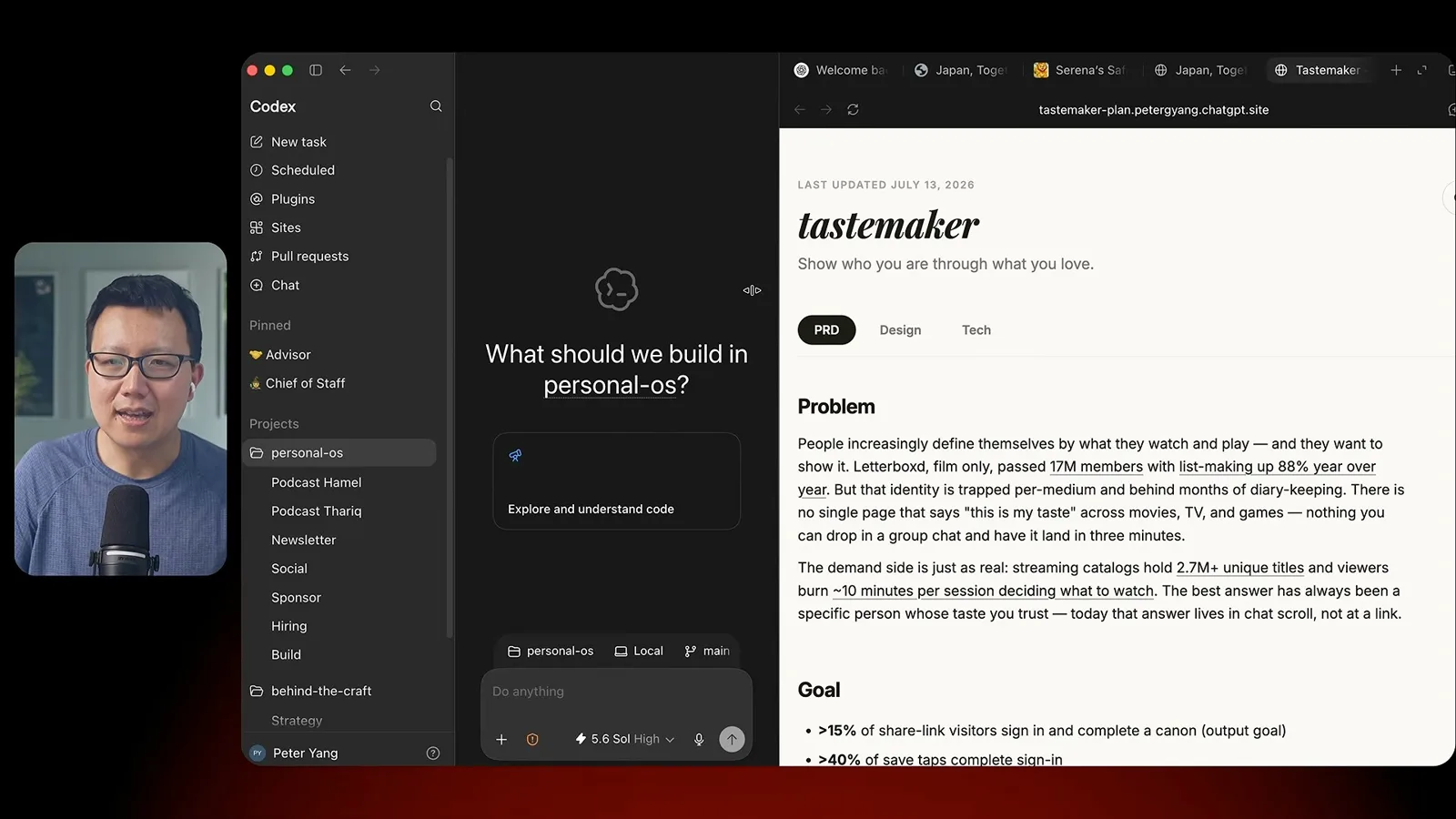
He demonstrates sites including a travel guide, a multiplication game and an interactive product plan. The plan puts requirements, design components and technical choices together for review. These examples illustrate his own experience, not a guarantee of a finished product from a single request.
Yang's recurring advice is to connect tools needed for a task, personalize instructions, review results, and turn useful routines into scheduled work. He promotes his paid collection of skills and courses at the end of the video; product features, pricing and plans are time-sensitive.
同じチャンネルの記事
 46:40EN
 Peter Yang· 2026年11月8日ポッドキャスト · 2 人Ashley Alexander: How AI Helps Me Care for My Parents With Cancerゲスト Ashley Alexander · ホスト Peter YangA caregiver uses AI to prepare for appointments, organize records and ask better questions—while keeping doctors at the center of treatment.
 17:50ENPeter Yang· 2026年11月4日ポッドキャストPeter Yang’s Five Steps for Using AI to Help Care for His MotherYang uses a shared care brief and organized records to navigate appointments, while making time for family.
 15:03ENPeter Yang· 2026年11月3日ポッドキャストHow Peter Yang Used an AI Phone Agent to Negotiate His Internet BillAn AI call negotiated a lower price and faster service, but Yang still had to approve the change himself.
 33:09ENPeter Yang· 2026年11月1日ポッドキャスト · 2 人Jaclyn Konzelmann: When AI Can Build More, Choose What Deserves to Existゲスト Jaclyn Konzelmann · ホスト Peter YangGoogle Labs pairs short strategy documents with prototypes, user co-creation and lessons from experiments that end.
 13:05ENPeter Yang· 2026年10月28日ポッドキャストPeter Yang Tests Genie 4: Convincing Worlds, Unfinished GameplayFive live demonstrations show scenes that respond to prompts and sound, alongside inconsistent actions and limited game mechanics.
 1:06ENPeter Yang· 2026年10月26日ポッドキャストPeter Yang on Setting Up Payroll for a One-Person BusinessIn a paid partnership, Yang describes the paperwork he encountered and a payroll product integrated with a business account.