30 秒でわかる
Matthew Berman demonstrates his workflow for using ChatGPT as a coding partner by building a Python command-line client for an OpenAI model. He begins with a plan, corrects an obsolete API suggestion using documentation, tests the program, deliberately introduces an error, and iterates on a typing effect. His productivity and employment predictions are personal views, while model names, limits, pricing, and code reflect April 2023 and may no longer apply.
- 1Act as a conductorBerman describes directing an AI coding partner while retaining responsibility for understanding, testing, and correcting the work.
- 2Plan before codingHe asks for a Python command-line chatbot, a file structure, and a code outline before creating the project.
- 3Correct outdated API adviceWhen the generated method uses an old pattern, he supplies the relevant API documentation and asks for a revision.
- 4Use an error to debugHe deliberately changes the model name, runs the program, and asks ChatGPT to diagnose the resulting traceback.
- 5Refine the typing effectThe first version only delays the output, so he explains that he wants the response displayed character by character.
ポイント
- Start with a clear description of the goal, language, file structure, and desired code outline.
- Review and test generated code; the demonstration required correction when ChatGPT proposed an outdated API pattern.
- Useful debugging context includes the error output and the relevant code, with secrets removed.
- Ask for design alternatives and refine the request when the first implementation misses the intended behavior.
- Conversation context is finite, so provide relevant code again when the assistant loses track.
- The demonstration uses historical model limits, packages, and interfaces; consult current documentation before implementing it.
チャプターごとに整えた全文を読む
A coding partner and its limits
Berman introduces his view of AI-assisted development and discusses the skills needed to begin. His discussion of model access and context limits reflects the state of the service in 2023.
ChatGPT has changed how I build software, and I expect developers who learn to use AI to become more productive. My prediction that those who do not will lose their jobs is a personal forecast, not an established outcome. I also describe a tenfold productivity improvement from my own experience; this walkthrough does not measure or establish a general productivity multiplier.
I think of the developer as a conductor: describe the work, guide the model, and examine what it produces. A basic understanding of programming and the structure of a project helps. I suggest starting with Python and learning as you go, including asking ChatGPT where files belong, while recognizing that the generated code still needs to be understood and checked.
For this April 2023 demonstration I use GPT-4 in ChatGPT to help write code, while targeting GPT-3.5 Turbo for the application itself. I discuss the message and context limits available to me at the time, including a 25-message-per-three-hour cap and different token limits. Those figures and model availability were specific to that period and are not current specifications.
As a codebase grows, providing all its context in a prompt becomes harder. Clear file and method names can help convey intent, and a concise description can summarize surrounding code. These aids do not guarantee the model knows what omitted files actually do: when a response depends on details, supply the relevant context.
Plan the command-line application
He asks ChatGPT for a Python chatbot design and creates the project files in VS Code. The application is a local interface to a remote API.
The example is a Python command-line interface for asking questions through the OpenAI API. The interface runs on my computer, but the model is called remotely through the API. Before writing files, I ask ChatGPT for a high-level plan, the file structure, and a code outline, specifying GPT-3.5 Turbo and Python.
ChatGPT suggests using the OpenAI package. In VS Code, I create a project folder, install the dependency, and add `chatgpt.py`, `requirements.txt`, and a `.env` file. The requirements file records dependencies; the environment file holds the API key. The commands and SDK patterns in the video belong to the 2023 versions, so consult current documentation before copying them.
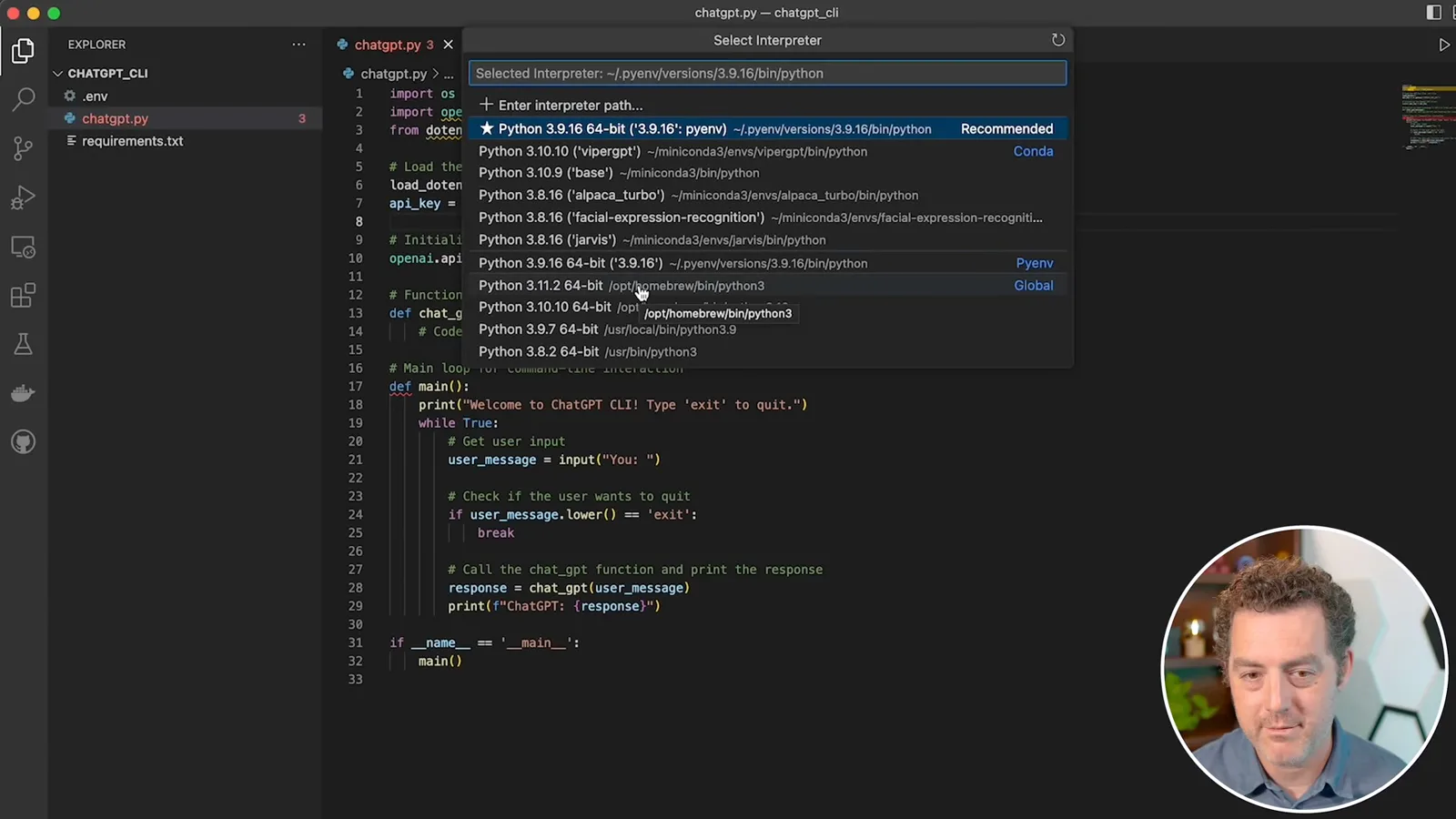
I create a secret API key and place it in the environment file. I say in the video that I will rotate the displayed key before publication. In general, keep keys out of source control, screenshots, and prompts; if a key is exposed, revoke or rotate it. I then copy the generated code skeleton into the Python file and choose the Python interpreter where my dependencies are installed.
Correct the API code and test it
The generated code uses an older API pattern, so Berman supplies documentation and replaces the method. He runs the client and checks its answers.
ChatGPT provides a function to call the API, but I notice that the first suggestion uses an older model rather than the GPT-3.5 Turbo I requested. Asking it to switch models produces a second suggestion that still follows the older API pattern. This is an example of why a plausible answer must be inspected rather than accepted automatically.
I copy the relevant example from the GPT-3.5 Turbo API documentation into the conversation and ask for the correct usage. The revised version uses the chat-completion pattern in use at the time. I replace the method and update the main function so the application maintains conversation history. API interfaces evolve, so this historical code should not be assumed to work unchanged today.
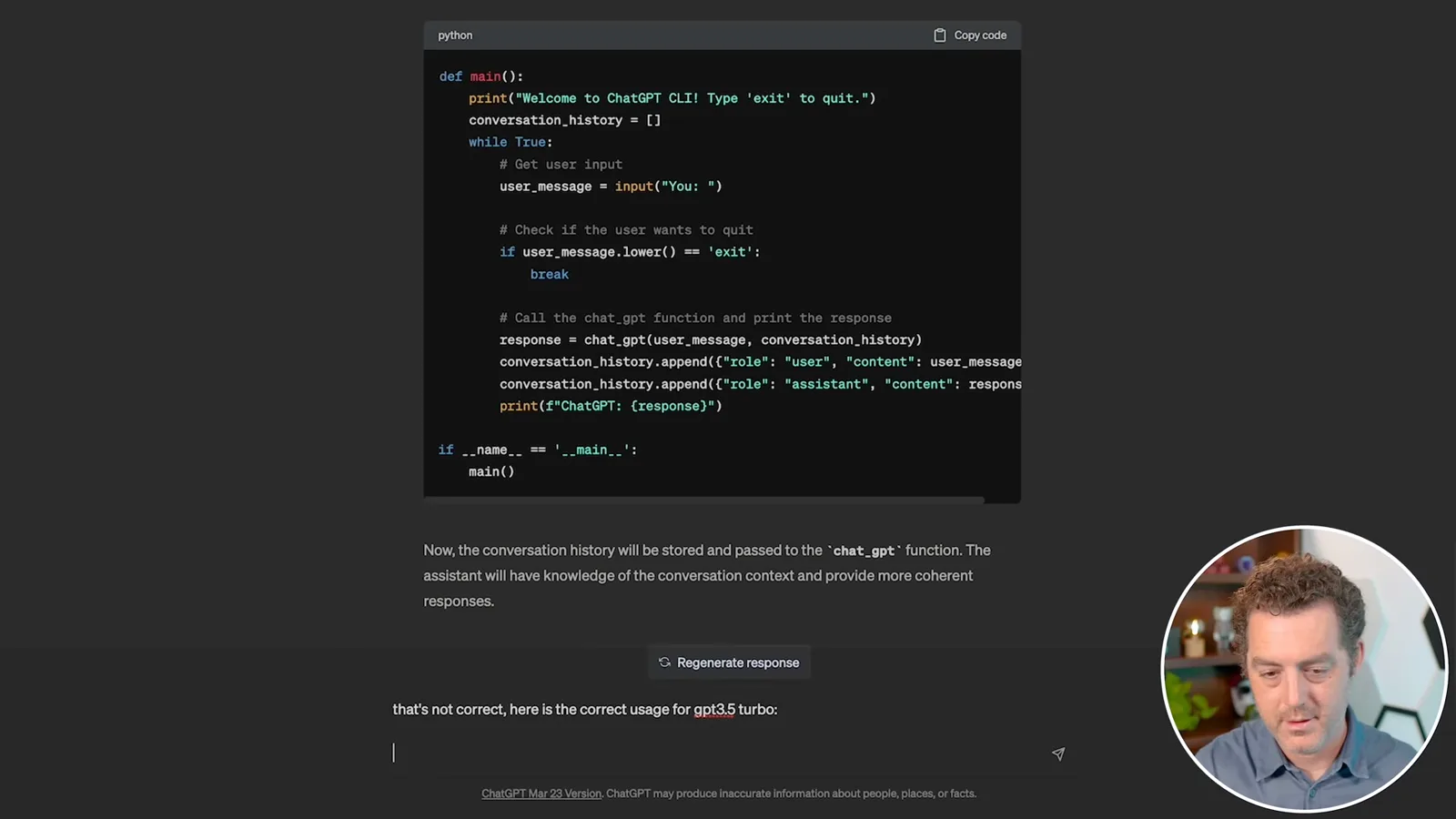
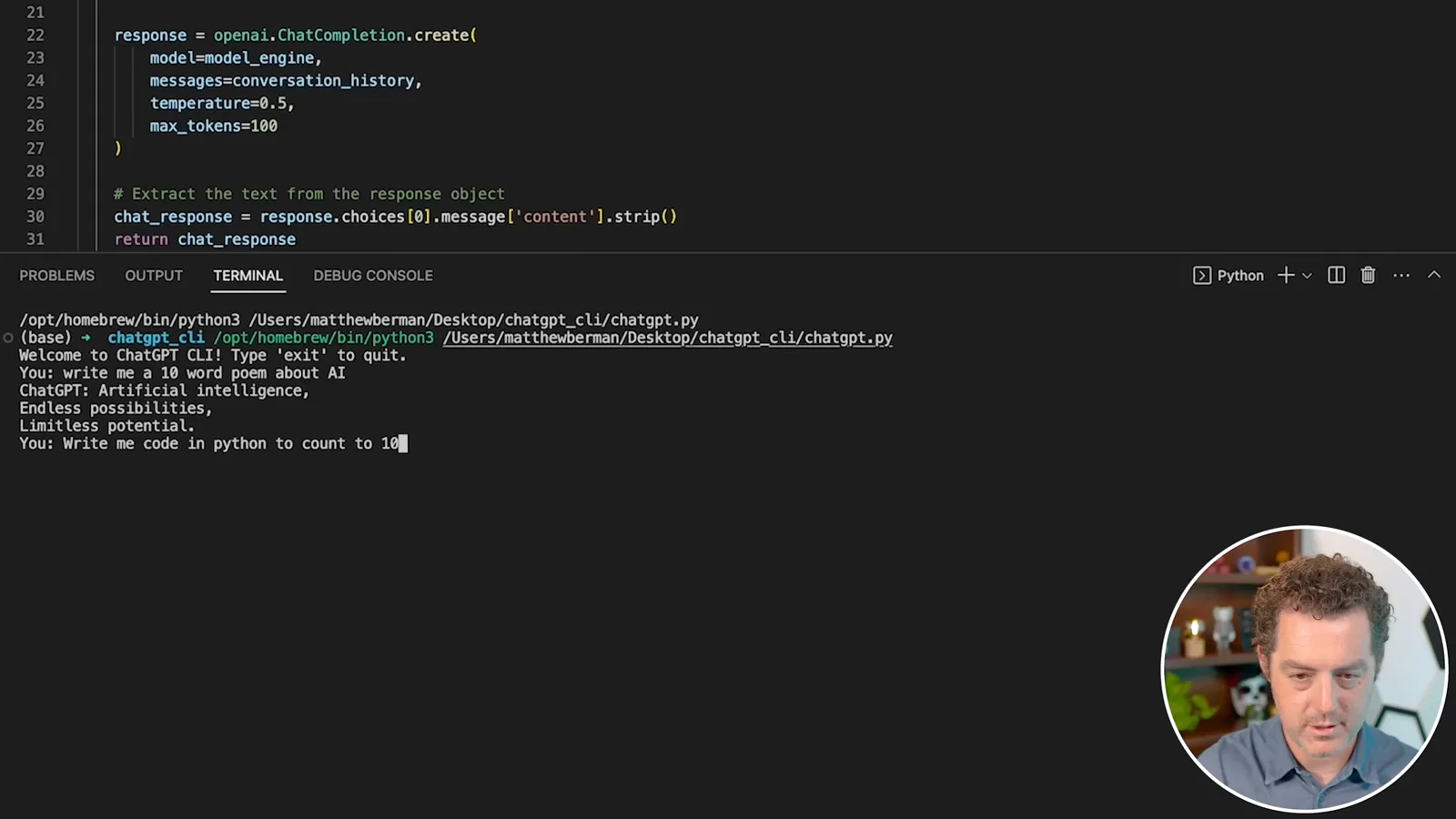
The script loads the environment file and API key, initializes the client, and starts a command-line loop. I run it in VS Code and request a ten-word poem about AI; the answer has fewer than ten words, but confirms that the interface responds. I then ask for Python code to count to 100, and it returns a loop using `range(1, 101)`.
Review, context, and debugging
Berman explains why generated code and suggestions need human review. He introduces a model-name error and uses the traceback to request a fix.
Generated code can be wrong, so read it and run tests. The assistant may also follow a flawed suggestion too readily. If you want an alternative instead of blind compliance, explicitly ask it to discuss your proposed approach and suggest a better method. That conversation can help, but you remain responsible for deciding whether its advice is sound.
The assistant can use earlier messages as context, so I do not repeat the entire project on every turn. But context is limited and retention is not guaranteed. When answers repeat incorrect suggestions or no longer fit the code, provide the relevant files and details again instead of assuming the assistant still has everything.
To demonstrate debugging, I deliberately change the model name to an invalid GPT-3.0 Turbo name and rerun the script. The application produces a traceback. I copy the error output into ChatGPT and ask for help; it identifies the model name and suggests GPT-3.5 Turbo. When sharing logs in practice, remove API keys and other sensitive information first.
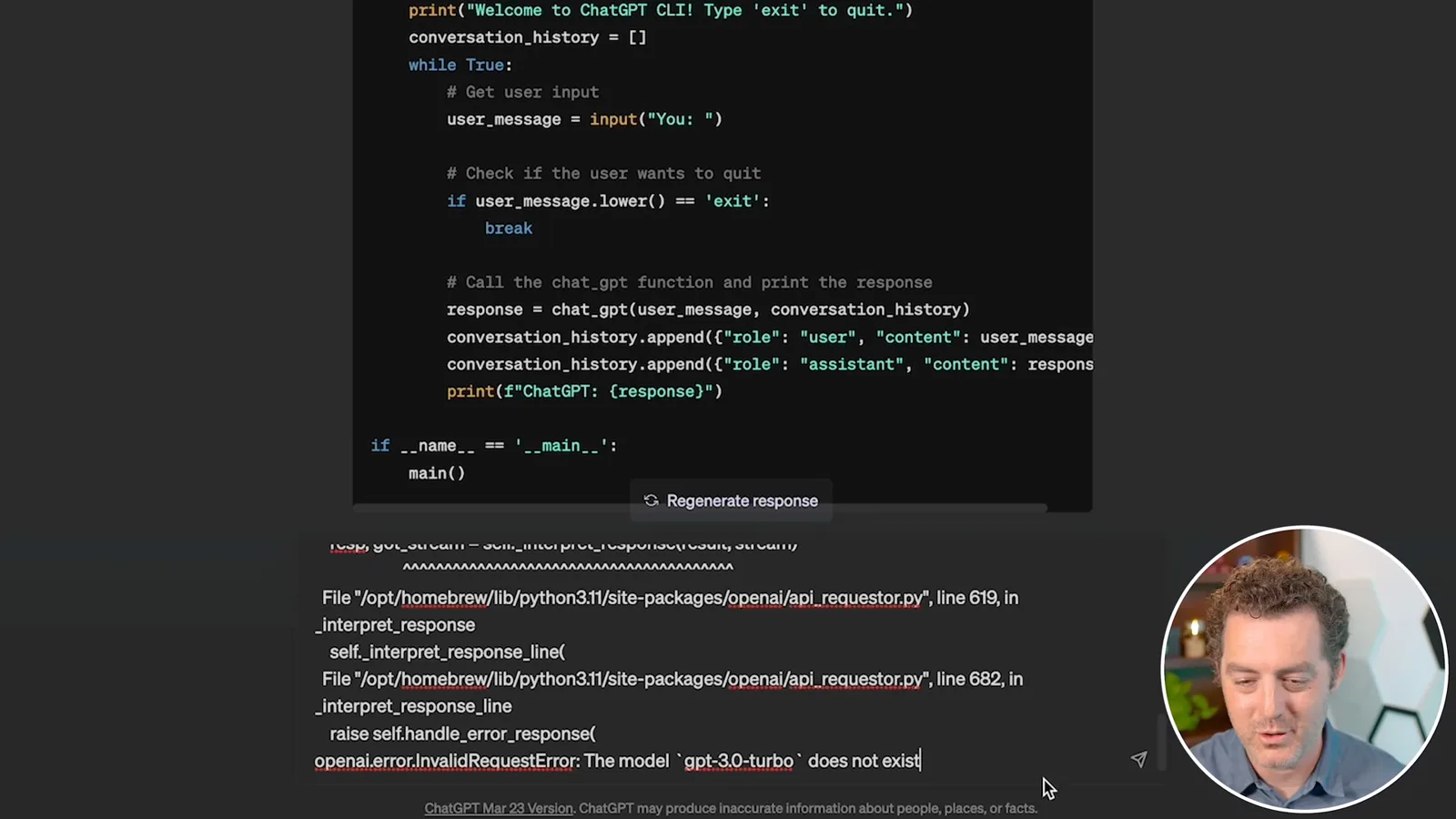
The debugging loop is straightforward: create code, test it, provide the error and relevant context, apply a proposed fix, and test again. I change the model name back and rerun the poem request. A useful error message can point directly to a problem, but an AI-generated diagnosis still needs verification.
Extend the program through iteration
ChatGPT suggests features, and Berman chooses a typing effect. He revises the request after the first implementation does not match his intent.
Next I ask ChatGPT what features might extend the application. It suggests options including saving conversation history, multiple users, rich media, personalization, simulated typing, translation, voice, and external APIs. I choose simulated typing and ask for an implementation.
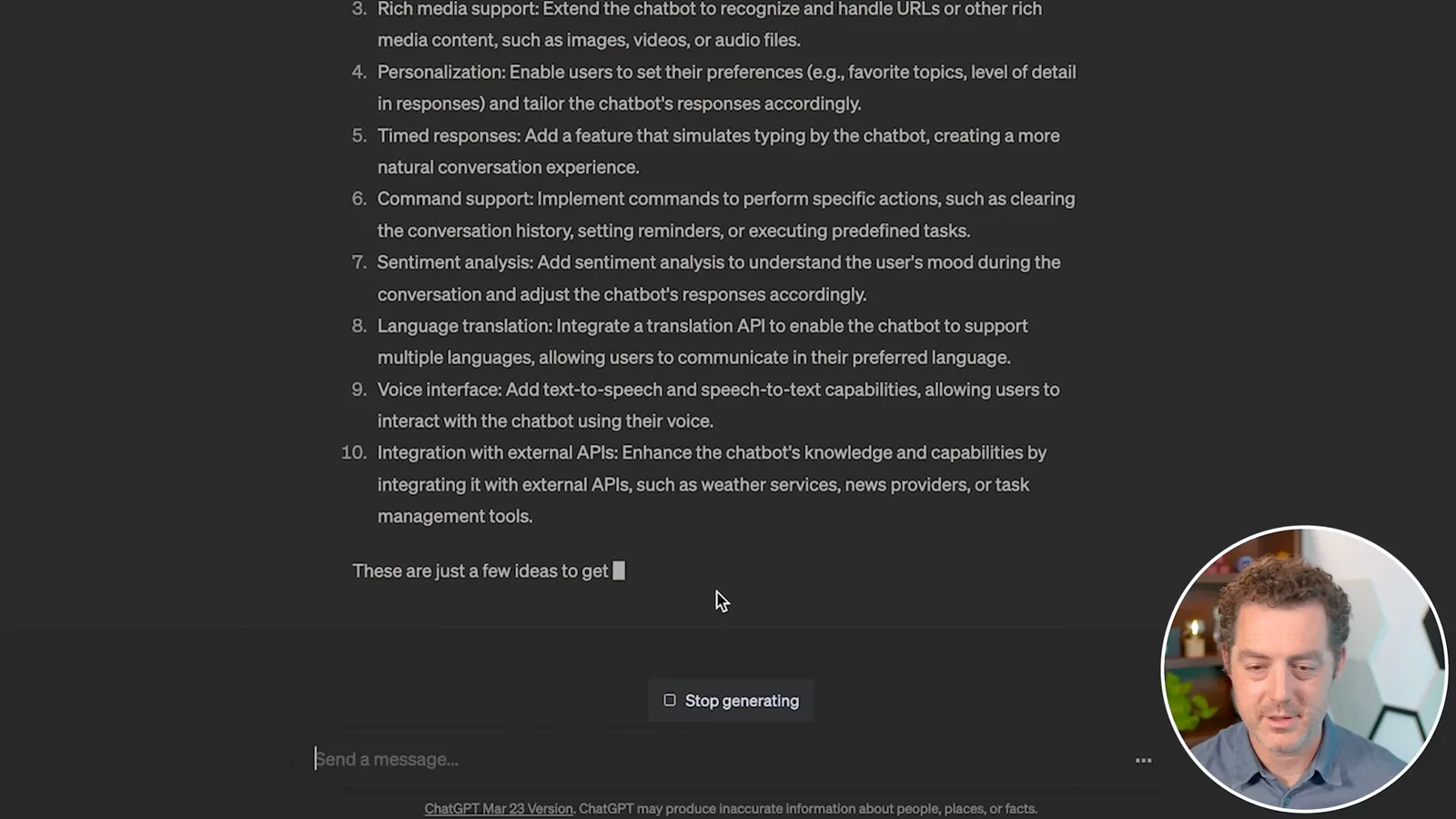
The first suggestion uses `time.sleep` to delay the chatbot response. I add the proposed imports and methods, replace the main function, and run it. It shows a typing message before displaying the response, but that is not quite what I meant: I wanted the text itself to appear progressively.
I clarify that I want to simulate someone typing the response. ChatGPT proposes displaying the response one character at a time with a delay. I add the new typing and display functions, update the main loop, and test again. This time the characters appear progressively; it is a visual simulation, not the same as streaming the model’s response in chunks.
Managing context as projects grow
He recommends selecting relevant code when a project becomes too large for a prompt. He ends with expectations about future coding tools.
As a project becomes larger, choose the parts of the code that are necessary to explain the current task and provide them when needed. With practice, you learn where the assistant loses context and where its suggestions need more scrutiny. I also look forward to GitHub Copilot X, which I hope will make working with project context easier; that expectation reflects the time of this recording.
同じチャンネルの記事
 34:21EN
 Matthew Berman· 2026年10月27日Matthew Berman Examines Anthropic’s IPO Filing, AI Growth and GovernanceMatthew Berman, Sam Altman · Forward FutureThe presenter reviews the S-1’s financial metrics, compute strategy and voting structure while questioning the tension between rapid AI development and safety.
 0:26ENMatthew Berman· 2026年10月25日Sam Altman on Human Values and Problem-Solving in an AI WorldSam Altman · OpenAIIn a short interview excerpt, Altman considers the enjoyment of solving hard problems and the human role in interpreting results.
 0:36ENMatthew Berman· 2026年10月25日Kimi K3.1 and a Rubik’s Cube Solver DemonstrationMatthew Berman · Forward FutureMatthew Berman shows a scrambled virtual cube being solved and gives the Kimi K3.1 test a favorable assessment.
 0:21ENMatthew Berman· 2026年10月24日An AI-Generated Kimi Benchmark Chart Used Invented ScoresMatthew Berman · Forward FutureMatthew Berman asks for a graph of Kimi K3.1 Pro benchmarks, then discovers that the displayed figures are illustrative placeholders.
 25:50ENMatthew Berman· 2026年10月24日Kimi K3.1 Pro Tested: Strong 3D Demos, Uneven Results and Competitive PricingMatthew Berman · Forward FutureMatthew Berman tests the open-weight model on coding, 3D rendering and visual explanations, then compares benchmark results and prices.
 32:20ENMatthew Berman· 2026年10月23日Who Is Local AI For? The Costs, Trade-offs and a Hybrid FutureMatthew Berman · Forward FutureMatthew Berman weighs data control and independence against hardware cost, setup complexity and inference speed.