30 秒でわかる
In July 2024, Matthew Berman reviews a purported leaked prompt for Claude's Artifacts feature, explaining its criteria and trying several examples. He sees structured instructions as an instructive prompt-engineering example, while speculating about the meaning of an internal thinking tag. The clip's prompt is a reported leak, and its text alone does not establish the full implementation of Artifacts.
- 1A reported promptBerman examines a purported leaked Artifacts system prompt and argues that its structured formatting offers prompt-engineering lessons.
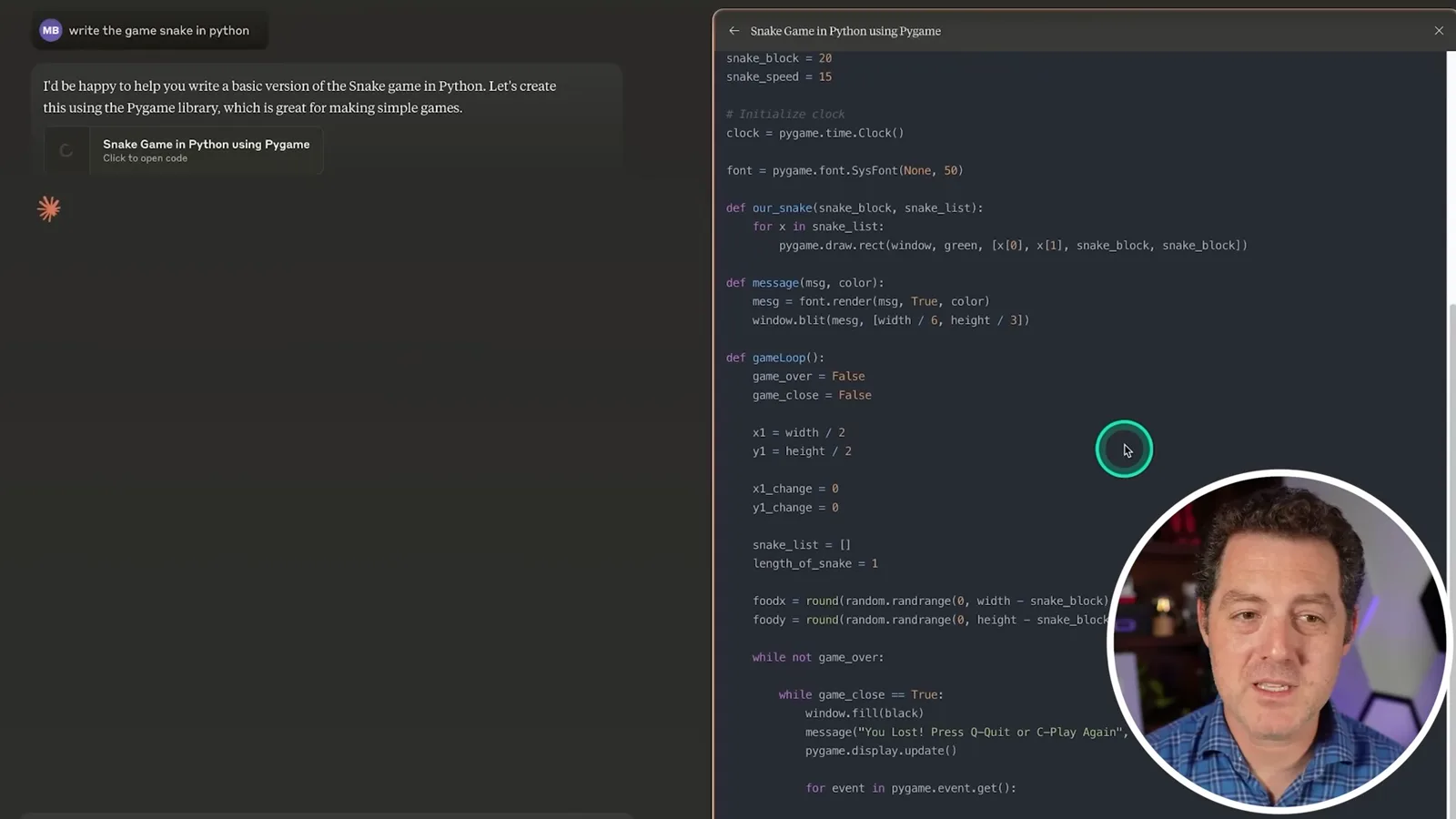
- 2Separate workspaceA Snake game example places generated code in a pane beside the conversation.
- 3When to use an artifactThe displayed criteria distinguish substantial, reusable work from short explanations and examples.
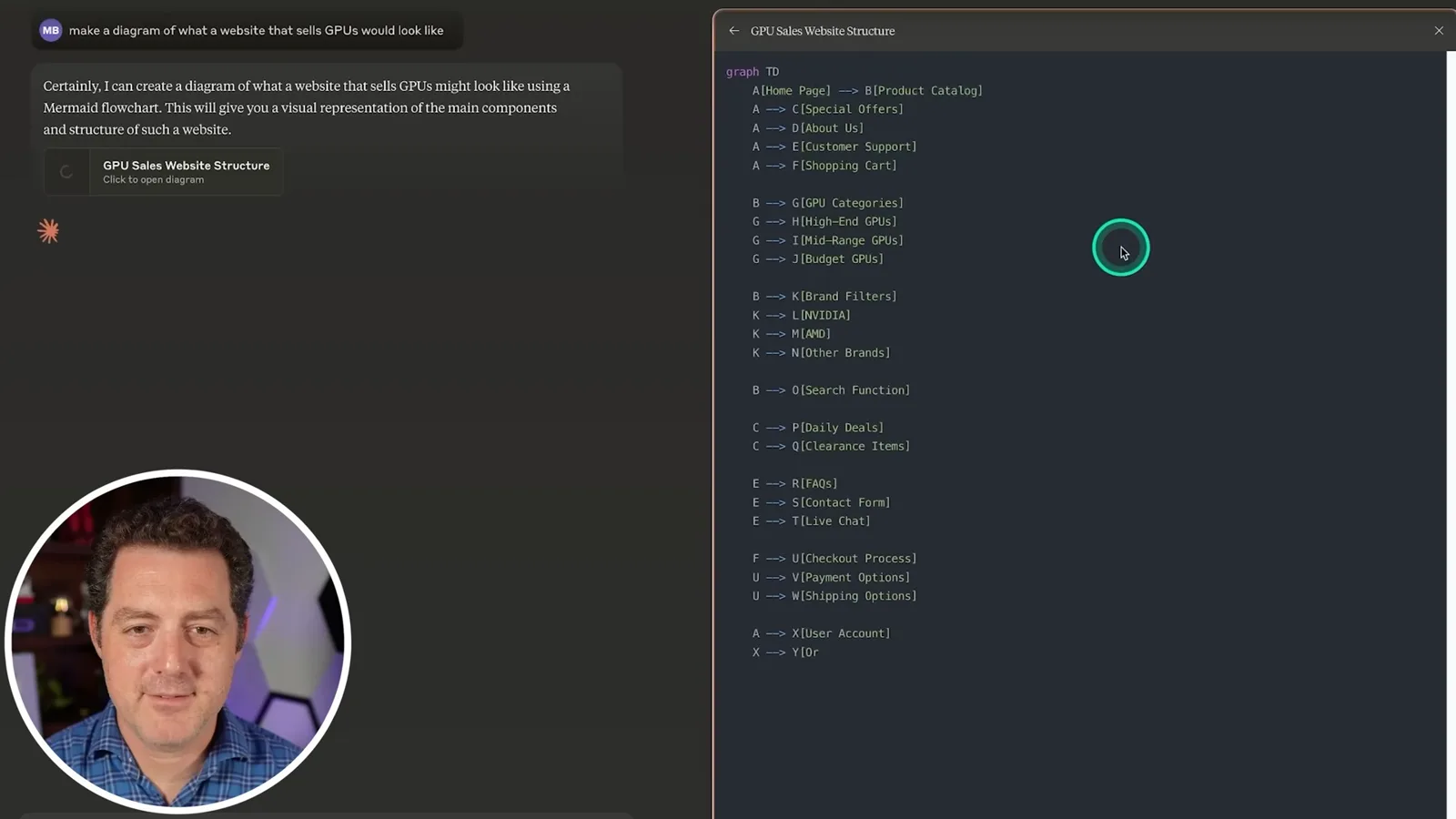
- 4Graphics and websitesBerman asks Claude for a GPU SVG and a simple GPU sales website, then explores their previews and controls.
- 5Identifiers and content typesThe reported instructions describe creating or updating artifacts, naming them and selecting an appropriate type.
- 6Thinking-tag speculationBerman guesses that a thinking tag provides a separate place for intermediate reasoning, but does not establish how it works.
ポイント
- Artifacts put substantial, reusable work in a separate pane beside the conversation.
- The reported instructions favor artifacts for self-contained content and ordinary chat for short explanations.
- Berman demonstrates code, an SVG, a simple website and a Mermaid diagram.
- The reported prompt describes identifiers, content types and complete updates to existing artifacts.
- Berman's interpretation of the thinking tag is a hypothesis rather than a verified account of internal storage.
チャプターごとに整えた全文を読む
A reported Artifacts prompt
Berman introduces a purported leaked prompt and its structured instructions. He sees it as an opportunity to learn about prompt engineering.
I find Claude's Artifacts feature distinctive. A purported leak of the Claude 3.5 Sonnet system prompt gives us a chance to examine how its artifact instructions are structured. I think formatting prompts clearly can improve outputs, and this long set of instructions offers examples to study; the prompt alone, however, does not establish every part of the feature's implementation.
The text describes artifacts as substantial, self-contained content that users may modify or reuse, displayed in a separate window. To show what that means, I ask Claude to write Snake in Python. The code appears in a separate pane, while the conversational explanation stays in the chat.
Code and the criteria for artifacts
A Snake game and a pasted file illustrate the interface. Berman reviews the reported criteria for substantial work and material better left in chat.
I also paste my DaVinci Resolve keyboard settings and ask what the text is about. Claude puts the pasted material in a separate file that I can open, keeping the full text out of the conversation window.
The reported prompt says good artifacts include substantial content, such as material longer than 15 lines, that the user may edit, own, use outside the conversation or reference repeatedly. Self-contained code, reports, emails and presentations fit that idea. Short snippets, equations, small examples and ordinary commentary generally do not.
The usage notes favor one artifact per message unless the user requests more, and encourage inline responses when a separate artifact would be unnecessary. The text also says that if someone requests an SVG or website, generating the appropriate artifact can fulfill the request.
SVG and website demonstrations
He tests an SVG image and a GPU storefront, inspecting the artifact controls. He discusses image generation and Claude's then-missing Android app.
I ask Claude to draw a GPU as an SVG. It writes the code and shows a preview; the image is not great, but the code and preview are together. I then ask for a simple GPU sales website. Claude generates code and a preview while keeping the explanation in the chat.
I can reopen the website artifact, refresh it, copy or download its contents and publish it. The reported prompt also suggests offering an SVG for an image request. At the time of this video, I still use ChatGPT frequently for DALL-E images and wish Claude had comparable image generation and an Android app.
Thinking, identifiers and artifact types
The reported prompt asks the assistant to evaluate when an artifact is useful and whether to create or update one. It also describes identifiers, titles and content types.
The instructions return to a theme: consider whether the content would work without an artifact. They ask the assistant to briefly evaluate the request using an 'antThinking' tag, and to decide whether to make a new artifact or update an existing one. I wonder what that tag means; my interpretation is speculation.
For an update, the reported instructions say to reuse the prior identifier. New artifacts receive a descriptive identifier in kebab-case and a title. The output is wrapped in artifact tags and assigned a content type, such as code or a document, so the interface can handle it appropriately.
Rendering, updates and examples
Berman discusses HTML, SVG, Mermaid and React, then tests a diagram. The prompt also calls for complete updated content and contains examples and safety instructions.
The listed types include HTML and SVG. The prompt describes restrictions on web images and external scripts in this setting and says ordinary HTML or CSS examples should be shown as source code when rendering would obscure the source. It also gives an alternative type when the requirements for a rendered page cannot be met.
Mermaid diagrams are another supported type. I ask for a diagram of a GPU-selling website and Claude produces Mermaid code for it. The instructions also cover React components and available libraries; I skip the details but notice that some restrictions are emphasized or repeated.
For updates, the instructions call for the complete revised artifact without placeholders such as 'the rest of the code remains the same.' That appeals to me because partial code updates can be awkward to merge, while reprinting an entire file in chat repeatedly takes space and time.
The prompt contains examples of the assistant evaluating whether a request merits an artifact. I guess that the thinking tag may be a separate place for intermediate reasoning, but I cannot verify that from the text alone. The examples illustrate structured decisions, followed by the artifact itself.
Finally, the reported instructions say not to mention the artifact syntax unless relevant, and include a restriction on highly hazardous artifacts alongside a consistency rule for content Claude would provide as text. My broader takeaway is that a structured prompt with criteria, examples and output conventions can help guide an assistant's behavior.
同じチャンネルの記事
 34:21EN
 Matthew Berman· 2026年10月27日Matthew Berman Examines Anthropic’s IPO Filing, AI Growth and GovernanceMatthew Berman, Sam Altman · Forward FutureThe presenter reviews the S-1’s financial metrics, compute strategy and voting structure while questioning the tension between rapid AI development and safety.
 25:50ENMatthew Berman· 2026年10月24日Kimi K3.1 Pro Tested: Strong 3D Demos, Uneven Results and Competitive PricingMatthew Berman · Forward FutureMatthew Berman tests the open-weight model on coding, 3D rendering and visual explanations, then compares benchmark results and prices.
 32:20ENMatthew Berman· 2026年10月23日Who Is Local AI For? The Costs, Trade-offs and a Hybrid FutureMatthew Berman · Forward FutureMatthew Berman weighs data control and independence against hardware cost, setup complexity and inference speed.
 1:03:37ENMatthew Berman· 2026年10月23日Matthew Berman’s Team Tests Kimi K3.1 on Animation, Games, and ChartsMatthew Berman, Alex, Brian · Forward FutureA live team AMA turns into an informal test of Kimi K3.1, from personal-agent workflows to motion graphics, a browser game, and a benchmark chart.
 0:53ENMatthew Berman· 2026年10月22日Sam Altman on AI and the Discovery of New KnowledgeSam Altman · OpenAIAltman expects progress in mathematical discovery to extend to biology, materials and energy.
 0:22ENMatthew Berman· 2026年10月21日A Robot Bodyguard Video Shows Dramatic Rescue ScenariosMatthew Berman · Forward FutureMatthew Berman reacts to a short robot demonstration depicting fighting and vehicle-rescue scenarios.