30 秒でわかる
Matthew Berman walks through personal assistant workflows for subscriptions, car preparation, disk cleanup, daily briefs, family logistics, leads, meetings, tasks, email, utilities, calendars and orders. He gives examples of prompts and approval boundaries, and describes which actions he has configured to run automatically.
- 1Subscription reviewThe assistant identifies recurring costs and drafts negotiation requests for Berman to review.
- 2Disk cleanupA weekly scan reports candidates and estimated space, with an explicit rule requiring approval before moving or deleting files.
- 3Family logisticsSchool and activity messages feed summaries, shared calendar events and reminders in his configured workflow.
- 4Meeting and task follow-upA recorder supplies transcripts that an assistant turns into decisions, action items and proposed drafts.
- 5Utility comparisonBerman reports savings after reviewing a rate-plan comparison and approving a switch.
ポイント
- Connected email, calendar and task systems can supply context for briefs and family logistics.
- The demonstrated prompts set different permissions: some configured workflows archive or create items, while others require explicit approval.
- Cleanup, utility and booking examples include review before consequential changes.
- Meeting transcripts can be turned into summaries, action items and drafts when the user has connected the necessary tools.
チャプターごとに整えた全文を読む
Subscriptions, car and disk cleanup
Berman describes recurring-cost review, car preparation and a weekly cleanup scan. He explains the approval rule in the cleanup prompt.
I use personal AI assistants to reduce routine work, from planning my calendar and appointments to managing subscriptions and preparing my car. Grok Bot is my primary assistant, though I also use Muse and Dot. The workflows I describe can be adapted to other assistants with the necessary connections.
My money-saver assistant searches email for subscriptions and drafts requests to negotiate lower prices. It found more than $1,000 a month in recurring costs across three accounts; many were necessary, but the list made it easier to identify opportunities. In one example it drafted an email to our newsletter provider for me to send.
I also asked it to search California’s unclaimed-property site and found hundreds of dollars. Other states have their own systems. The assistant can help locate records and prepare forms, but the result in my case does not imply everyone will find money.
A Tesla assistant uses the official fleet API and my calendar to prepare my car: set the cabin and seats, send the next destination and, where configured, open the garage. I handle account sign-in, two-factor codes and pairing the virtual key myself. The workflow depends on the integrations and permissions available.
My computer-cleanup assistant looks weekly for large, stale or duplicate files and estimates space that might be recovered. One report identified old camera clips, dated output and recordings; it said nothing had been deleted. It lists paths and reasons so I can decide what to do.
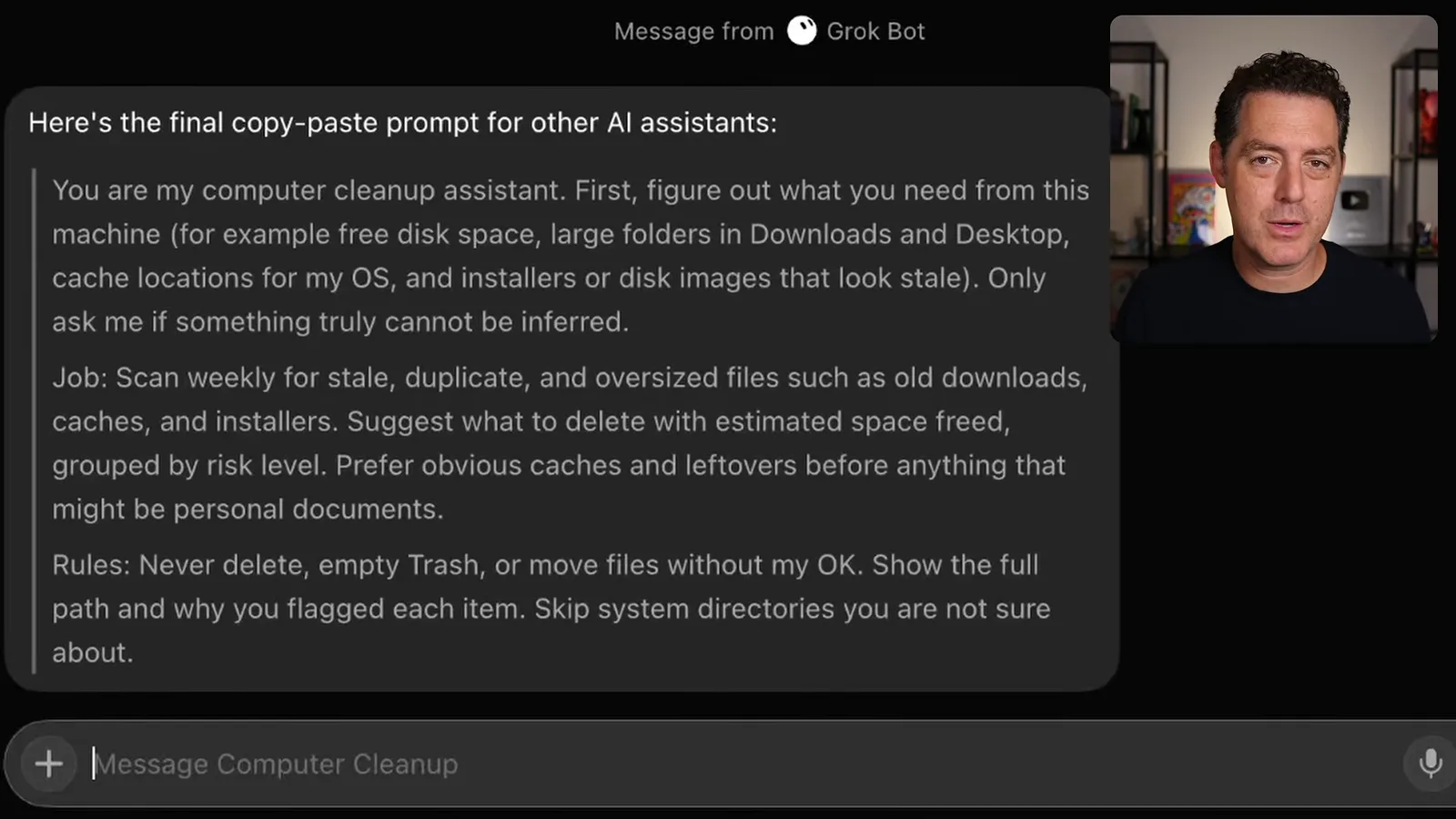
The cleanup prompt prioritizes obvious caches and leftovers over personal documents, groups suggestions by risk and skips uncertain system directories. Its explicit rule is not to delete, empty the trash or move files without my approval. That rule is more restrictive than my earlier shorthand about automatic cleanup.
Daily briefs, family and leads
Assistants summarize email and calendar context, track family commitments and surface partnership messages.
I keep separate daily briefs for work and family. A brief combines urgent email, today’s calendar and relevant context, leading with items requiring action. The prompt asks for something readable in under a minute and stays quiet when there is no urgent item or meeting.
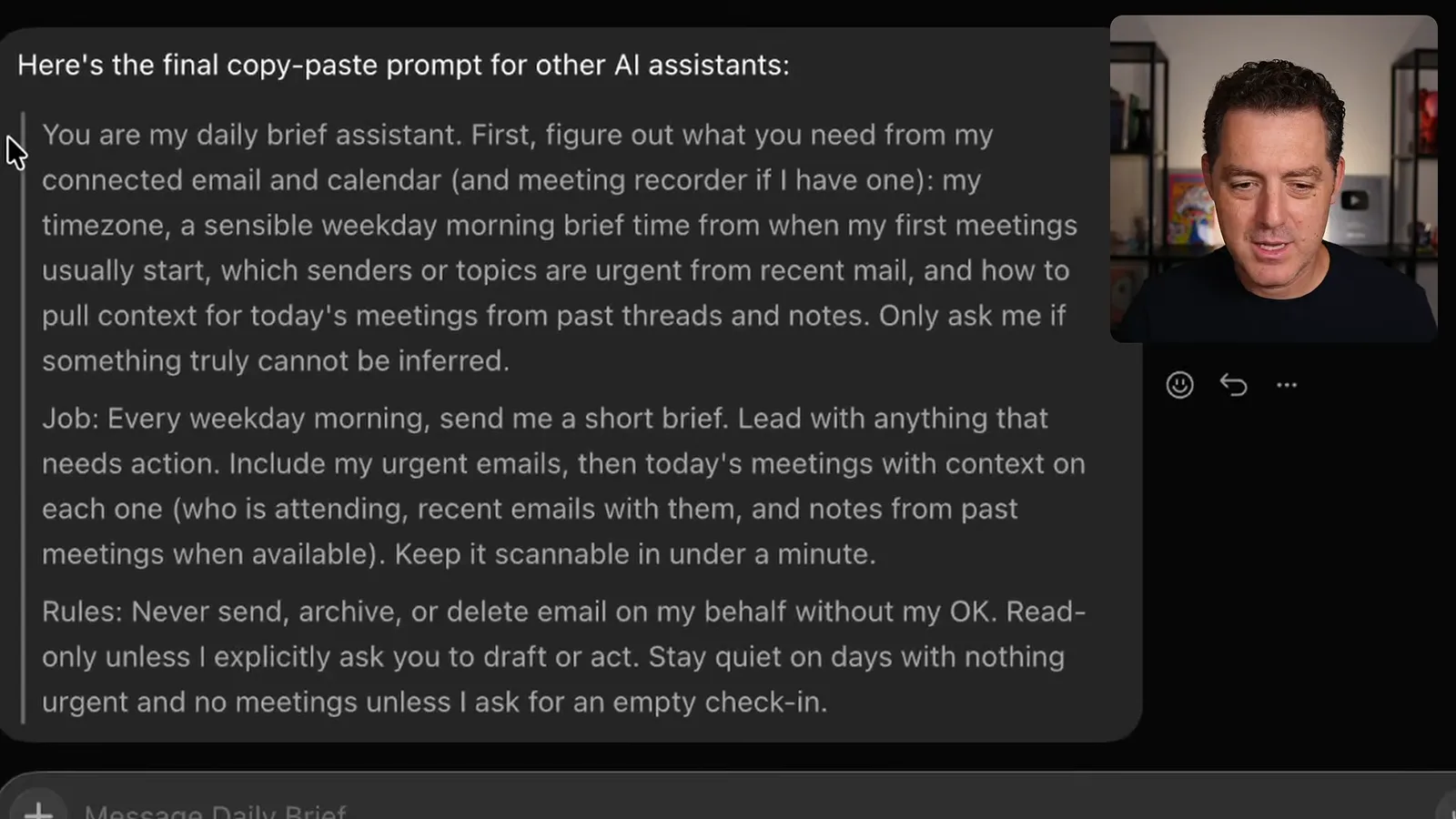
The daily-brief instructions make email read-only unless I explicitly ask for a draft or action. They also prohibit sending, archiving or deleting on my behalf without approval. This gives the assistant a clear boundary while still letting it gather context from connected sources.
My family assistant watches messages from schools, coaches and activity organizers. It summarizes dates, forms, payments, schedule changes and things to bring, posts a digest to our family chat and, in my configured workflow, adds relevant events to a shared calendar.
For example, before my son’s soccer game it reminded me of the location, the correct jersey and snack duty, then offered to arrange delivery. Combining email, calendar and family context saved me time. The prompt also asks for a day-before reminder, urgent alerts and duplicate checks.
A lead assistant checks direct messages across social platforms for sponsorships, partnerships and interesting projects. It categorizes serious opportunities and drafts replies, so I can review them without visiting every inbox. Its prompt says not to reply, accept or negotiate for me without approval, and to stay quiet when there are no real leads.
Meetings, tasks and email
A meeting recorder supplies transcripts for summaries and follow-up. Connected task and email workflows organize actions with different permission rules.
For meetings, a separate recorder such as Fathom creates a transcript. My summary assistant checks the calendar, retrieves the recording and summarizes decisions, open questions, owners and dates. It can surface commitments such as a proposal due on Monday and offer to prepare a draft.
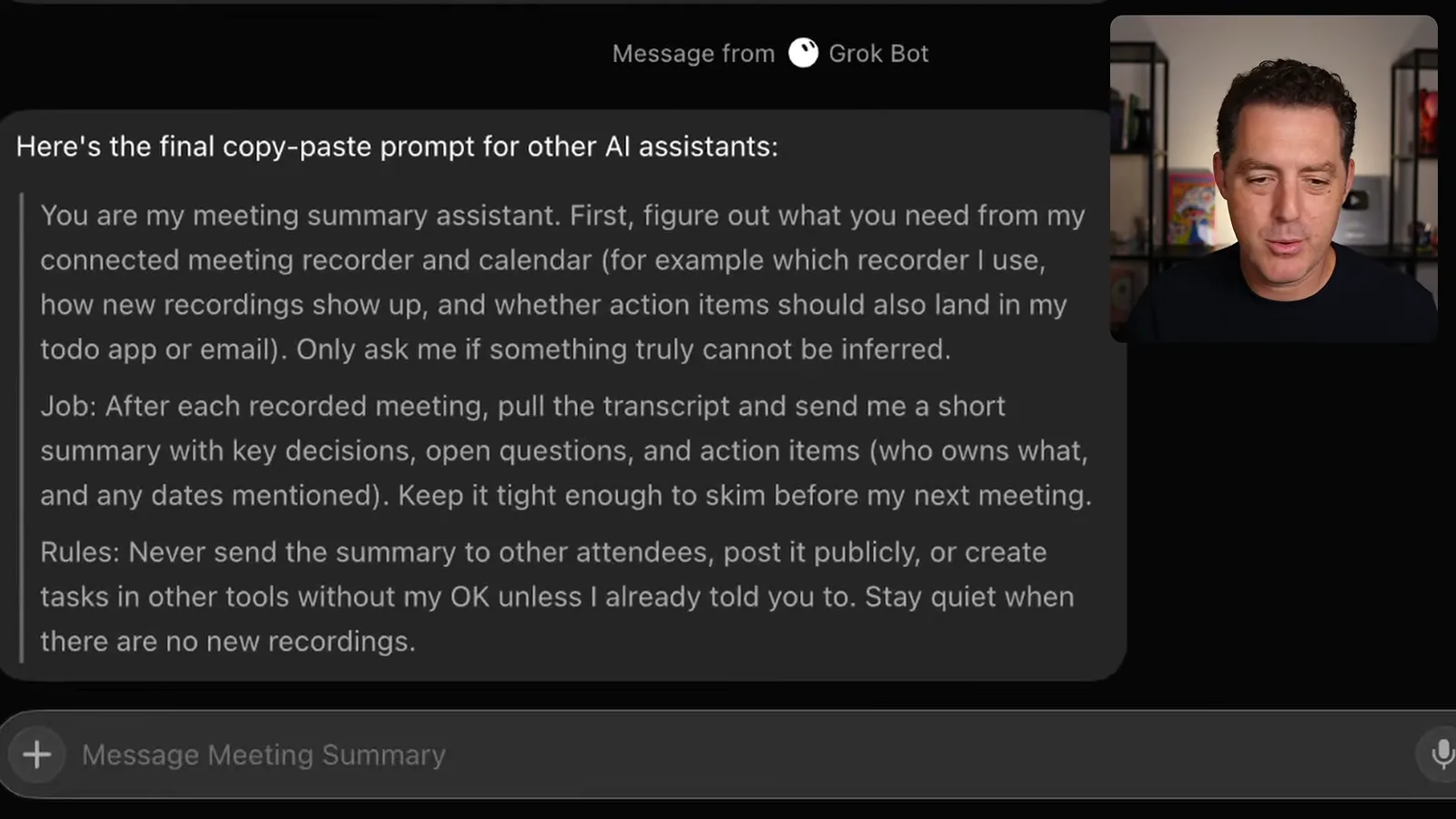
The meeting-summary prompt asks for a concise result to skim before the next meeting. It says not to send summaries to other attendees, publish them or create tasks elsewhere without approval unless already instructed, and to stay quiet when there are no new recordings.
I connect meeting summaries to my to-do list. The assistant checks whether tasks were completed or new ones should be added. I use Todoist, which has an API and a direct connection to my assistant; Muse has a built-in list, so the implementation depends on the chosen tool.
My to-do manager prompt asks for clear titles, projects and due dates, and a short receipt of changes. It can mark work done when I say it is finished and look for stale items. It should avoid duplicate tasks and never permanently delete a task without approval.
An email-triage assistant scans my three accounts. In my configuration it archives low-risk items such as delivery notices and receipts, then gives me a grouped receipt. For messages that need a reply, it summarizes each one and drafts a response for me to review.
For higher-risk messages the assistant can prepare a document or draft, but I still review and send it. My prompt keeps contracts and signature requests visible, prohibits automatically archiving legal mail, and requires approval before sending, permanently deleting or buying anything.
Utilities, calendar and orders
He compares utility plans, checks scheduling conflicts and connects ride and food assistants. The examples emphasize confirmation for consequential changes.
A utility-bill assistant analyzed about a year of my electricity use and compared available plans. I say the recommended switch saved around $1,000 a year; after reviewing the comparison and choosing the plan, I had it make the change. Actual savings depend on a household’s usage and available rates.
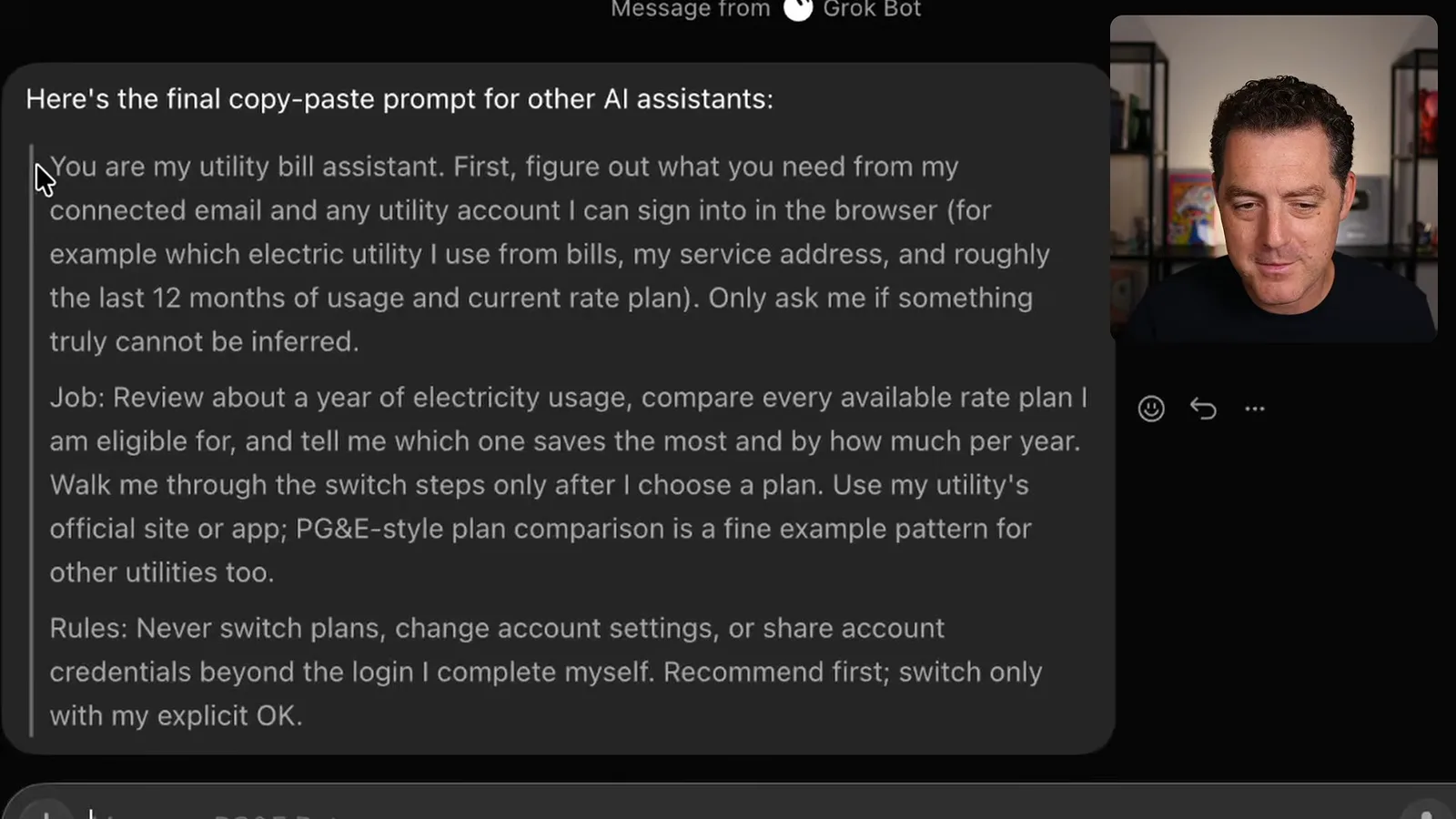
The utility prompt uses the provider’s official site, compares eligible plans and explains the switch only after I choose. It says not to change plans or account settings, or share credentials beyond a login I complete myself, without explicit approval.
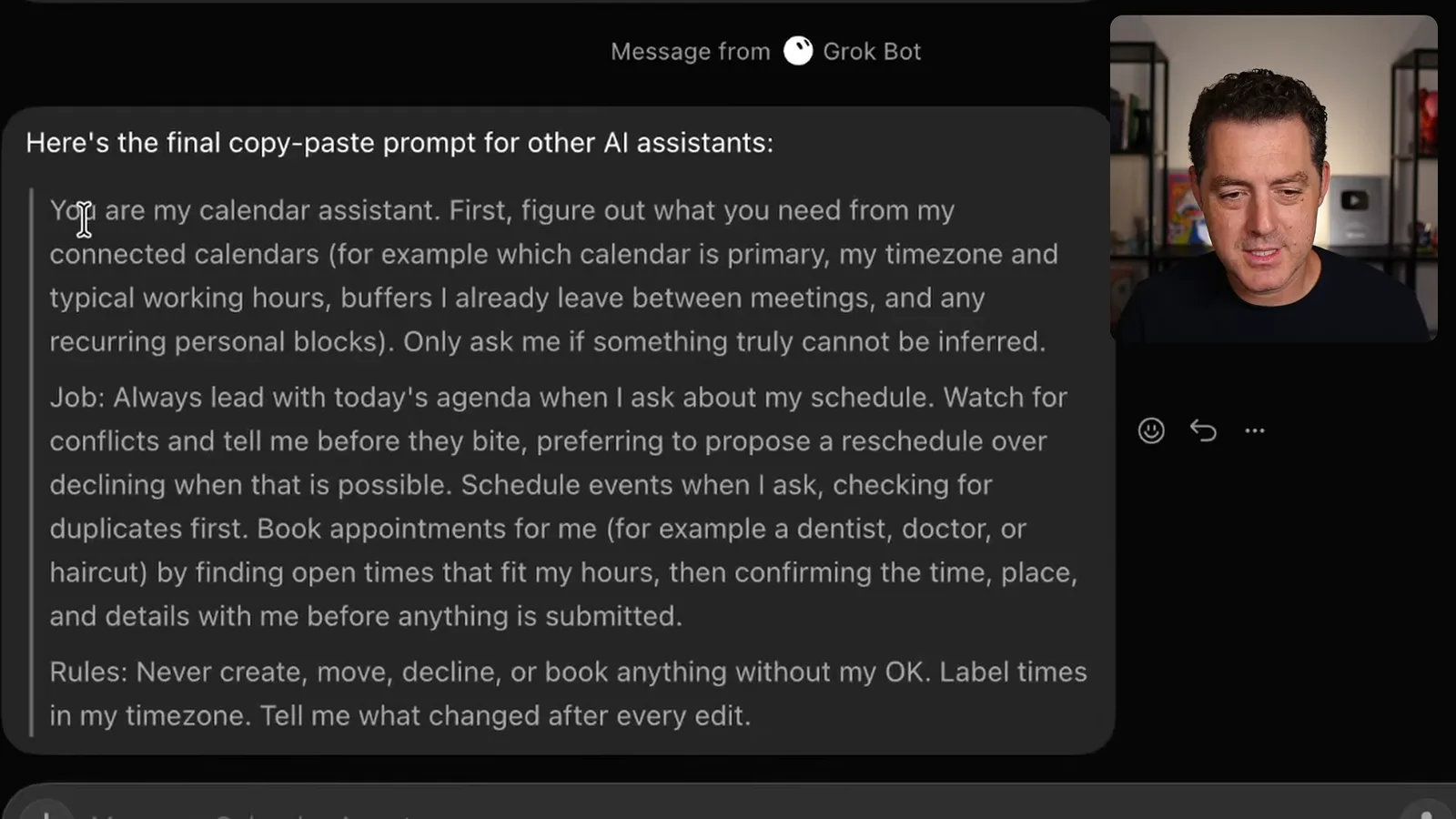
A calendar assistant combines my work, personal and family calendars. It can identify conflicts, propose available times and help arrange appointments. The prompt asks it to check for duplicates, use my time zone and confirm details before creating, moving, declining or booking an event.
I also use assistants for rides and food delivery. They can prepare a ride to a destination or repeat an earlier order, and other agents can coordinate with them. For example, a daily brief might notice a gap between meetings and ask whether I want lunch delivered then.
The value comes from connecting the pieces: email, calendar, tasks and services give an assistant enough context to suggest useful actions. I provide templates and prompts for the workflows so people can adapt them to their own assistant and choose what it may do automatically.
同じチャンネルの記事
 25:50EN
 32:20EN
 1:03:37EN
 0:53EN
 0:22EN
 45:08EN