En 30 secondes
In this August 2026 video, Matthew Berman walks through Codex and ChatGPT workflows for browsing, voice, website publishing, pinned chats, models, scheduled tasks, plugins, skills, goals and remote work. He demonstrates a camera-comparison spreadsheet and coordinating a poem across chats. GenSpark sponsors a separate segment. Interface details, models, account quotas and prices are time- and account-dependent; the video’s examples do not guarantee unrestricted actions or results.
- 1Research in a browserBerman demonstrates researching camera options and placing comparison data in a spreadsheet.
- 2Match the model to the taskHe uses smaller and larger models for different levels of complexity; the model names shown are historical.
- 3Schedule recurring workExamples include production-log reviews, website checks and daily summaries.
- 4Skills and goalsA skill captures a reusable workflow, while a goal defines an outcome to pursue across turns.
- 5Coordinate across chatsBerman finds a prior poem thread and explicitly sends it a follow-up request.
- 6Choose an execution environmentThe demonstration compares local, cloud and connected remote work.
À retenir
- Browser and computer tools can assist with research and local work within their granted permissions.
- Choose model and reasoning effort based on task needs while checking quality and usage.
- Scheduled tasks automate recurring prompts, while skills package reusable workflows and goals define longer-running outcomes.
- Goals work best with verifiable completion criteria and explicit constraints.
- Plugins and cross-chat actions depend on available integrations, account access and authorization.
- Local, cloud and remote environments offer different execution and access arrangements.
Lire le texte remanié, chapitre par chapitre
Browser, computer and voice
Berman demonstrates browser research and discusses computer use. Voice starts a separate poem task.
I share practices from my experience with ChatGPT and Codex, including browsing, voice, sites, scheduled work, reusable skills and longer-running goals. This video was published in August 2026 and reflects the interface, models and account options visible then; availability and limits depend on the user's current product and configuration.
For browser use, I ask Codex to research cameras comparable to the one in my studio and organize prices, ratings and other details in a spreadsheet. The demonstration produces a workbook after several minutes. I have also used browser assistance for customer-service and email workflows, but the quality of results and permitted actions depend on the websites, access and instructions involved.

I describe computer use for organizing files and looking for unneeded material. Such operations act on real local data, so inspecting proposed deletions and the relevant permissions matters; speeding up a computer or clearing memory is not guaranteed by asking an agent to clean files.
The voice demonstration starts a fresh chat with a request for a 100-word poem. I see the new thread appear and use spoken conversation to coordinate work. That shows one interaction, not proof that a voice session can run indefinitely or take any action without authorization.
Publishing, pins and model choice
A poem becomes a website and important chats can be pinned. Berman explains how he chooses a model and discloses a GenSpark sponsorship.
I next ask the assistant to publish the poem using ChatGPT Sites. It produces a designed page and I discuss private and public sharing. Sites is a website-publishing workflow; spreadsheets and presentations are separate artifact types, and sharing or publication settings should be checked before giving a link to others.
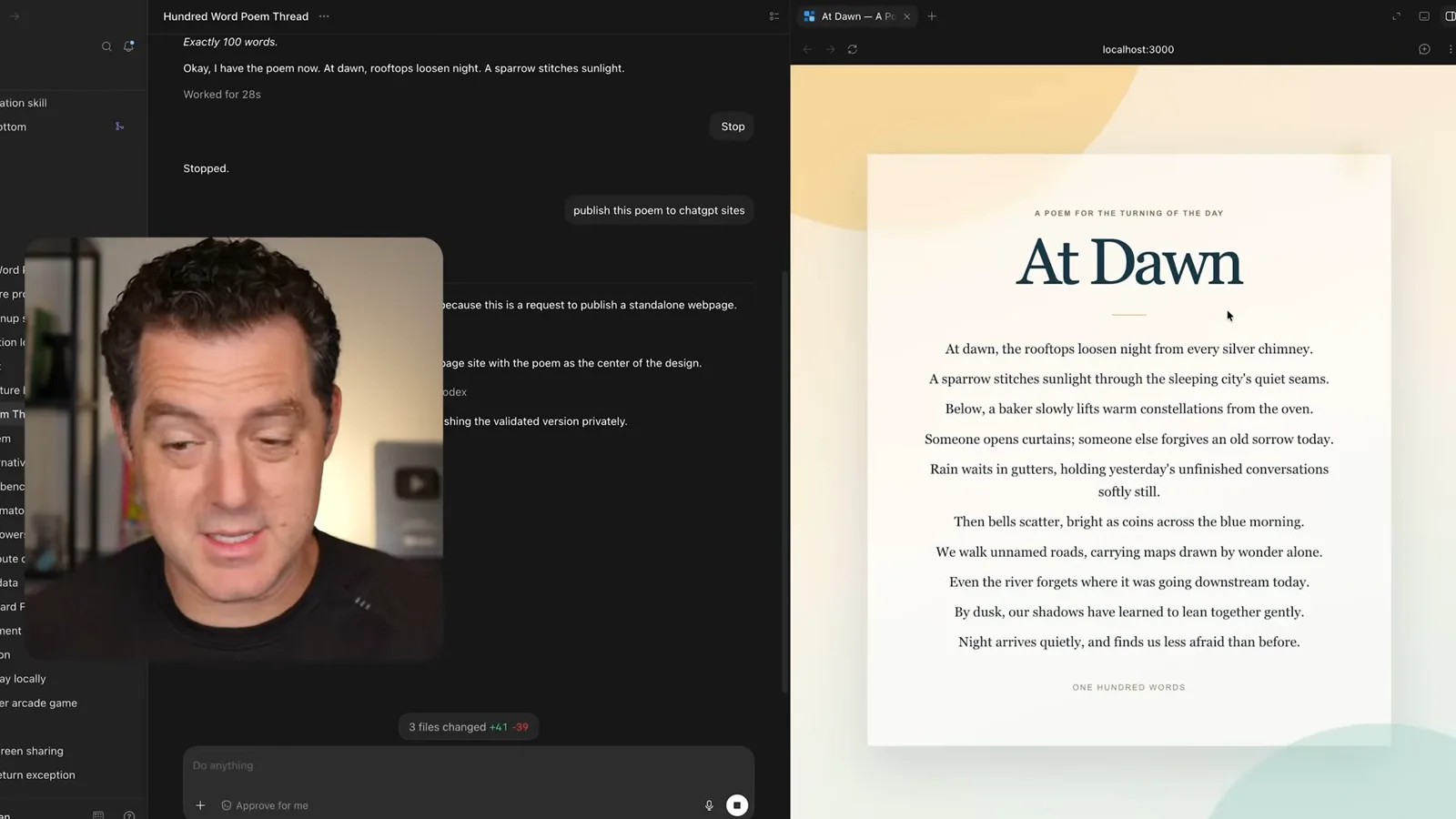
Pinning keeps important chats at the top of the sidebar. I use it when multiple projects are running and I want to return to a particular conversation without searching a long list. This is an organizational convenience rather than a change to what the agent can access.
I disclose that GenSpark sponsored the video and presents its Second Brain Note recording device. The rest of the discussion is my own walkthrough of model selection and Codex workflows, rather than an independent evaluation of that sponsored device.
I choose models and reasoning effort according to the complexity of a task. In the interface shown, I describe using a smaller Luna option for quick changes and a larger Sol option for demanding work, with different thinking levels. Model names, availability, relative performance and quota behavior can change, so this is my August 2026 workflow rather than a permanent model recommendation.
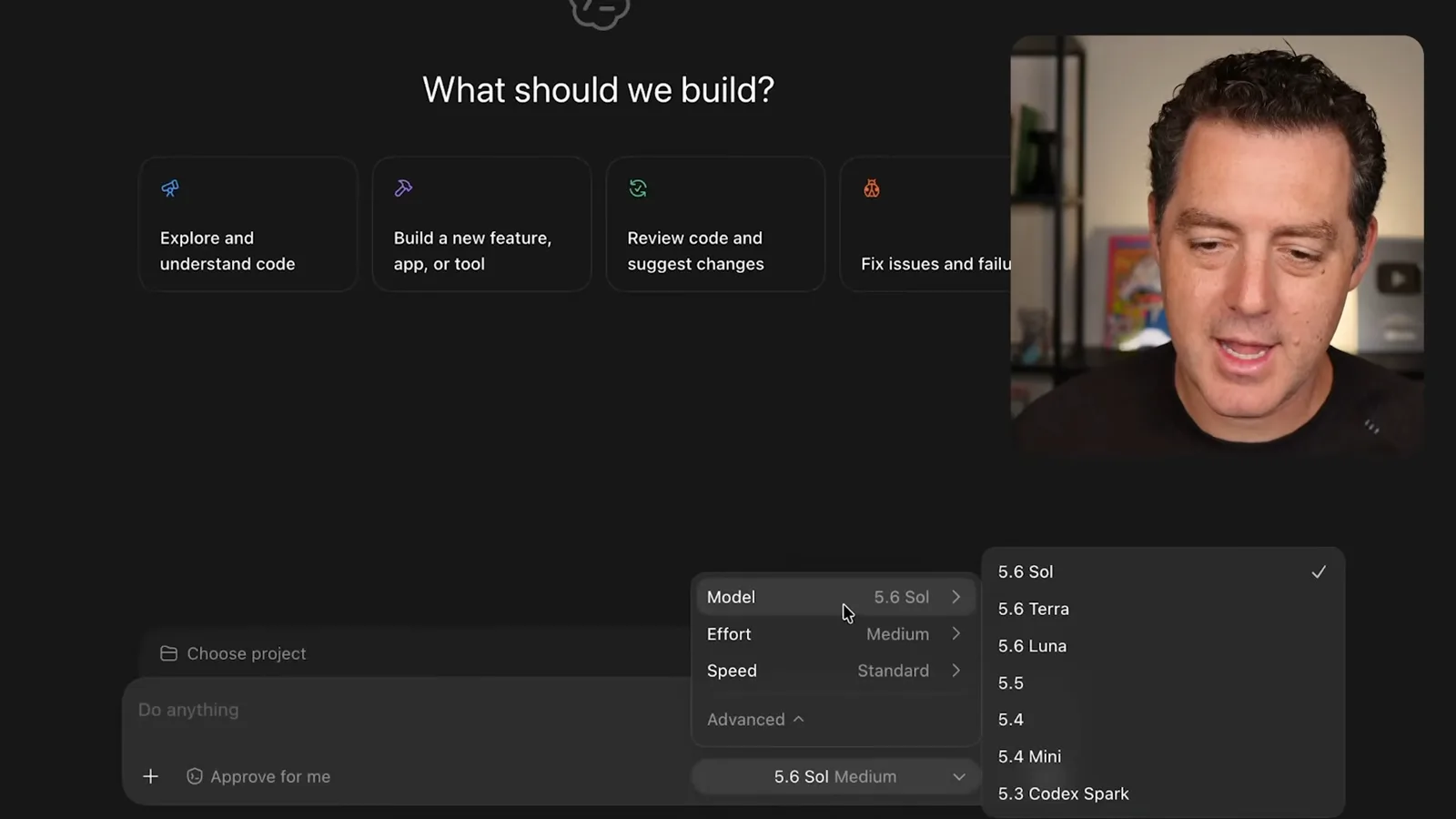
For example, I might ask a more capable model to build a website and use a smaller one for a font or layout adjustment. The trade-off is not just speed: quality, cost or subscription usage, task context and the need for verification all matter. Even a seemingly small change can require careful review.
Scheduling, plugins and skills
Recurring tasks can review logs or summarize information. Plugins provide integrations and skills capture reusable workflows.
Scheduled tasks run a prompt on a recurring schedule. My examples include suggestions for stale files, reviewing a project's production logs and checking a site's health. I show options to run in a new chat or an existing chat, group work in a project and choose a model; the available settings depend on the installed product and account.
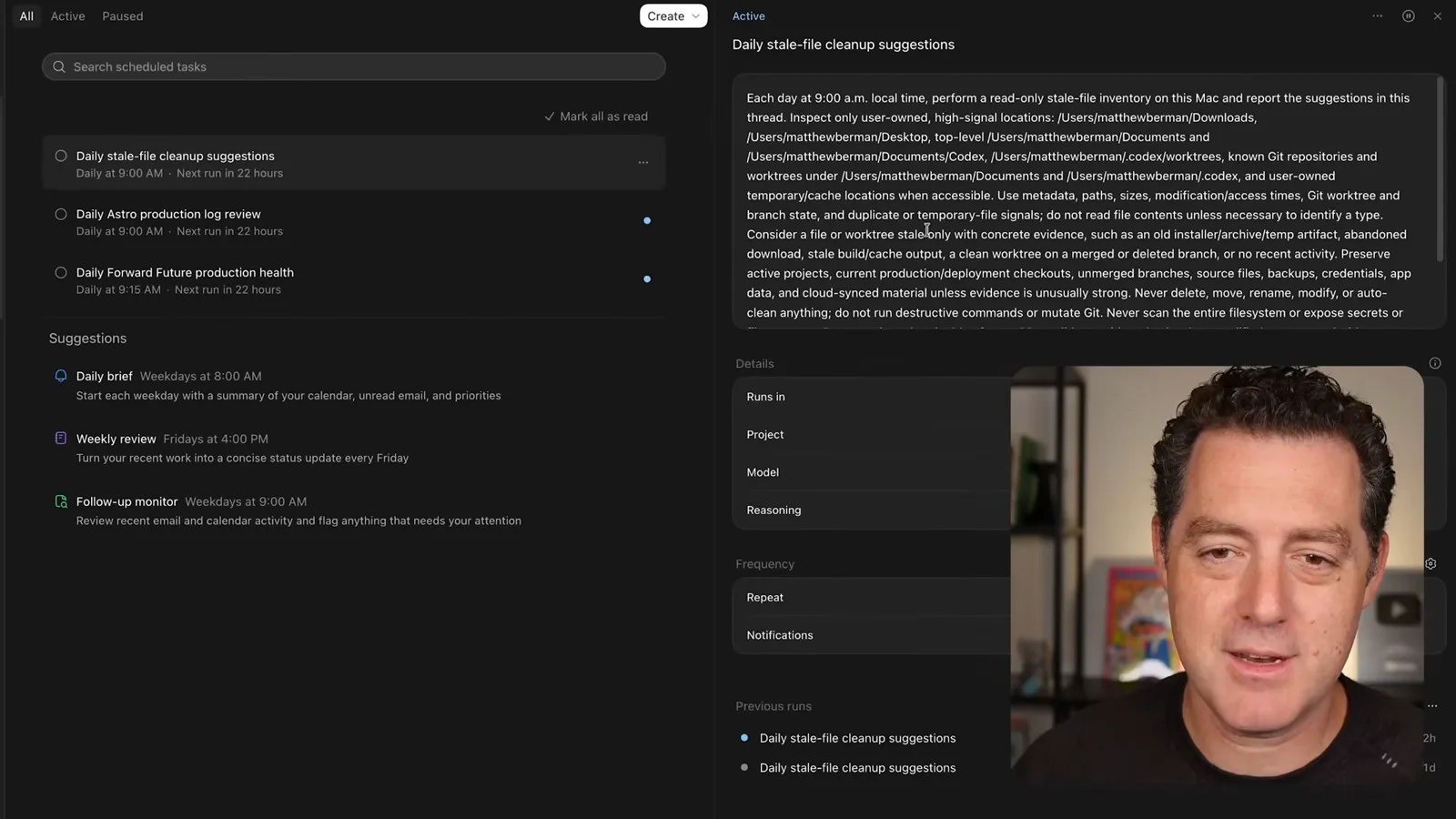
I recommend using a faster model for routine summaries, such as a daily digest of calendar items, unread email and priorities. I describe my scheduled tasks as inexpensive, but that is not a universal price guarantee: subscription limits, credits and API pricing depend on plan, configuration and usage.
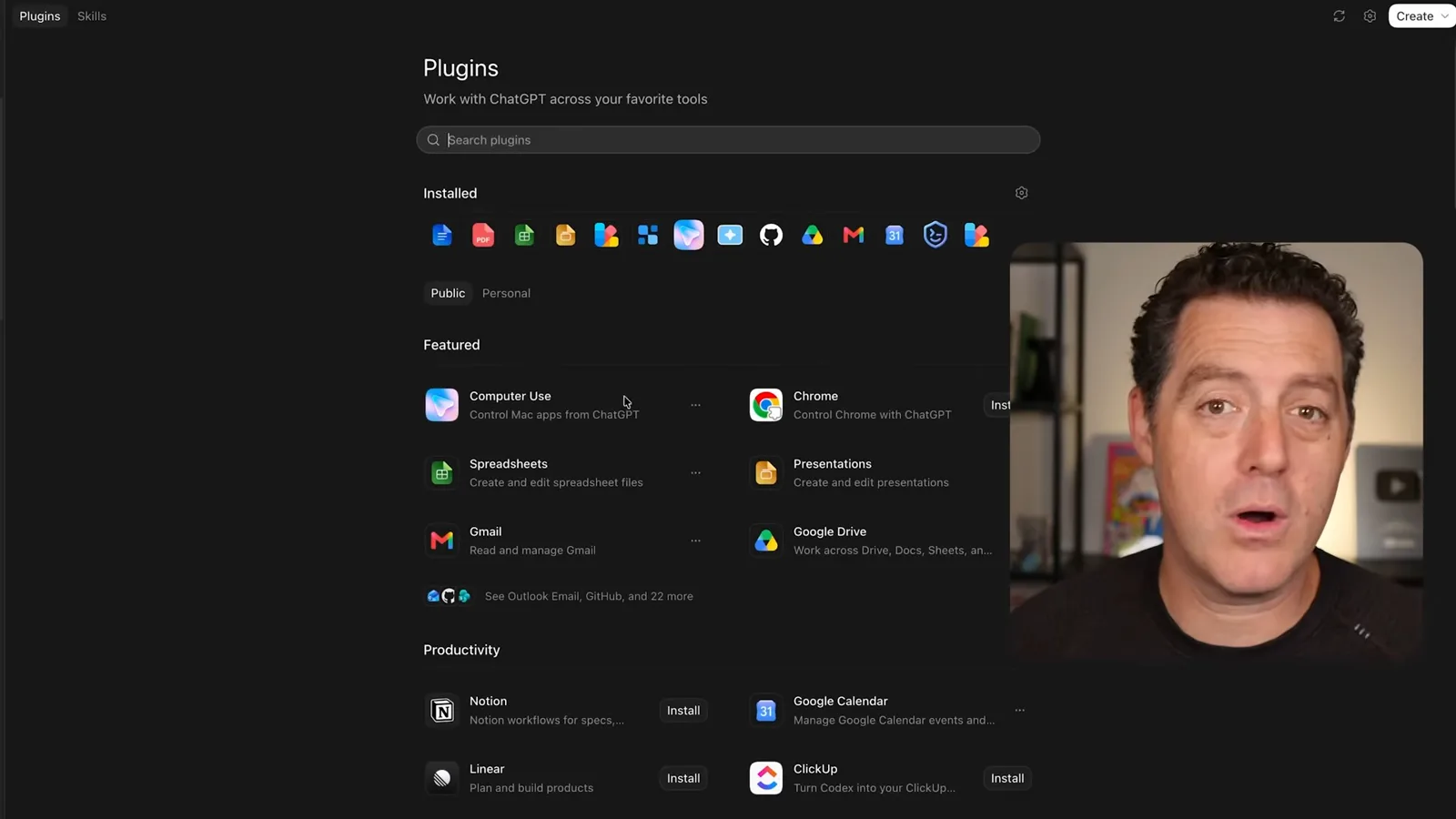
Plugins can connect workflows to tools and services such as GitHub, Google Drive, Gmail and calendars. They can supply the integration and guidance needed for a task, but their capabilities depend on the available plugin, account connection and granted permissions. Installing a plugin does not automatically make every service or action available.
Skills package reusable instructions and resources for recurring workflows that are not necessarily scheduled. I show invoking a skill and suggest creating one from a camera-research process so that the same approach can be reused later. OpenAI's documentation describes skills as workflows that can complement, but are distinct from, connected tools.
Goals and usage
Berman discusses measurable goals, constraints and account quota. The displayed settings and limits apply to his account at the time.
A goal gives an agent an objective to continue working toward across turns. I compare a measurable target, such as improving a site's speed by 50%, with a more subjective instruction to make it as fast as the model thinks possible. The measurable version needs a defined baseline and test; neither version guarantees completion.
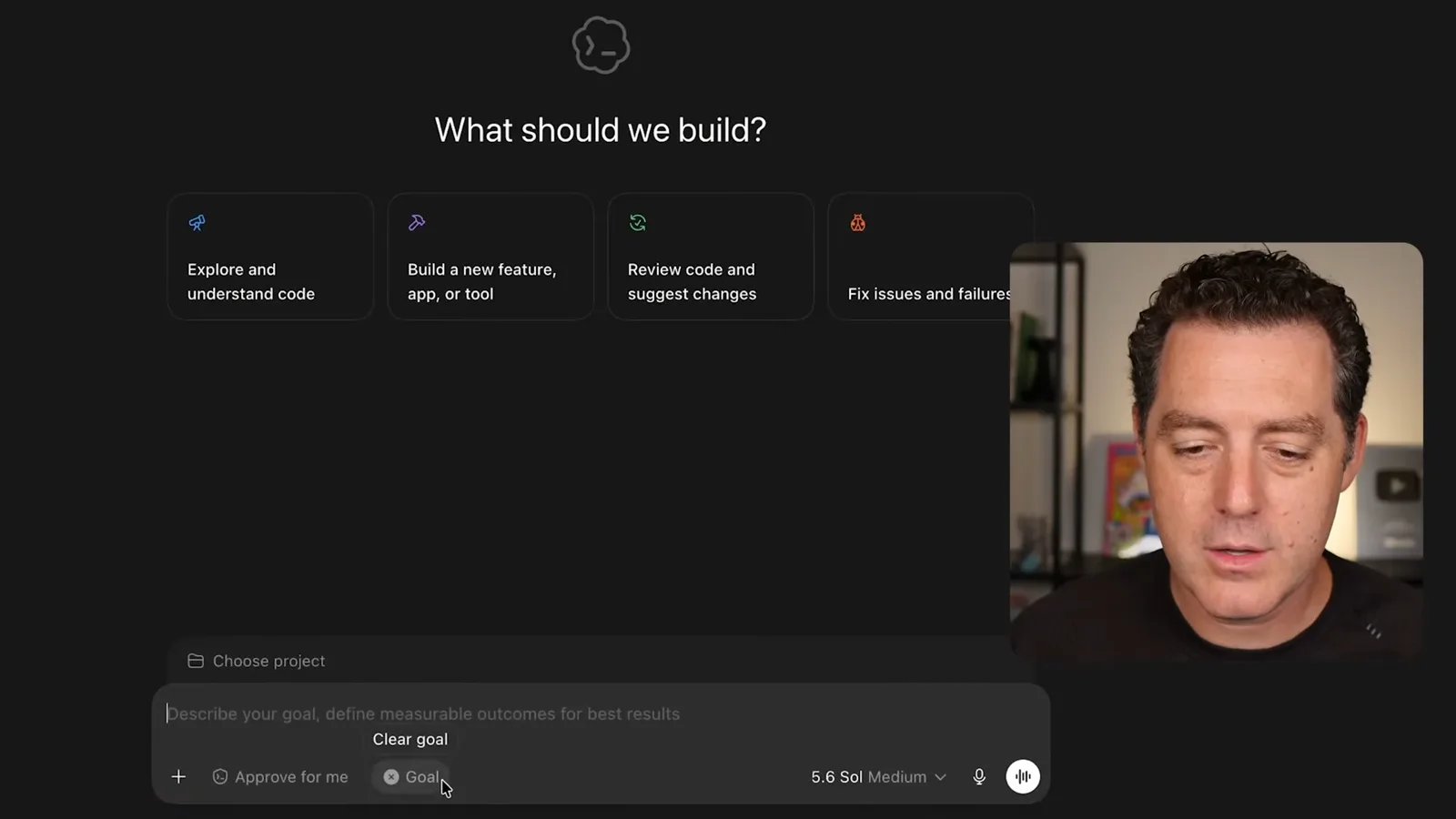
I say I have used long-running goals for extended work and suggest setting a time limit. A useful goal includes a clear outcome, verification and constraints; it can also stop because of a budget limit, interruption or a blocker. Human review remains necessary, especially when the completion criterion is subjective.
I show how to inspect account usage and reset timing. The screen in the video reflects my account at that moment, and the availability of any banked reset, its expiry and the applicable quota depend on the account and current terms. Checking the actual usage screen is more reliable than assuming everyone receives the same allowance or resets.
Chats and execution environments
He demonstrates searching and messaging another chat with an explicit request. Local, cloud and remote connections support different ways of working.
I describe searching other chats and sending work between them. In the example, I ask which recent thread concerned a poem, open the result and explicitly request another poem in that thread. Cross-chat access and messaging are subject to the product's supported surfaces and permissions; it is not a blanket promise that every thread can always read or control every other thread.
Finally, I contrast local work on my computer with cloud execution for a coding project. I also show a remote connection from a phone to a computer, which lets me continue work when away from the desk if the host and connection are available. Access and approval settings still govern the actions the agent can take.
I finish by pointing to remote access as a way to continue conversations and coding from another device. The practical thread through these examples is to choose the right execution environment and reusable workflow for the job, then verify outputs and manage permissions and usage for the actual task.
Sur la même chaîne
 34:21EN
 Matthew Berman· 27 oct. 2026Matthew Berman Examines Anthropic’s IPO Filing, AI Growth and GovernanceMatthew Berman, Sam Altman · Forward FutureThe presenter reviews the S-1’s financial metrics, compute strategy and voting structure while questioning the tension between rapid AI development and safety.
 0:26ENMatthew Berman· 25 oct. 2026Sam Altman on Human Values and Problem-Solving in an AI WorldSam Altman · OpenAIIn a short interview excerpt, Altman considers the enjoyment of solving hard problems and the human role in interpreting results.
 0:36ENMatthew Berman· 25 oct. 2026Kimi K3.1 and a Rubik’s Cube Solver DemonstrationMatthew Berman · Forward FutureMatthew Berman shows a scrambled virtual cube being solved and gives the Kimi K3.1 test a favorable assessment.
 0:21ENMatthew Berman· 24 oct. 2026An AI-Generated Kimi Benchmark Chart Used Invented ScoresMatthew Berman · Forward FutureMatthew Berman asks for a graph of Kimi K3.1 Pro benchmarks, then discovers that the displayed figures are illustrative placeholders.
 25:50ENMatthew Berman· 24 oct. 2026Kimi K3.1 Pro Tested: Strong 3D Demos, Uneven Results and Competitive PricingMatthew Berman · Forward FutureMatthew Berman tests the open-weight model on coding, 3D rendering and visual explanations, then compares benchmark results and prices.
 32:20ENMatthew Berman· 23 oct. 2026Who Is Local AI For? The Costs, Trade-offs and a Hybrid FutureMatthew Berman · Forward FutureMatthew Berman weighs data control and independence against hardware cost, setup complexity and inference speed.