En 30 secondes
Matthew Berman demonstrates smol developer, a tool that generates project files from a natural-language specification. He shows a historical setup using Modal, a Ruby counting script and a Python command-line program that calls the ChatGPT API. The examples demonstrate small successful runs, not a guarantee of correctness for arbitrary projects; commands and APIs reflect May 2023.
- 1A multi-file promptBerman specifies a Python loop that reads an API key from an environment file, calls a model endpoint and includes dependencies.
- 2Repository and setupHe clones smol-ai/developer, configures an environment file and discusses a Modal-based workflow and a local alternative.
- 3A Ruby testA basic prompt produces a Ruby file intended to count to 100, which he inspects in the generated directory.
- 4Detailed specificationsLonger requirements can be supplied in a Markdown prompt file. The historical README warns that regeneration rewrites generated files.
- 5Running the generated projectThe generated Python program accepts a prompt and returns a response in this limited demonstration.
À retenir
- Smol developer turns a natural-language project specification into a set of generated files.
- The Python demo includes a main script, environment configuration and requirements file, and successfully responds to a simple prompt.
- The 2023 walkthrough uses Modal for one execution path and describes a separate local path.
- The displayed historical README says normal regeneration rewrites the generated directory, so preserve work before rerunning.
- Generated code, dependencies and secrets require review even when a simple demonstration works.
Lire le texte remanié, chapitre par chapitre
A project generated from a prompt
Berman introduces the tool and demonstrates a small Python client. He shows that the generated program can answer sample questions.
Smol developer is a project generator that I think of as a junior developer: give it a specification and it writes files for an application. I show a small project and then walk through the setup. This is a May 2023 demonstration; repository commands, dependencies and API interfaces may have changed since then.
My prompt asks for a Python program that reads an API key from an environment file, prompts the user, sends a request to the ChatGPT 3.5 Turbo API and displays the response before asking again. I also request a requirements.txt file and provide an example API call. The tool creates the project structure rather than merely returning a code snippet.
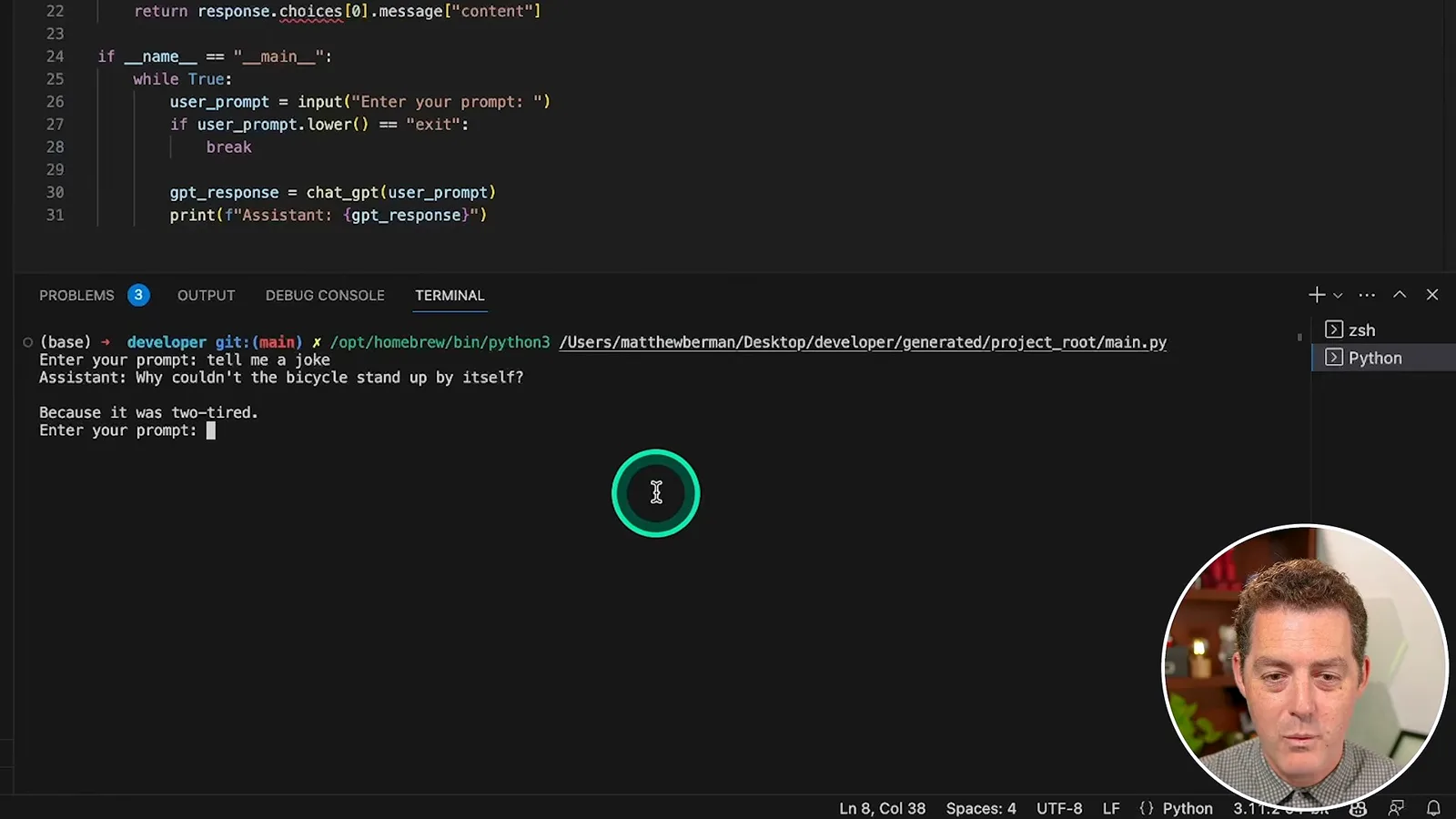
I run the generated client and ask for a joke and a historical fact. It returns responses and accepts another prompt. That shows the example worked in this limited run, not that all generated code is correct, secure or ready for production.
Historical setup and execution
He walks through cloning the repository, configuring credentials and running with Modal or a local alternative. The tutorial reflects the 2023 version.
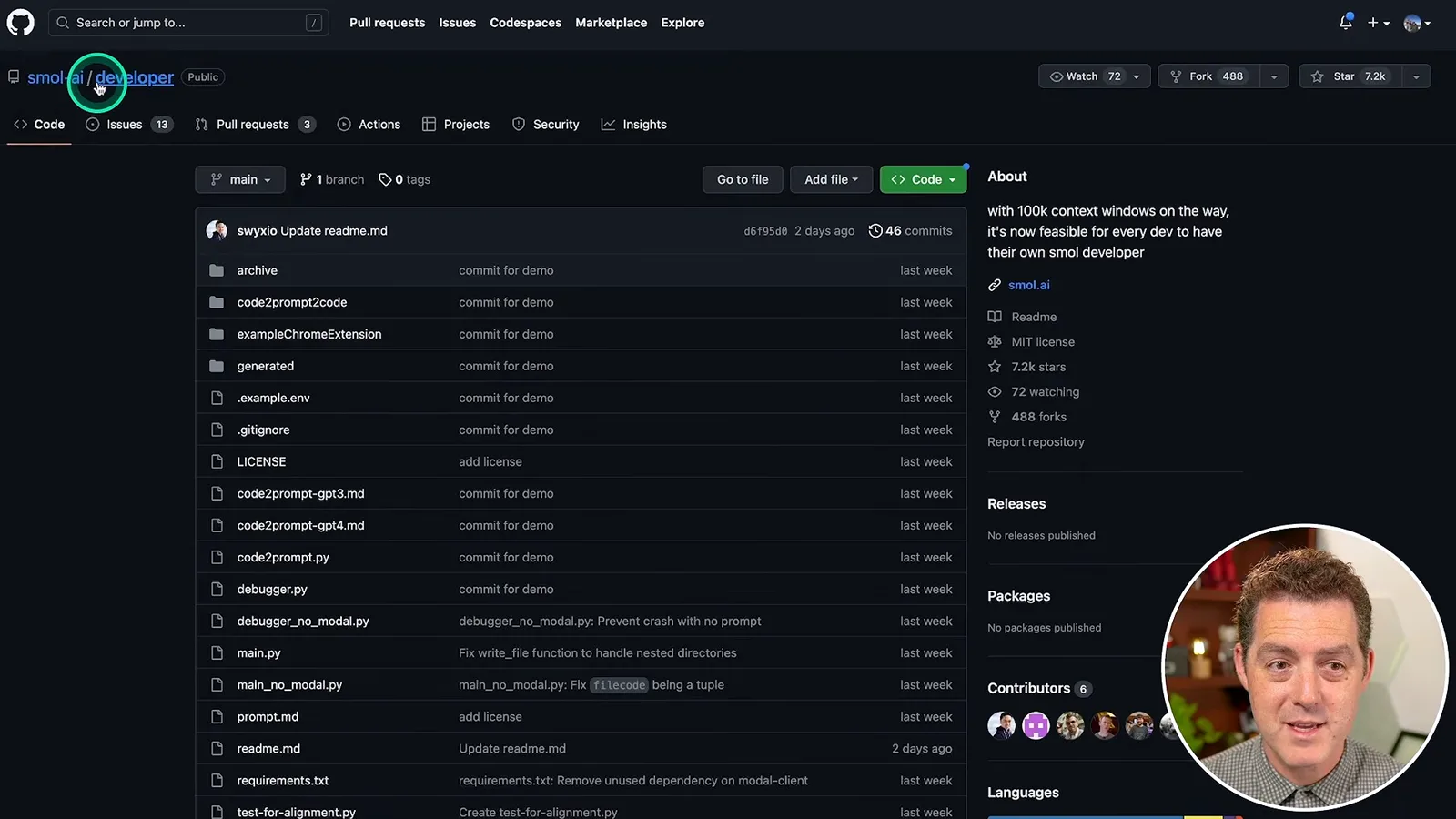
The GitHub project is smol-ai/developer. I compare a detailed prompt to a specification handed to a junior developer: the more clearly the intended files and behavior are described, the more context the generator has. I clone the repository, open its folder in VS Code and configure an environment file for an API key.
The version shown uses Modal as one way to run the generator. I install the Modal client and authenticate when prompted; the repository also describes installing requirements and running main_no_modal.py without Modal. These are historical instructions, so check the current project documentation and provider terms before attempting to reproduce them.
Ruby and Python examples
A simple prompt generates a Ruby file, then a longer specification produces a multi-file Python project. Berman tests the latter with a prompt.
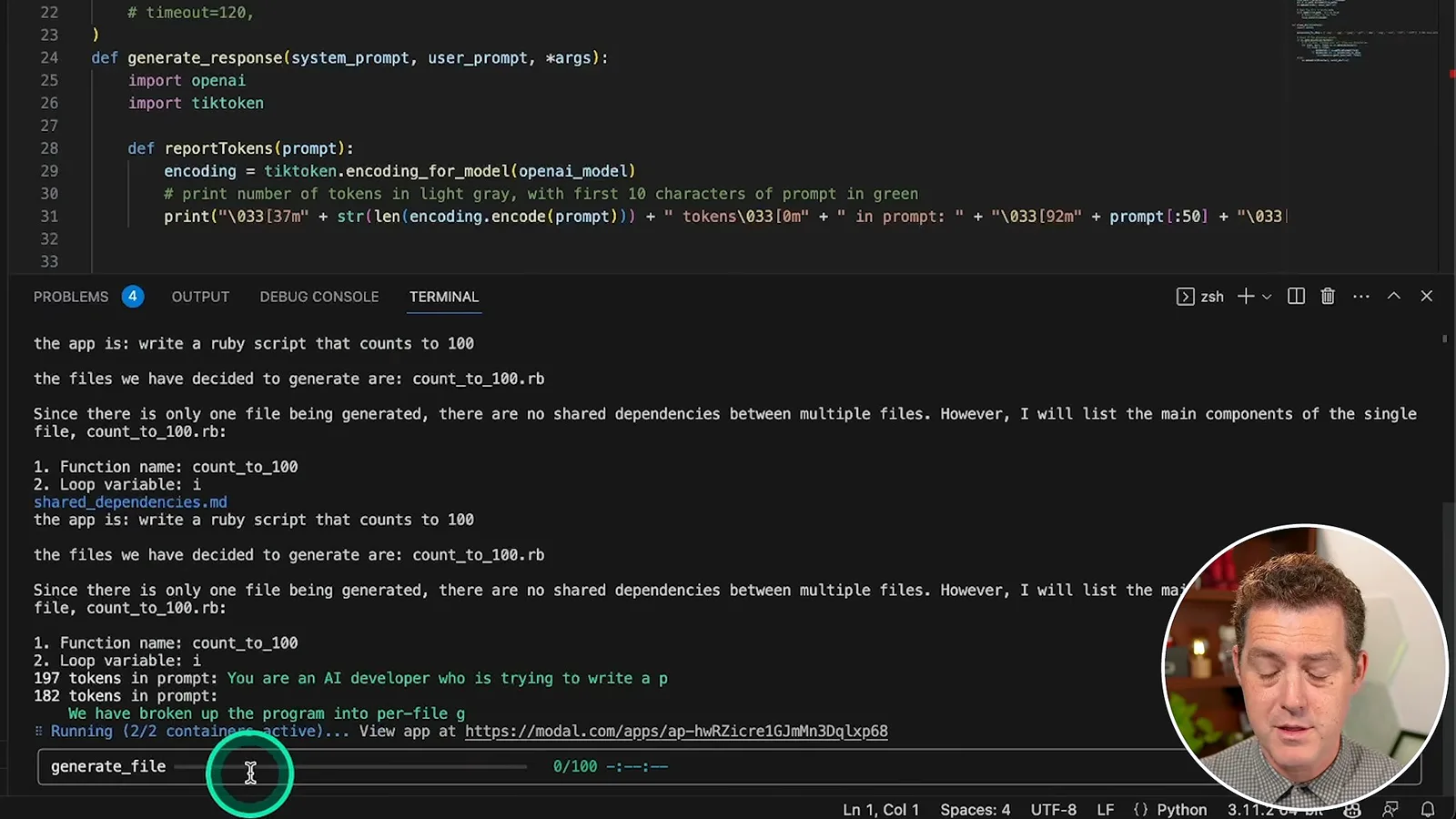
For a simple first test, I run the generator with a prompt asking for a Ruby script that counts to 100. It reports a file to create, uses Modal containers and writes the result into the generated directory. I inspect the produced file and find that it matches the simple task.
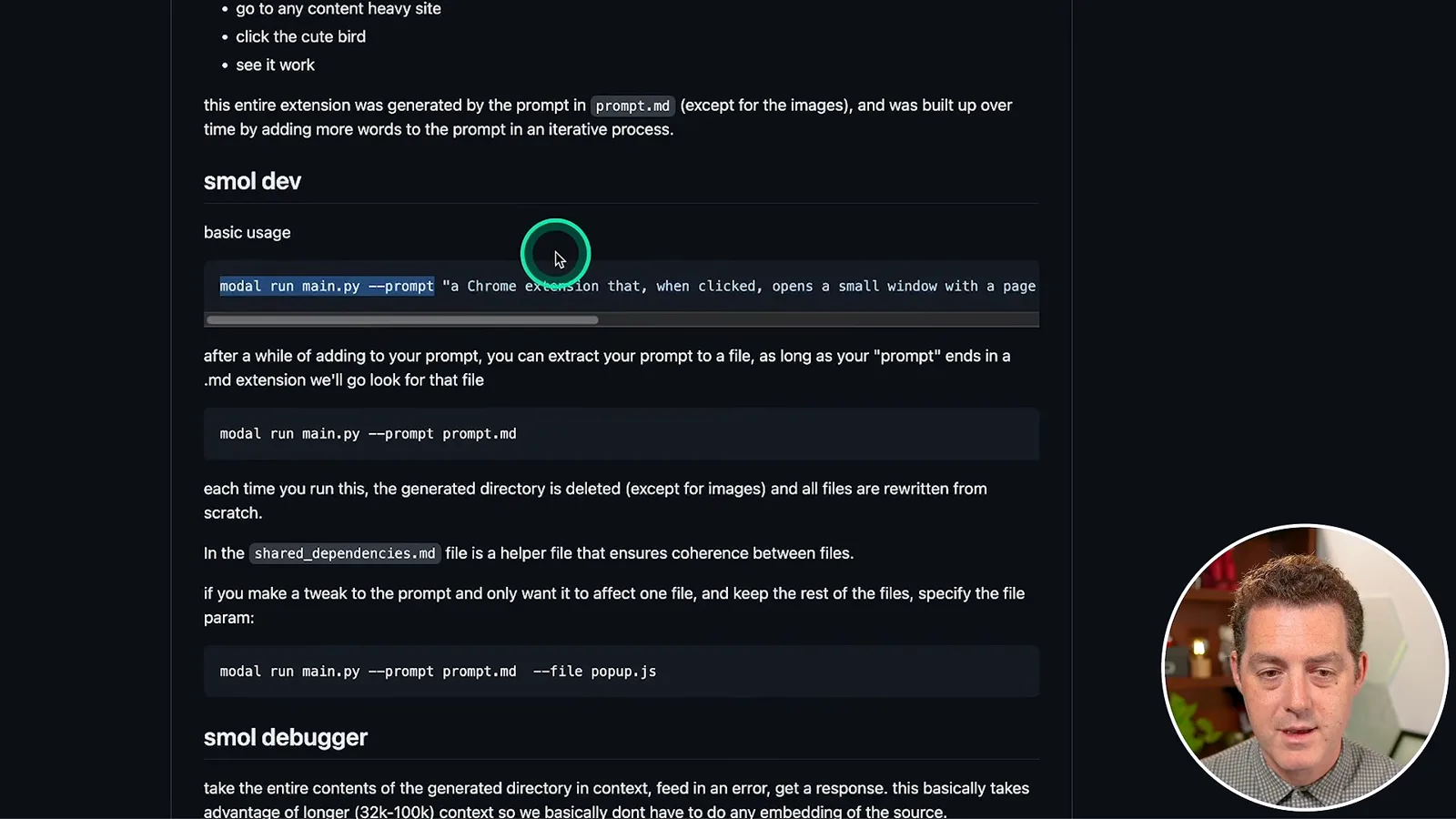
For longer specifications, the displayed README allows a Markdown prompt file instead of placing the entire description in the terminal. The README also says an ordinary run deletes and rewrites the generated directory, except for images, while a file-specific option can target a file. Preserve any work you need before rerunning and verify the behavior of the version you use.
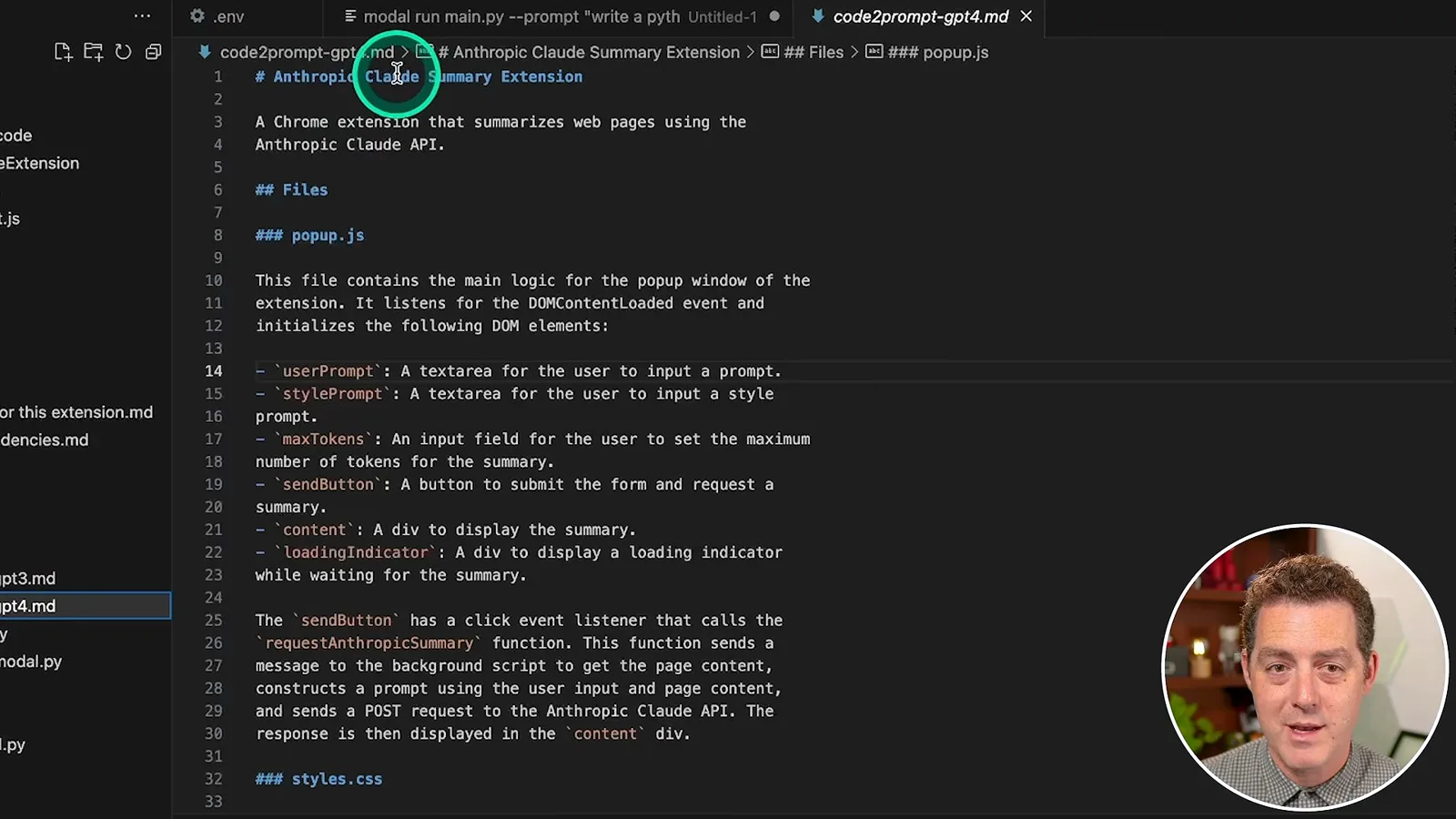
I show an example detailed specification for a browser extension that summarizes pages using Claude. The point is that the prompt can describe files, interface elements and behavior in more detail, much like a handoff to another developer. The demonstration does not establish that the extension works without testing.
For the Python example, I inspect the generated environment file, main script and requirements file, configure a key and run the program. It answers a joke prompt and waits for the next request. Keep credentials private and out of shared repositories, and review generated code and dependencies before running or distributing it.
Sur la même chaîne
 34:21EN
 Matthew Berman· 27 oct. 2026Matthew Berman Examines Anthropic’s IPO Filing, AI Growth and GovernanceMatthew Berman, Sam Altman · Forward FutureThe presenter reviews the S-1’s financial metrics, compute strategy and voting structure while questioning the tension between rapid AI development and safety.
 25:50ENMatthew Berman· 24 oct. 2026Kimi K3.1 Pro Tested: Strong 3D Demos, Uneven Results and Competitive PricingMatthew Berman · Forward FutureMatthew Berman tests the open-weight model on coding, 3D rendering and visual explanations, then compares benchmark results and prices.
 32:20ENMatthew Berman· 23 oct. 2026Who Is Local AI For? The Costs, Trade-offs and a Hybrid FutureMatthew Berman · Forward FutureMatthew Berman weighs data control and independence against hardware cost, setup complexity and inference speed.
 1:03:37ENMatthew Berman· 23 oct. 2026Matthew Berman’s Team Tests Kimi K3.1 on Animation, Games, and ChartsMatthew Berman, Alex, Brian · Forward FutureA live team AMA turns into an informal test of Kimi K3.1, from personal-agent workflows to motion graphics, a browser game, and a benchmark chart.
 0:53ENMatthew Berman· 22 oct. 2026Sam Altman on AI and the Discovery of New KnowledgeSam Altman · OpenAIAltman expects progress in mathematical discovery to extend to biology, materials and energy.
 0:22ENMatthew Berman· 21 oct. 2026A Robot Bodyguard Video Shows Dramatic Rescue ScenariosMatthew Berman · Forward FutureMatthew Berman reacts to a short robot demonstration depicting fighting and vehicle-rescue scenarios.