En 30 secondes
In this February 2024 tutorial, Matthew Berman uses CrewAI to prototype a scraper and writer for newsletter links. With help from CrewAI’s founder and a collaborator, he corrects URL interpolation and builds a custom scraping tool, but encounters blocked pages, context limits and an empty final result. The video is sponsored by Lightning AI; Berman discloses that he is a CrewAI investor.
- 1A newsletter use caseThe proposed crew fetches AI-news links and writes short summaries for an editor.
- 2Pass URLs into the taskCrewAI’s founder identifies the need for `self.urls` and f-string interpolation, and clarifies what the website search tool does.
- 3Build a custom scraperBerman adapts a requests and Beautiful Soup function into an agent tool.
- 4Context limit reveals noisy extractionA broad scrape captures too much text, so Berman experiments with a site-specific HTML selector.
- 5A partial resultA summary appears in the log, but retrieval errors and an empty printed result remain.
À retenir
- Separate fetching article content from writing a summary, and explicitly provide inputs to the task.
- A website retrieval tool and a full-page scraper serve different purposes.
- Inspect errors at each stage: imports, agent tools, URL interpolation and crew execution can all fail independently.
- Broad HTML extraction can include enough irrelevant text to exceed a model’s context limit.
- A site-specific selector can make one test work but does not make a general scraper.
- The prototype produces a summary in the log but still returns an empty final result and needs further work.
Lire le texte remanié, chapitre par chapitre
Setup and intended use
Berman installs an early CrewAI release in Lightning AI and describes the newsletter workflow. The video is sponsored by Lightning AI.
I want to build a team of AI agents with CrewAI, working through the setup and mistakes live. The particular focus is tools: built-in tools available in an early release, LangChain tools, and custom tools we can write ourselves. The February 2024 demonstration uses Lightning AI's cloud IDE; Lightning sponsored the video, and I disclose in the description that I am an investor in CrewAI.
I start in a browser-based development environment with a terminal and Python 3.10.1. After installing CrewAI, I copy a starting example from its documentation and adapt it as I go. The code is linked in the video description.
I begin with an OpenAI model and create an API key for the demonstration, saying I will revoke the displayed key before publication. Lightning can also provide GPUs for running open models, although that is not what I build in this first example.
My first installation pulled the stable release, but I want the then-current 0.14.0 release candidate because it includes additional tools. I uninstall and reinstall the desired version, then inspect a list including tools for searching documents, CSV files, websites and YouTube videos. This is a historical setup, so package names and APIs may have changed.
The use case is my newsletter: I collect AI news links during the week and want a crew to fetch each article and produce a short summary. Instead of a generic search demonstration, this should save time on a concrete editorial task.
Define agents and tasks
He experiments with scraper and writer roles, task descriptions and tool assignment.
I start modifying the example's researcher into a website summarizer. I give it a role, a goal to scrape and summarize a page, and a backstory about explaining AI topics clearly and succinctly. I keep verbose output so I can watch what happens, and initially disable delegation for this agent.
I try assigning the WebsiteSearchTool, assuming it scrapes a website, then set up a writer agent with a short-form AI writing goal. I leave delegation enabled for the writer because I think it might delegate scraping to the other agent. At this point I am still testing how the pieces fit together.
As I write the tasks, I revise the division of labor: the first agent should scrape the full text and pass it on, while the writer should turn that text into a short, interesting summary. I assign a task to each agent and create a crew containing both, with verbose logging.
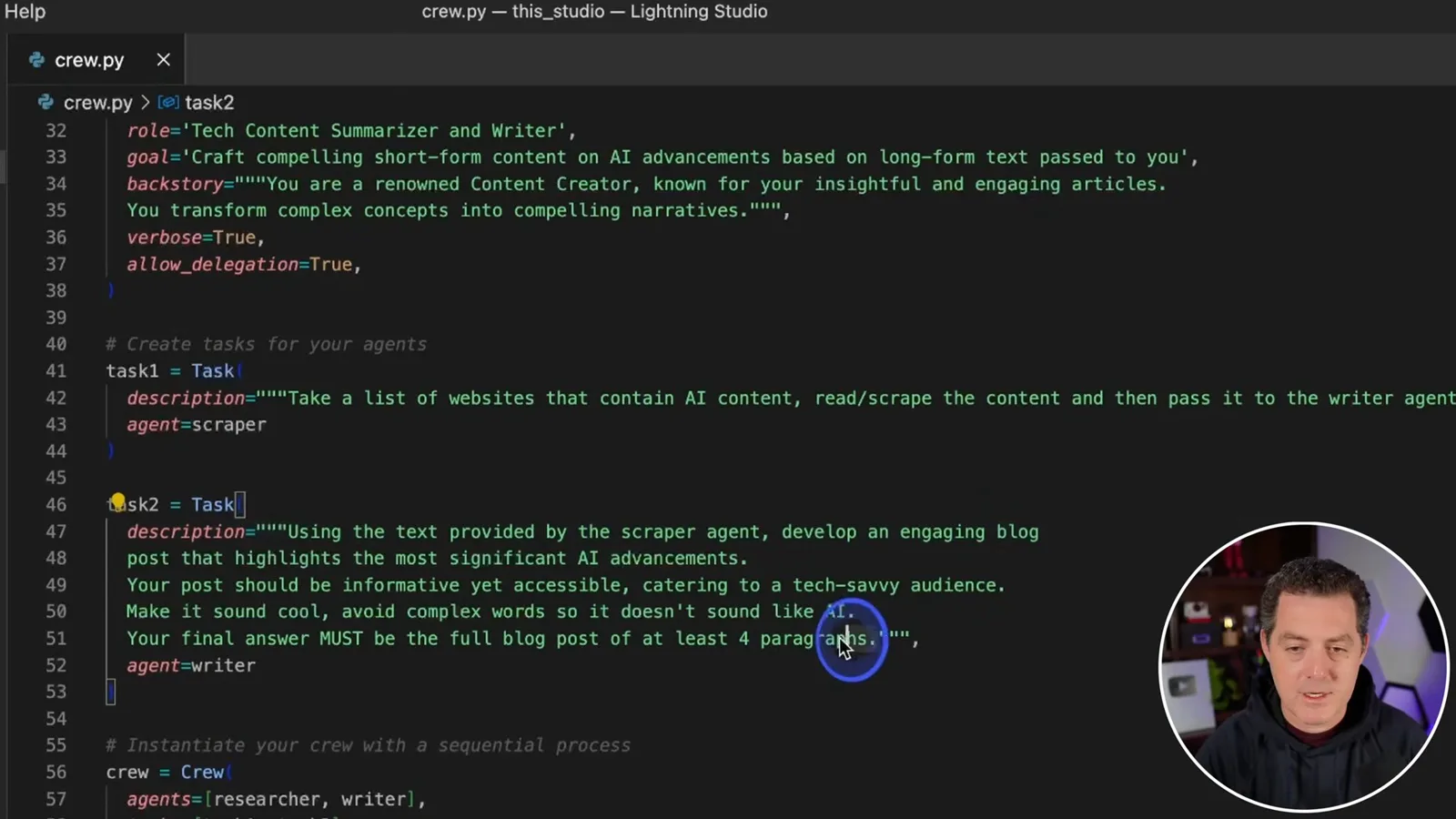
The crew needs a list of URLs. My first attempt asks the agent to request the list itself, but I am unsure whether the application must pass the URLs explicitly. I run it to see what fails rather than assuming the task description is sufficient.
Debug imports and URL input
Errors lead him to study an example, introduce a crew class and pass user input to it.
The first error says the website tool is not defined. I experiment with importing and instantiating it; an attempted import from CrewAI fails, and I correct it to import the tool from the tools package. The agent then asks for URLs but repeatedly produces output that does not match the expected tool or final-answer format.
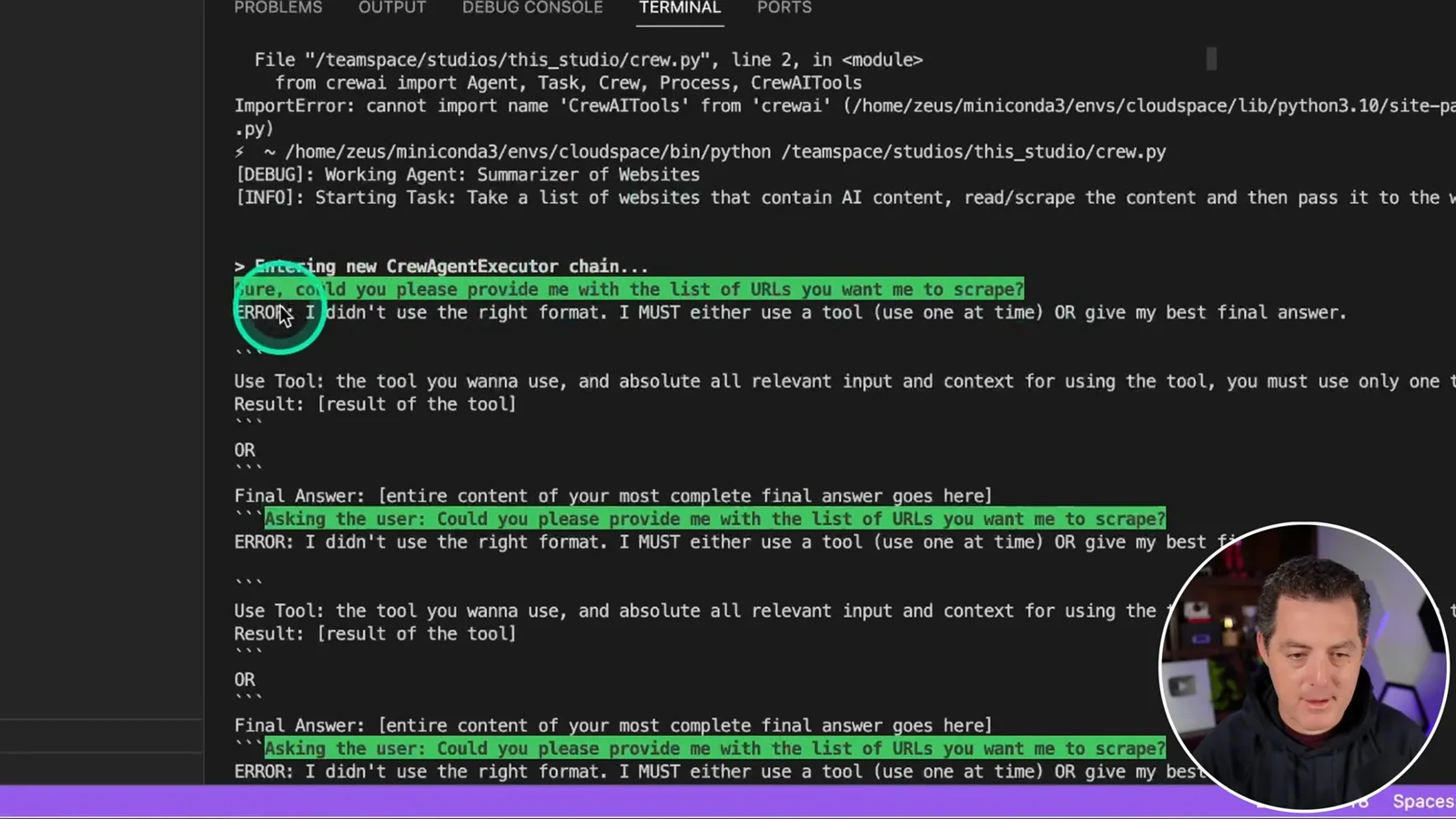
I turn to a stock-analysis example to understand how its input reaches a crew. Its Python entry point asks the user for a company, stores the answer, and passes it into a class. I decide to adapt that pattern for website URLs while keeping this initial experiment in one file.
I create a newsletter crew, change the prompt to ask which URL to summarize, and place the agents and tasks inside a class with a run method. I follow the example's indentation and pass URLs into the class, then look for the right place to insert them into the task description.
I add the URLs to the task text and try the program again. A missing `dedent` import causes one error; after fixing it, I test with a single article about Runway rather than the multiple URLs I ultimately want to support.
The next attempts expose a naming mismatch and a duplicate call to `kickoff`. After removing the duplicate, the program returns `None`: the crew was defined but never actually started. I add a `kickoff` call inside the run method and test again.
A founder explains interpolation and tools
The founder helps identify a missing f-string and explains the difference between website search and scraping.
The agent now starts but says it cannot browse or scrape. I explicitly direct it to use the website tool; it then asks for URLs again, suggesting that my input still is not reaching the task. I contact the founder of CrewAI for help and show him the code and the observed failure.
The founder explains that the task needs to reference the instance variable, `self.urls`, inside a Python f-string. That interpolates the value passed into the crew rather than leaving a literal placeholder in the task. He also clarifies that WebsiteSearchTool uses retrieval over website content to answer a search, rather than acting as the full-page scraper I assumed.
Because I need article text rather than relevant search snippets, I decide to build a custom scraping tool. The founder mentions using an HTML-cleaning library in previous work, and I decide to ask ChatGPT to help write the initial Python code.
Build and integrate a scraper
Berman creates a custom tool with requests and Beautiful Soup and fixes its integration with help from a collaborator.
I inspect the stock example's tools folder and create a separate scraper tool file. I define a scraping function that accepts a URL and should return text. ChatGPT suggests `requests` and Beautiful Soup; I install or verify those dependencies and adapt the generated code.
My initial request asks for a title, but I need the page's text, so I ask for a revised version. The resulting code fetches and parses HTML and collects text elements. I change it to return the combined text instead of merely printing it, while noting that it may also collect irrelevant material.
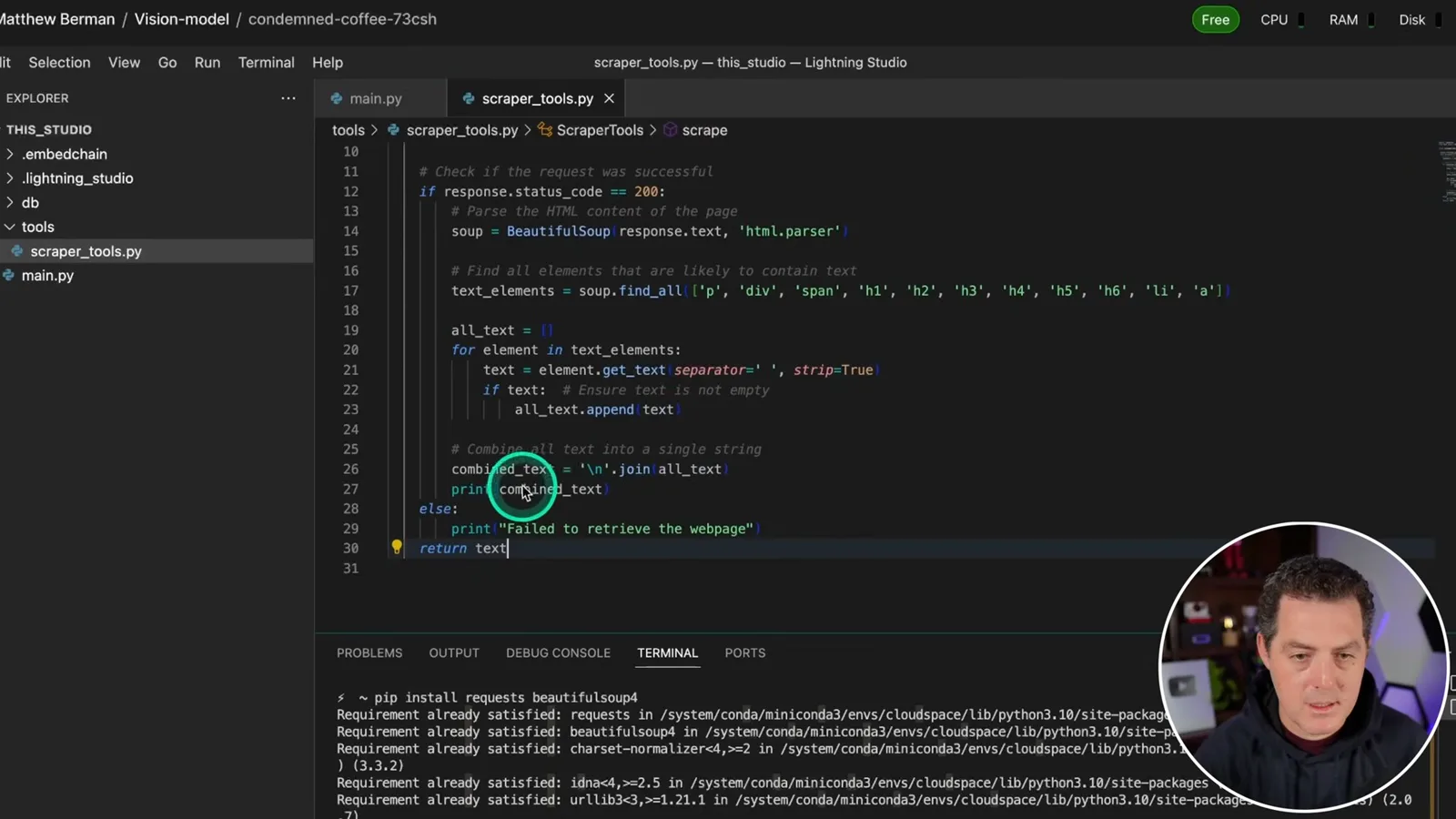
I import the scraper into the main program and try to attach it to the agent. A missing tool decorator and then a `tools` error show that my first integration is not correct. I invite someone into the shared cloud session to help inspect and edit the code in real time.
Blocked requests and context limits
Tests reveal a blocked site and excessive extracted text. He narrows the scraper to an element specific to one website.
With that help, I import LangChain's tool decorator and use it to define the scraper. The next obstacle is the target website: the request fails. ChatGPT suggests adding browser-like headers, but the same page still cannot be retrieved in this test.
I try the CrewAI website instead. A bare domain fails as an invalid URL, so I enter a complete URL; the scraper then works on that site. This narrows the observed failure to the original request, but does not establish that the scraper works on arbitrary sites.
ChatGPT suggests other possible approaches, including different user-agent strings and third-party services, but I choose another article to make progress. The scraper retrieves content from that site, only for the model to reject the request because the accumulated text exceeds its approximately 8,000-token context limit.
The broad scrape captured too much material, including content outside the desired article. I ask ChatGPT how to isolate the main text, inspect the page's HTML, and identify a site-specific element. I modify the Beautiful Soup selection to target that element instead of collecting every text element.
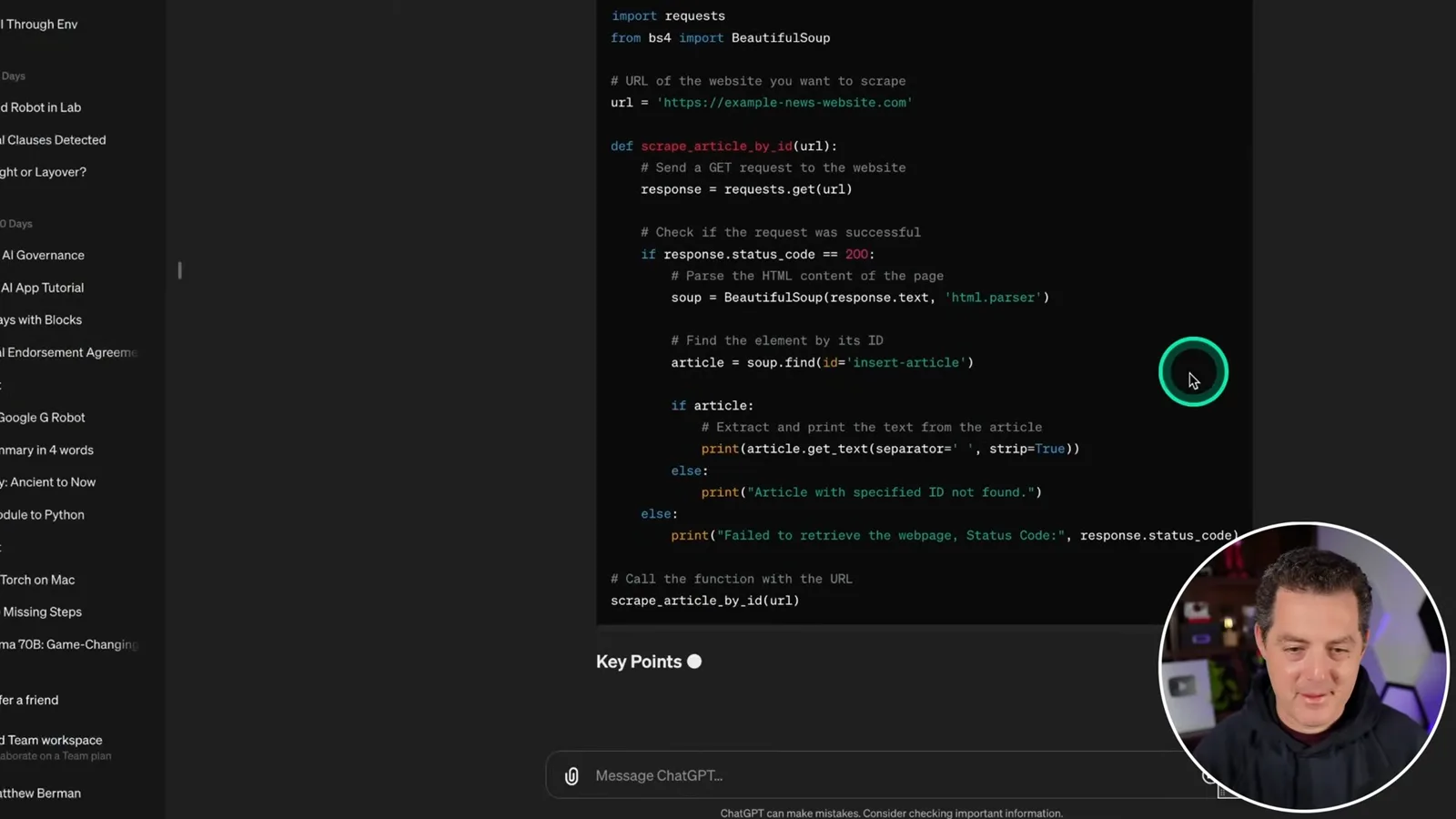
This selector is specific to the website I am testing, so it is not a general solution. I know the scraper will need further work for other sites, but I try the narrower extraction to see whether the agent can complete this one example.
Test result and remaining work
A summary appears in the log, but the final result is empty. Berman plans a more robust follow-up.
The next run extracts text and produces a brief summary in the agent log. The writer delegates work, a further retrieval attempt fails, and a final answer appears, but the printed result is empty. I regard the experiment as a promising start rather than a robust end-to-end workflow.
I stop here and plan a follow-up to make the workflow more robust. The demonstration leaves several issues open: multiple URLs, reliable extraction across sites, blocked requests, context limits and returning the final result correctly.
Sur la même chaîne
 34:21EN
 Matthew Berman· 27 oct. 2026Matthew Berman Examines Anthropic’s IPO Filing, AI Growth and GovernanceMatthew Berman, Sam Altman · Forward FutureThe presenter reviews the S-1’s financial metrics, compute strategy and voting structure while questioning the tension between rapid AI development and safety.
 0:26ENMatthew Berman· 25 oct. 2026Sam Altman on Human Values and Problem-Solving in an AI WorldSam Altman · OpenAIIn a short interview excerpt, Altman considers the enjoyment of solving hard problems and the human role in interpreting results.
 0:36ENMatthew Berman· 25 oct. 2026Kimi K3.1 and a Rubik’s Cube Solver DemonstrationMatthew Berman · Forward FutureMatthew Berman shows a scrambled virtual cube being solved and gives the Kimi K3.1 test a favorable assessment.
 0:21ENMatthew Berman· 24 oct. 2026An AI-Generated Kimi Benchmark Chart Used Invented ScoresMatthew Berman · Forward FutureMatthew Berman asks for a graph of Kimi K3.1 Pro benchmarks, then discovers that the displayed figures are illustrative placeholders.
 25:50ENMatthew Berman· 24 oct. 2026Kimi K3.1 Pro Tested: Strong 3D Demos, Uneven Results and Competitive PricingMatthew Berman · Forward FutureMatthew Berman tests the open-weight model on coding, 3D rendering and visual explanations, then compares benchmark results and prices.
 32:20ENMatthew Berman· 23 oct. 2026Who Is Local AI For? The Costs, Trade-offs and a Hybrid FutureMatthew Berman · Forward FutureMatthew Berman weighs data control and independence against hardware cost, setup complexity and inference speed.