En 30 segundos
GPT Live can continue a voice conversation while a backend agent performs a longer task, OpenAI’s Alex and Erika say. Their drawing-game demo separates the voice, interface and backend, then sends updates as silent context, speakable commentary or instructions. They compare client-managed delegation with Responses delegation and demonstrate conversation over background audio.
- 1The voice model handles interruptions and turn-takingThe speakers describe simultaneous audio input and output without a separate detector deciding when a person has finished.
- 2A backend can draw while the voice conversation continuesThe demo separates the user interface, voice model and background task.
- 3Send updates as context, commentary or instructionsEach stream has a different effect on what the voice knows, says or does.
- 4Delegation can use an existing backend or the Responses APIClient delegation leaves backend execution to the application; Responses delegation is managed by OpenAI.
Conclusiones
- Keep a voice model informed silently when users may ask for progress but do not need constant announcements.
- Choose whether each backend update changes context, supplies something to say or changes instructions.
- Use client delegation with an existing harness or Responses delegation for managed backend calls.
- Test voice behavior with different simulated users and background conditions.
Lee el texto editado por capítulos
A voice model that listens and speaks together
The speakers use two voice sessions to demonstrate interruptions, personality and evaluation.
Alex, an engineer working on GPT Live, and Erika, who works with voice startups, introduce GPT Live 1 with a voice agent named Marin. They demonstrate simultaneous listening and speaking, delegation and behavior in background noise.
The speakers say the model streams audio in and out continuously rather than relying on discrete user and assistant turns. It can listen while speaking and decide when to respond.
They bring in a second voice, Colin, for a collaborative storytelling game. Colin is a separate GPT Live session with its own voice and instructions.
The conversation includes interruptions and brief reactions. Alex says the model handles turn-taking itself rather than depending on a separate voice-activity detector to decide when someone has finished.
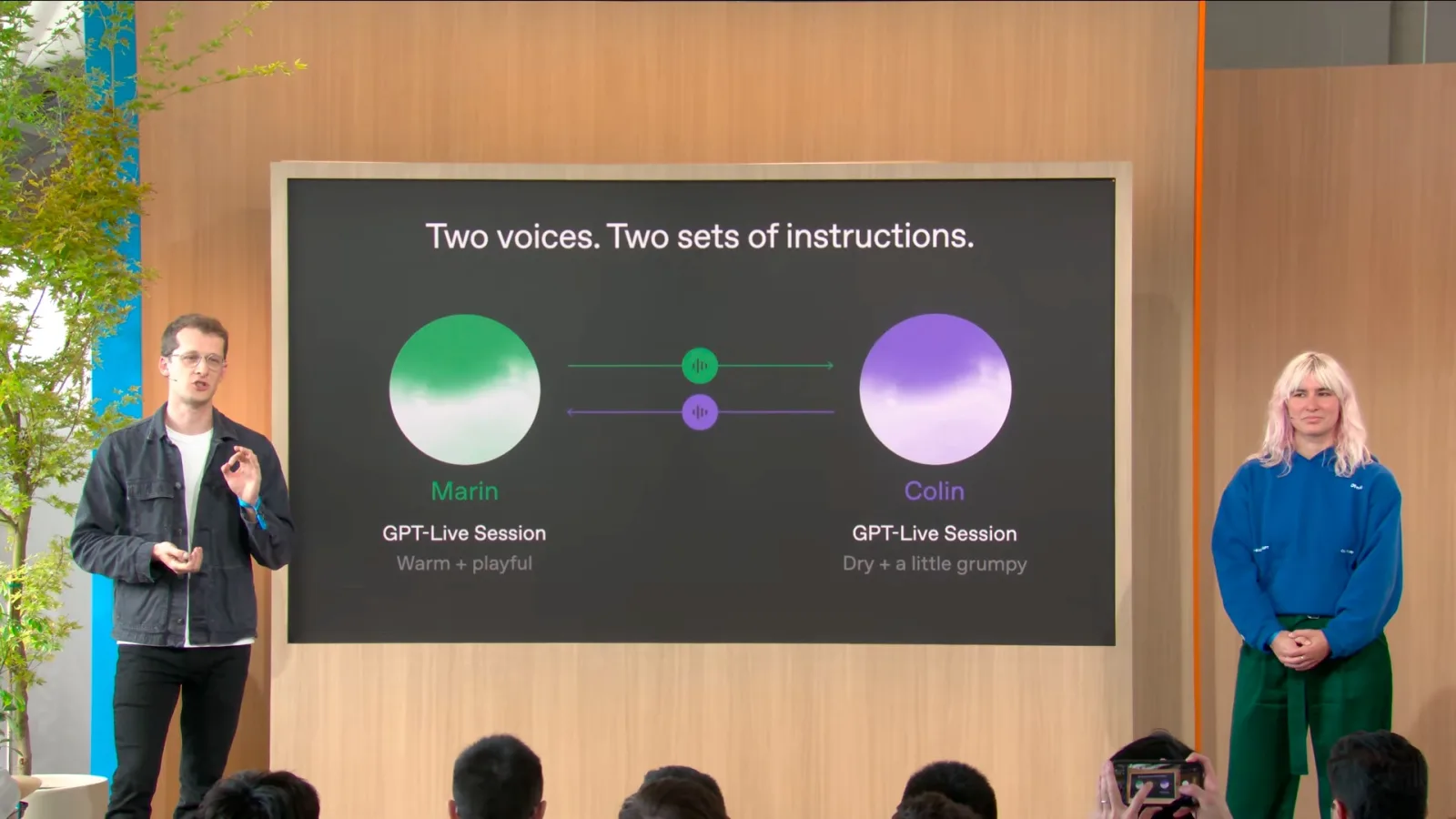
A second voice session can also serve as a simulated user in evaluations, with a chosen voice, personality and goal. The team used that approach to rehearse the demonstration.
Erika says prompts can adjust tone, accent, laughter, backchannels and how readily the voice interrupts or waits. The right behavior depends on whether the product needs an eager partner or a patient listener.
Delegate drawing while conversation continues
A game separates the voice interface from the backend and visual UI.
The next demo is a drawing and guessing game. A backend creates the drawing while Marin talks with the audience and responds to guesses.
Delegation allows the voice model to continue streaming audio while a more capable model or agent works on a complex request. Results can return to the voice model when the background task finishes.
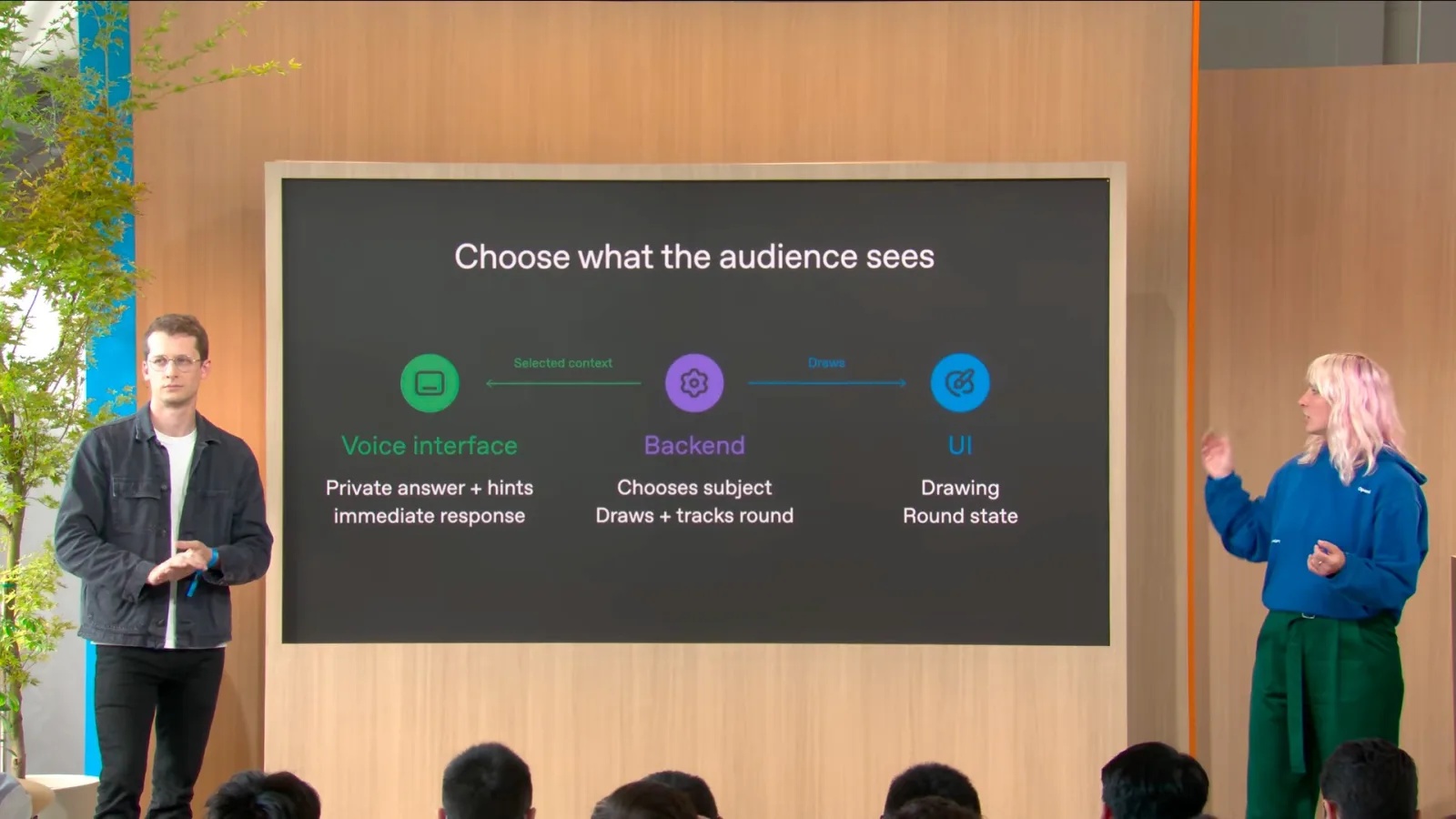
The game separates the visual interface, voice interface and backend. The voice model receives the answer and hints, letting it react immediately to guesses while the backend draws and tracks the round.
Choose how background updates affect the voice
Silent context, commentary and instructions serve different purposes.
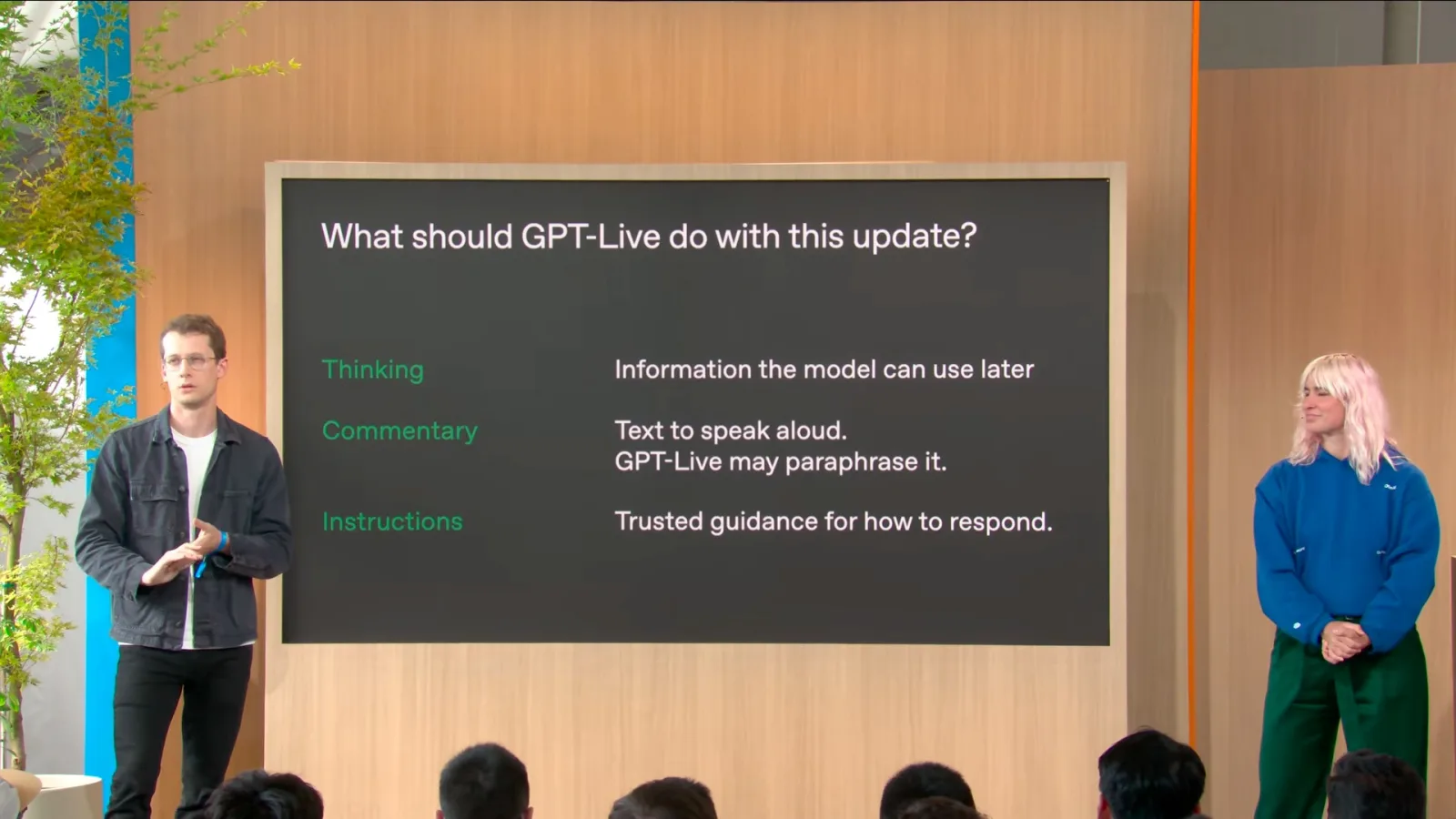
The backend can send silent context updates to the model’s thinking stream. These updates keep the voice model informed so it can answer questions without starting a new delegation each time.
A commentary stream can supply content for the model to speak, while an instructions stream can change behavior or apply guardrails. The application decides which information should be silent, spoken or instructional.
The team learned that frequent spoken updates during a long Codex task could be distracting. The speakers recommend keeping the voice informed in the background and considering what the user can already see.
Choose a delegation mode
Client and Responses delegation offer different ways to run backend work.
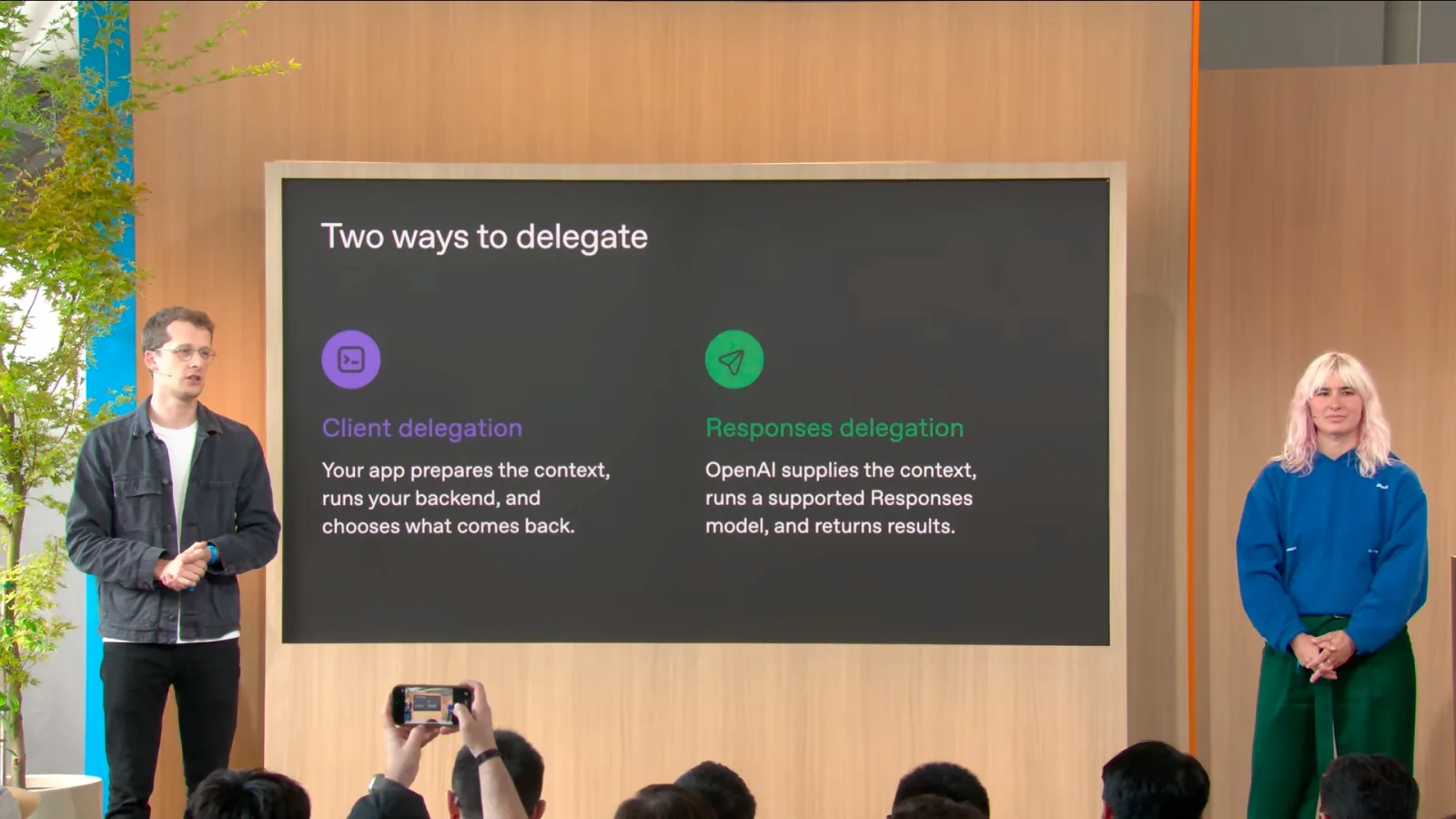
With client delegation, the application receives events and runs its own backend, model or agent harness. It can use transcript and application state to prepare a request and send results back in the chosen stream.
With Responses delegation, developers select a Responses API model and configure instructions and tools; OpenAI manages the delegation and supplies conversation context. Hosted tools such as web search and image generation can also be enabled.
Interact with background audio
The team demonstrates continuous conversation and closes with image generation.
For a final demonstration, the team plays loud background audio while continuing to talk, change the sound and issue requests. They present this as an example of continuous interaction without waiting for silence.
The speakers suggest voice can make controls easier to reach: users can describe what they want without knowing where a setting is. They say the model continually chooses whether to speak, listen or invoke a tool.
To close, Marin delegates the generation of a grid of images. The team says application designers must decide what the backend handles, what the interface shows and what the voice model needs to know or say.
Más de este canal
 27:44EN
 OpenAI· 11 nov 2026Plugin extensions bring interactive tools into ChatGPTCorey, Max Neuber · OpenAIOpenAI describes discovery, sidebar and file entry points, event-driven automation and revised submissions.
 24:01ENOpenAI· 11 nov 2026When agent work needs loops, subagents and a shared logRaj, Eric · OpenAIOpenAI’s Raj and Eric explain persistence, when to delegate and how they coordinate longer work.
 21:10ENOpenAI· 11 nov 2026How OpenAI turned security findings into verified fixesIan, Kyle · OpenAIOpenAI engineers describe the scan, deduplication and patch verification loop behind Codex Security.
 19:44ENOpenAI· 11 nov 2026What a managed agent harness has to do to keep workingCharlie, Steve · OpenAIOpenAI engineers explain remote sandboxes, long-running state and a human-approved flight rebooking demo.
 27:09ENOpenAI· 11 nov 2026A six-week coding agent run and what it took to superviseOpenAI engineers describe a CI maintenance agent, long-running context and the cost of keeping it working.
 20:48ENOpenAI· 11 nov 2026Sites adds personalized connectors and agent-friendly web appsKatia, John · OpenAIOpenAI demonstrates scheduled updates, per-user plugins and WebMCP in two Sites applications.