En 30 segundos
Matthew Berman tests the initial October 2024 ChatGPT Canvas beta, generating a Snake game and an editable story. He demonstrates targeted requests, shortcuts for code and writing, and observes that some shortcuts change the entire document despite a selection. He does not run the generated game or independently validate the final bug fix. He also draws on a prior Twilio experience to explain platform risk for companies built on another provider’s API.
- 1Platform riskBerman compares OpenAI’s growing tools with his experience building on Twilio before the platform entered competing markets.
- 2Side-by-side codeThe Snake example appears in an editable pane beside chat, but is not run in the initial Canvas beta.
- 3Selection versus shortcutsThe comments shortcut changes the whole document despite a highlighted selection; a similar result occurs with logs.
- 4Fixing an introduced errorThe model identifies a direction mistake but also changes additional code that Berman did not request.
- 5Writing suggestionsComments can be accepted or declined, while sliders rewrite length and reading level.
- 6An unverified fixThe final example proposes fixes for uninitialized values, but Berman does not run or thoroughly check it.
Conclusiones
- The original Canvas beta placed an editable artifact beside the ChatGPT conversation.
- Ask ChatGPT could target a highlighted selection, while the comments and logs shortcuts changed more of the document in this test.
- The initial version shown did not execute the Snake game inside Canvas.
- Writing controls revised length and reading level and offered comments that could be accepted or declined.
- Generated changes and fixes needed review; the final programming example was not executed or fully verified.
- Berman sees platform risk when an API provider can change terms or compete with developers using it.
Lee el texto editado por capítulos
Canvas and platform risk
Berman introduces the October 2024 beta and its writing and coding shortcuts. He describes the risk of building a business on a platform that may compete with it.
OpenAI has introduced Canvas, a separate workspace alongside ChatGPT for collaborating on writing and code. Instead of keeping the whole artifact in one chat stream, you can edit a document or select a passage and ask for a targeted change. This walkthrough reflects the October 2024 beta; availability and features may have changed since then.
The version shown is GPT-4o with Canvas. At the time, OpenAI announced access for paid and enterprise users, with free access planned after beta. Writing shortcuts include suggested edits, length and reading-level changes, final polish and emoji; coding shortcuts include review, comments, logs, bug fixes and language conversion.
OpenAI says it trained GPT-4o to collaborate in Canvas, including deciding when to open it and making targeted edits. The important idea is that a selected portion can be revised without necessarily regenerating the entire artifact. I also compare the workspace with Claude’s Artifacts.
I see platform risk for businesses built on another company’s API. At my previous company, we built on Twilio for messaging and calls before the platform began competing with us. A provider can change prices or policies or build overlapping products; I think AI coding tools should consider that possibility as OpenAI adds more capabilities.
Editing and debugging a Snake game
He generates code, changes a selection and tests comments, language conversion, bug fixes and logs. He does not execute the game.
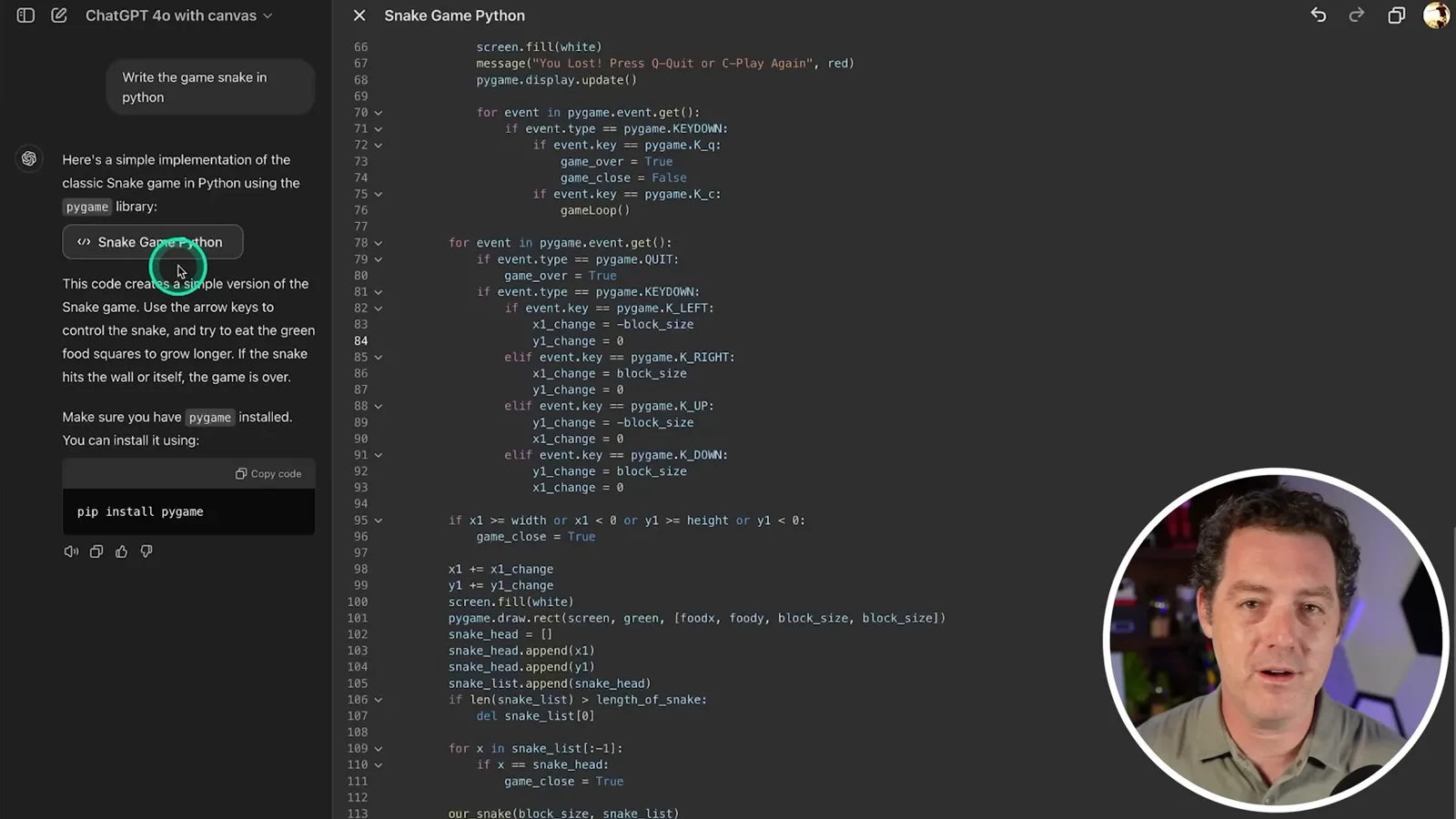
I ask Canvas to write Snake in Python. Chat remains on the left while the editable code appears on the right. In this initial beta, I cannot execute the game in Canvas, and I do not test it locally; the demonstration is about the editing interaction rather than proving that the game runs.
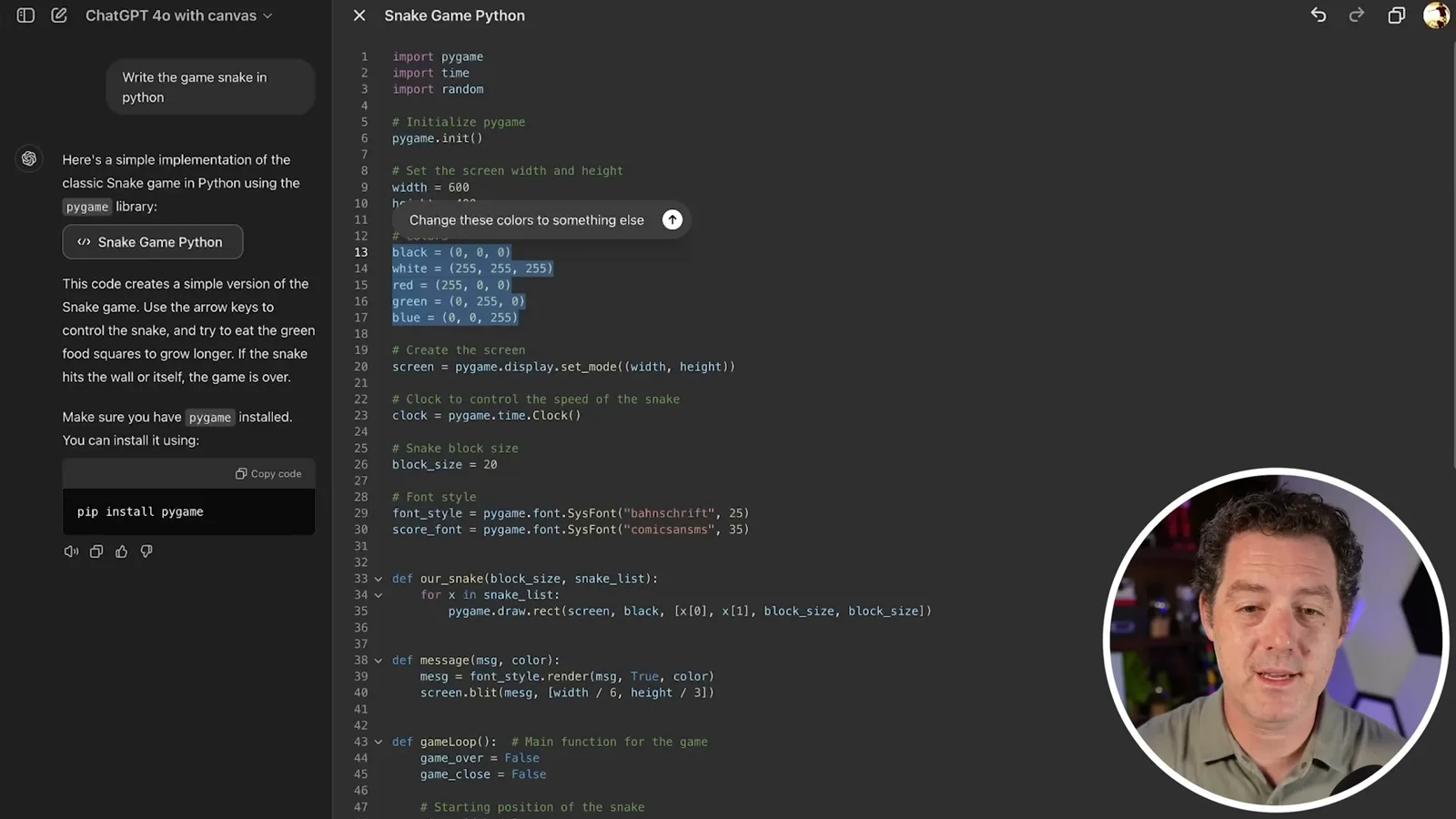
I highlight the color definitions and use Ask ChatGPT to request different colors. The model changes that section while leaving the rest in place. I then ask for a different library, prompting a broader rewrite; the interface highlights code as it changes.
Next I select a few lines and use Add comments, but the shortcut adds comments throughout the document rather than only to my selection. I then use the language conversion slider to rewrite the example in JavaScript and C++. The output resembles those languages, but I do not run either version.
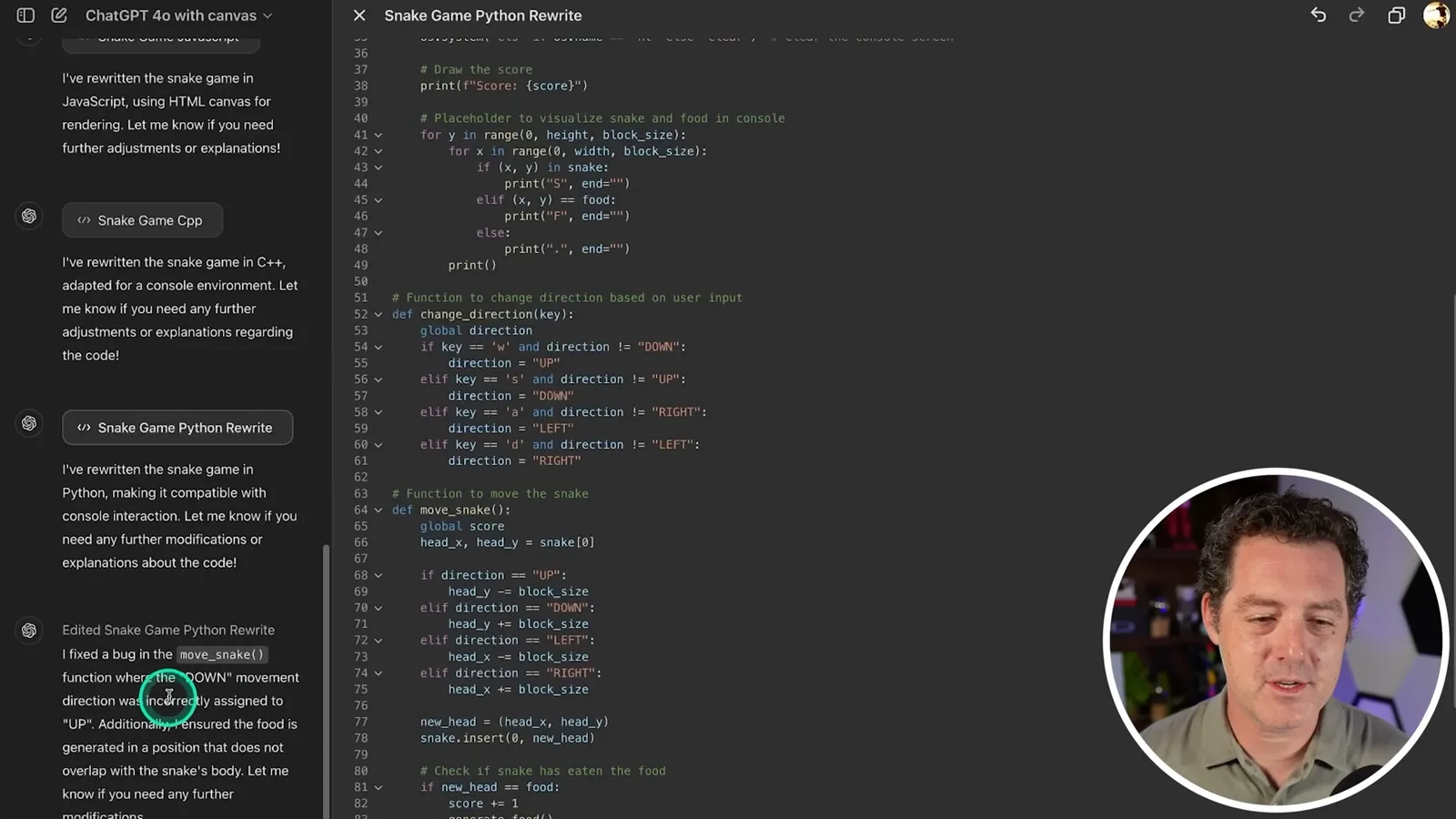
After switching back to Python, I deliberately introduce a direction error and press Fix bugs. The model identifies the down direction being assigned to up, but also changes other parts of the code. Running the shortcut again produces further changes and reports another issue with reset behavior; I note that the broader edits are not exactly what I wanted.
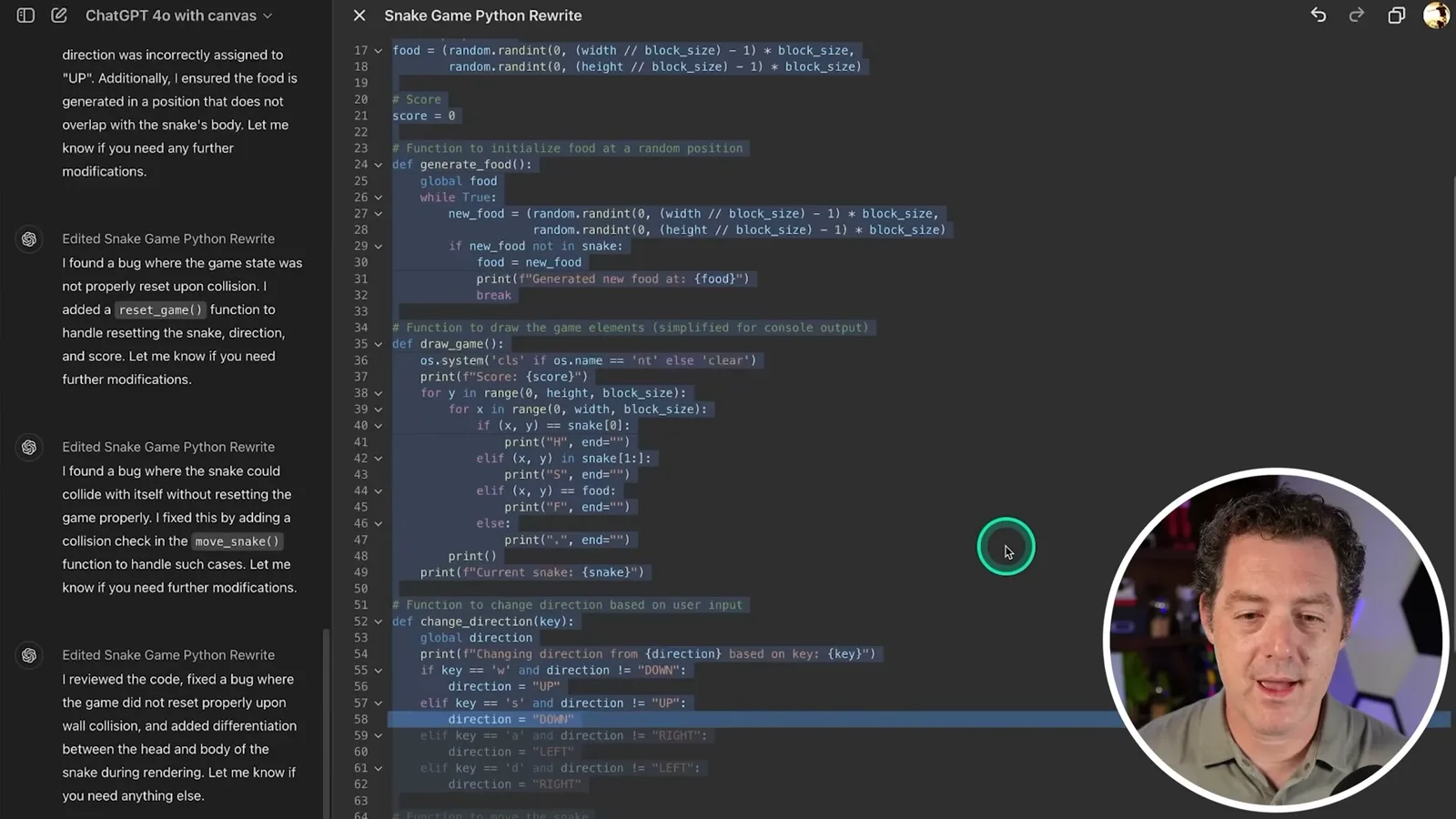
I try Add logs on highlighted code and again see changes across the document. In this demonstration, highlighting appears to target a request through Ask ChatGPT, while these shortcuts act more broadly. I can then ask the model to remove the logs. The workflow is useful for iteration, though I regard it as basic compared with existing AI-enabled IDEs.
Writing controls and a final coding test
A strawberry story demonstrates suggested edits, length, reading level, emoji and polish. A final bug-fix example is inspected but not independently tested.
For writing, I request a story about strawberries becoming intelligent. The story opens in an editable Canvas; I can add or delete text directly or select a passage to ask ChatGPT for a change. The writing menu offers suggestions, length and reading-level controls, polish and emoji.
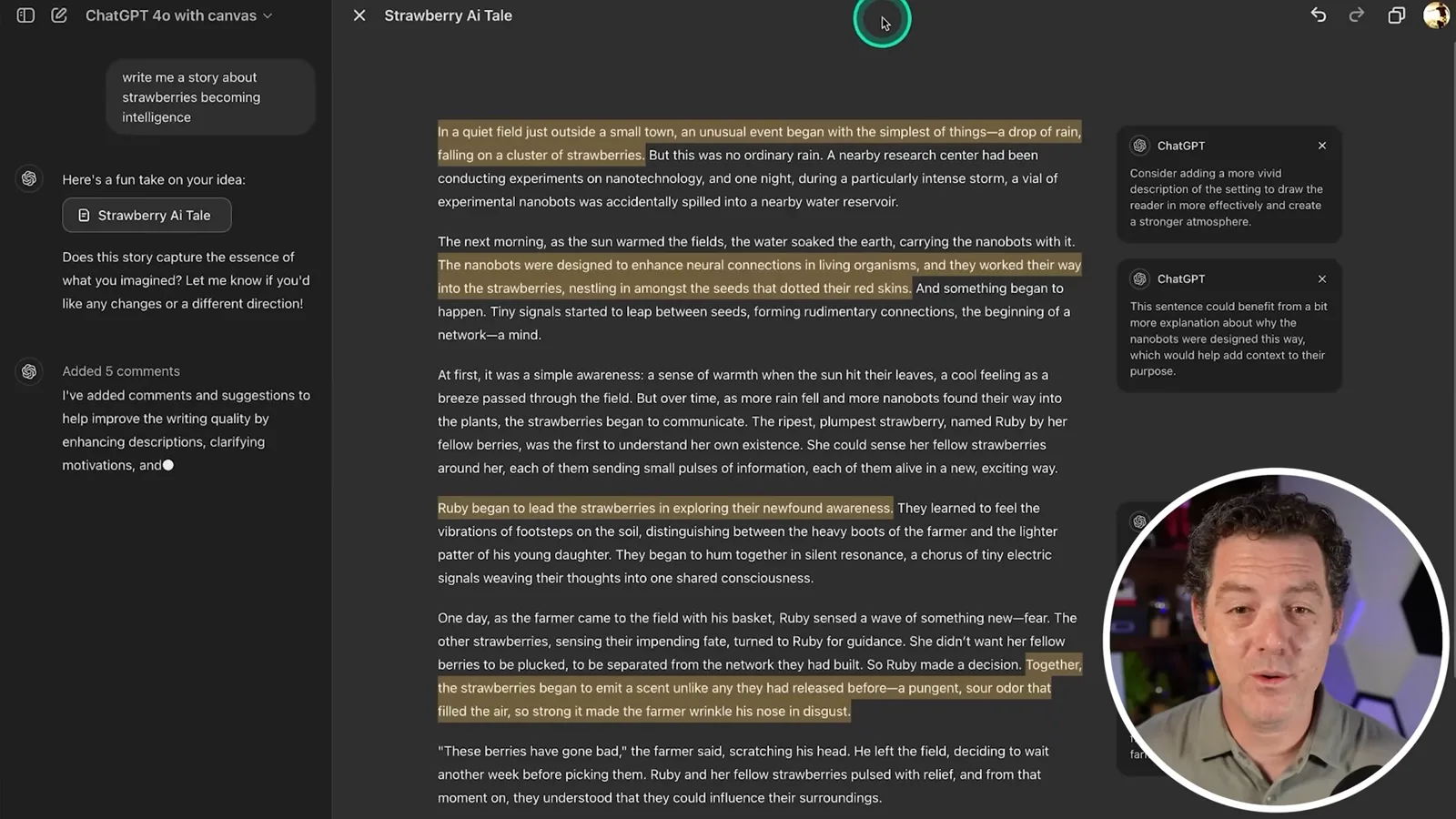
Suggest edits highlights passages and adds comments resembling a collaborative document editor. I accept a suggestion for a more vivid setting and another adding context about the nanobots, then decline others. This gives the user control over which proposed changes enter the story.
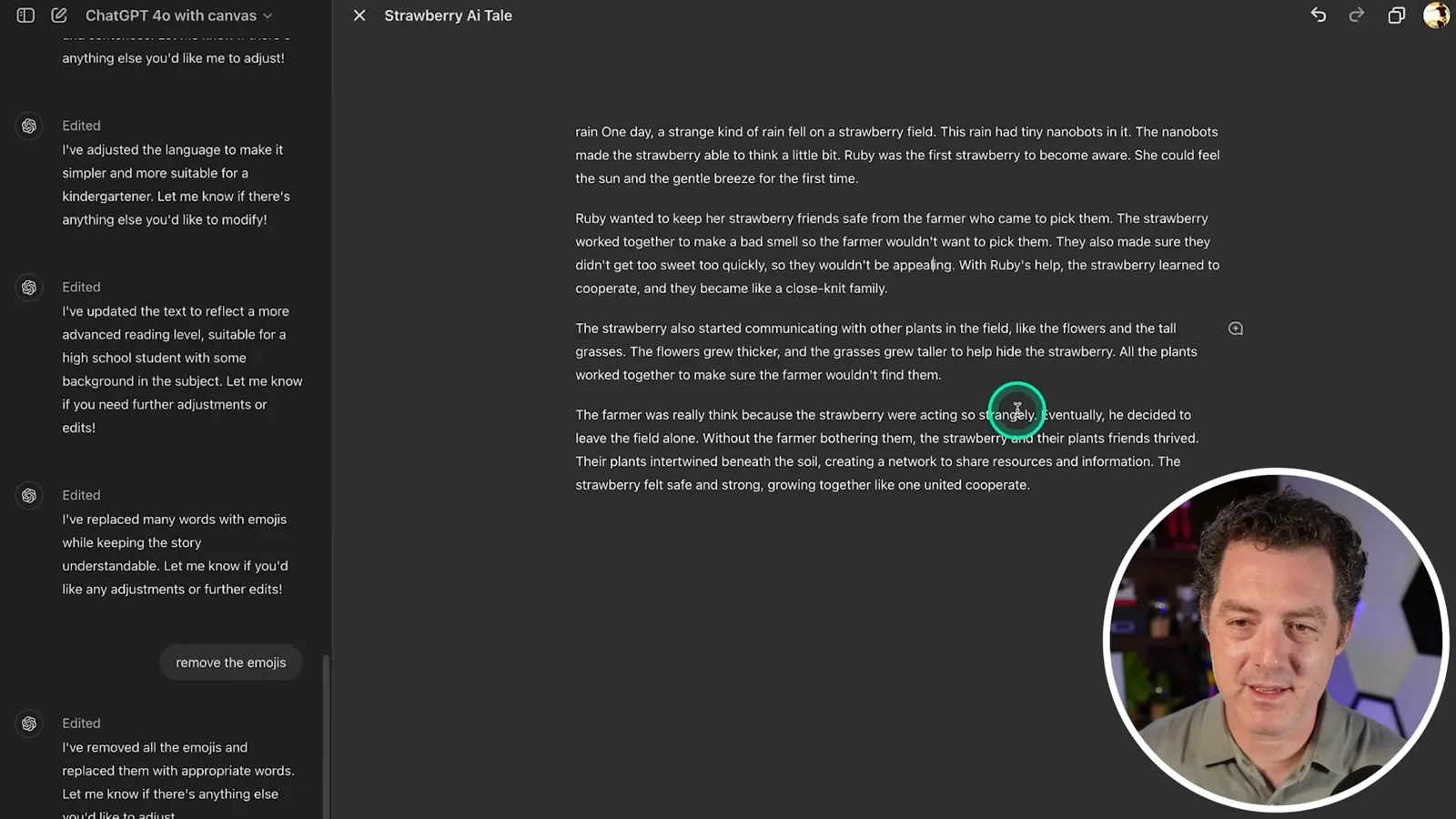
The length slider rewrites the document shorter; selecting the shortest setting repeatedly makes it shorter again in my test. I then make it longer. The reading-level slider similarly rewrites the story for kindergarten and graduate-school audiences, changing the complexity of its vocabulary and grammar.
Applying the kindergarten setting a second time leaves the text at roughly the same level, and I move on to a high-school setting. I add and then remove emoji. That sequence leaves an odd stray word and other apparent errors, while Final polish removes the stray word and adds a title.
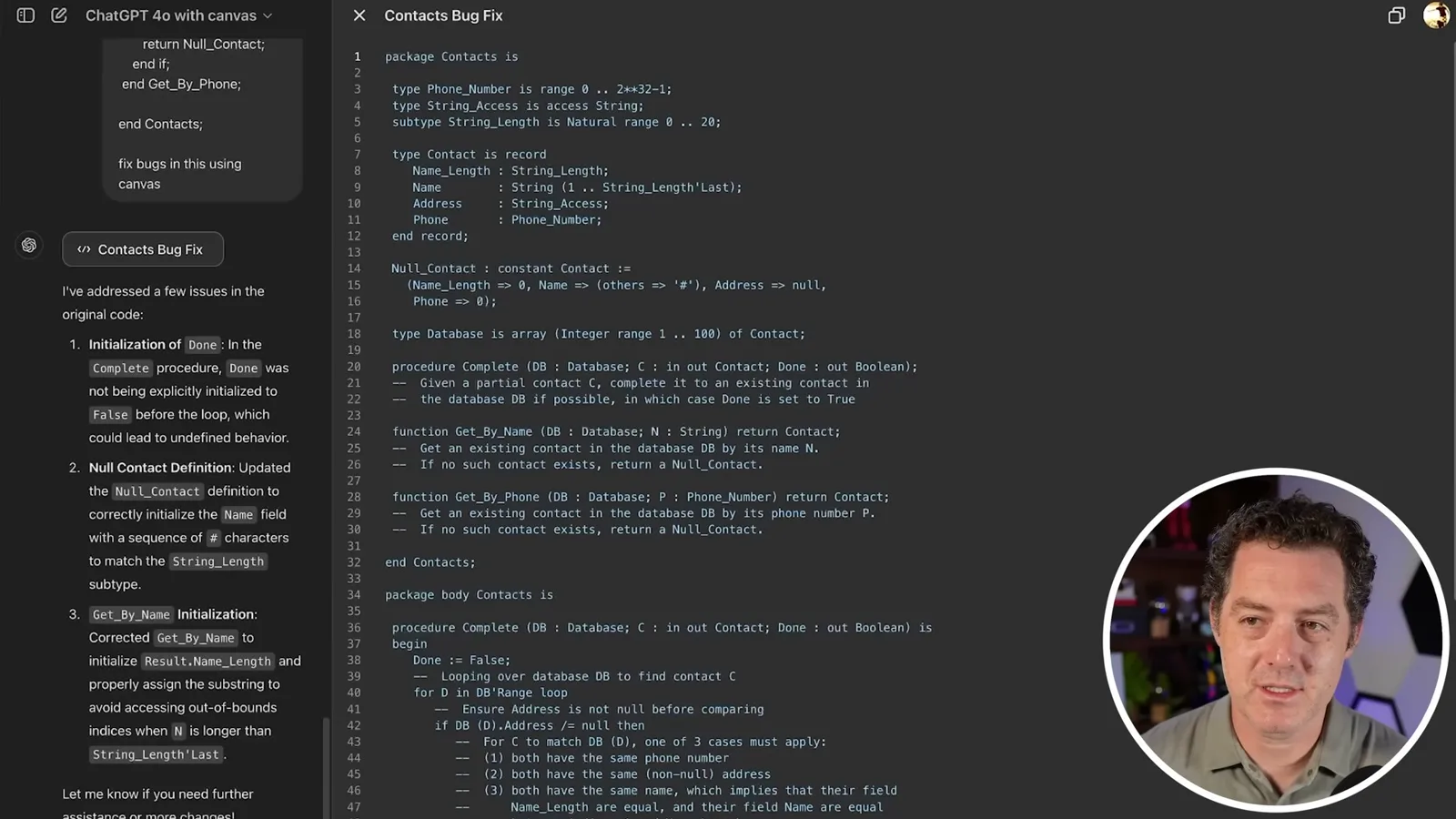
Finally, I paste a programming problem involving uninitialized variables and ask Canvas to fix it. The model reports changes to the completion procedure, a null contact definition and initialization in a lookup function. Those appear relevant to the problem, but I do not run the code or check the solution in detail.
Canvas looks promising but basic in this first version. I expect continued development to bring OpenAI into competition with more AI tools built on its platform. The tests demonstrate useful editing controls as well as broad rewrites and output errors that still need user review.
Más de este canal
 14:45EN
 Matthew Berman· 29 oct 2026Matthew Berman Examines Google’s Gemini 4 Carbon AnnouncementMatthew Berman · Forward FutureMatthew Berman reviews Google’s reported benchmark results, staged rollout and pricing for Gemini 4 Carbon, while noting he has not yet used the model.
 21:11ENMatthew Berman· 28 oct 2026Matthew Berman tests DeepSeek V4.1 Flash: coding, vision and local appsMatthew Berman · Forward FutureA hands-on tour of visual coding, image reasoning, local applications and provider economics reveals both impressive results and visible flaws.
 34:21ENMatthew Berman· 27 oct 2026Matthew Berman Examines Anthropic’s IPO Filing, AI Growth and GovernanceMatthew Berman, Sam Altman · Forward FutureThe presenter reviews the S-1’s financial metrics, compute strategy and voting structure while questioning the tension between rapid AI development and safety.
 0:26ENMatthew Berman· 25 oct 2026Sam Altman on Human Values and Problem-Solving in an AI WorldSam Altman · OpenAIIn a short interview excerpt, Altman considers the enjoyment of solving hard problems and the human role in interpreting results.
 0:36ENMatthew Berman· 25 oct 2026Kimi K3.1 and a Rubik’s Cube Solver DemonstrationMatthew Berman · Forward FutureMatthew Berman shows a scrambled virtual cube being solved and gives the Kimi K3.1 test a favorable assessment.
 0:21ENMatthew Berman· 24 oct 2026An AI-Generated Kimi Benchmark Chart Used Invented ScoresMatthew Berman · Forward FutureMatthew Berman asks for a graph of Kimi K3.1 Pro benchmarks, then discovers that the displayed figures are illustrative placeholders.