En 30 segundos
In this September 2025 demonstration, Matthew Berman walks through AI workflows ranging from furnishing a room and generating product concepts to reviewing suspicious messages, researching solar panels, writing SQL and studying documents. He shows example outputs and follow-up prompts across several tools. The outputs are demonstrations, not independent verification: the solar figures are estimates for one property, and the historical reconstruction visibly retains modern buildings. The scheduled digest shown only contains the available Reuters headlines.
- 1Furnishing a roomColored annotations and a prompt turn an empty-room photo into a furnished preview.
- 2Sketch to conceptAn illustrated ring becomes a product render that can be refined through follow-up prompts.
- 3Reviewing suspicious messagesBerman tests conference invitations, a voicemail and a text message with ChatGPT.
- 4Solar feasibilityA generated report combines roof imagery and local information for an illustrative estimate.
- 5Documents and dataHe turns a whiteboard into a reference sheet and asks for SQL and customer sentiment analysis.
- 6Research and workHe demonstrates highlighted papers, housing research, negotiation and email revision.
- 7Study aidsNotebookLM generates flashcards from uploaded sources; a live visual assistant helps with a geography game.
Conclusiones
- Annotating an image and describing each region can produce a room-design preview.
- Image generation can turn sketches and logos into product concepts or branded layouts.
- A chatbot can identify potential warning signs in messages, but its judgments are examples rather than proof.
- Research tools can assemble an initial solar or housing analysis from location-specific information and assumptions.
- Document workflows include reference sheets, SQL, customer-call analysis and highlighted research papers.
- Calendar connections and scheduled tasks can assist with meeting windows and recurring news digests.
- NotebookLM can create study materials from uploaded sources, while live visual AI can suggest a location in a geography game.
Lee el texto editado por capítulos
Creative design and visualizations
Berman demonstrates room and fashion previews, historical reconstructions and product concepts. He also generates a looping concert visual.
Many people are not getting the most out of ChatGPT and other AI tools. Here are practical uses across design, work, research and learning, illustrated with examples you can adapt.
For interior design, I outline areas of an empty-room photo in different colors using MS Paint. In Gemini’s Nano Banana, I describe what each color should become: an L-shaped couch, coffee table, rug, television, plant, wall art and ceiling light. The generated room gives me a way to preview a style before committing to furniture.
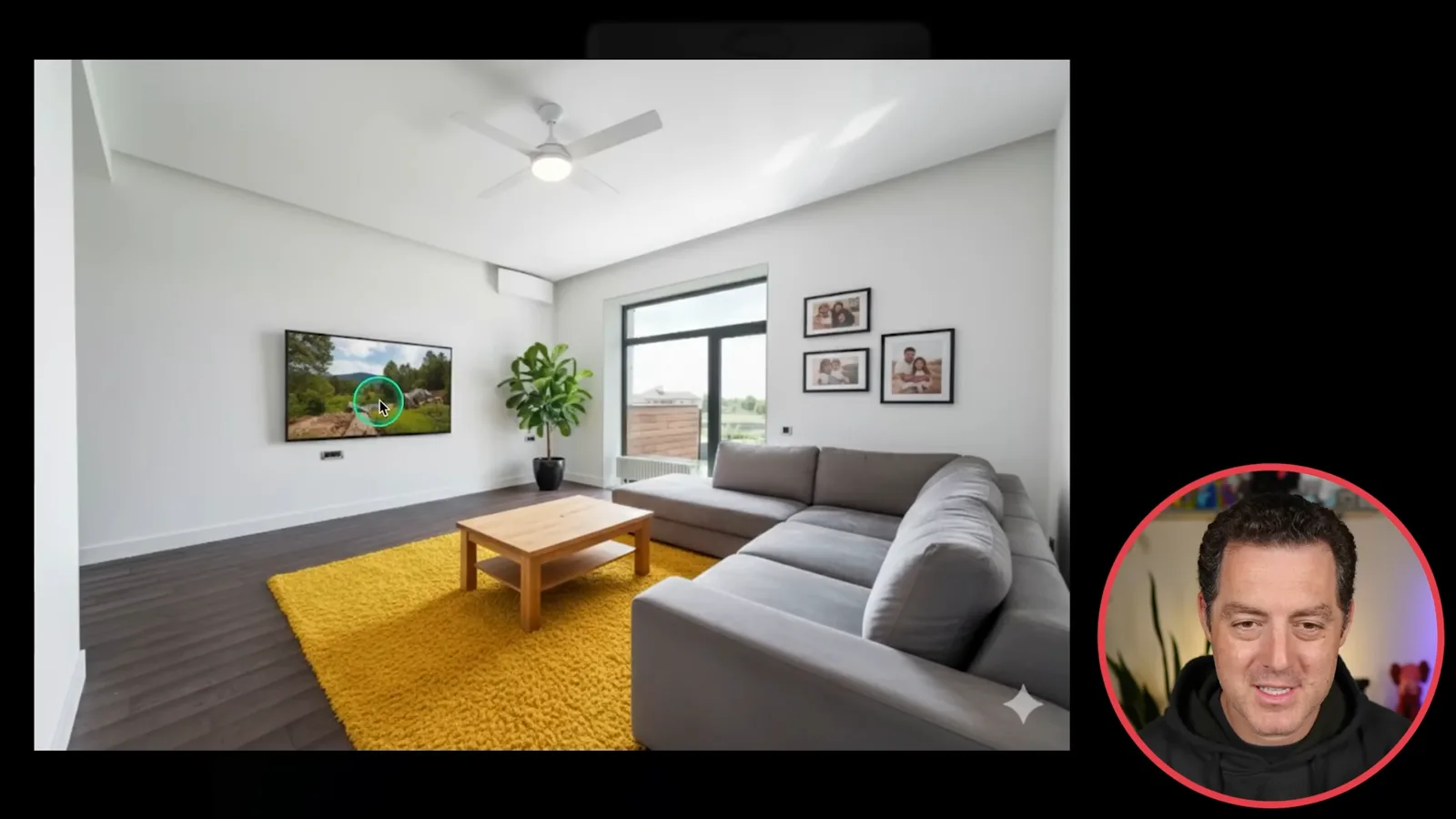
The same idea applies to fashion: upload a photo of yourself and ask to see different hair, glasses or clothing. You can visualize a possible change before making it.
You can also reimagine historical places. I ask for a reconstruction of the Temple of Jupiter in Baalbek under Roman rule, with citizens, priests and soldiers at a festival. The result looks impressive, though I notice modern buildings remain in the background.
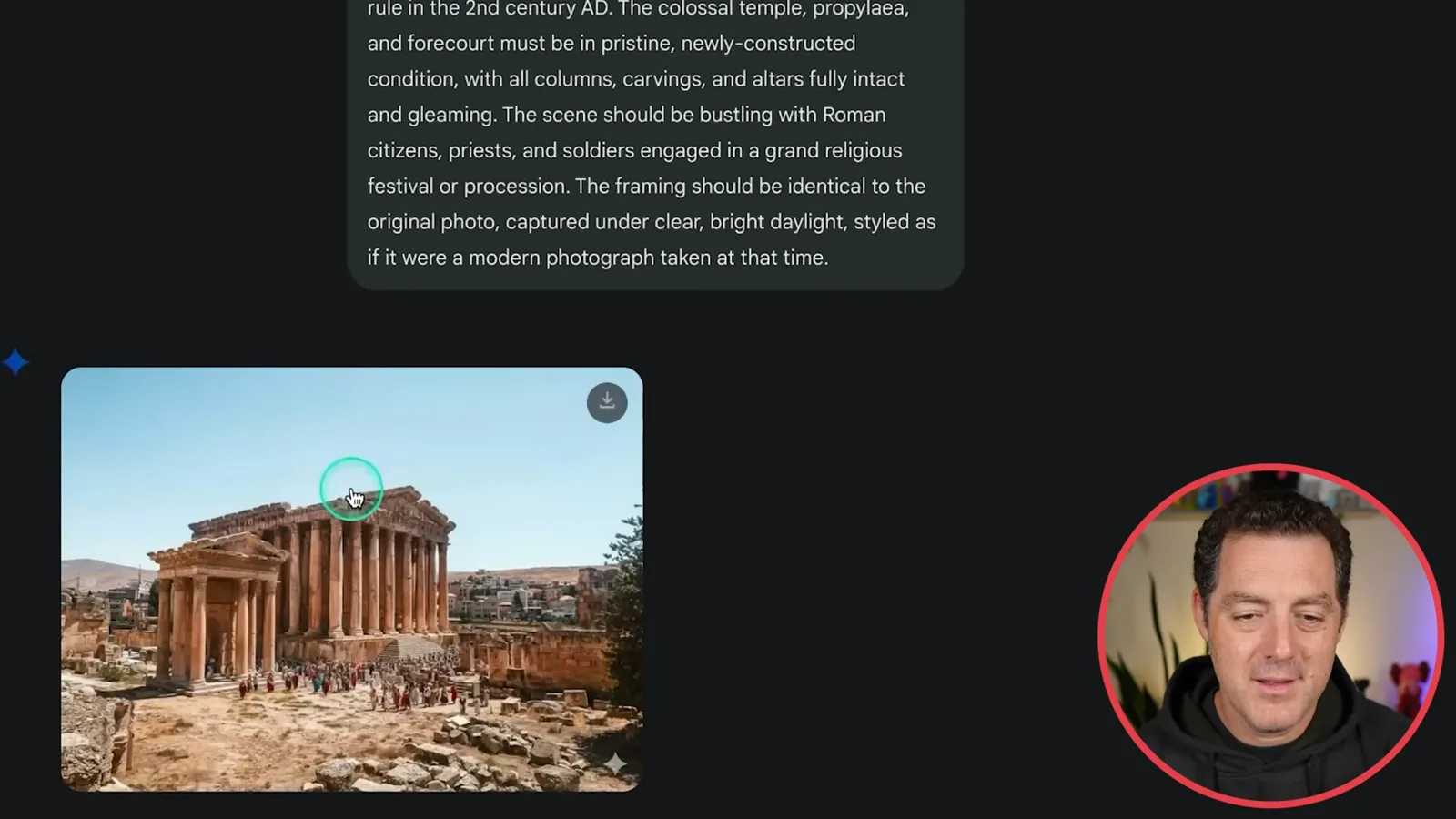
Another prompt reimagines the Treasury in Petra at the height of the Nabataean kingdom, adding camels and people in historical clothing. ChatGPT or Gemini can help write a detailed prompt if you do not want to compose it yourself.
For product design, we start with a rough drawing of a ring with an oxygen sensor, haptics, a crown and an AR holographic display. The image model turns it into a visual concept, then shows it on a finger. When the hologram faces the wrong way, we ask it to change the angle.
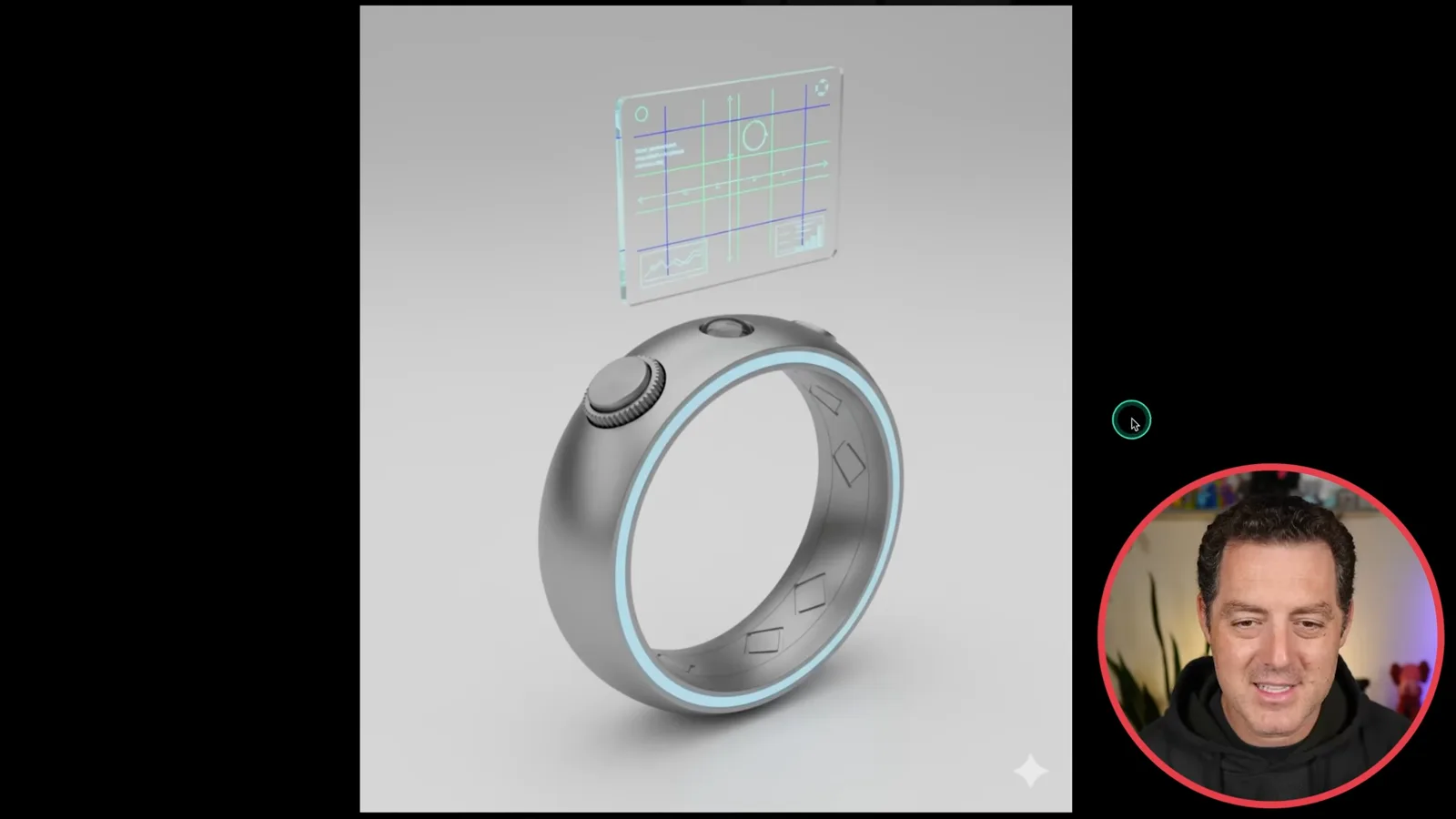
For a concert backdrop, we use Nano Banana to create an image and Veo 2 to animate a psychedelic scene of robots overlooking a crowd. The prompt asks for a seamless loop, suitable for repeating behind a DJ.
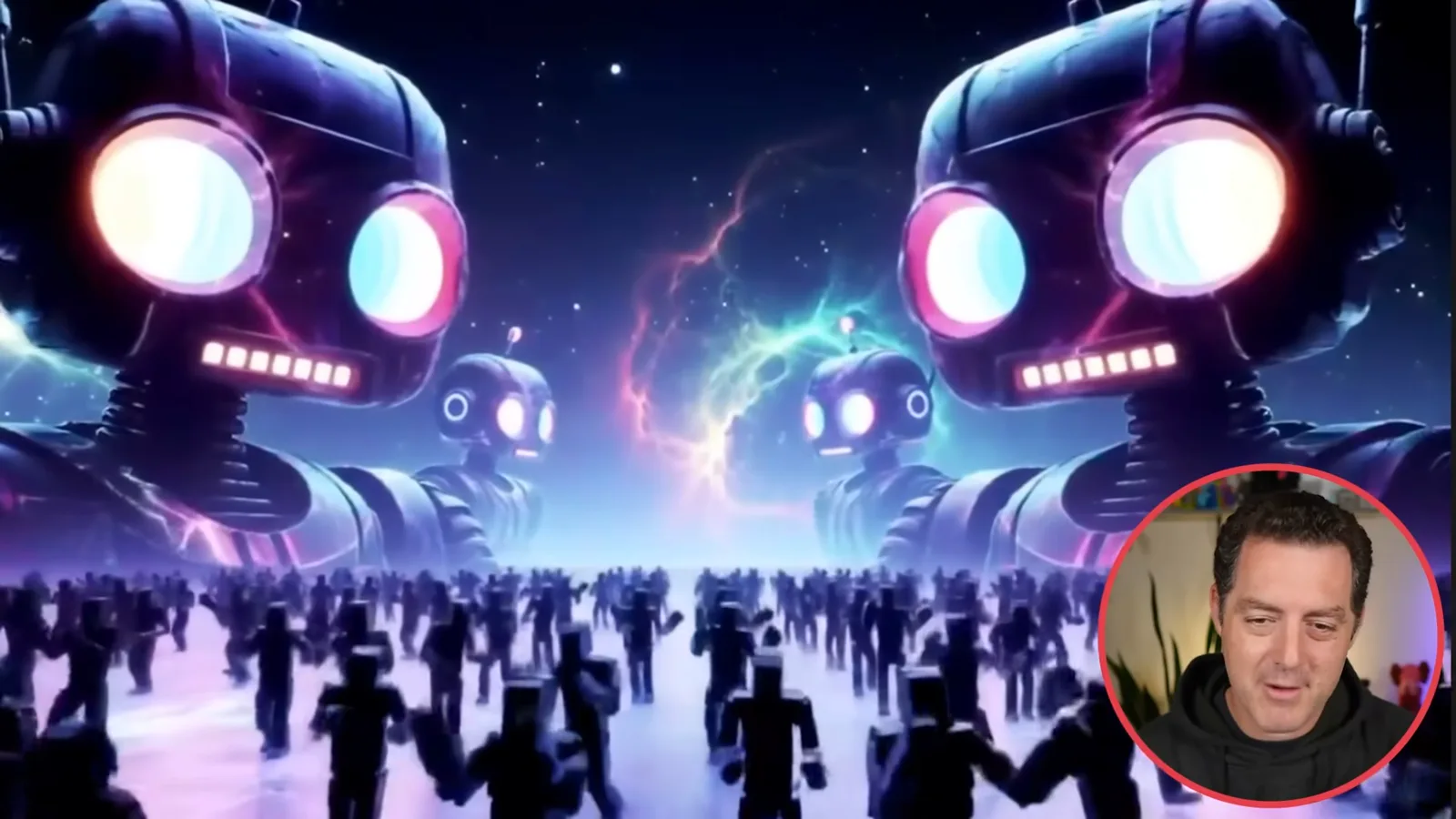
Brand assets and file conversion
He turns a logo into business card and other designs. He also converts a JPEG to SVG using generated code.
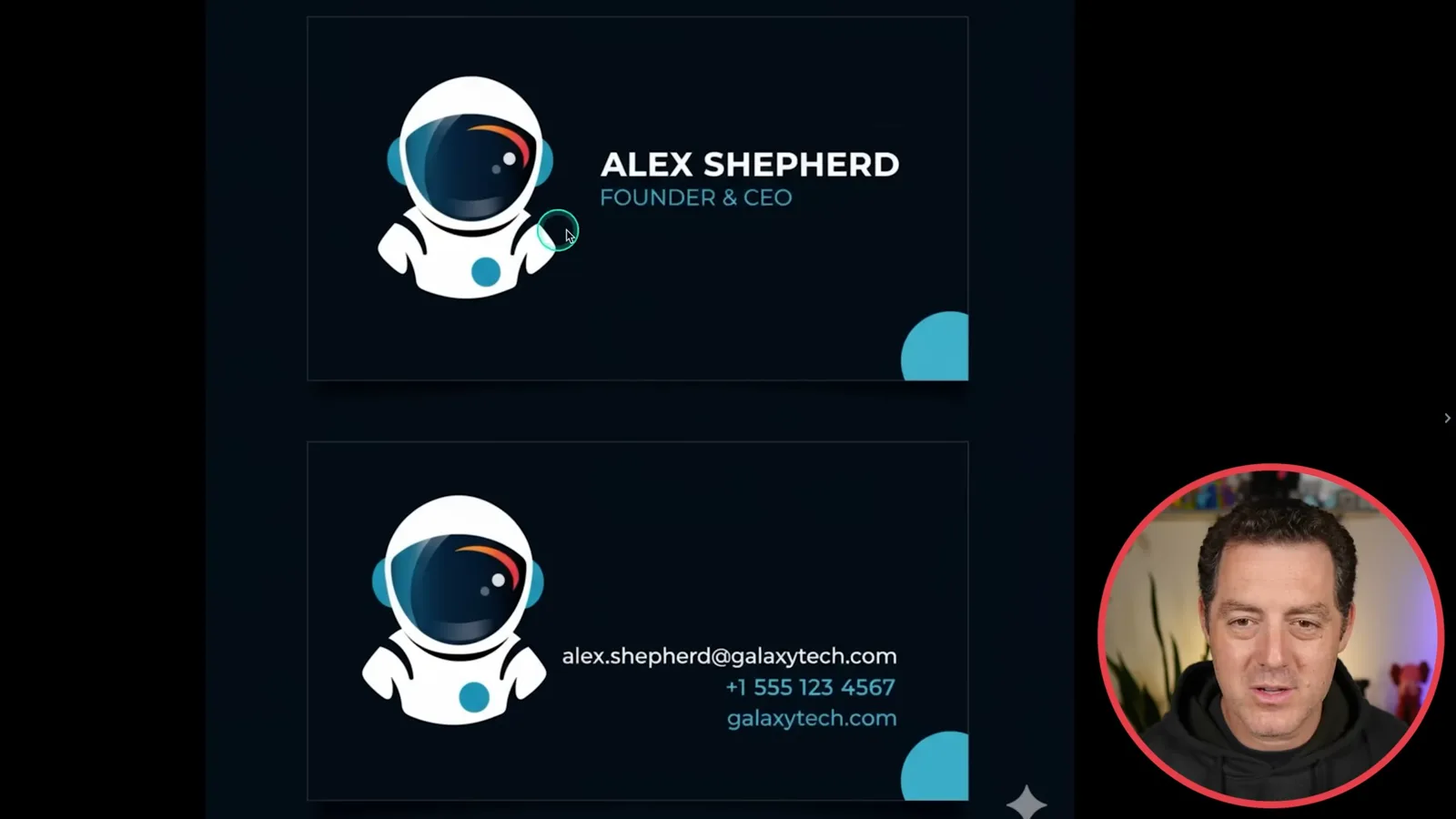
A brand logo can also become other assets. I upload the Forward Future astronaut and ask for a minimalist business card that keeps the logo’s colors and line style. The same image becomes a social media banner and a T-shirt concept.
Another task is file conversion. I upload a JPEG of NVIDIA’s CEO and ask ChatGPT to convert it to SVG. It writes code and provides a downloadable file.
Suspicious messages and solar research
He tests AI on a conference invite, voicemail and text message. A separate demonstration researches solar feasibility for an Oakland house.
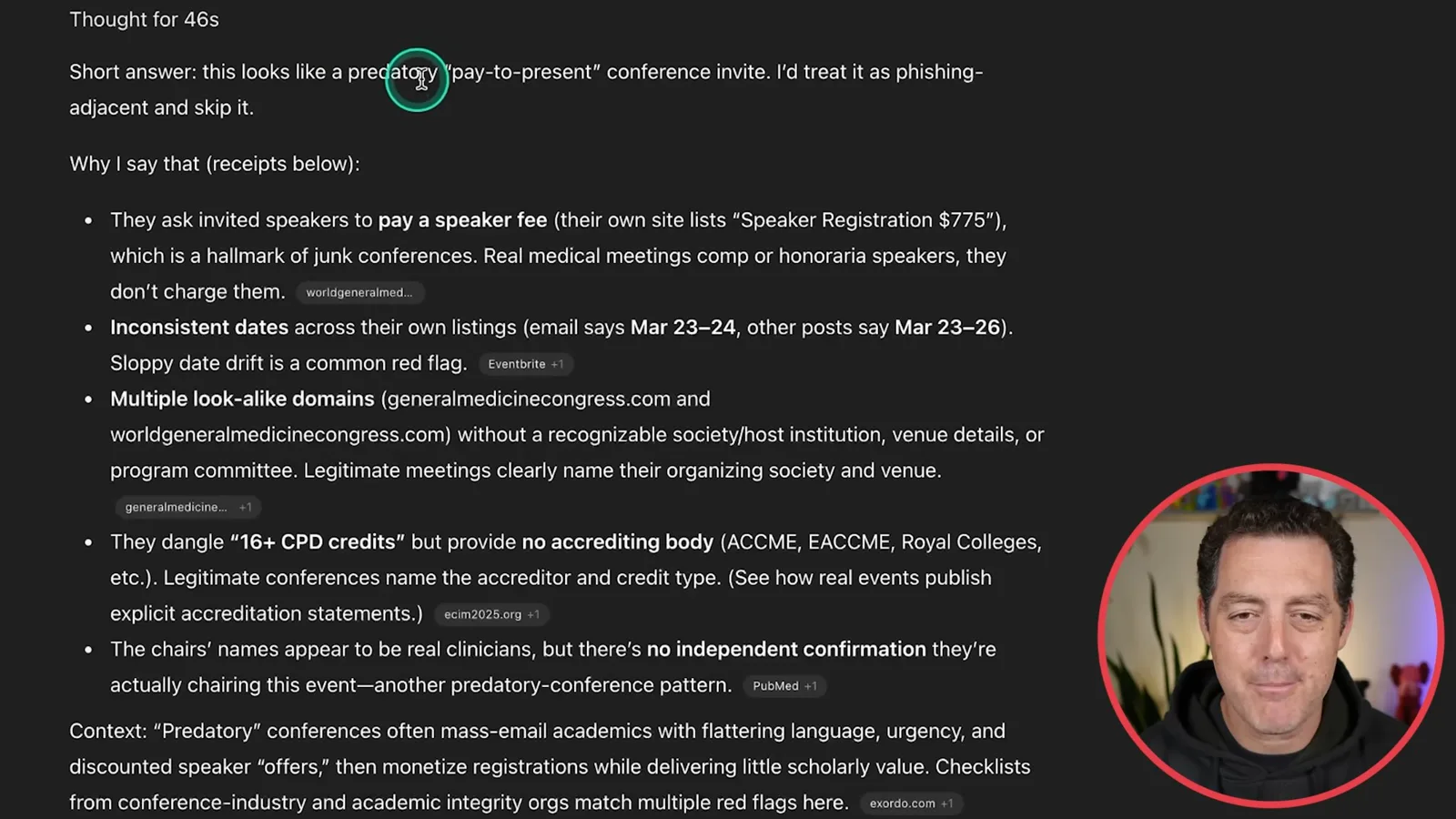
AI can provide another opinion on suspicious messages. I paste a conference invitation that asks a speaker to pay $575; ChatGPT identifies signs of a potentially predatory pay-to-present event and recommends skipping it. I then test a similar legitimate invitation, where it finds supporting references as well as an address discrepancy.
I also ask about a voicemail transcript from an unsolicited tax-relief caller and a suspicious text message. ChatGPT calls both scams and explains the warning signs. These examples show how it can help review messages whose legitimacy is unclear.
For a solar feasibility estimate, I give ChatGPT an address and a house image and ask about installation cost, annual savings and suitability. The research considers roof orientation, shading, local electricity prices and solar resources. Its report is an initial estimate; actual quotes depend on measurements and other site-specific factors.
In this Oakland example, the generated report estimates annual savings of $2,000–$3,000 and payback in roughly five years. These are the report’s estimates for this particular property and assumptions, useful as a starting point rather than a confirmed quote.
Scheduled tasks and office work
He shows a recurring news digest, calendar scheduling, whiteboard transcription and SQL generation. He also analyzes fictional customer calls.
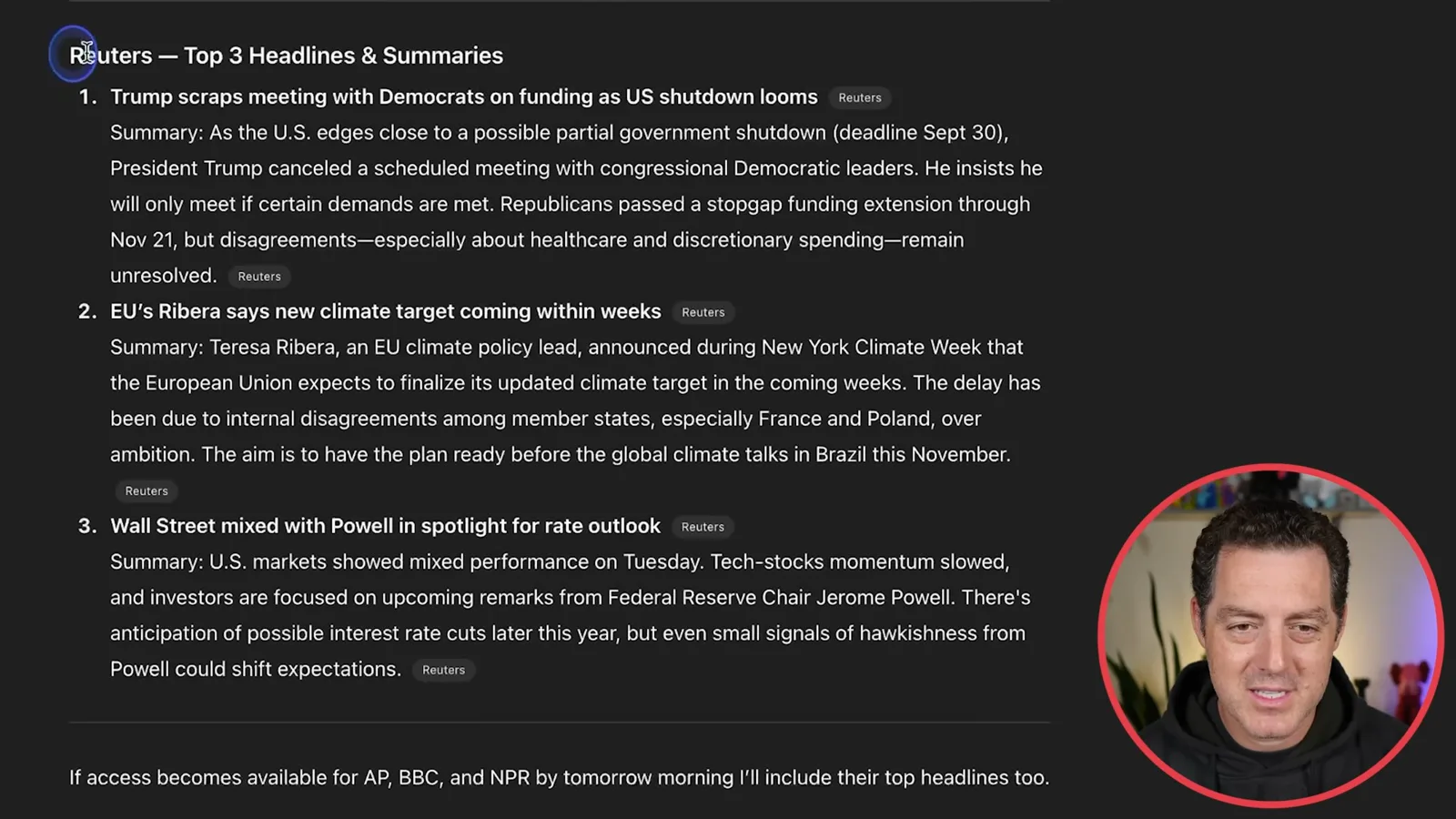
Scheduled tasks can deliver recurring research. I ask ChatGPT to send a 9 a.m. digest of the top three headlines from Reuters, BBC and NPR, with summaries. The example output shows Reuters headlines and links; the displayed digest says the other sources were not available in that run.
For scheduling, I paste teammates’ availability from Slack and ask ChatGPT to compare it with my Google Calendar and suggest overlapping windows. This example requires the calendar connector. The assistant identifies possible times and offers to draft a note to the group.
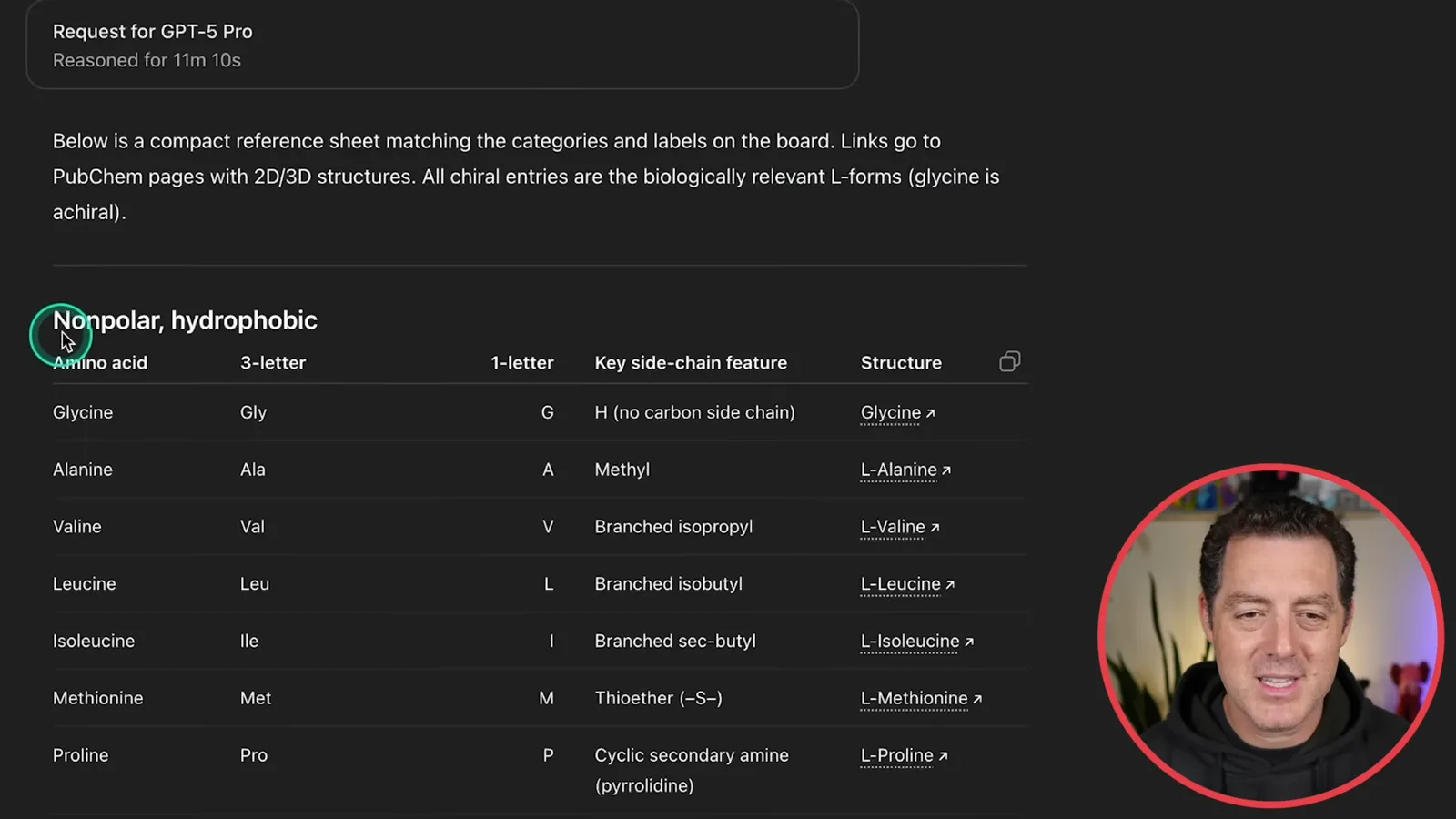
A photo of a whiteboard can become a reference sheet. I ask for everything on a board of chemical structures, with links to the structures. GPT-5 Pro produces a table of amino acids, abbreviations and side-chain features with PubChem links, expanding on the original notes.
ChatGPT can also help write SQL. I upload a dataset and first ask it to list columns and data types. Then I ask for a query filtering labels containing “ranch” or similar terms, particulate matter above the median, temperature below the mean and pressure above the 90th percentile.
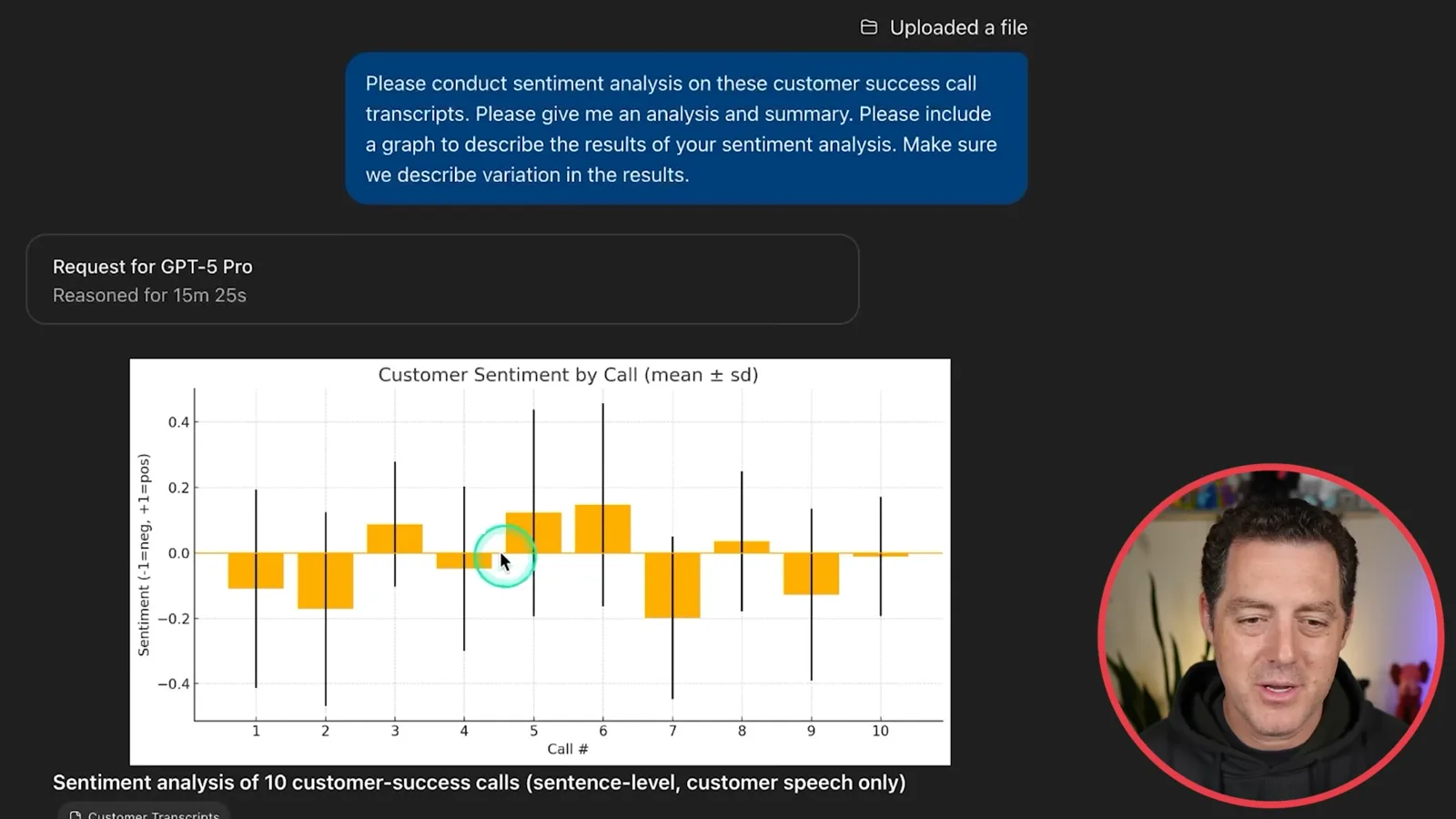
For customer calls, I upload fictional customer-service transcripts and request sentiment analysis, a summary and a graph showing variation. The result plots sentiment by call and describes negative drivers and suggestions for feedback to the team.
Research and professional decisions
Berman summarizes and highlights a research paper, explores home buying and negotiates an offer. He uses AI to refine a difficult email.
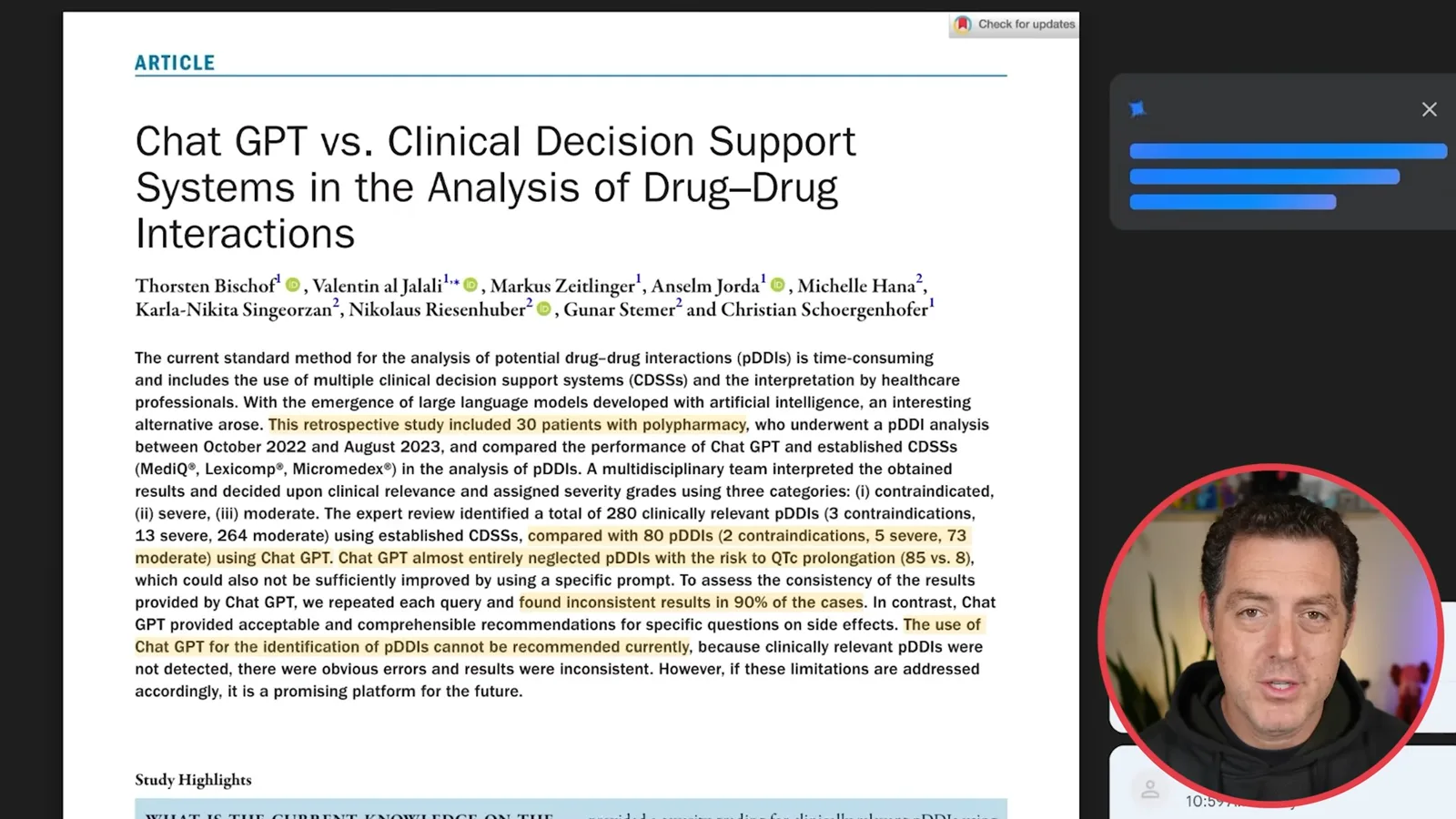
When reading a research paper, I ask ChatGPT to explain it at an eighth-grade level: what the researchers did, what was novel, what they found and why it matters. I also ask for page and line references and a copy of the PDF with key passages highlighted, so I can follow along.
For a home purchase, I ask for a picture of the Alameda County market: prices by city or neighborhood, recent changes, competition, ownership and upfront costs, rules and risks. You can also ask about a particular property to investigate possible upsides and downsides.
For salary negotiation, I provide an offer and ask for comparable compensation benchmarks and three counteroffer strategies. The assistant can then draft a counteroffer email. If the first version sounds too generic, I ask it to make the message friendlier while remaining professional.
I also use ChatGPT to make difficult emails more professional. In one example, I ask for a response about a budget mistake without simply blaming a colleague. I iterate on the draft to make the attribution subtler and the message shorter.
Benefits, finance and study
He asks for an employee benefits summary and compares companies. NotebookLM turns uploaded documents into study aids.
Long benefits documents are another use case. I upload a plan and ask about coverage, choices and deadlines. The resulting summary organizes health, dental, vision and retirement options; follow-up questions can help prepare for a discussion with HR.
For financial analysis, I demonstrate a detailed research prompt comparing companies including JPMorgan Chase, Tesla, Pfizer, Walmart and Cisco. You can ask an assistant to help formulate the prompt and apply it to a company you want to investigate.
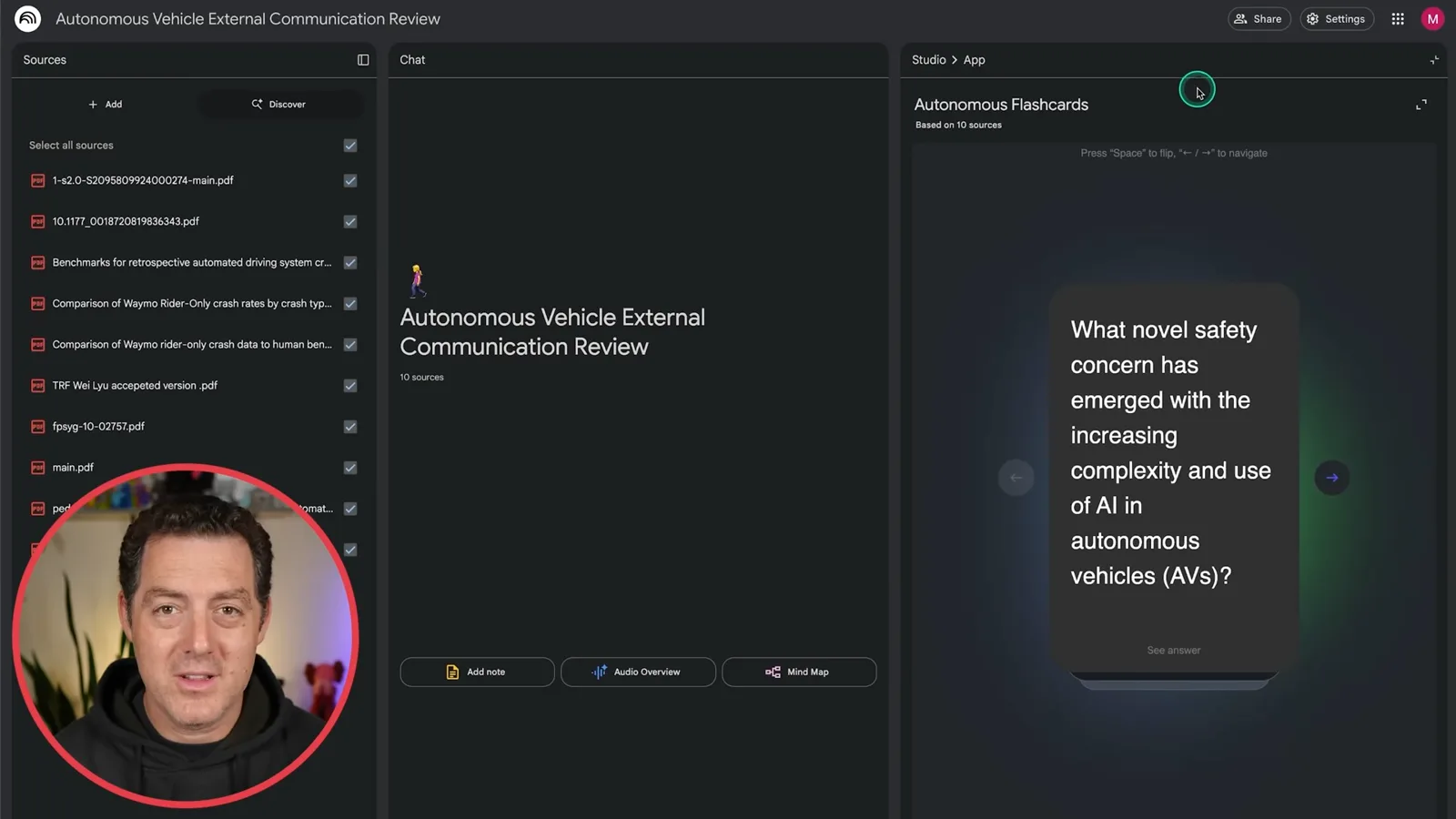
NotebookLM can turn uploaded documents into study materials. I load documents about autonomous vehicles and show flashcards generated from them. The interface also offers audio overviews, mind maps, reports, quizzes and video overviews.
A live geography game
He shares a game screen with Google AI Studio Live. The assistant suggests a location and the resulting guess lands nearby.
Finally, I try a geography game with Google AI Studio Live. I share the screen and ask where a Street View scene might be. The assistant suggests India from the signs, then Rajasthan and the vicinity of Jodhpur from the landscape and buildings.
I place the guess in Rajasthan and it lands close to the actual location. This shows how a live visual assistant can help with a location-guessing game, though the example is only one guess.
Más de este canal
 34:21EN
 Matthew Berman· 27 oct 2026Matthew Berman Examines Anthropic’s IPO Filing, AI Growth and GovernanceMatthew Berman, Sam Altman · Forward FutureThe presenter reviews the S-1’s financial metrics, compute strategy and voting structure while questioning the tension between rapid AI development and safety.
 25:50ENMatthew Berman· 24 oct 2026Kimi K3.1 Pro Tested: Strong 3D Demos, Uneven Results and Competitive PricingMatthew Berman · Forward FutureMatthew Berman tests the open-weight model on coding, 3D rendering and visual explanations, then compares benchmark results and prices.
 32:20ENMatthew Berman· 23 oct 2026Who Is Local AI For? The Costs, Trade-offs and a Hybrid FutureMatthew Berman · Forward FutureMatthew Berman weighs data control and independence against hardware cost, setup complexity and inference speed.
 1:03:37ENMatthew Berman· 23 oct 2026Matthew Berman’s Team Tests Kimi K3.1 on Animation, Games, and ChartsMatthew Berman, Alex, Brian · Forward FutureA live team AMA turns into an informal test of Kimi K3.1, from personal-agent workflows to motion graphics, a browser game, and a benchmark chart.
 0:53ENMatthew Berman· 22 oct 2026Sam Altman on AI and the Discovery of New KnowledgeSam Altman · OpenAIAltman expects progress in mathematical discovery to extend to biology, materials and energy.
 0:22ENMatthew Berman· 21 oct 2026A Robot Bodyguard Video Shows Dramatic Rescue ScenariosMatthew Berman · Forward FutureMatthew Berman reacts to a short robot demonstration depicting fighting and vehicle-rescue scenarios.