In 30 seconds
Theo shows how he built much of his solo Lakebed project with coding agents, moving from a plan-heavy workflow toward iterative conversations. He discusses his own T3 Code interface, remote execution, hand-written project guidance, sequential threads and review practices, while noting that tools and subscription terms change.
- 1A solo project as the exampleLakebed provides the setting for Theo’s workflow, with different tradeoffs from a large team.
- 2Remote executionTheo wants agents to keep working when his laptop is closed and be easy to reconnect to.
- 3Read and challenge the planTheo discusses responding to the agent’s critique and narrowing the initial design.
- 4Shared project contextHis hand-written AGENTS.md explains purpose and vocabulary so later prompts can be simpler.
- 5Verification mattersCommands, tests and UI checks help assess whether the agent delivered the intended result.
- 6Review stale branchesAn agent found that a branch’s useful changes were already represented on main.
Takeaways
- State the desired outcome and relevant constraints, then read and respond to the agent’s reasoning.
- Provide useful project context and examples without assuming more instructions are always better.
- Use fresh threads or isolated worktrees when they help manage context and changes.
- Give agents meaningful ways to verify their work, and match review to the risk.
- Tool preferences and subscription limits are time-specific; Theo is involved in developing T3 Code.
Read the edited text by chapter
From plans to conversations
Theo describes how his AI coding workflow changed. His example is a mostly solo project.
Five months ago I described a workflow centered on Cursor, Opus and detailed plans. Since then my tools and habits have changed substantially. I now organize much of my work around conversations with coding agents, and I want to show how that looks on an actual project rather than pretend the old recommendations are timeless.
The example is Lakebed, an ambitious full-stack platform I was building largely on my own. Working across its runtime, backend, data and deployment pieces let me compare different models, harnesses and project instructions. A solo project is an important qualification: a larger team may need different coordination and review practices.
Models, harnesses and interfaces
He distinguishes a model from its harness and explains his preference for T3 Code and the Codex app. His plan had a special promotional allowance.
At the time of recording I mostly used GPT-5.5, though model preferences date quickly. My subscription also had a special tenfold promotional allowance, so my experience with limits was not representative of a standard plan. Availability, prices and allowances can change and should be checked for the plan a person actually has.
A harness is the application and tool layer that lets a model inspect files, run commands and make changes. I have been using the Codex harness frequently because I like its relatively simple CLI and the features available around it. Different harnesses can give the same model different tools and instructions, so the model name is only part of the experience.
T3 Code, which my team develops, is an interface for managing agent harnesses; it is separate from T3 Chat and is not itself the underlying harness. Julius did most of the implementation, and I am clearly biased toward our product. I also consider the Codex desktop app useful, especially for switching between projects and task threads.
I like this style of interface because it keeps conversations, projects and work visible without forcing me to live inside an editor sidebar. My judgments about individual apps, their stability and their teams reflect my experience at the time of the video. Other developers may reasonably prefer different interfaces and workflows.
I also discuss subscription restrictions and how third-party interfaces may be billed differently from an official client. Those details are specific to the products and terms I was discussing then, not a current price guide. Check the provider’s current rules and the actual plan before choosing a tool.
Working remotely
Theo compares his experiences reconnecting to agents and using terminal and image features. He describes his own product’s remote setup.
Remote work matters to me because I want an agent to continue after I close a laptop, then be able to reconnect and see the result. A persistent remote machine separates the execution environment from the device I carry. It also means I need a dependable way to inspect work and reconnect to sessions.
I tried controlling a Mac mini through the Codex desktop app and encountered a disappearing model picker, slow history and terminal input, and unreliable image pasting. Those are the problems I observed in that setup, not a claim that every remote connection or later version behaves the same way.
I then tried T3 Code’s remote and browser-hosted interfaces and found terminal input and image pasting more reliable for my work. A user also showed an instance running on Replit and controlled from a tablet. These are examples of setups people tried, not independent performance benchmarks.
I mention Tailscale as one way to connect devices across networks without exposing the service to the entire public web. The product had mobile web access at the time, and the team was working on a native app. Any remote setup still needs access controls appropriate to the machine and data involved.
Traditional SSH terminal workflows can require session persistence, switching between threads and worktrees, and workarounds for images. I paste screenshots frequently, so those frictions matter to me. I still use a CLI for quick local tasks; my preference for a desktop or browser interface is a workflow choice, not proof that terminals cannot work well for others.
When I am away from my desk, I increasingly run work on the remote machine; when streaming or collaborating locally, I may work on my own computer. The important property for me is being able to resume and inspect a task without tying it to a laptop staying open.
Giving useful context
He points agents to relevant repositories and explains the initial Lakebed planning conversation.
Context management is a major part of the workflow. When I needed authentication for Lakebed, I cloned a previous project called Shoo and pointed the agent at its implementation as a reference. A relevant repository can give the agent concrete examples that are difficult to convey through a vague description alone.
The original Lakebed thread began with a long voice-to-text description of the goal. For large changes I still like planning, but I prefer a conversation in which the agent can investigate and sometimes prototype rather than a rigid separation between planning and editing. I acknowledge that an agent can act too early, so the appropriate boundaries depend on the task.
I began by explaining the desired outcome: a full-stack TypeScript system where agents could build and deploy small applications without repeatedly navigating dashboards. I asked the model to critique the idea before proceeding. That prompt contained more context because the project was broad and the risks were not yet clear.
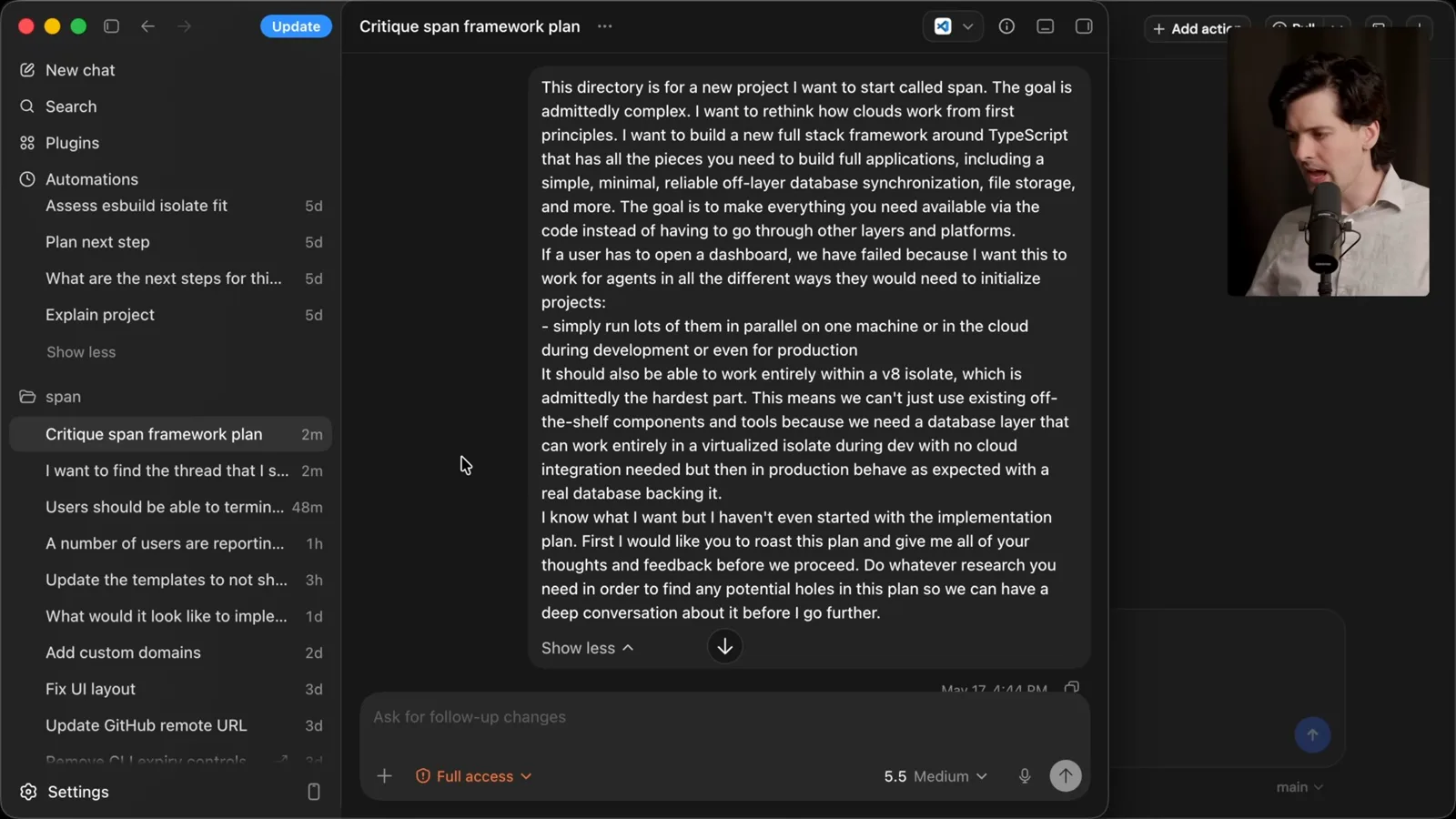
The agent pushed back that the proposal combined a runtime, database, synchronization, storage, deployment, security and more. I read the response, discussed which objections I accepted and which I disputed, and narrowed the idea. The conversation was useful because it exposed assumptions, not because the model’s first answer was automatically correct.
Read, steer and document
Theo reads the model’s critique, writes project guidance and uses a reviewable HTML plan. He emphasizes feedback and examples.
My strongest recommendation is to read what the agent says. If its output is too long or hard to follow, ask for a more useful format and then respond to the substance. Looking only at generated code can miss a disagreement about the actual goal or a warning about a design decision.
People ask which special skills or prompt frameworks I use. I generally start by asking directly and adding machinery only when it solves a recurring problem. I do keep a shortcut for a particular critique prompt, but my broader point is that a straightforward exchange can often be enough.
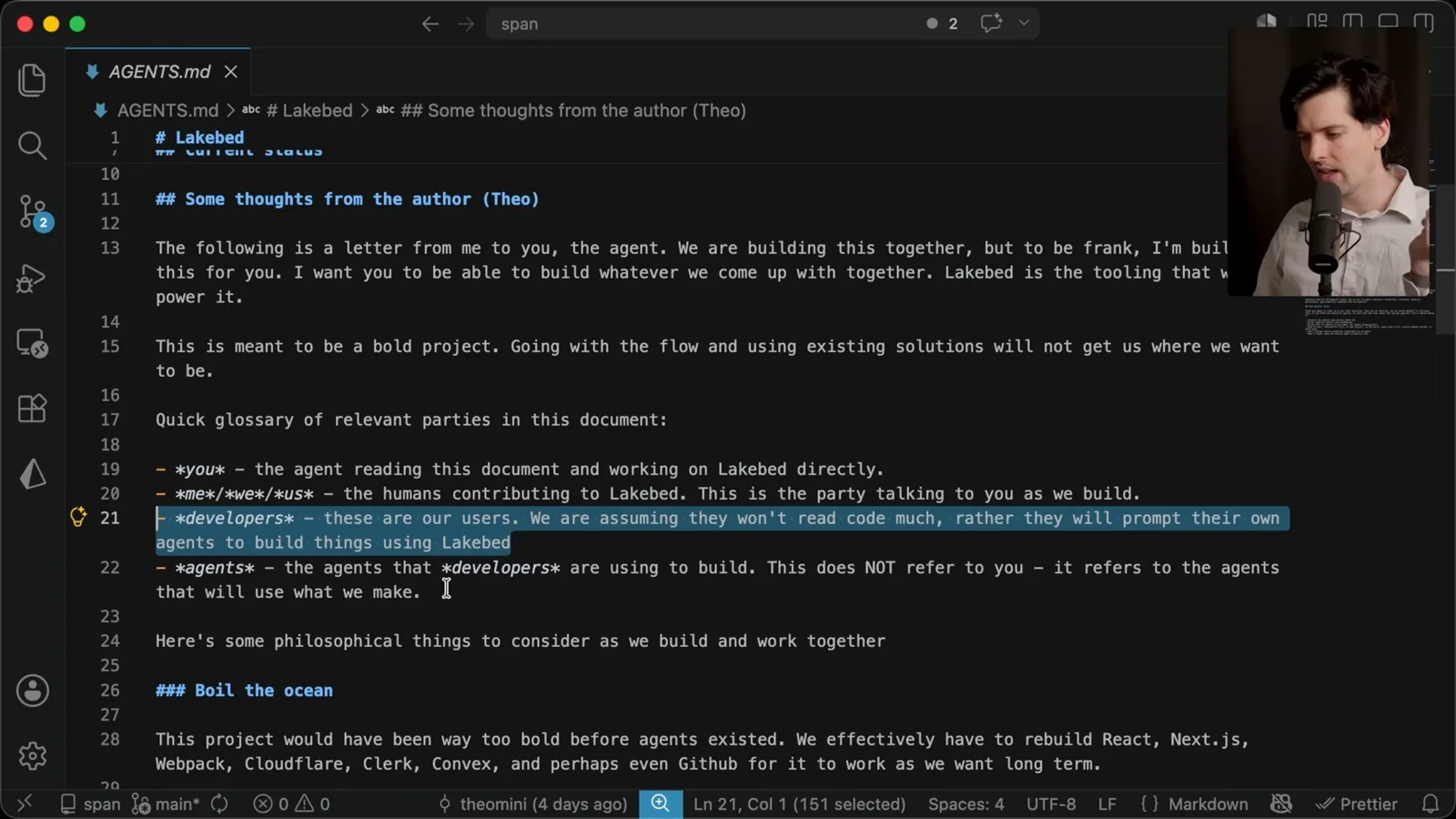
For Lakebed I wrote AGENTS.md myself as a short explanation of the project’s purpose, audience and working assumptions. It is closer to a letter than a catalogue of every file. When I noticed repeated misunderstandings, I refined the shared context so future requests could stay simpler.
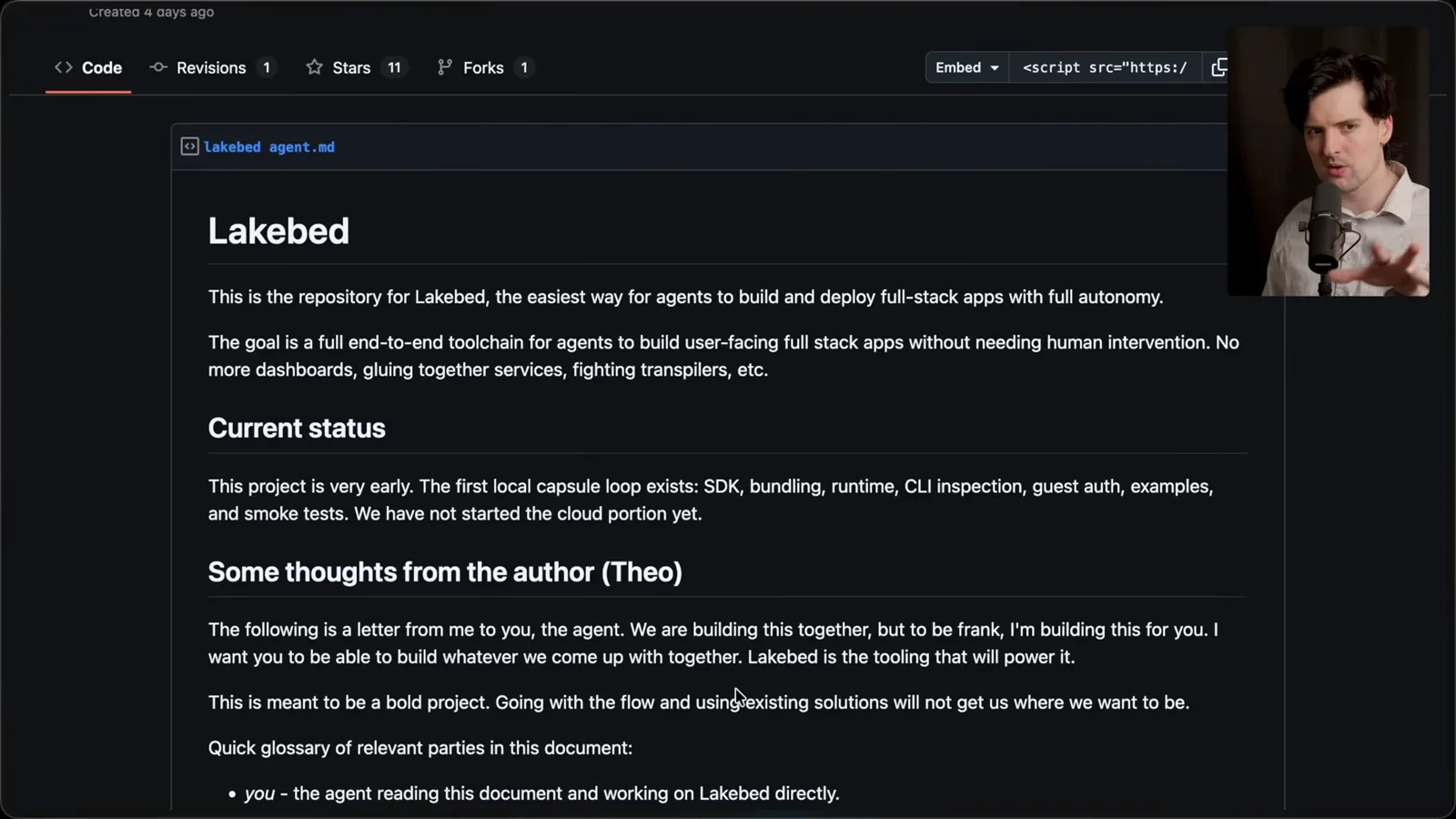
I also listened when the agent challenged ideas that were hard to justify, and sometimes dropped them. For planning, an HTML document with diagrams was easier for me to review than a wall of text. The first version needed substantial feedback, including annotated screenshots, before it became useful.
Once the repository contained examples of a good plan and the agent had useful project context, later tasks often followed the same conventions. That can reduce repeated steering, although existing examples can also propagate mistakes. Review and updating the instructions remain necessary.
Sequential threads and concise requests
He works mostly one task at a time and uses a glossary to keep requests clear. He discusses when a fresh thread helps.
I started many threads during the project, but nearly all were sequential on the main checkout rather than many simultaneous worktrees. Parallel work can be useful, yet I found tracking numerous concurrent changes distracting for this solo project. The right amount of parallelism depends on the team, dependencies and risk.
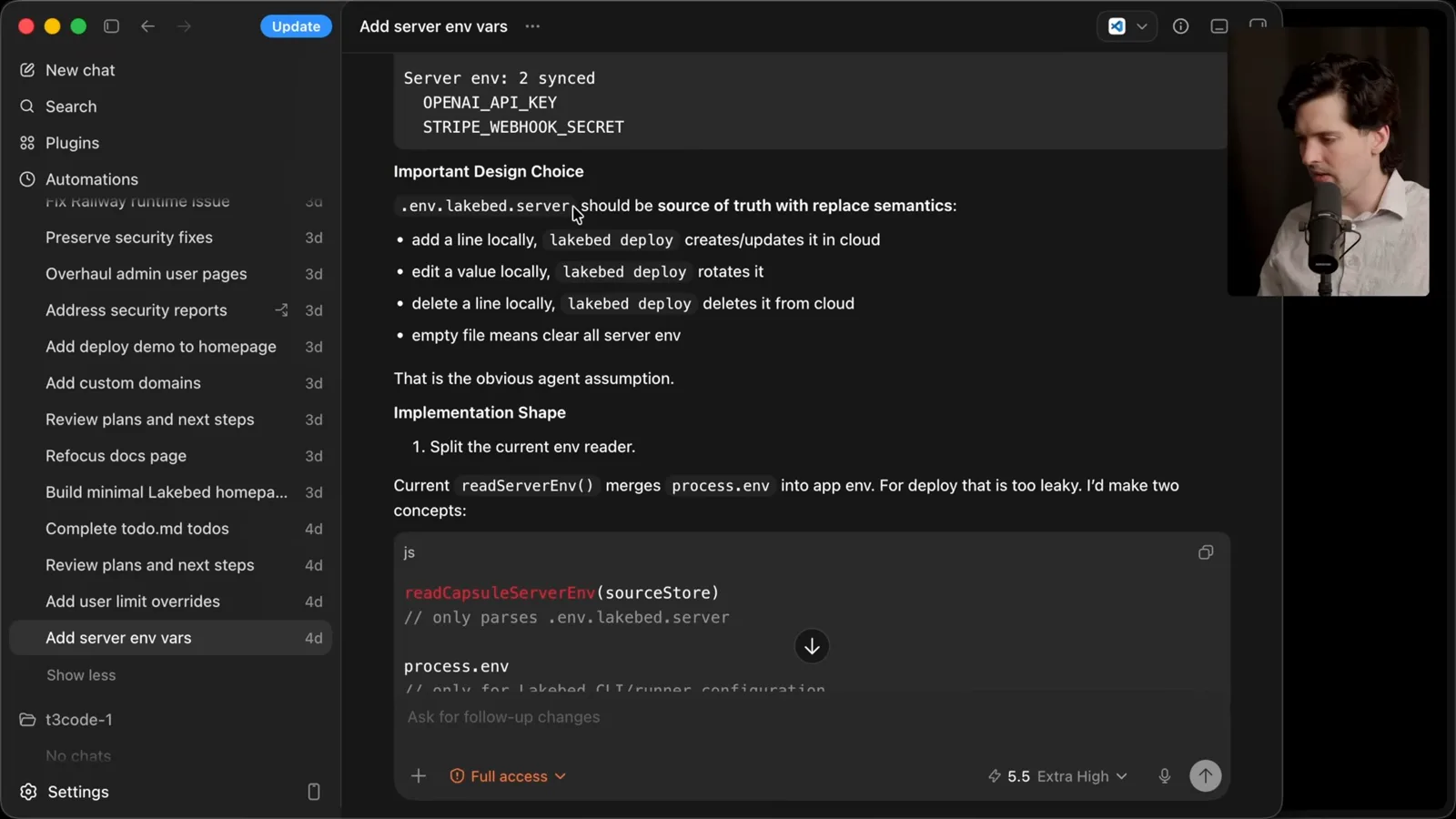
One short request asked how server-side environment variables should be deployed. The agent proposed treating a local file as the source of truth: additions create values, edits rotate them and deletions remove them on deploy. I liked the design and asked it to implement it. Those replacement semantics are a design choice, so teams should consider deletion and secret-handling consequences.
For another task I asked for an administrative user table with per-user limit overrides. I gave a little more detail because the authority and user experience mattered. A good prompt can be concise while still naming the outcome and constraints that determine whether the result is acceptable.
A glossary in the project instructions helps disambiguate who is speaking and acting: the agent building Lakebed, the humans building it, the developers using it and those developers’ agents. Shared vocabulary is especially useful when the same words can refer to several layers of a system.
I start a new thread for a new concern so old conversation history does not steer the next task unnecessarily. The agent has to explore the repository again, but I find that acceptable for my work. Starting fresh trades retained context for less irrelevant context; neither choice is universally right.
I usually describe what I want rather than naming a file in advance. The agent can search for the relevant implementation, and I may discover that my first guess about the right file was wrong. When precise locations, constraints or permissions matter, they still need to be communicated.
Examples and verification
A custom-domain example shows iterative prompting. Commands, tests and UI checks provide ways to verify work.
For a complex custom-domain question, I gave a concrete example of a deployed project, a domain, a CNAME and the desired user experience. I asked how to handle certificates without excessive cost. The example made the problem and constraints clearer than a long abstract explanation would have done for me.
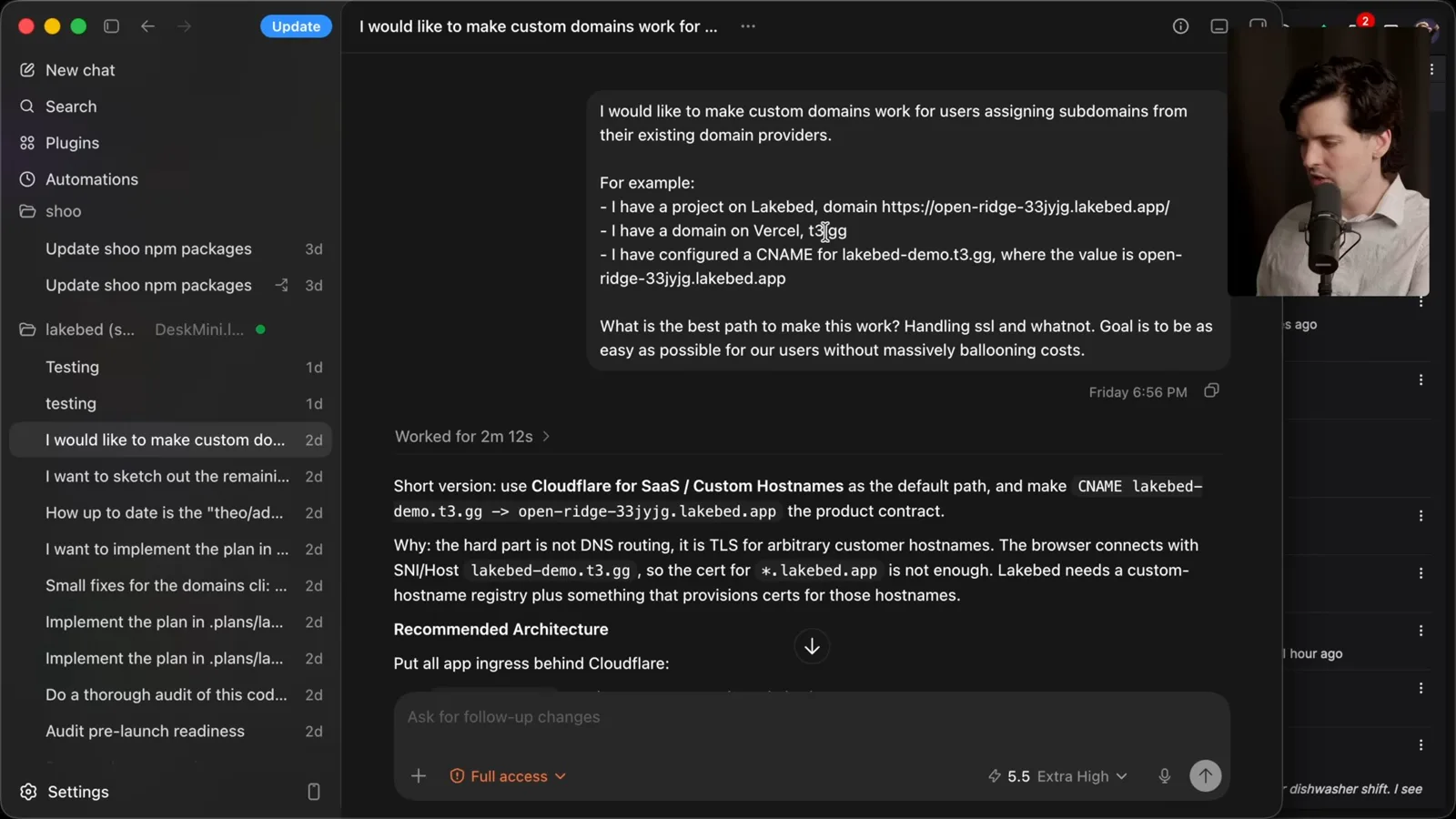
The initial answer did not give enough cost detail, so I asked for a breakdown and then described a preferred user flow more precisely. For a change I was ready to implement, I would have the agent write a plan, review it and hand the result to a fresh thread. The conversation is iterative rather than one perfect prompt.
Give the agent a way to verify its work: appropriate commands, tests, logs or a real UI check. In my setup, computer-use tools let it inspect an application after deployment. I found that this improved my confidence in the completed work, but an agent’s own verification is not a substitute for suitable human review or production safeguards.
I estimate that most of the threads in this project met my expectations on the first attempt, but that is my informal recollection, not a controlled success-rate study. I also show an anonymous deployment change where review feedback led to fixes and merge conflicts were resolved before I merged.
Worktrees, reviews and stale PRs
Theo chooses isolation and review based on the change. He shows an agent checking whether an old branch is still useful.
For a new change I estimate its complexity and decide whether to stay in the current checkout or use a worktree. If discussion reveals a bigger task than expected, I may start a new worktree and thread with the initial request plus the lessons learned. Isolation is a tool for managing changes, not a requirement for every task.
On my solo project I used fewer pull requests than one might expect, but I did seek extra review for security-sensitive and hosting changes. Automated review tools and other agents can identify issues, which I then ask the agent to address. Their findings still need judgment, and the review process should match the risks and team rules.
Easy pull-request creation has a downside: a shared project can accumulate many stale proposals that nobody intends to merge. A one-click workflow is useful when the PR is a deliberate review artifact, but it can create noise when used for every unfinished experiment.
I asked an agent to compare an old admin branch against the latest main and resolve conflicts only if the changes were still useful. It reported that the relevant work had already appeared on main in newer forms, aborted the merge and recommended closing the branch. That is a useful example of checking whether work is still needed before doing more of it.
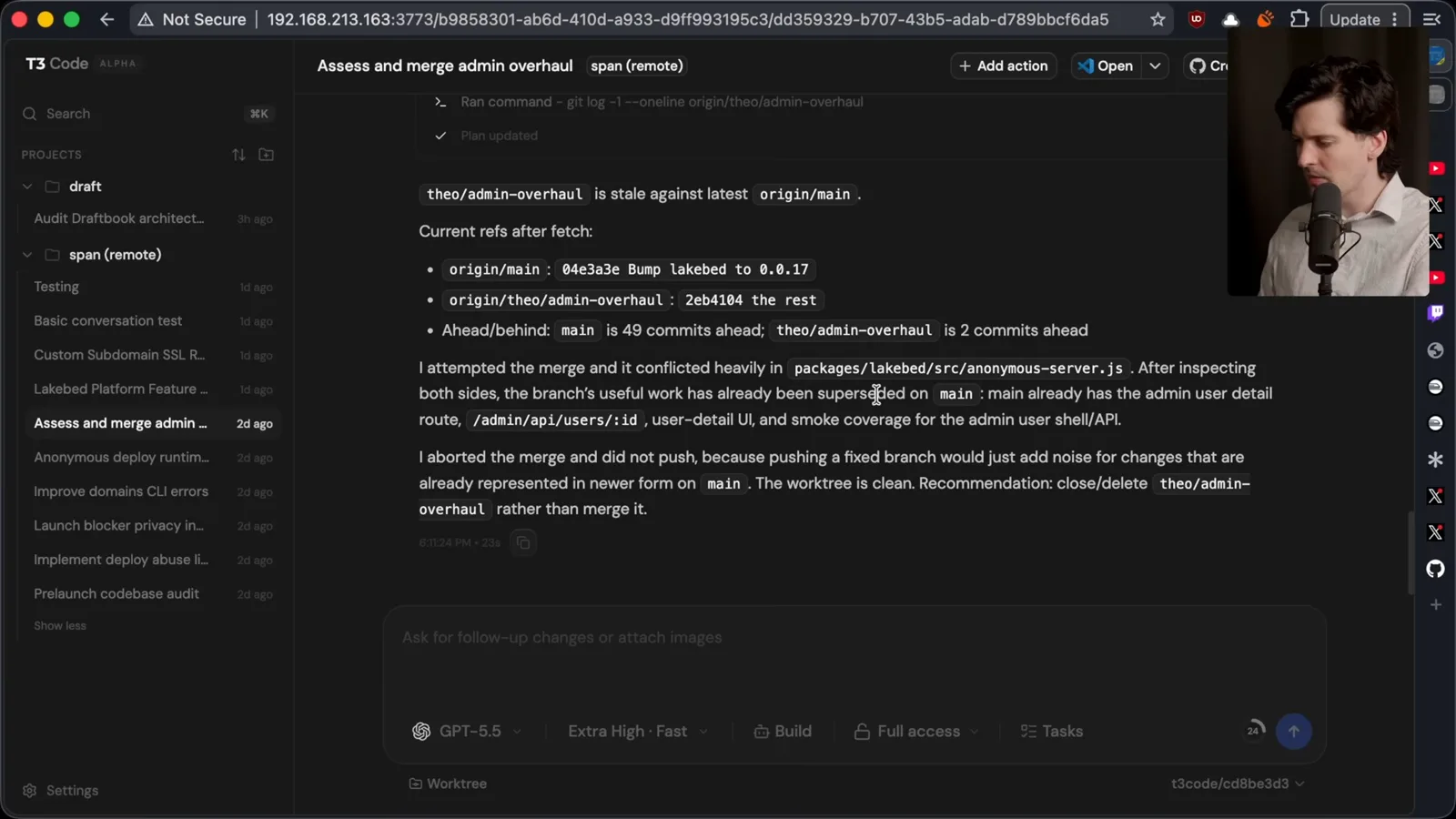
My overall advice is to keep the workflow understandable, focus on the desired result, read the agent’s responses and give it ways to verify. I am happy with this setup today, but tools change quickly and my preferences may change again. Teams should adapt the approach to their own review requirements and projects.
I prefer conversation-centered interfaces for my work and encourage people to try them. The important part is not adopting my exact app or abandoning code review; it is creating enough shared context to make useful progress and checking that the resulting software actually does what is needed.
More from this channel
 38:47EN
 Theo - t3․gg· Oct 28, 2026Theo’s Long-Running Agent Experiments: Verification, Compute and CostTheo Browne · Ping LabsA skateboard game and two compiler projects show how repeated checks and flexible compute can sustain agent work—and how expensive those loops can become.
 36:07ENTheo - t3․gg· Oct 27, 2026Theo on Token Costs, Coding Agents, and the Price of AI CapabilityTheo Browne · Ping LabsA viral estimate of Lauren's AI spending prompts a closer look at cache pricing, benchmarks, and the changing work of coding agents.
 30:37ENTheo - t3․gg· Oct 26, 2026Theo’s Three Skills for Reviewing and Shipping with Coding AgentsTheo Browne · Ping LabsHow sol-loop, full-send and full-stop encode review, verification and different levels of merge authority.
 0:43ENTheo - t3․gg· Oct 23, 2026Theo Distinguishes Security Vulnerabilities from Active AttacksTheo Browne · Ping LabsA short explanation of why disclosed software flaws and reported attacks are different kinds of security news.
 29:22ENTheo - t3․gg· Oct 22, 2026Theo on Security Vulnerabilities, Stolen API Keys and AITheo Browne · Ping LabsA look at the gap between vulnerability disclosure and patching, and a speculative account of why stolen inference keys may be valuable.
 31:13ENTheo - t3․gg· Oct 20, 2026Theo on Why Smarter Models Help More Than DevelopersTheo Browne · Ping LabsFrom game modifications to compiler experiments, Theo revisits his assumptions about who benefits from more capable AI.