In 30 seconds
Theo of t3.gg demonstrates T3 Code, an open-source interface for coding agents, from provider configuration and multi-agent orchestration to remote execution, thread management and development tools. His feature comparisons and usage figures are the creator’s claims and reflect the product at the time of recording.
- 1An open-source alternativeTheo describes the project’s origins and says its interface brings multiple agent subscriptions together.
- 2Providers and orchestrationThe demo adds providers and delegates a codebase review to several models and harnesses.
- 3Remote environmentsHe shows how threads can be assigned to connected machines and describes routing and remote control.
- 4A thread inboxHe demonstrates settling, snoozing, scheduled work and optional organization of running threads.
- 5Built-in development toolsThe tour covers terminals, usage, pull requests, mobile simulators and browser access.
- 6Limits and tradeoffsHe says users provide their own compute and subscriptions and describes connection and usage constraints.
Takeaways
- T3 Code connects to supported coding harnesses and subscriptions that users supply themselves.
- Its orchestration features can delegate work across models, harnesses, threads and repositories, according to the demonstration.
- Remote environments can be accessed through several connection methods, including T3 Connect and Tailscale.
- The sidebar treats threads as an inbox, with controls for settling, snoozing and hiding active work.
- The creator identifies limitations including user-supplied compute, a three-device T3 Connect allowance and potentially higher usage from more parallel work.
Read the edited text by chapter
Why T3 Code was built
Theo describes the project’s origins and his assessment of its early limitations. He frames the video as a product tour.
At the start of 2026, Julius and I were excited by the Codex desktop app, but frustrated by performance and unable to change its closed source. We also found other options unsatisfying, so we began building T3 Code as an open-source alternative. This tour reflects my perspective as one of its creators.
For a long time I considered T3 Code a worse open-source alternative to the Codex and Claude desktop apps, despite the convenience of using multiple subscriptions in one place. It was built part-time by a small team. Julius, Maria and other contributors continued to improve it while I worked on parts of the interface.
I say that by around July the project had developed an identity beyond simply copying other apps, including changes to the sidebar, remote control and subscription integration. In the recording I cite nearly 550,000 users and 140,000 weekly active users; the video description gives a different, later-sounding figure. These are creator-reported numbers, not independently verified measurements.
T3 Code is open source, and users bring their own AI subscriptions; I say the project does not sell AI access. After a sponsor segment, I describe it as an open-source coding interface that can work with different models and harnesses, although I think that short description misses much of what makes it useful to me.
Providers and multi-agent orchestration
The demonstration connects coding providers and delegates work across models and threads. Theo says users bring their own subscriptions.
The provider setup shown in the video includes Codex, Claude, Cursor, Grok, OpenCode, Antigravity, Muse Code and Pi. I say additional ACP-compatible harnesses can be added from a registry or manually. Users can configure multiple instances of a provider with separate home directories, API keys or environment variables.
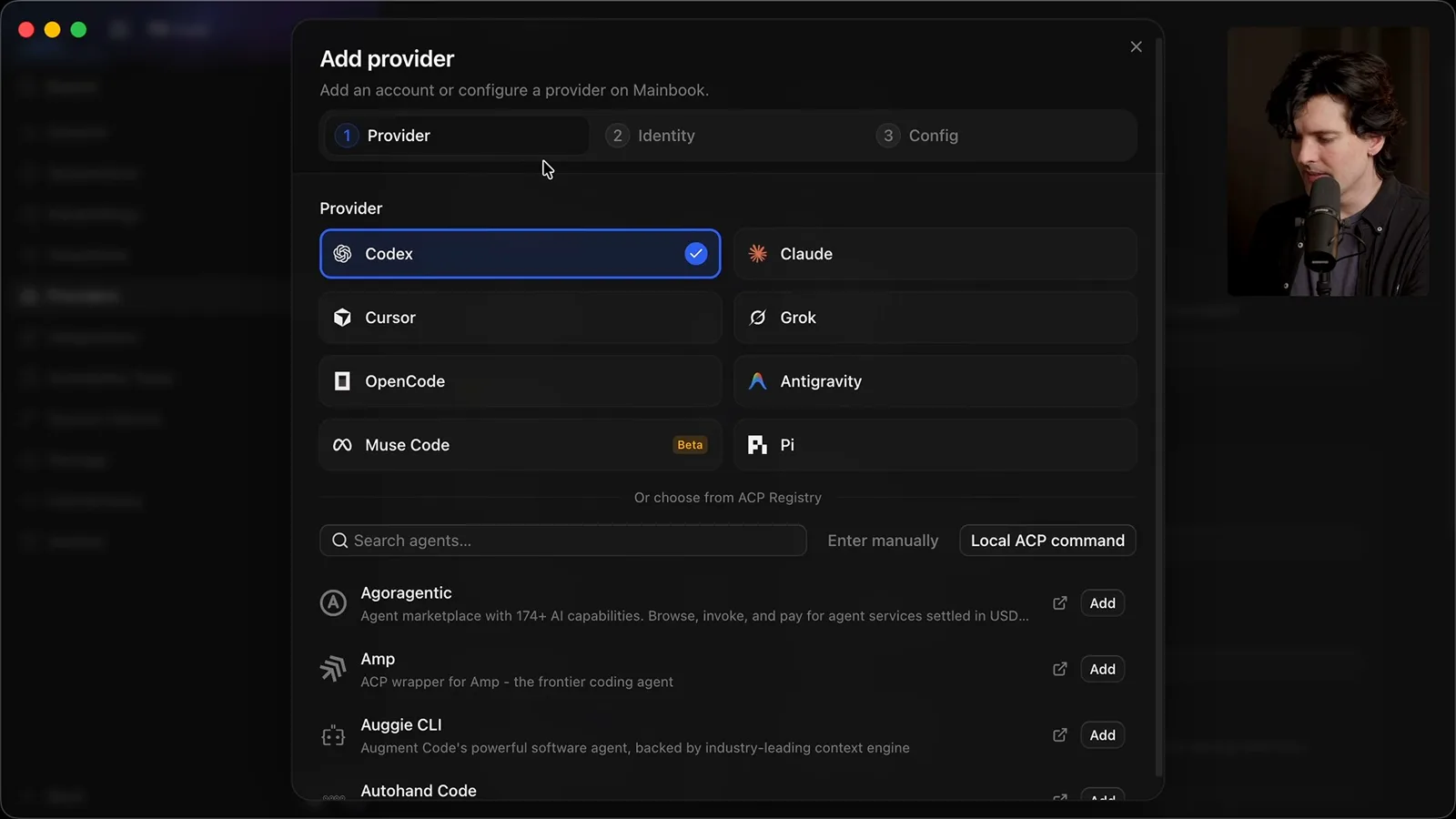
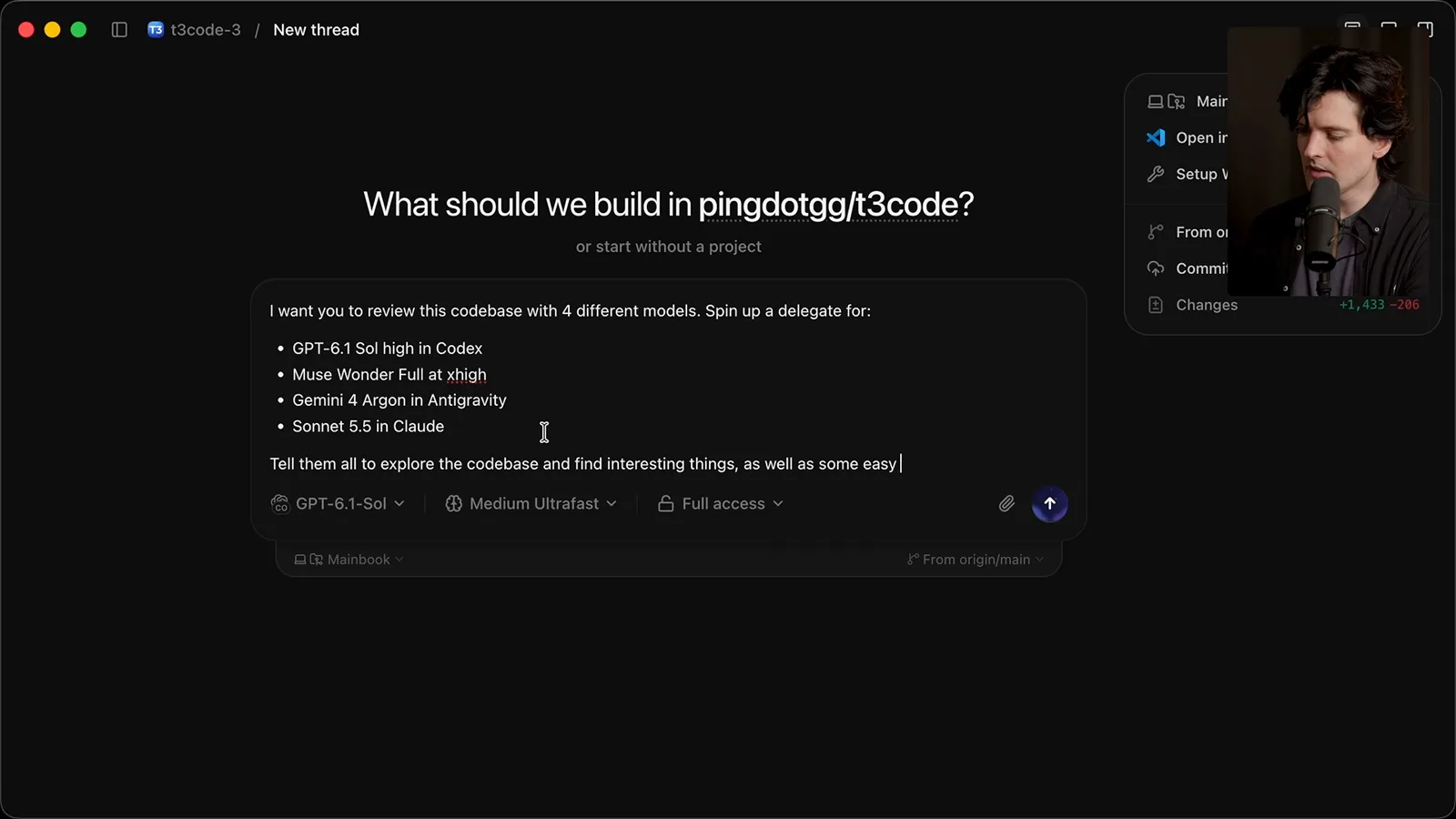
To demonstrate orchestration, I ask an agent to review the T3 Code repository using four delegates across different models and harnesses. The app creates a worktree and starts the delegated work inside the thread. The specific model names and availability shown are a snapshot of my setup, not a guarantee of future support.
The demonstration then starts a related thread in another repository. I say threads can discover and communicate with one another, and describe an MCP-based orchestration layer that can also be connected to external tools. This is a flexible workflow in the demonstration rather than a requirement that every project use multiple agents.
I say an existing installation can import supported projects and threads, and repeat that T3 Code itself does not provide paid AI subscriptions. My first broad theme is using the harnesses, models and accounts that a developer already has, while keeping those choices accessible in one interface.
Remote environments and devices
Theo explains the server architecture, machine selection and connection options. He demonstrates remote management and describes mobile access.
The second theme is remote control. I explain that T3 Code routes interactions through a WebSocket server and can host a minimal web interface on a machine. A developer can run the server on a remote machine and connect through a network such as Tailscale; the machine and its access remain the user’s responsibility.
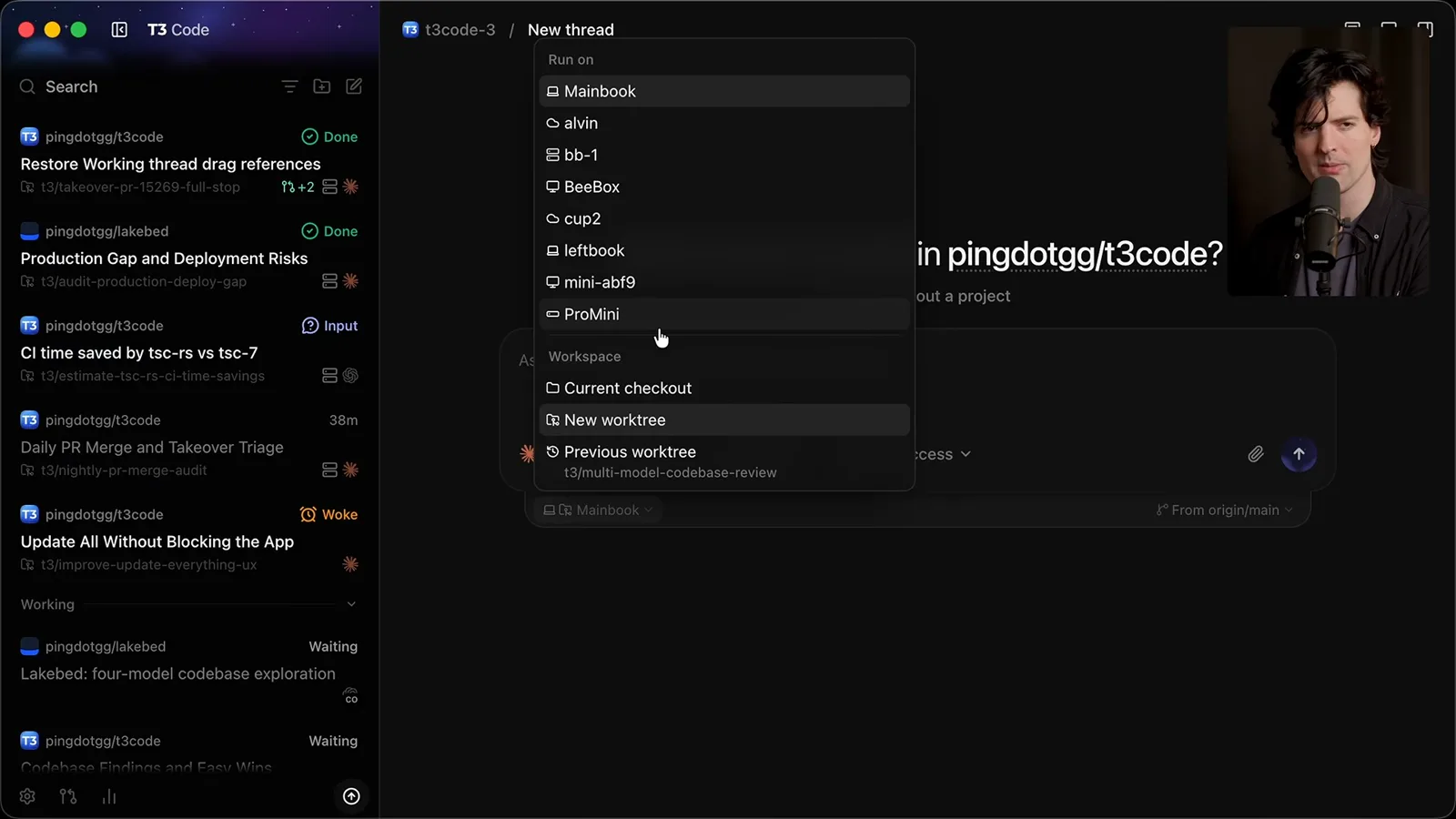
When creating a thread I can choose among my laptop, cloud servers and other machines. I describe a load-balancing feature that considers available CPU and memory, and a device hub that can use suitable machines for mobile simulators. In my example, Macs can run iOS-related work while other work occurs on Linux.
I show the mobile application and describe T3 Connect as a tunneling option for people who do not want to manage a VPN connection on the phone. At the time of the presentation I say three devices can be connected for free. I demonstrate pairing a Linux machine and then managing it remotely.
Threads as an inbox
The sidebar organizes threads according to whether they need attention. He demonstrates settling, snoozing, scheduling and linked pull requests.
My third theme is an interface built for getting work done without displaying every task at once. I describe the sidebar as an inbox: the aim is to resolve a thread, answer its question or decide it is no longer needed, then remove it from the active list.
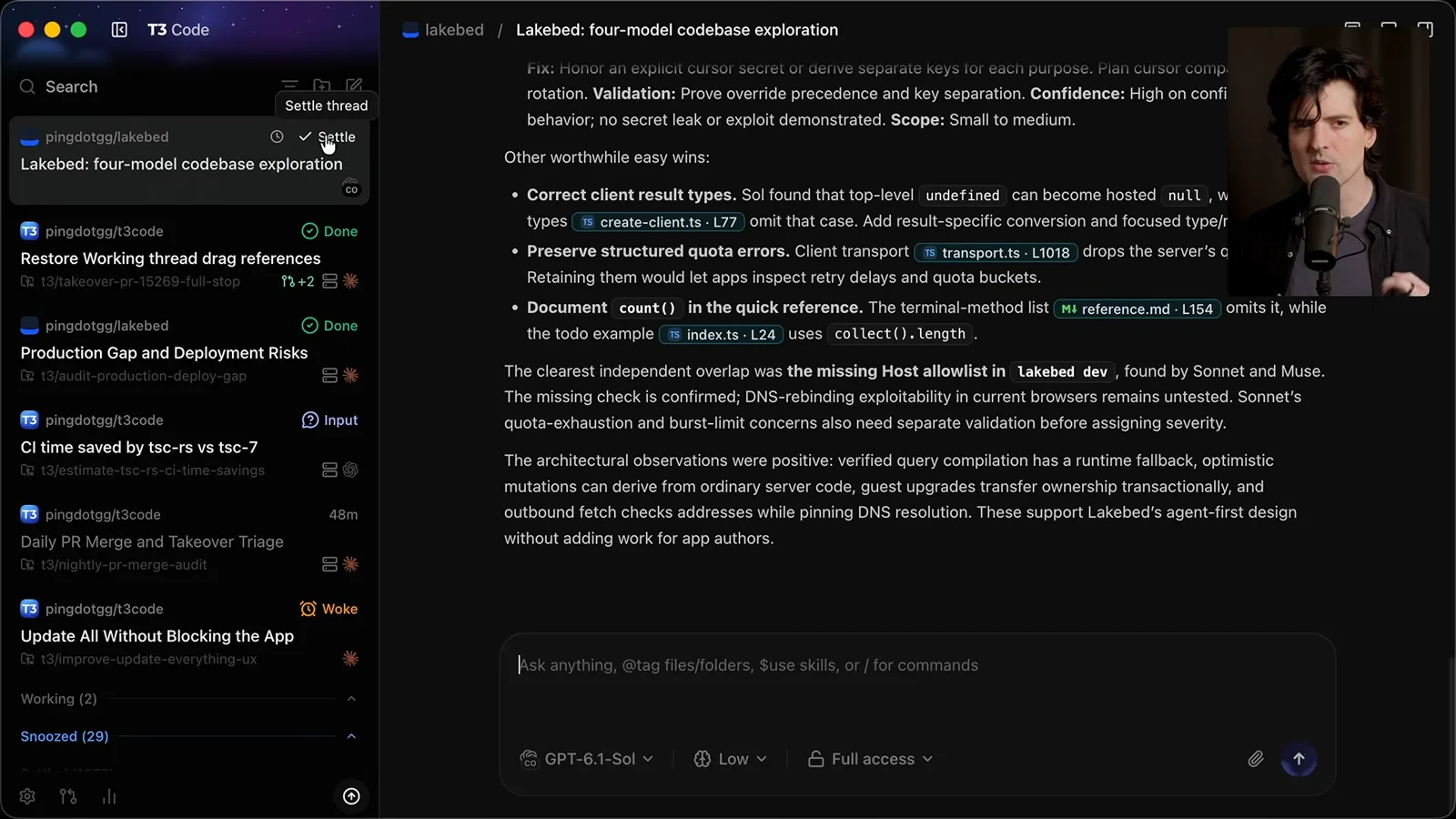
Instead of a permanent-sounding archive action, the interface calls this “settling.” A settled thread moves out of the active list and can be restored. I also snooze a thread until a later time and show an indicator for a thread that needs an answer.
I demonstrate a scheduled task that returns when it is due, along with controls for steering an active agent or queuing a message. An optional working section hides threads that are currently running; pinned threads can remain visible. These are interface choices intended to reduce interruptions during parallel work.
I send several tasks in the background with a keyboard shortcut. As they finish, they return to the visible list. I want attention to go to work that is ready or needs input, rather than forcing me to watch every running thread.
Pull requests can be linked to the thread that produced them and opened in an in-app viewer or browser. I say a thread can automatically settle when its pull request merges, with the option to disable that behavior per thread. On mobile, swipe gestures offer another way to settle or snooze work.
Development tools and customization
The tour covers remote terminals, usage, pull requests, simulators, browser access, themes, webhooks and machine management.
I describe the project and its infrastructure as open source, including T3 Connect. The remote connection also supports terminals and machine diagnostics; I show a monitoring tool and say the app uses machine information for routing. A fork can be run independently, subject to its own configuration.
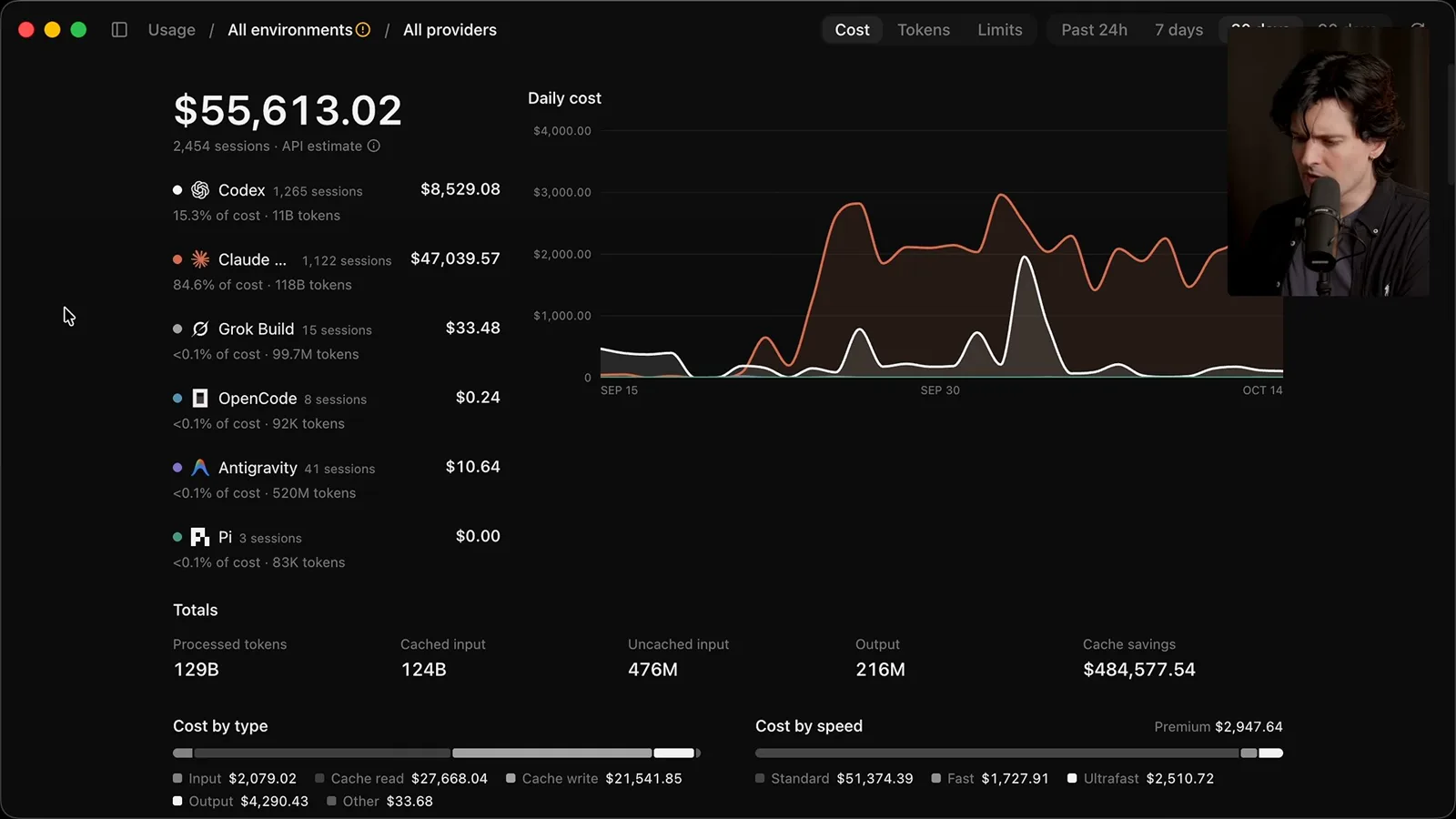
The interface can render interactive HTML visualizations as well as Markdown. I show a built-in pull-request view and a usage view across connected environments. I also describe scheduling a follow-up for when a usage limit resets; actual provider limits and access depend on the user’s accounts.
I claim the interface transfers less data between threads than a comparable application and works well on poor connections. That is my product comparison, not an independently reported benchmark. Other controls let users select multiple threads, regenerate titles and choose models for generated text such as titles or descriptions.
For users who do not install the desktop application, I describe a browser interface that can connect to instances running on other machines. Drafts can be stored, deleted or stashed and applied elsewhere, including drafts containing images.
I demonstrate an iOS simulator running on another machine and accessible through the interface, including from mobile. I also describe a remote browser whose display is sent back to the client. The examples show my configuration; available simulator and browser features depend on the connected environment.
The orchestration MCP server can let other applications connect to and manage T3 Code, according to my demonstration. I also show switching a thread from one supported harness to another while transferring context. The exact integration behavior depends on the providers and setup in use.
I say Linux is a major supported environment and describe controlling Linux machines from a Mac. Threads can be dragged into another thread as references, and selected text or browser content can be annotated for a later prompt. These features are meant to help carry context between pieces of work.
Customization includes themes, imported editor themes, chat width and key bindings. Settings can be scoped to a project or environment. I recommend worktrees for parallel work but say users can choose where and when to create them, including when starting a project without an existing repository.
I describe support for multiple Git hosting providers and a built-in pull-request monitoring flow. Connected machines can have several routes, such as a local network, Tailscale or T3 Connect, with permission settings for remote connections. These are capabilities I describe, not a security audit of each configuration.
A thread can also be exposed through a webhook. I describe triggering work when an event occurs, optionally retaining events for replay for up to 24 hours, or using a user-provided public URL. The point is to connect external events to an environment the user manages.
In a later recorded insert, I show an update control that can update the app, providers and connected machines. I also demonstrate opening a remote project in an editor over SSH when the client has access, and copying a project to another machine, optionally including ignored files such as environment files.
For troubleshooting, I describe a T3 triage command that gathers context for a supported agent and can help prepare an issue report. I say many problems can be resolved this way, but my percentage is an informal creator estimate, not a demonstrated success rate.
I return to attachments and explain that image files are made available to agents on the system, not just shown in chat. I also mention media rendering, pull-request monitoring and snapshots that capture current app content and available accessibility context for a new thread.
Limitations and closing
Theo lists product tradeoffs, including required compute and connection limits. He closes with release-channel notes and thanks to contributors.
The limitations matter. Users must provide the compute on which T3 Code runs and their own provider access. I say T3 Connect is limited to three devices at the time of the talk, with other connection methods needed for a larger fleet. Built-in computer use is not yet available in the version I describe, although a harness may provide it.
I joke that the app can keep people working late and discuss how running more threads can consume subscription usage faster. My claim is that the app does not necessarily use more tokens for an equivalent task, but easier parallelism can lead to more total work and usage.
I invite users to report missing features and describe the project’s emphasis on developers. I distinguish the stable release from a faster-changing nightly build, which may temporarily break as features change. Those release and feature descriptions are specific to the recording.
I thank Julius, Maria, Shiv, WOW, Bal and the wider contributor community for their work. I say the project has hundreds of contributors and many GitHub stars, and explain my hope that developers will have open-source options for the tools they use. I close by thanking users and contributors.
More from this channel
 38:47EN
 Theo - t3․gg· Oct 28, 2026Theo’s Long-Running Agent Experiments: Verification, Compute and CostTheo Browne · Ping LabsA skateboard game and two compiler projects show how repeated checks and flexible compute can sustain agent work—and how expensive those loops can become.
 36:07ENTheo - t3․gg· Oct 27, 2026Theo on Token Costs, Coding Agents, and the Price of AI CapabilityTheo Browne · Ping LabsA viral estimate of Lauren's AI spending prompts a closer look at cache pricing, benchmarks, and the changing work of coding agents.
 30:37ENTheo - t3․gg· Oct 26, 2026Theo’s Three Skills for Reviewing and Shipping with Coding AgentsTheo Browne · Ping LabsHow sol-loop, full-send and full-stop encode review, verification and different levels of merge authority.
 0:43ENTheo - t3․gg· Oct 23, 2026Theo Distinguishes Security Vulnerabilities from Active AttacksTheo Browne · Ping LabsA short explanation of why disclosed software flaws and reported attacks are different kinds of security news.
 29:22ENTheo - t3․gg· Oct 22, 2026Theo on Security Vulnerabilities, Stolen API Keys and AITheo Browne · Ping LabsA look at the gap between vulnerability disclosure and patching, and a speculative account of why stolen inference keys may be valuable.
 31:13ENTheo - t3․gg· Oct 20, 2026Theo on Why Smarter Models Help More Than DevelopersTheo Browne · Ping LabsFrom game modifications to compiler experiments, Theo revisits his assumptions about who benefits from more capable AI.