In 30 seconds
Bin Liu and Jake Moran join Peter Yang to demonstrate HyperFrames, which uses HTML, CSS, and JavaScript to create video compositions. They describe starting from a website or a folder of assets, writing a scene-by-scene story, reviewing static frames, reusing components, and refining in a visual studio. The guests represent the product; free tooling and external model or media costs should be checked separately.
- 1Video built from web codeThe guests describe combining HTML, CSS, JavaScript, media, and animation into a rendered video.
- 2Start from a websiteA skill gathers assets and creates a storyboard before constructing a launch video.
- 3Collect context and visual directionJake starts with a project folder, screenshots, examples, and a design or frame document.
- 4Review a static storyboardA representative frame for each scene helps align the visual direction before full animation.
- 5Refine and exportThe studio provides scene-level controls; the guests describe export formats and reusable code.
- 6Why visual and temporal quality differBin distinguishes the arrangement of a static page from the pacing of a video and discusses evaluations and review loops.
Takeaways
- HyperFrames represents scenes as web code that can be rendered to video.
- Gather product context, screenshots, reference material, and a visual style before prompting.
- Review a scene outline and static storyboard before generating the full motion piece.
- Reuse suitable components, then inspect and refine timing, text, and layout.
- The guests describe free tooling, but model, voice, and other services can have separate costs.
Read the edited text by chapter
From code to launch video
The guests introduce HyperFrames and demonstrate a video composition.
Peter Yang talks with HeyGen’s Bin Liu and Jake Moran about HyperFrames, a tool for creating videos with coding agents. The guests describe free tooling, with optional external model and media services that may cost money; current availability and terms can change.
A HyperFrames composition combines HTML, CSS, JavaScript, footage, audio, and animation. Its renderer turns that composition into a video. The guests show ways to give a coding agent the relevant skill or use an available integration, then demonstrate a launch video built from a website and its assets.
Install and start from a website
A coding agent follows a skill to gather assets and build scenes.
Their website-to-video workflow gathers source material, writes a storyboard, and builds the video scene by scene. The team also mentions local text-to-speech and optional external providers. A simple initial request can produce a draft, but good results still depend on the source material and subsequent review.
Prepare a project
Collect product context, references, and visual direction.
Jake explains that a new launch may not have a finished website. He starts a project folder with product context, interface screenshots, visual references, and a design document. A frame-specific style file can translate brand colors, type, and visual guidance into directions better suited to motion.
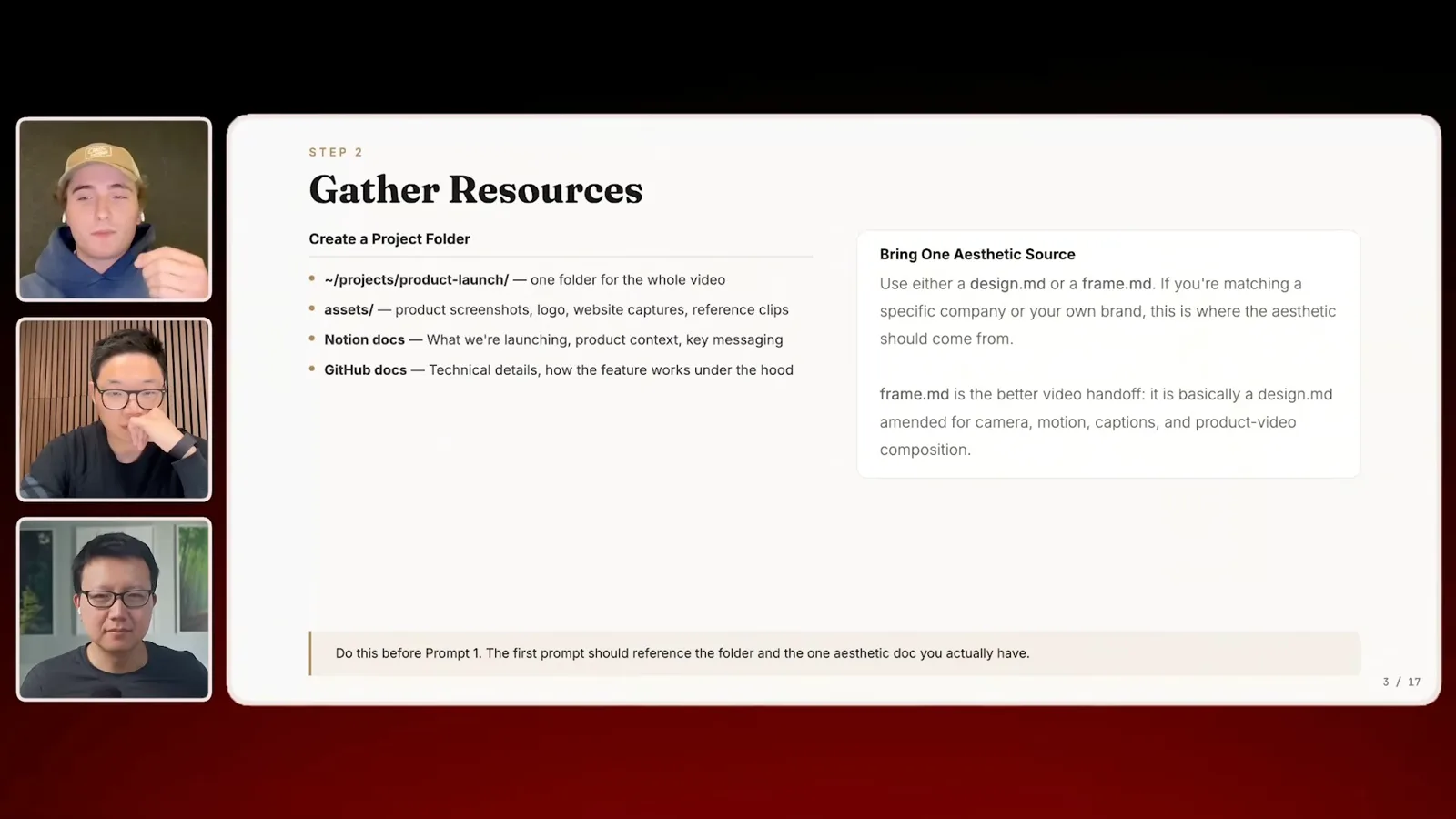
Before building the full video, Jake asks the agent for a table of story beats and refines the message and copy. He reuses code for existing visual components, such as a prompt box or text effect, adapting the style and timing to the new project. The guests say their examples and components are available in their open-source materials.
Reuse components and storyboard
Borrow suitable elements and review a frame for each scene.
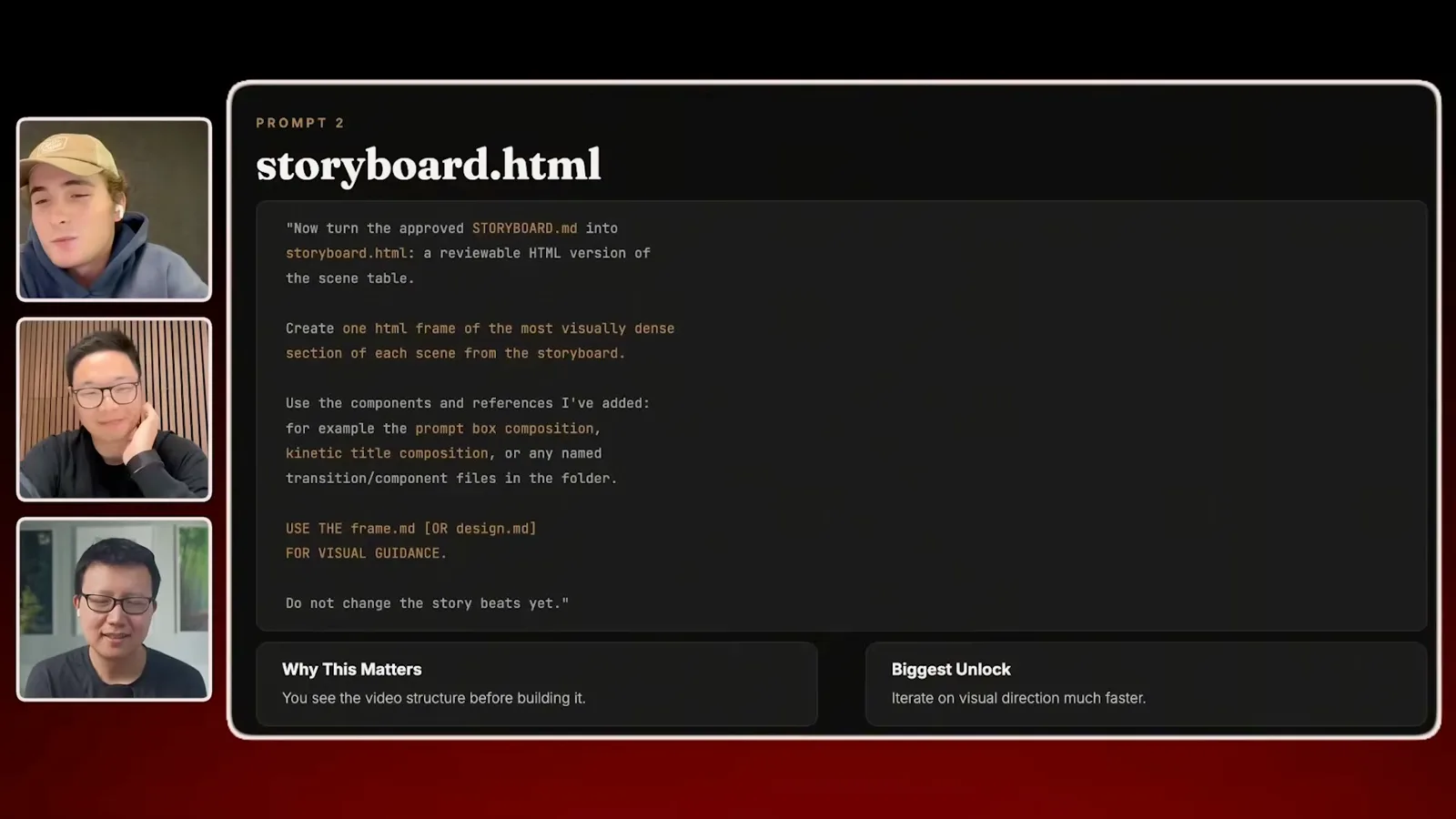
Next he asks for a static HTML storyboard with a representative frame from each scene. Reviewing those frames helps settle the aesthetic before spending time generating a full animation. Once the direction works, he asks the agent to build the composition and preview it in the studio.
Edit and export
Refine scenes in the studio and render the video.
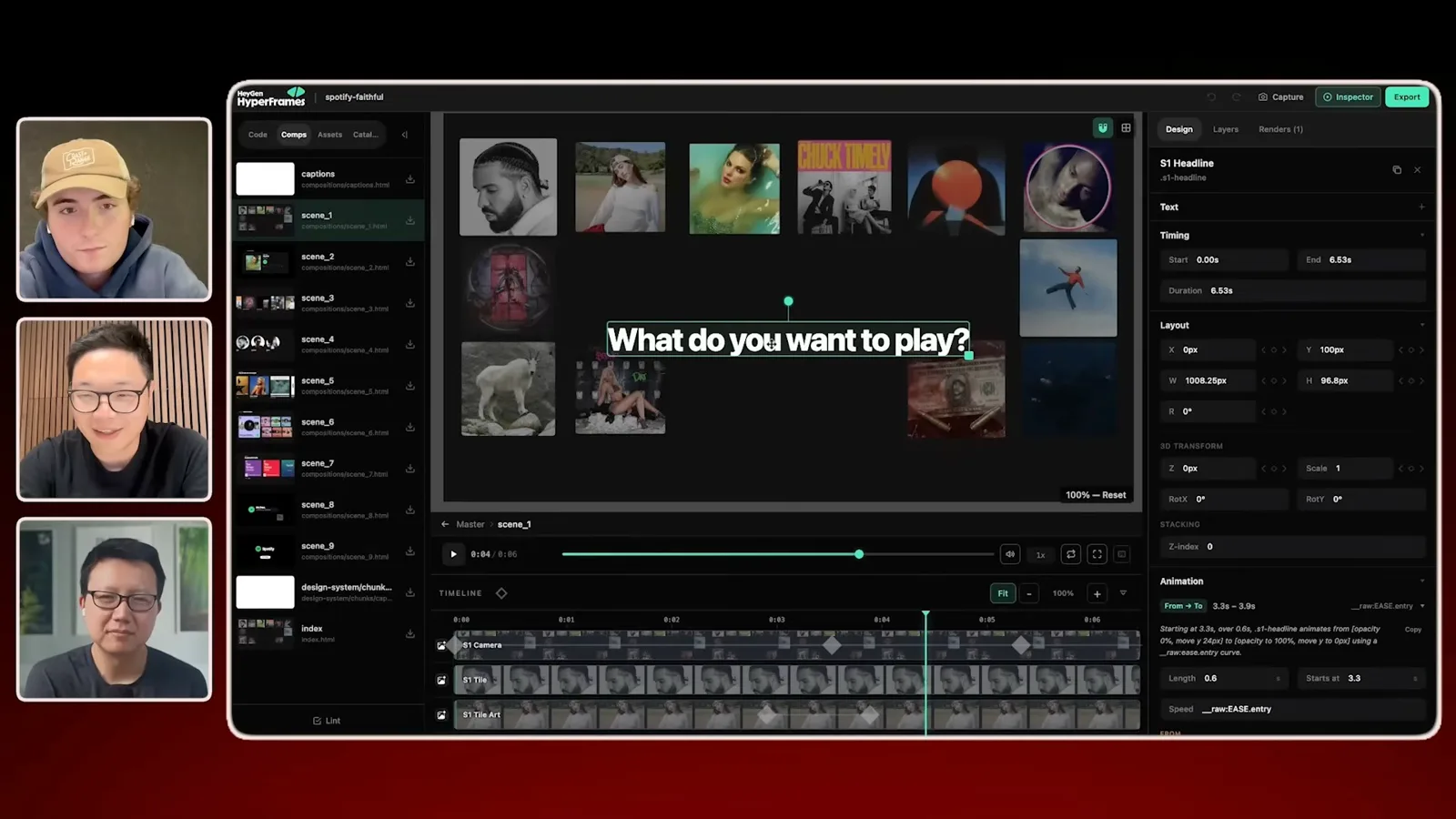
The studio breaks the video into scenes and lets a person inspect and adjust elements such as text, layout, and timing. The guests say edits are reflected in the underlying code, and describe exporting formats including MP4 and WebM. Specific features and formats should be checked in the current version.
Why HTML for video
Bin explains the team’s move toward code-based visual composition.
Bin explains that the team moved toward web code after finding that a structurally valid data representation did not necessarily produce appealing visuals. He distinguishes spatial aesthetics—how a static page is arranged—from temporal aesthetics, or how information unfolds over time. The team uses evaluations and review loops to improve the latter, he says.
Evaluate motion and explore use cases
The guests discuss pacing, verification, and other video applications.
The guests mention launch videos, education, internal updates, and short summaries of agent work as possible uses. Jake recommends learning with very short clips and saving effective prompts and animations for reuse. Their main practical lesson is to combine clear product context, early visual review, and repeated iteration rather than expect a single prompt to guarantee a finished video.
More from this channel
 46:40EN
 Peter Yang· Nov 8, 2026Podcast · 2 speakersAshley Alexander: How AI Helps Me Care for My Parents With CancerGuest Ashley Alexander · Host Peter YangA caregiver uses AI to prepare for appointments, organize records and ask better questions—while keeping doctors at the center of treatment.
 17:50ENPeter Yang· Nov 4, 2026PodcastPeter Yang’s Five Steps for Using AI to Help Care for His MotherYang uses a shared care brief and organized records to navigate appointments, while making time for family.
 15:03ENPeter Yang· Nov 3, 2026PodcastHow Peter Yang Used an AI Phone Agent to Negotiate His Internet BillAn AI call negotiated a lower price and faster service, but Yang still had to approve the change himself.
 33:09ENPeter Yang· Nov 1, 2026Podcast · 2 speakersJaclyn Konzelmann: When AI Can Build More, Choose What Deserves to ExistGuest Jaclyn Konzelmann · Host Peter YangGoogle Labs pairs short strategy documents with prototypes, user co-creation and lessons from experiments that end.
 13:05ENPeter Yang· Oct 28, 2026PodcastPeter Yang Tests Genie 4: Convincing Worlds, Unfinished GameplayFive live demonstrations show scenes that respond to prompts and sound, alongside inconsistent actions and limited game mechanics.
 1:06ENPeter Yang· Oct 26, 2026PodcastPeter Yang on Setting Up Payroll for a One-Person BusinessIn a paid partnership, Yang describes the paperwork he encountered and a payroll product integrated with a business account.