In 30 seconds
Theo Browne walks through his global and project-specific agent instructions and the skills he uses for pull requests, machine provisioning and human-readable reports. He explains how repeated failures and audits of his own session history informed the changes. His main advice is to understand and test instructions against your own work instead of copying his files. The model comparisons shown are observations from uneven real-world usage, not controlled benchmarks.
- 1Build your own instructionsTheo deliberately does not publish his global setup as a template and recommends adapting rules to observed needs.
- 2Descriptions trigger skillsA concise description helps the agent identify when to load detailed instructions.
- 3Audit actual agent historyTheo uses his own sessions to locate recurring mistakes, while noting differences in model tasks and usage.
- 4Check every applicable surfaceThe project checklist covers entry points, clients, providers, contracts, reverse states and documentation.
- 5Make communication a capabilityHTML reports and file sharing help people inspect work, and can be refined as separate skills.
Takeaways
- Build instruction files around recurring problems in your own work, then test and revise them.
- Use concise skill descriptions to help agents identify when detailed instructions are relevant.
- Give concrete examples of the communication and review behavior you want.
- Treat session-history statistics as clues, accounting for differences in task difficulty and model use.
- A project glossary and checklist can help agents communicate consistently and cover relevant surfaces.
- Protect active development processes and data when agents work inside a running product.
- Skills can improve human review by producing clear reports, mockups and evidence.
Read the edited text by chapter
Why rewrite agent instructions
Theo describes his productivity, multi-machine fleet and global preferences.
I've been landing more code than ever, partly because T3 Code makes parallel work easier. I also spent hours editing my agent instruction files and then testing and adjusting them. Those small Markdown changes have made my development experience better, and I want to explain the process rather than hand you a configuration to copy.
I work across several machines, so I need a way to keep instructions and skills in the right places. I started building a custom management system, but its edge cases became frustrating. Instead, my fleet repository holds shared Markdown, configuration and metadata that tell agents which skills belong on which machines.
The fleet has universal skills, skills for one agent harness and command-center skills for the machine that manages the others. Metadata records platform and other requirements. When I change a skill, an agent working in the fleet repository can use those instructions to propagate it to the appropriate machines.
My old global AGENTS.md and CLAUDE.md files had basic defaults: project-specific and user instructions took precedence, avoid unnecessary TypeScript any, choose focused checks, and use preferred package managers. I had barely touched them for a long time. They were useful, but my newer work exposed more recurring problems.
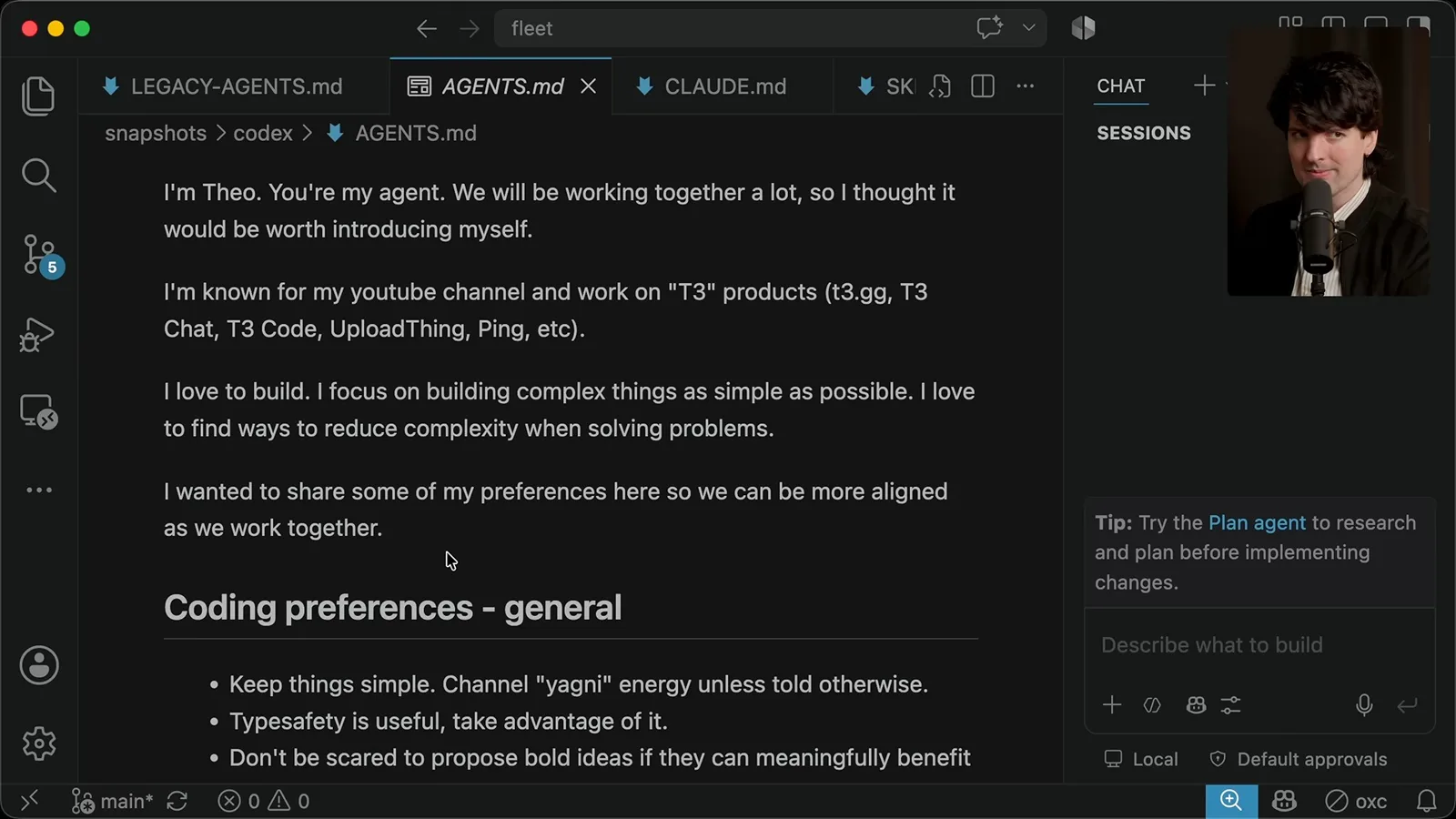
The new global file introduces me and my preference for ambitious ideas implemented with simple systems. I had seen agents add more code and machinery than needed, and these few sentences helped steer them. I write conversationally partly because models tend to mirror the tone they are given.
The general preferences include type safety, targeted tests, useful comments and caution around unrequested destructive actions. I want agents to propose worthwhile ideas without making a simple task elaborate. I also added TypeScript-specific preferences after seeing patterns I disliked in generated code.
I tell my agents that questions are read-only, because some were editing when I only wanted an answer. I ask them to match the amount of process to the task and avoid unnecessary subagents; when agents do work in parallel, they should establish file ownership to prevent collisions. These are responses to my own workflow, not rules everyone should copy.
I intentionally haven't published my global file as a template. Its value is the reasoning behind each instruction and the experiences that led to it. A global file affects many projects, so you should control it, edit it and adjust it based on your own recurring needs.
Skills for pull requests
He explains monitoring and filing skills, triggering descriptions, and concrete examples of better PR writing.
Skills address a different problem: I kept repeating the same instructions and getting inconsistent behavior. My babysit-PR skill grew from watching agents handle pull requests with several review bots. It describes how to monitor review and CI, inspect the current changes and keep the work moving.
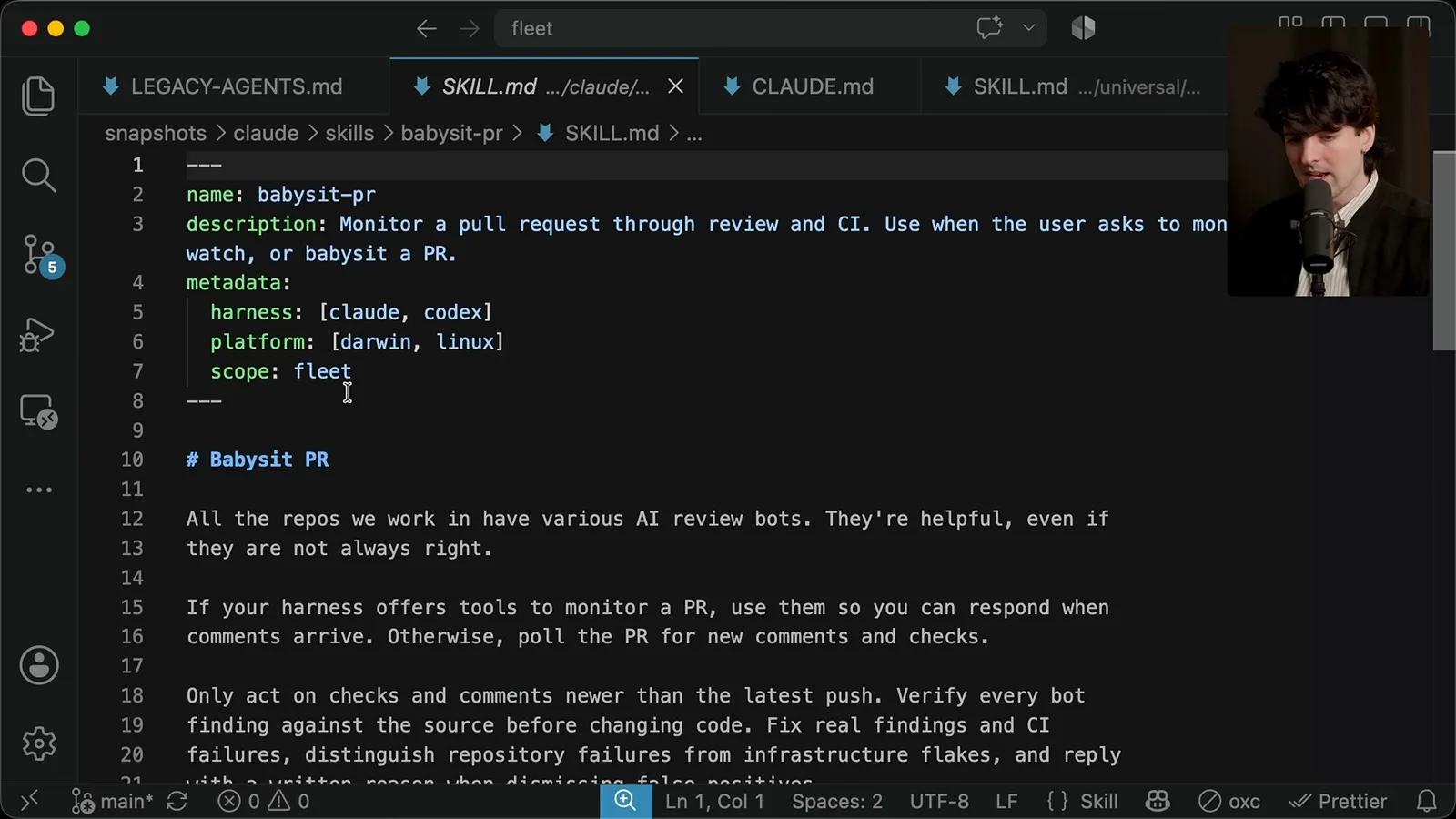
I noticed agents sometimes replied through my account without identifying themselves, or expanded a change by treating every bot comment as mandatory. My instructions ask them to verify findings against the source, distinguish genuine failures from infrastructure problems and explain rejected feedback. A model identifier makes it clear when an agent responds on my behalf.
The key constraint is to address real shortcomings without letting review feedback expand the pull request beyond the original goal. The skill can also use screenshots and videos when they help a reviewer understand the change. What matters is the result and the evidence, not satisfying every automated suggestion indiscriminately.
A skill description is especially important because the agent sees it when deciding whether to load the full instructions. I treat it as a trigger: mention the kinds of requests that should activate the skill, rather than cramming the entire procedure into the description. The exact behavior depends on the agent system being used.
I split filing a PR and monitoring one into separate skills because I sometimes want only one of those actions. The file-PR skill triggers when I ask to open or create a pull request. It has improved the way my agents explain their changes, even though they were already capable of creating PRs.
An older PR description listed implementation details without clearly saying what was broken. I remembered the underlying problem: a version-drift warning in T3 Code was wrong. That example showed me why a maintainer needs the user's problem and the intended result before a list of internal changes.
My instructions tell the agent to check for an existing PR, review the diff against the intended goal and follow repository title conventions. I give concrete examples of a weak title and a better one that explains the effect of the change. Examples can communicate the distinction more effectively than an abstract demand for good writing.
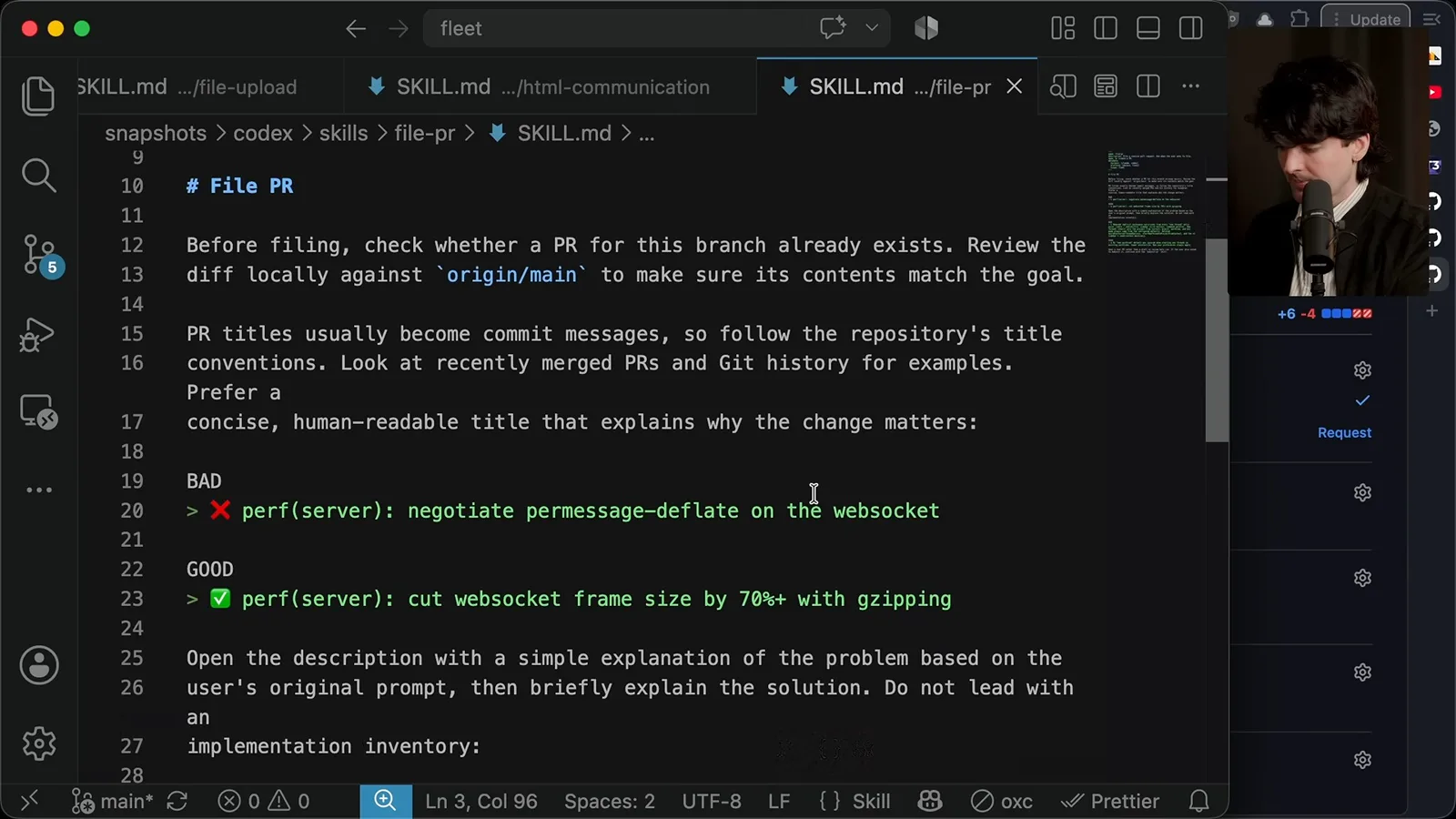
For the description, I ask for a plain explanation of the problem first and then a brief account of the solution. I also record which model and harness did the work, when known. In my setup I prefer ready-for-review PRs so review bots run, but another repository may need a different convention.
A newer example explains a prompt stash bug: after switching providers, the saved prompt appeared to disappear, and restoring it also restored an unwanted model selection. That gives a reviewer the reason for the change. It is far easier to assess than an inventory of files and functions.
Learning from real histories
Agent-assisted audits reveal recurring failures, with caveats about comparing models used for different tasks.
Global instructions aren't the whole story. T3 Code also has project-specific files for contributors, with details about that particular codebase. I used generated drafts as references, not final answers, and asked agents to investigate the actual history of my work to identify recurring failure modes.
I asked several models to examine my local Codex and Claude Code histories, categorize mistakes and propose improvements. One audit found wrong processes being stopped, unnecessary repository-wide checks and PR hygiene problems. The results helped me find specific instructions to add, but they are observations from my own sessions rather than a controlled comparison of models.
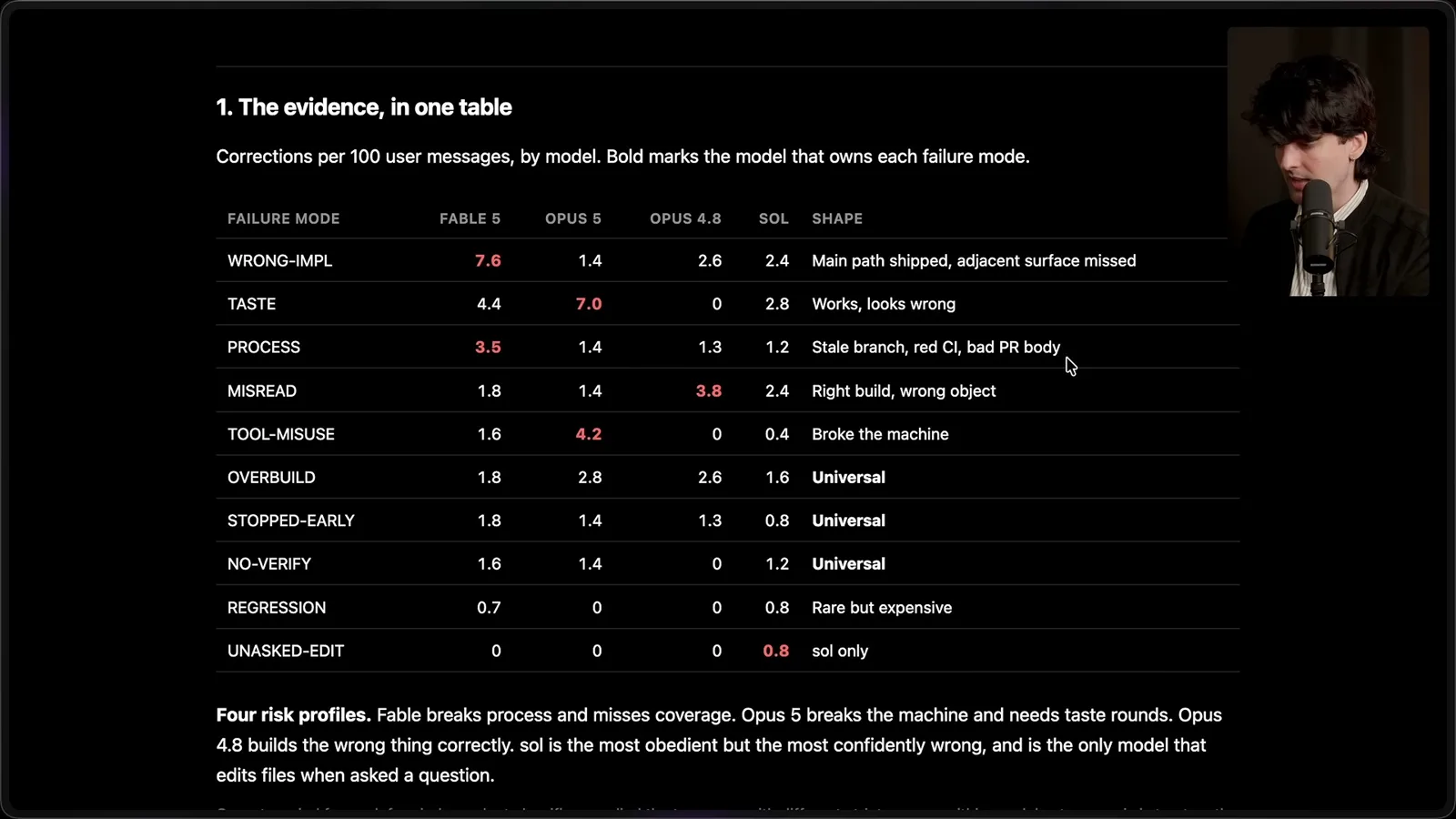
Another report counted corrections per 100 user messages by model and category. I interpret it carefully: I give different models different tasks and context, so a higher correction rate can reflect task difficulty or my own preferences. The counts are a way to find patterns to investigate, not a reliable leaderboard.
When a thread goes badly, ask why the agent chose that path and which information it relied on. The cause might be an outdated instruction or an earlier misunderstanding carried forward in context. For a task that took unexpectedly long, categorizing tool calls can reveal where time went and which steps helped.
Project context and shared vocabulary
Theo distinguishes README and agent instructions, explains the glossary and describes product principles.
A project README helps people and agents understand what a project is; an agent instruction file should focus on how to work on it and what to know before changing it. There can be overlap, but I want the latter to help an agent collaborate with the developer and navigate the repository effectively.
One of my favorite additions is a glossary. It defines terms such as user, agent, provider, client, environment, project and thread. The benefit isn't only helping the agent interpret my prompts; shared vocabulary also helps it explain its work to me in the language the team already uses.
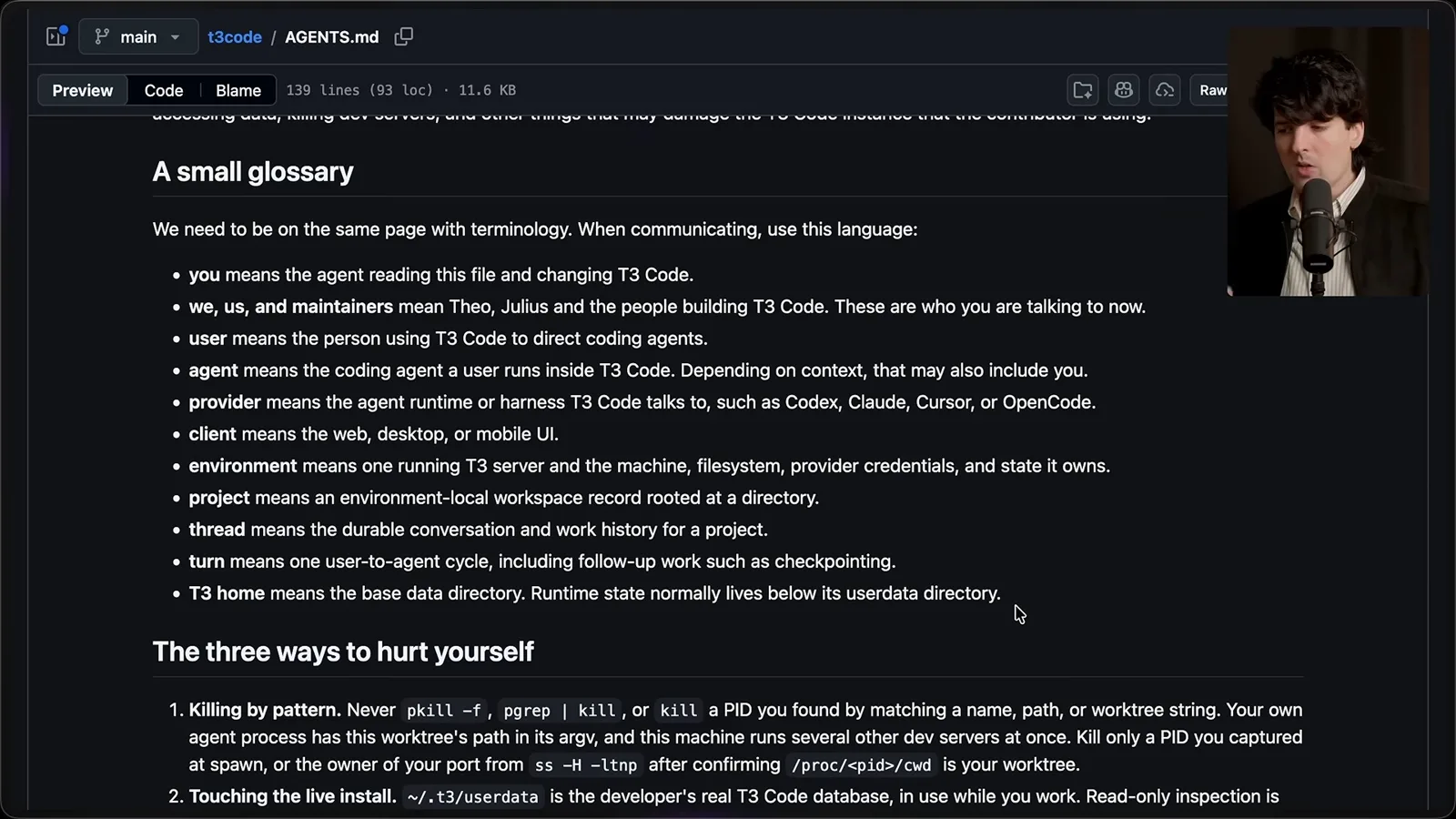
The project file briefly explains T3 Code as a graphical interface around agent providers with web, desktop and mobile clients. This gives the agent context without forcing it to rediscover the product from scratch. It also identifies product properties that changes should respect, such as openness, performance and remote access.
The file describes the different surfaces and connection modes because a change that works on one client can still fail elsewhere. Some details can become stale: I notice a mobile availability note in the file that needs updating. Instruction files need maintenance just like code.
I include a note about preferring simple systems, avoiding unnecessary machinery and resisting scope creep. I frame many project instructions as good defaults that the developer can override when appropriate. Explicit user preferences matter because a generic default can be wrong for the task in front of us.
Many contributors run an agent inside the very T3 Code instance they are changing. That makes process and data handling important: an agent can interrupt the user's active environment if it stops the wrong server or touches live state. These warnings came from recurring failures in my own work.
Check surfaces and protect development state
The project instructions cover clients, adapters, reversible states, documentation and targeted verification.
A section called 'hit every surface' addresses a common defect: a feature works where it was tested but is missing elsewhere. Before calling a change done, check applicable entry points, web, desktop and mobile clients, and each provider adapter. A deliberate 'not supported here' decision is better than silently overlooking a surface.
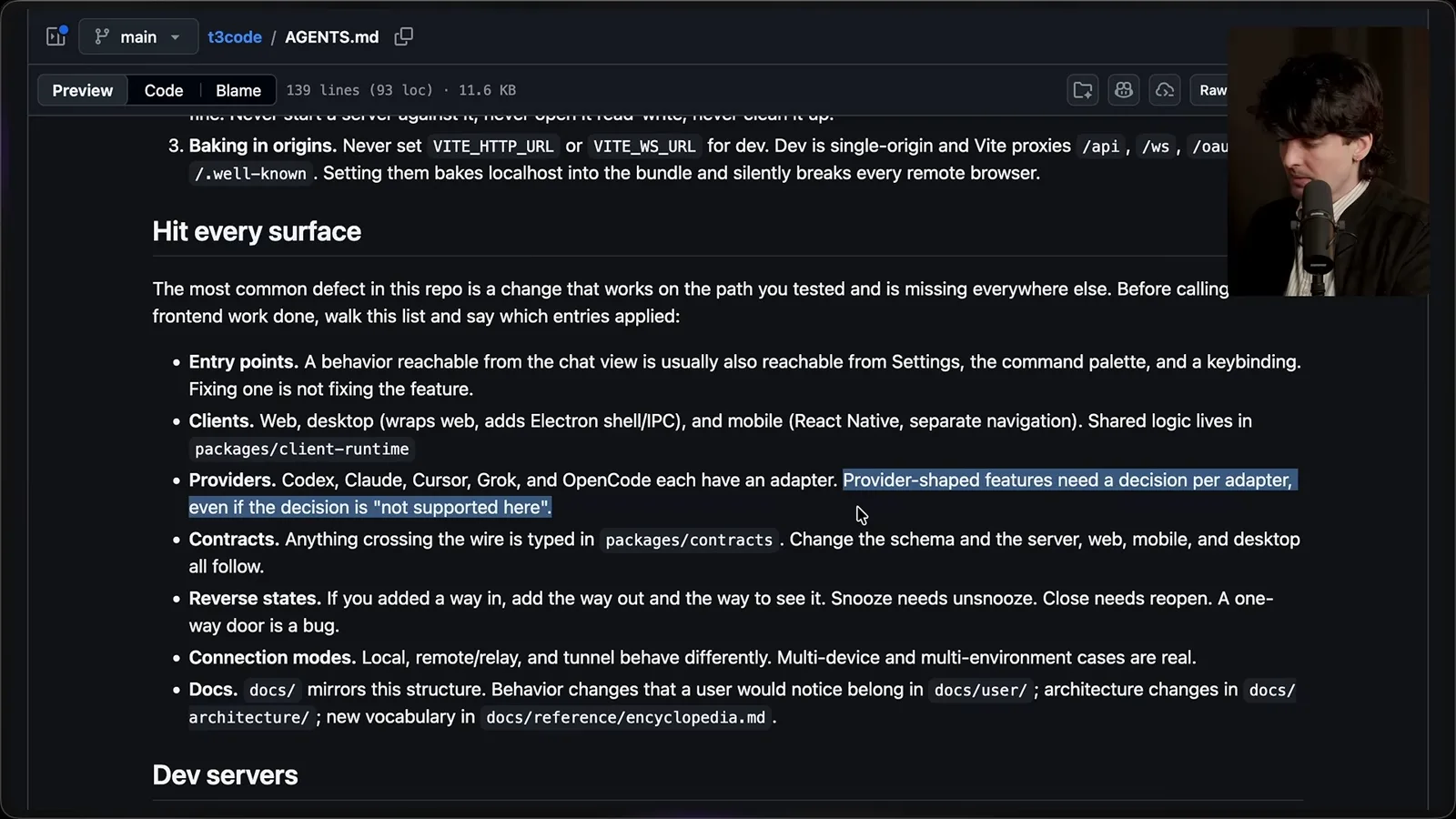
The checklist also covers shared contracts, reverse states, connection modes and documentation. For example, adding snooze without a way to unsnooze creates a one-way interaction. When a wire contract changes, related server and client definitions need attention too. Which checks apply depends on the change.
I also want user documentation and maintainer documentation to have separate entry points. Models often put internal implementation details in user-facing documentation, so an explicit distinction helps direct the explanation to the right audience. I have been working on a documentation change to make that division clearer.
Development-server instructions record the commands that actually work in this repository, because agents repeatedly chose the wrong Vite Plus invocation. Other instructions isolate development data from a running installation, provide the right remote connection details and track the process ID of the server an agent started. These are concrete fixes for observed mistakes.
I also tune verification and test-data guidance. For front-end work, my project instructions describe when to use an integrated real-client check and the available testing skills. The aim is to get useful evidence while avoiding unnecessary browser sessions or repeated broad checks.
The project file includes architectural preferences: keep complexity at adapter boundaries, orchestration straightforward and UI components focused. It also reminds contributors that users notice dropped frames, misleading spinners and stale labels. I want the agent to say when these preferences conflict with the task rather than silently creating an elaborate solution.
Short prompts and machine provisioning
Theo demonstrates how shared context supports concise requests and helps manage his machine fleet.
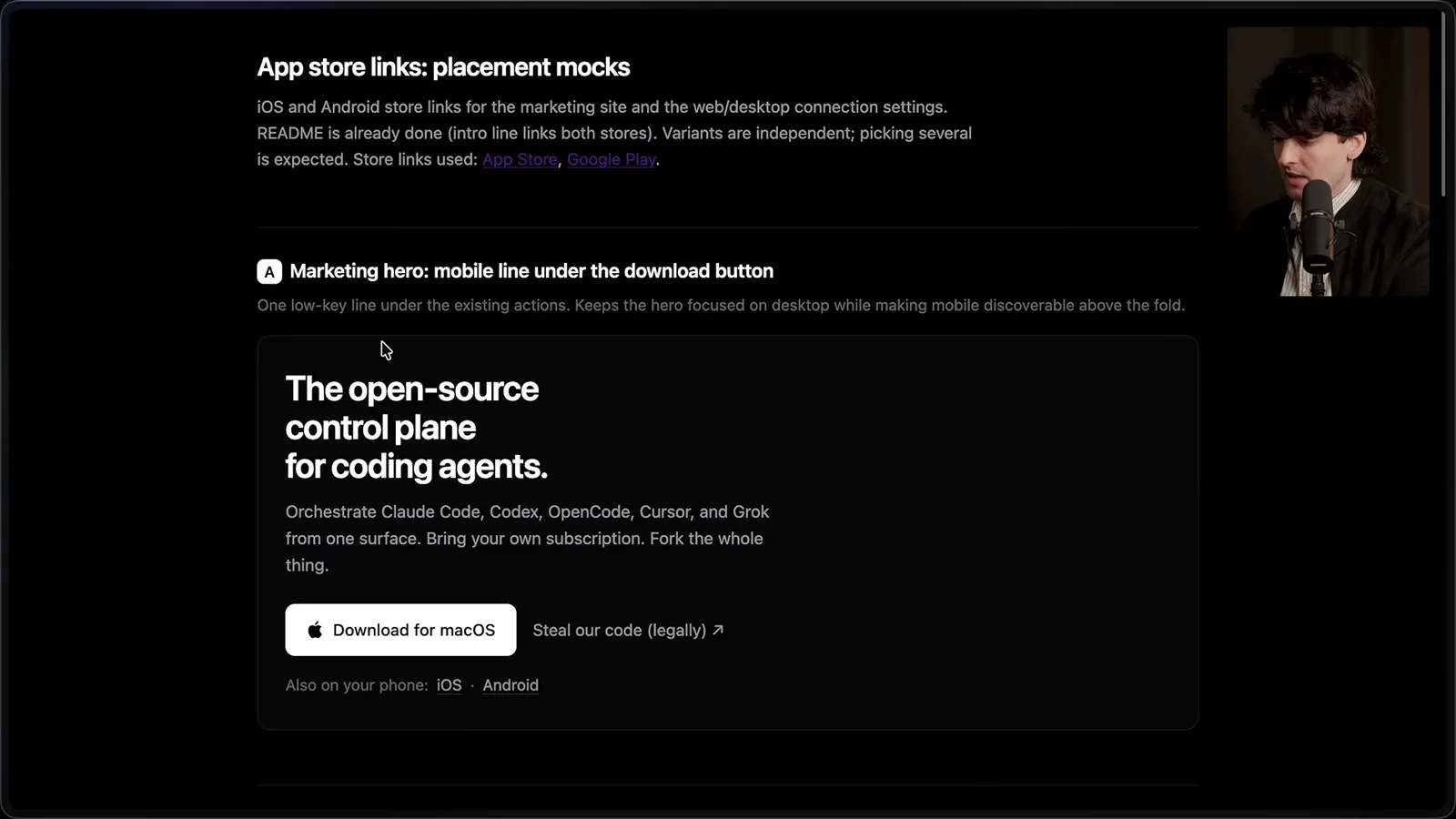
These instructions have shortened my prompts. For a marketing-site change, the agent presents labeled HTML mockups; I can choose the combinations I want and ask it to file and monitor a PR. In another example I describe a broken settle button and ask for diagnosis, a fix and the PR workflow. The short request works because the detailed preferences already exist in context.
My command-center skills also help set up machines. I first configured a computer by hand, then asked an agent to inspect my configuration and history and write down the setup. I tested those instructions on another machine, corrected what it missed or did unnecessarily, and turned the result into a provisioning skill.
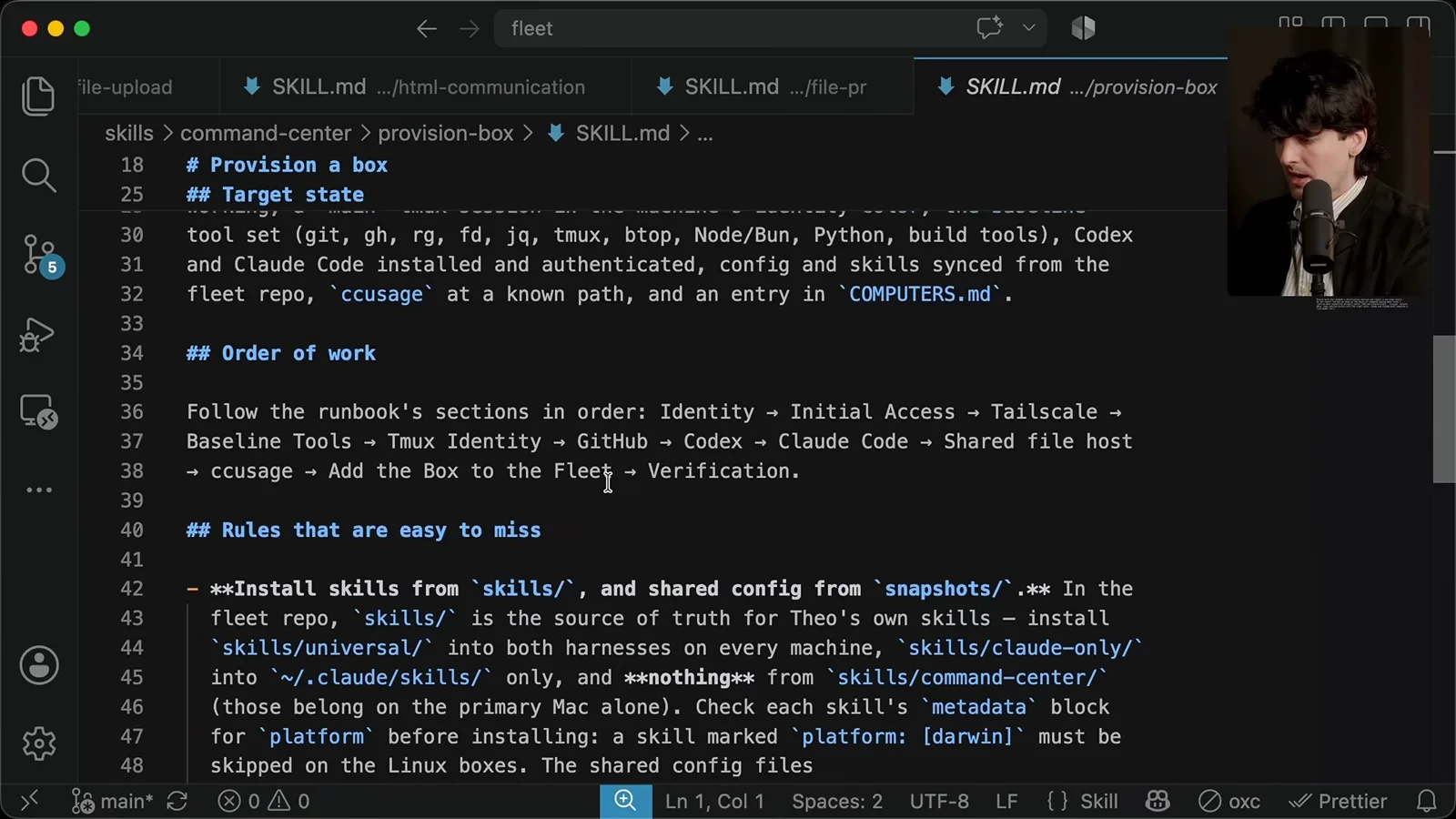
The fleet includes an HTML inventory with machine roles, specifications and connection methods. The central machine has a provisioning skill, while the shared repository holds skills that should be distributed elsewhere. This arrangement reflects my own network and access; it isn't a universal setup recipe.
Skills for communicating with people
File uploads and HTML documents make results easier to review; Theo edits and tests the skills live.
One shared skill uploads a local file to my public host and returns a link, with an explicit credential requirement. It lets an agent share a recording or screenshot in a PR or with me on my phone. The point is better communication: the agent can show a human what happened rather than only describe it.
The broader goal of these files isn't simply to make a model write better code. I want its reports, reviews and demonstrations to be useful to me and other maintainers. A capability such as uploading a file can matter because it makes the result easier for a person to inspect.
My HTML communication skill produces a readable document, plan, report or set of UI mockups and uploads it to my own service. It also originally included instructions for reading links from that service. During the video I notice that the skill is overloaded and decide to separate creation from reading.
I give an agent a concrete editing request: reread the current files, split the two skills, make their descriptions focus on when to trigger, and stop before committing or distributing changes. An explicit stopping point lets me inspect the result before asking for the next step.
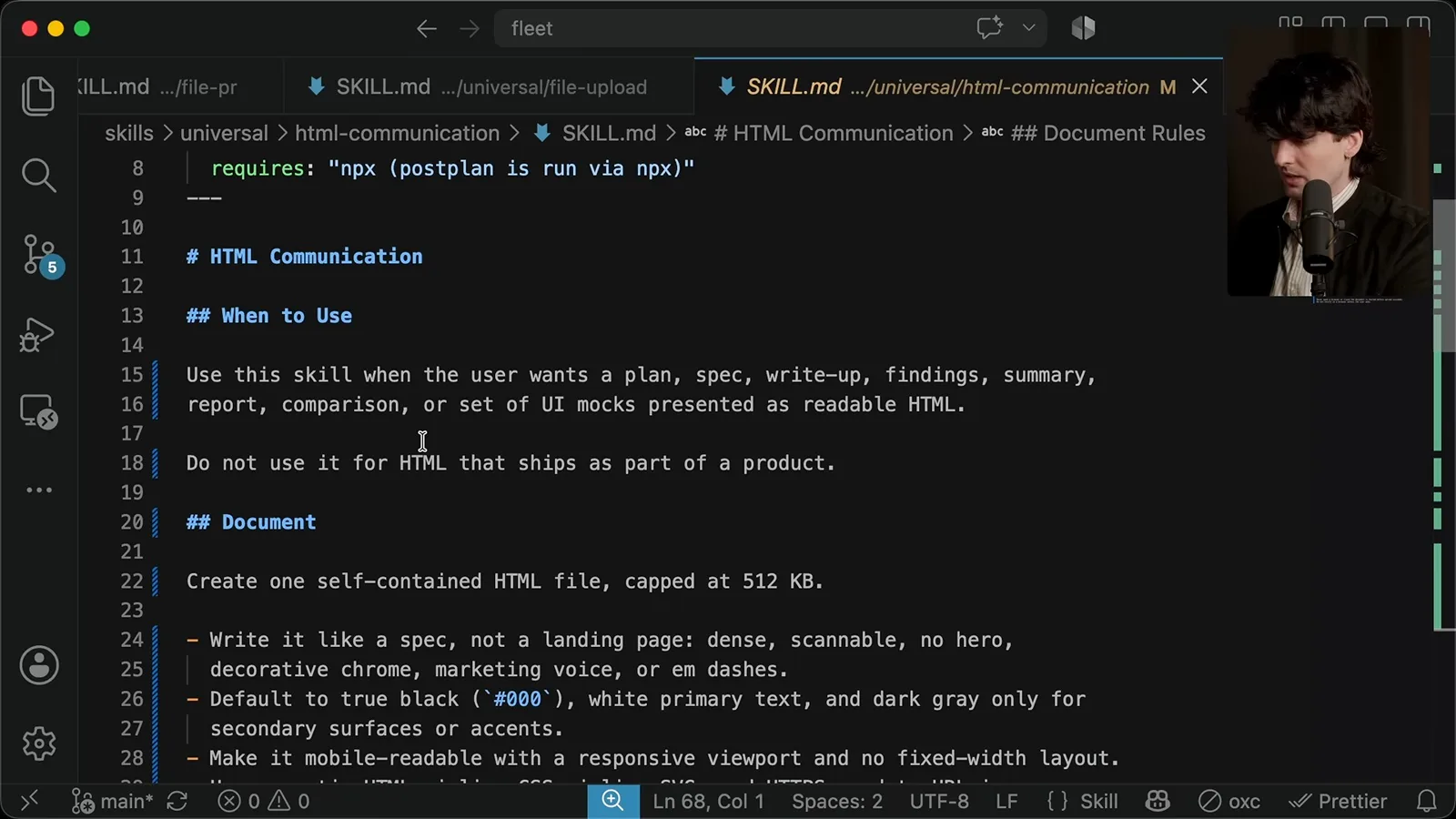
The revised HTML skill distinguishes a document for a human from HTML that ships as product code. It describes a self-contained document and labeled mockups that can be compared, and it says not to claim an upload succeeded before it actually does. I review the result and then authorize applying it to the fleet.
I make one more small change so simply saying 'HTML' can trigger the communication skill in my workflow. With the fleet and remote access already configured, I can ask an agent to distribute the updated instructions across my machines. That is a powerful use of plain Markdown, but it depends on the infrastructure I set up.
Build from your own experience
He closes by encouraging readers to observe, test and maintain their own instructions.
I never asked you to install all my skills. Build your own collection from the needs and failures you observe in your projects. Review what an agent actually did, edit the instructions, test the change and keep refining. Understanding how your agents work is more valuable than copying my particular files.
More from this channel
 38:47EN
 Theo - t3․gg· Oct 28, 2026Theo’s Long-Running Agent Experiments: Verification, Compute and CostTheo Browne · Ping LabsA skateboard game and two compiler projects show how repeated checks and flexible compute can sustain agent work—and how expensive those loops can become.
 36:07ENTheo - t3․gg· Oct 27, 2026Theo on Token Costs, Coding Agents, and the Price of AI CapabilityTheo Browne · Ping LabsA viral estimate of Lauren's AI spending prompts a closer look at cache pricing, benchmarks, and the changing work of coding agents.
 30:37ENTheo - t3․gg· Oct 26, 2026Theo’s Three Skills for Reviewing and Shipping with Coding AgentsTheo Browne · Ping LabsHow sol-loop, full-send and full-stop encode review, verification and different levels of merge authority.
 0:43ENTheo - t3․gg· Oct 23, 2026Theo Distinguishes Security Vulnerabilities from Active AttacksTheo Browne · Ping LabsA short explanation of why disclosed software flaws and reported attacks are different kinds of security news.
 29:22ENTheo - t3․gg· Oct 22, 2026Theo on Security Vulnerabilities, Stolen API Keys and AITheo Browne · Ping LabsA look at the gap between vulnerability disclosure and patching, and a speculative account of why stolen inference keys may be valuable.
 31:13ENTheo - t3․gg· Oct 20, 2026Theo on Why Smarter Models Help More Than DevelopersTheo Browne · Ping LabsFrom game modifications to compiler experiments, Theo revisits his assumptions about who benefits from more capable AI.