In 30 seconds
After years of terminal-centered development, Theo Browne now prefers graphical tools for coordinating parallel coding agents. He discusses project navigation, screenshots, remote connections and the effort of keeping track of many sessions. Theo is a creator of T3 Code and explains the product’s origins and remote workflow. His comparisons and productivity numbers are personal observations, and his discussion of features and provider policies reflects the time of recording.
- 1A terminal-first developer changes habitsTheo realized he had worked for hours after a reboot without opening a terminal.
- 2The cost of managing parallel tasksFinding sessions, remembering pane layouts and attaching images became recurring overhead in his workflow.
- 3Remote work changes the routineA persistent task on another machine can be checked from a phone or a different computer.
- 4Why Theo built T3 CodeTheo discloses his connection to the open-source project and describes the frustrations behind it.
- 5An individual productivity claimTheo reports more merged pull requests but does not establish that a graphical interface alone caused the change.
Takeaways
- Managing many agent sessions can introduce navigation and bookkeeping overhead.
- A graphical interface can make images, project organization and switching between tasks easier for some workflows.
- Persistent remote execution lets a user check work from another device while the host remains available.
- Provider integrations, subscription terms and platform support can change over time.
- Theo’s productivity and performance comparisons describe his setup and do not isolate a single cause.
- Open-source tooling can give developers more control over how their interface behaves.
Read the edited text by chapter
From terminal-first to agent interfaces
Theo describes his history with terminals and the moment he noticed his habits changing. He discloses his relationship to T3 Code.
I've been a terminal-first person for most of my life. Before I wrote code, I used terminals to run Minecraft servers and connect to remote machines. I invested in GNU screen and later tmux, and for years my everyday work happened at a command line even though I also liked navigating code with a mouse.
Recently I realized I'd rebooted my computer and worked for more than eight hours without opening a terminal. That was a surprise. The change didn't come from a sudden dislike of terminals; the way I use coding agents has changed what I need from my tools.
I know people will point out that I helped build T3 Code, an open-source graphical interface for agents. That is a relevant interest to disclose. I built it because of the frustrations I'm describing, and I'll also discuss other products that led me to this view.
The appeal of an agent manager
Antigravity, Cursor, cmux and the Codex app shaped his thinking about project navigation and parallel work.
One early influence was Antigravity's agent manager. I wasn't impressed by the product overall, but a separate view that showed agents across several projects caught my attention. A sidebar made it possible to see threads across windows in one place, which suggested a different way to organize parallel work.
At the time, I used Cursor to send prompts but still went to my terminal to review diffs, inspect Git history and run code. Finding the right worktree path was awkward enough that I asked for an easier way to copy it. I was essentially splitting my work between a graphical prompting surface and the terminal.
The Codex app pushed the idea further. It grouped work by project, let me run multiple threads in separate worktrees and included a terminal when I needed one. I could still inspect Git history there, but I also gained a clearer overview of what was running.
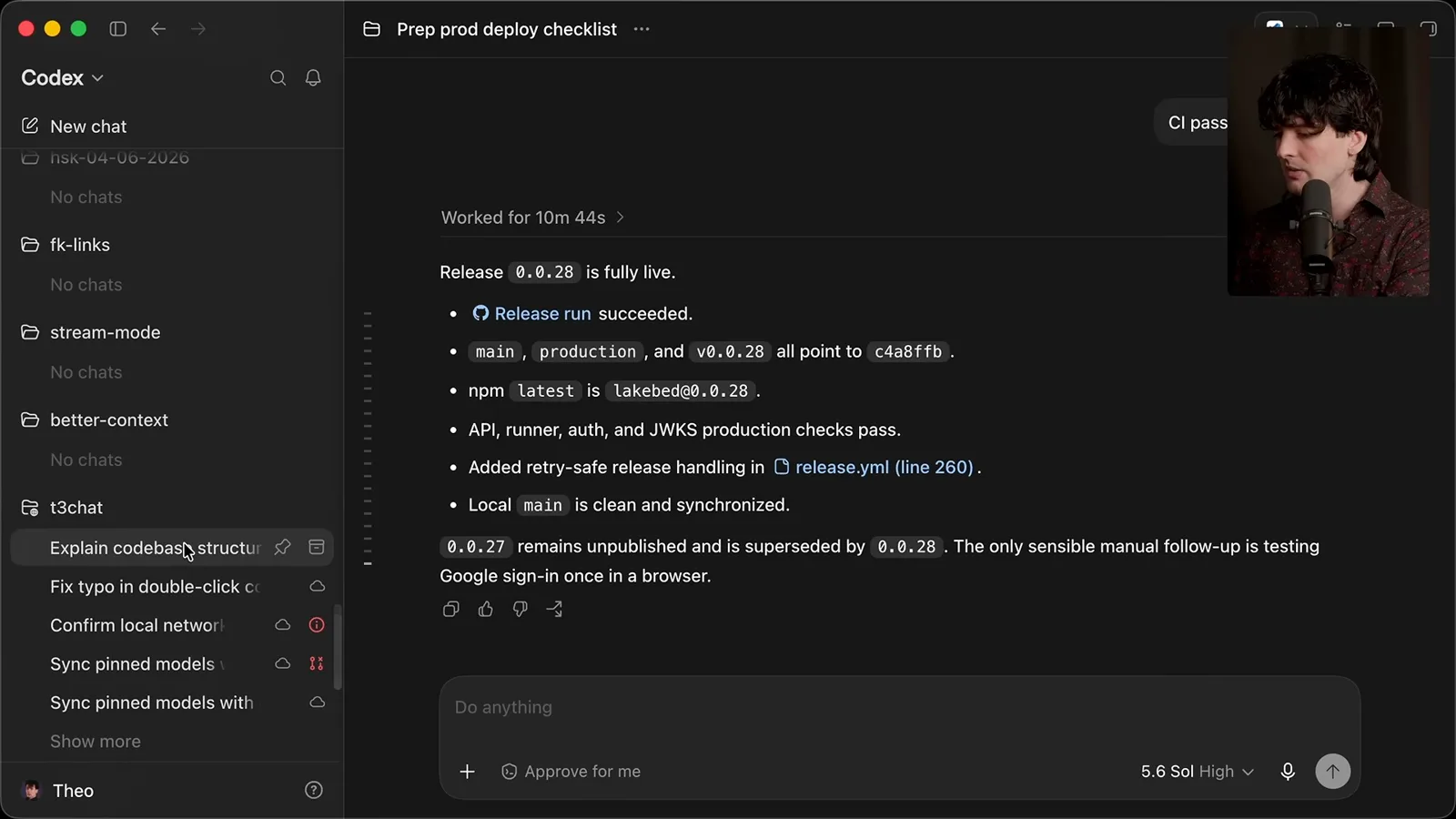
I was still using Claude Code in terminals and tools like cmux to manage sessions; tmux remained a habit I had trouble leaving. In the Codex app, however, I could paste and see screenshots, select and copy formatted text, scroll, and switch between tasks by clicking. Those small interactions added up.
With several concurrent tasks, keeping track of panes and shortcuts becomes work in itself. A layout I memorized for five tasks breaks down when a sixth appears. Cmux gets closer to solving this by adding a sidebar to a terminal, and I still use it to keep remote SSH connections accessible.
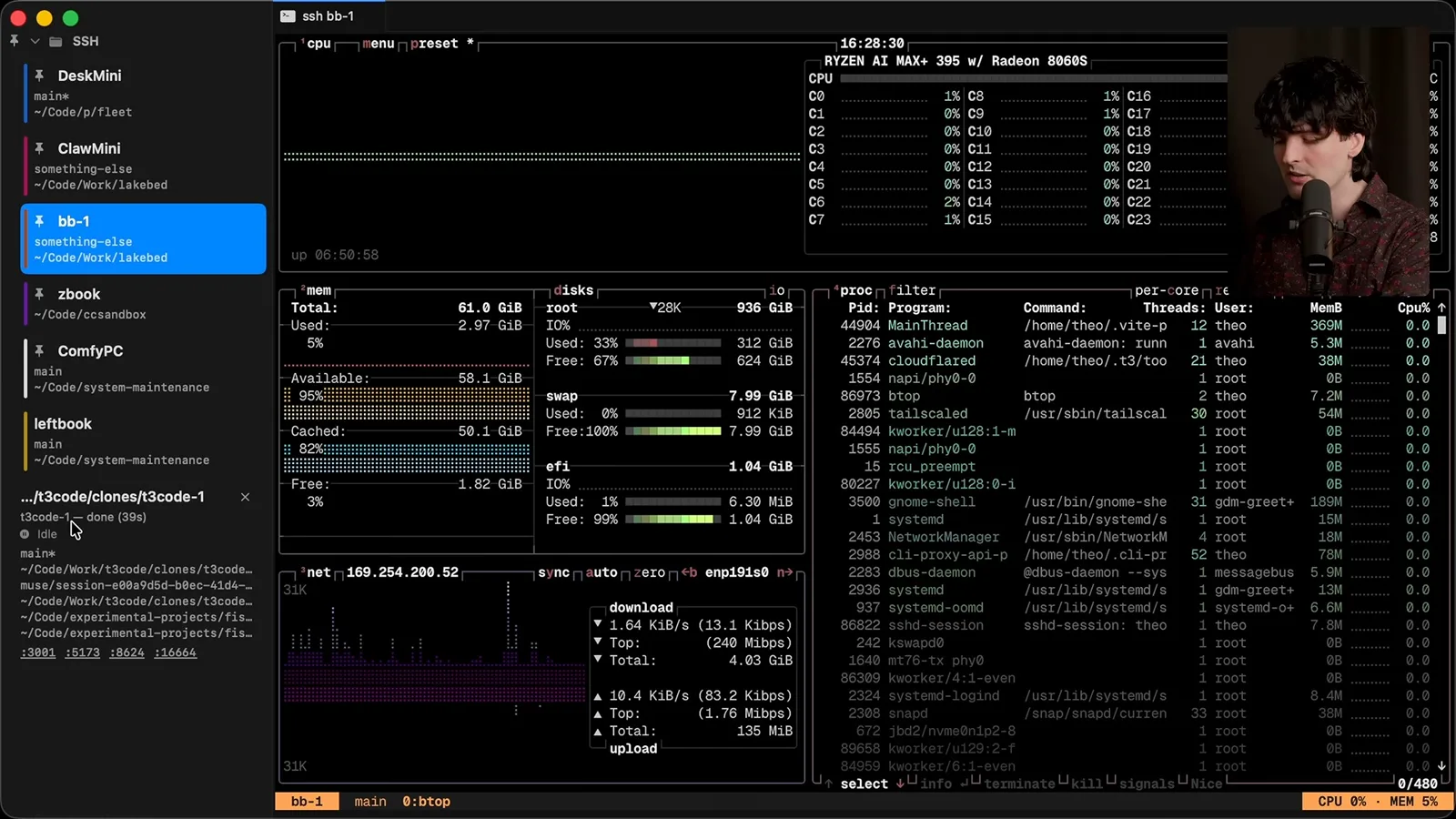
A graphical interface with readable text and project-based organization made me more willing to work on several things at once. My concern with the Codex app was that it was closed source: if a regression or an unwanted change appeared, I couldn't simply fix it myself. The team did respond to feedback, but that limitation still mattered to me.
Sessions, images and remote connections
Theo explains the overhead of coordinating terminal sessions and the difficulties he experienced with image paste and SSH.
At the time of the video, I felt that open-source tools such as OpenCode and Pi offered strong terminal experiences, while polished graphical options were often tied to one provider. Different official clients exposed different features and subscription arrangements. These product and provider policies can change, so I'm describing the situation as I experienced it then.
I found myself using a terminal for Claude models and a graphical app for Codex, sometimes choosing an OpenAI model because I preferred the interface even when another model might have suited the task better. I wanted a way to keep track of work without making the interface determine my choice of model.
I had lost track of terminal sessions and worktrees often enough that I would ask an agent to locate the work I'd started. On one Linux box I had around 30 tmux terminals for various tasks. Renaming sessions can help, but maintaining a scheme still takes attention that I'd rather spend on the work.
Historically, a terminal setup could cost effort up front and then reduce overhead through a familiar routine. My current workload changes constantly: projects can be new or old, and I may be working on one task or ten. The rigid pane arrangements I built for myself no longer adapted comfortably to that variation.
I spent considerable effort making image paste work through cmux, SSH and tmux. Eventually it became reasonably stable, but it was a lot of setup for sending a screenshot. In a graphical interface I can paste and see the image directly, which matters because many of my prompts include an error or a picture of an app.
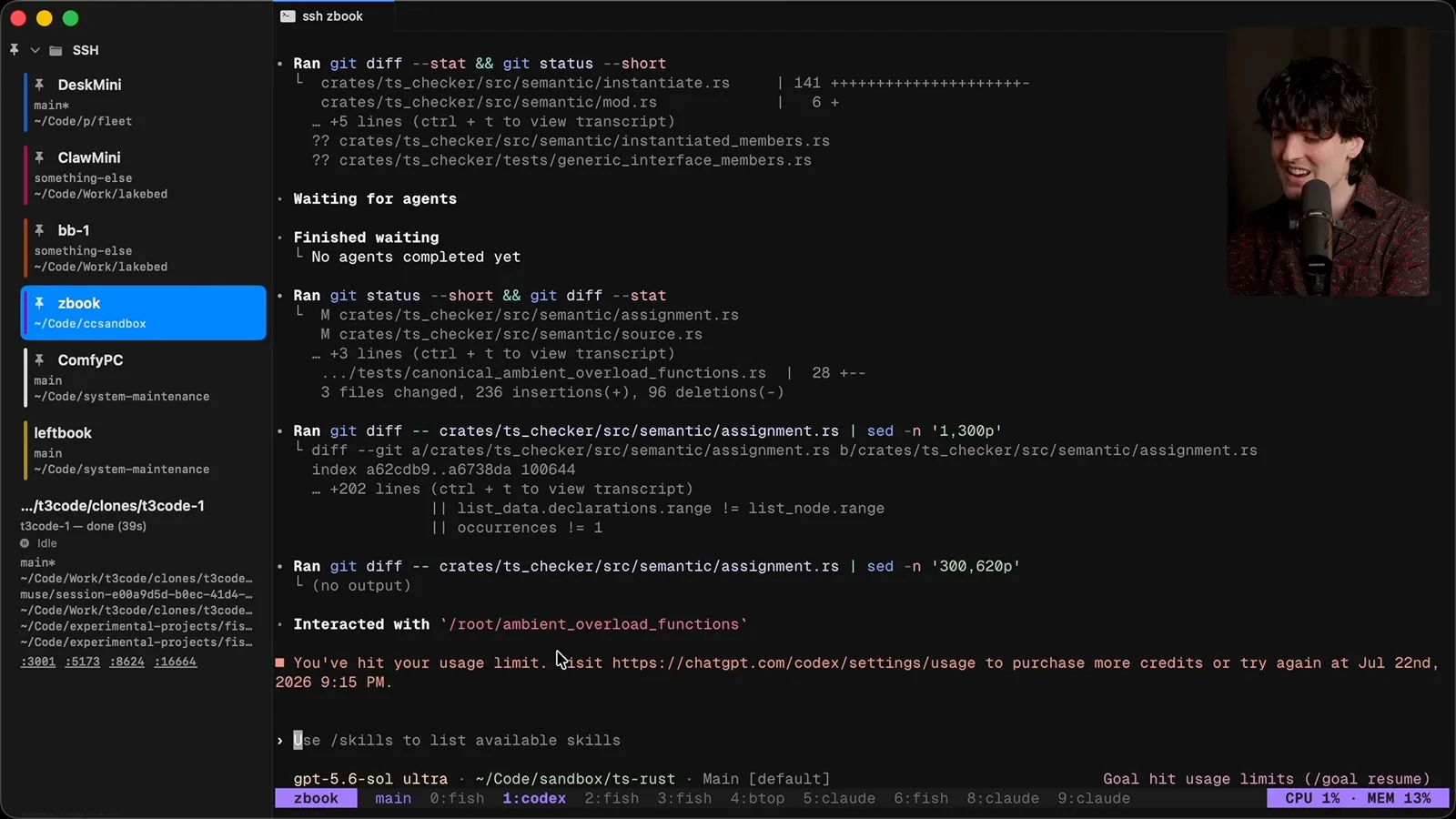
My largest frustration was remote interaction over SSH when the connection wasn't ideal. In one example I saw sticky typing despite a fast network; the connection was using Wi-Fi rather than the wired link I expected. SSH remains powerful and useful, but I didn't want to spend time diagnosing these details during ordinary agent work.
I still use terminal tools, including a mobile SSH client, and they can be valuable for debugging. I know alternatives such as Mosh exist, but doing extended agent work through a phone terminal was uncomfortable for me. My complaint is about the experience I chose to use, not a claim that remote terminal tools cannot be improved.
Requirements for a new workflow
Mobile access and persistent remote work inform a list of features he wants. His platform and performance comparisons reflect his own setup.
Remote control from the Codex mobile app let me start a task on a computer and check or continue it from my phone while doing other things. I liked that freedom, though I also encountered bugs and limitations in the desktop and machine support available to me at the time.
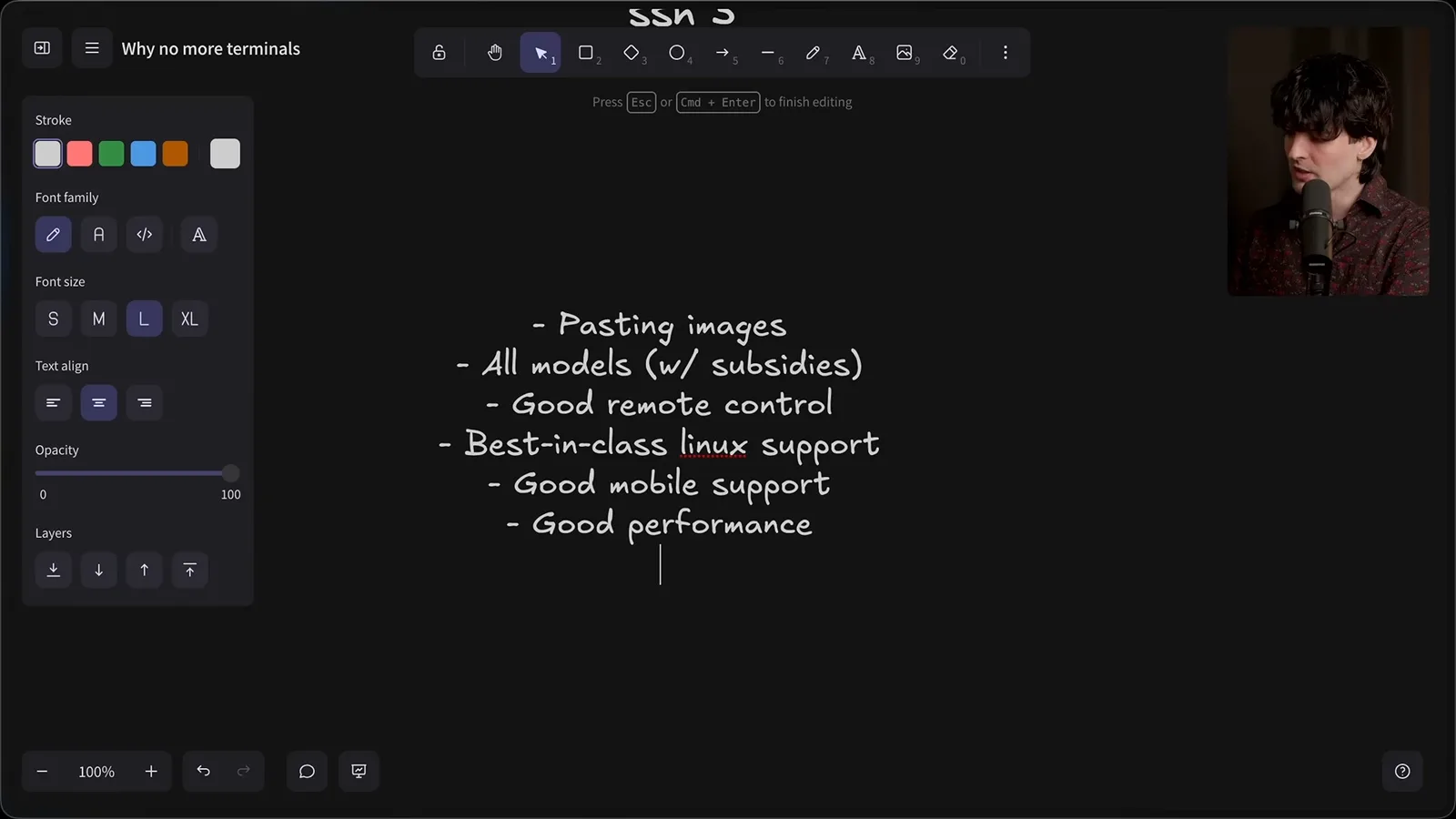
I wanted image paste, access to the models and subscriptions I use, reliable remote control, Linux and mobile support, good performance and battery behavior, and a clear way to manage many concurrent tasks. My Linux machine felt particularly responsive for worktree-heavy development, although those comparisons reflect my own hardware and setup.
Building T3 Code
Theo recounts the project’s early design and Julius’s work on integrations, then demonstrates remote access.
Julius and I made T3 Code because we shared many of these frustrations. I tried a native graphical interface first, but struggled with large scrollable text views. An Electron experiment using WebSockets for communication made remote control easier to explore and became an early, rough version of T3 Code.
For the first few months I still used the Codex app heavily. Julius kept improving T3 Code from a different starting point: he preferred doing Git work through the editor and wanted to avoid memorizing a different terminal interface for each agent. I regard him as an excellent developer despite our different preferences.
Theo credits Julius with improving worktree support and integrations for multiple agent tools. The aim was one interface for several providers and their local harnesses. Theo says the project worked with official SDKs and provider arrangements at the time, while noting that a possible policy change was still unresolved; availability and terms should not be assumed permanent.
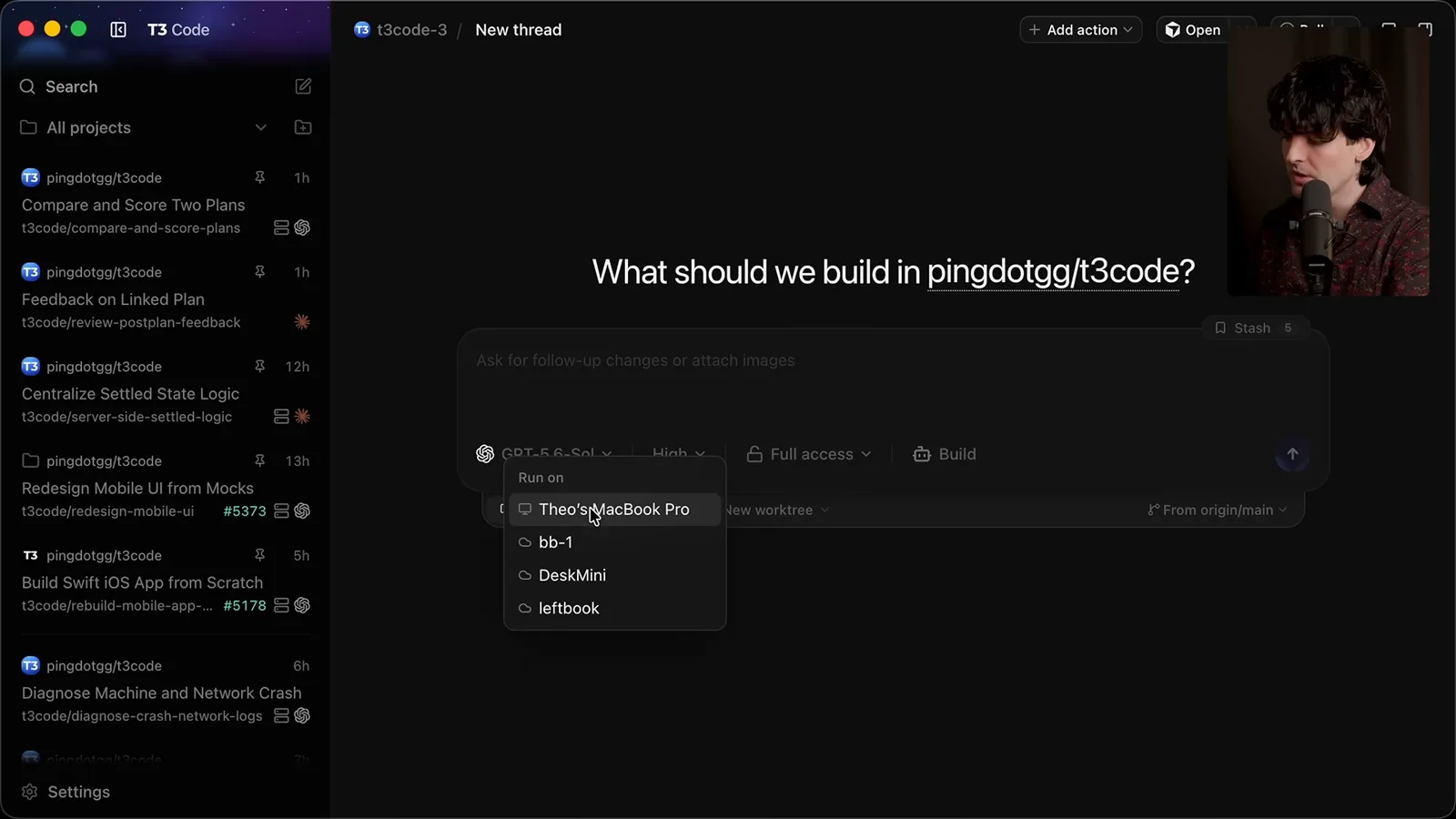
The feature that changed my own routine was choosing a machine and sending a task there, then closing my laptop. T3 Code can connect to a running instance from another computer, the web or its mobile apps. The remote machine has to be set up and running; the interface is a way to reach that work.
Previously I would delay launching an agent if I had a meeting or needed to leave. Laptop heat, fans and unreliable connectivity could make the session inconvenient. I used to code during Uber rides, but closing the laptop or losing a connection could interrupt an agent and force me to resume later.
Longer tasks made that constraint more disruptive: I had to plan around how long my laptop would stay open. Now I can start work on another machine, close the local T3 Code client, reopen it or use the web interface, and see the ongoing task. I can continue the thread, inspect history, attach images or open a terminal if needed.
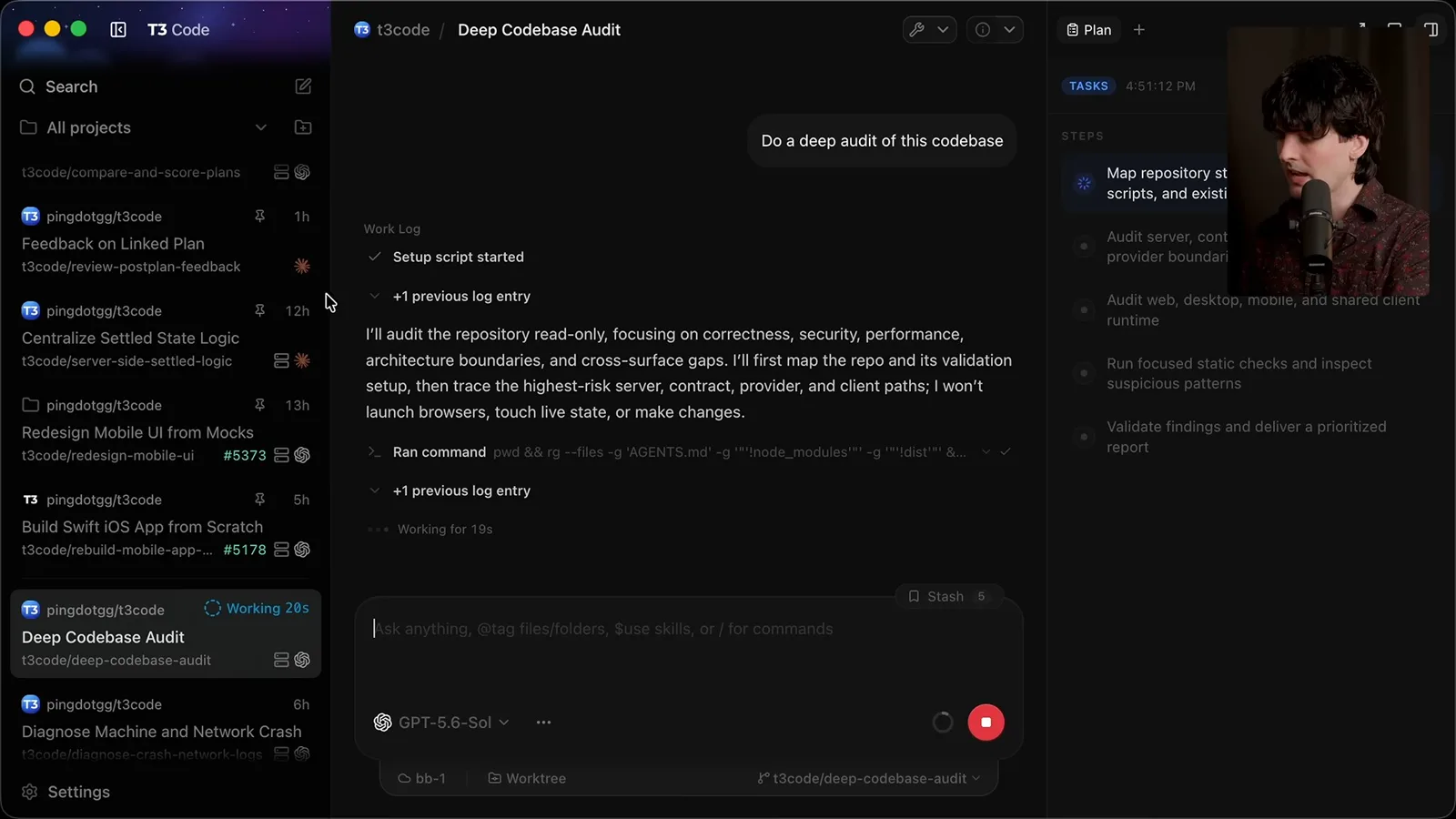
Theo demonstrates pairing through Tailscale and describes a connect command that authenticates a machine and starts a background instance. He says the background setup shown supported Linux at recording time, with Mac support planned. Commands, provider policies and platform support are version-dependent and may have changed since the video.
Customizable tools and a broader conclusion
Theo explains why open source matters to him and encourages readers to test graphical workflows for themselves.
For someone with an unused computer, the idea is to run the agent tools there and connect to them from a more convenient interface. That is the workflow I'm excited about: the machine doing the work and the device I use to check on it don't have to be the same one.
I also care about being able to modify the tools themselves. I remember the shift from closed editors to customizable open-source projects such as Atom and VS Code. As AI development moved into closed products, I felt that freedom shrinking even as agents made customization more accessible to people with source access.
My investment in T3 Code comes from that frustration and from wanting an open-source tool for AI-assisted development. I acknowledge it could have commercial potential in the future, but my stated goal is to build a useful, customizable interface. I believe a graphical interface is the right shape for the work I do today.
You don't have to use my project to test the idea. Try a capable graphical agent interface and see whether switching among threads, reviewing results and attaching images feels easier when more than one or two tasks are active. Different people and workflows may reach different conclusions.
In my own work, remote execution and easier navigation changed how I organize coding. I report moving from roughly three or four merged pull requests per week to as many as 20 on a heavy day. That's my personal observation, not evidence that the interface alone caused the increase or that others should expect the same result.
I still love terminals and miss using them as much as I once did. My argument is that an interface designed around commands and panes may not be the best default for managing many ongoing agent tasks. I encourage experienced terminal users to challenge their habits and try a graphical workflow for themselves.
More from this channel
 38:47EN
 Theo - t3․gg· Oct 28, 2026Theo’s Long-Running Agent Experiments: Verification, Compute and CostTheo Browne · Ping LabsA skateboard game and two compiler projects show how repeated checks and flexible compute can sustain agent work—and how expensive those loops can become.
 36:07ENTheo - t3․gg· Oct 27, 2026Theo on Token Costs, Coding Agents, and the Price of AI CapabilityTheo Browne · Ping LabsA viral estimate of Lauren's AI spending prompts a closer look at cache pricing, benchmarks, and the changing work of coding agents.
 30:37ENTheo - t3․gg· Oct 26, 2026Theo’s Three Skills for Reviewing and Shipping with Coding AgentsTheo Browne · Ping LabsHow sol-loop, full-send and full-stop encode review, verification and different levels of merge authority.
 0:43ENTheo - t3․gg· Oct 23, 2026Theo Distinguishes Security Vulnerabilities from Active AttacksTheo Browne · Ping LabsA short explanation of why disclosed software flaws and reported attacks are different kinds of security news.
 29:22ENTheo - t3․gg· Oct 22, 2026Theo on Security Vulnerabilities, Stolen API Keys and AITheo Browne · Ping LabsA look at the gap between vulnerability disclosure and patching, and a speculative account of why stolen inference keys may be valuable.
 31:13ENTheo - t3․gg· Oct 20, 2026Theo on Why Smarter Models Help More Than DevelopersTheo Browne · Ping LabsFrom game modifications to compiler experiments, Theo revisits his assumptions about who benefits from more capable AI.