In 30 Sekunden
A planning agent can help turn prototype screenshots and plain-language ideas into a front-end specification, while a separate scribe records the decisions. Google’s Devin Chasanoff demonstrates the process with Gemini and a fitness app. He asks the planner to explain unfamiliar concepts, works through routes and components iteratively, and ends with a document covering navigation, state, tests and reusable components for another agent to implement.
- 1Ask Gemini to build the planning workflow before the specificationChasanoff explicitly tells the agent not to create the final document in the first step. Instead it prepares a set of agents and skills.
- 2Give planning and documentation separate rolesA conversational agent works through decisions with the user; a scribe records their agreed results.
- 3Use prototype screenshots to start the design conversationThe example also references an existing data architecture document and leaves room to revise the interface.
- 4The finished specification covers more than page appearanceIt includes navigation, reusable components, client state, data flow, tests and a change log.
Das Wichtigste
- Ask a planning agent to discuss decisions before it writes the final specification.
- Separate the conversational planning role from the scribe that records agreed decisions.
- Use prototype screenshots and an existing data plan as context for the front-end design.
- Have the agent explain unfamiliar concepts while you supply judgment and feedback.
Den bearbeiteten Text nach Kapiteln lesen
Build the planning process first
Chasanoff argues for a detailed front-end specification and asks Gemini to create agents that can guide the work.
Devin Chasanoff recommends creating a detailed front-end design specification before asking an AI to build an app. Rathis than chase individual features, the specification describes the interface, layout and interactions and provides a plan anothis agent can implement.
Using Google Antigravity, Chasanoff first asks Gemini to help create a set of agents that will guide the process and explain unfamiliar concepts. The example is a smart fitness app whose prototype was made in Google AI Studio.
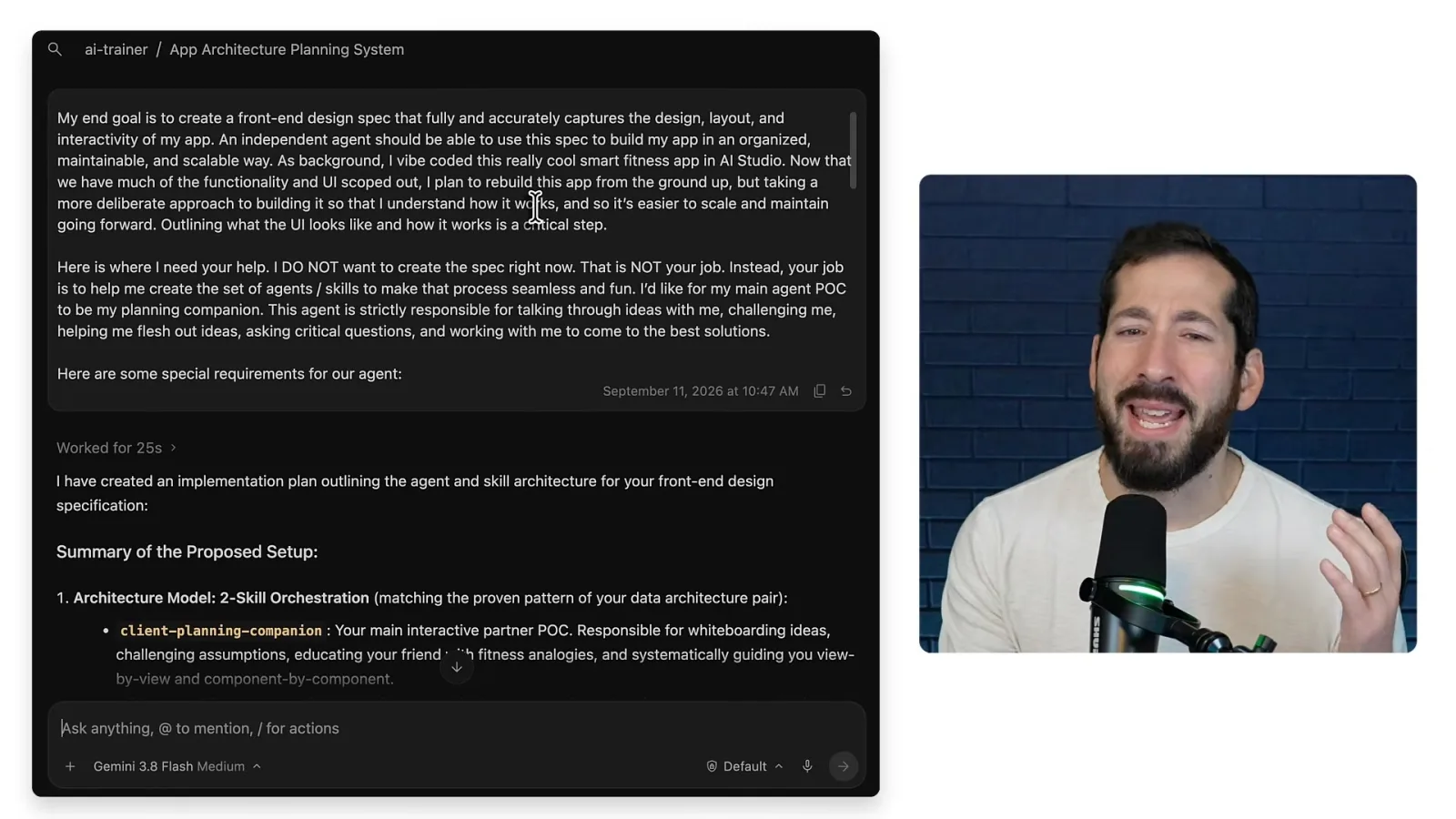
The initial prompt states the desired outcome: a document covering the app’s design, layout and interactivity. Chasanoff explicitly says not to write the specification yet; the immediate task is to create the agents and skills for developing it collaboratively.
Separate thinking from recording decisions
The planning companion explains concepts and discusses choices; a scribe records decisions in the specification.
A main planning agent acts as a thinking partner, asking questions and helping evaluate choices. Chasanoff asks it to explain concepts to a hypothetical friend who is new to the field, so the process teaches as well as produces a document.
The prompt also describes how the agent should interact. Chasanoff explains that an agent has an underlying harness of instructions, tools and goals, and that a custom agent can adjust the experience around a specific task.
He separates planning from documentation: the planning companion works through decisions with the user, while a second agent acts as a scribe and records the agreed results in the design document. Gemini creates and implements a plan for the agent setup.
Develop the design with prototype screenshots
A fresh agent session uses screenshots and a data plan to work through routes, components and interactions with user feedback.
Chasanoff opens a fresh Antigravity session to give the new agent a clean context, then activates the client planning agent. It proposes a roadmap and asks where to start.
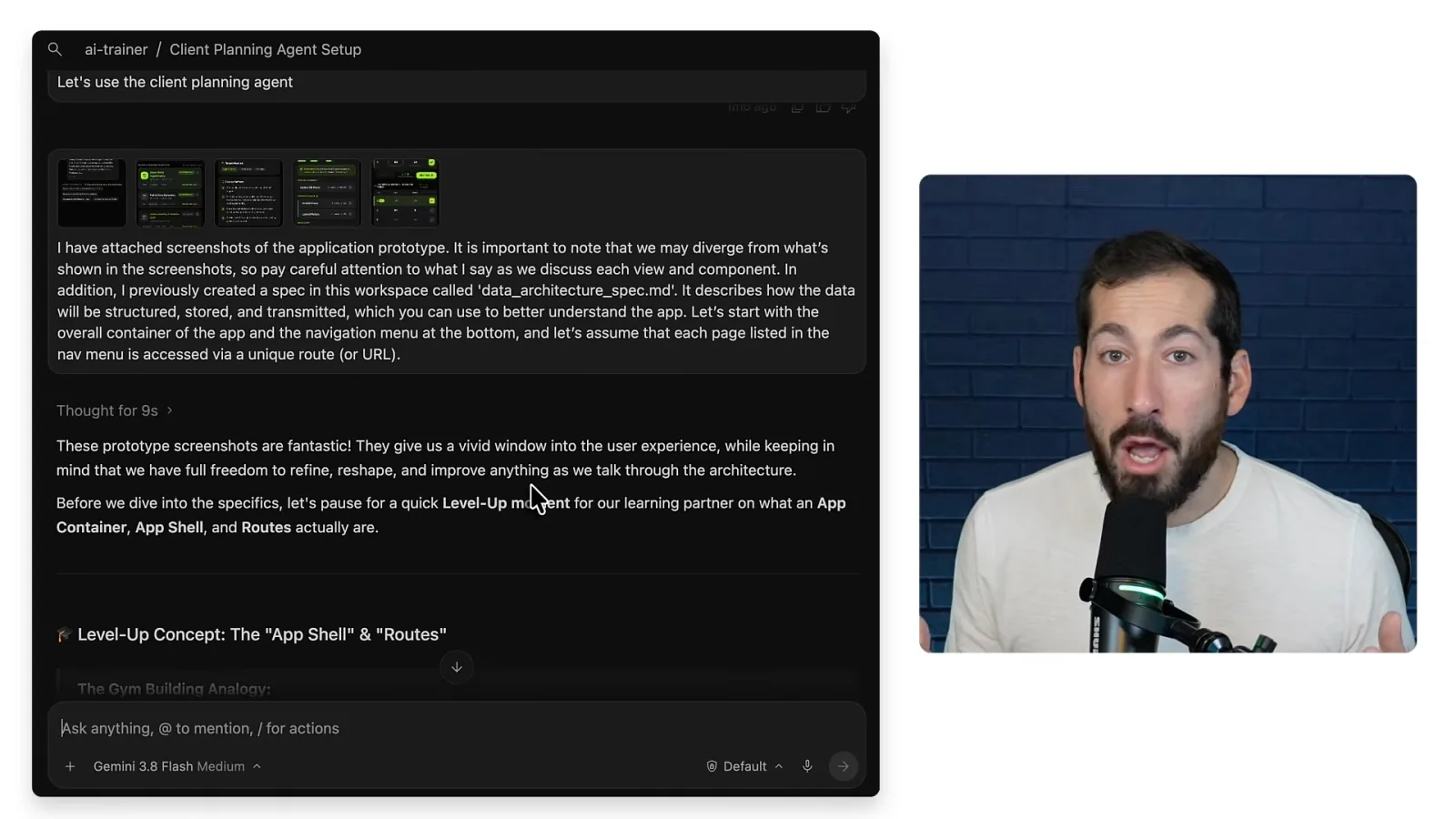
He provides prototype screenshots from AI Studio and points the agent to an existing data architecture specification. The screenshots establish an initial view of the fitness app, while leaving room to refine the design.
The agent explains concepts such as routes, offers recommendations and asks for feedback. Chasanoff and the agent work iteratively through the routes, component hierarchy and othis details instead of requiring the user to know every technical term in advance.
Review the finished front-end specification
The final document captures navigation, components, state and tests. Chasanoff says another agent can use it as the basis for implementation.
The repeated pattern reduces the effort of organizing each step, Chasanoff says, leaving his to apply judgment and design taste. Her questions are what the app should feel like and how to make it maintainable, scalable and useful.
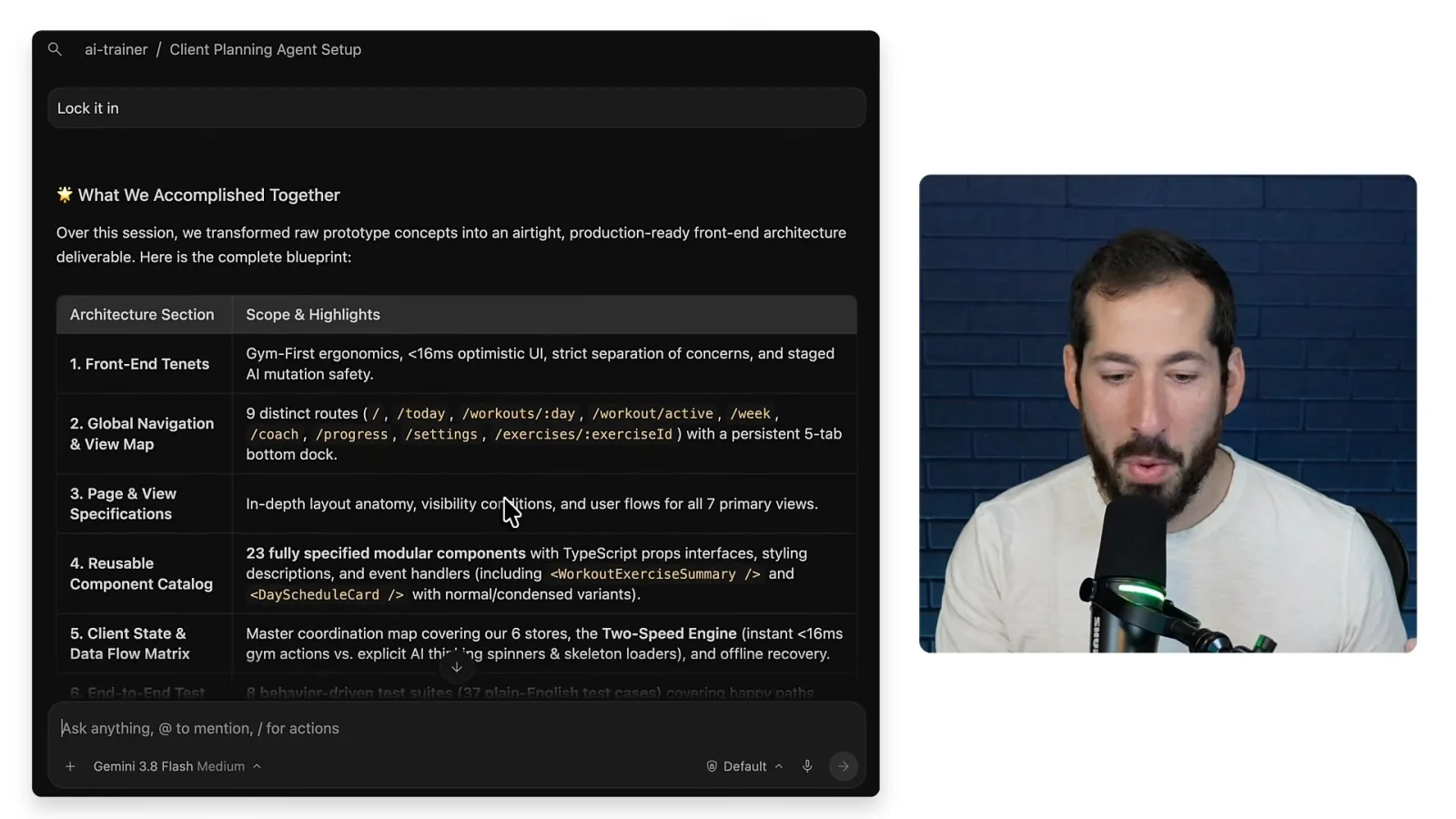
The resulting design document includes navigation and view maps, page specifications, a reusable component catalog, a client-state and data-flow matrix, test plans, and a change log. It records the technical detail needed for subsequent implementation.
Chasanoff says he expressed his ideas in ordinary language while Gemini translated them into a specification anothis agent could use. He expects this planning process to produce a better foundation than repeatedly adding features and fixing bugs without a design.
Mehr aus diesem Kanal
 17:27EN
 Google Cloud Tech· 9. Nov. 2026Fix a tangled app by specifying its states before promptingDevin Chasanoff · GoogleDevin Chasanoff maps a workout screen’s state, transitions and tests before asking an agent to change it.
 11:16ENGoogle Cloud Tech· 29. Okt. 2026Before an AI agent builds, reconcile the specs and plan checkpointsDevin Chase · GoogleDevin shows how to find conflicting requirements, compare assumptions with recommendations and plan a staged build.
 12:26ENGoogle Cloud Tech· 28. Okt. 2026Give an AI agent two kinds of long-term memoryAnnie Wang · Google CloudAnnie Wang separates exact facts from semantic preferences and keeps slow memory extraction off a live voice agent’s critical path.