In 30 Sekunden
In June 2023, Matthew Berman demonstrates text-to-video generation with Runway Gen-2, a Zeroscope v1.1 Google Colab notebook and a local Windows setup. He generates ducks on a lake, then increases the local frame count to show how longer results can lose consistency. Runway credits and pricing are historical, and the local workflow requires suitable hardware and electricity; hosted Colab resources can also be limited. The short examples are personal experiments rather than a controlled comparison of video models.
- 1Hosted generationBerman prompts Runway Gen-2 for ducks on a lake and observes a short clip with limited movement and an anatomical error.
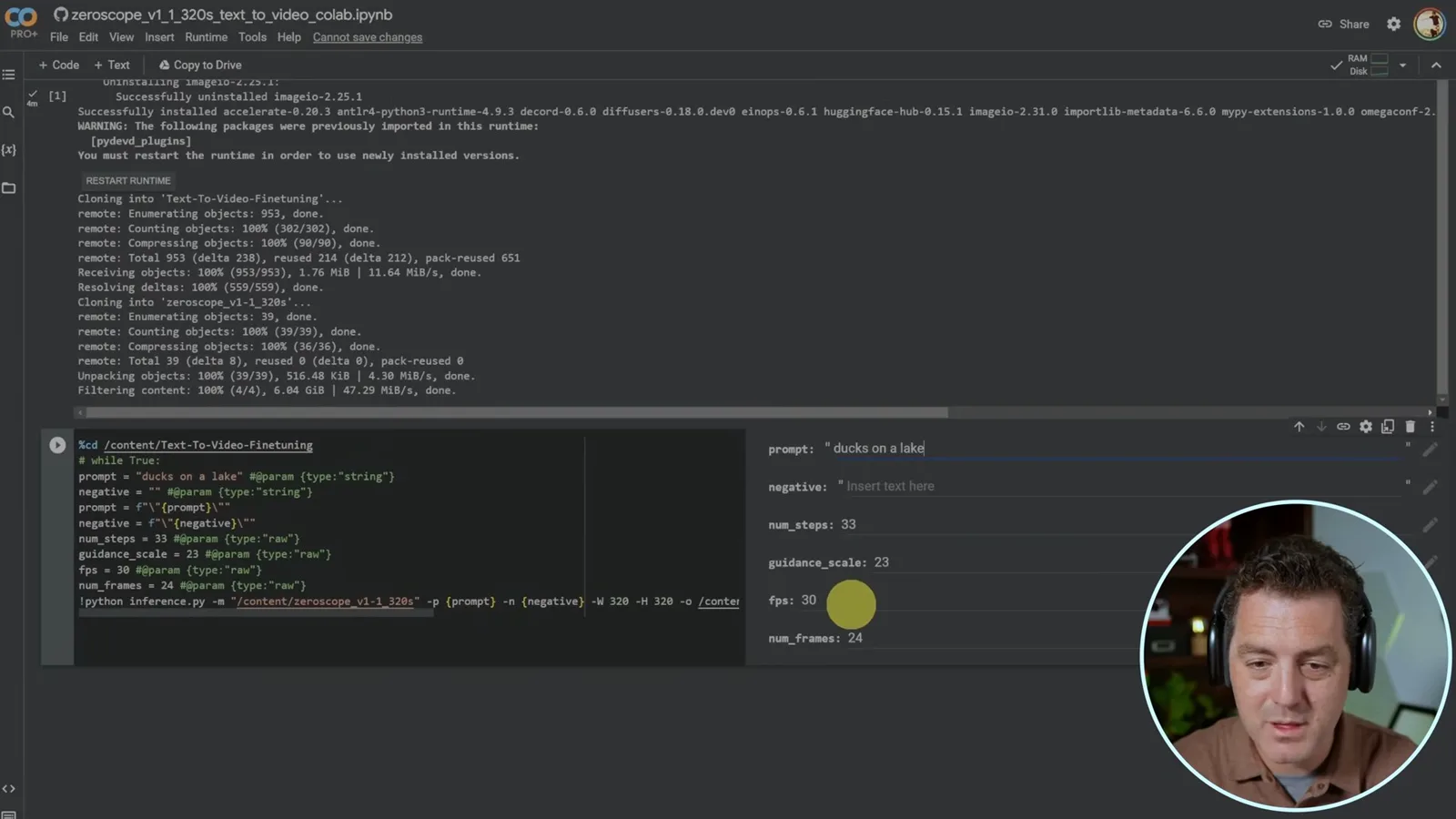
- 2Colab notebookHe selects a Zeroscope v1.1 notebook and runs its setup and generation cells. The on-screen settings are 33 steps, guidance 23, 30 fps and 24 frames.
- 3Length and memoryThe presenter reports running out of Colab memory at larger frame counts and seeing quality deteriorate as clips became longer.
- 4Local setupOn Windows with an Nvidia GPU, he creates a Conda environment, installs dependencies and checks that PyTorch can access CUDA.
- 5Longer clip artifactsHe compares clips described as roughly one, two and three seconds; ducks begin to appear and disappear in the longer example.
Das Wichtigste
- Runway Gen-2 offered a hosted workflow in the 2023 demo with limited free generation credits.
- The shown Zeroscope notebook uses 24 frames at 30 fps, producing roughly 0.8 seconds of video.
- Increasing frame count can require more memory and, in Berman’s tests, can degrade temporal consistency.
- The local walkthrough uses Windows, an Nvidia GPU, a Conda environment, PyTorch and CUDA.
- A local model avoids a per-generation service quota but still requires hardware, time and electricity, and model licenses may impose conditions.
Den bearbeiteten Text nach Kapiteln lesen
Runway Gen-2
Berman generates a short hosted video and discusses the then-current credit allowance and paid plan. His evaluation is based on one example.
Text-to-video is starting to produce impressive examples. I will show Runway’s hosted Gen-2 and an alternative using a Zeroscope notebook in Google Colab or on a local machine. This walkthrough was published in June 2023, so product access, pricing, dependencies and available models may have changed.
Runway Gen-2 was publicly available with a limited free allowance in the interface I used. I enter “ducks on a lake” and start generation; my screen shows 82 seconds remaining and a charge of five credits per generated second. The resulting four- to five-second clip looks plausible, though there is little movement and one duck appears to have two heads.
I mention a paid Runway plan at $12 per editor per month and describe higher resolution, watermark removal and shorter waits. Those are details from the 2023 interface, not current prices or entitlements. My favorable comparison with other tools is my judgment from the examples I have seen, not a benchmark.
Zeroscope in Google Colab
He runs a notebook, sets a prompt and inspects the generated file. He explains the tradeoff between frame count, memory and consistency.
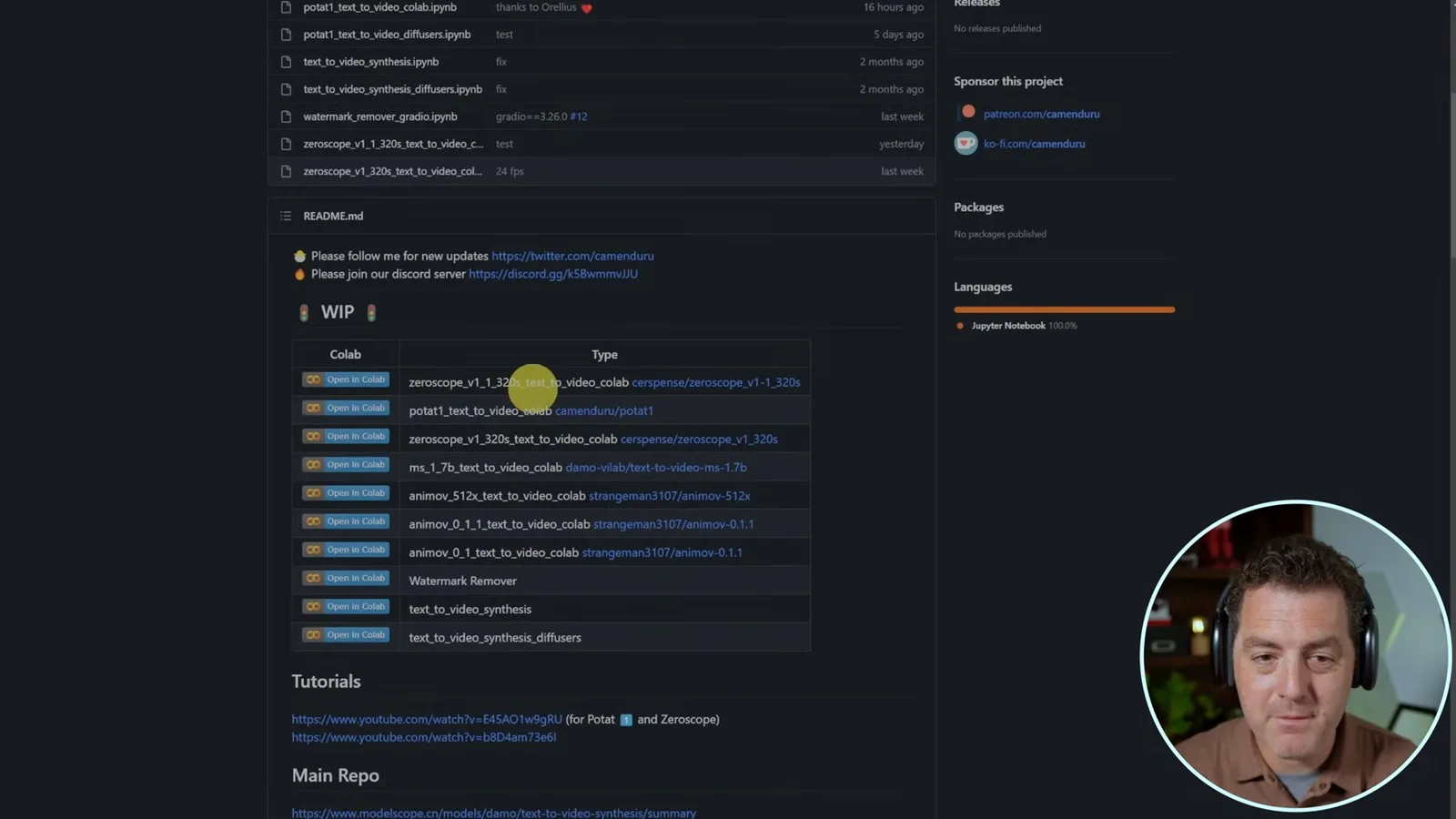
For another approach, I open the [text-to-video Colab repository](https://github.com/camenduru/text-to-video-synthesis-colab) and choose the Zeroscope v1.1 notebook. Running its first cell installs dependencies and clones the needed repositories. I use the same “ducks on a lake” prompt and leave the negative prompt empty.
The notebook screen shows 33 inference steps, guidance scale 23, 30 frames per second and 24 frames. At that playback rate, 24 frames give about 0.8 seconds. Increasing frames can make the output longer, but in my tests it also consumes more memory and the visual quality can degrade; Colab’s available resources may impose limits.
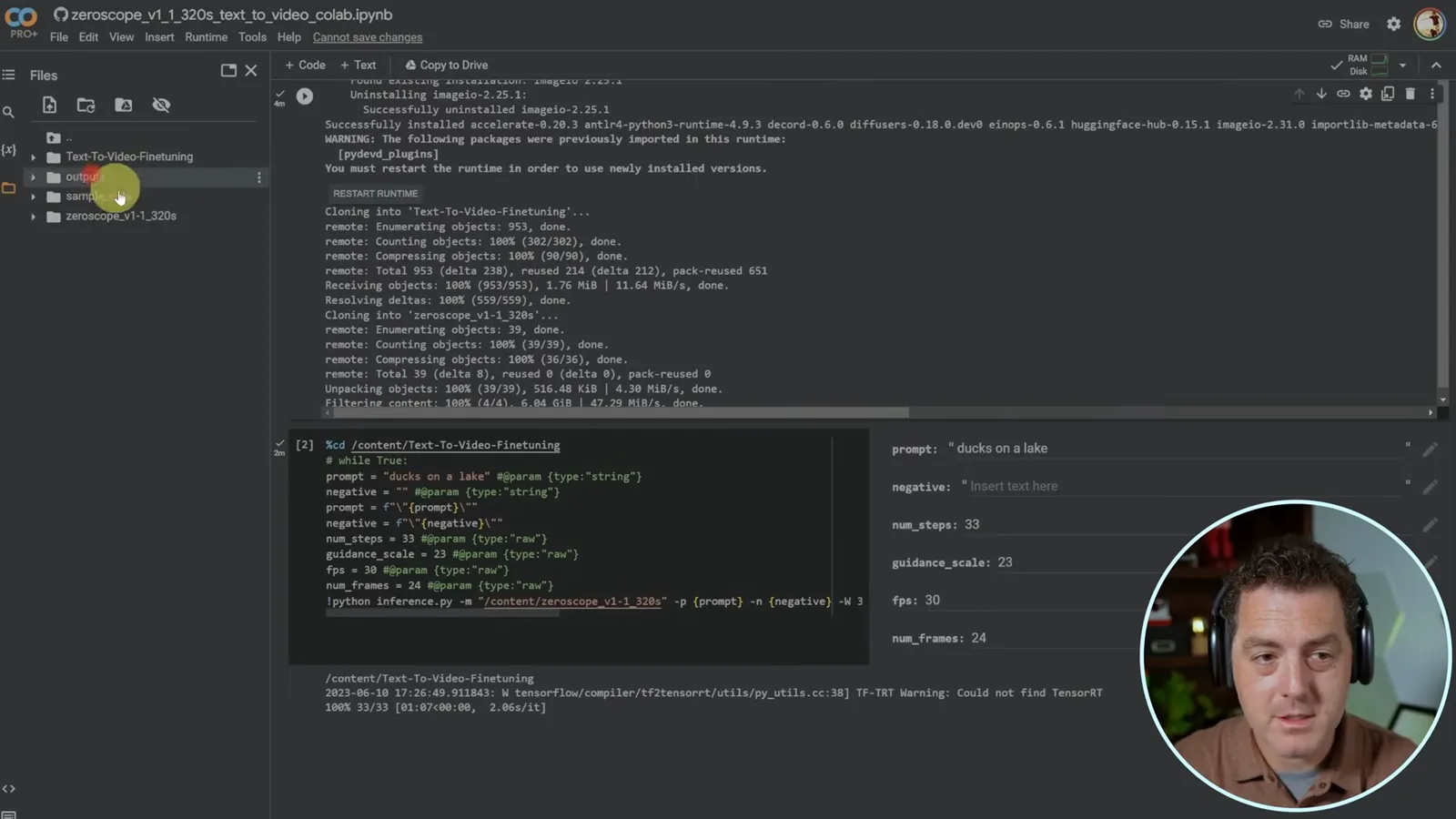
I run the generation cell and wait while it processes. When it finishes, I open the notebook’s file panel, find the output and download it to my desktop. The resulting very short clip looks comparable to the Runway example to me, though the examples differ in length and do not constitute a controlled test.
Setting up a Windows GPU
He creates an environment, installs libraries and model files, and checks CUDA. He then runs the inference script with local paths.
For a local installation I use Windows and an Nvidia GPU. I recommend an isolated Conda environment to manage Python and library versions; in my demonstration I create an environment with Python 3.10.11. Compatibility depends on the particular versions of the tools, drivers and hardware, so the 2023 commands should be checked against their project documentation.
After activating the environment, I install PyTorch and related packages, clone the text-to-video fine-tuning code and the model, and install the repository requirements. I then run a checker script to confirm the PyTorch and CUDA versions and whether CUDA is available.
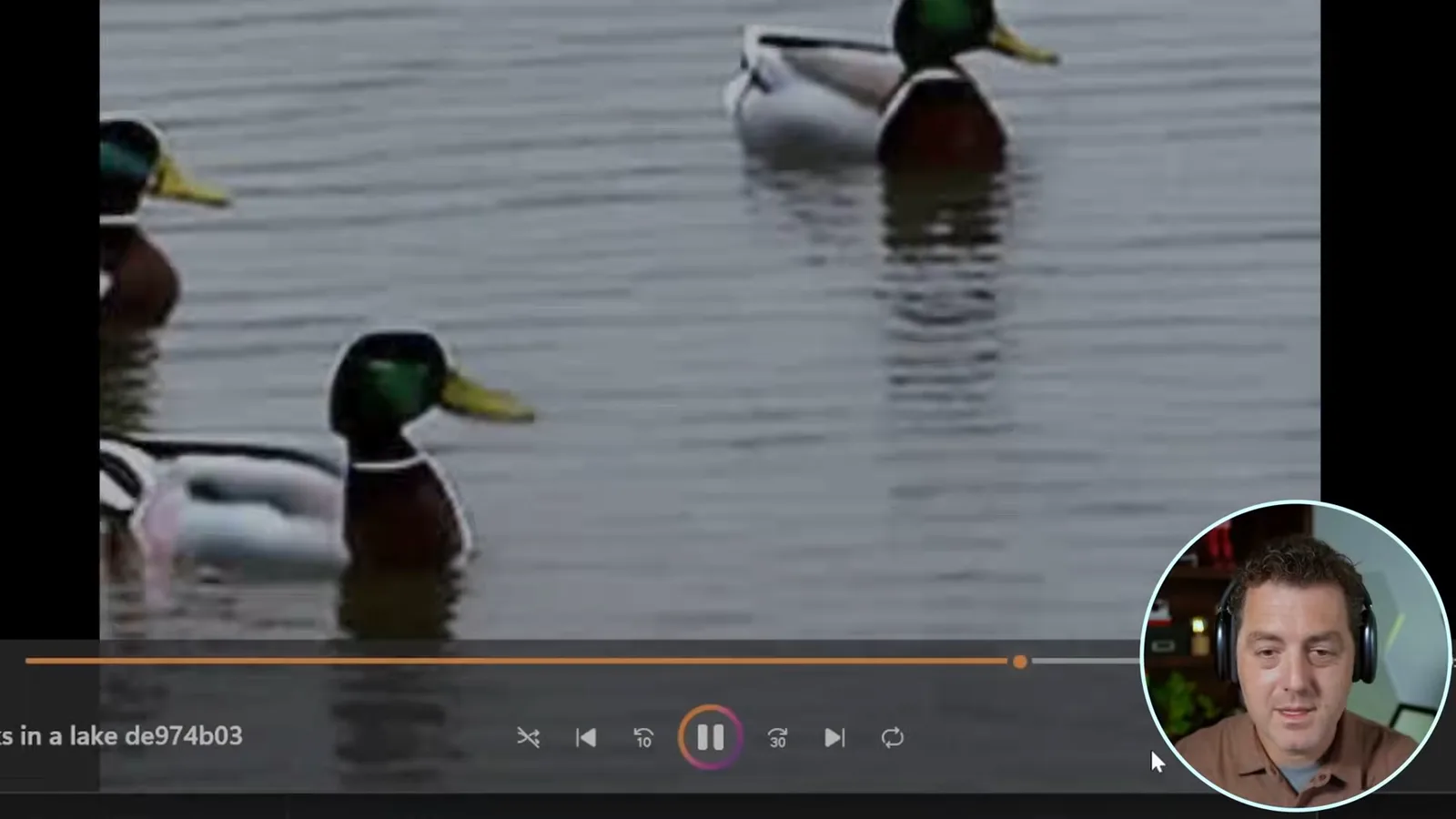
To generate locally, I run `inference.py` with the model path and an output directory, creating that directory if needed. My GPU monitor shows the job running. The generated “ducks on a lake” clip looks good to me but is only about a second long.
Testing longer clips
Berman compares outputs at increasing frame counts. He observes emerging artifacts and discusses a possible model limitation reported by the project community.
I find that quality degrades noticeably as I increase length beyond roughly two seconds. Members of the project’s Discord tell me the model was trained on short clips; I present that as their explanation, not an independently verified cause. They suggest another model, which I have not yet tested.
I generate another example with 48 frames, which I describe as about two seconds, and it still looks reasonably good. In a roughly three-second example, ducks begin appearing and disappearing; longer tests deteriorate further. Frame count, playback rate, model and hardware settings all affect what a particular run can produce.
There are multiple models and notebooks to explore, and the project community can help with setup. Running locally can avoid a hosted per-generation quota, but a suitable GPU, processing time and electricity still cost resources; Colab availability and model licenses have their own limits. These early examples show progress as well as clear length and consistency constraints.
Mehr aus diesem Kanal
 14:45EN
 Matthew Berman· 29. Okt. 2026Matthew Berman Examines Google’s Gemini 4 Carbon AnnouncementMatthew Berman · Forward FutureMatthew Berman reviews Google’s reported benchmark results, staged rollout and pricing for Gemini 4 Carbon, while noting he has not yet used the model.
 21:11ENMatthew Berman· 28. Okt. 2026Matthew Berman tests DeepSeek V4.1 Flash: coding, vision and local appsMatthew Berman · Forward FutureA hands-on tour of visual coding, image reasoning, local applications and provider economics reveals both impressive results and visible flaws.
 34:21ENMatthew Berman· 27. Okt. 2026Matthew Berman Examines Anthropic’s IPO Filing, AI Growth and GovernanceMatthew Berman, Sam Altman · Forward FutureThe presenter reviews the S-1’s financial metrics, compute strategy and voting structure while questioning the tension between rapid AI development and safety.
 0:26ENMatthew Berman· 25. Okt. 2026Sam Altman on Human Values and Problem-Solving in an AI WorldSam Altman · OpenAIIn a short interview excerpt, Altman considers the enjoyment of solving hard problems and the human role in interpreting results.
 0:36ENMatthew Berman· 25. Okt. 2026Kimi K3.1 and a Rubik’s Cube Solver DemonstrationMatthew Berman · Forward FutureMatthew Berman shows a scrambled virtual cube being solved and gives the Kimi K3.1 test a favorable assessment.
 0:21ENMatthew Berman· 24. Okt. 2026An AI-Generated Kimi Benchmark Chart Used Invented ScoresMatthew Berman · Forward FutureMatthew Berman asks for a graph of Kimi K3.1 Pro benchmarks, then discovers that the displayed figures are illustrative placeholders.