In 30 Sekunden
Matthew Berman demonstrates YouAI's MindStudio by uploading a video transcript, configuring prompts and connecting a retrieval workflow. He tests questions about the video, describes model and sharing settings, and suggests extensions. YouAI sponsored the video; the interface, models and pricing described are from 2023.
- 1A transcript chatbotBerman builds an agent for questions and summaries about a single video using sponsor YouAI's MindStudio.
- 2Set answer boundariesHis prompt asks the assistant to use and cite the transcript and say it does not know when the answer is absent.
- 3Upload the transcriptHe saves the YouTube transcript as a text file and adds it to a data source for retrieval.
- 4Build the workflowThe automation collects a question, expands it into search queries, retrieves data and uses the result to answer.
- 5Choose model and sharingBerman selects Claude V2, adjusts generation settings and describes public visibility and remixing.
- 6Test and extendHe tests a summary and installation commands, then proposes adding more transcripts or retrieving one from a URL.
Das Wichtigste
- A transcript can be uploaded as a data source and retrieved to answer questions about a video.
- The demonstration expands a user's query before searching the transcript and supplying retrieved context to the model.
- Berman instructs the assistant to cite relevant text and say it does not know when the context lacks an answer.
- The interface offers model, message, sharing and publication settings, as shown in 2023.
- A successful demonstration does not guarantee that every answer or command is accurate.
Den bearbeiteten Text nach Kapiteln lesen
The sponsored chatbot project
Berman introduces MindStudio and its templates. His goal is a chatbot that answers questions about one video.
Today I want to create an agent that lets you chat with one of my videos. OpenAI's custom GPTs have just arrived, but I want to show a different no-code service, MindStudio by YouAI, which is also the sponsor of this video. YouAI says it offers a free starting tier and paid features; the options shown here reflect the service in November 2023.
The platform calls these agents AIs. It lets creators publish them through a marketplace or elsewhere and potentially charge for access. I start a blank AI for one video, although the interface also offers templates for roles, content generation, talking to PDFs, data analysis and support.
Prompt and data source
He defines the assistant's role and response rules, then uploads a transcript as a retrieval source.
On the prompt tab I describe the assistant as an instance of my Private GPT video and ask it to speak in my first-person style. Its job is to answer questions, explore the transcript and help apply what the video teaches.
I tell it to use only the transcript, cite relevant text and say 'I don't know' if the answer cannot be found. I also describe my tone as friendly, informative and casual. These instructions express the desired behavior; a prompt alone does not guarantee the model will always follow it.
The editor includes data sources for external knowledge, function calling, variables, warnings, a terminal and a debugger. Prompt templates can also incorporate dynamic information. I am not using function calls in this demonstration.
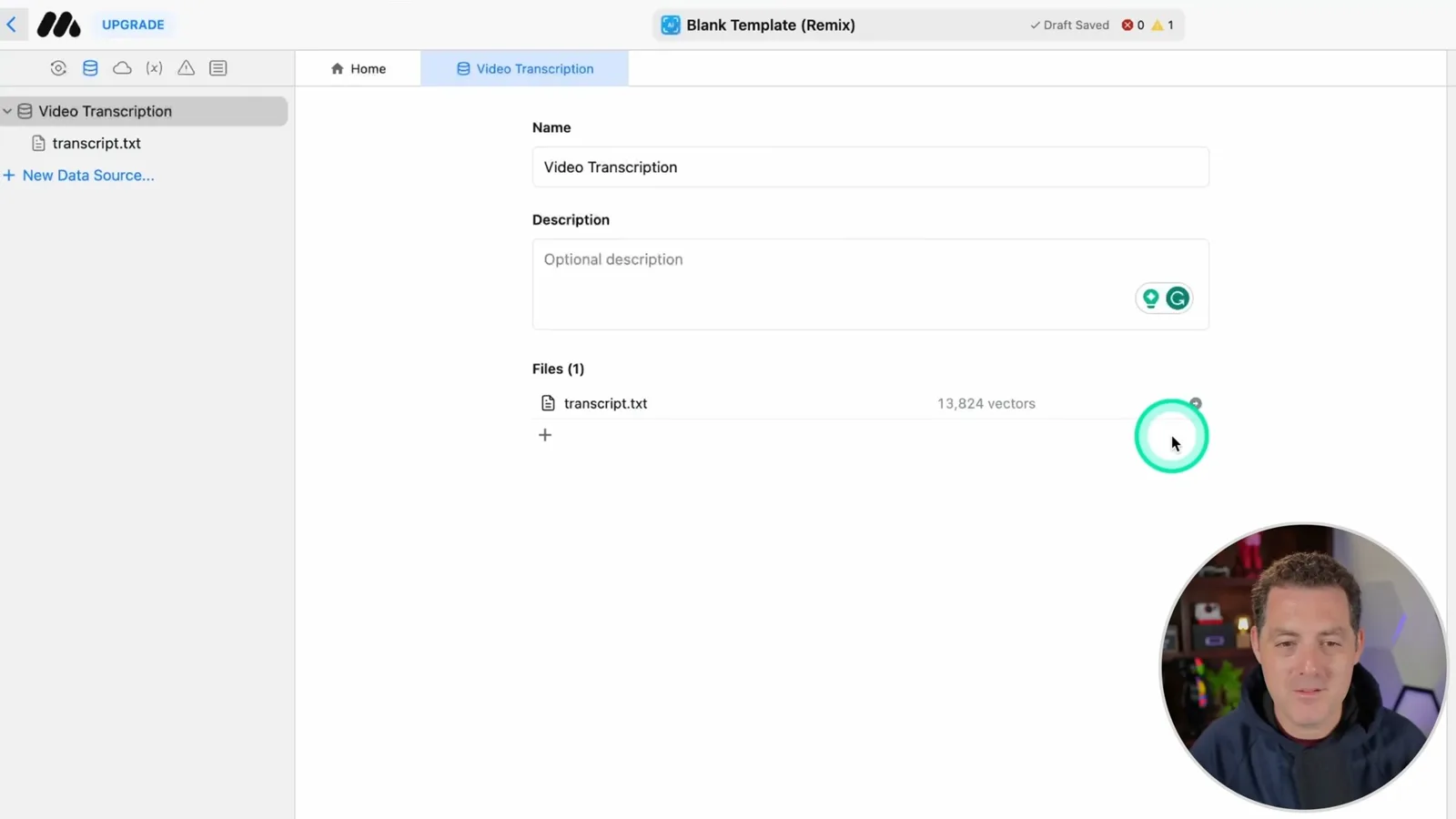
To create the knowledge source, I open the transcript on my Private GPT video, copy it into a text file and upload that file to a new data source. The interface creates embeddings and reports 13,824 vectors. It also offers views of the extracted text, chunks and vectors, along with a query tester.
Build an automation
The workflow collects and expands a question, searches the data source and generates an answer from the results.
Next I enable an automation. The first node collects the user's question and saves it as an original-query variable. A send-message step expands that question into three potential vector-search queries and saves the result as a refined-query variable; double curly braces let a prompt reference variables.
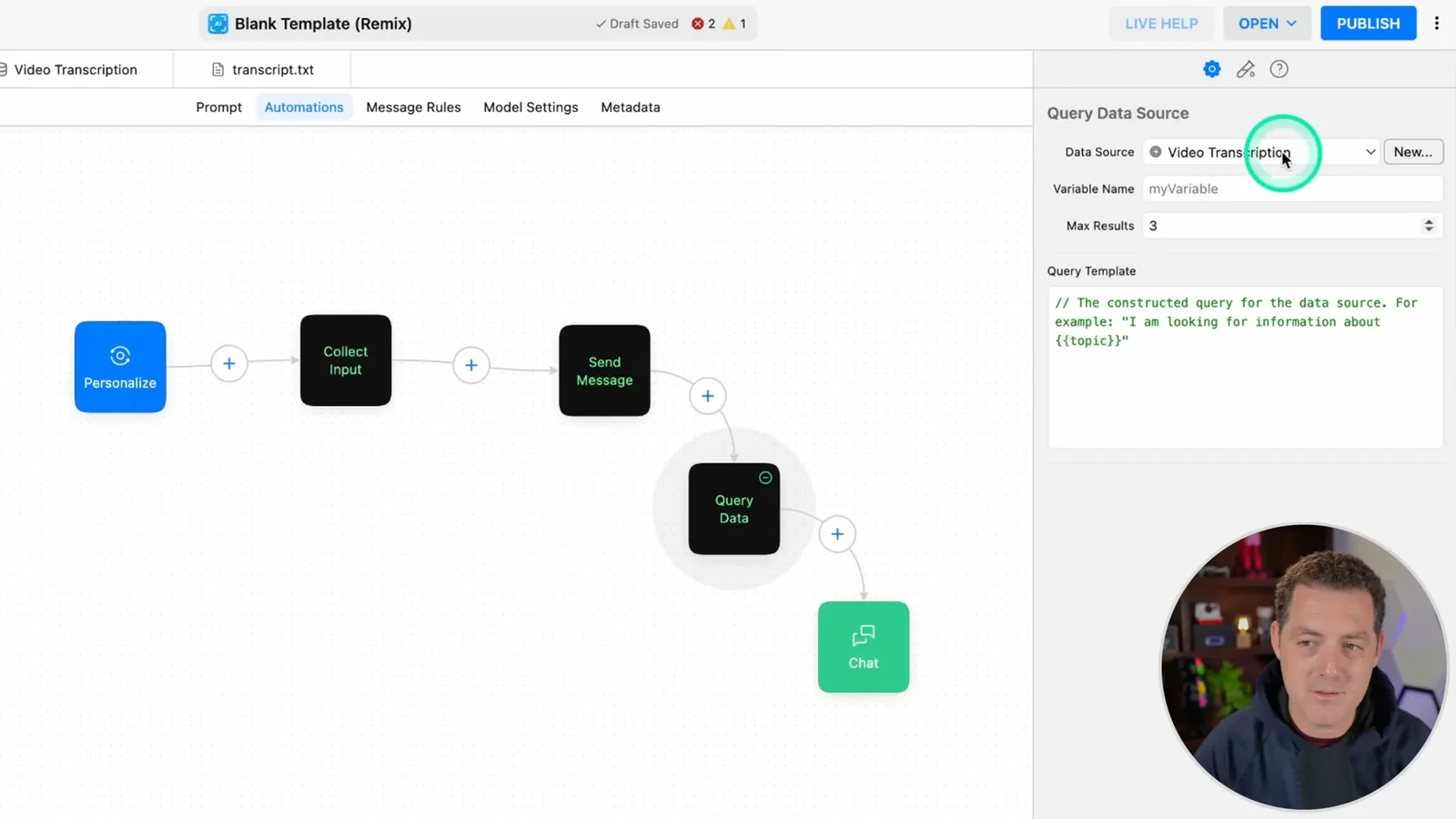
I add a query-data step that searches the video-transcription source using the refined query and stores the result. A final send-message step uses that result as context for the original question. It asks for relevant citations, forbids outside knowledge and says to admit when the supplied context does not contain the answer.
Settings, tests and extensions
Berman configures message rules, a model and sharing. He tests the draft and discusses ways to use more videos.
In message rules I select the transcript as a source and increase the maximum results to ten. For the underlying model I choose Claude V2, reduce temperature to 0.5 and set the maximum response size to 4,000. I also point out other models available in the 2023 interface, some of which required a paid plan.
I name the agent PrivateGPT 2.0 Chatter and add searchable metadata. Sharing settings let me make it public, allow or disable remixing and optionally protect access with a password. The editor also provides a simple landing page and analytics.
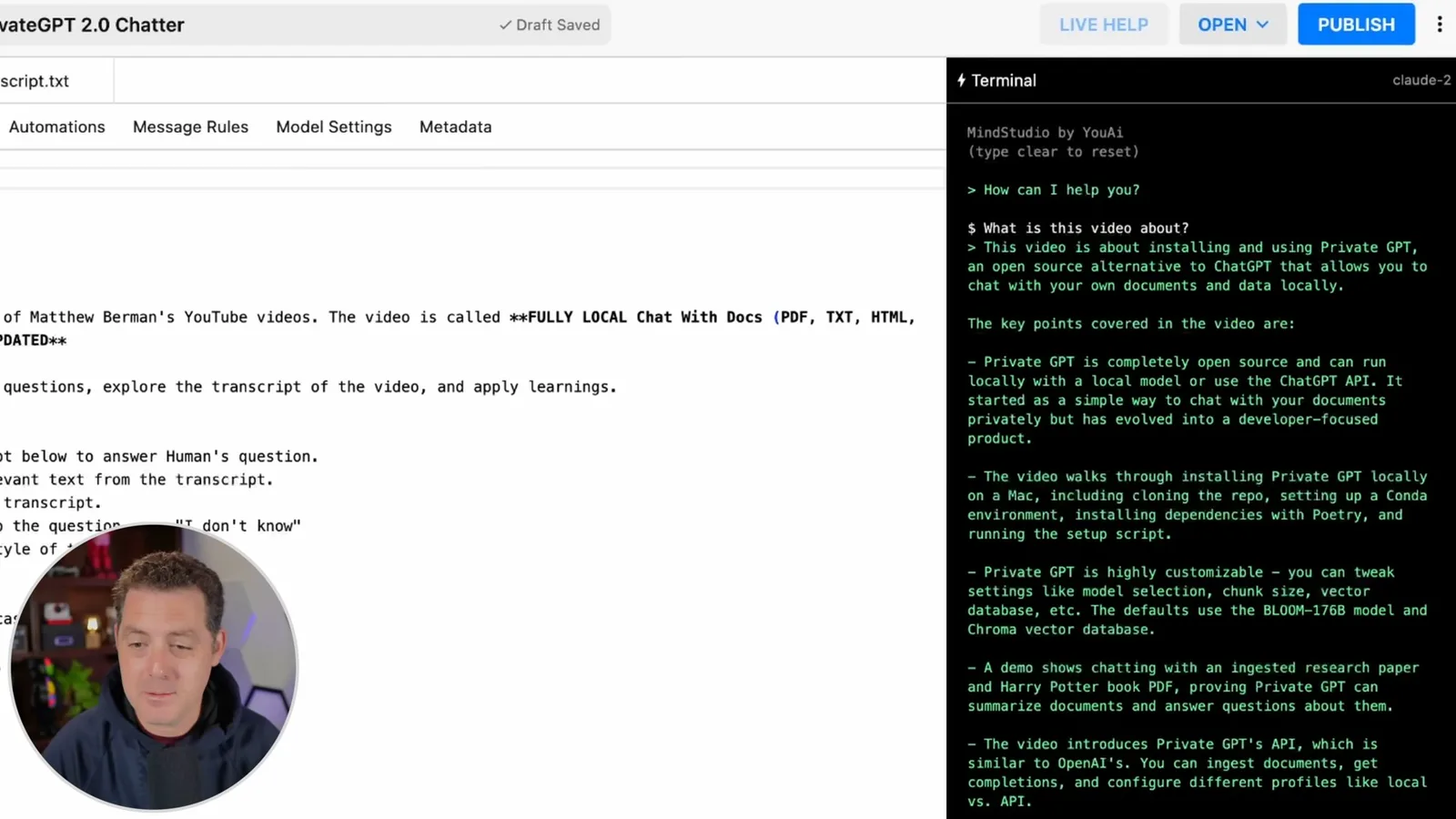
I test the draft by asking what the video is about, then ask for the installation commands. The assistant returns a summary and formatted commands, which look good to me. These examples show the workflow in action, though they do not establish that every retrieved answer or command will be correct.
The same design could use transcripts from all my videos rather than one. I also suggest a possible function-call workflow that fetches a transcript from a user-provided URL. Those are ideas for extensions, not steps implemented in this demonstration.
Mehr aus diesem Kanal
 34:21EN
 Matthew Berman· 27. Okt. 2026Matthew Berman Examines Anthropic’s IPO Filing, AI Growth and GovernanceMatthew Berman, Sam Altman · Forward FutureThe presenter reviews the S-1’s financial metrics, compute strategy and voting structure while questioning the tension between rapid AI development and safety.
 25:50ENMatthew Berman· 24. Okt. 2026Kimi K3.1 Pro Tested: Strong 3D Demos, Uneven Results and Competitive PricingMatthew Berman · Forward FutureMatthew Berman tests the open-weight model on coding, 3D rendering and visual explanations, then compares benchmark results and prices.
 32:20ENMatthew Berman· 23. Okt. 2026Who Is Local AI For? The Costs, Trade-offs and a Hybrid FutureMatthew Berman · Forward FutureMatthew Berman weighs data control and independence against hardware cost, setup complexity and inference speed.
 1:03:37ENMatthew Berman· 23. Okt. 2026Matthew Berman’s Team Tests Kimi K3.1 on Animation, Games, and ChartsMatthew Berman, Alex, Brian · Forward FutureA live team AMA turns into an informal test of Kimi K3.1, from personal-agent workflows to motion graphics, a browser game, and a benchmark chart.
 0:53ENMatthew Berman· 22. Okt. 2026Sam Altman on AI and the Discovery of New KnowledgeSam Altman · OpenAIAltman expects progress in mathematical discovery to extend to biology, materials and energy.
 0:22ENMatthew Berman· 21. Okt. 2026A Robot Bodyguard Video Shows Dramatic Rescue ScenariosMatthew Berman · Forward FutureMatthew Berman reacts to a short robot demonstration depicting fighting and vehicle-rescue scenarios.