In 30 Sekunden
In this July 2025 video, Matthew Berman and editor Alex demonstrate a range of AI uses, from a hand-tracking app and file-cleanup script to image editing, research, cooking, travel planning and recurring reminders. Their examples show how initial prompts can be refined through follow-up questions. Berman notes that models can be sycophantic, image outputs can contain errors and translations are imperfect. For contracts and medical information, he describes using AI for initial understanding and consulting human professionals.
- 1Code from a promptA hand-tracking drawing app and Alex’s file-cleanup script illustrate two coding workflows.
- 2Review and negotiationBerman uses an NDA and a fictional job offer to show initial analysis and proposed language.
- 3Thinking through a moveThe assistant asks about family, costs and travel when Berman considers relocating.
- 4Iterative image editingAlex extracts and revises a prompt to build thumbnail and intro graphics.
- 5Research from notesBerman transcribes questions about life risk and follows up with a deep-research request.
- 6Understanding medical informationHe uses AI to clarify a shoulder report and says to consult a doctor.
- 7Prompt expansion and remindersA calendar-app idea becomes a detailed prompt, while Alex demonstrates payment reminders.
Das Wichtigste
- AI can generate applications and scripts from a description, with follow-up instructions refining the task.
- Contract review and medical-report explanations can help frame questions for a lawyer or doctor.
- An assistant can ask follow-up questions to help organize a difficult personal decision, though it may be overly agreeable.
- Image tools can analyze, generate, translate and iteratively edit visual material.
- Transcription, voice conversations and research tools can turn notes and questions into starting points for learning.
- Recipes, product comparisons, travel plans and media recommendations can be tailored through additional context.
- A short request can be expanded into a detailed prompt, and recurring reminders can help track deadlines.
Den bearbeiteten Text nach Kapiteln lesen
Coding and document review
Berman demonstrates a hand-tracking app and Alex describes a file-cleanup script. Berman then uses AI to review an NDA and draft negotiation language.
Matthew Berman and his team collected ways to use AI in everyday life. He demonstrates them with ChatGPT, while noting that other models, including Claude, Gemini and DeepSeek, can also be used.
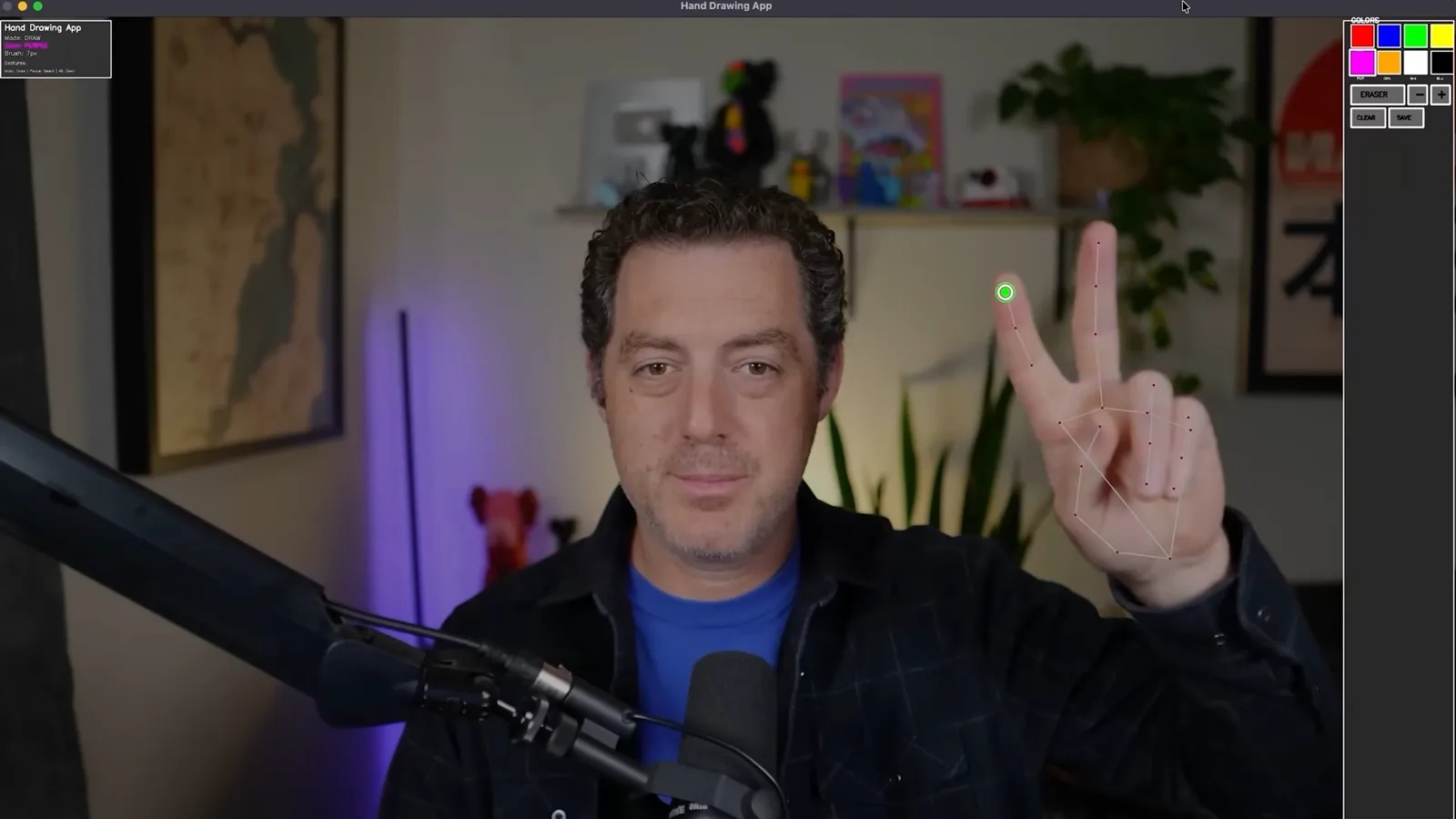
For coding, Berman asks o3 Pro to build a drawing app controlled by hand tracking through a camera. The model generates code, and he demonstrates selecting colors and drawing with gestures. He suggests AI can help with everything from small scripts to full applications.
Video editor Alex describes using AI to write a script that deletes raw footage folders across projects. To avoid removing footage still in use, he asks for a version restricted to projects older than a month, then supplies the path using a screenshot. He says the resulting script worked for him.
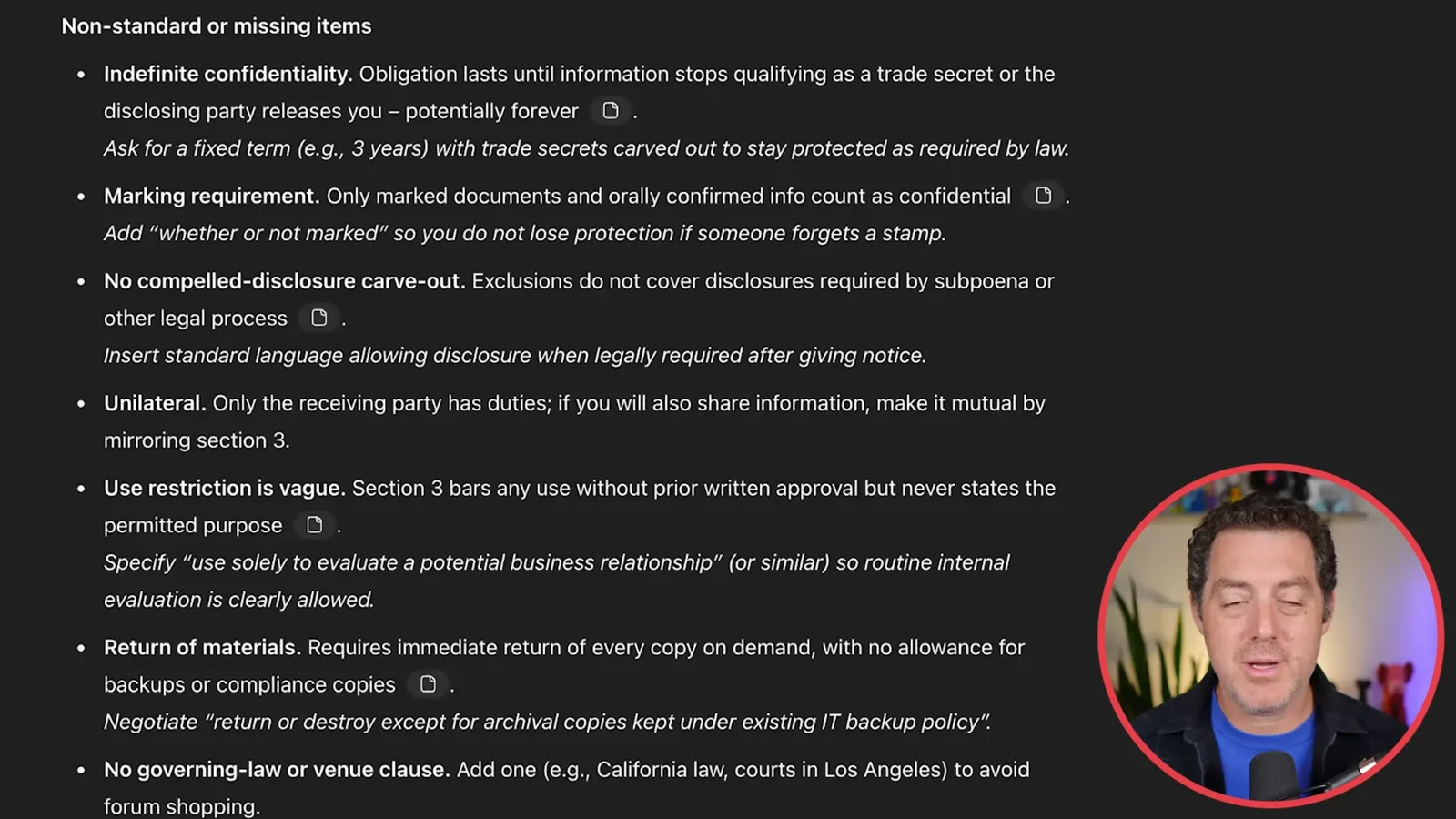
For legal review, Berman uploads an NDA and asks ChatGPT to identify nonstandard terms and suggest negotiation language. The response flags issues including indefinite confidentiality, a missing compelled-disclosure exception and vague use restrictions. He says he reads the agreement and consults a human lawyer later in the process.
A job offer can also be a starting point for negotiation. In a fictional senior AI product manager example, he asks for suggested changes to salary, equity and a signing bonus. He notes the first response is generic and can be made more specific with experience, role and personal context.
Decisions and image tools
Berman explores a potential move, image analysis and generated images. Alex shows how he iterates on images for video production.
Berman uses AI to think through difficult life decisions. In his example, he is considering moving from Los Angeles to the Bay Area for work while weighing housing costs, family proximity and a recently purchased home. He asks the assistant to question him about what it needs to know.
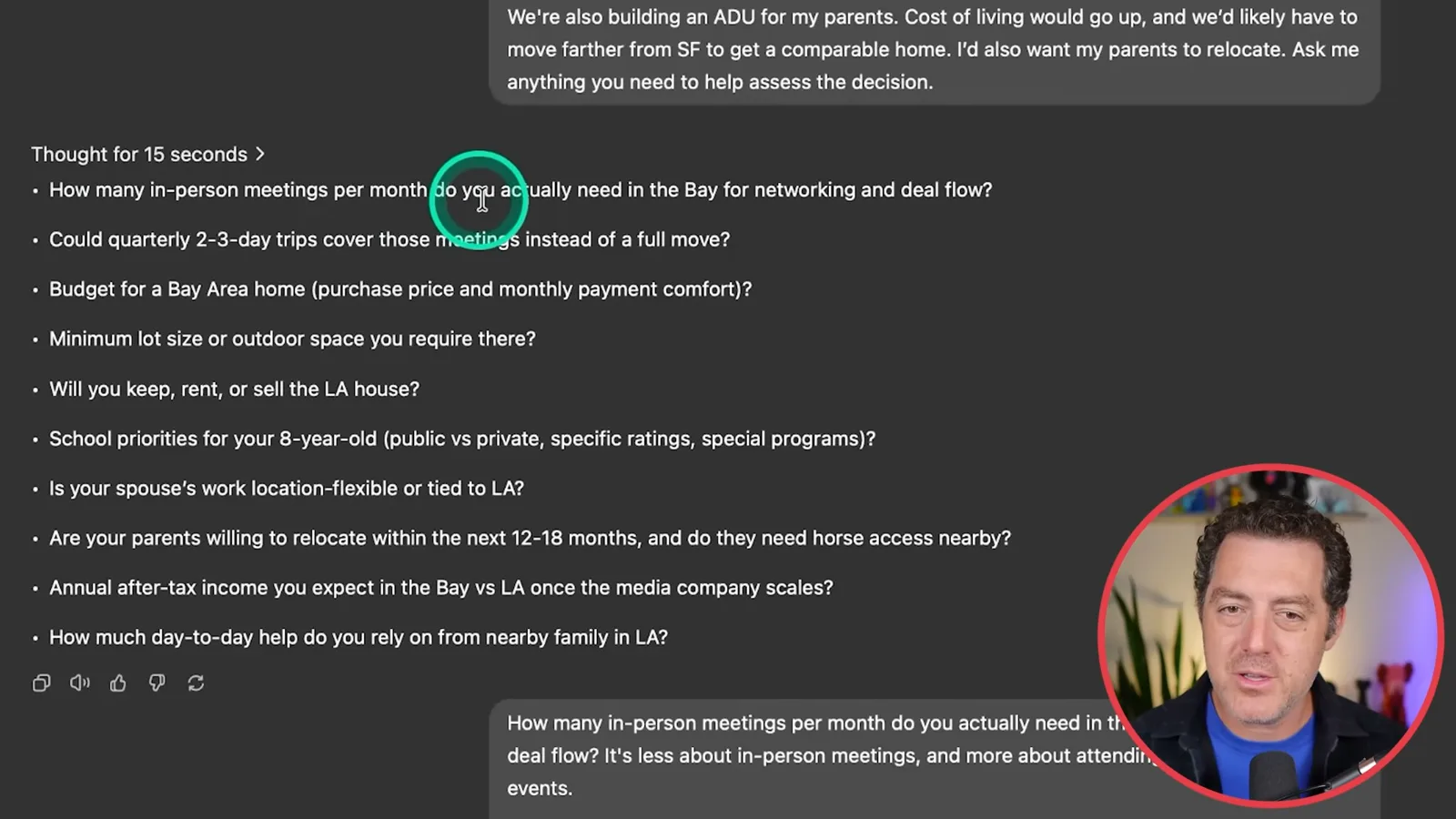
The assistant asks about meetings, travel alternatives, budget, schools and family arrangements. Its response gives him additional factors to weigh, such as commuting time and how much he values living in Los Angeles. Berman cautions that AI can be sycophantic and suggests explicitly asking for honest advice or different perspectives.
Image analysis can identify objects or help generate ideas about plants and household repairs. Berman shows a photo of an apple identified as a Gala, then asks a model to locate a Google Maps image. He says the model correctly identifies Little Harbor on Santa Catalina Island.
For image generation, he shows playful examples including trading cards for AI researchers, a rocket-powered building, merchandise designs and a meme. A generated thumbnail depicts him with three hands, an example of an obvious visual error. He also experiments with styles such as Minecraft, anime and The Simpsons.
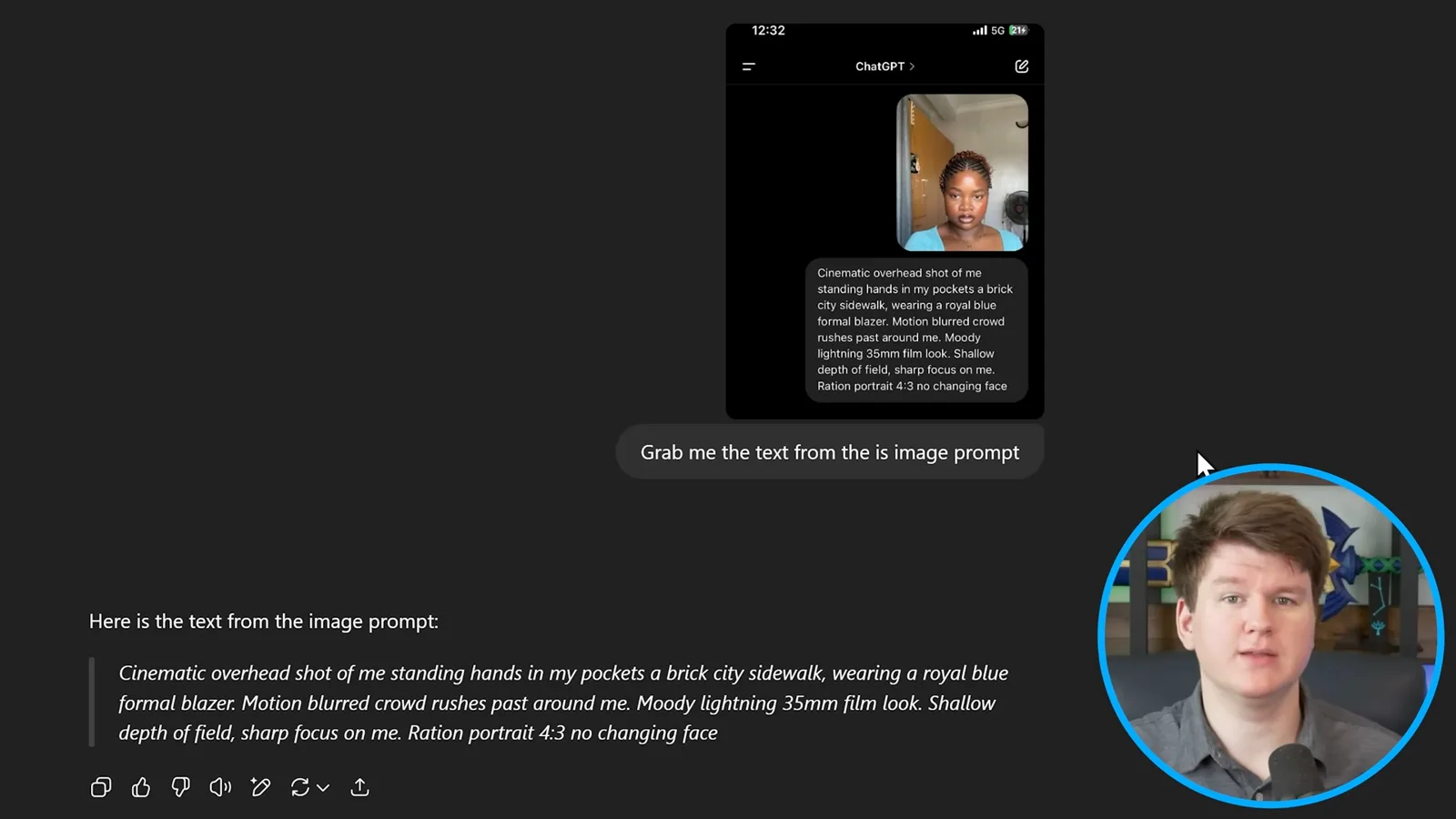
Alex uses image editing for video intros and thumbnails. He extracts a prompt from a screenshot, tries it on a photo, then modifies the camera angle, face, colors and background through follow-up requests. He also asks for new graphics using an existing product image as a style reference.
Translation, transcription and voice
Berman translates a Japanese sign, transcribes handwritten notes and demonstrates interactive voice use. He discusses learning through follow-up questions.
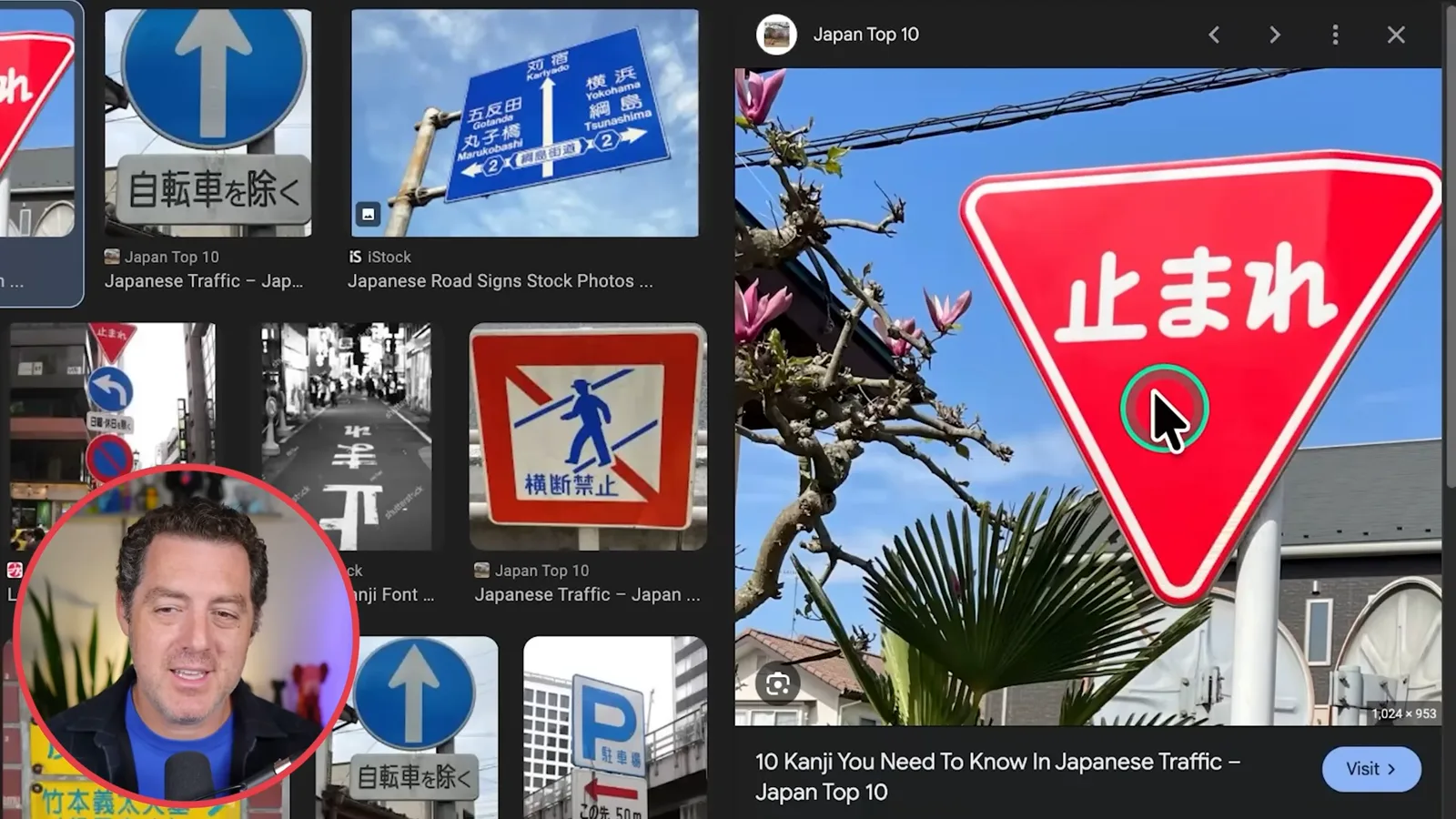
Berman combines image analysis and translation by uploading a photo of a Japanese stop sign and asking what it says. He suggests using the same approach for books and PDFs, while noting that translation will not be perfectly accurate.
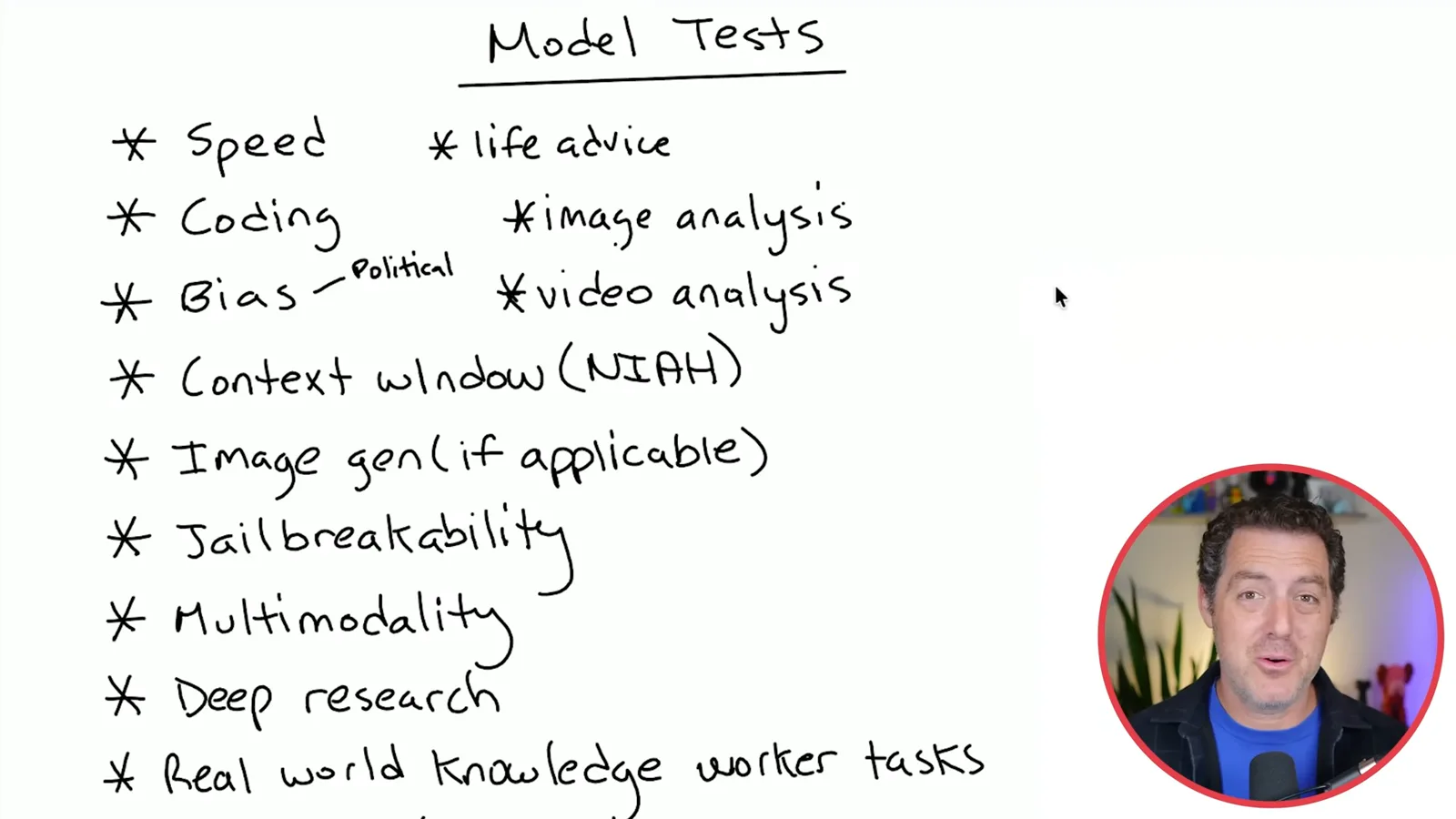
For transcription, he uploads a PDF of handwritten notes from his reMarkable device. The example contains ideas for future model tests; ChatGPT transcribes the notes into text.
Berman maps advanced voice mode to a phone button for quick access, including camera questions about a tomato plant. He also uses voice conversations as an interactive learning tool: for example, asking for a brief explanation of the Roman Empire’s fall and then requesting a lesson from it.
He likes that voice conversations allow follow-up questions and changes in depth, including while driving with Bluetooth. He suggests mapping a quick action to a voice assistant for convenient access.
Research, search and editing
He researches life risk and uses AI for everyday search. Alex demonstrates suggestions for video color correction.
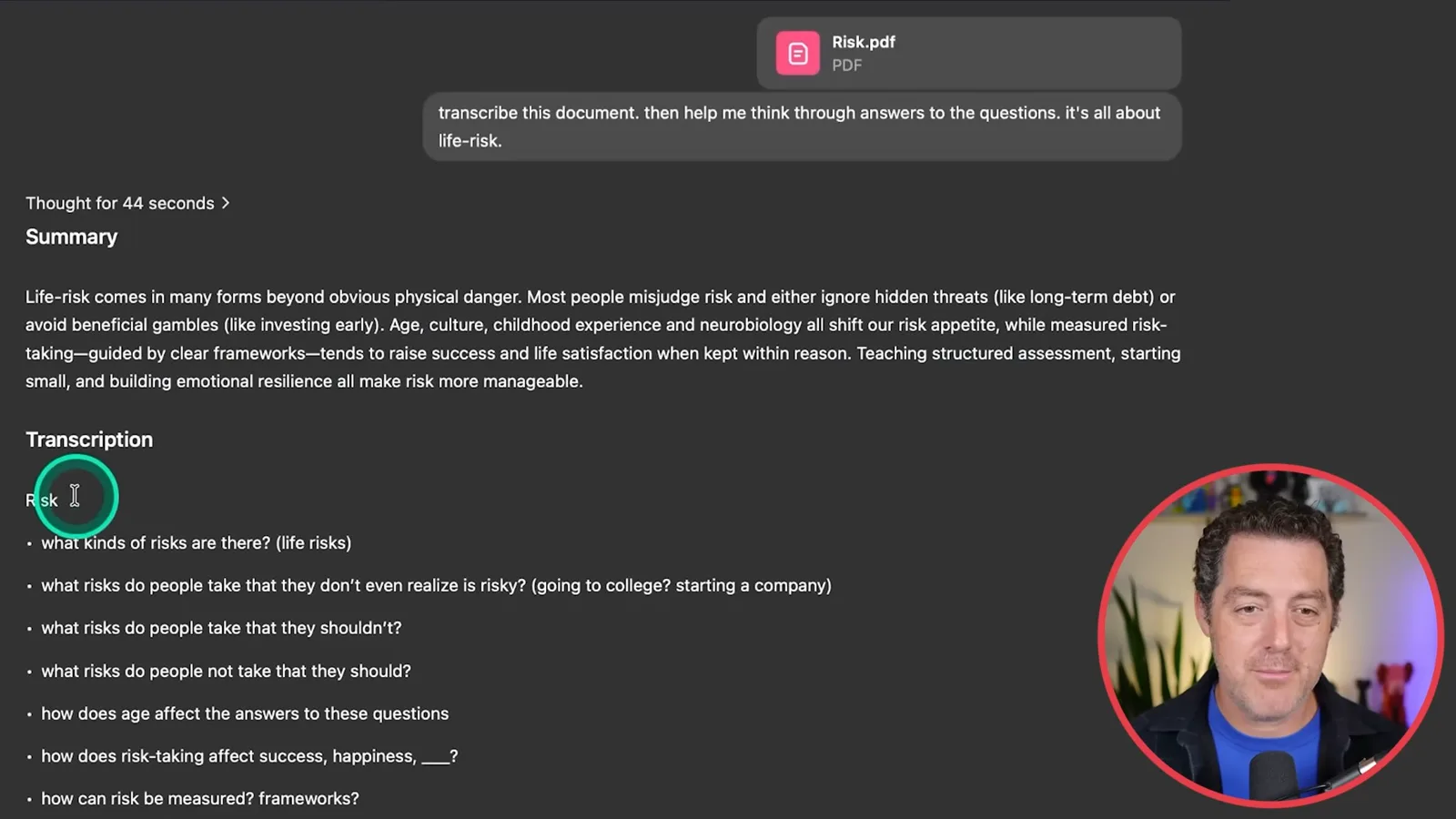
For deep research, Berman uploads handwritten notes about risk and asks for transcription and help thinking through the questions. He then asks o3 Pro to investigate the topic more deeply and cite relevant research. A subsequent deep-research run uses 33 sources, according to the demonstration.
He also uses AI for everyday search, such as asking how to choose a cantaloupe. The answer lists smell, color, weight and texture. He prefers traditional search when he already knows the destination website and simply needs to find it.
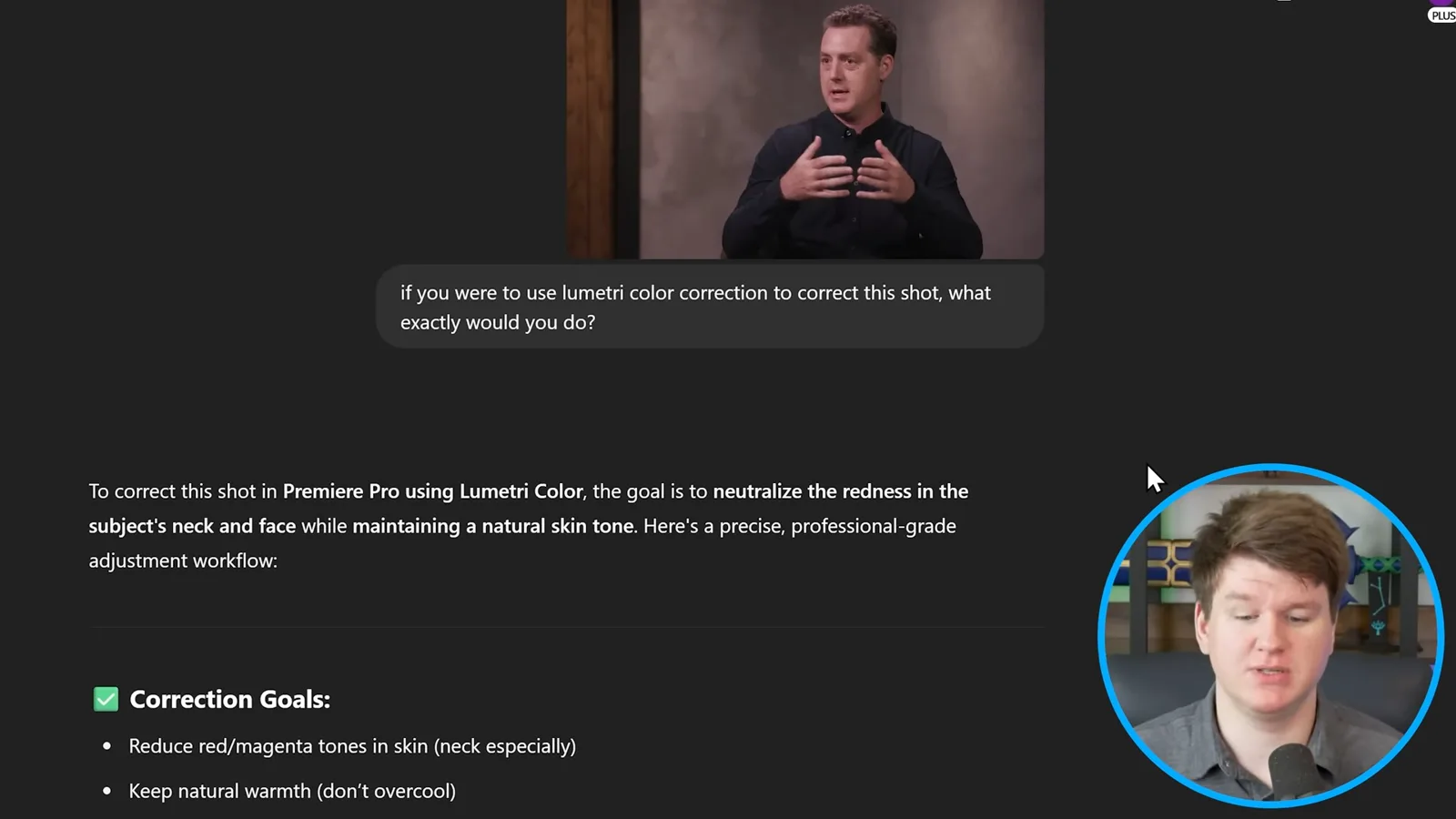
Alex shares another editing use: he uploads a screenshot and asks for specific Premiere Pro Lumetri Color correction settings. He follows the suggested adjustments and then makes manual changes to suit his own preferences.
Food, writing and recommendations
Berman adapts a recipe to available ingredients and drafts professional writing. He also uses film ratings to guide recommendations.
For recipes, Berman asks for Japanese-style pork belly in an Instant Pot, then requests a simplified version using ingredients he already has. He says he made and enjoyed it. A fridge photo can similarly prompt meal ideas, including a version tailored to a keto diet.
AI can help with writing, including YouTube titles, descriptions, emails and creative ideas. Berman finds it particularly useful for professional writing, while saying truly creative writing can be harder. His example asks for a concise email proposing a new business line to a boss.
For entertainment recommendations, Berman keeps a conversation listing films he has watched and ratings from 1 to 10. When he asks for science fiction, the assistant recommends a film in light of his preferences and avoids titles he has already seen. He suggests applying the same process to books and other media.
Medical information, shopping and travel
He explains an example of making a medical report easier to understand and emphasizes consulting a doctor. He also compares products and plans a fictional trip.
Berman uses AI to make medical information easier to understand, but says people should always see a doctor. After his mother injured her shoulder, he asked for a plain-language explanation of the report and followed up about severity and possible healing or surgery. He compares this initial research to his use of a lawyer after reviewing a contract.
For shopping, he asks for comparisons between Galaxy S25 Ultra and Pixel 9 Pro, then Kindle Scribe and reMarkable Paper Pro. Tables and source links help him compare specifications, and he can add priorities such as video recording or photography to request a more tailored recommendation.
For travel planning, he describes constraints such as dates, children, flight duration and location. In a fictional example, the assistant suggests European destinations, narrows the choice to Amsterdam, then offers hotels and flight options as he adds preferences. He says a browser agent could potentially help book as well.
Prompts and reminders
Berman expands a brief app idea into a detailed prompt. Alex explains his recurring car-payment reminders.
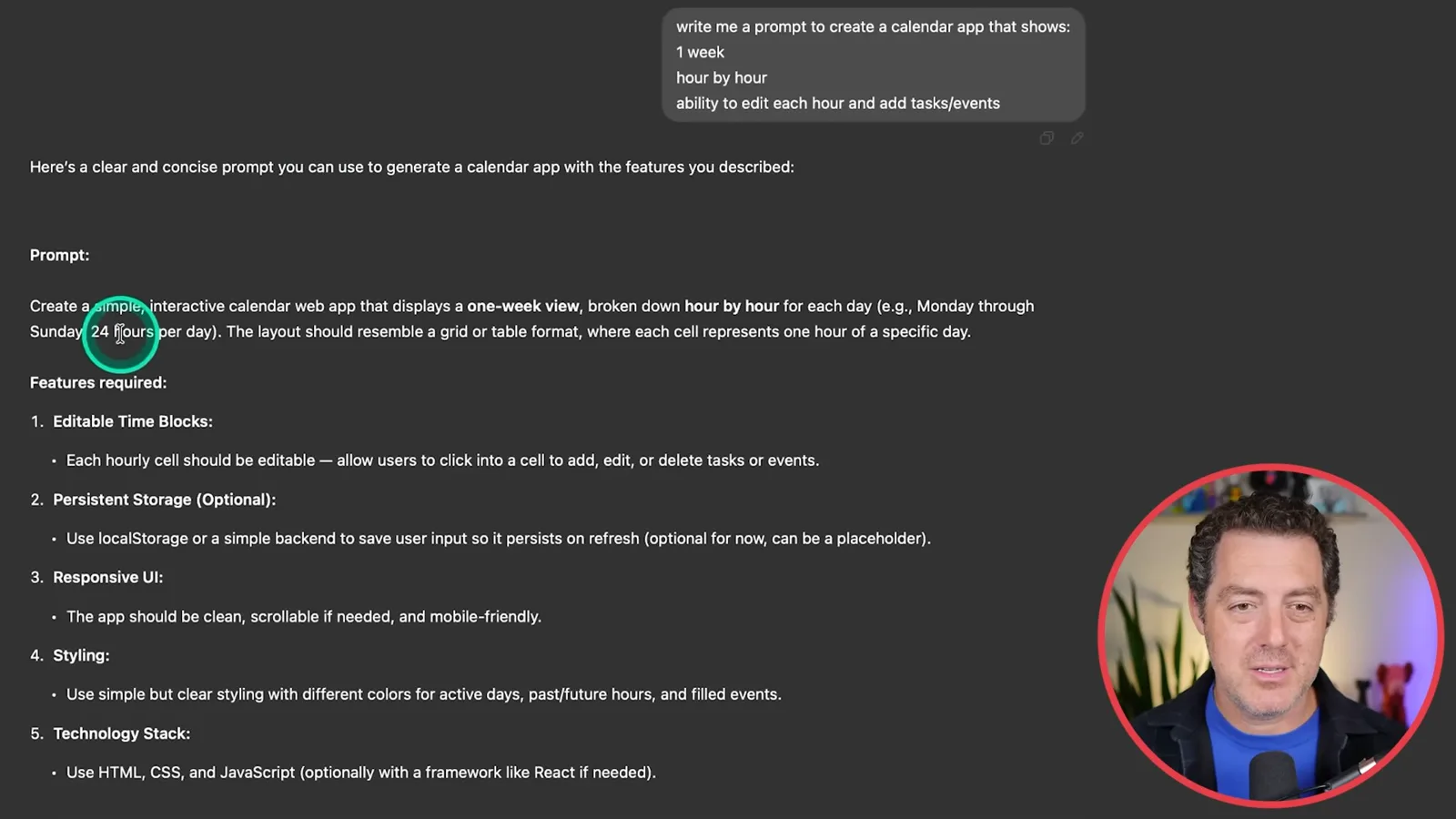
AI can improve a prompt before another model uses it. Berman starts with a short request for a weekly calendar app with editable hourly blocks. The assistant expands it into a more detailed prompt covering the layout, storage and other features, which he can revise.
Alex uses ChatGPT reminders for car payments due on the 11th and 25th of each month. He asks to be reminded at 3 p.m. the preceding day and says it has reminded him before each payment. Berman closes by inviting more suggestions for AI uses.
Mehr aus diesem Kanal
 34:21EN
 Matthew Berman· 27. Okt. 2026Matthew Berman Examines Anthropic’s IPO Filing, AI Growth and GovernanceMatthew Berman, Sam Altman · Forward FutureThe presenter reviews the S-1’s financial metrics, compute strategy and voting structure while questioning the tension between rapid AI development and safety.
 0:36ENMatthew Berman· 25. Okt. 2026Kimi K3.1 and a Rubik’s Cube Solver DemonstrationMatthew Berman · Forward FutureMatthew Berman shows a scrambled virtual cube being solved and gives the Kimi K3.1 test a favorable assessment.
 25:50ENMatthew Berman· 24. Okt. 2026Kimi K3.1 Pro Tested: Strong 3D Demos, Uneven Results and Competitive PricingMatthew Berman · Forward FutureMatthew Berman tests the open-weight model on coding, 3D rendering and visual explanations, then compares benchmark results and prices.
 32:20ENMatthew Berman· 23. Okt. 2026Who Is Local AI For? The Costs, Trade-offs and a Hybrid FutureMatthew Berman · Forward FutureMatthew Berman weighs data control and independence against hardware cost, setup complexity and inference speed.
 1:03:37ENMatthew Berman· 23. Okt. 2026Matthew Berman’s Team Tests Kimi K3.1 on Animation, Games, and ChartsMatthew Berman, Alex, Brian · Forward FutureA live team AMA turns into an informal test of Kimi K3.1, from personal-agent workflows to motion graphics, a browser game, and a benchmark chart.
 0:53ENMatthew Berman· 22. Okt. 2026Sam Altman on AI and the Discovery of New KnowledgeSam Altman · OpenAIAltman expects progress in mathematical discovery to extend to biology, materials and energy.