30초 요약
A workout tracker had confusing rest and navigation behavior, and individual fixes risked conflicting with one another. Google’s Devin Chasanoff reorganized the changes into a specification for components, page and exercise state, display rules and user actions, including the final-set case. He used Gemini to generate tests, passed the specification and tests to an existing Antigravity session, and then manually checked the revised workflow.
- 1Individual fixes can conflict and bring old bugs backChasanoff replaces a list of complaints with an explicit model of the screen.
- 2Separate page-level state from exercise-level stateThe current set and rest mode affect the page, while completion belongs to an individual set.
- 3The final set needs its own state transitionAfter the last set is complete, the app still needs to let the user finish and save the workout.
- 4Generate tests for complete user journeysGemini produces cases that connect actions, state changes and visible results.
- 5Keep the agent in the existing session when the plan depends on its contextChasanoff wants the agent to reconcile his specification with the existing implementation and then resume the plan.
- 6Verify the revised interactions in the appHe checks rest mode, incomplete-set navigation and the final completion state.
핵심 정리
- Describe related interface changes as a single system rather than a list of isolated fixes.
- Identify state, its scope and how user actions change it.
- Specify edge cases such as the transition after the final item.
- Test user journeys as well as individual display conditions.
- Check the actual app after the agent reports passing tests.
챕터별로 다듬은 전문 읽기
The workout screen has conflicting interactions
Chasanoff demonstrates confusing rest and navigation behavior.
Devin Chasanoff is building a personal-trainer app from a detailed implementation plan. The active workout view is meant to be easy to use during exercise, but its current behavior is confusing.

Completing a set opens a rest timer without clearly advancing the workout. Two controls can navigate to the same place, extra future-set information crowds the page, and supersets must alternate between exercises. Chasanoff wants the interactions to work as a coherent whole.
Define components, state and transitions
He turns the bug list into a specification that covers normal and final-set behavior.
Fixing isolated bugs one at a time can introduce conflicting behavior and bring old bugs back. Instead, he rewrites his list of complaints as a system describing presentation, components, state, display conditions and user actions.
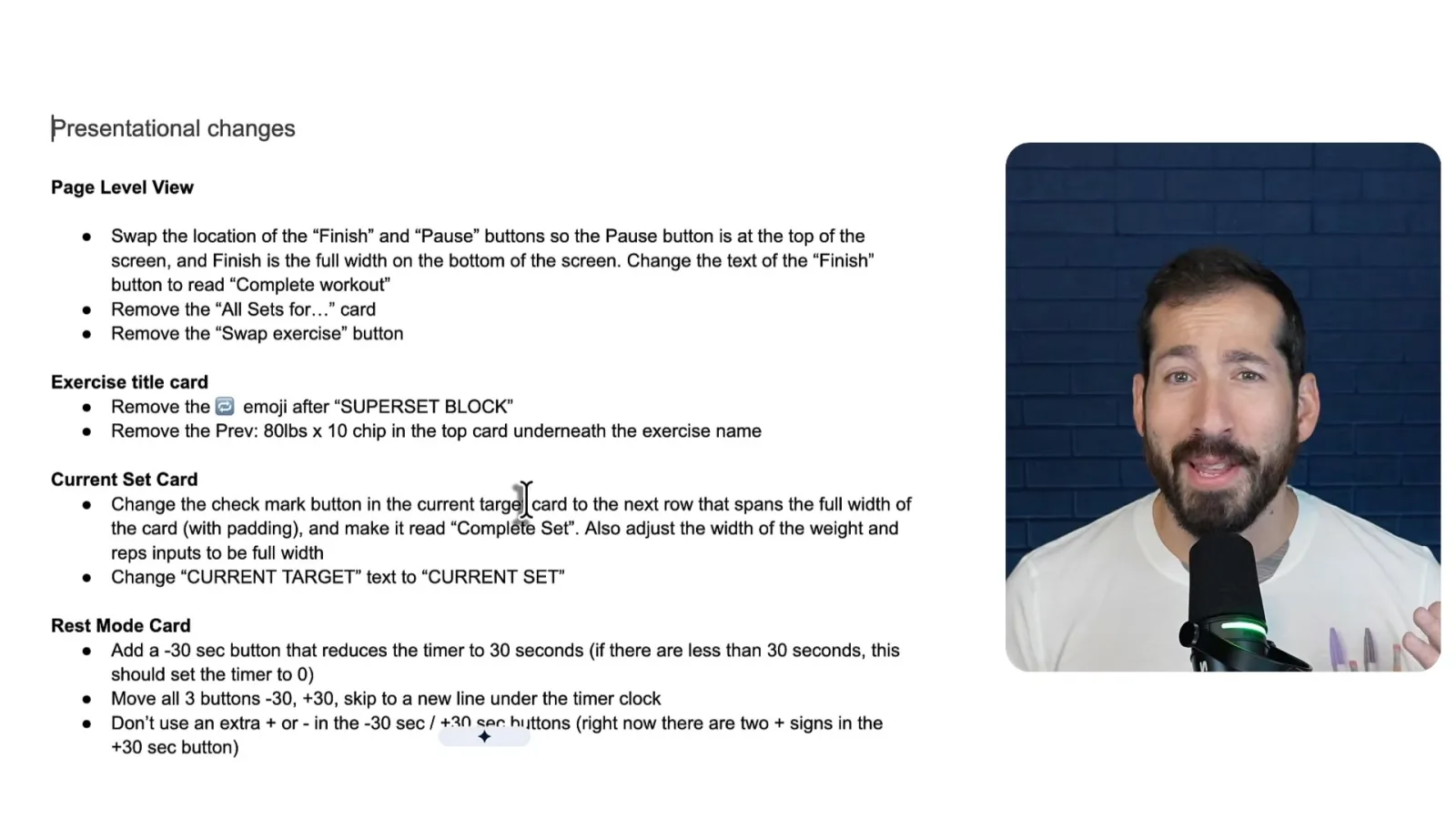
First he lists visual changes such as labels and layout, then identifies the pieces making up the page. These names are a way to describe the interface and help the agent locate the intended changes; they do not necessarily require separate code components.
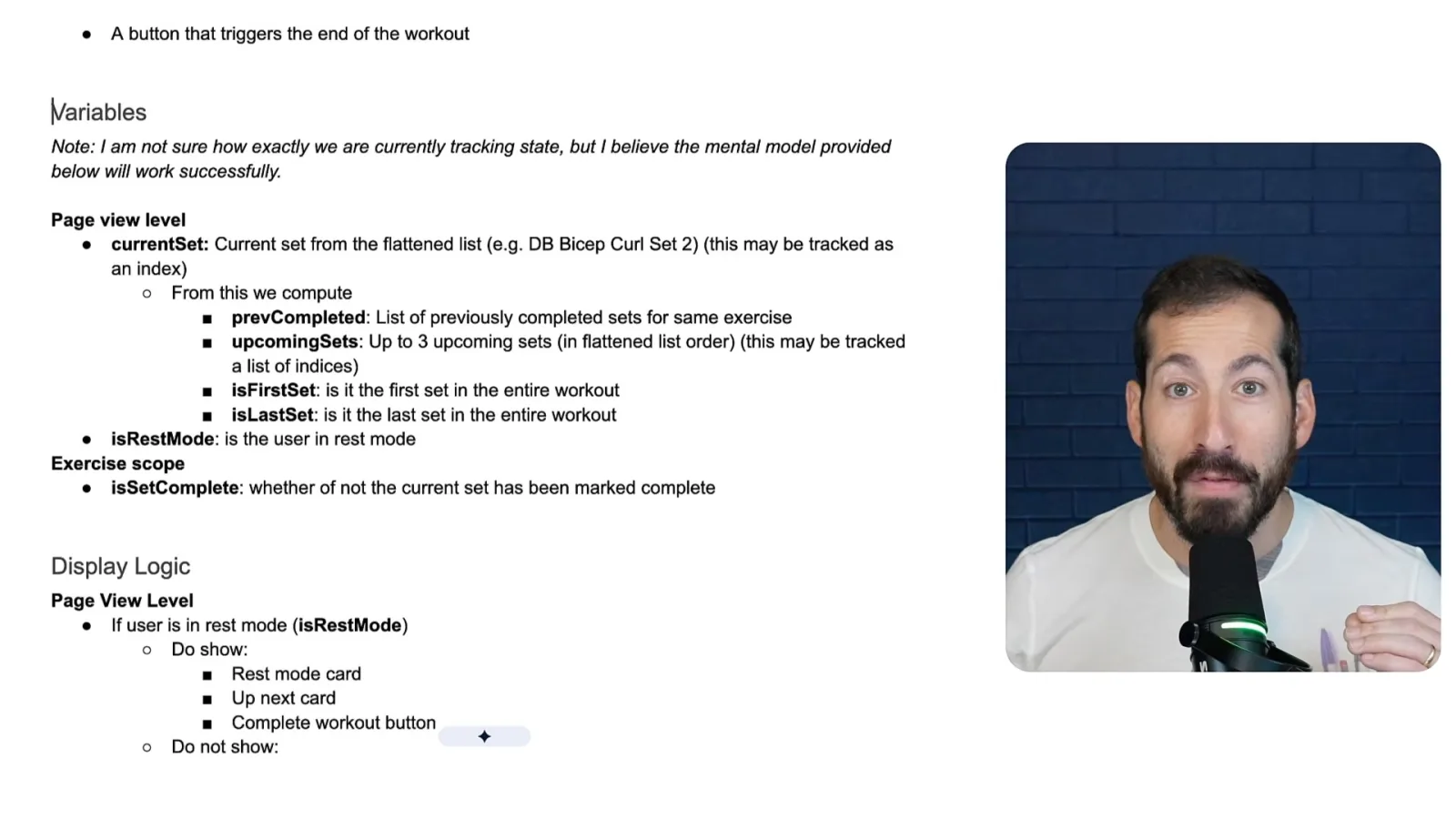
Next he identifies state at the page and exercise levels. The page tracks the current set and whether it is in rest mode; it can derive upcoming sets and whether the current set is first or last. Individual exercises track whether a set is complete.
He defines which elements appear in rest mode and during an active set. The last set needs a special state: once it is complete there is no current set, but the workout has not yet been logged. Listing such cases makes the intended transitions explicit.
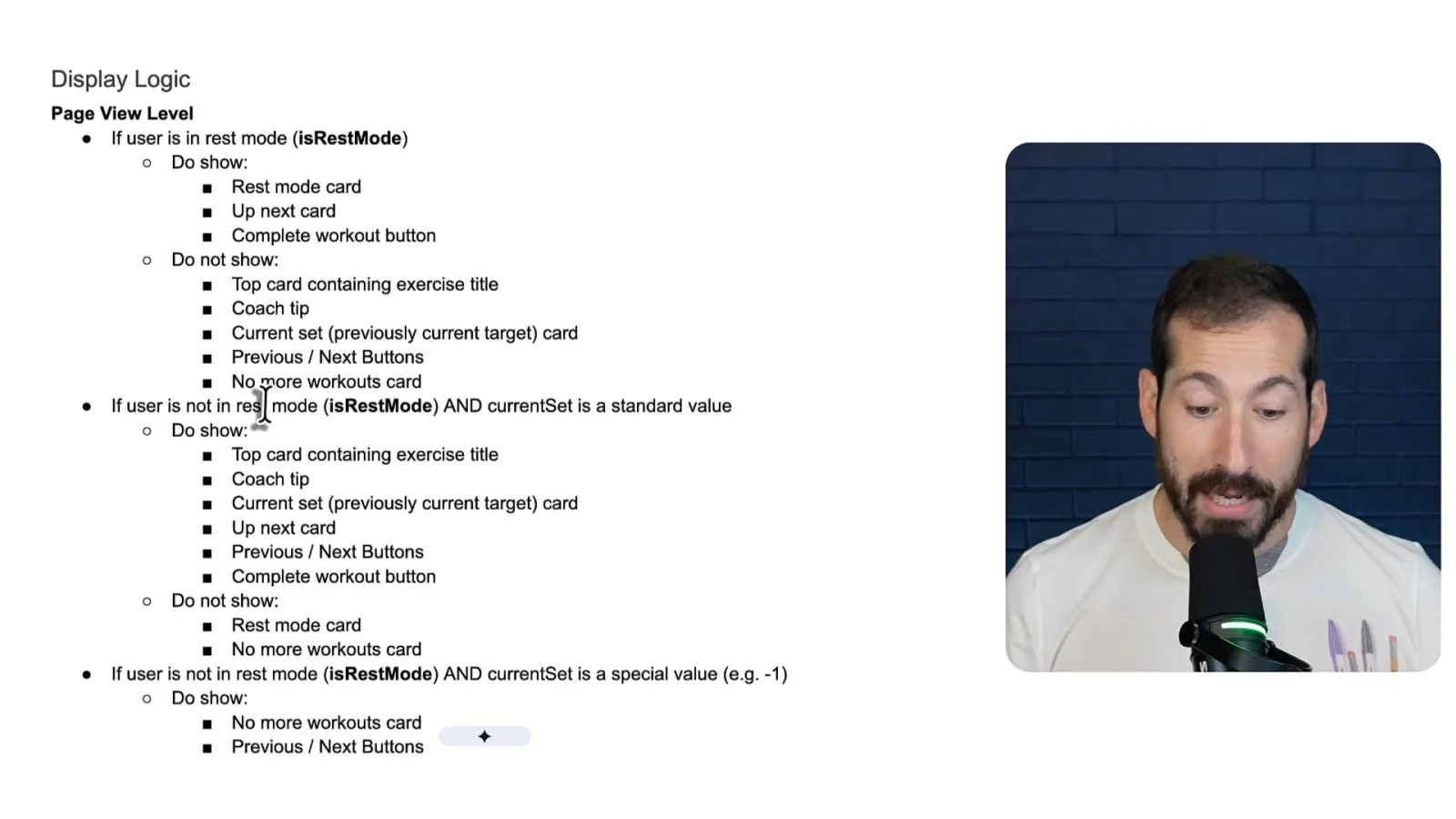
For a current-set card, unfinished values should be editable, while completed values should be displayed as text. The button should change from completing a set to editing it. He similarly specifies upcoming-set previews and navigation controls.
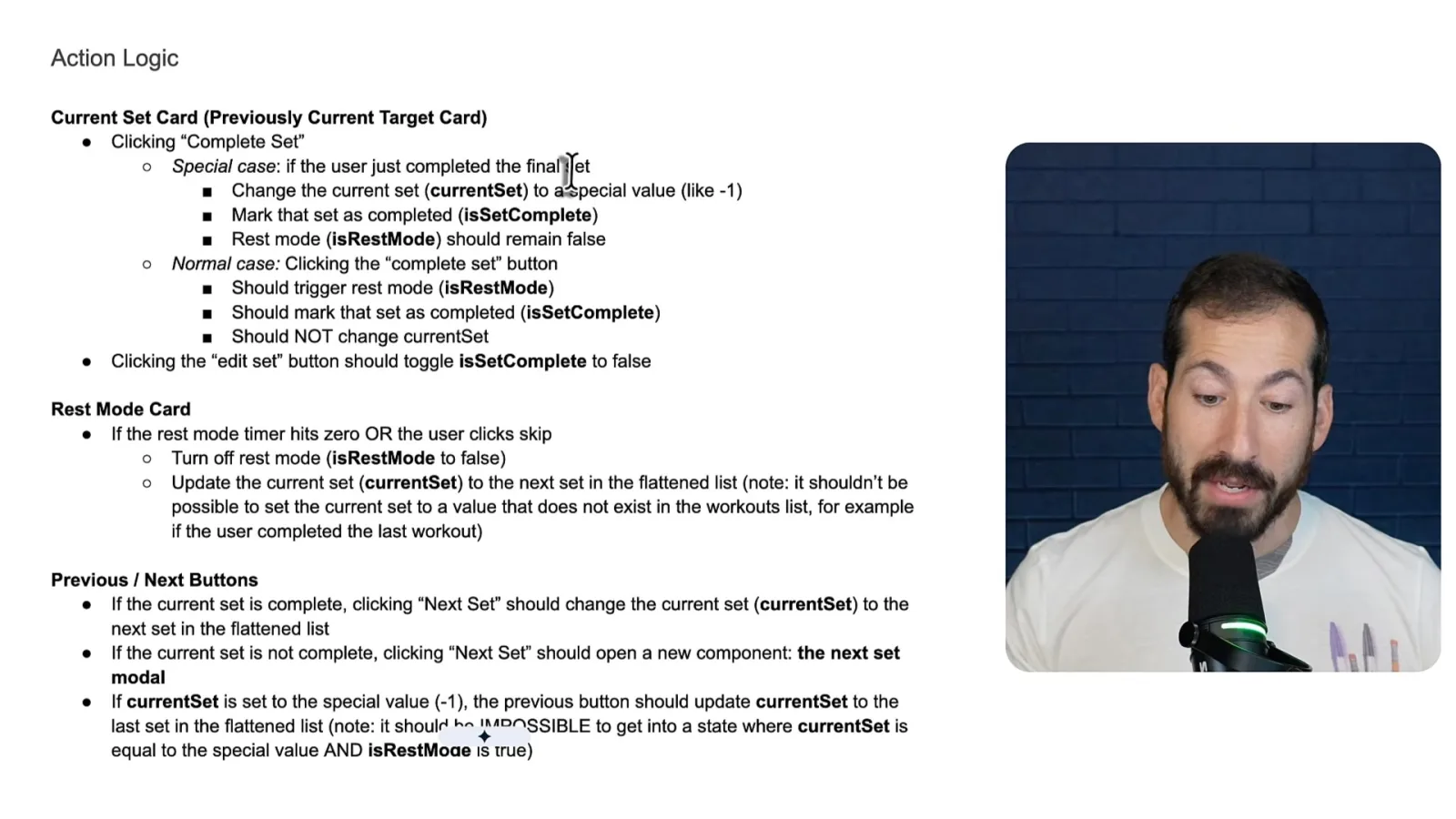
Action rules connect a user's click to the resulting state. Completing a normal set marks it complete and enters rest mode without immediately changing the current set; after rest ends or is skipped, the app advances. The final set follows a different path.
Generate tests and implement in context
He asks Gemini for tests and passes them with the specification to an existing agent session.
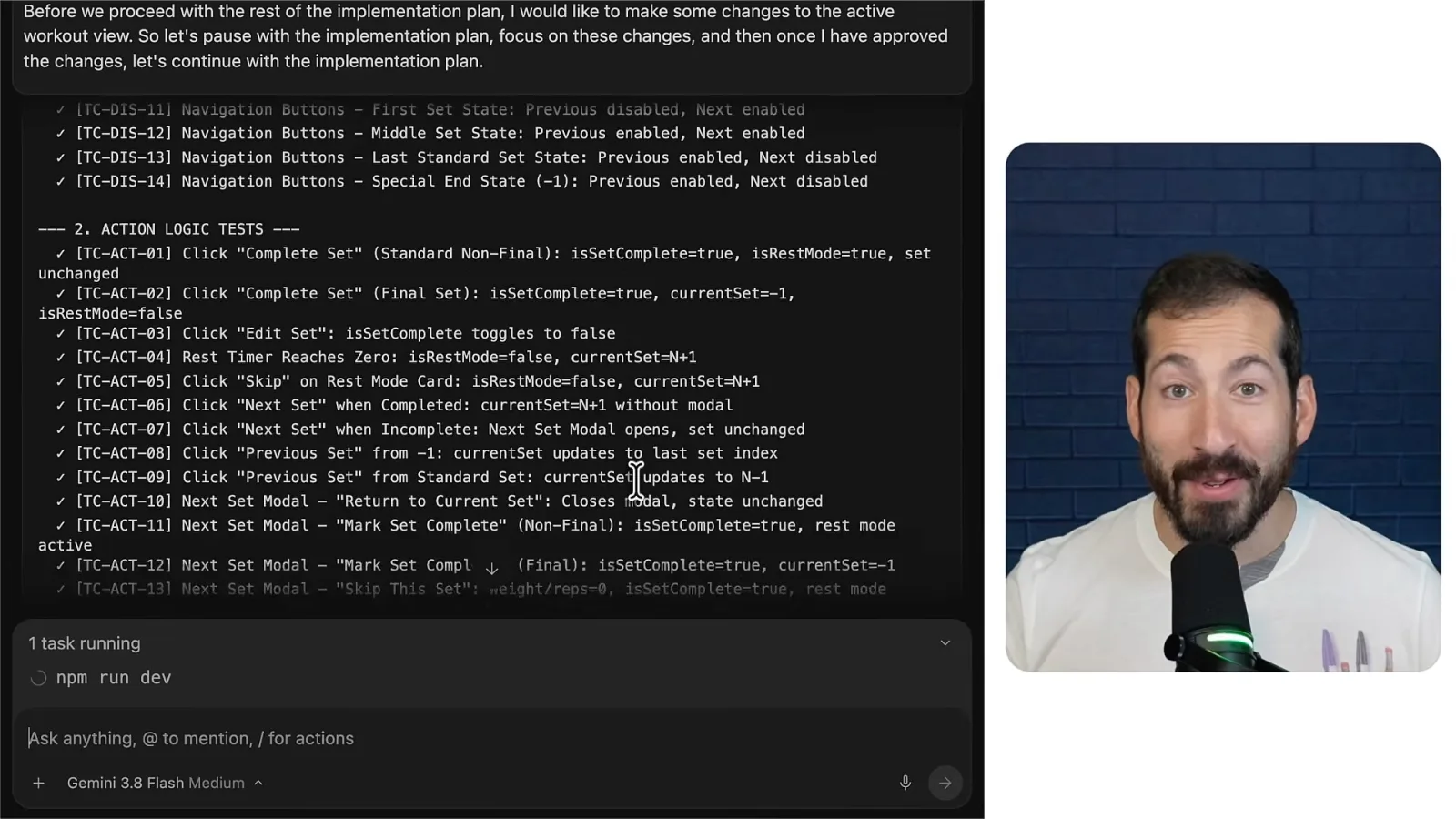
To prevent later changes from undoing this behavior, Chasanoff pastes the specification into Gemini and asks for test cases. He wants checks for visibility and state as well as small user journeys that connect an action to its display.
He decides to continue in the existing Google Antigravity session rather than start a new one. The agent can use the prior implementation context to reconcile his proposed variables with the actual code and then return to the broader implementation plan.
He asks the agent to pause the plan, implement the specification and cover the generated test cases. He reports that Gemini worked for about seven minutes and the resulting tests passed, then checks the app himself.
Verify the workout flow
The demo checks rest, navigation and completion in the revised app.
The revised rest view shows the timer and upcoming work. Completed sets can provide a reference for previous weight and repetitions. When the user presses Next without completing a set, a menu offers marking it complete, skipping it, previewing the next set or returning.

He walks through the last sets: the upcoming preview shrinks as fewer sets remain, and completing the final set presents a completion card. He confirms and saves the workout, concluding that specifying the system helped him address connected behaviors together.

같은 채널의 다른 글
 11:59EN
 Google Cloud Tech· 2026년 11월 3일Use two AI agents to turn a prototype into a front-end specificationDevin Chasanoff · GoogleDevin Chasanoff separates planning from documentation so Gemini can help a user design an app before building it.
 11:16ENGoogle Cloud Tech· 2026년 10월 29일Before an AI agent builds, reconcile the specs and plan checkpointsDevin Chase · GoogleDevin shows how to find conflicting requirements, compare assumptions with recommendations and plan a staged build.
 12:26ENGoogle Cloud Tech· 2026년 10월 28일Give an AI agent two kinds of long-term memoryAnnie Wang · Google CloudAnnie Wang separates exact facts from semantic preferences and keeps slow memory extraction off a live voice agent’s critical path.